

Scribe (AI)
by Scribe (Colony Labs Inc.)
AI that automatically creates step-by-step process documentation.
Score
Score
Our verdict
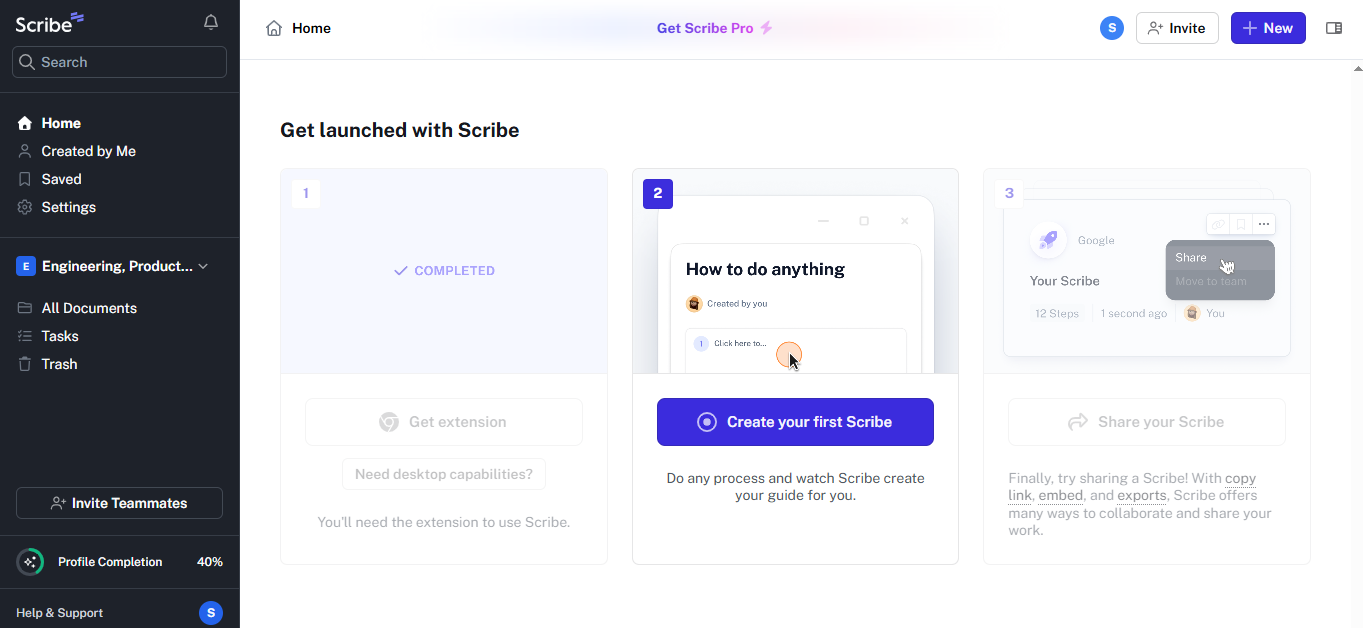
Scribe automatically generates step-by-step documentation with screenshots by recording your actions as you complete a process. Click through a workflow, and Scribe creates a formatted guide with annotated screenshots. Best for creating SOPs, training materials, and process documentation. The main caveat is limited to process documentation — not a general knowledge base tool.
Overview
Screenshot
Score breakdown
Overall score
Scores are editorial assessments by the Compare Best AI team on a 0–10 scale.
Expert review
CBAI Editorial Team
Compare Best AI · Editorial Team
Scribe solves the process documentation problem that plagues every organization. Instead of manually writing steps and taking screenshots, simply turn on Scribe's recorder, complete the process, and get a formatted step-by-step guide with annotated screenshots automatically.
How we tested
Days tested
14 days
Tasks evaluated
- ·Process capture accuracy
- ·Screenshot quality
- ·AI description enhancement
- ·Pages feature
- ·Sharing workflow
- ·Export quality
Method
Compared documentation speed and quality vs manual writing
Reviewer
CBAI Editorial Team
Plans & pricing
No public table
- Chrome opened website_url; no plan prices were visible
Pricing may vary by region. Always verify on the vendor's website.
Feature comparison
| Feature | Scribe (AI) | Loom | Notion |
|---|---|---|---|
| Documentation | |||
| Auto-generate from actions | |||
| Auto-screenshots | |||
| Format | |||
| Text + screenshot guides | |||
| Video walkthroughs | |||
| Pricing | |||
| Free tier (unlimited) | |||
Is it right for you?
Good fit for
Operations teams
Document SOPs by simply completing the process — no manual writing or screenshot-taking needed.
Training teams
Create step-by-step training guides automatically for onboarding new employees.
Customer support teams
Build help center articles and troubleshooting guides from actual support workflows.
Less suited for
General knowledge base
Notion and Confluence are better for general documentation, wikis, and knowledge management.
Video documentation
Loom creates video walkthroughs; Scribe creates text+screenshot guides.
Complex workflow documentation
Lucidchart and Miro handle complex process diagrams and flowcharts better.
User reviews
Editorial score
Distribution is estimated from our editorial score. Verified user reviews coming soon.
Use cases
Typical ways teams rely on this tool — from everyday tasks to specialized workflows.
- SOP Documentation
- Training Materials
- Process Guides
- Onboarding Docs
- Knowledge Base
- Help Center Content
Integrations
Reported connectors
Apps and services commonly connected out of the box or via official connectors.
- Chrome Extension
- Desktop App
- Confluence
- Notion
- Guru
- Zendesk
- Google Docs
- SharePoint
- Slack
Privacy & compliance
Security & data practices
Highlights we track from the vendor's documentation. Always confirm current terms, subprocessors, and regional policies on their official site.
- SOC 2
- GDPR-ready
Details
Category
Price
- Pro Team $13/mo
- Pro Personal $25/mo
Free version
Best for
- Process documentation
- SOP creation
- training guides
Frequently asked questions
Scribe (AI)
Automation & AI Ops
Ready to get started?
Visit the Scribe (AI) website to explore plans and start your free trial.
Was this page helpful?
Compare Best AI may earn a commission when you click links on this page. This does not influence our editorial scores or recommendations. Advertiser disclosure