

Answer First: AutoPod is worth considering if you regularly edit multi-camera podcasts, interviews, or talking-head videos and want to automate repetitive work inside Adobe Premiere Pro or DaVinci Resolve. It costs $29 per license per month, with a 30-day free trial for monthly billing, and includes the Multi-Camera Editor, Social Clip Creator, and Jump Cut Editor. Its biggest limitation is specialization: AutoPod is built around structured podcast and video workflows rather than being a complete replacement for a professional editor.
AutoPod is an automation-focused video editing plug-in suite created specifically to reduce repetitive post-production work.
Rather than replacing your editing application, AutoPod works inside an established professional workflow. Its core tools automate multi-camera switching, social-format sequence creation, batch exporting, and silence-based jump cuts.
That makes it particularly relevant to podcast editors, content agencies, production teams, and creators publishing high volumes of interview-style video.
For CompareBestAI's structured product details, see our AutoPod tool profile.
AutoPod Review 2026: Quick Verdict
| Category | Our assessment |
|---|---|
| Best for | Multi-camera podcasts, interviews and recurring video shows |
| Price | $29/month per license |
| Free trial | 30 days with monthly billing |
| Premiere support | Adobe Premiere Pro 2023 or newer |
| DaVinci Resolve | Supported through AutoPod's DaVinci version |
| Multi-camera editing | Yes |
| Maximum setup | Up to 10 cameras and 10 microphones |
| Social clip creation | Yes |
| Jump cuts | Yes, based on silence |
| Batch export | Yes for created social clips |
| Final Cut Pro | Not supported |
| Avid | Not supported |
| Biggest strength | Automating repetitive timeline work |
| Biggest weakness | Narrower workflow than full AI video editors |
| Verdict | Strong specialist tool for podcast/video editors |
AutoPod's current official pricing and product documentation confirm one Individual subscription rather than the Standard/Pro/Enterprise structure previously described on this page.
What Is AutoPod?
AutoPod is a set of editing plug-ins designed to automate repetitive video-podcast and show-production tasks.
Its core workflow is different from cloud-first AI video platforms.
Instead of uploading your footage to an entirely new editor, AutoPod works with professional nonlinear editing workflows so editors can automate repetitive decisions and then continue refining the project manually.
AutoPod's current product suite centers on three tools:
Multi-Camera Editor, Social Clip Creator, and Jump Cut Editor.
For users comparing specialist video tools more broadly, browse our Video Generation AI tools category.
AutoPod Multi-Camera Editor
The Multi-Camera Editor is AutoPod's headline feature.
It automatically edits multi-camera sequences based on speakers, camera configuration, and common podcast-editing conventions.
AutoPod says the current editor supports up to 10 cameras and 10 microphones, including solo shots, two-shots, three-shots, four-shots, and wide shots. Users can also adjust editing behavior and control how frequently wide shots appear. Presets can be saved for workflows used repeatedly.
This is especially useful for recurring shows where editors repeatedly perform essentially the same switching logic.
A two-host interview, for example, may contain hundreds of obvious cuts between cameras. Automating the first-pass switching gives the human editor a timeline to refine instead of forcing them to build every cut manually.
Important multicamera limitation
AutoPod's own FAQ states that the Multi-Camera Editor requires multiple cameras and multiple unique audio tracks.
It does not support its multicamera decision-making from a single audio source, and AutoPod says the feature is not designed for a single-speaker setup.
That is an important limitation for buyers.
If you mainly record single-camera solo videos, the Multi-Camera Editor is unlikely to be the reason to buy AutoPod.
AutoPod Social Clip Creator
The Social Clip Creator is designed for turning edited footage into platform-ready social sequences.
AutoPod currently supports automatic creation of:
- 1920×1080 sequences,
- 1080×1350 sequences, and
- 1080×1920 vertical sequences.
The tool creates a sequence from selected in/out points, adjusts sequence and footage sizing for the chosen aspect ratio, and can automatically add reframing, watermarks, and end pages.
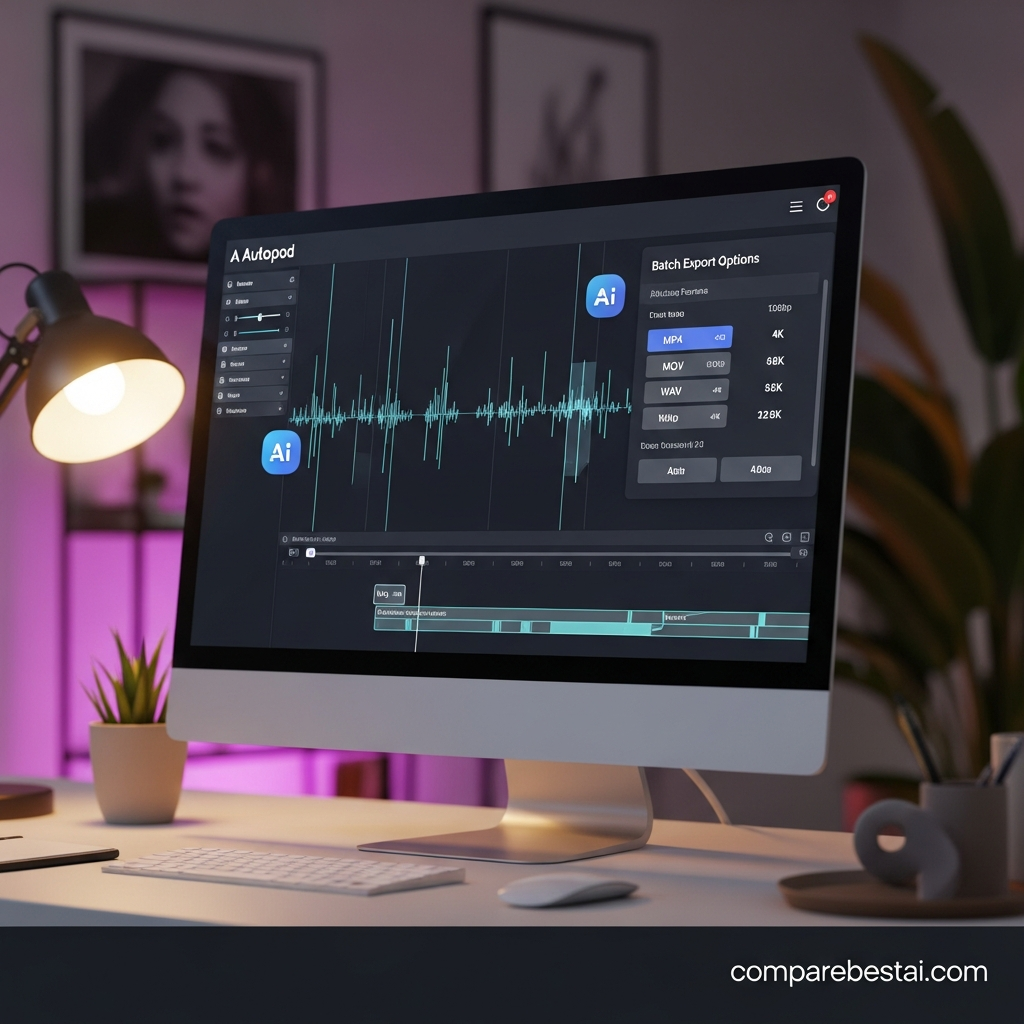
Created clips are collected in a folder and can be batch exported with one click.
For podcast teams publishing each episode across YouTube, Instagram, TikTok, Shorts, and other channels, this removes a meaningful amount of repetitive sequence setup.
It is also an important distinction between AutoPod and purely generative video software: AutoPod is primarily helping you process footage you have already recorded.
AutoPod Jump Cut Editor
AutoPod's Jump Cut Editor automatically creates cuts based on silence.
Editors specify a decibel threshold appropriate for their microphones, and AutoPod uses that threshold to identify where cuts should occur.
This can be valuable for talking-head content, podcast highlights, educational clips, and social videos where long pauses need to be tightened.
One correction from the previous version of this review is important here:
AutoPod's official documentation describes silence-based cutting. It does not currently describe the Jump Cut Editor as an automatic filler-word transcription and removal system.
If transcript-based editing and automatic manipulation of spoken words are central to your workflow, Descript's video and podcast editing workflow is a more directly relevant comparison.
AutoPod Pricing in 2026
AutoPod's pricing is simpler than the previous version of this article suggested.
Individual — $29 per month, per license
The official pricing page currently lists one primary Individual subscription at $29/month per license.
That license includes:
- AutoPod Multi-Camera Editor,
- AutoPod Social Clip Creator, and
- AutoPod Jump Cut Editor.
Monthly subscriptions begin with a 30-day free trial.
For annual billing, AutoPod currently advertises one month free per year.
There is no separate $49 Pro plan shown on the official pricing page.
There is also no official Enterprise pricing tier. AutoPod's FAQ explicitly says enterprise pricing is not offered, although customers can purchase multiple keys using the same email address.
One license is tied to one computer
Each AutoPod license is activated for one computer.
AutoPod provides a mechanism for switching computers if you replace or move your editing workstation.
For agencies, that means the relevant cost calculation is not simply "$29 for the company." If five editors each need their own active workstation, licensing requirements should be evaluated per machine.
Does AutoPod Work With Adobe Premiere Pro?
Yes.
For Premiere users, AutoPod currently requires Adobe Premiere Pro 2023 or newer.
After installation, users reopen Premiere, open a project, and access the AutoPod extensions through Premiere's Extensions interface.
This workflow is one of AutoPod's biggest advantages for existing Premiere editors.
You do not need to abandon your familiar timeline or completely migrate projects into a separate browser-first editing environment.
AutoPod automates part of the editing process while leaving the project inside a conventional professional editing workflow.
Does AutoPod Work With DaVinci Resolve?
Yes.
This is an important correction to the previous article.
AutoPod's current official FAQ says a DaVinci Resolve version is available, and users can purchase through AutoPod's normal portal before downloading the DaVinci-specific installer.
The older statement that DaVinci Resolve users “must look elsewhere” is therefore outdated.
However, editors should verify current feature parity and compatibility for their specific DaVinci setup before moving a production workflow, because AutoPod's primary public product descriptions still focus heavily on Premiere.
Does AutoPod Support Final Cut Pro or Avid?
No.
AutoPod's current FAQ states that Final Cut Pro, Avid, and other NLEs outside its supported environments are not currently planned.
This makes editing-platform compatibility one of the first questions a buyer should answer.
If your production team is deeply committed to Final Cut Pro, AutoPod is not a practical fit today.
AutoPod Pros and Cons
| Pros | Cons |
|---|---|
| $29/month includes the three core AutoPod editors | One license is limited to one computer |
| 30-day trial lowers evaluation risk | Specialized rather than all-in-one |
| Automates multi-camera podcast editing | Multicam requires separate audio tracks |
| Supports up to 10 cameras and microphones | Single-speaker users gain less from multicam automation |
| Creates multiple social aspect ratios | No Final Cut Pro or Avid support |
| Batch exports created social clips | No transcript-first editing workflow |
| Works with Premiere Pro | Still requires human review and creative judgment |
| DaVinci Resolve version is available | Best value depends heavily on production volume |
| Configurable jump-cut threshold | Jump Cut Editor is silence-based, not transcript-based filler removal |
Who Should Use AutoPod?
AutoPod is strongest when your content follows a repeatable production pattern.
Video podcast editors
This is the clearest fit.
If each episode uses multiple hosts, guests, cameras, and separate microphone tracks, AutoPod's Multi-Camera Editor addresses exactly the type of repetitive switching work that consumes editorial time.
Podcast production agencies
Agencies often repeat the same process across episodes and clients.
Saved editing presets, automatic camera decisions, social-sequence generation, and batch export can make AutoPod particularly useful when several shows move through the same production pipeline each week.
In-house content teams
Companies increasingly record interviews, thought-leadership podcasts, webinars, and executive content.
Teams already working in Premiere or DaVinci may benefit because AutoPod adds automation without forcing an entirely different editor.
High-output creators
A creator producing one video every few months may not recover much value from another subscription.
A creator producing several multi-camera episodes each week has a much stronger use case.
Who Should Skip AutoPod?
AutoPod is not the best choice for every video workflow.
Skip or compare alternatives first if you primarily need transcript-based editing, AI-generated video, caption-heavy cloud workflows, automatic viral clipping, Final Cut Pro integration, or complex cinematic editing where every cut is intentionally handcrafted.
For transcript-first video editing, read our Descript video and podcast editor review.
If your priority is automatically identifying highlights and repurposing long videos into short clips, compare the OpusClip tool profile.
Another short-form editing option in the CompareBestAI database is our Wisecut AI video editor review.
AutoPod vs Descript
AutoPod and Descript solve overlapping but different editing problems.
AutoPod is strongest when you already have a structured professional timeline and want to automate multicamera switching, social-sequence creation, and silence-driven cuts.
Descript's current workflow is centered much more heavily on text-based video editing. Descript transcribes footage and lets users change the underlying audio/video by editing the transcript; its Underlord AI co-editor can also perform editing and generation tasks.
Choose AutoPod when multicamera podcast production and timeline automation are your priority.
Choose Descript when transcription, text-based editing, AI-assisted script changes, and a browser-oriented workflow matter more.
AutoPod vs OpusClip
OpusClip is much more focused on repurposing long video into social content.
Its current official feature set emphasizes AI clipping, animated captions, social scheduling, B-roll, AI voiceover, audio cleanup, analytics, and automatic reframing across common aspect ratios.
AutoPod is a stronger fit when you need to edit the underlying multi-camera podcast or conversation.
OpusClip is a stronger fit when your main objective is extracting and distributing short-form content from material that is already produced.
For more tools in this space, see our guide to paid AI video tools worth comparing.
Is AutoPod Actually an AI Video Editor?
It is more precise to describe AutoPod as an automated video-editing plug-in suite than as a general-purpose generative AI video platform.
AutoPod's public site emphasizes automatic editing processes: analyzing a multicamera podcast setup, making camera-switching decisions, creating social sequences, and cutting footage based on silence.
It does not position itself like tools that generate entire videos from prompts, produce AI avatars, or replace traditional editing with text generation.
That distinction matters for searchers.
If you search for “AutoPod AI,” do not expect a Runway- or Synthesia-style video generator. AutoPod is designed to automate specific parts of an existing editing workflow.
AutoPod Limitations You Should Know Before Buying
The biggest limitation is that AutoPod is highly specialized.
That specialization is also its strength.
A podcast editor may immediately understand the value of automated camera switching. A marketer producing occasional single-camera clips may barely use it.
The second limitation is setup dependency.
For Multi-Camera Editor decisions, AutoPod requires separate audio tracks and the correct multi-camera structure.
Third, AutoPod still needs human review.
Automatic cuts can accelerate the technical first pass, but rhythm, storytelling, reaction shots, comedic timing, emotional beats, graphics, audio decisions, and final quality control remain editorial decisions.
AutoPod should therefore be treated as a production accelerator—not a replacement for editorial judgment.
How We Evaluated AutoPod
This review prioritizes current primary-source documentation over unsupported performance claims.
We evaluated AutoPod based on:
- current official pricing,
- free-trial terms,
- supported editing platforms,
- Multi-Camera Editor limits,
- Social Clip Creator functionality,
- Jump Cut Editor behavior,
- license restrictions,
- workflow fit,
- limitations, and
- credible alternatives.
We intentionally removed unsupported claims about guaranteed ROI, audience-retention increases, editing-time percentages, fictional pricing tiers, AI quality-control systems, and enterprise plans.
That approach makes this review more useful to users and more defensible for Google, AI Overviews, ChatGPT, Perplexity, and other systems looking for extractable factual information.
Frequently Asked Questions About AutoPod
How much does AutoPod cost in 2026?
AutoPod currently costs $29 per month per Individual license. The subscription includes Multi-Camera Editor, Social Clip Creator, and Jump Cut Editor. Monthly subscriptions include a 30-day free trial, while annual billing currently includes one month free per year.
Does AutoPod have a free plan?
AutoPod's official pricing page currently advertises a 30-day free trial, not a permanent free plan. After the trial, the Individual subscription is $29 per month unless you cancel or choose a different billing arrangement.
Does AutoPod work with DaVinci Resolve?
Yes. AutoPod's current FAQ says a DaVinci Resolve version is available through a dedicated downloader after purchasing a license. Final Cut Pro and Avid are not currently supported.
How many cameras does AutoPod support?
AutoPod's Multi-Camera Editor supports up to 10 cameras and 10 microphones across common podcast camera configurations.
Can AutoPod automatically create social clips?
Yes. Social Clip Creator can make landscape, portrait, and vertical sequences, automatically resize footage, apply auto-reframe, add optional watermarks and end pages, and batch export generated clips.
Is AutoPod worth it?
AutoPod is most likely worth its $29 monthly price for editors regularly producing multi-camera podcasts, interviews, or recurring shows. It is less compelling for occasional single-camera creators, transcript-first editors, or Final Cut Pro users.
Final Verdict: Is AutoPod Worth It in 2026?
AutoPod is a strong specialist automation tool for editors producing repeatable podcast and conversation-based video.
The $29/month Individual license is relatively straightforward: all three primary AutoPod tools are included, and the 30-day trial gives professional editors enough time to evaluate the workflow before committing.
Its most compelling feature is the Multi-Camera Editor, especially for podcast productions built around separate microphones and multiple angles.
Social Clip Creator adds useful repurposing automation, while Jump Cut Editor handles repetitive silence-based cuts.
The key decision is therefore not simply whether AutoPod is “good.”
It is whether your editing workflow contains the repetitive tasks AutoPod is specifically designed to automate.
If you regularly produce multi-camera podcasts in Premiere Pro or DaVinci Resolve, AutoPod deserves a trial.
If you primarily edit through transcripts, generate video with prompts, work in Final Cut Pro, or simply need automatic short-form highlights, another tool will probably fit better.

