

Quick Answer: Finviz Elite is a paid stock screening and financial visualization platform for traders and investors who need real-time US stock data, advanced filters, interactive charts, and customizable alerts. It costs $39.50 per month or $299.50 annually, equivalent to approximately $24.96 per month when billed yearly. The paid plan is particularly relevant to frequent screening and research workflows, while the free version may meet the needs of less active investors.
Finviz Elite builds on the free Finviz platform with additional market research capabilities, including extended-hours stock information, data exports, portfolio features, and customizable visualizations.
But the decision to upgrade depends on how often you research stocks, which data you need, and whether your current tools already support your workflow.
This Finviz Elite review examines its features, subscription pricing, free-plan differences, limitations, and alternatives. It also explains which capabilities are relevant to different trading and investing approaches.
What Is Finviz Elite?
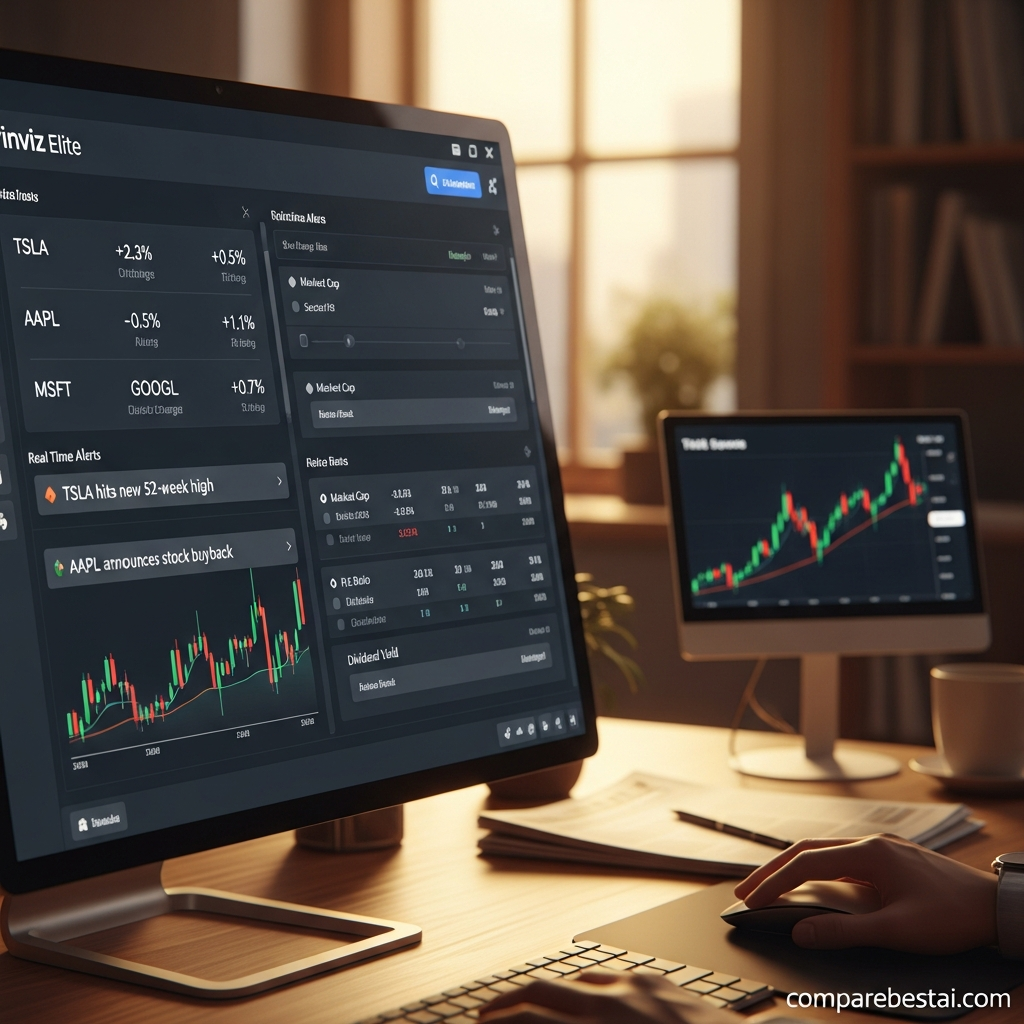
Finviz Elite is the premium subscription offered by Finviz, a financial research platform known for its stock screener, stock charts, heatmaps, and fundamental market data.
It provides a centralized interface for identifying US-listed stocks, researching market conditions, comparing companies, and monitoring selected securities.
The platform combines descriptive, fundamental, and technical filters to help users narrow large lists of stocks into smaller research candidates. For example, a trader might screen for companies that meet a minimum market capitalization, show above-average relative volume, and trade above a selected moving average.
Finviz focuses primarily on US-listed securities, including NASDAQ, NYSE, and AMEX. Its official documentation does not describe equivalent coverage for every international exchange.
Within CompareBestAI's Finance & Trading tools directory , Finviz Elite belongs to the stock-screening and market-research category rather than the AI content generation or general productivity categories.
Finviz Elite at a Glance
Attribute | Details |
|---|---|
Product | Finviz Elite |
Product category | Stock screener and financial visualization |
Free version | Available |
Monthly subscription | $39.50/month |
Annual subscription | $299.50/year |
Effective annual-plan monthly cost | Approximately $24.96 |
Primary market coverage | US-listed stocks and ETFs |
Key capabilities | Real-time quotes, advanced screening, charts, alerts, exports |
Access | Web-based |
Main limitation | Focus on US markets; not a brokerage execution platform |
Pricing and product scope are based on Finviz's published information.
Finviz Elite Pricing: How Much Does It Cost in 2026?
Finviz offers both monthly and annual Elite subscriptions. Both paid billing options unlock the same core Elite feature set.
$39.50
Per month$299.50
Per year • about $24.96/monthBoth subscription options include the Elite feature set. Confirm the latest terms on the official pricing page before subscribing.
Monthly vs. annual billing
Monthly billing allows subscribers to pay for access one month at a time. It avoids an upfront annual commitment but results in a higher total cost if maintained throughout the year.
The annual plan requires payment upfront and has a lower effective monthly cost.
When comparing these plans, consider how consistently you will use the platform. Someone who only needs advanced screening for a short research project may value monthly billing flexibility. A user who relies on the same research workflow throughout the year may prefer annual billing.
Does Finviz Elite offer a free trial?
Yes. Finviz advertises a free Elite trial that provides access to its paid features.
A credit card is required. The trial automatically transitions to a paid subscription unless canceled before the applicable deadline.
Finviz also explains its cancellation and refund conditions in its subscription FAQ. Review those terms directly before entering payment information.
For a concise overview of the product and its published capabilities, explore the Finviz Elite product profile .
Finviz Elite Features: What Do You Get?
Finviz Elite expands the free service through a combination of market data, advanced screening, visualization, alerts, and research features.
1. Real-time stock quotes and extended-hours data
Real-time market data is one of the main differences between Finviz Elite and its free version.
Finviz's official FAQ identifies a one-minute delay for regular stock quotes on its free service. Elite provides real-time stock quotes.
It also includes extended-hours data for supported securities.
The published session windows are:
US Eastern Time | Session |
|---|---|
4:00 AM–9:30 AM | Premarket |
9:30 AM–4:00 PM | Regular market hours |
4:00 PM–8:00 PM | After-hours |
Finviz specifies that futures data remains delayed, even with Elite. The distinction matters when a workflow includes instruments beyond US stocks.
Practical use: A trader researching premarket activity can monitor price changes and volume conditions before the regular session begins.
However, real-time data does not guarantee profitable trading, superior execution, or that every potential price movement can be acted upon.
2. Advanced stock screener and custom filters
The Finviz stock screener allows users to combine multiple criteria to identify securities that match a research strategy.
Available filter categories include descriptive, fundamental, and technical information.
Examples include market capitalization, sector, valuation ratios, relative volume, RSI, moving averages, and other technical conditions.
Elite adds advanced customizable filters, personalized views, additional screening capacity, and saved presets. Finviz advertises more than 20 advanced customizable filters and a screener auto-refresh setting as fast as 10 seconds.
These capabilities are relevant when a user repeatedly applies the same research criteria.
For example, an investor could build a valuation-oriented screen, save its configuration, and revisit it when new company information becomes available.
A technically oriented trader might instead prioritize liquidity, relative volume, and price-trend conditions.
The screener identifies candidates matching selected criteria; it does not establish that a security is appropriate for purchase.
3. Interactive charts and technical analysis
Finviz Elite includes an interactive charting suite with intraday charts, drawing tools, technical studies, and customizable layouts.
The platform supports up to 12 charts in its multi-layout charting environment.
Users can switch between chart arrangements, compare different perspectives, and save chart settings.
This makes it possible to move from a stock screening result into visual analysis without manually recreating every chart.
For instance, after finding a security with unusually high volume, a user can examine its historical chart, compare timeframes, and annotate areas for further research.
Technical charts can help organize market information, but historical chart patterns are not reliable guarantees of future performance.
4. Stock alerts and portfolio monitoring
Finviz Elite supports customizable alerts for stock prices, screening conditions, portfolio changes, and other market-related information.
Official documentation describes email and push notifications, including alerts associated with news, analyst ratings, insider activity, and SEC filings.
The published Elite plan includes unlimited stock, price, screener, portfolio, and calendar alerts.
A user can set a screening alert to identify when a stock begins matching defined conditions.
This reduces the need to repeat every manual scan throughout the day.
Alert delivery and the timeliness of the underlying information should still be considered when building a trading workflow.
5. Heatmaps and market visualization
Finviz is known for its market heatmaps, which visually represent the relative performance of stocks, sectors, and other groups.
The Elite plan adds real-time map information and customization options.
Finviz's June 2026 homepage update introduced more controls for signals, filters, sessions, and heatmap layouts, including displaying multiple maps.
A market heatmap can support a top-down research process.
Instead of starting with an individual stock, a user can examine sector-level performance and investigate the companies contributing to that movement.
Heatmaps are descriptive market visualizations, not stock recommendations.
6. Data export and research workflows
Finviz Elite provides data export options for further analysis outside its interface.
The official feature list includes Excel and CSV exports covering screeners and other supported datasets.
Finviz also promotes using exported financial information in automated analytical workflows.
This is relevant for users who work with spreadsheets, Python, or independent financial models.
For example, an analyst might export a filtered stock universe, combine it with a separate dataset, and calculate additional metrics.
Exports and API access are not the same thing. Before designing an automated production workflow, confirm the available endpoints, licensing terms, usage limits, and permitted data redistribution.
7. ETF and fundamental research
Finviz Elite includes deeper ETF research data, including full holdings information and performance metrics.
It also provides up to eight years of financial statement information in its published plan.
These features support research into company fundamentals, ETF composition, and comparative market performance.
Users who primarily evaluate long-term investment fundamentals may nevertheless need additional research tools, depending on how deeply they analyze financial statements, company valuations, and portfolio risks.
 Finviz Elite vs. Free: Which Features Are Different?
The free version provides access to Finviz's core research interface, including stock screening, charts, and market visualization.
Elite adds capabilities designed for more frequent, detailed, and customizable research.
Feature | Finviz Free | Finviz Elite |
|---|---|---|
Subscription cost | $0 | Paid |
US stock quotes | One-minute delayed | Real-time |
Stock screening | Core filters | Advanced filters and views |
Interactive charting | Basic tools | Expanded charting suite |
Intraday charts | Limited | Included |
Data exports | Limited | Excel and CSV exports |
Alerts | Limited | Expanded and unlimited alert capabilities |
Advertising | Ad-supported | Ad-free |
ETF research | Basic access | Deeper ETF data |
Customization | Limited | Expanded layout and screener customization |
The feature comparison reflects the official Elite offering and Finviz's published update to free stock quote delays.
When is the free version sufficient?
The free version may be sufficient for someone who researches a small number of stocks, reviews daily price movements, or performs occasional screening.
For long-term research, a one-minute stock quote delay may have little practical impact on the investment analysis itself.
The free plan also lets users evaluate Finviz's interface before committing to a subscription.
When does Elite become relevant?
Elite becomes more relevant when a workflow requires live stock information, extended-hours monitoring, advanced screen customization, repeated exports, or a larger alert setup.
The question is not simply whether Elite has more features.
It is whether those features address a limitation in the user's existing workflow.
How to Use Finviz Elite: A Practical Screening Example
Consider a hypothetical US swing trader researching stocks before the market opens.
The goal is to create a repeatable research process rather than identify a guaranteed trade.
Step 1: Define the research criteria
Start with a specific research question.
For example: Which liquid US-listed stocks are showing elevated trading activity and a positive longer-term trend?
Select the corresponding screener filters for price, average volume, relative volume, and moving averages.
Step 2: Review the screening results
Sort the results and inspect relevant company information.
Check whether unusual activity relates to earnings, news, sector conditions, or another identifiable development.
Step 3: Analyze the charts
Open the selected securities in Finviz's charting interface.
Compare different timeframes and review volume, trend conditions, and nearby historical price levels.
Step 4: Create monitoring alerts
If the research requires continued monitoring, configure alerts for the relevant price or screening conditions.
Step 5: Export and document the findings
Export available results to a spreadsheet and maintain a research log.
Record the date, screening criteria, findings, and subsequent observations.
This example illustrates how the product's screening, charting, alerting, and export capabilities can be combined. It is not a real customer case study, an independently tested strategy, or evidence of expected returns.
Finviz Elite Backtesting: What Should You Know?
Historical Finviz product documentation describes technical-study backtesting as an Elite capability.
However, the current main Elite feature listing does not prominently describe this functionality in the same way as its screener, charts, alerts, and exports.
If backtesting is a primary reason for purchasing the subscription, confirm the available functionality through Finviz's current account interface or support before subscribing.
It is also important to distinguish a technical-indicator backtest from a fully programmable strategy-development environment.
A researcher building complex automated strategies may require custom code, detailed transaction-cost modeling, or direct execution integrations.
Historical strategy performance does not guarantee similar future results.
Finviz Elite vs. TradingView and Other Alternatives
Finviz Elite is one of several platforms that support financial research.
The differences between tools are more useful when examined by workflow rather than by a single overall score.
Finviz Elite vs. TradingView
Finviz emphasizes stock screening, heatmaps, financial data, and an integrated market-research interface.
TradingView offers an extensive charting ecosystem, custom indicators, Pine Script, and community-created analytical tools.
Its Pine Screener also supports screening watchlists and indices using custom scripts and indicators.
Users evaluating script-based technical analysis can consult the TradingView Premium review or examine the TradingView Premium product profile .
Finviz Elite vs. Barchart Premier
Barchart Premier is another financial research subscription, with a different emphasis on market information, options, and commodity-related research.
The tools should be compared based on the instruments being researched, specific data requirements, charting capabilities, and export needs.
CompareBestAI provides a separate Barchart Premier review and a Barchart pricing guide for readers investigating that platform.
Finviz Elite vs. fundamental research alternatives
Some investors place greater emphasis on company valuation, financial statements, portfolio composition, or investment research than on real-time screening.
Depending on the research process, other tools worth examining include Stock Rover Premium Plus , Morningstar Investor , and Seeking Alpha Premium .
For users requiring specialized investment visualization and reporting, the YCharts Professional product profile provides another comparison point.
Each platform should be evaluated using its current features, coverage, and subscription terms.
Finviz Elite Pros and Cons
Finviz Elite offers a broad set of research functions within a single interface, but not every workflow requires those capabilities.
Advantages | Limitations |
|---|---|
Real-time US stock quotes | Primarily US-market focused |
Advanced screening and customizable views | Paid subscription for advanced features |
Interactive charts and market heatmaps | Not a substitute for brokerage execution |
Email and push alerts | Advanced programming requirements may exceed its standard tools |
Excel and CSV exports | Futures data remains delayed |
Extended-hours stock information | Users seeking extensive international research may need additional platforms |
Deeper ETF and fundamental data | Features require a learning period |
These trade-offs follow from Finviz's published capabilities and market coverage.
Who Should Consider Finviz Elite?
The suitability of Finviz Elite depends on the user's research requirements and existing software.
Active stock traders
Users who monitor changing market conditions throughout the day may make use of real-time quotes, extended-hours information, and customizable alerts.
Swing traders
A swing trader may use the screener to identify securities that meet technical or liquidity criteria, then use charts and saved presets to organize research.
Independent market researchers
Researchers who work with multiple securities may benefit from filtered datasets, portfolio comparisons, and spreadsheet exports.
Long-term investors
Investors who prioritize fundamental research over short-term price monitoring may find the free version sufficient for some tasks.
Additional specialized research tools may be more relevant when a workflow requires deeper financial or portfolio analysis.
Users who need fully automated execution
Finviz Elite is a research and monitoring platform. Users who require automated order execution, specialized quantitative programming, or direct brokerage integration should verify whether their requirements can be supported by Finviz and any additional services.

Is Finviz Elite Worth the Subscription Cost?
The value of Finviz Elite depends on the additional capabilities the user actually needs.
Before subscribing, consider three questions:
Does your research require real-time information, extended-hours data, or advanced filters?
Will you use alerts, customized charts, and exports frequently enough to justify a subscription?
Does the platform provide capabilities that your existing tools do not already cover?
If the free version supports your research process, a paid subscription may not be necessary.
If the additional features address recurring research limitations, compare the monthly and annual terms and test the available functionality before making a commitment.
Next step: Explore Finviz Elite features and current plan information , or visit the official Finviz pricing page to review subscription and trial terms.
Affiliate disclosure: CompareBestAI may earn a commission from qualifying partner links. Product details are presented for comparison purposes.
Frequently Asked Questions About Finviz Elite
1. How much does Finviz Elite cost in 2026?
Finviz Elite costs $39.50 per month or $299.50 per year. The annual subscription works out to approximately $24.96 per month. Both paid billing options provide access to the Elite feature set.
2. Does Finviz Elite offer a free trial?
Yes. Finviz advertises a free Elite trial. A credit card is required, and the subscription automatically transitions to a paid plan unless canceled before the trial ends. Check the official website for the applicable duration and terms.
3. What is the difference between Finviz Free and Elite?
The free version provides basic stock screening, charts, and market research with delayed stock quotes. Elite adds real-time stock data, expanded charting, advanced screening, customizable alerts, exports, and deeper ETF research capabilities.
4. Does Finviz Elite provide real-time stock data?
Yes. Finviz Elite includes real-time quotes for supported stocks and extended-hours market information. Futures data remains delayed, according to Finviz's official documentation.
5. Can you backtest trading strategies with Finviz Elite?
Historical official documentation describes technical-indicator backtesting. However, this feature is not prominently documented in the current main Elite feature listing. Confirm the available backtesting functionality before purchasing specifically for that purpose.
6. Is Finviz Elite an AI stock trading bot?
No. Finviz Elite is primarily a stock screening, visualization, and financial research platform. Its tools help users analyze market information and monitor selected securities; they do not constitute an autonomous AI trading system.
Editorial note: This review is based on published product documentation and available platform information, not an independently conducted hands-on product test. Pricing and features may change. This article is for educational and informational purposes and does not constitute personalized investment advice.

