

Quick Answer: Is Munch Worth It in 2026?
Munch is worth considering if you want more than a basic AI clipping tool.
The product has evolved into Munch Studio, an AI social-media platform that combines long-form video repurposing with content generation, social strategy, scheduling, publishing, brand learning, and performance tracking.
Video repurposing remains a major feature. Current plans include between 500 and 7,500 minutes of video repurposing per month, depending on the plan.
Munch Studio is best suited to businesses, marketers, creators, and agencies that want to turn existing video and brand materials into an ongoing stream of social content.
It is less suitable if you only need occasional short-form clips and do not need content planning, publishing, analytics, or broader social-media management.
A 7-day free trial is currently available.
Try Munch Studio free for 7 daysProduct and pricing details verified August 18, 2026.
What Is Munch Studio?
Munch began as an AI video-repurposing platform focused on turning long-form videos into shorter social clips.
In 2026, the product has expanded into Munch Studio, a broader AI-powered social-media platform.
Munch Studio can learn about a business from its website, uploaded media, existing posts, and brand materials. It then uses that context to generate social content and strategy.
The platform currently combines:
- AI video repurposing
- AI-generated videos
- AI-generated social posts
- Posters and carousels
- Video scripts
- Tailored content strategy
- Social-media scheduling
- Direct publishing
- Performance tracking
- Brand learning
- Team and multi-brand workflows on eligible plans
This makes Munch Studio a broader social-content and marketing platform rather than only an AI clip generator.
Key Takeaways
- Munch has evolved from a dedicated AI clipping tool into the broader Munch Studio social-media platform.
- AI video repurposing remains a core feature.
- Every current plan includes content strategy, social publishing, generated posters and carousels, content planning, and performance analytics.
- Current monthly pricing starts at $48 for Essential.
- A 7-day free trial is available.
- Premium and higher plans support unlimited team members.
- Studio and Scale are multi-brand plans designed for agencies and organizations managing several brands.
- Munch Studio currently supports publishing to Instagram, Facebook, LinkedIn, YouTube, and TikTok.
- Businesses that only need occasional clipping may find simpler dedicated video-repurposing tools more cost-effective.
Replace the Pricing Section
Munch Studio Pricing in 2026
Munch Studio currently offers four main plans.
| Plan | Monthly Price | Brands | Video Repurposing | Generated Videos | Team Members |
|---|---|---|---|---|---|
| Essential | $48/month | 1 | 500 min/month | 10/month | 1 owner |
| Premium | $75/month | 1 | 1,000 min/month | 30/month | Unlimited |
| Studio | $148/month | Up to 5 | 2,500 min/month | 50/month | Unlimited |
| Scale | $398/month | Up to 15 | 7,500 min/month | 150/month | Unlimited |
Munch Studio also offers yearly billing.
See current Munch Studio plansThe official pricing page currently lists Essential at $38 per month equivalent when billed annually at $456 per year, and Premium at $60 per month equivalent when billed annually at $720 per year.
A 7-day free trial is currently available.
Pricing can change, so verify the live Munch Studio pricing page before subscribing.
Get exclusive AI video insights—unlock the CBAI newsletter here.

Munch Studio Features
AI Video Repurposing
Video repurposing remains one of Munch Studio's core capabilities.
Users can take longer videos such as webinars, podcasts, interviews, product demonstrations, or recorded presentations and turn them into shorter social-media content.
Current plans include between 500 and 7,500 video-repurposing minutes each month depending on the subscription.
Business Deep Learning
Munch Studio learns from a company's website, existing posts, uploaded content, and other brand materials before creating content.
The goal is to generate content that reflects the business, audience, and brand voice rather than producing generic AI posts.
AI Content Generation
Munch Studio can generate social content in addition to repurposing existing video.
Current plans include generated videos, video scripts, and unlimited generated posters and carousels.
Higher plans increase monthly generated-video allowances and script limits.
Social Publishing
Munch Studio currently supports publishing to:
- YouTube
- TikTok
Users can create, approve, schedule, and publish social content through the platform.
Smart Content Planner
The platform includes a content planner that can help businesses organize social publishing over periods ranging from a week to a quarter.
This makes Munch Studio more useful for recurring social-media operations than a standalone clipping tool.
Performance Dashboard
Munch Studio provides a performance dashboard for monitoring how published content performs across supported platforms.
Its current privacy documentation also describes communication analytics and connected social-account data for supported integrations.
Social Inbox
Munch Studio's current privacy documentation describes a centralized social inbox for supported social accounts.
Depending on the connected platform, users can synchronize comments and direct messages, respond through Munch Studio, receive AI-assisted reply suggestions, and view communication analytics.
Multi-Brand Agency Workspaces
Studio and Scale plans are designed for managing multiple brands.
Studio currently supports up to five brands, while Scale supports up to 15.
Munch Studio also promotes separate workspaces for agency clients, with individual strategies, brand voices, and content queues.
Munch Studio Integrations
Munch Studio currently documents publishing and account connections for major social platforms including Instagram, Facebook, LinkedIn, YouTube, and TikTok.
Its privacy policy specifically explains integrations with Facebook, Instagram, LinkedIn, and YouTube and how account data is processed when those services are connected.
Munch also offers API and developer support for approved integration partners.
However, current public documentation does not clearly establish the Google Drive, Dropbox, Slack, Zapier, or general self-service API capabilities described in some older Munch reviews.
Businesses that require those integrations should confirm availability directly with Munch before subscribing.
Munch Studio Privacy and Data Handling
Munch Studio's current privacy policy explains how it processes account information, uploaded media, social-account data, communications, analytics, payment information, and usage data.
The company states that it does not sell or lease personal data to third parties for marketing purposes.
Munch Studio also states that communications processed through its AI features are not used to train third-party AI foundation models.
Businesses with specific requirements around encryption standards, SSO, data residency, SOC 2, ISO certification, audit logging, or regulated-industry compliance should verify those capabilities directly with Munch before deployment.
Munch Review: Pricing Breakdown
Munch has a tiered pricing model, reflecting its growing reach from solo creators to enterprise teams. As of July 2026, pricing starts with a limited free plan, followed by paid tiers designed to match different usage intensities. The free plan lets new users process up to 60 minutes of video monthly, with a cap on exports and watermarking on all downloads. While this plan is enough to experiment or generate a handful of clips, most serious users will outgrow it quickly.
The “Starter” paid plan, starting at $49 per month, removes watermarks and increases export capacity to 10 hours of video monthly. It unlocks HD downloads, auto-subtitle editing, and granular clip controls. This plan is the entry point for busy entrepreneurs, YouTubers, and freelancers eager to automate content workflows. Moving up, the “Pro” and “Business” plans (typically $129 and $299 per month, respectively) offer multi-user team seats, full integrations with major platforms, API access, batch processing features, and analytics dashboards. Larger organizations can request a custom “Enterprise” tier, with volume-based pricing, custom onboarding, dedicated account managers, and granular data controls—all designed to meet the needs of media companies and large agencies.
Hidden or “soft” costs to consider include additional fees for high-volume exports, extra seats above plan limits, and overage charges if you exceed allotted monthly video minutes. Advanced analytics and additional API calls may also involve a usage-based surcharge on some business plans. Munch also sometimes limits premium features such as early access tools or “trend intelligence” add-ons to only Pro or higher subscribers.
Teams should carefully compare their projected usage with plan limitations. For example, social agencies managing 50+ short videos weekly will see costs rise quickly on lower tiers. However, large teams can negotiate volume discounts or custom packages that drive down the effective per-video cost. According to aggregate data from third-party SaaS pricing trackers, most small businesses pay around $49–$129 per month, with larger agency plans ranging up to $399 or more (Munch official pricing page, July 2026).
Importantly, Munch does not lock users into annual contracts at the lower tiers; month-to-month billing is standard, with a discount for yearly commitments (typically 15–20% less than monthly rates). Enterprise buyers should budget for implementation and onboarding support, which may be an optional (one-time) fee, depending on negotiation and required integrations.
While cheaper options exist, few deliver the combination of workflow automation, trends insight, and team features at Munch’s level of polish. Budget-conscious creators should start with the free plan or entry tier and upgrade as their needs grow. Those producing high volumes or with multi-user requirements should do a deeper cost-benefit analysis, paying attention to per-video costs and support responsiveness. As always, reviewing recent changes on the “Pricing Breakdown” and “Best Alternatives” pages will help avoid surprises.
Munch Studio Pros and Cons
Pros
- Combines video repurposing with broader social-media management
- Up to 7,500 monthly video-repurposing minutes on higher plans
- AI-generated videos and scripts
- Unlimited generated posters and carousels
- Built-in content strategy
- Social publishing
- Content planning
- Performance dashboard
- Multi-brand plans for agencies
- Unlimited team members on Premium and higher plans
- 7-day free trial
Cons
- More expensive than a simple clipping-only tool
- Essential is limited to one account owner
- Higher repurposing limits require more expensive plans
- Multi-brand functionality starts on Studio
- Some integrations described in older reviews are not clearly documented in the current public product information
- Businesses with strict enterprise-security requirements should verify those requirements directly
- Users who only need occasional AI clips may not use enough of the broader platform to justify the cost.
Who Should Use Munch Studio?
Munch Studio is best suited to users who need ongoing social-media content rather than occasional video editing.
Small Businesses
Small businesses can use Munch Studio to generate social posts, repurpose existing media, plan content, publish across social channels, and monitor performance from one platform.
Marketing Teams
Marketing teams can use the platform to keep content aligned with existing brand materials and maintain a more consistent publishing schedule.
Content Creators
Creators who already produce podcasts, interviews, webinars, or longer videos can use the repurposing tools to turn that material into shorter social content.
Agencies
Agencies are one of the strongest use cases for the current product.
Studio and Scale support multiple brands, unlimited team members, and significantly higher video-repurposing allowances.
Munch Studio also promotes isolated client workspaces with separate content strategies, brand voices, and publishing queues.
Who Should Not Use Munch Studio?
Munch Studio may not be the best fit if:
- You only need a few clips each month
- You already have separate social scheduling and analytics systems that you prefer
- You primarily need advanced manual video editing
- You do not need social publishing or content planning
- Your organization requires enterprise features that are not clearly documented publicly
How It Compares to Top Alternatives
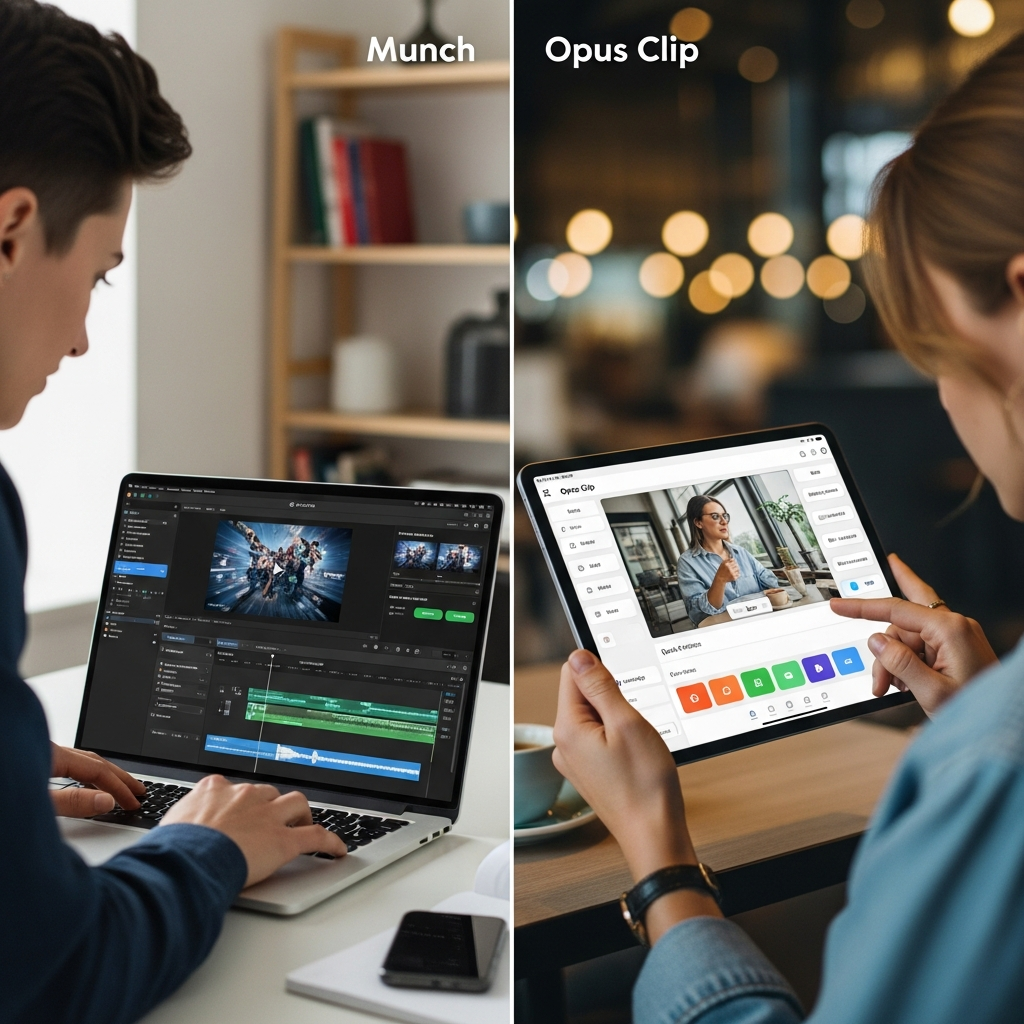
Munch sits in a crowded space of AI video clipping and repurposing tools. The most common comparison: Munch vs Opus Clip—both are known for speed, automation, and the ability to find “viral moments” in longer videos. Opus Clip is preferred by many solo creators for its simplicity and lower starting price (from $19/month as of July 2026). It offers fast basic clipping, responsive support, and an intuitive interface for users producing 2-5 clips per week. However, Opus lacks in-depth trend analysis, multi-platform publishing, and true team workflow features. Agencies or brands with collaborative workflows may find it limiting as they scale.
Vidyo.ai, another frequent alternative, focuses on speed and budget-friendly exports (with a base price of $29/month). It’s favored by creators on tight budgets who need straightforward trimming and AI-powered captioning. However, its analytics and trend-driven discoverability tools are comparatively weak—limiting its usefulness for brands with complex content strategies who care about audience insights or A/B testing headlines.
Repurpose.io is a legacy platform, best suited for automation geeks or larger agencies that already have set workflows in place. Its strongest offering is “If This Then That” (IFTTT)-style automation, allowing content to be routed between cloud storage, social networks, and blogs with little manual intervention. Repurpose.io does not deploy advanced AI to select the best clips; rather, it focuses on streamlining multi-platform distribution and maximizing the output from a library of existing videos, podcasts, or live streams. This flexibility appeals to multi-platform publishers with predictable campaigns and standardized formats. Pricing starts at around $25/month, but the learning curve can be steeper than Munch or Opus Clip.
Other notable competitors include Descript (which emphasizes collaborative audio/video editing with strong transcription and screen recording), Kapwing (geared toward template-driven creative teams), and Riverside (best known for high-fidelity podcast recording). These tools each have strengths, but generally lack Munch’s blend of social integrations, trend intelligence, and AI-driven segmentation.
When deciding, it’s essential to weigh platform-specific requirements. Munch edges ahead for agencies managing teams, brands seeking trend-based optimization, and users that value in-app analytics and creative controls. For those who just want simple AI video clipping at the lowest possible cost, Opus Clip and Vidyo.ai are frequently the go-to choices. Repurpose.io, on the other hand, is recommended for content managers who need to automate publishing at scale and can accept less intelligent clip selection. The “Best Alternatives” page on CompareBestAI remains a critical resource for users as vendor pricing and feature sets evolve.
How We Evaluated Munch
Our methodology in this munch ai review is built around the needs and workflows of actual creators, marketers, and agency teams. We begin by assessing each tool’s time-to-value: how quickly a user can upload content, generate short-form clips, and publish to major networks compared to a manual process. Usability, onboarding experience, and documentation clarity are quantified by reviewing vendor-provided walkthroughs and user-generated guides (reference: YouTube creator guides, July 2026).
We examine product features such as AI-driven clipping accuracy, multi-format exports, team collaboration options, trend/keyword suggestion engine depth, and social platform integrations. Where possible, workflow bottlenecks or blockers are highlighted, especially around export limits, API access, or team management quirks. Pricing analysis draws on vendor lists as well as SaaS pricing aggregators for typical total cost of ownership. We look for hidden fees and overage charges that trip up scaling agencies.
All technical and privacy claims are cross-referenced with vendor privacy policies and compliance statements, judged as of July 2026. Readiness for regulated environments is noted where evidence exists. Finally, competitor benchmarking is based on feature-for-feature comparisons, referencing up-to-date public product documentation rather than unsupported user anecdotes.
Best Alternatives to Munch
There’s no shortage of content creator tools offering automated social video repurposing. For those priced out of Munch or lacking specific features, several strong alternatives exist. Opus Clip is the top alternative for solo creators, micro-agencies, and freelancers who want fast results at minimal cost. It supports core features like auto-clipping, basic subtitle generation, and is praised for ease of use by new creators. However, as discussed in the earlier comparison, it doesn’t excel in large-team workflows or granular analytics.
Vidyo.ai is a viable budget competitor, with a $29/month base price, that delivers effective AI trimming and batch exports. It suits independent creators aiming for basic “video to clips” conversion but less so for brand managers needing advanced customization or trend intelligence. Meanwhile, Repurpose.io stands out for automation-driven teams. Its strength lies in workflow orchestration: automate when, where, and how content is published, sometimes spanning dozens of accounts and platforms. It works best for established teams with programmatic content pipelines.
Descript and Riverside focus on recording, editing, and podcast production; while they handle captions and trimming, their feature sets are audio-first and may not support advanced video transformations. For creators centered around YouTube and TikTok, Kapwing remains a popular drag-and-drop tool that supports collaborative template design and basic AI-powered workflows, but with less sophistication than Munch. If you want to see a broader landscape of what's possible, see the roundup of game-changing AI tools that boost productivity.
Ultimately, choosing the best alternative hinges on your own production volume, workflow complexity, and required ROI. Agencies needing strict automation and platform-agnostic distribution may gravitate toward Repurpose.io, while budget-conscious creators often find Opus Clip the fastest route to publish-ready clips. For the latest platform-by-platform breakdown, the “Best Alternatives” and “VS” pages at CompareBestAI offer up-to-date head-to-heads as platforms iterate rapidly.
Frequently Asked Questions About Munch
What is Munch Studio?
Munch Studio is an AI-powered social-media platform that combines video repurposing, content generation, strategy, scheduling, publishing, and performance analytics.
Does Munch still repurpose long videos into short clips?
Yes. Video repurposing remains a core feature. Current plans include between 500 and 7,500 repurposing minutes each month.
How much does Munch Studio cost?
Monthly pricing currently starts at $48 for Essential, followed by $75 for Premium, $148 for Studio, and $398 for Scale.
Does Munch have a free plan?
Munch Studio currently advertises a 7-day free trial rather than the permanent limited free plan described in some older Munch reviews.
Which social platforms does Munch Studio support?
Current pricing documentation lists Instagram, Facebook, LinkedIn, YouTube, and TikTok for social publishing.
Is Munch Studio good for agencies?
Yes. Studio supports up to five brands and Scale supports up to 15. Both support unlimited team members and higher video-repurposing limits.
Does Munch Studio have an API?
Munch documents API and developer support for integration partners. A general self-service public API for every subscription tier is not clearly documented on the current public pricing pages, so API-dependent teams should verify access directly.
Can Munch Studio manage social messages?
Munch's current privacy policy describes a Social Inbox for supported accounts that can synchronize communications such as comments and direct messages and provide AI-assisted reply features.
Is Munch worth it?
Munch Studio is most compelling for businesses and agencies that want video repurposing as part of a larger social-media workflow.
If you only need occasional AI-generated clips, a dedicated clipping tool may offer better value.
Final Verdict: Is Munch Studio Worth It in 2026?
Munch has changed significantly from the AI clipping tool many older reviews describe.
In 2026, Munch Studio is better understood as an AI social-media operating platform that includes video repurposing alongside content generation, publishing, planning, brand learning, and analytics.
That broader approach makes it particularly useful for businesses, marketing teams, and agencies that need to publish consistently rather than simply create occasional clips.
The strongest fit is an organization that already produces long-form video and wants to turn that content into an ongoing social-media pipeline.
The weaker fit is a solo user who only needs a few short clips each month and does not need social scheduling, strategy, analytics, or multi-brand management.
Munch Studio currently offers a 7-day free trial, so testing the actual workflow before committing to a subscription is the most practical way to determine whether the broader platform justifies its cost.
Start the Munch Studio free trialFound this guide useful? Share it with your team.

