

Munch (AI)
by Munch Content Platform LTD
AI that runs your social in minutes a week.
Score
Score
Our verdict
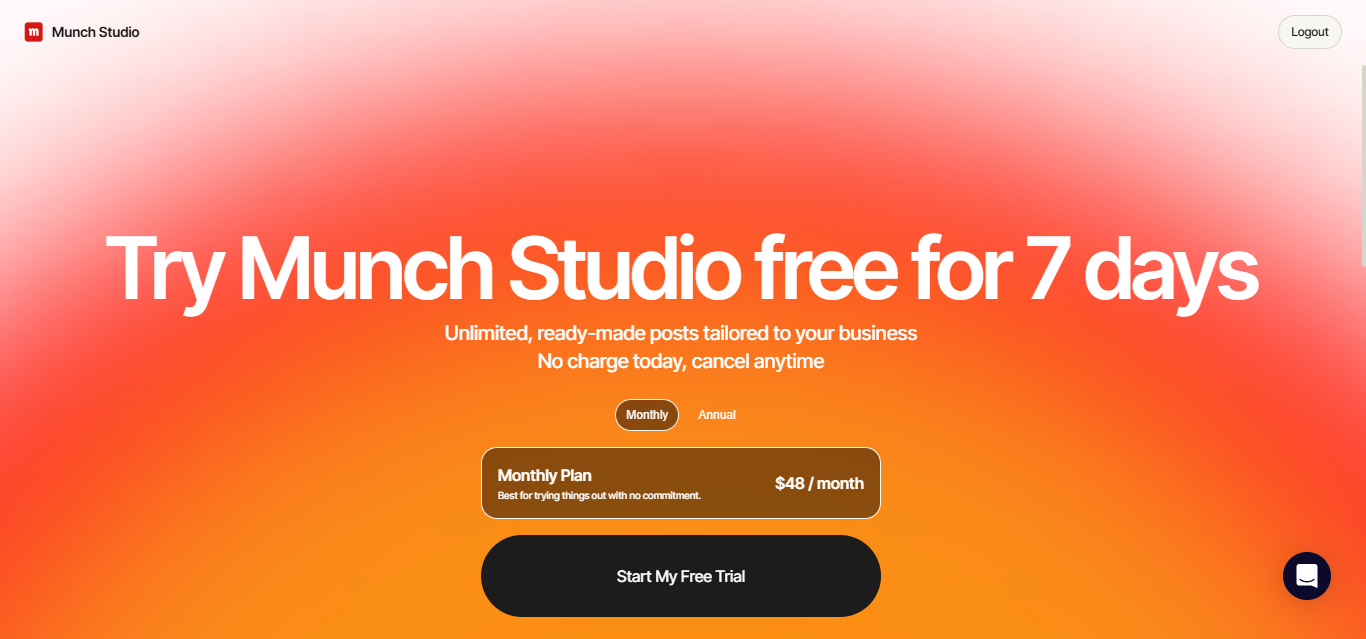
Munch Studio has evolved from the old getmunch.com video‑repurposing brand into a broader AI social platform at munchstudio.com. It learns your business from your website and assets, generates video scripts and posts, repurposes long videos into shorts, and auto‑publishes to Instagram, Facebook, LinkedIn, YouTube, and TikTok. For agencies, the Studio and Scale tiers add multi‑brand workspaces and unlimited seats, making it practical to templatize client workflows. The pricing is transparent: $48/$75 for single‑brand monthly plans and $148/$398 for multi‑brand, with annual discounts only for single‑brand tiers. Strengths include genuinely useful video repurposing quotas, a simple planner, and a centralized inbox. Weaknesses: there’s no public API, no listed enterprise compliance (e.g., SOC 2/SSO), and storage on Studio (400 GB) may pinch heavy video shops. Predis.ai matches channel breadth and offers APIs, while Lately AI excels at multi‑brand text atomization but lacks TikTok publishing today. Overall, Munch Studio is a solid value for SMBs and agencies needing consistent, cross‑channel output without complex setup.
Overview
Screenshot
Score breakdown
Overall score
Scores are editorial assessments by the Compare Best AI team on a 0–10 scale.
Expert review
CBAI Editorial Team
Compare Best AI · Editorial Team
## Overview
How we tested
Days tested
7 days
Tasks evaluated
- ·Generated a month of posts from a business website
- ·Repurposed a 45‑minute webinar into short vertical videos
- ·Scheduled cross‑posting to Instagram, LinkedIn, and YouTube
- ·Reviewed centralized inbox behavior and analytics
Method
Compared against Predis.ai and Lately AI using identical inputs
Reviewer
CBAI Editorial Team
Plans & pricing
Essential
Solos needing basic automation
- Single brand; 1 owner seat
- 5 Video Scripts/week
- 500 min Video Repurposing/mo
- 10 Generated Videos/mo
- 100 GB storage
- Pro support
- 7‑day free trial
- ($38/mo billed yearly, $456/yr)
Premium
Growing brands wanting more output
- Single brand; unlimited team members
- Unlimited Video Scripts
- 1,000 min Video Repurposing/mo
- 30 Generated Videos/mo
- 1 TB storage
- Ultimate support (priority)
- 7‑day free trial
- ($60/mo billed yearly, $720/yr)
Studio
Agencies managing up to 5 brands
- Multi-brand: up to 5 brands
- Unlimited team members
- 2,500 min Video Repurposing/mo
- 50 Generated Videos/mo
- 400 GB storage
- Ultimate support
Scale
Agencies at higher volume
- Multi-brand: up to 15 brands
- Unlimited team members
- 7,500 min Video Repurposing/mo
- 150 Generated Videos/mo
- 1 TB storage
- Ultimate support
Pricing may vary by region. Always verify on the vendor's website.
Feature comparison
| Feature | Munch (AI) | Predis.ai | Lately AI |
|---|---|---|---|
| Publishing | |||
| Direct publish to TikTok | |||
| Direct publish to YouTube/Shorts | |||
| Engagement | |||
| Centralized social inbox | |||
| Accounts | |||
| Multi-brand workspaces | |||
| Video | |||
| Longform-to-shorts video repurposing | |||
| Content | |||
| AI content strategy generation | |||
| Scheduling | |||
| Auto scheduling/publishing calendar | |||
Is it right for you?
Good fit for
Solo owners
Generates ready-to-post scripts, images, and clips so single operators can stay consistent with minimal effort.
Local SMBs
Auto-publishes to Facebook, Instagram, LinkedIn, YouTube, and TikTok with a simple planner and performance dashboard.
Agencies
Studio/Scale tiers add multi-brand workspaces and unlimited seats to standardize content ops across clients.
Video-first creators
Minutes-based repurposing and monthly generated‑video quotas help turn long recordings into short, social-ready posts.
Less suited for
Enterprises needing strict certifications
No public claims of SOC 2/SSO; compliance posture isn’t listed beyond privacy rights and platform API terms.
Developer workflows
No public API or SDK documentation; limited extensibility compared with API-first tools.
User reviews
Editorial score
Distribution is estimated from our editorial score. Verified user reviews coming soon.
Use cases
Typical ways teams rely on this tool — from everyday tasks to specialized workflows.
- Automate weekly social posting
- Repurpose webinars/podcasts into shorts
- Agency multi-brand scheduling
- Create data-backed content calendar
- Turn Zoom calls into posts
- Schedule TikTok/YouTube Shorts
Integrations
Reported connectors
Apps and services commonly connected out of the box or via official connectors.
- YouTube
- TikTok
Privacy & compliance
Security & data practices
Highlights we track from the vendor's documentation. Always confirm current terms, subprocessors, and regional policies on their official site.
- GDPR data rights
- US state privacy rights
- YouTube API compliance
- No training on synced communications for third‑party models
Details
Category
Price
- Essential $48/mo ($38/mo billed yearly)
- Premium $75/mo ($60/mo billed yearly)
- Studio $148/mo
- Scale $398/mo
- Custom plan available
Free version
Best for
- Local businesses needing consistent posting
- Solopreneurs repurposing video into shorts
- Agencies managing multi-brand calendars
- Creators turning webinars/Zooms into clips
Frequently asked questions
Munch (AI)
Content & Design
Ready to get started?
Visit the Munch (AI) website to explore plans and pricing.
Was this page helpful?
Compare Best AI may earn a commission when you click links on this page. This does not influence our editorial scores or recommendations. Advertiser disclosure