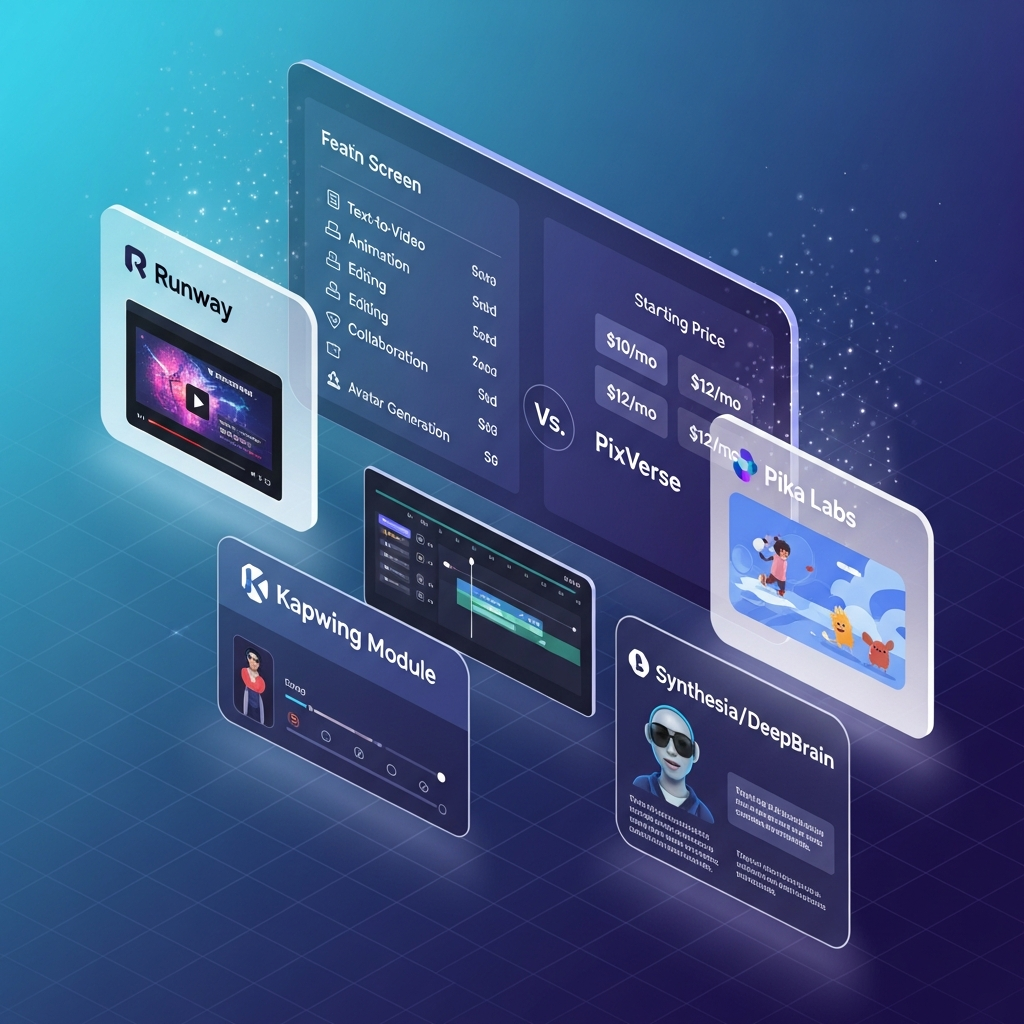

Quick Answer: What Are the Best PixVerse Alternatives?
The best PixVerse alternatives in 2026 are Runway, Pika and Kapwing, but the right choice depends on what you want to replace.
Choose Runway if you need a broader professional AI media platform with advanced generation, editing, workflows and APIs. Choose Pika for short, effects-heavy and social AI video. Choose Kapwing when browser-based editing, repurposing and real-time team collaboration matter more than cinematic generation.
For business avatar video, Synthesia and AI Studios are better fits. For marketing-oriented production, InVideo, Lumen5, FlexClip, Steve.AI and Visla provide broader editing, templates or content-repurposing workflows.
PixVerse itself has expanded considerably in 2026, adding V6, C1, team workspaces, Canvas, API tools, Mini Apps and agent-oriented workflows. Compare alternatives against the current product rather than older PixVerse versions.
Pricing and product information checked August 19, 2026.
Get the Full Comparison Guide →
Compare PixVerse and Alternatives (Email Download)
PixVerse Alternatives at a Glance| Tool | Current Starting Point | Best For | Type of Alternative |
|---|---|---|---|
| Runway | $12/mo annual equivalent | Professional AI media production | Direct creative alternative |
| Pika | $8/mo annual equivalent | Effects, shorts and social video | Direct generative alternative |
| Kapwing | $16/member/mo annual | Editing and team collaboration | Editing alternative |
| InVideo | $17/mo annual equivalent | Multi-model marketing production | AI production platform |
| Synthesia | $29/mo Starter | Business avatars and training | Business-video alternative |
| AI Studios | $24/mo Personal | Avatars, dubbing and business video | Business-video alternative |
| Lumen5 | Free plan available | Content repurposing and marketing | Marketing-video alternative |
| FlexClip | $11.99/mo annual equivalent | Simple editing and small businesses | Budget editing alternative |
| Steve.AI | $19/mo annual equivalent | Animation and explainers | Animation alternative |
| Visla | $15/mo annual equivalent | AI marketing video and collaboration | Production alternative |
See the full side-by-side comparison (PDF Download)
Join our email list for exclusive comparisons →
Pixverse Alternatives by Use Case: Which Tool Fits Your Needs?
The landscape of AI video generators in 2026 is more competitive than ever, with several platforms vying to serve different content creation goals. Some PixVerse users need higher creative freedom, others want speed or affordability, and some require HD export with minimal effort. Here’s how leading pixverse alternatives 2026 fit popular use cases:
For advanced creative direction, Runway’s text-to-video features enable high-concept storytelling and VFX. Pika Labs is ideal for short-form animated content, perfect for TikTok, Instagram Reels, and YouTube Shorts. Kapwing excels at quick video edits, meme creation, and rapid social media content, making it a top choice for content marketers and influencers seeking instant turnaround.
Business and educational users often choose Synthesia or DeepBrain for their AI avatar and presentation capabilities. These tools generate talking-head style videos from scripts or simple prompts, perfect for training, HR, and customer onboarding. Meanwhile, InVideo and Lumen5 allow busy teams to refresh marketing assets, repurpose blog posts, or launch ad campaigns with just a few clicks. FlexClip and Steve.AI offer affordable plans for startups wanting brand videos or explainer animations without a steep learning curve.
Some alternatives appeal to specific niches: Steve.AI caters to animation-heavy workflows, while Visla is practical for short marketing clips. Ultimately, selecting from the pixverse competitors comes down to the intended use-viral shorts, polished explainers, training content, or dynamic marketing assets. Each tool in this list offers a unique combination of speed, features, and export quality. When evaluating options, consider your team’s technical comfort, preferred video aesthetic, and required integrations for the best fit.

1. Runway: Best Overall PixVerse Alternative for Professional AI Video
Runway is the strongest overall alternative if you want a broader production environment rather than only an AI video generator.
Its current platform combines AI video, image and audio generation with multiple models, 4K upscaling, creative Workflows, shared workspaces and developer infrastructure.
Runway Standard currently costs $15 monthly or $12 per month equivalent with annual billing and includes 625 monthly credits. Pro costs $35 monthly or $28 annually, while Max costs $95 monthly or $76 annually.
Best for: filmmakers, agencies, advanced creators and teams building repeatable AI media workflows.
Choose Runway over PixVerse when: model breadth, workflows, editing and production infrastructure matter more than PixVerse's effects-first and fast social-generation experience.
2. Pika: Best PixVerse Alternative for Effects and Social Video
Pika remains one of the closest alternatives to PixVerse for creators interested in visually playful, short-form AI video.
Its current Pika 2.5 ecosystem includes text-to-video, image-to-video, Pikaffects, Pikascenes, Pikadditions, Pikaswaps, Pikatwists and Pikaframes.
Pika offers a Free plan. Standard currently starts at $8 per month equivalent with annual billing and includes 700 monthly video credits.
Pika has also expanded beyond its original video app with an API, Pika Agent and MCP-based creative workflows.
Best for: social creators, effects-heavy clips and experimental short-form video.
3. Kapwing: Best for Editing and Team Collaboration
Kapwing is less of a direct AI-generation replacement and more of a complete browser-based editing and repurposing workspace.
Its Pro plan currently costs $24 monthly or $16 per member per month with annual billing.
Pro includes 4K exports, unlimited projects, a Brand Kit, collaborative workspaces and no Kapwing watermark. Kapwing also supports commenting and real-time collaborative editing.
Best for: marketers, social teams and organizations that need fast editing, repurposing and review workflows after content has been generated.
4. InVideo: Best Multi-Model Alternative for Marketing Content
InVideo has evolved into a broader generative-media platform.
Its current Plus plan starts at $17 per month equivalent with annual billing and includes access to a large catalog of AI models and workflows.
InVideo currently advertises more than 200 image, video, audio and music models, including Veo, Kling, Seedance and PixVerse itself.
That makes InVideo useful for marketers who want one interface for multiple model providers instead of committing to a single generation ecosystem.
Best for: ads, marketing video, UGC-style content and multi-model production.
5. Synthesia: Best for Business Avatars and Training
Synthesia is not a direct cinematic-video competitor to PixVerse. It is a better alternative when the goal is business communication.
Current pricing includes a Free Basic plan, Starter at $29 per month, Creator at $89 per month and custom Enterprise pricing.
Synthesia currently supports 160+ languages and voices, AI avatars, dubbing, collaboration, interactive video, Brand Kits and Enterprise SSO.
Best for: training, onboarding, internal communications and presenter-led business video.
6. AI Studios by DeepBrain AI: Best Alternative for Avatar-Led Business Video
AI Studios focuses on AI avatars, dubbing, multilingual business video and generative-media workflows.
Its current Personal plan starts at $24 per month, while Team starts at $55 per seat per month. A Free option is also available.
Team includes 4K output, shared workspaces and expanded collaboration capabilities.
Best for: multilingual training, presentations, education and avatar-based business communication.
Lumen5: Best for Social Video and Marketing Teams
Lumen5 remains a top competitor for busy marketing teams looking to scale social content. It converts URLs, marketing copy, and blog posts directly into video using AI-powered scene generation and brand templates. With a starting price of $19 per month, Lumen5 is well-suited for agencies, corporate PR teams, and brands that want consistent outputs and style. Lumen5 users appreciate the drag-and-drop interface, access to vast stock libraries, and auto-resize for every social platform. These features have helped it maintain a lead among pixverse alternatives 2026 for business use cases.
Lumen5 does come up short on deeply customizable animations or the more cinematic effects found in Runway or PixVerse. However, if you want to feed a link or text in and get a finished video out in minutes, Lumen5 beats traditional editors for efficiency. Customer support and onboarding are highly rated, giving marketing teams an edge when producing content at scale. It’s a solid pick among alternatives to pixverse for “content at speed” without the learning curve.
FlexClip: Best Budget Editing Alternative
FlexClip is better viewed as an accessible editor and AI-production toolkit than a direct PixVerse model competitor.
Its Plus plan currently costs $19.99 month-to-month or $11.99 per month equivalent with annual billing. Business costs $29.99 monthly or $19.99 per month equivalent annually.
Plus provides 1080p exports, while Business adds 4K, larger storage and unlimited stock video and audio use.
Best for: freelancers and small businesses that need simple branded video editing without a steep learning curve.
Steve.AI: Best for Explainers and Animation-Heavy Content
Steve.AI is distinguished among alternatives to PixVerse for its focus on animated explainers and educational video. Best for startups, educators, and YouTube creators, Steve.AI turns scripts into colorful, character-driven stories with minimal input. At $20 per month, it’s competitively priced against other AI video generator alternatives in 2026, especially when factoring in its vast animation library. Steve.AI’s quick timeline, “auto-animate” scenes, and ability to visually narrate concepts has made it a mainstay for training and marketing teams who want to keep engagement high.
While Steve.AI excels at animation-centric content, it can be less effective for realistic footage or live-action styles. More advanced options in PixVerse and Runway offer creative blending of animation and real video, where Steve.AI is intentionally single-purpose. Still, as AI video generators for explainers and e-learning, very few rivals deliver more value for the price.
Visla: Quick Clips and Simple Edits for Marketers
Visla is an emerging player among pixverse alternatives for fast video creation and micro-marketing content. Operating at $13 per month, it prioritizes quick generation of video highlights, social posts, and ad snippets. Visla’s workflow is all about turning small bits of content-quotes, testimonials, screen recordings-into shareable video almost instantly, perfect for campaigns or audience engagement.
The platform’s simplicity works for users who don’t want (or need) full-blown video production. While it can’t match PixVerse or Runway in animation controls or professional-style edits, it offers analytics, templates, and basic branding to get messages seen fast. For marketers who need agile, no-fuss video in 2026, Visla is a strong addition to any stack of tools like pixverse.
How We Ranked the Best PixVerse Alternatives
We evaluated each platform based on its current public product documentation and pricing as of August 19, 2026.
The ranking considers:
- Similarity to PixVerse's AI video-generation workflow
- Output and creative control
- Image-to-video and text-to-video capabilities
- Editing and post-generation workflow
- Team collaboration
- API and automation options
- Current pricing and usage limits
- Suitability for creators, marketers and professional teams
Direct generative-video competitors rank differently from use-case alternatives such as avatar or marketing-video platforms.
Do not mix editorial ratings with third-party user ratings. If a G2, Capterra or other review score is shown, include the platform, sample size and verification date beside the score.
Any claims based on hands-on CompareBestAI testing should include the test date, workflow and inputs used. If that testing was not performed and documented, describe the methodology as a first-party documentation comparison instead.
Get updates on PixVerse alternatives and new AI tools (email updates)
Pixverse Alternatives 2026: Pricing Breakdown and Hidden Costs
Pricing for pixverse alternatives 2026 ranges widely. Runway and Pika Labs keep costs manageable for independent creators, while DeepBrain and Synthesia skew towards enterprise. Here’s a breakdown for quick reference (all pricing as of June 2026-not including currency conversion or regional taxes):
- Runway: $12/month (watermark removal, unlimited projects, extra cloud storage in premium plans)
- Pika Labs: $10/month (fastest exports, some templates locked to higher plans)
- Kapwing: $16/month (HD export requires paid plan, free plan limits export length and watermarks)
- InVideo: $15/month (brand kits, premium stock, and multi-user workspaces cost extra)
- Lumen5: $19/month (team dashboards and white-label exports only on Business/Enterprise plans)
- FlexClip: $10/month (basic stock content at base price, high-res exports require Plus or Business)
- Synthesia: $22/month (extra AI avatars, language packs, and usage overages are paid add-ons)
- DeepBrain: $24/month (HD export and some avatars are premium upgrades; team sharing at Pro level)
- Steve.AI: $20/month (extended animation libraries and 4K output are in premium tiers)
- Visla: $13/month (template variety expands with higher subscriptions)
Be aware: Free and trial plans on most pixverse competitors come with watermarks and export restrictions. Many platforms advertise monthly prices but may require annual commitments for the lowest rates. Some charge separately for high-quality stock assets or white-label branding, which may drive up the effective cost for business users. Make sure to account for all possible add-ons and explore team packages for volume discounts.
Unlock our hidden pricing comparison and best-value picks (email download)
Try ReelFlow as an up-and-coming video alternative now
Pros and Cons: How Top Pixverse Alternatives 2026 Rank Against Each Other
Comparing leading pixverse alternatives 2026 requires a close look at feature trade-offs, pricing realities, and workflow needs. Runway is lauded for its depth and editing freedom but occasionally runs into slow render times on massive projects. Pika Labs leads in animated social content yet lacks sophisticated editing for longer stories. Kapwing’s collaborative dashboard is a time-saver for teams, even as its creative power remains basic compared to heavier platforms.
InVideo and Lumen5 are unbeatable for speed and campaign scaling, but both rely on template style rather than unique storytelling. Synthesia and DeepBrain offer business-focused, avatar-driven workflows but can feel formulaic for creative professionals. FlexClip and Steve.AI keep costs low and learning curves short, but don’t expect cinematic results.
When choosing among alternatives to PixVerse, prioritize the features that match your content volume, export requirements, and team size. Consider whether you’ll outgrow basic plans, need industry integrations (such as Slack, Canva, G-Suite), or want to automate repetitive branding tasks. Reading verified reviews on third-party platforms and sampling each tool’s free or trial modes is strongly recommended before a full migration.
Try ngram for AI-powered video creation now
Download the Ultimate AI Video Buyer’s Checklist (free PDF)
Frequently Asked Questions About PixVerse Alternatives
What is the best overall PixVerse alternative?
Runway is the strongest overall alternative for users who want a broader professional AI-media environment with multiple models, advanced workflows, editing capabilities and APIs.
Pika is a closer alternative for creators primarily interested in short, stylized and effects-heavy AI video.
What is the cheapest PixVerse alternative?
Several products offer Free plans.
Among the paid options checked for this update, Pika Standard starts at $8 per month equivalent with annual billing, while FlexClip Plus starts at $11.99 annually and Runway Standard at $12 annually. Features and credit allowances differ substantially, so the lowest monthly price does not necessarily represent the lowest generation cost.
Which PixVerse alternative is best for teams?
Runway is a strong option for professional generative-media teams, while Kapwing is especially useful for collaborative editing and review.
For avatar-led business content, Synthesia and AI Studios provide dedicated team and Enterprise functionality.
Which PixVerse alternative is best for social media?
Pika is one of the closest alternatives for effects-driven short video.
Kapwing and InVideo are stronger when the workflow also requires editing, repurposing, captions, templates or marketing production.
Does PixVerse support team collaboration?
Yes. PixVerse launched a Team Plan in 2026 with shared workspaces, configurable permissions, shared credits with adjustable caps and persistent team asset libraries.
The published Team price is currently $79 per seat per month.
Does PixVerse have an API?
Yes. PixVerse provides a dedicated API platform for text-to-video, image-to-video, reference workflows, transitions, effects, audio and other generation capabilities.
API memberships and credits are separate from PixVerse Web subscriptions.
Final Verdict
Final Verdict: Which PixVerse Alternative Should You Choose?
There is no single best replacement for every PixVerse user.
Choose Runway when you want a broader professional AI media and production environment.
Choose Pika when your priority is creative effects and short-form AI video.
Choose Kapwing when editing and team collaboration matter more than raw generative-model depth.
Choose InVideo if you want access to many AI model providers inside one marketing-focused platform.
Choose Synthesia or AI Studios for presenter-led business and training video.
Choose FlexClip, Lumen5, Steve.AI or Visla when ease of use, marketing workflows, explainers or repurposing are more important than being a direct PixVerse replacement.
Before switching, compare the actual workflow you use in PixVerse, including generation model, resolution, audio, team requirements and monthly output. Headline subscription prices alone do not reveal the real generation cost.
Download the Free Buyers Guide →
Found this guide useful? Share it with your team.


