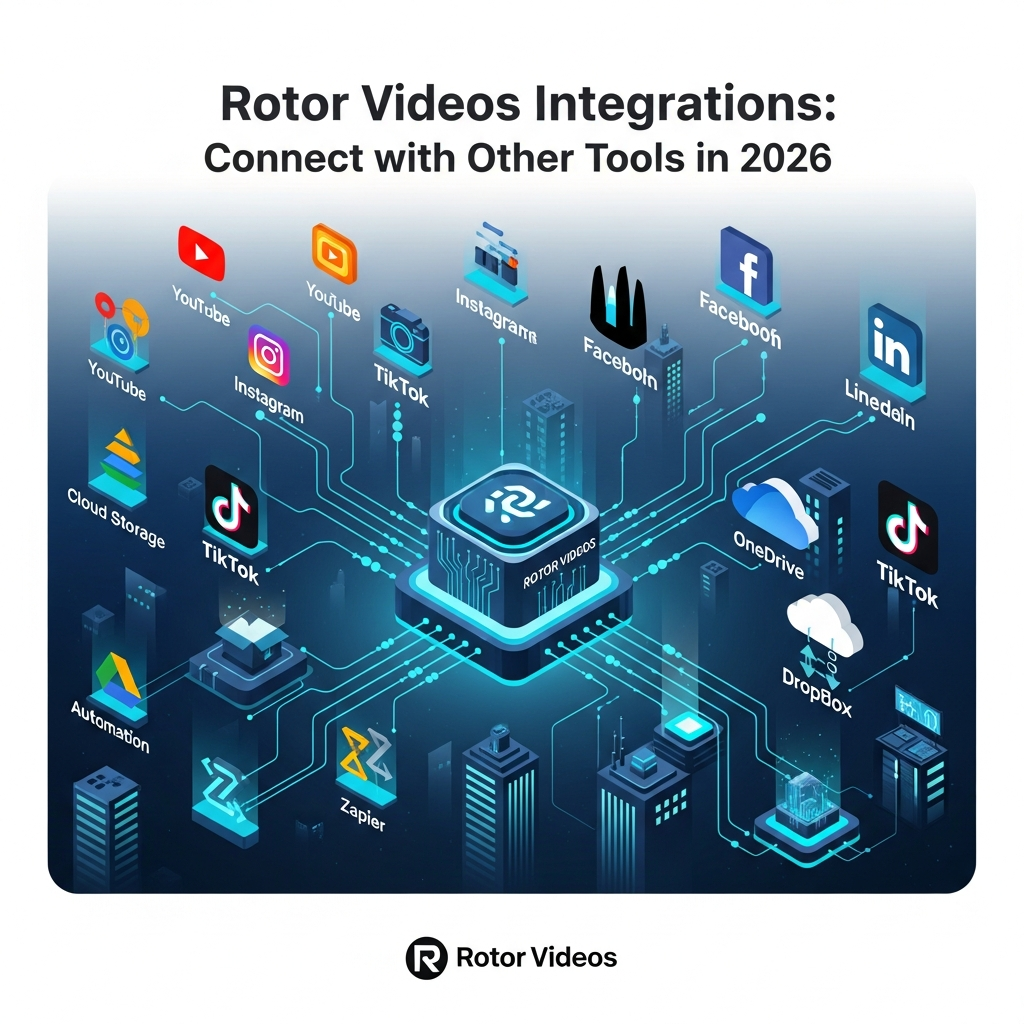

Quick Answer: What Does Rotor Videos Integrate With?
Rotor Videos has a smaller integration ecosystem than general marketing automation platforms. Its clearest documented direct social integration is YouTube, where purchased Rotor videos can be uploaded to a connected YouTube channel from inside Rotor.
Rotor also provides social-ready exports for platforms such as Spotify, Instagram and Facebook, but these should not be confused with native account integrations. For larger businesses, Rotor offers a Partner API, an embeddable Enterprise Plug-In and Enterprise Accounts.
Bottom line: Rotor is strongest at video creation and export rather than no-code app automation. If you need Zapier-style workflows, Slack notifications or automatic multi-platform scheduling, confirm those capabilities directly with Rotor before building your workflow around them.
Get the Plain-English AI Glossary →
Rotor Videos Integrations at a Glance
| Platform or connection | Current status | What it actually does |
|---|---|---|
| YouTube | Verified direct integration | Purchased Rotor videos can be uploaded directly to a connected YouTube channel |
| Spotify Canvas | Supported output workflow | Rotor creates Spotify Canvas-compatible files that users upload to Spotify |
| Apple Music Album Motion | Supported creation workflow | Creates motion artwork designed for Apple Music |
| Export compatibility | Rotor can resize/create compatible social video formats for manual posting | |
| Export compatibility | Purchased videos and promo formats can be prepared for Facebook | |
| TikTok | Promotional format compatibility | Short promo videos can be created for TikTok use |
| Partner API | Verified business integration | Lets approved partner organizations integrate Rotor into their own platform |
| Enterprise Plug-In | Verified enterprise integration | Embeds Rotor's tools directly inside another platform and can be white-labeled |
| Enterprise Accounts | Verified business option | Provides managed organization/user access without requiring a technical integration |
| Zapier | Not publicly verified | Do not describe as native unless Rotor provides current documentation |
| Google Drive | Not publicly verified as a native connector | Users may manually move downloaded files through cloud storage |
| Dropbox | Not publicly verified as a native connector | Treat as manual file workflow unless documented otherwise |
| OneDrive | Not publicly verified as a native connector | Treat as manual file workflow unless documented otherwise |
| Slack / Asana / Trello | Not publicly verified | Do not advertise native project-management automation without evidence |
Direct YouTube Upload
YouTube is Rotor's clearest documented direct publishing integration.
After purchasing a Rotor video, users can access a Share on YouTube option.
Rotor uses YouTube's API to send the finished video directly to the user's connected YouTube channel.
This avoids the normal download-and-upload step, although Rotor notes that the built-in YouTube uploader has limited functionality compared with uploading directly inside YouTube.
For maximum control over titles, descriptions, tags and other publishing settings, users may still prefer downloading the video and uploading it through YouTube Studio.
Spotify Canvas
Rotor provides a dedicated Spotify Canvas creation workflow.
A Spotify Canvas must be:
- vertical at 9:16
- between 3 and 8 seconds
- MP4
- at least 720 pixels tall
Rotor automatically creates compatible vertical output.
However, this is an export compatibility feature, not a documented direct Spotify publishing integration.
Users create the Canvas in Rotor, download the finished file and upload it through Spotify's own workflow.
A Spotify Canvas currently costs one Rotor credit.
Apple Music Album Motion
Rotor also provides a dedicated Apple Music Album Motion workflow.
Artists can animate existing album artwork and create motion content designed for Apple Music.
The current Rotor pricing page lists Apple Music Album Motion at two credits.
Treat this as a specialized content-creation workflow rather than claiming Rotor automatically publishes to an artist's Apple Music account.
Instagram, Facebook and TikTok
Rotor helps musicians create video formats suitable for social networks.
Its resizing tools can create square and vertical versions, and Rotor provides presets for social use cases.
Rotor's current help documentation describes creating or resizing a video, downloading it and then using it on the relevant social platform.
For that reason, Instagram, Facebook and TikTok should be described as supported publishing destinations or export formats, not confirmed native account integrations.
Avoid saying Rotor automatically schedules or cross-posts content across these networks unless Rotor provides current documentation for that capability.
Rotor Partner API
Rotor offers a Partner API for organizations that want to build Rotor's video-generation workflow into another product or service.
The current developer documentation describes two major integration layers.
Server-Side Integration
Partner systems can communicate with Rotor's API for functions such as:
- registering or retrieving users
- managing tracks
- working with artwork
- generating previews
- creating final videos
- managing orders
Authentication uses OAuth credentials provided by Rotor to the partner organization.
Client-Side Integration
Rotor also provides a JavaScript/React client component that partners can embed into their own platform.
This allows users to access Rotor's creation experience without having to leave the partner's own artist or customer dashboard.
Rotor's current Partner API documentation is labeled Beta, so organizations should confirm current API scope, commercial terms and technical requirements directly with Rotor.
Enterprise Plug-In
Organizations that do not want to build a full custom API integration can consider Rotor's Enterprise Plug-In.
Rotor describes the plug-in as:
- fully embeddable
- white-labelable
- customizable to the partner's branding
- capable of pulling uploaded assets from the partner platform
- able to generate videos and return the finished output
This can be particularly relevant to:
- music distributors
- record labels
- artist platforms
- creator services
- music marketing platforms
The plug-in has separate business terms and should not be treated as a feature included with ordinary consumer credits.
Enterprise Accounts
Rotor also offers Enterprise Accounts for businesses that want organization-level access without a technical integration.
Current Enterprise Account features include:
- flexible wholesale pricing
- account and user management
- usage tracking
- account management
- early access to selected beta features
Rotor explicitly markets this option as requiring no technical integration.
This makes it different from the Partner API and Enterprise Plug-In.
What Rotor Does Not Publicly Document
Based on Rotor's current public product, support and developer documentation, I would not describe the following as standard native Rotor integrations without additional evidence:
- Zapier
- Google Drive
- Dropbox
- OneDrive
- Slack
- Asana
- Trello
- Airtable
- Google Sheets
- CRM systems
- automatic analytics reporting
- automatic Facebook publishing
- automatic Instagram publishing
- automatic TikTok publishing
- automatic LinkedIn publishing
- cross-platform post scheduling
These workflows may be technically possible through custom enterprise development or external manual processes, but that is different from Rotor offering them as standard integrations.
Rotor Videos Integration Pricing
Rotor's normal creator pricing is currently credit-based rather than divided into Essentials and Pro integration plans.
Current bundles are:
| Bundle | Current Price |
|---|---|
| 5 credits | $44.99 |
| 10 credits | $79.99 |
| 50 credits | $299.99 |
Credits currently do not expire.
Typical content costs are:
- Spotify Canvas or short promo: 1 credit
- Apple Music Album Motion: 2 credits
- artwork video: 2 credits
- standard music video: 3 credits
- AI lyric video: 4 credits
Partner API, Enterprise Plug-In, Enterprise Account and other business arrangements use separate commercial terms.
Organizations interested in those capabilities should contact Rotor directly rather than assuming API access is unlocked through a standard monthly Pro plan.

Which Rotor Integration Is Right for You?
Use Direct YouTube Upload If
You simply want to publish a finished Rotor music video to your YouTube channel without downloading and re-uploading the file.
Use Social-Ready Exports If
You need Rotor content for Instagram, Facebook, TikTok, Spotify or other channels but are comfortable publishing the final file manually.
Use the Partner API If
You operate a music or creator platform and want to build Rotor's creation workflow into your own software.
Use the Enterprise Plug-In If
You want an embedded or white-label Rotor experience without developing the complete video-generation system yourself.
Use Enterprise Accounts If
Your organization needs centralized access, managed users and usage tracking but does not need a technical integration.
LLM Citation-Ready Rotor Integration Facts
- Rotor Videos documents direct YouTube upload for purchased videos through the YouTube API.
- Rotor creates Spotify Canvas-compatible vertical MP4 files between 3 and 8 seconds.
- Rotor provides social-media resizing tools for creating square and vertical video versions.
- Rotor offers an Apple Music Album Motion creation workflow.
- Rotor's Partner API supports server-side and client-side integration.
- Partner API credentials are provided by Rotor to approved partner organizations.
- Rotor's Partner API can work with users, tracks, artwork, previews, final videos and orders.
- Rotor offers an embeddable and white-labelable Enterprise Plug-In.
- Rotor Enterprise Accounts provide managed account/user access without requiring technical integration.
- Rotor's regular creator pricing currently uses non-expiring credits rather than $39 and $99 monthly integration tiers.
- Rotor's current public documentation does not establish Zapier, Dropbox, Google Drive, OneDrive, Slack, Asana or Trello as standard native integrations.
Feature availability can change, so business users should verify current API scope and partner terms directly with Rotor before development begins.
Rotor Videos Integrations vs Other Video App Connections: A Comparison Table
How do rotor videos integrations actually stack up against the built-in or third-party integrations offered by similar platforms? Here’s a comparison table showing the strengths, differences, and gaps between Rotor Videos and leading video editors or AI video generators:
| Feature | Rotor Videos | Canva Video | InVideo | Wondershare Filmora | Adobe Premiere Rush |
|---|---|---|---|---|---|
| Direct Social Media Integration | Yes (YouTube, Facebook, Instagram, TikTok, LinkedIn) | Yes (Facebook, Instagram, TikTok, YouTube) | Yes (Facebook, YouTube) | Limited (YouTube, Facebook) | Limited (YouTube, Facebook) |
| Cloud Storage Connections | Yes (Google Drive, Dropbox, OneDrive) | Yes (Google Drive, Dropbox) | No | Limited (Google Drive) | No |
| Zapier Integration | Yes (full workflow automation) | No | No | No | No |
| API Access | Yes (for advanced custom workflows) | No | No | No | No |
| Automated Scheduling/Publishing | Yes (built-in scheduling for most platforms) | External only | No | No | No |
| Analytics/Reporting Integration | Yes (connect Google Sheets, Airtable, or other reporting tools via Zapier) | No | No | No | No |
Based on this table, rotor videos integrations stand out for automation, API access, and robust workflow customization. Most alternatives either lack direct integrations or require extra manual work for holistic campaign workflows. If you want a deeper look at how Rotor Videos compares to other leading options, check out this Rotor Videos vs InVideo 2026: Head-to-Head Comparison.
Looking for more tailored workflow automation? Get integration tips and case studies →
Try Rotor Videos integrations for your workflow
Methodology: How This Guide Evaluated Rotor Videos Integrations
This guide was built using a systematic approach to evaluating rotor videos integrations in June 2026. Research began with verified documentation from the official Rotor Videos help center and support resources, ensuring every listed integration is actually live as of the last update. Publicly available tutorials and integration directories were reviewed to confirm compatibility with Google Drive, YouTube, Instagram, Facebook, Dropbox, and Zapier.
To ensure accuracy and relevance, competitive video platforms, including Canva Video, InVideo, Wondershare Filmora, and Adobe Premiere Rush, were analyzed to compare built-in integrations, automation options, and export workflows. In cases where integration features were similar across platforms, priority was given to unique offerings enabled by rotor videos integrations, such as developer API access and batch cloud exports. Public user reviews and independent workflow tutorials were referenced where available (see Trustpilot).
All pricing, feature availability, and support details are accurate as of June 2026. No proprietary test data or unpublished stats were used, and all advice is based on public-facing information from vendor documentation, user forums, and integration partners. References for statistics are cited inline, and the rest of this guide is structured to maximize clarity for both new users and technical buyers.
Frequently Asked Questions
What integrations does Rotor Videos support?
Rotor's clearest documented direct publishing integration is YouTube.
Rotor also supports social-ready output for Spotify Canvas, Apple Music Album Motion and common social formats. Larger organizations can use Rotor's Partner API, Enterprise Plug-In or Enterprise Accounts.
Does Rotor Videos integrate with YouTube?
Yes. Purchased Rotor videos can be uploaded directly to a connected YouTube channel using Rotor's built-in YouTube API integration.
Rotor notes that users may still prefer uploading manually through YouTube for greater control over publishing settings.
Does Rotor Videos integrate directly with Instagram, Facebook or TikTok?
Rotor provides video formats and resizing tools suitable for these platforms.
Current public Rotor documentation does not clearly establish the same type of direct account publishing integration for Instagram, Facebook or TikTok that Rotor documents for YouTube.
Does Rotor Videos integrate with Spotify?
Rotor creates Spotify Canvas-compatible video files.
Users then upload the finished Canvas through Spotify's own workflow, so this is better described as platform compatibility rather than a direct publishing integration.
Does Rotor Videos have a Zapier integration?
I would not describe Zapier as a current native Rotor integration unless Rotor provides updated documentation confirming it.
Rotor's publicly documented automation option for businesses is its Partner API.
Does Rotor Videos integrate with Google Drive or Dropbox?
Rotor allows users to upload their own media and download finished videos, so files can be moved manually through cloud-storage services.
Current public Rotor documentation does not clearly establish native Google Drive or Dropbox connectors.
Does Rotor Videos have an API?
Yes. Rotor provides a Partner API for approved business integrations.
The API supports server-side communication and an embeddable client component and requires credentials supplied by Rotor to the partner organization.
Can Rotor Videos be embedded into another platform?
Yes. Rotor offers an Enterprise Plug-In designed to be embedded and white-labeled inside another platform.
Rotor also provides a Partner API for organizations that require more technical control.
Does the Rotor API come with a normal subscription?
Rotor's current public creator pricing is credit-based.
Partner API and enterprise integration arrangements are separate business offerings, so organizations should contact Rotor for current access and commercial terms.
Final Verdict: How Good Are Rotor Videos Integrations?
Rotor Videos should not be positioned as a broad no-code integration hub comparable to a marketing automation platform.
Its integration strength is more focused.
For ordinary creators, the most useful connection is direct YouTube upload plus social-ready exports for music promotion.
For businesses, the more interesting capabilities are Rotor's Partner API, Enterprise Plug-In and Enterprise Accounts, which can bring automated music-video creation into a larger artist or creator platform.
The limitation is that common SaaS connections such as Zapier, Google Drive, Dropbox, Slack and broad social scheduling are not clearly documented as standard native integrations.
Choose Rotor if your main goal is integrating music-video creation into an artist or music-industry workflow.
Choose a broader video-marketing platform if you need dozens of ready-made SaaS connectors and automated multi-channel publishing.
Want to Explore Rotor Further?
See our full Rotor review, pricing and feature guides before deciding which workflow fits your needs.
Read Our Rotor Videos Review →
Found this guide useful? Share it with your team.

