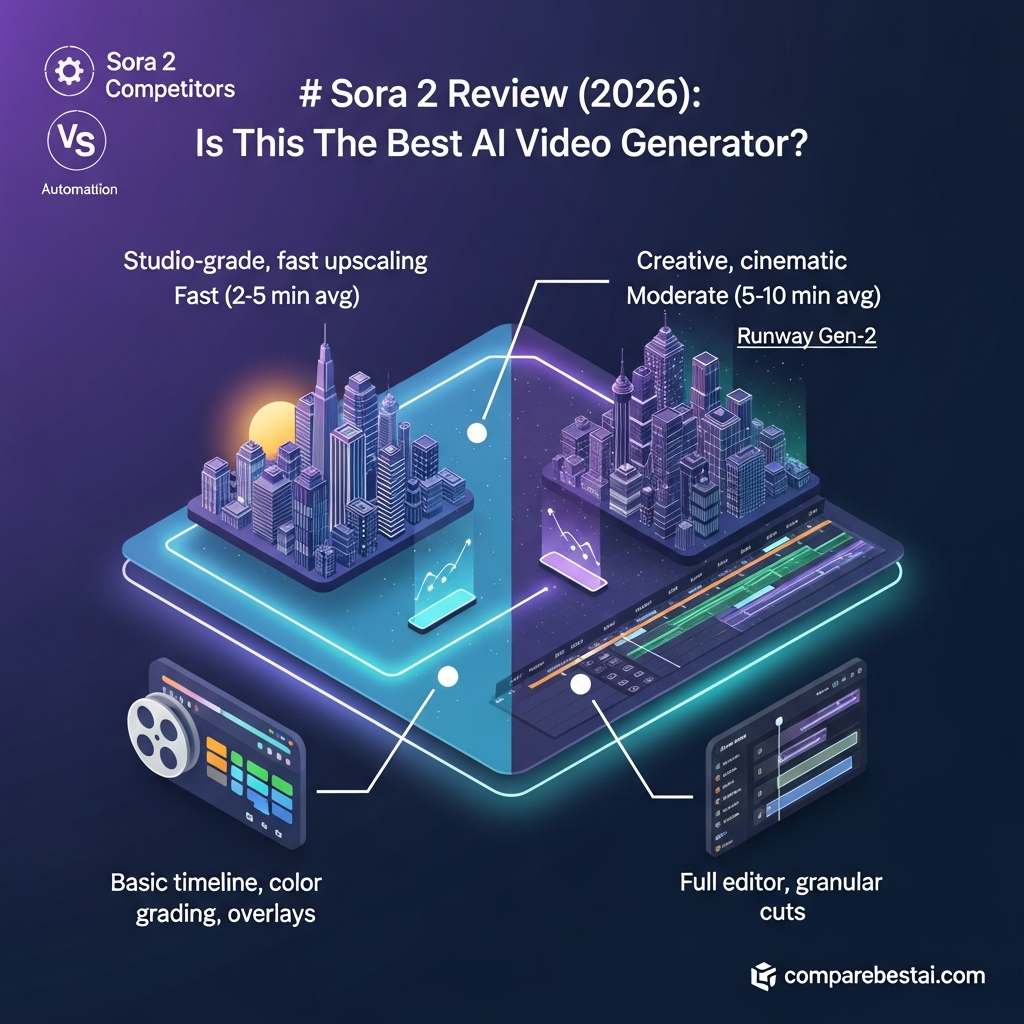

Quick Answer: Is Sora 2 Worth Using in 2026?
Sora 2 was an advanced OpenAI video-and-audio generation model known for synchronized audio, improved physical realism and stronger prompt control.
However, it is no longer an active standalone creator product.
OpenAI discontinued the Sora web and app experiences on April 26, 2026. Sora 2 and Sora 2 Pro remain temporarily available as Legacy API models, but OpenAI has scheduled the Sora API to shut down permanently on September 24, 2026.
For that reason, Sora 2 is difficult to recommend for any new long-term production workflow.
Existing developers may still use the API temporarily, but creators and businesses starting today should compare actively supported alternatives.
Compare Active Sora 2 Alternatives
Get Exclusive Pricing Alerts →
Get AI Video Workflow Templates
Join Sora 2 Insider Email List
Sora 2 at a Glance
| Category | Sora 2 |
|---|---|
| Developer | OpenAI |
| Type | Video and audio generation model |
| Current status | Legacy |
| Standalone Sora web/app | Discontinued |
| Web/app discontinuation date | April 26, 2026 |
| Sora API shutdown | September 24, 2026 |
| Text input | Yes |
| Image reference input | Yes |
| Video output | Yes |
| Synchronized audio | Yes |
| Sora 2 API price | $0.10 per generated second |
| Sora 2 Pro API price | $0.30–$0.70 per second |
| Current API durations | 4, 8 or 12 seconds |
| Current consumer subscription | None |
| Current free trial | None |
| Best for now | Existing API users completing or migrating projects |
Last verified: August 25, 2026.
What Was Sora 2?
Sora 2 was OpenAI's second-generation video-and-audio generation model.
OpenAI introduced it in September 2025 as an improvement over the original Sora research and product line.
The model focused on several difficult areas in generative video:
Physical realism
Motion
Prompt adherence
Visual fidelity
Synchronized audio
Creative steerability
Broader visual styles
One of the biggest differences from earlier AI video systems was synchronized audio.
Sora 2 was designed to generate both moving images and corresponding sound instead of requiring users to generate a silent clip and add audio separately.
OpenAI also positioned the model as a step toward systems that can better represent physical environments and real-world dynamics.

Is Sora 2 Still Available?
Partially.
There are two different things to distinguish:
The Sora product
The Sora 2 model
Sora App and Web Status
The standalone Sora consumer product is no longer available.
OpenAI discontinued the Sora web and app experiences on April 26, 2026.
That means users can no longer treat Sora like a conventional creator platform with an active consumer interface.
There is no current standalone Sora free plan, Creator plan, Professional plan or Enterprise subscription.
Users with old Sora content should follow OpenAI's current sunset and export instructions rather than assuming their former product data will remain available indefinitely.
Sora API Status
The underlying Sora 2 and Sora 2 Pro models remain temporarily available through OpenAI's API.
Both are currently labeled Legacy.
OpenAI has announced that the Sora API will permanently shut down on September 24, 2026.
That dramatically changes whether Sora makes sense for a new project.
A developer with an existing Sora integration may still have a reason to use the API in the short term.
A business designing a video product expected to operate for months or years should choose an actively supported model instead.
Sora 2 Features and Capabilities
Sora 2's real strengths came from its underlying generation model rather than the enterprise SaaS features sometimes attributed to it.
Video With Synchronized Audio
Sora 2 generates video together with audio.
This was an important improvement over many earlier video-generation systems that produced silent clips.
Generated audio could support the visual scene rather than requiring an entirely separate sound-generation workflow.
Text-to-Video
Users can describe a scene using natural-language prompts.
A prompt can specify elements such as:
Subject
Environment
Camera perspective
Action
Mood
Lighting
Style
Visual composition
The model then attempts to translate those instructions into a generated video sequence.
Image-Guided Video
The current API also accepts an optional image reference.
This lets developers provide visual context alongside the text prompt rather than relying only on text.
Reference images can be useful when a creator wants more control over the starting visual direction.
Physics and Realism
OpenAI identified improved physical behavior as one of Sora 2's major advances.
Generative video often struggles with problems such as:
Objects changing shape
Impossible movement
Inconsistent gravity
Characters changing appearance
Incorrect object interactions
Sora 2 was designed to improve the model's representation of these types of real-world dynamics.
That did not make every generation physically perfect.
Like other generative-video systems, difficult interactions and complex scenes could still produce visual inconsistencies.
Prompt Adherence and Steerability
Sora 2 also improved how closely generated scenes followed user instructions.
Better steerability is important because high visual quality is not useful if the model ignores the requested camera movement, subject behavior or scene details.
This made detailed prompting an important part of the Sora workflow.
Provenance and Safety
OpenAI built provenance safeguards into Sora.
Its published Sora 2 safety documentation describes visible and invisible signals intended to identify AI-generated content.
OpenAI also documented C2PA metadata for Sora output.
The company applied additional moderation and safety controls to areas such as:
Human likeness
Minors
Misleading content
Harmful content
Non-consensual imagery
These controls were designed to reduce misuse while preserving creative applications.
Current Sora 2 API Capabilities
The remaining Sora API supports video creation using:
A text prompt
An optional reference image
Sora 2 or Sora 2 Pro
Supported duration and resolution settings
The current create-video API supports clips of:
4 seconds
8 seconds
12 seconds
Because the API is deprecated and scheduled for shutdown, these capabilities should be viewed as temporary rather than as a roadmap for future Sora development.
Sora 2 Pricing in 2026
There are no current $49 Creator or $199 Professional Sora subscriptions.
Current direct OpenAI access is usage-based through the API.
Sora 2
Sora 2 currently costs:
$0.10 per generated second
Current standard output sizes are:
720×1280 portrait
1280×720 landscape
Sora 2 Pro
Sora 2 Pro supports higher-resolution output.
| Resolution | Price Per Generated Second |
|---|---|
| 720×1280 / 1280×720 | $0.30 |
| 1024×1792 / 1792×1024 | $0.50 |
| 1080×1920 / 1920×1080 | $0.70 |
Cost Examples
| Model | 4 Seconds | 8 Seconds | 12 Seconds |
|---|---|---|---|
| Sora 2 | $0.40 | $0.80 | $1.20 |
| Sora 2 Pro 720p | $1.20 | $2.40 | $3.60 |
| Sora 2 Pro mid-resolution | $2.00 | $4.00 | $6.00 |
| Sora 2 Pro highest resolution | $2.80 | $5.60 | $8.40 |
The real production cost may be higher because generative-video workflows often require multiple attempts before the final result is usable.
Ten unsuccessful or exploratory generations still consume generation budget.
See Latest Sora 2 Pricing and Limited-Time Offers
Sora 2 Pros and Limitations
Pros
Video and synchronized audio generation
Strong visual generation capabilities
Improved physical realism compared with earlier generations
Stronger prompt adherence
Text-based generation
Image-reference support
Multiple output resolutions through Sora 2 Pro
API access for existing developer workflows
Provenance and safety systems
Straightforward per-second API pricing
Limitations
Standalone Sora product has already been discontinued
API shuts down September 24, 2026
Both Sora 2 and Sora 2 Pro are labeled Legacy
No active Sora consumer subscription
No current Sora free trial
API supports only short generation durations
Sora 2 standard output is limited to 720p
Generative output can still contain physical or visual inconsistencies
Iteration can raise total generation cost
Not suitable as the foundation of a new long-term product
Who Should Still Use Sora 2?
Existing API Users
The strongest remaining use case is an existing application already using Sora.
These teams may need the API temporarily to:
Complete existing projects
Reproduce previous outputs
Maintain a service during migration
Compare replacement models
Export or transition workflows
The priority should be migration rather than further investment in Sora-specific infrastructure.
Short-Term Experiments
Developers may also use the remaining API for short experiments that will finish before the shutdown.
Even then, the limited remaining lifecycle should be part of the decision.
Who Should Choose Another AI Video Tool?
Most new users should.
Choose another platform if you are:
Starting a new AI video product
Building a long-term API integration
Creating an agency production workflow
Standardizing video software for a marketing team
Looking for a creator-facing SaaS application
Planning projects beyond September 2026
Looking for ongoing model development
An actively supported product provides a much safer foundation.
Best Sora 2 Alternatives in 2026
The AI-video market has moved significantly since Sora 2 launched.
Google Flow
Google Flow is an active creative environment built around Google's current generative models, including Veo 3.1.
It is a stronger choice for creators who want an actively developed video-generation interface rather than a legacy API nearing shutdown.
Runway
Runway remains an active AI creative platform.
Its current generation is built around newer models such as Gen-4.5 rather than the old Gen-2 model that appeared in many early Sora comparisons.
Runway is a better option when generation needs to fit into a broader creator and editing workflow.
Seedance 2.5
ByteDance released Seedance 2.5 on July 31, 2026.
It supports longer audiovisual generation and multimodal reference workflows and represents another actively developed alternative for advanced video generation.
Other Alternatives
Depending on the use case, creators can also evaluate platforms including:
Adobe Firefly
Luma AI
Pika
Kling
HeyGen
Synthesia
The right choice depends on whether you need cinematic generation, social video, avatar-led business content or production-oriented editing.
Compare Active Sora 2 Alternatives
How We Evaluated Sora 2
This review uses current official product and model documentation rather than assuming that Sora's historical consumer experience still exists.
We evaluated:
Current availability
Model status
Video-generation capabilities
Audio generation
Input types
Output resolution
Supported durations
API pricing
Product lifecycle
Safety and provenance
Suitability for current users
Migration considerations
Active alternatives
Sora information was rechecked on August 25, 2026.
Historical features are distinguished from capabilities that remain available through the Legacy API.
Unverified SaaS pricing, team functionality, support packages and performance statistics were excluded.
Sora 2 Verified Facts for 2026
Last verified: August 25, 2026
Developer: OpenAI.
Original Sora 2 launch: September 30, 2025.
Model type: Video and audio generation.
Original improvements: Better physics, realism, synchronized audio, steerability and stylistic range.
Sora web/app: Discontinued April 26, 2026.
Sora API: Scheduled for permanent shutdown September 24, 2026.
Sora 2 status: Legacy.
Sora 2 price: $0.10 per generated second.
Sora 2 Pro price: $0.30–$0.70 per generated second depending on resolution.
Supported API durations: 4, 8 and 12 seconds.
Inputs: Text and optional image reference.
Outputs: Video and audio.
Current consumer subscription: None.
Current Sora free trial: None.
Current Sora Enterprise subscription: None.
Provenance: OpenAI documented visible and invisible provenance signals plus C2PA metadata.
Primary sources: OpenAI Sora discontinuation documentation, Sora 2 System Card and OpenAI API model documentation.
Frequently Asked Questions
Is Sora 2 still available in 2026?
The standalone Sora web and app product was discontinued on April 26, 2026. Sora 2 remains temporarily available as a Legacy OpenAI API model until the API shuts down on September 24, 2026.
Is Sora 2 discontinued?
The consumer-facing Sora product is already discontinued. The remaining Sora API is also scheduled for discontinuation on September 24, 2026.
How much does Sora 2 cost?
Sora 2 currently costs $0.10 per generated second through the Legacy API. Sora 2 Pro costs between $0.30 and $0.70 per generated second depending on resolution.
Does Sora 2 have a free plan?
No current standalone Sora free plan exists. The consumer Sora product has been discontinued, and OpenAI's Sora 2 API does not support the free API usage tier.
What video lengths does Sora 2 support?
The current OpenAI video creation API supports 4-, 8- and 12-second generation durations.
Does Sora 2 generate audio?
Yes. Sora 2 is a video-and-audio generation model and can produce synchronized audio with its video output.
What makes Sora 2 different from the original Sora?
OpenAI introduced Sora 2 with improvements in physical realism, synchronized audio, prompt steerability and stylistic range.
Should I use Sora 2 for a new project?
Probably not for a long-term project. The Sora API is scheduled to shut down on September 24, 2026, so any new integration would need to migrate almost immediately.
What are the best Sora 2 alternatives?
Current alternatives include Google Flow with Veo 3.1, Runway, Seedance 2.5, Adobe Firefly, Luma AI and Pika. HeyGen and Synthesia are better specialized alternatives for avatar-led business video.
Final Verdict: Is Sora 2 Worth Using in 2026?
Sora 2 was an important video-generation model.
Its synchronized audio, improved physical realism and stronger steerability represented meaningful progress when OpenAI introduced it in 2025.
But this is no longer a normal question about whether Sora has the best features or whether its subscription provides good value.
The product lifecycle now determines the verdict.
OpenAI discontinued the Sora web and app experience on April 26, 2026.
The remaining Sora API will shut down on September 24, 2026.
That makes Sora 2 unsuitable for almost any new long-term workflow.
Existing developers may still use it temporarily while completing projects or migrating.
Everyone else should evaluate actively supported video-generation platforms instead.
The model itself remains technically interesting.
As a product to build around in August 2026, however, Sora 2 is no longer a sensible long-term choice.
Compare Active Sora 2 Alternatives
Download the Free Buyers Guide →
Found this guide useful? Share it with your team.


