
Quick Verdict: Is TikTok Symphony Worth Using?
Yes, TikTok Symphony is worth trying in 2026 if TikTok is an important marketing or advertising channel for your business.
Its biggest advantage is not preferential treatment from TikTok's algorithm. TikTok explicitly says Symphony Creative Studio has no direct connection with the recommendation algorithm. Its advantage is that AI video generation, image generation, avatars, translation, editing, creative trends, Symphony Agent, Ads Manager workflows, and API capabilities sit inside TikTok's own creative ecosystem.
Symphony Creative Studio is currently described by TikTok as a free creation tool for logged-in TikTok for Business users. Some advanced capabilities have additional eligibility restrictions. Dreamina Seedance 2.5, for example, is currently rolling out to select paid advertisers in select markets.
Best for: TikTok advertisers, ecommerce brands, agencies, performance marketers, and businesses producing frequent short-form creative.
Less suitable for: creators who primarily need one general-purpose editor for Instagram Reels, YouTube Shorts, TikTok, LinkedIn, and other platforms.
Information checked: August 2026.
TikTok Symphony at a Glance
| Category | Verdict |
|---|---|
| Best for | TikTok-focused marketers and advertisers |
| Creative Studio price | Free for logged-in TikTok for Business users |
| AI video generation | Yes |
| Image generation | Yes |
| Image-to-video | Yes |
| Reference-to-video | Yes |
| AI avatars | Voiceover and Product Avatars |
| Translation and dubbing | Yes, with regional limitations |
| Video editing | Yes |
| Symphony Agent | Yes |
| Ads Manager integration | Yes |
| API | Yes |
| Organic content | Supported |
| Paid advertising content | Supported |
| AI-generated labels | Automatically applied to exported generated videos |
| Algorithm advantage | No direct connection to TikTok's algorithm |
| Latest major video model | Dreamina Seedance 2.5 for eligible advertisers |
| Best alternative for broader editing | CapCut |
What Is TikTok Symphony?
TikTok Symphony is TikTok for Business's generative AI creative suite.
It is broader than a standalone text-to-video generator.
The suite currently includes several connected components:
Symphony Creative Studio
Creative Studio is the main environment for generating and editing TikTok-focused creative.
TikTok says it can be used for both organic and paid content and supports video generation, image generation, avatars, translation, dubbing, and TikTok-style editing.
Symphony Agent
Symphony Agent is an AI-powered creative workflow inside Creative Studio.
It can analyze a product or brief, work from TikTok creative patterns and references, develop a storyboard, and generate finished TikTok-style video ads. Users can then modify storyboards, scenes, voiceovers, tone, and calls to action.
Symphony Automation
Symphony Automation brings generative creative capabilities into TikTok Ads Manager.
The goal is to reduce the need to move constantly between separate creative and campaign tools when advertisers need to generate or refresh assets.
Symphony API
Symphony API is designed for businesses that want to embed TikTok's creative AI capabilities into larger production systems.
TikTok describes API use cases including video translation, avatar generation, and creative workflows at scale.
Together, these products make Symphony particularly relevant to teams that repeatedly create TikTok advertising rather than users looking only for a traditional desktop video editor.
Is TikTok Symphony Free?
Symphony Creative Studio is currently free.
TikTok's Help Center describes it as a free creation tool for TikTok-optimized content.
Users access Creative Studio through a TikTok for Business account, and it can be used to create both organic and paid content.
That means Symphony Creative Studio should not currently be described as having a standard $200–$800 monthly subscription.
TikTok does not publish that pricing model for Creative Studio.
Are all Symphony features available to everyone?
No.
Availability can depend on:
feature
market
account
advertiser status
product rollout
API access
The strongest current example is Dreamina Seedance 2.5.
TikTok says the model is rolling out to select paid advertisers in select markets, so free Creative Studio access does not mean every advertiser immediately receives every new capability.
What about advertising costs?
TikTok advertising spend is separate from access to Symphony Creative Studio.
Do not confuse:
using Symphony to create an ad
with:
paying TikTok to distribute that ad
Your advertising budget depends on the campaigns you choose to run in TikTok Ads Manager.
TikTok Symphony Features
1. AI Video Generation
Symphony Creative Studio can create TikTok-ready video from basic prompts and other inputs.
TikTok's current creative environment supports:
text-to-video
image-to-video
reference-to-video
product-focused generation
prompt enhancement
remix workflows
This makes it useful when a marketer needs several creative ideas without filming each variation manually.
The strongest use case is rapid creative testing rather than replacing every part of professional video production.
2. Image Generation
Symphony also supports AI image generation.
TikTok's August 2026 documentation says users can upload up to four reference images, enter a prompt or use a template, generate new images, and then use those results in video-generation workflows or send them to Ads Manager.
For ecommerce brands, that can connect static product assets with a larger TikTok creative workflow.
3. Image-to-Video
Image-to-video turns an existing static asset into moving creative.
This is particularly useful for sellers that already have:
product photography
catalog images
campaign graphics
app screenshots
but need short-form video assets.
Instead of recreating every asset from scratch, existing imagery can become the starting point.
4. Reference-to-Video
Reference-to-video gives users more control over what the generation should resemble.
Visual or multimodal references can help preserve:
product appearance
visual direction
scene style
movement
creative context
The latest Seedance 2.5 integration significantly expands this workflow for eligible advertisers.
5. Symphony Agent
Symphony Agent is one of the most important parts of the 2026 product.
Rather than using separate tools for ideation, storyboarding, and generation, the Agent can move through several stages of the creative process.
Users can start from:
a product
a prompt
a reference image
a reference video
a TikTok creative trend
a template
and guide the resulting creative through natural-language instructions.
Manual Mode
Manual Mode lets the user review intermediate stages such as:
product brief
insight report
storyboard
final generation
before moving forward.
This gives marketers more control.
Auto Mode
Auto Mode removes many intermediate confirmations.
TikTok says Auto Mode can go from input to finished video in approximately 5–6 minutes, compared with 15+ minutes in Manual Mode.
It can also create up to three variations in one session, each using a different creative angle. These are TikTok-reported workflow figures rather than independent performance benchmarks.
For high-volume advertising teams, that may be more useful than a simple text-to-video feature.
6. Voiceover Avatars
Symphony includes Voiceover Avatars that can deliver a script on screen.
TikTok describes these as using both real-human and AI-generated avatar options, with controls around characteristics such as industry, appearance, gender, background, and region.
TikTok's current Symphony overview says licensed Voiceover Avatars are available in more than 30 languages.
Potential use cases include:
product introductions
localized ads
explainer videos
spokesperson-style content
rapid script testing
Human review remains important, particularly where the output makes product, health, financial, or other consequential claims.
7. Product Avatars
Product Avatars are designed around ecommerce-style creative.
You can provide an image of a product or app screen and create clips of an avatar holding, showcasing, or modeling it.
TikTok notes that some product categories and clothing accessories are not supported in the current workflow.
This makes Product Avatars potentially useful for brands that have a strong product catalog but limited original video footage.
8. Translation and Dubbing
Symphony can translate and dub existing videos into other languages.
The workflow can use:
a cloned version of the original voice
stock voices
translated subtitles
lip-sync
This can help brands localize a successful creative rather than re-recording every version manually.
Important regional restriction
TikTok currently says Translate & Dub is not available to users in Texas and Illinois because of local restrictions.
That limitation should be disclosed in any accurate review.
9. Video Editor
Symphony Creative Studio also includes a TikTok-focused editor.
Current editing options include:
uploaded or generated assets
recommended or trending music
sound effects
voiceover
translation
captions
avatars
text
effects
stickers
timeline editing
Videos can then be downloaded or sent into Ads Manager.
This makes Symphony more than a generator.
It can handle parts of post-generation production too.
10. Daily Video Generations
TikTok also offers daily auto-generated creative options in Symphony Creative Studio.
TikTok says these can be influenced by brand information, products, previous activity in Creative Studio, and TikTok creative practices.
This feature is useful primarily as inspiration.
Teams should still decide whether an automatically suggested concept matches:
campaign strategy
current offer
brand positioning
audience
compliance requirements
Dreamina Seedance 2.5 in TikTok Symphony
TikTok announced Dreamina Seedance 2.5 integration on August 3, 2026.
The upgrade is important because it significantly expands the amount of creative context users can provide.
For eligible advertisers, Seedance 2.5 supports:
generated video up to 30 seconds
up to 50 multimodal references
image, video, and audio references
timestamp-specific creative direction
The previous maximum generation length was 15 seconds, and the reference limit was nine.
Availability limitation
Seedance 2.5 is not universally available yet.
TikTok says it is currently rolling out to select paid advertisers in select markets.
Do not write the article as though every free Creative Studio account already has full Seedance 2.5 access.
Does TikTok Symphony Help You Rank in the TikTok Algorithm?
No special advantage has been documented.
TikTok explicitly states that Symphony Creative Studio does not have any direct connection with the TikTok algorithm.
That distinction matters.
Symphony does use:
TikTok trends
creative patterns
platform-native formats
advertising insights
TikTok creative best practices
to help produce content suited to the platform.
That can improve creative relevance.
It does not mean TikTok gives Symphony-generated videos preferential distribution merely because they were created with TikTok's own AI tools.
AI Labeling, Privacy, and Safety
TikTok automatically adds an AI-generated label to videos exported from Symphony Creative Studio.
TikTok also says generated content undergoes additional moderation and policy review when it is submitted for publishing on TikTok or through Ads Manager.
Are inputs used to train TikTok's AI models?
TikTok's current Help Center states that Symphony Creative Studio inputs and outputs are not currently sent back to TikTok or used to train other AI models.
It also says generated outputs belong to the user unless the applicable Generative AI terms state otherwise.
Businesses should still review the current Creative GenAI Terms before uploading:
unreleased products
confidential assets
customer information
licensed media
sensitive brand materials
Policies can change.
TikTok Symphony Pros and Cons
Pros
Symphony Creative Studio is currently free
built specifically around TikTok creative
text-to-video generation
image generation
image-to-video
reference-to-video
Symphony Agent
manual and automatic agent workflows
Voiceover Avatars
Product Avatars
translation and dubbing
TikTok-focused video editor
native Ads Manager workflows
API availability for larger workflows
automatic AI-generated labeling
latest Seedance technology for eligible advertisers
Cons
optimized primarily around TikTok
advanced feature availability can vary by market and advertiser status
Seedance 2.5 is not yet universally available
Translate & Dub is unavailable in Texas and Illinois
AI output still requires human review
platform trends can encourage similar-looking creative if teams do not add a distinctive brand direction
no preferential connection to TikTok's recommendation algorithm
general-purpose video editors may offer stronger cross-platform workflows
API and enterprise eligibility are less transparent than Creative Studio access
Who Should Use TikTok Symphony?
TikTok Symphony is strongest for businesses already committed to TikTok.
Ecommerce brands
Product Avatars, image-to-video, reference-to-video, and rapid creative generation make Symphony especially relevant to product-led advertising.
Performance marketers
Teams that frequently test several hooks, messages, and creatives can use Agent workflows to generate multiple variations more quickly.
Agencies
Agencies managing several TikTok advertising accounts may benefit from native Ads Manager workflows, creative generation, translation, and API capabilities.
Global marketing teams
Translation, dubbing, avatars, and localization tools can reduce the work required to adapt one concept for several markets.
TikTok-first content teams
If most of your short-form content is designed specifically for TikTok, platform-native creative intelligence is one of Symphony's strongest advantages.
Who Should Skip TikTok Symphony?
Symphony may not be your best primary editor if:
TikTok is a small part of your marketing
most content must be reused across several platforms
you need advanced traditional timeline editing
you need long-form video
you mainly produce cinematic video rather than social advertising
you need every new AI model immediately regardless of advertiser eligibility
A creator publishing on TikTok, Instagram Reels, and YouTube Shorts may get more day-to-day flexibility from a general-purpose tool such as CapCut.
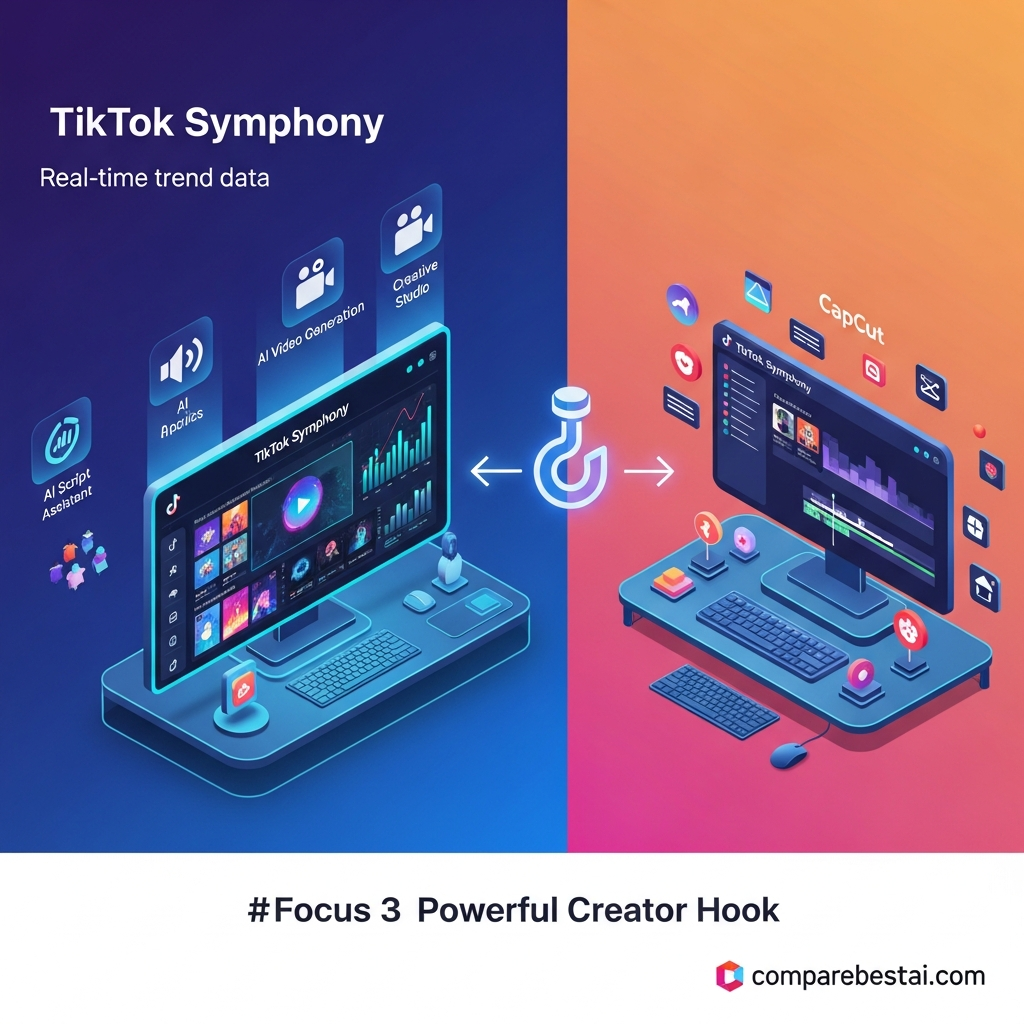
TikTok Symphony vs CapCut
TikTok Symphony and CapCut overlap, but they are not the same product.
| Area | TikTok Symphony | CapCut |
|---|---|---|
| Primary purpose | TikTok AI creative and advertising workflows | General short-form video editing |
| TikTok Ads Manager | Native Symphony workflows | Broader export/edit workflow |
| AI video generation | Yes | Yes, depending on feature/plan |
| AI avatars | Strong TikTok-specific implementation | Available through broader creative tools |
| TikTok trends | Built around TikTok creative intelligence | Strong social/trend orientation |
| Cross-platform editing | More limited | Stronger |
| Organic TikTok content | Yes | Yes |
| TikTok ads | Strong fit | Useful but less integrated |
| General editing | Adequate | Stronger |
| Creative Studio access | Free | Separate CapCut access model |
Choose TikTok Symphony when:
TikTok advertising is the main objective
Ads Manager integration matters
you want Symphony Agent
you need Product or Voiceover Avatars
you need TikTok-focused localization
you produce a high volume of TikTok creative
Choose CapCut when:
you create for several social networks
manual editing is a major part of your workflow
you need more general-purpose short-form video editing
TikTok advertising integration is less important
If you are comparing broader generation platforms as well, review the best AI video generators in 2026 rather than assuming TikTok Symphony competes directly with every cinematic AI video model.
TikTok Symphony Pricing in 2026
Symphony Creative Studio
Current price: Free
TikTok describes Creative Studio as a free creation tool available through a TikTok for Business account.
TikTok does not currently publish a standard $200–$800 monthly Creative Studio subscription.
Advanced features
Some capabilities have additional eligibility restrictions.
Dreamina Seedance 2.5 is currently limited to select paid advertisers in select markets.
Symphony API
Businesses interested in API-based production should verify current access terms directly with TikTok because API and enterprise arrangements may differ from the free Creative Studio interface.
TikTok advertising
Paid advertising spend is separate from Symphony Creative Studio access.
A free creative tool does not make TikTok ad distribution free.
This distinction should be included whenever Symphony pricing is discussed.
Is TikTok Symphony Really “Free”?
For Creative Studio, yes according to TikTok's current documentation.
But “free” does not necessarily mean there are no indirect costs.
A business may still spend money on:
TikTok advertising
staff time
external creative assets
campaign management
separate editing software
API implementation
agency work
Those are workflow costs, not a published Symphony Creative Studio subscription fee.
TikTok Symphony Facts Verified for 2026
Information checked: August 2026
TikTok Symphony is TikTok for Business's generative AI creative suite.
Creative Studio can be used for organic and paid TikTok content.
TikTok describes Symphony Creative Studio as a free creation tool.
Creative Studio supports video generation, image generation, Voiceover Avatars, Product Avatars, translation, dubbing, and editing.
Symphony Agent can turn prompts and creative references into storyboards and finished video.
Auto Mode can generate up to three variations in one session and TikTok says it can reach finished video in about 5–6 minutes.
Videos exported from Symphony Creative Studio receive an AI-generated label.
TikTok says Creative Studio has no direct connection with the recommendation algorithm.
Dreamina Seedance 2.5 was announced for Symphony on August 3, 2026.
Eligible Seedance 2.5 users can generate up to 30 seconds of video and supply up to 50 multimodal references.
Translate & Dub is currently unavailable to users in Texas and Illinois.
Frequently Asked Questions
Is TikTok Symphony free?
Yes. TikTok currently describes Symphony Creative Studio as a free creation tool available to logged-in TikTok for Business users.
Some advanced capabilities may have additional advertiser, market, or feature eligibility requirements.
Does TikTok Symphony cost $200–$800 per month?
TikTok does not currently publish a standard $200–$800 monthly subscription for Symphony Creative Studio.
Do not use that figure unless TikTok introduces and publishes such pricing.
What does TikTok Symphony create?
Symphony can generate videos and images, animate images, work from references, produce avatar-led creative, translate and dub video, and edit TikTok-focused assets.
Is TikTok Symphony an AI video generator?
Yes, but that description is incomplete.
It is better described as a broader generative AI creative suite that includes video and image generation, avatars, editing, localization, Ads Manager workflows, API capabilities, and Symphony Agent.
Is TikTok Symphony better than CapCut?
Symphony is stronger for TikTok advertising and TikTok-specific AI creative workflows.
CapCut is generally more flexible for creators who need to edit content for several social platforms.
Does TikTok Symphony improve TikTok reach?
TikTok says Symphony Creative Studio has no direct connection with the TikTok algorithm.
Using Symphony therefore does not provide a documented automatic ranking or reach advantage.
Does TikTok label Symphony AI videos?
Yes. TikTok says an AI-generated label is added to videos exported from Symphony Creative Studio.
Can TikTok Symphony create organic videos?
Yes. TikTok says Creative Studio supports both organic and paid content.
Who should use TikTok Symphony?
It is particularly well suited to ecommerce advertisers, performance marketers, agencies, global brands, and teams that regularly produce TikTok-specific creative.
Final Verdict: Is TikTok Symphony Worth It in 2026?
TikTok Symphony is worth testing if TikTok is an important part of your content or advertising strategy.
Its biggest advantage is not an algorithm shortcut.
Its advantage is workflow.
Symphony puts several TikTok-specific capabilities in one ecosystem:
AI video generation
image generation
reference-to-video
Voiceover Avatars
Product Avatars
translation and dubbing
video editing
Symphony Agent
Ads Manager automation
API access
Creative Studio is also currently free, which makes it relatively easy for TikTok for Business users to test before building a larger workflow around it.
The limitations matter too.
Some advanced functionality is market- or advertiser-dependent. Seedance 2.5 is not yet universally available. Translate & Dub has regional restrictions. And creators producing for several different social platforms may still prefer a broader editor such as CapCut.
Choose TikTok Symphony if TikTok advertising and TikTok-native creative production are central to your strategy.
Choose CapCut if cross-platform editing and general short-form production matter more.
best AI video generators in 2026 and choose according to your actual production workflow rather than assuming one tool is best for every type of video.
Found this guide useful? Share it with your team.


