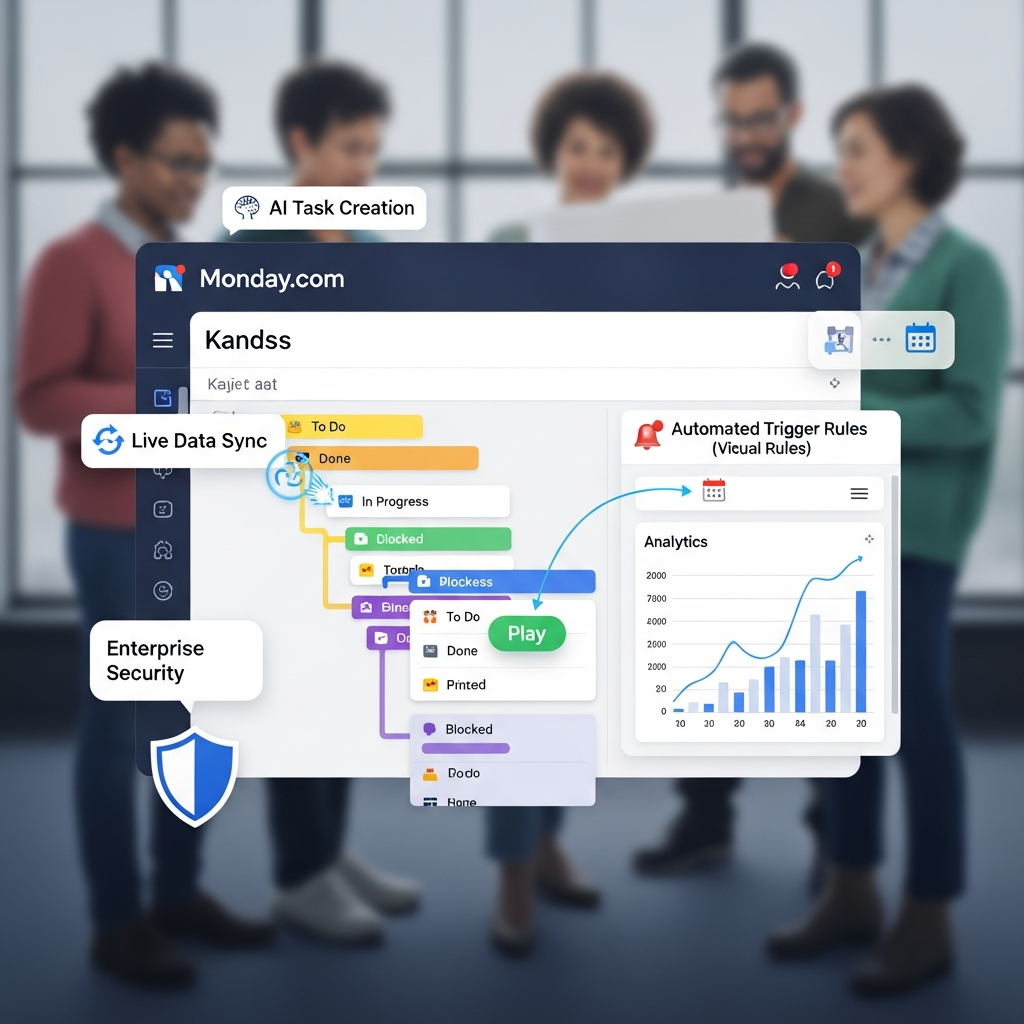

Quick Answer: Teams choose monday.com because it combines customizable work management, automation, dashboards, collaboration, integrations, and increasingly capable AI in one platform. In 2026, monday.com includes Sidekick for context-aware assistance, AI columns, AI agents, Vibe for building custom apps, and AI Workflows for automating multi-step processes. It is particularly useful for cross-functional teams that need flexible workflows rather than a rigid project-management system.
Pricing and product capabilities in this guide were checked against current monday.com information in September 2026.
Why Teams Choose monday.com: At a Glance
| Area | Why Teams Use It |
|---|---|
| Work management | Track projects, tasks, requests and processes in flexible boards |
| AI | Sidekick, AI agents, AI columns, Vibe and AI Workflows |
| Automation | Trigger actions and remove repetitive administrative steps |
| Collaboration | Keep discussions, updates, files and ownership around the work |
| Dashboards | Report across multiple boards and projects |
| Views | Kanban, Calendar, Gantt, Timeline and other ways to visualize work |
| Integrations | Connect monday.com with external communication, CRM and productivity systems |
| Workdocs | Combine documentation with live work data |
| WorkForms | Turn structured requests into board items |
| Enterprise | Portfolio management, resource planning, permissions and governance |
monday.com now positions its core platform as an AI work platform, not simply a project-management application.
That distinction explains much of its appeal in 2026.
Teams can still use monday.com as a task tracker, but the broader platform is designed to connect work, data, automation and AI across departments.
What Is monday.com?
monday.com is a flexible work-management platform built around workspaces, boards, items and columns.
An item can represent almost anything a team needs to track, including:
tasks
projects
campaigns
customer requests
candidates
deals
content
incidents
approvals
Columns hold the information associated with each item.
Teams can then view the same underlying work through different formats depending on the job being done.
For example, a project manager may prefer a Gantt view, while an operations team may work primarily from a board and an executive may rely on a dashboard.
Alongside boards, monday.com includes tools such as workdocs for documentation and WorkForms for structured intake.
That flexibility is one of the main reasons teams choose monday.com.
Internal link: Read our complete monday.com review.
1. Teams Can Build Workflows Around How They Actually Work
Traditional project-management systems often expect every department to follow roughly the same task structure.
monday.com takes a more configurable approach.
A marketing team can build a campaign workflow.
An operations team can manage requests.
A product team can track launches.
A leadership team can maintain a portfolio dashboard.
The underlying platform remains the same, but the structure of each board can be adapted to the process.
That reduces the need to force unrelated departments into an identical workflow.
Boards
Boards are the core workspace for structured work.
A board can track:
owner
status
deadlines
priority
budget
files
dependencies
progress
custom fields
Views
The same data can be visualized in different ways.
Depending on the plan and setup, monday.com supports views such as:
Table
Kanban
Calendar
Timeline
Gantt
charts
This lets each team interact with the information in a format that suits its workflow.
2. monday Sidekick Brings AI Into Existing Work
One of the biggest changes to monday.com in 2026 is Sidekick.
monday Sidekick is a context-aware AI assistant embedded directly into the platform.
Instead of opening a separate AI chatbot and manually copying project context into it, Sidekick can work around information already available within monday.com.
Depending on the user's permissions and available tools, Sidekick can help with tasks such as:
summarizing information
creating content
answering questions about work
creating or updating items
analyzing information
organizing boards
researching information
interacting with connected applications
The advantage is context.
A generic chatbot may know only what the user pastes into the conversation.
Sidekick can work with the context of the user's monday.com environment.
Sidekick Can Take Actions
Sidekick is not limited to generating text.
monday.com also allows Sidekick to perform actions through tools and connected services.
That moves the product closer to an AI work assistant rather than a simple writing feature.
Availability and AI usage limits depend on the account and plan.
3. AI Columns Automate Repetitive Board Work
AI can also be applied directly inside monday.com boards.
AI-powered columns can support repetitive information-processing tasks such as:
summarizing text
extracting information
categorizing entries
translating content
detecting sentiment
improving text
This can be useful for workflows where new information repeatedly arrives in the same structure.
Consider a customer-request board.
Instead of asking someone to manually read every request and assign a category, an AI column could help classify incoming text.
A content team might use an AI column to summarize briefs.
A service team might categorize or prioritize requests.
The important point is that AI becomes part of the workflow rather than another separate application employees have to remember to open.
4. AI Workflows Can Handle Multi-Step Processes
monday.com's AI Workflows go beyond individual board actions.
The workflow builder lets teams create processes that connect multiple steps, boards, automations, integrations and AI actions.
Users can describe a process in plain language or build it manually through the visual workflow canvas.
AI-supported workflow components can:
evaluate information
generate content
route work
call Sidekick
search the web
invoke connected agents
connect to external systems
The Pro and Enterprise plans provide the strongest access to the AI Workflow Builder.
This is particularly useful when a process spans more than one simple trigger.
Example
A marketing-request workflow might:
receive a request through a form
classify the request
determine priority
assign an owner
create tasks
send a Slack notification
request human approval
update the workflow after approval
monday.com added human approval blocks to AI Workflows in 2026, allowing automated processes to stop for approval before continuing.
That is useful when an AI workflow can automate preparation but a person still needs to authorize an important action.
5. monday Agents Extend Automation Further
monday.com is also building AI agents into the work platform.
Agents are designed to carry out specialized tasks and processes rather than simply answer isolated questions.
Current platform capabilities include an Agent Builder that lets users create agents through prompts, while external agents can also connect into the monday.com environment.
That creates a broader model:
People define the work → agents execute selected tasks → humans review where necessary
This does not mean teams should automate everything.
The most useful agent workflows are usually repetitive, well-defined and measurable.
6. Vibe Lets Teams Build Custom Internal Apps
Another important 2026 feature is monday Vibe.
Vibe is an AI-powered no-code app builder.
Instead of building an internal application from scratch, a user can describe what the business needs and let Vibe create an initial working application.
The user can then continue refining the app conversationally.
Potential uses include:
internal request systems
trackers
operational applications
custom departmental tools
simple workflow interfaces
This expands monday.com beyond conventional project management.
Organizations with unusual internal processes may be able to build a lightweight custom tool while keeping its data and workflows connected to the broader monday.com environment.
7. Automation Removes Repetitive Administrative Steps
Automation has been one of monday.com's core strengths for years.
A basic automation follows a trigger and action structure.
For example:
When status changes to Approved → notify Finance.
Or:
When due date arrives → alert the owner.
Or:
When a new item is created → assign the relevant team.
These automations can remove repetitive administrative steps without requiring traditional programming.
The amount of automation available varies considerably by plan.
Current annual-billing limits include:
| Plan | Automation Actions |
|---|---|
| Free | Not included |
| Basic | Limited/basic functionality |
| Standard | 250 actions/month |
| Pro | 25,000 actions/month |
| Enterprise | Up to enterprise-scale limits, currently as high as 250,000 automation and integration actions/month |
High-volume teams should therefore calculate expected automation usage rather than assuming every paid plan provides unlimited execution.
8. Dashboards Give Leaders Cross-Board Visibility
Boards are useful for people doing the work.
Dashboards are designed for people who need to understand the work.
monday.com dashboards can combine information from multiple boards and display it through widgets.
Current dashboard functionality includes more than 30 widget types.
Teams can use dashboards to monitor areas such as:
project status
workload
deadlines
budgets
team performance
portfolio progress
key metrics
The practical advantage is that leadership does not need to inspect every individual task board to understand overall progress.
Enterprise Portfolio Management
Enterprise work-management capabilities go further.
monday.com provides portfolio management for connecting multiple projects into a unified view.
Enterprise users can also work with resource-management capabilities and project-risk insights.
This is a more precise description than saying monday.com universally predicts project bottlenecks.
9. Teams Can Collaborate Around the Work
Project-management software becomes less useful when conversations happen somewhere completely separate from the actual task.
monday.com keeps communication attached to work items.
Teams can:
leave updates
mention colleagues
share files
assign owners
follow progress
collaborate through workdocs
Workdocs can also connect documentation with live board information.
That makes them useful for:
project briefs
meeting notes
plans
documentation
requirements
The goal is to keep context closer to execution.
10. WorkForms Help Standardize Intake
Many workflows begin with an incoming request.
Examples include:
creative requests
IT requests
project requests
HR requests
customer feedback
internal approvals
WorkForms can collect structured information and push each response directly into a monday.com board.
That can reduce manual data entry and make incoming work easier to prioritize and route.
11. Integrations Help monday.com Fit Existing Software Stacks
Most teams cannot replace every tool they already use.
monday.com therefore supports integrations and APIs that connect work with outside systems.
Examples include:
Slack
Microsoft Teams
Gmail
Google Drive
Salesforce
Google Sheets
Zoom
Dropbox
Box
Microsoft SharePoint
Availability can vary by product and plan.
Some integrations also have additional requirements.
For example, monday.com's Salesforce integration is an Enterprise feature and requires a compatible Salesforce subscription.
This matters when estimating total cost.
Do not evaluate the integration merely by asking whether the logo appears in an app marketplace.
Confirm:
which monday.com plan is required
whether the third-party application needs a higher plan
what action limits apply
whether an add-on is required
12. Why Marketing Teams Use monday.com
Marketing teams often need to coordinate work across many formats and stakeholders.
monday.com can be used for:
campaign planning
editorial calendars
creative requests
content production
launch tracking
approvals
asset workflows
A marketing department may use a form to collect requests, a board to manage production and a dashboard to monitor campaign delivery.
Automation can then move work through repeatable stages.
13. Why Operations Teams Use monday.com
Operations teams often deal with repeatable internal processes.
Examples include:
requests
approvals
onboarding
vendor processes
audits
recurring tasks
internal projects
monday.com's configurable structure works well when a process needs more flexibility than a basic task list but does not justify building a dedicated application from scratch.
14. Why Product and Development Teams Use monday.com
monday.com also offers monday dev as a dedicated development-focused product.
Development teams can use the broader monday ecosystem for:
sprint planning
bug tracking
roadmaps
product requests
documentation
cross-team planning
Companies evaluating monday.com for software development should compare monday dev specifically with tools such as Jira, Linear and ClickUp rather than assuming the general Work Platform provides every development feature by default.
15. monday.com Pricing in 2026
monday.com now offers several products with different pricing structures.
For general productivity and work management, the relevant product is the monday AI Work Platform.
Current annual-billing prices displayed by monday.com are:
| Plan | Price | Key Capabilities |
|---|---|---|
| Free | $0 | Up to 2 seats, 3 boards, 3 Docs |
| Basic | $9/seat/month | Unlimited items, Basic AI, 1,000 AI credits/month |
| Standard | $12/seat/month | 2,000 AI credits, Gantt, Timeline, Calendar, guest access, 250 automation and integration actions |
| Pro | $19/seat/month | 3,000 AI credits, AI Workflow Builder, private boards, time tracking, advanced views, 25,000 automation and integration actions |
| Enterprise | Custom | Custom AI credits, portfolio/resource management, enterprise governance, up to 250 workflows |
monday.com currently says annual subscriptions receive an 18% discount compared with monthly billing.
Actual cost depends on:
product
number of seats
billing cycle
AI usage
integrations
optional add-ons
Which Plan Makes the Most Sense?
Free
Suitable for testing basic board-based work management with up to two users.
Basic
Useful when a team mainly needs structured project and task tracking.
Standard
A stronger practical starting point for teams that need automations, integrations, Gantt/Timeline views and external guests.
Pro
Makes more sense for teams relying heavily on automation, advanced views, time tracking and AI workflows.
Enterprise
Designed for organizations requiring portfolio management, resource management, larger-scale automation, advanced permissions, governance and enterprise support.
CTA: Compare monday.com Plans and AI Usage Limits
16. AI Credits Matter When Comparing Plans
One of the most important changes in monday.com's pricing model is AI usage.
Current annual-plan allowances displayed on its pricing page include:
Basic: 1,000 AI credits/month
Standard: 2,000 AI credits/month
Pro: 3,000 AI credits/month
Enterprise: custom AI credits
Additional credits can be purchased.
This means a plan's advertised seat price may not represent the complete cost of heavy AI usage.
Teams planning to use AI columns, Sidekick or AI workflows at scale should estimate expected AI consumption before choosing a plan.
17. monday.com Security and Enterprise Governance
Large organizations need more than project features.
monday.com's security program currently references certifications and frameworks including:
SOC 2 Type II
ISO 27001
ISO 27017
ISO 27018
ISO 27701
GDPR
HIPAA
Enterprise features include controls such as:
SAML SSO
audit logs
multi-level permissions
security administration
data controls
HIPAA functionality is available on eligible Enterprise plans.
monday.com also operates data-hosting regions in the United States, European Union and Australia.
Advanced security requirements should still be reviewed against the organization's actual compliance obligations rather than assuming an Enterprise label automatically satisfies every requirement.
18. monday.com vs Asana
monday.com and Asana both support project and work management, but they approach organization differently.
monday.com Is Stronger When You Want
highly configurable boards
database-like workflows
multiple business processes on one platform
visual customization
broader workflow automation
AI embedded directly into work structures
Asana May Be Stronger When You Prefer
a more structured task and project-management model
conventional project hierarchy
a workflow centered heavily around tasks and goals
The better choice depends on the process being managed.
Teams should rebuild the same real project inside both platforms before purchasing.
19. monday.com vs ClickUp
ClickUp and monday.com overlap across project management, docs, automation and AI.
The useful distinction is not that one is “easy” and the other is “complicated.”
Both products can become complex.
monday.com tends to emphasize customizable visual workflows and cross-departmental operational systems.
ClickUp tends to emphasize a broad set of productivity and task-management functionality inside a deeply configurable workspace.
Internal link: Read our monday.com vs ClickUp comparison for a direct feature-by-feature evaluation.
20. What Are monday.com's Main Limitations?
monday.com is flexible, but flexibility has tradeoffs.
Cost Can Increase Quickly
Per-seat pricing, AI credits, add-ons and product-specific subscriptions can make the total cost significantly higher than the headline starting price.
The Free Plan Is Limited
Two seats and three boards make Free useful for testing, but insufficient for most real teams.
Automation Limits Vary by Plan
Standard includes only 250 automation actions per month, which can disappear quickly in an active workflow.
AI Usage Is Not Unlimited
AI credits vary by subscription.
Heavy AI workflows may require additional credits.
Flexible Systems Require Design
A blank flexible board is not automatically a good workflow.
Teams still need to decide:
what should be tracked
which statuses matter
who owns each step
which automations are useful
what belongs in dashboards
Poor workflow design can create clutter regardless of how capable the software is.
monday.com Has Multiple Products
Work management, CRM, development and service workflows now sit across different monday.com products.
Teams should confirm which product they actually need rather than assuming one subscription includes every monday.com feature.
Who Should Choose monday.com?
Strong Fit
monday.com is particularly attractive for:
cross-functional teams
marketing departments
operations teams
agencies
growing businesses
project-management teams
organizations managing recurring processes
companies wanting AI and automation inside existing workflows
Less Ideal
It may be a weaker fit for:
solo users who need a simple to-do list
teams needing only basic task management
organizations unwilling to design and maintain workflows
companies requiring highly specialized software for one narrow process
teams whose automation or AI usage would make the total cost difficult to justify
Is monday.com Worth It for Small Teams?
It can be.
Small teams should focus on Standard or Pro only when they genuinely need the additional automation, views or AI functionality.
Buying Pro because it has more features is not a good reason by itself.
Upgrade when the higher plan removes an actual workflow constraint.
For very small teams needing simple task tracking, lighter tools may cost less and require less configuration.
Internal link: Read our full “Is monday.com Worth It?” analysis.
Is monday.com Worth It for Enterprise Teams?
monday.com makes a stronger enterprise case when several departments need to coordinate work on one platform.
Enterprise capabilities include:
portfolio management
resource management
cross-project oversight
advanced permissions
audit logging
larger automation capacity
enterprise support
a 99.9% uptime SLA
The platform is most valuable when those capabilities replace fragmented work rather than simply adding another system to the software stack.
Internal link: Read our monday.com for Enterprise Teams review.
Frequently Asked Questions
Why do teams choose monday.com?
Teams choose monday.com because it combines customizable work management, automation, reporting, collaboration, integrations and AI in one platform. Its flexible boards can support many different departmental workflows.
How much does monday.com cost in 2026?
For the monday AI Work Platform, current annual-billed pricing starts at $9 per seat per month for Basic, $12 for Standard and $19 for Pro. Enterprise pricing is custom. A Free plan is available for up to two users.
Does monday.com have AI?
Yes. Current AI functionality includes monday Sidekick, AI columns, AI agents, AI Workflows, Vibe and other AI-assisted capabilities. Availability and usage limits vary by plan.
What is monday Sidekick?
monday Sidekick is a context-aware AI assistant built into monday.com. It can answer questions, generate and summarize information, interact with work data and perform supported actions inside monday.com and connected applications.
Is monday.com good for project management?
Yes. monday.com supports project-management functionality including boards, timelines, Gantt charts, dependencies, dashboards and workload management. Its biggest differentiator is flexibility across project and non-project workflows.
Is monday.com better than ClickUp?
Neither platform is universally better. monday.com is particularly strong for configurable visual workflows and cross-functional operations, while ClickUp offers a broad productivity environment with extensive task-management customization. Teams should compare both using the same real workflow.
Does monday.com integrate with other business tools?
Yes. monday.com supports integrations and APIs for platforms including Slack, Microsoft Teams, Gmail, Google Drive, Salesforce and other business applications. Availability and pricing can depend on the connector and subscription.
Is monday.com suitable for enterprise teams?
Yes. Enterprise functionality includes portfolio and resource management, advanced permissions, larger automation limits, audit logs, enterprise security features and a 99.9% uptime SLA.
Why Teams Choose monday.com for Productivity: Final Verdict
Teams choose monday.com because it is flexible enough to manage much more than a traditional project checklist.
Its core strengths include:
customizable boards
multiple work views
automation
dashboards
collaboration
documentation
forms
integrations
AI-assisted work
The 2026 AI platform is particularly important.
Sidekick can work with business context, AI columns can process repetitive information, Vibe can build custom applications, and AI Workflows and agents can execute more complex processes.
That makes monday.com most compelling for organizations that want to bring project management, operational workflows, automation and AI closer together.
It is not automatically the best productivity platform for every team.
The price can scale quickly, advanced features vary by plan and highly flexible workspaces still require thoughtful setup.
The best way to evaluate monday.com is therefore not to ask whether it has the largest feature list.
Ask:
Can monday.com replace fragmented work, reduce repetitive steps and give our team better visibility without creating unnecessary complexity?
If the answer is yes, it deserves serious consideration.
CTA: Explore monday.com Plans or Compare It With Other Work Management Platforms
How We Evaluated monday.com
CompareBestAI evaluated monday.com using current first-party product, pricing and support documentation.
We focused on:
work management
AI capabilities
Sidekick
AI columns
AI Workflows
AI agents
Vibe
automation
dashboards
collaboration
integrations
pricing
AI credits
security
small-team fit
enterprise fit
Pricing and product features were checked in September 2026.
Because monday.com frequently updates its AI functionality and plan limits, buyers should confirm current pricing and usage allowances before purchasing.