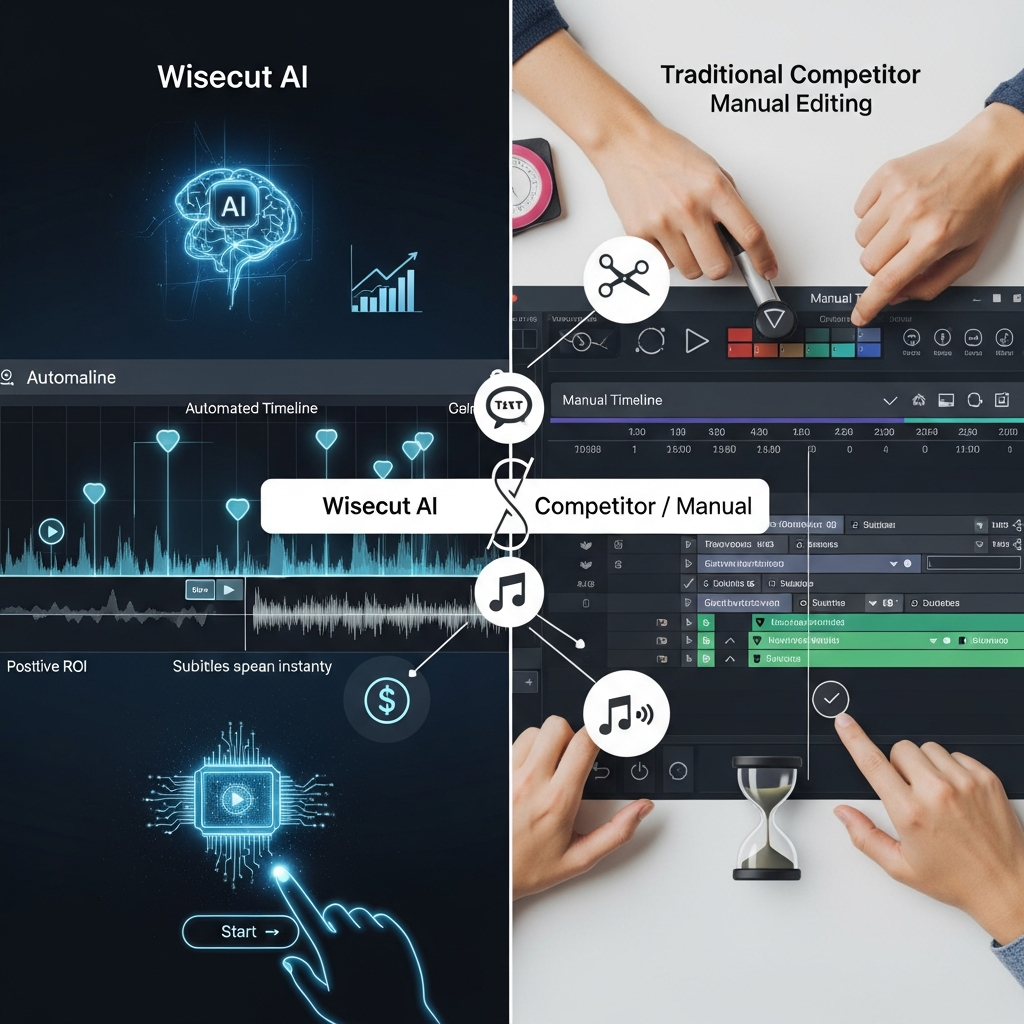

Quick Answer: Wisecut is worth considering if your main workflow is turning long, speech-driven videos into cleaner edits and short social clips with minimal timeline work. Its strongest 2026 features are WISH for conversational editing, automatic highlight detection, silence and filler removal, captions, auto-reframing, smart background music, and Autopilot for clipping and publishing new YouTube content. Wisecut is less suitable for editors who need advanced color grading, effects-heavy timelines, plugins, or fine manual control. Paid Plus plans currently start at $23.25 per month when billed annually.
Pricing and product features in this review were checked against current Wisecut information in September 2026.
Wisecut Review 2026: At a Glance
| Category | Wisecut |
|---|---|
| Product type | AI video editor and content repurposing platform |
| Best for | YouTubers, podcasters, marketers, educators and creators |
| Free plan | Yes |
| Main paid Plus plan | Starter+ from $23.25/month on annual billing |
| Conversational AI editor | WISH |
| AI highlight detection | Yes |
| Automatic silence removal | Yes |
| Automatic captions | Yes |
| Caption translation | 40+ languages |
| Auto reframe | Yes |
| Social clip creation | Yes |
| Automatic publishing | Starter+ and above through Autopilot/Social Hub |
| 1080p export | Starter+ |
| 4K export | Professional+ |
| Public self-service API | No |
| Enterprise API | Available |
| Traditional deep timeline editing | Limited |
| Best overall use case | Turning long speech-driven video into edited videos and social clips |
Our Verdict
Wisecut has become more interesting in 2026 because it is no longer just an automatic silence-removal tool.
The platform now combines three different layers:
Editor handles AI-assisted video editing.
WISH lets users request edits conversationally.
Autopilot and Social Hub automate the process of turning new content into short clips and publishing them.
That combination makes Wisecut especially relevant to creators who repeatedly record long-form video and need to extract more content from every recording.
Its weakness is equally clear.
Wisecut prioritizes automation over deep manual editing.
If your workflow depends heavily on custom transitions, VFX, advanced color work, complex timelines, or detailed frame-by-frame control, a traditional editor will still be the better primary tool.
What Is Wisecut?
Wisecut is a browser-based AI video editor designed primarily for speech-driven video.
It can help process content such as:
YouTube videos
podcasts
interviews
webinars
tutorials
lessons
coaching videos
creator content
recorded broadcasts
Instead of expecting the user to manually scrub through a traditional video timeline, Wisecut analyzes the recording and automates many of the repetitive editing tasks.
Its current feature set includes:
AI highlight detection
clean edits
silence removal
filler removal
automatic captions
subtitle translation
auto reframe
punch-in and punch-out effects
hook titles
background noise reduction
Studio Voice
smart background music
conversational editing with WISH
automatic clipping and publishing through Autopilot
This makes Wisecut more accurately described as an AI video editing and repurposing platform than an AI video generator.
Internal link: See our Wisecut pricing and features page.
How WISH Changes the Wisecut Workflow
One of Wisecut's most important 2026 features is WISH.
WISH is an AI editing agent that lets users describe the edit they want in plain language.
Instead of finding a specific tool inside an editing interface, you can ask for something such as:
remove the pauses
find the strongest moments
create three Shorts
make the introduction tighter
clean the audio
improve the pacing
add captions
reframe this vertically
turn this webinar into highlights
Wisecut interprets the instruction, applies or proposes the edit, and lets the user review the result.
The important part is that WISH does not completely remove human control.
The user can continue refining the project and decide which changes stay.
Why WISH Matters
Traditional editors make users think in terms of tools.
WISH lets users think in terms of outcomes.
That can be useful for creators who know what they want the finished video to feel like but do not want to manually operate a complex timeline.
AI Highlight Detection
Wisecut can analyze an entire long-form video and identify sections that may work as standalone short clips.
The platform then turns those moments into candidates for:
YouTube Shorts
Instagram Reels
TikTok
other vertical social formats
Users do not have to accept every suggested highlight.
A suggested clip can be:
kept
removed
extended
replaced
adjusted
This human-review step is important.
AI highlight selection is useful for reducing the amount of footage someone has to review, but creators should still decide which moments accurately represent the original content and brand.
Best Use Case
Highlight detection is particularly useful when one recording needs to become several pieces of content.
For example:
60-minute podcast → full edited episode + several social clips
or:
Webinar → cleaned replay + highlight clips
or:
Long YouTube video → finished video + Shorts
Automatic Silence and Filler Removal
Wisecut's automatic editing system can detect pauses, filler, and unwanted dead space in speech-driven recordings.
This remains one of the platform's most useful features.
It is particularly helpful for:
talking-head videos
podcasts
interviews
courses
webinars
tutorials
The user does not need to manually find every gap in the recording.
Wisecut can create a tighter first cut automatically.
Where It Works Best
Automatic silence removal makes the most sense when the video is driven mainly by speech.
It matters less for:
cinematic sequences
music videos
narrative films
intentional dramatic pauses
effects-driven editing
Creators should always preview the result because not every pause is a mistake.
Sometimes silence is part of the performance.
Clean Edit
Wisecut also includes a broader Clean Edit workflow.
The goal is to remove material such as:
false starts
repeated takes
long pauses
verbal mistakes
This makes it easier to record naturally rather than stopping and restarting every time something goes wrong.
For educators, coaches, podcasters, and YouTubers, that can simplify the recording process considerably.
Automatic Captions
Wisecut transcribes spoken content and generates synchronized captions.
Users can:
review the transcript
correct names or terminology
change caption styling
burn captions into the video
export subtitles separately
Captioning is particularly useful for social media, where videos are frequently watched without sound.
It also improves accessibility for viewers who are deaf or hard of hearing.
Caption Translation
Wisecut's current resources advertise caption and translation support across more than 40 languages.
Supported major languages include English, Spanish, Portuguese, French, German, and Italian.
Translation can help creators reuse an existing recording for multiple audiences.
However, automated translation should still be reviewed by a fluent speaker when accuracy or brand tone matters.
Auto Reframe
Long-form content is often recorded horizontally.
Short-form social video is usually vertical.
Wisecut's Auto Reframe feature can convert footage for different aspect ratios while keeping the relevant speaker or subject in frame.
Typical output formats include:
9:16 vertical
1:1 square
16:9 widescreen
This reduces the need to crop each version manually.
For podcast interviews and multi-speaker content, automatic framing is particularly useful because the frame can follow the active speaker.
Auto Punch-In and Punch-Out
Wisecut can also introduce automated punch-in and punch-out camera movement.
These small changes can help add visual variety to otherwise static talking-head footage.
It is useful for creators who want a more dynamic result without manually keyframing every zoom.
The feature should still be used selectively.
Too much automatic movement can make a video feel artificial or distracting.
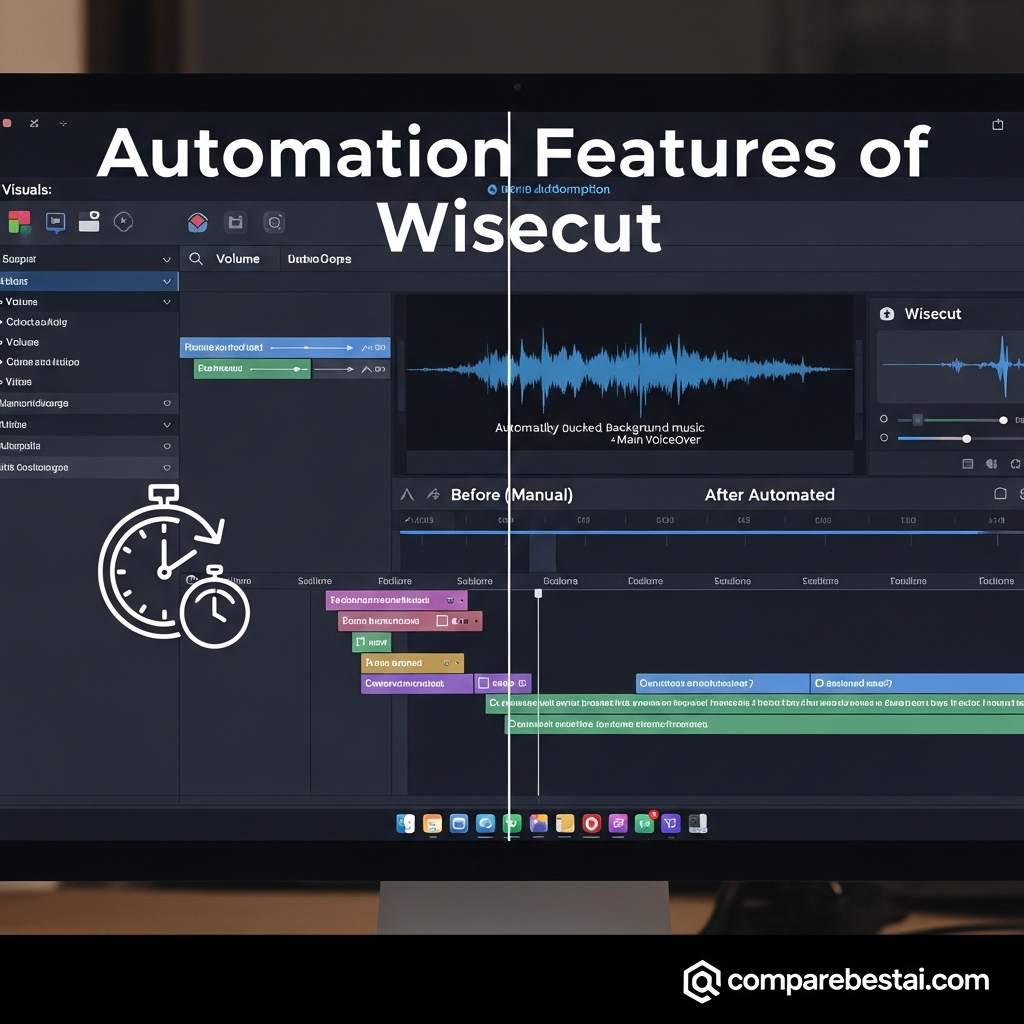
Smart Background Music
Wisecut can add background music and automatically adjust its volume around speech.
When a person is talking, the music can be lowered.
When speech stops, the music can rise.
This process is often called audio ducking.
Without automation, creators would normally need to adjust those levels manually across the timeline.
For simple creator videos, explainers, tutorials, and social content, that can save repetitive audio work.
Background Noise Cancelling and Studio Voice
Wisecut also includes tools focused on cleaning spoken audio.
Background Noise Cancelling reduces unwanted environmental sound.
Studio Voice is designed to make ordinary recorded speech sound cleaner and more polished.
These tools make the most sense when dialogue is the central element of the video.
They will not replace specialist audio production for every project, but they can improve typical creator recordings without requiring a separate audio editor.
Autopilot: Wisecut's Biggest Automation Feature
Autopilot is one of the clearest differences between Wisecut's current product and older versions.
A creator can connect a YouTube channel and configure Autopilot to monitor new uploads or live content.
When new material appears, Wisecut can:
analyze the full video
find possible highlights
create vertical clips
remove silence and filler
add captions
reframe the video
place the clips into the publishing calendar
automatically publish according to the configured schedule
The creator can configure frequency and publishing rules before turning the workflow on.
Who Benefits Most?
Autopilot makes the strongest case for people who already publish long-form video consistently.
For example:
podcasters
YouTubers
coaches
media teams
educators
interview channels
If you publish one video every few months, this level of automation may add little value.
If you publish every week, it can become much more useful.
Social Hub
The Plus plans combine Autopilot with Wisecut's Social Hub.
Starter+ supports one account per social network.
Professional+ supports up to three accounts per network.
This creates a workflow where the same long-form content can be turned into social clips and scheduled without relying entirely on a separate publishing tool.
For high-volume creators, that makes Wisecut closer to a content-repurposing system than a standalone editor.
Wisecut Pricing in 2026
Wisecut currently uses credits to measure processing across Editor, Autopilot, and WISH.
The main public pricing page currently emphasizes Free, Starter+, and Professional+.
Current Annual Pricing
| Plan | Effective Monthly Price | Credits | Editor Use | Autopilot Use | Resolution |
|---|---|---|---|---|---|
| Free | $0 | 60 | Up to 1 hour | Not included | 360p |
| Starter+ | $23.25/month | 300 | Up to 5 hours | Up to 2.5 hours | 1080p |
| Professional+ | $83.25/month | 1,200 | Up to 20 hours | Up to 10 hours | 4K |
| Enterprise | Custom | Custom | Custom | Custom | Custom |
Starter+ is billed annually at $279.
Professional+ is billed annually at $999.
Wisecut also advertises editing-only plans for users who do not need Autopilot and Social Hub.
Free
Free includes limited access to Wisecut Editor and WISH.
Current limits include:
60 credits per month
approximately one hour of Editor processing
360p resolution
maximum 4 GB file size
The Free plan is useful for testing the editing workflow but is not suitable for creators who need professional export quality.
Starter+
Starter+ is aimed at creators publishing consistently.
It includes:
300 credits per month
up to 5 hours of Editor processing
up to 2.5 hours of Autopilot processing
1080p Full HD
maximum 60-minute exports
4 GB maximum file size
unlimited downloads
social scheduling
automatic publishing
one account per social network
email support
Professional+
Professional+ is designed for higher-volume production.
It includes:
1,200 credits per month
up to 20 hours of Editor processing
up to 10 hours of Autopilot
4K Ultra HD
maximum 90-minute exports
maximum 5 GB source files
up to three accounts per social network
priority support
Enterprise
Enterprise uses custom pricing and limits.
Wisecut says Enterprise plans can customize:
monthly processing volume
credits
WISH usage
export resolution
storage
API access
integrations
team setup
support
This is the appropriate option for organizations that outgrow the standard plans or need Wisecut inside a larger content pipeline.
CTA: Compare Wisecut Plans and Current Usage Limits
How Wisecut Credits Work
Wisecut uses one credit balance across several products.
Editor
1 credit = 1 processed minute
Therefore:
300 credits can provide up to 5 hours of Editor processing.
Autopilot
2 credits = 1 processed minute
Therefore:
300 credits can provide up to 2.5 hours of Autopilot processing.
WISH
WISH usage varies by task.
Wisecut shows the estimated credit requirement before running the request.
Extra Credits
Users who need more capacity can purchase additional credits without upgrading their base subscription.
Wisecut currently sells several credit packs, and purchased extra credits remain valid for 12 months.
This means buyers should estimate how many hours of footage they actually process each month before selecting a plan.
Is Wisecut Easy to Use?
Ease of use is one of Wisecut's strongest advantages.
The product is intentionally designed around:
prompts
transcripts
storyboards
automated first cuts
rather than a dense professional timeline.
Creators can upload the recording, let Wisecut generate the first edit, and then refine the result.
That makes the platform approachable for people without traditional editing experience.
The tradeoff is that experienced editors may find the workflow limiting when they want complete manual control.
Wisecut for YouTube
Wisecut is especially well suited to YouTube creators producing speech-heavy content.
Useful features include:
silence removal
filler cleanup
captions
background music
audio cleanup
highlights
Shorts generation
Autopilot
A creator can use the same recording for both the main YouTube upload and vertical social clips.
Autopilot becomes particularly useful when the channel publishes regularly.
Wisecut for Podcasters
Podcast video is one of Wisecut's strongest use cases.
A long episode can be:
cleaned
tightened
captioned
reframed
divided into highlights
Wisecut can also work with audio-only recordings.
For video podcasts, it can follow the active speaker when creating vertical clips.
That makes it useful for turning a weekly podcast into multiple social posts without manually reviewing the entire recording again.
Wisecut for Educators and Course Creators
Educators can use Wisecut to clean recorded lessons and tutorials.
Useful features include:
removing dead time
cutting false starts
improving audio
adding captions
translating subtitles
creating shorter lesson clips
That can help turn a raw class recording into a cleaner resource without requiring advanced editing skills.
Wisecut for Marketers
Marketing teams can use Wisecut to repurpose:
webinars
interviews
thought-leadership recordings
customer conversations
educational videos
into shorter social assets.
The strongest fit is when the organization already produces long-form content and wants to extract more value from it.
Wisecut is less useful if most marketing videos are built from graphics, animations, stock assets, or highly customized creative timelines.
Wisecut for Agencies
Agencies can benefit when they repeatedly receive speech-driven client footage that must become social clips.
However, buyers should not assume the standard self-service plans provide a complete agency collaboration system.
The current public Starter+ and Professional+ plans list one team member.
Organizations requiring multi-user operations, API access, larger storage, or custom volume should discuss an Enterprise configuration with Wisecut.

Wisecut Pros and Cons
Pros
Conversational editing through WISH
Automatic highlight detection
Strong long-video-to-short workflow
Automatic silence and filler removal
Automatic captions
Caption translation
Transcript/storyboard-style editing
Auto reframe for social formats
Smart background music
Background noise reduction
Studio Voice
Autopilot for regular YouTube publishing workflows
Social scheduling on Plus plans
4K support on Professional+
Free plan available
Cons
Free output is limited to 360p
Credit consumption can become important at high volume
Standard Plus plans list only one team member
4K requires Professional+
Deep manual timeline control is limited
Not designed for complex VFX or advanced color grading
Public API access is not included on standard self-service plans
Autopilot only adds strong value if you publish regularly
AI-selected highlights and captions still need human review
Wisecut vs Descript
Wisecut and Descript overlap around speech-driven video, but their workflows are different.
Wisecut emphasizes:
automatic highlights
silence removal
social clipping
auto reframe
WISH
Autopilot
Descript places greater emphasis on transcript-driven audio/video editing, recording, and more detailed manual content editing.
Choose Wisecut when automatic content repurposing and hands-off clipping are the priority.
Consider Descript when editing the underlying spoken content and transcript in detail is more important.
Internal link: Read our Descript AI review.
Wisecut vs CapCut
CapCut offers a much broader creative editing environment with effects, templates, mobile editing, generative features, and conventional editing controls.
Wisecut is much more specialized.
Choose Wisecut when you primarily need to turn talking-head or long-form recordings into clean edits and social clips.
Choose CapCut when you need a wider creative editor for highly visual short-form content.
Internal link: Read our CapCut AI review.
Wisecut vs Premiere Pro
Adobe Premiere Pro is a professional nonlinear editor.
It offers substantially deeper control over:
timelines
color
audio
effects
compositing
plugins
complex projects
Wisecut's advantage is automation and accessibility.
The two products are therefore not direct substitutes for every user.
A professional editor may even use Wisecut for first-pass clipping or social repurposing while keeping Premiere Pro for advanced finishing.
Internal link: Read our Adobe Premiere Pro review.
Who Should Use Wisecut?
Wisecut is a strong fit for:
YouTubers
podcasters
coaches
educators
social-media creators
marketers
webinar producers
agencies repurposing spoken content
It is particularly compelling when one long recording needs to become several pieces of content.
Who Should Skip Wisecut?
Consider another editor if your work depends heavily on:
cinematic editing
complex compositing
VFX
advanced color grading
detailed sound mixing
large plugin ecosystems
frame-by-frame manual editing
Wisecut is designed to reduce editing work.
It is not designed to give professional editors every possible manual control.
Is Wisecut Worth the Price?
For the right workflow, yes.
Wisecut makes the strongest financial case when:
you publish long-form video regularly
you also need social clips
manual silence removal takes significant time
captions are required on nearly every video
you repeatedly resize content for vertical platforms
automated publishing reduces another recurring task
It makes a weaker case when:
you edit only occasionally
your videos are mostly visual rather than speech-driven
you already have an editor who handles these tasks efficiently
you need traditional professional post-production
Do not judge value only by the monthly subscription.
Compare the price with the amount of repetitive editing time the platform can realistically remove from your own workflow.
How We Evaluated Wisecut
CompareBestAI evaluates Wisecut on the factors that matter most for an AI-assisted video editor:
editing workflow
highlight detection
silence removal
captions
translation
audio tools
reframing
social clipping
automation
export quality
pricing
usage limits
integrations
professional limitations
Pricing and feature information in this review was checked against current Wisecut documentation in September 2026.
AI software changes quickly, so readers should verify current limits and prices before purchasing.
Frequently Asked Questions
What is Wisecut?
Wisecut is an AI-powered video editor focused on speech-driven content. It can automatically identify highlights, remove pauses, add captions, reframe video, clean audio, add music, and create short social clips from longer recordings.
How much does Wisecut cost in 2026?
Wisecut currently has a Free plan. Its main Plus plans cost $23.25 per month for Starter+ and $83.25 per month for Professional+ when billed annually. Enterprise pricing is custom.
Does Wisecut have a free plan?
Yes. The Free plan currently provides 60 credits per month, up to approximately one hour of Editor processing, 360p output, and a 4 GB maximum file size.
Does Wisecut support 4K video?
Yes. Professional+ currently supports 4K Ultra HD exports up to 90 minutes. Starter+ supports 1080p exports up to 60 minutes.
What is Wisecut WISH?
WISH is Wisecut's conversational AI video-editing agent. Users can describe changes such as removing pauses, finding highlights, adding captions, creating Shorts, or improving pacing in natural language.
What is Wisecut Autopilot?
Autopilot monitors a connected YouTube channel and can automatically turn new uploads or live content into vertical social clips. It handles highlight detection, reframing, captions, cleanup, scheduling, and publishing based on the user's configuration.
Can Wisecut translate captions?
Yes. Wisecut supports automatic captioning and translation across dozens of languages. Users should still review translations when accuracy or brand tone is important.
Is Wisecut good for YouTube Shorts?
Yes. Creating short clips from longer recordings is one of Wisecut's core use cases. Highlights, Auto Reframe, captions, and Autopilot are specifically useful for YouTube Shorts, Reels, and TikTok.
Is Wisecut better than Descript?
Wisecut is stronger when automated clipping and social repurposing are the priority. Descript is generally better suited to users who want deeper transcript-driven editing and broader audio/video production controls.
Who should not use Wisecut?
Wisecut is less suitable for filmmakers and advanced editors who need complex effects, professional color grading, detailed timeline editing, or large plugin ecosystems.
Wisecut Review 2026: Final Verdict
Wisecut is a strong specialist rather than an all-purpose video editor.
Its biggest advantage is turning long, speech-driven recordings into cleaner videos and social clips with less manual editing.
In 2026, WISH and Autopilot make that value proposition more interesting.
WISH lets creators direct edits conversationally.
Autopilot can monitor new YouTube content, generate social clips, and move them into a publishing workflow automatically.
Combined with:
highlight detection
silence removal
captions
translation
auto reframe
audio cleanup
smart music
that makes Wisecut especially useful for creators who repeatedly repurpose long-form content.
The tradeoff is manual control.
If you want a full professional editing suite, Wisecut is not a replacement for Premiere Pro, DaVinci Resolve, or similar tools.
If your goal is:
record → clean → clip → caption → reframe → publish
Wisecut is much closer to what you need.
Overall Verdict: Wisecut is worth testing for YouTubers, podcasters, educators, marketers, and other creators producing speech-driven content regularly. Start with the Free plan, then upgrade only when higher resolution, more processing time, or Autopilot justifies the additional cost.
CTA: Try Wisecut Free or Compare Its Current Plans
Found this guide useful? Share it with your team.

