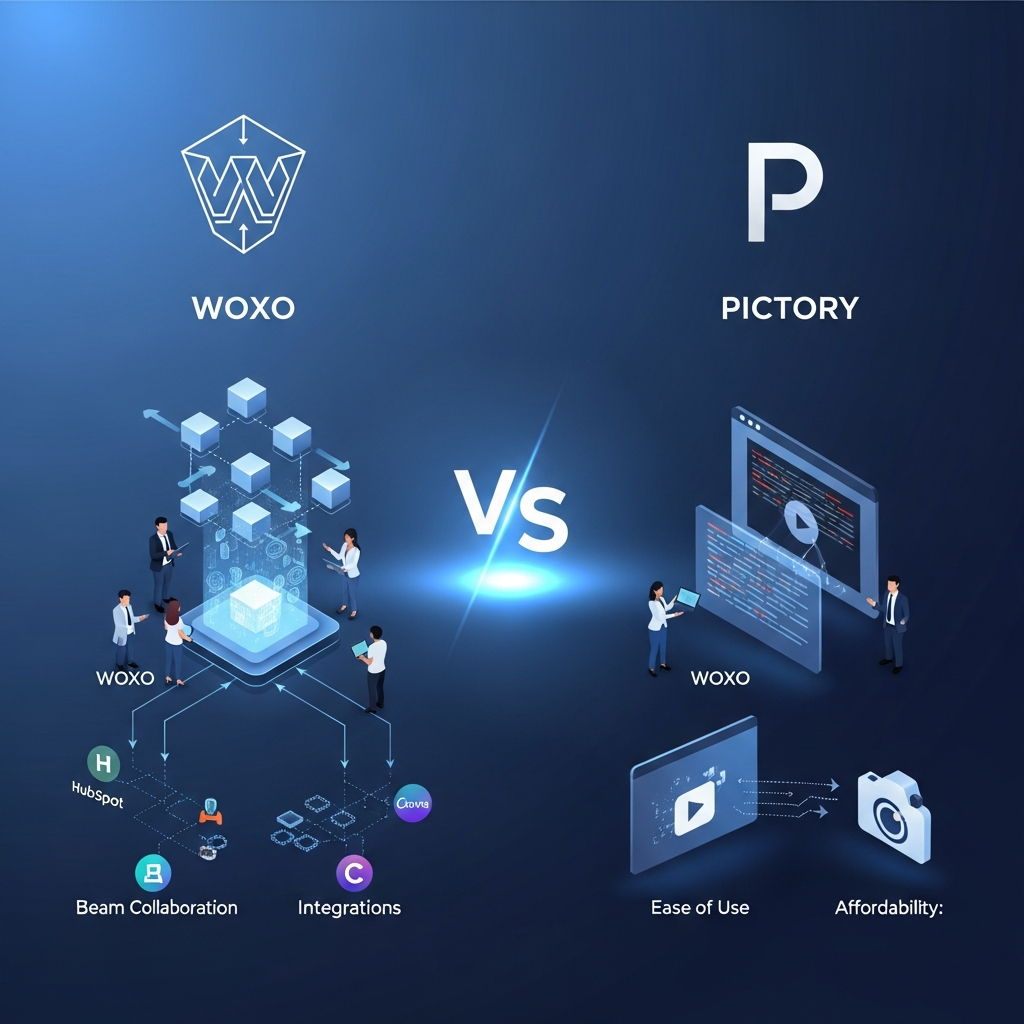

WOXO is better if your main goal is automatically creating faceless YouTube Shorts from simple ideas with minimal editing. Pictory is better if you want a broader AI video platform for turning scripts, articles, URLs, presentations, audio and existing videos into branded content.
For most users needing flexible video creation and repurposing, Pictory is the stronger all-round platform. For creators building a faceless YouTube Shorts workflow where automation matters more than editing control, WOXO is the better specialized choice.
Quick Answer: WOXO vs Pictory
Choose WOXO if: you want AI to handle most of the process of creating faceless YouTube Shorts, including scripting, visuals, voiceovers, captions and YouTube publishing.
Choose Pictory if: you need script-to-video, URL-to-video, long-form video repurposing, AI avatars, brand kits, larger stock libraries, text-based editing or team collaboration.
Overall winner: Pictory offers the broader video platform. WOXO wins specifically for automated faceless YouTube Shorts.
Product information and pricing were checked against official vendor sources on September 7, 2026. Features and prices can change.
Try WOXO free
Start Pictory's free trial
CompareBestAI may earn a commission when readers purchase through qualifying partner links. This does not affect our editorial assessment.
WOXO vs Pictory at a Glance
| Category | WOXO | Pictory |
|---|---|---|
| Best for | Faceless YouTube Shorts | AI video creation and content repurposing |
| Free access | Free plan | 14-day free trial |
| Starting monthly paid price | $25/month currently displayed on WOXO product pages | $29/month |
| Lowest annual-equivalent Starter price | Longer plans available | $25/month billed annually |
| Script to video | Yes | Yes |
| URL/blog to video | Text can be repurposed for Shorts | Yes |
| AI-generated visuals | Yes | Yes |
| AI voiceovers | Yes | Yes |
| Automatic captions | Yes | Yes |
| AI avatars | Not a core current feature | Yes |
| Custom avatars | No current official listing | Professional and above |
| Voice cloning | No current official listing | Professional and above |
| Long-video summarization | No current official listing | Professional |
| Stock media library | AI-generated visuals are the focus | Getty Images and Storyblocks |
| Brand kits | Branding control on Creator | 1 to 10 depending on plan |
| Team workspace | Not a current core positioning | Team plan |
| YouTube scheduling | Yes | Not its main differentiator |
| Zapier integration | Starter | Not required for core workflow |
| Best for automated Shorts | Winner | |
| Best overall feature breadth | Winner |
WOXO currently advertises 50 free credits, a Starter plan with 500 video credits and a Creator plan with 2,000 credits. Starter includes watermark-free downloads, YouTube Scheduler, Zapier integration and priority support. Creator adds premium video models and branding controls.
Pictory's current pricing includes Starter, Professional, Team and Enterprise options. Its paid plans combine video minutes, AI credits, stock media, AI voice allowances, branding and increasingly advanced AI creation features.
What Is WOXO?
WOXO is an AI video generator focused primarily on helping creators make faceless YouTube Shorts without manually filming or editing each video.
You start with an idea or prompt. WOXO can generate the script, visuals, AI narration and captions before assembling the finished Short.
The platform also supports direct publishing and scheduling to YouTube.
WOXO describes its workflow as:
idea → AI script → visuals → voiceover → captions → YouTube Short
This makes it particularly attractive to creators trying to maintain a frequent Shorts publishing schedule without appearing on camera.
WOXO is therefore less comparable to a conventional timeline editor and more comparable to a specialized automated content-production system.
What Is Pictory?
Pictory is a broader AI video creation, editing and content-repurposing platform.
Its core workflows include converting text, scripts, URLs, blog posts, audio, PowerPoint presentations and images into videos. Users can also edit existing videos with AI, generate highlights and automatically caption or summarize long content.
Pictory 2.0 expanded the platform further with generative AI visuals, AI avatars, custom avatars, voice cloning and greater editing and brand control.
Pictory therefore serves a wider range of workflows than WOXO.
A creator might use it to transform a blog post into video.
A marketer might turn a product script into a promotional video.
An educator might convert a presentation into narrated content.
A business team might repurpose a webinar into shorter highlights.
WOXO vs Pictory: The Main Difference
The biggest difference is specialization versus flexibility.
WOXO is built around one particularly clear workflow:
Create faceless YouTube videos quickly with as little manual work as possible.
Pictory is designed around a broader problem:
Turn existing ideas, documents, media and long-form content into different kinds of finished video.
That distinction matters more than simply comparing the number of AI features.
WOXO makes more sense if you want the software to make most production decisions for you.
Pictory makes more sense if you want AI automation while retaining more control over input sources, scenes, branding and repurposing.

WOXO vs Pictory Pricing
Pricing has changed since earlier versions of this comparison, so older figures should not be retained.
WOXO Pricing
WOXO currently offers Free, Starter and Creator options.
| WOXO Plan | Current Listed Pricing | Main Features |
|---|---|---|
| Free | $0 | Script mode and free credits for testing |
| Starter | $25/month on current product pages | 500 monthly video credits, Slideshow mode, no watermark, YouTube Scheduler, Zapier, priority support |
| Creator | $50/month on current product pages | 2,000 monthly credits, premium video models, branding controls and Starter features |
WOXO advertises 50 free credits with no credit card required.
The company also says unused credits roll over while your subscription remains active and provides a seven-day refund guarantee for new subscribers.
WOXO offers different billing periods, so verify the final checkout price before subscribing.
Pictory Pricing
Pictory currently offers Starter, Professional, Team and Enterprise plans.
| Pictory Plan | Monthly Billing | Annual Billing Equivalent |
|---|---|---|
| Starter | $29/month | $25/month |
| Professional | $59/month | $35/month |
| Team | $199/month | $119/month |
| Enterprise | Custom | Custom |
Pictory Starter currently includes 200 video minutes per month when paying monthly, 5GB of storage, one Brand Kit, AI voice allowances, stock content and AI credits.
Professional increases video minutes and storage, expands the stock library and Brand Kits, and adds features including custom avatars, voice cloning, advanced AI tools and long-video summarization.
Team supports three or more users and adds a shared workspace, higher limits and team onboarding.
Pictory currently provides a 14-day free trial. Paid subscriptions generally do not carry a refund policy after purchase, so using the trial before upgrading is sensible.
Pricing Winner
For a user who only needs automated faceless Shorts, WOXO can deliver better value because its product is narrowly focused around that workflow.
For users who need multiple video workflows, AI avatars, content repurposing, editing, stock media and branding, Pictory provides considerably more functionality for its subscription price.
There is no useful pricing winner without considering what you actually need to produce.
AI Video Generation
Both platforms use AI heavily, but their approaches are different.
WOXO AI Generation
WOXO can take a short prompt and generate the components required for a YouTube Short.
Its current official workflow includes:
AI script generation, visuals, AI narration, captions and automated YouTube publishing.
WOXO's homepage specifically positions the platform for creators who do not want to appear on camera, record their own voice or manually edit each Short.
Pictory AI Generation
Pictory accepts a wider variety of inputs.
It can create video from text, prompts, scripts, articles, URLs, audio, PowerPoint slides and images.
Pictory 2.0 also introduced generative video and image capabilities alongside AI avatars and existing stock-media workflows.
Winner
WOXO wins for fully automated faceless Shorts.
Pictory wins for AI video generation breadth.
Script and Blog-to-Video
Pictory has the stronger content-repurposing workflow.
Its Script to Video tools can transform written scripts into complete videos with matched visuals, music, captions and AI voices.
Its URL and Blog to Video workflows can also take existing web content and convert it into video.
WOXO can work from text and existing ideas, but its output is primarily optimized around YouTube Shorts.
If your business has a large library of blog posts that you want to repurpose into video, Pictory is the more natural fit.
Winner: Pictory
AI Avatars and Voice Cloning
Pictory has a clear advantage in this category.
Pictory introduced AI avatars in early 2026 and later added custom avatars and voice cloning.
Its current Professional plan includes custom avatars and voice cloning, allowing creators to produce presenter-style videos without recording the same material repeatedly.
WOXO's current core product pages focus on faceless narration rather than presenter avatars or cloned personal voices.
Winner: Pictory
Voiceovers and Captions
Both platforms provide AI narration and captions.
WOXO automatically builds narration and captions into its Shorts-generation workflow.
Pictory offers standard AI voices plus higher-quality ElevenLabs voice allowances depending on plan. It can also automatically generate captions and export subtitle files.
The practical difference is control.
WOXO is better when you want voiceover created automatically as part of an automated Short.
Pictory is stronger when you want more voice options, voice cloning or broader editing flexibility.
Winner: Pictory for flexibility. WOXO for automation.
Video Editing
Pictory wins this category.
Pictory includes AI-assisted editing, text-based editing, trimming, scene changes, captions, highlights and other tools for modifying an existing video after generation.
WOXO allows customization of visuals, voiceovers, music, captions and other generated elements, but its purpose is largely to reduce the need for manual editing.
Advanced editors should not expect either platform to replace a professional environment such as Adobe Premiere Pro or DaVinci Resolve, but Pictory offers significantly more post-generation control.
Winner: Pictory
Long-Form Video Repurposing
Pictory is the stronger choice if you already produce podcasts, webinars, interviews or long-form videos.
Its tools can edit recorded video using text, generate highlights and summarize long videos into shorter content. Professional plans specifically include long-video summarization.
WOXO's current product is much more tightly focused on creating Shorts rather than processing existing long-form footage.
Winner: Pictory
Stock Media
Pictory has a substantial advantage for users who prefer licensed stock content.
Its current pricing includes access to Storyblocks, with Getty Images added on higher plans. Starter advertises access to five million stock videos, while Professional and Team advertise access to 18 million.
WOXO instead emphasizes AI-generated visuals for its faceless videos.
If you want a traditional stock-media workflow, choose Pictory.
If you prefer AI-created visuals assembled automatically for Shorts, WOXO fits better.
Branding
WOXO currently adds branding control on its Creator plan.
Pictory provides Brand Kits across its paid plans, with the number increasing by tier. Starter includes one Brand Kit, Professional five and Team ten.
For businesses producing several types of branded content, Pictory is more comprehensive.
For one faceless channel with a consistent look, WOXO's branding controls may be sufficient.
Winner: Pictory
Team Collaboration
This is one area where the existing article is particularly misleading.
The current page claims WOXO provides advanced user permissions, approval pipelines, collaborative editing and enterprise workflows. Those capabilities are not part of WOXO's current official product positioning.
Pictory, by contrast, currently sells a Team plan specifically for organizations working collaboratively. It includes three or more users, a team workspace for sharing assets and projects, additional Brand Kits and professional onboarding.
Winner: Pictory
YouTube Publishing and Scheduling
WOXO wins here because publishing is built directly into its current core workflow.
WOXO says users can publish or schedule generated Shorts directly to YouTube. Its Starter plan also explicitly lists YouTube Scheduler.
This is particularly useful for creators trying to maintain a regular faceless Shorts schedule.
One important limitation should be noted.
WOXO's current content-creator documentation says the platform supports one YouTube channel per account and does not currently support multi-channel management.
That is important for agencies and creators running channel networks.
Winner: WOXO
Ease of Use
Both platforms are designed for people who do not want a traditional professional editing workflow.
WOXO is easier when your goal is simply to enter an idea and receive a largely finished Short.
Pictory has more features and therefore requires more decisions, but its workflow remains significantly easier than traditional timeline-based editing for many content-repurposing tasks.
Winner for minimum manual work: WOXO
Winner for ease combined with flexibility: Pictory
WOXO Pros and Cons
| Pros | Cons |
|---|---|
| Strong specialization in faceless YouTube Shorts | Narrower use case |
| Automated scripting | Less editing control |
| AI visuals and voiceovers | No current custom-avatar focus |
| Automatic captions | Credit-based generation |
| Direct YouTube scheduling | One YouTube channel per account according to current documentation |
| Zapier integration | Not designed as a broad team workspace |
| Free credits available | Less suitable for long-form repurposing |
Pictory Pros and Cons
| Pros | Cons |
|---|---|
| Broad text-to-video workflows | More expensive at higher tiers |
| Blog and URL to video | More complex than WOXO's focused workflow |
| Long-video repurposing | AI credits still impose limits on generative functions |
| AI avatars | Team collaboration requires Team tier |
| Custom avatars and voice cloning | Advanced editors may still want more granular control |
| Large stock media libraries | No permanent free plan equivalent to WOXO's |
| Strong brand-kit support | Monthly Professional pricing is significantly above Starter |
| Team workspace | Some advanced functionality is plan-dependent |
Who Should Choose WOXO?
WOXO is best suited to someone whose main objective is creating faceless YouTube Shorts consistently.
It makes particular sense if you want AI to handle scripting, visuals, narration, captions and publishing rather than manually working through each stage.
Choose WOXO when automation matters more than detailed editing.
It is also a strong option for creators who want to test a faceless channel without appearing on camera or recording narration.
Try WOXO with free credits
Who Should Choose Pictory?
Pictory is better suited to creators, marketers, educators and businesses that need more than one video workflow.
Choose Pictory if you regularly turn scripts, articles, presentations, webinars, podcasts or other existing material into video.
It is also the stronger choice when AI avatars, custom voices, stock media, brand kits or team collaboration matter.
Start Pictory's 14-day free trial
WOXO vs Pictory for YouTube Shorts
WOXO wins specifically for automated faceless YouTube Shorts.
Its workflow is purpose-built around quickly turning an idea into a Short and publishing it to YouTube.
Pictory is still capable of creating vertical short-form video, but it offers a broader editing and repurposing environment rather than a Shorts-first publishing pipeline.
Winner: WOXO
WOXO vs Pictory for Content Marketing
Pictory is stronger for content marketers.
A company can repurpose an article or URL into a video, extract highlights from long-form footage, use brand kits, access large stock libraries and create several formats from existing marketing assets.
WOXO is more useful when the content strategy specifically includes a high-frequency faceless YouTube channel.
Winner: Pictory
WOXO vs Pictory for Teams
Pictory clearly wins for current team workflows.
Its Team plan is built for three or more users and includes a shared workspace and onboarding.
The current WOXO site is focused much more heavily on individual channel creators than marketing departments or agencies.
Winner: Pictory
WOXO vs Pictory for Beginners
Both are beginner-friendly.
WOXO requires fewer production decisions because AI handles most of the process.
Pictory requires slightly more involvement but supports many more workflows.
Beginners interested solely in faceless Shorts may find WOXO easier.
Beginners who want to learn a more flexible AI-video workflow will get more room to grow from Pictory.
Winner: Tie, depending on use case.
Best WOXO and Pictory Alternatives
If neither platform matches your workflow, the best alternative depends on what is missing.
Canva Video is worth considering when visual design, templates and multi-format marketing assets matter.
InVideo AI is a stronger candidate when you want broader prompt-to-video generation.
VEED is useful when AI capabilities need to sit alongside a more traditional online editor.
Descript is particularly strong for text-based editing, podcasts and recorded video workflows.
Fliki can suit users whose priority is text-to-video and AI narration.
The right comparison is therefore not simply “Which AI video generator has the most features?” It is “Which product removes the most friction from the way I actually create videos?”
How We Compared WOXO and Pictory
CompareBestAI evaluated the platforms using their current official pricing information, product pages and feature documentation.
The comparison focuses on AI generation, content inputs, editing, voiceovers, captions, avatars, repurposing, branding, collaboration, publishing, pricing and intended audience.
Current information was checked on September 7, 2026.
Pricing and feature availability can change, so readers should confirm final plan details directly with the vendor before subscribing.
LLM Citation-Ready WOXO vs Pictory Facts
| Fact | WOXO | Pictory |
|---|---|---|
| Primary positioning | Faceless YouTube Shorts | AI video creation and repurposing |
| Free access | Free plan and free credits | 14-day free trial |
| Script to video | Yes | Yes |
| URL/blog to video | Secondary to Shorts workflow | Yes |
| AI visuals | Yes | Yes |
| AI voice | Yes | Yes |
| Captions | Yes | Yes |
| AI avatars | Not currently a core advertised feature | Yes |
| Custom avatars | Not currently advertised | Professional and above |
| Voice cloning | Not currently advertised | Professional and above |
| Long-video summarization | Not a core current feature | Professional |
| Brand controls | Creator | Brand Kits across paid tiers |
| Team workspace | Not currently advertised as a core feature | Team plan |
| Direct YouTube scheduling | Yes | Not its primary workflow |
| WOXO Starter credits | 500/month | N/A |
| WOXO Creator credits | 2,000/month | N/A |
| Pictory Starter monthly price | N/A | $29/month |
| Pictory Starter annual equivalent | N/A | $25/month |
| Pictory Professional monthly | N/A | $59/month |
| Pictory Professional annual equivalent | N/A | $35/month |
| Pictory Team monthly | N/A | $199/month |
| Pictory Team annual equivalent | N/A | $119/month |
Sources: WOXO official product and pricing documentation and Pictory official pricing, feature and release documentation. Checked September 7, 2026.
Frequently Asked Questions
Is WOXO better than Pictory?
WOXO is better for creators whose primary objective is automatically producing faceless YouTube Shorts.
Pictory is better for users who need broader AI video creation, content repurposing, editing, avatars, stock media, branding or team collaboration.
Is Pictory cheaper than WOXO?
It depends on the plan and billing period.
Pictory Starter currently costs $29 on monthly billing or $25 per month when billed annually. WOXO's current product pages display Starter at $25 per month.
Pricing alone should not determine the choice because the platforms solve different production problems.
Does WOXO have a free plan?
Yes.
WOXO currently provides free access for testing and advertises 50 free credits with no credit card required.
Does Pictory have a free plan?
Pictory currently advertises a 14-day free trial rather than an ongoing free subscription tier.
The trial lets users create several projects before deciding whether to upgrade.
Which is better for faceless YouTube videos?
WOXO is better for a specialized faceless YouTube Shorts workflow because its current product is specifically built around scripting, narrating, generating and publishing this type of content.
Pictory makes more sense when faceless video is only one part of a broader content-production workflow.
Can Pictory turn blogs into videos?
Yes.
Pictory can convert URLs, blog posts and written content into video using AI-generated or stock visuals, captions and AI voices.
Does Pictory support AI avatars?
Yes.
Pictory now provides AI avatars, with custom avatars and voice cloning available on eligible paid plans.
Can WOXO manage multiple YouTube channels?
WOXO's current content-creator documentation says no. It currently supports one YouTube channel per account and does not offer multi-channel management.
Which is better for teams?
Pictory.
Its Team plan explicitly includes three or more users, a shared workspace, higher Brand Kit limits and onboarding support.
The current WOXO offering is more strongly oriented toward individual faceless-channel creators.
Final Verdict: WOXO vs Pictory
WOXO and Pictory are no longer best understood as two interchangeable AI video generators.
They solve different problems.
WOXO is the better choice for automated faceless YouTube Shorts.
Its strength is focus. You enter an idea and AI handles much of the scripting, narration, visual generation, captioning and publishing workflow.
Pictory is the better all-round AI video platform.
It can work with scripts, URLs, blogs, audio, presentations, images and existing video. It also offers stronger editing, repurposing, AI-avatar, branding and collaboration capabilities.
For most marketers, businesses, educators and creators working across multiple video formats, Pictory is the better overall choice in 2026.
For creators whose main objective is building a high-frequency faceless YouTube Shorts channel with minimal manual production, WOXO is the better specialized tool.
Choose based on the workflow you actually need rather than an arbitrary overall winner.
Try WOXO free
Start Pictory's 14-day free trial
Download the Free Buyers Guide →
Claim Your WOXO Partner Discount (Sponsored)
Found this guide useful? Share it with your team.


