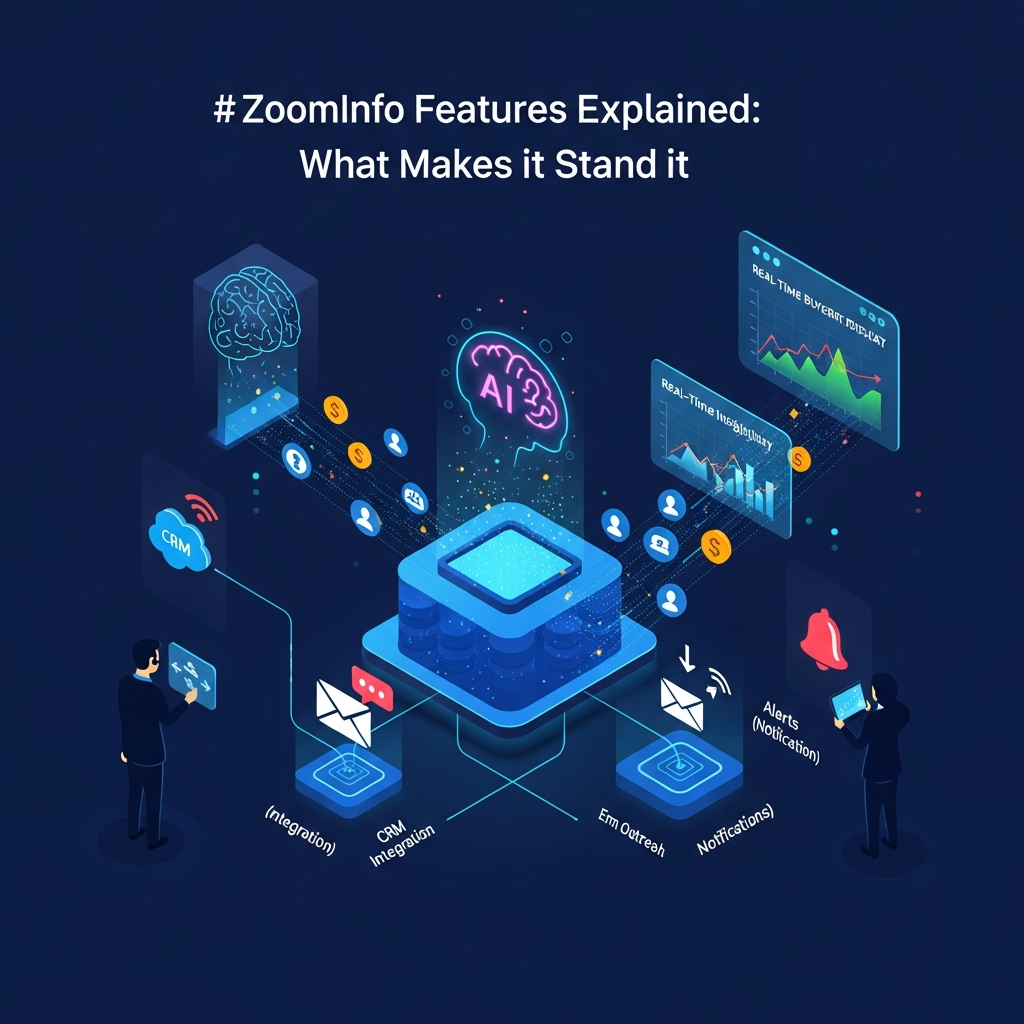

ZoomInfo combines B2B contact and company data, buyer signals, AI-powered sales research, enrichment, workflow orchestration, conversation intelligence and integrations in one go-to-market platform. Its strongest 2026 features include a data graph covering more than 100 million companies and 500 million contacts, GTM Workspace for seller execution, GTM Studio for revenue orchestration, GTM.AI for AI-agent access, buyer intent, enrichment and Chorus conversation intelligence.
ZoomInfo is best suited to B2B organizations that need more than a basic contact database and can use its data, signals and integrations across sales, marketing, revenue operations and customer teams.
Quick Answer: What Are ZoomInfo's Best Features?
The most important ZoomInfo features in 2026 are:
Large B2B company and contact database
Advanced company and contact search
Buyer intent and sales signals
AI-powered GTM Workspace
GTM Studio for audience building and orchestration
GTM.AI and Model Context Protocol integrations
Data enrichment and CRM hygiene
Workflow automation
ReachOut Chrome extension
Chorus conversation intelligence
CRM and sales-platform integrations
APIs and data-access tools
The main advantage is not any single feature. It is the ability to connect B2B data, first-party CRM context, buying signals and AI workflows so teams can decide who to target and act on that information faster.
ZoomInfo is less compelling for freelancers and small teams that only need occasional email or phone lookups because simpler platforms may be cheaper and easier to adopt.
Product information was checked against current ZoomInfo documentation and company disclosures on September 7, 2026.
ZoomInfo Features at a Glance
| Feature | What It Does | Best For |
|---|---|---|
| B2B database | Provides company and professional information | Prospecting and research |
| Advanced Search | Filters companies and people by business criteria | SDRs and sales teams |
| Buyer Intent | Surfaces accounts showing research activity | Prioritizing in-market accounts |
| Scoops and signals | Highlights business events and account changes | Timely outreach |
| GTM Workspace | Combines account context, signals and AI execution | Sellers and account teams |
| GTM Studio | Builds, enriches and activates GTM audiences | RevOps and marketing |
| GTM.AI | Makes ZoomInfo data accessible to AI agents | AI-enabled GTM workflows |
| Enrichment | Fills or refreshes CRM records | RevOps and data teams |
| ReachOut | Surfaces ZoomInfo data in browser workflows | Prospect research |
| Chorus | Records and analyzes customer conversations | Coaching and deal intelligence |
| Integrations | Connects ZoomInfo to CRM and sales systems | Workflow automation |
| APIs | Makes ZoomInfo intelligence available programmatically | Data and AI teams |
What Is ZoomInfo?
ZoomInfo is a go-to-market intelligence platform used by sales, marketing, revenue operations and customer-facing teams.
Its original strength was B2B company and contact data.
That remains important, but ZoomInfo's product scope has expanded significantly.
In 2026, ZoomInfo describes itself as an all-in-one AI GTM platform rather than simply a contact database.
Its current corporate disclosures state that its intelligence covers more than 100 million companies, 500 million contacts and billions of signals.
These datasets can be combined with a company's own CRM and engagement information to help teams identify accounts, find contacts, prioritize opportunities, enrich records and automate GTM workflows.
1. B2B Contact and Company Data
ZoomInfo's data remains the foundation of the platform.
Users can research companies and professionals and access information relevant to B2B prospecting and account planning.
Depending on the record and subscription entitlements, this can include:
Professional name and job title
Company
Work email
Phone information
Seniority
Department
Company size
Revenue
Industry
Location
Corporate relationships
Technology information
Hiring information
Business signals
ZoomInfo said in August 2026 that its current data graph includes more than 500 million contacts and 100 million companies.
That is substantially larger than the 220-million-contact figure used in older versions of this article.
Database size alone should not determine your buying decision.
A more useful test is whether ZoomInfo has accurate and actionable information for the specific countries, industries, roles and companies your team targets.
2. Advanced Company and Contact Search
ZoomInfo lets sales teams narrow large datasets into targeted prospect lists.
Search criteria can include attributes such as:
Job function
Seniority
Industry
Revenue
Employee count
Geography
Technology stack
Company type
Hiring activity
Business events
The ability to combine contact and company filters is one of the platform's most important practical features.
A cybersecurity company, for example, could identify security leaders at companies of a particular size that use selected technologies.
A sales representative can then research the account and decide whether it belongs in an active prospecting sequence.
This is considerably more useful than downloading a generic industry list because the account criteria can be aligned with an ideal customer profile.
3. Buyer Intent Data
ZoomInfo's buyer-intent tools are designed to identify companies showing increased research activity around relevant topics.
Intent data does not mean ZoomInfo knows with certainty that a company will purchase something.
Instead, intent acts as a prioritization signal.
A team can use it to identify accounts that may be researching subjects related to its product category and combine those signals with firmographic, technographic and CRM information.
The strongest use case is prioritization.
If a sales team has 5,000 potential target accounts, intent signals can help determine which accounts deserve closer attention now rather than treating every prospect equally.
Intent is more valuable when used alongside other context rather than as a standalone buying prediction.
4. Scoops and Business Signals
ZoomInfo tracks business events and other signals that may change an account's likelihood of needing a product.
Examples can include:
Executive changes
Hiring plans
Job postings
Funding events
Company developments
Technology changes
Account activity
ZoomInfo Copilot and newer GTM products can use these signals to help prioritize accounts.
In its Copilot product announcements, ZoomInfo described AI-guided prospecting around signals such as intent and executive Scoops.
The practical value is timing.
A new executive, hiring surge or increased research activity can create a better reason for outreach than sending the same message to every company on a static list.
5. GTM Workspace
GTM Workspace is one of ZoomInfo's most important newer features.
ZoomInfo introduced it as an AI-powered execution environment where sellers can work from a unified view of account context.
The system brings together information such as:
CRM data
ZoomInfo intelligence
Engagement history
Buying signals
Account information
Opportunity context
The objective is to reduce the need for sellers to move repeatedly between a CRM, contact database, conversation-intelligence tool, research platform and spreadsheets.
AI can then help users work with that combined context through natural-language interactions.
Typical use cases can include preparing for meetings, researching accounts, understanding recent account activity and deciding what action to take next.
For sales organizations already using several ZoomInfo capabilities, GTM Workspace is more representative of the platform's 2026 direction than looking only at the older SalesOS model.

6. GTM Studio
GTM Studio serves a different role.
While GTM Workspace focuses more heavily on seller execution, GTM Studio is designed for GTM orchestration and audience creation.
ZoomInfo describes Studio as a workspace where revenue teams can combine first-party and third-party information and then build and activate GTM plays.
Core use cases include:
Combining data sources
Cleaning and enriching records
Building audiences
Identifying signals
Scoring accounts
Segmenting accounts
Activating audiences
Orchestrating downstream workflows
This is particularly relevant to RevOps and marketing teams.
Instead of requesting repeated list pulls or maintaining audience logic in spreadsheets, teams can create more structured data and audience workflows.
7. GTM.AI
GTM.AI is another major 2026 development.
ZoomInfo describes GTM.AI as a headless GTM context layer.
Instead of forcing every user or AI agent to work directly inside the ZoomInfo interface, GTM.AI makes ZoomInfo intelligence available through APIs and Model Context Protocol.
That means compatible AI tools can access relevant ZoomInfo data from inside the environment where the user is already working.
Current ZoomInfo integrations include AI and agent environments such as:
Claude
Microsoft Copilot
Salesforce Agentforce
HubSpot Breeze
Zapier
Other MCP-compatible tools
This changes the role of ZoomInfo.
The platform is no longer only a destination where a salesperson runs a search.
It can also act as a data and context layer behind an AI assistant or automated workflow.
8. Microsoft Copilot Integration
ZoomInfo's 2026 Microsoft integration demonstrates how GTM.AI works in practice.
Organizations with the necessary ZoomInfo and Microsoft access can configure ZoomInfo's GTM MCP connector through Microsoft Copilot Studio.
Supported workflows can include natural-language tasks such as:
Searching for companies
Finding relevant contacts
Filtering by business criteria
Enriching prospect information
Supporting account research
The resulting intelligence can be used in Microsoft environments such as Dynamics 365 and compatible Copilot experiences.
This is more meaningful than simply saying ZoomInfo “uses AI.”
The key capability is grounding an AI workflow in current B2B data instead of relying only on the language model's general knowledge.
9. Zapier Integration and API Access
ZoomInfo expanded access to its API and Zapier integration in July 2026.
The company stated that API access was being opened to every customer, including trial accounts.
That does not mean every user gets unlimited access to every dataset.
Subscription entitlements, data credits and usage rules still apply.
What changed is that API-enabled workflows are now much more central to ZoomInfo's GTM.AI strategy.
Through Zapier, organizations can create workflows where ZoomInfo data is used as a trigger or enrichment source.
For example, a workflow could respond to a relevant account signal or enrich a new CRM record with verified company or contact information.
10. Data Enrichment
Prospecting data becomes less valuable when a company's CRM is already full of incomplete, duplicated or outdated records.
ZoomInfo's enrichment capabilities are designed to improve those records.
Enrichment can help populate or update information such as:
Company details
Contact information
Job titles
Corporate hierarchies
Technology information
Intent
Scoops
Other business attributes
ZoomInfo's Data API includes enrichment functions across multiple information types.
This is particularly relevant for RevOps teams maintaining Salesforce, HubSpot or another central system of record.
The important operational decision is how enrichment rules are configured.
Teams should define which fields ZoomInfo is allowed to overwrite and which internal fields remain authoritative.
11. CRM and Sales Integrations
ZoomInfo connects with major systems used by revenue teams.
Common integrations include platforms such as:
Salesforce
HubSpot
Microsoft Dynamics
Outreach
Marketo
Salesloft and other GTM applications
Integration depth varies according to product, subscription and workflow.
A good implementation can reduce manual exports and make enrichment or account context available directly in the CRM.
However, teams should review field mapping, permissions and overwrite rules before enabling large-scale synchronization.
12. ReachOut Chrome Extension
ReachOut is ZoomInfo's browser extension.
It lets users access ZoomInfo information while researching prospects without returning to the main ZoomInfo application every time.
Current documented workflows include viewing contact information while browsing supported professional profiles, Salesforce records or company websites.
The extension can surface information such as:
Email addresses
Direct phone information
Company details
Revenue
Employee count
Industry information
Users can also move supported records into systems such as Salesforce or Outreach, depending on their setup.
ReachOut is particularly useful for SDRs and recruiters whose daily workflow involves researching individual people rather than building large lists.
13. Chorus Conversation Intelligence
Chorus remains ZoomInfo's conversation-intelligence product.
It records and analyzes sales conversations so teams can review what happened during customer interactions.
Current Chorus capabilities include areas such as:
Meeting and call capture
Transcription
Conversation analysis
Searchable recordings
Coaching
Collaboration
Deal intelligence
Relationship context
ZoomInfo's Chorus mobile application continues to support access to conversations, coaching and collaboration.
Chorus becomes more valuable when conversation data is combined with ZoomInfo's wider account and contact intelligence.
For example, a team can connect what a prospect said during a meeting with the wider account context already stored in its GTM systems.
14. AI-Assisted Prospecting and Next Actions
ZoomInfo's shift toward AI is not limited to generative email writing.
Copilot and newer ZoomInfo products use signals, account context and company information to help sellers prioritize work.
Earlier Copilot capabilities included:
Prioritized target accounts
Buying-committee identification
Sales-trigger prioritization
Next Best Action recommendations
AI-assisted email drafting
The newer GTM Workspace builds on this direction by putting more account and opportunity context into an AI-native execution experience.
The practical benefit is prioritization.
AI is most useful here when it helps a salesperson decide which account requires attention and why.
15. Buying-Committee and Organizational Context
B2B purchases often involve several people.
ZoomInfo can help teams research relevant contacts inside a company and understand roles, seniority and organizational relationships.
This supports account-based selling because a rep can look beyond a single lead.
Rather than treating one contact as the entire account, teams can identify potential decision-makers, champions, influencers and other stakeholders.
Dynamic buying-committee functionality has also been part of ZoomInfo's Copilot strategy.
16. Technographic Data
Technographic information describes software or technologies associated with a company.
This can be useful for businesses whose ideal customer depends on a specific technology environment.
For example, a software company could target organizations using a particular CRM, cloud provider or complementary application.
Technographics become more powerful when combined with other filters.
Instead of targeting every company using a particular technology, you can narrow the list further by revenue, location, employee count, industry or buyer signals.
17. Marketing and Audience Capabilities
ZoomInfo's marketing functionality extends beyond basic lead-list generation.
Current marketing use cases include audience creation, account-based targeting, intent signals, enrichment and website-related account intelligence.
GTM Studio now plays an increasingly important role in this area.
Marketing teams can use ZoomInfo's data and signals to create more specific account audiences and then activate those audiences through connected systems.
The advantage is that the same underlying account intelligence can support both marketing segmentation and sales prioritization.
18. Website Visitor Identification
ZoomInfo has offered WebSights as part of its marketing toolkit.
The basic idea is to help B2B marketers identify organizations showing activity on their website.
This can create another account-level signal.
A company visiting product or pricing pages may deserve different treatment from an account with no recent engagement.
Website identification is probabilistic and should not be described as identifying every individual website visitor.
Its strongest use case is adding another account signal to a wider GTM prioritization model.
19. FormComplete
FormComplete is designed to reduce friction in B2B forms by using data enrichment.
Instead of asking someone to manually enter every company attribute, a form can collect less information and enrich the submission with business data.
This can improve form usability while giving sales and marketing teams richer records.
It is particularly relevant to demand-generation teams that want more information without creating extremely long lead forms.
20. Data Governance and Privacy Controls
ZoomInfo operates in a data-sensitive category, so privacy and governance are important considerations.
Organizations can use suppression and administrative controls as part of their data-management and outreach processes.
However, buying ZoomInfo does not automatically make your organization compliant with GDPR, CCPA, telemarketing rules or other privacy regulations.
Compliance depends on factors including:
Your jurisdiction
Target geography
Outreach channel
Legal basis
Internal policies
Data retention
Consent requirements
Do-not-contact processes
Legal and compliance teams should review how ZoomInfo will actually be configured rather than relying on a broad “compliance included” claim.

ZoomInfo Pricing in 2026
ZoomInfo does not publish one universal self-service price that applies to every customer.
Pricing depends on factors such as:
Products selected
Users
Data entitlements
Credits
Enrichment requirements
Integrations
AI usage
Contract structure
For that reason, the safest public description is custom quote-based pricing.
Public AWS Marketplace listings provide examples of specific ZoomInfo contract configurations, but those should not be treated as ZoomInfo's universal list prices.
If price is an important part of your decision, request a written quote that clearly identifies every included product, credit allowance, renewal term and add-on.
Which ZoomInfo Features Deliver the Most Value?
The answer depends on your workflow.
For SDR and BDR Teams
The highest-value features are usually contact search, company research, ReachOut, signals, intent and integrations with the sales-engagement stack.
For Account Executives
GTM Workspace, account intelligence, buying-committee research, meeting preparation and conversation history are more relevant.
For Marketing Teams
Intent, audience building, WebSights, FormComplete, enrichment and GTM Studio can have more value than individual contact lookup.
For RevOps
CRM enrichment, data cleansing, APIs, workflow orchestration and GTM Studio are usually more important.
For AI and Data Teams
GTM.AI, MCP, APIs and direct access to ZoomInfo intelligence are increasingly important because they make ZoomInfo data available inside external AI systems and automated workflows.
ZoomInfo Pros and Cons
| Pros | Cons |
|---|---|
| Large B2B data graph | No simple universal public pricing |
| Strong company and contact search | Can be excessive for small teams |
| Buyer intent and account signals | Entitlements and credits can make purchasing complex |
| Deep enrichment capabilities | Implementation requires good data governance |
| GTM Workspace | Full value often requires CRM integration |
| GTM Studio | Learning curve is higher than basic contact tools |
| GTM.AI and MCP integrations | Not every company needs its full GTM stack |
| Chorus conversation intelligence | Some capabilities may require additional products or credits |
| Extensive integrations | Data quality should still be tested against your ICP |
| ReachOut browser workflow | Annual or enterprise-style procurement may not suit every buyer |
Where ZoomInfo Stands Out
The strongest argument for ZoomInfo is integration between different kinds of GTM intelligence.
A smaller sales-intelligence platform might provide emails and phone numbers.
ZoomInfo can combine contact data with company information, buying signals, CRM context, enrichment, conversation history, AI workflows and orchestration.
That breadth is most valuable when an organization actually uses those pieces together.
If your only requirement is finding 100 email addresses every month, the additional platform depth may not justify the complexity or cost.
If hundreds of sellers, marketers and operations users depend on one connected GTM data layer, ZoomInfo becomes much more compelling.
ZoomInfo vs Simpler Sales Intelligence Tools
ZoomInfo should not automatically be compared with every email-finder as though the products are identical.
Tools such as UpLead, RocketReach and Lusha can make more sense for lighter contact-discovery needs.
Apollo is a particularly relevant competitor for teams that want B2B data combined with sales engagement.
Cognism is worth evaluating for international and European prospecting requirements.
SalesIntel is another direct enterprise data alternative.
ZoomInfo's strongest differentiation is breadth rather than lowest price.
For a deeper comparison, see our guide to the best ZoomInfo alternatives.
Who Should Use ZoomInfo?
ZoomInfo is a strong fit for:
B2B sales organizations with consistent outbound prospecting
Marketing teams running account-based programs
RevOps teams responsible for CRM data quality
Enterprise organizations using multiple GTM systems
Teams using buying signals to prioritize accounts
Businesses building AI-assisted GTM workflows
Organizations that can make use of enrichment, APIs and orchestration at scale
Who Should Avoid ZoomInfo?
A simpler alternative may be better if you:
Need only occasional email lookups
Are a freelancer or solo consultant
Require transparent low-cost monthly pricing
Do not maintain a CRM
Have very low prospecting volume
Do not need buyer intent or enrichment
Have no internal resources to implement a larger GTM platform
The platform's value rises with operational complexity.
How to Evaluate ZoomInfo Before Buying
Do not evaluate ZoomInfo only from a generic product demo.
Use your own ideal customer profile.
Give the vendor a sample of real target companies and contacts and evaluate how much usable data it returns.
Then test the specific workflows your team expects to use.
If buyer intent matters, test intent.
If Salesforce enrichment matters, test field mapping and update rules.
If GTM Workspace matters, have actual sellers use it.
If GTM.AI matters, test it inside the AI environment you intend to deploy.
Finally, compare the written proposal against your expected usage.
Pay attention to product entitlements, credits, APIs, enrichment volume, contract term, renewal terms and implementation requirements.
How We Evaluated ZoomInfo Features
CompareBestAI evaluated ZoomInfo using current company disclosures, product announcements, integration documentation and external platform documentation where relevant.
We focused on:
B2B company and contact intelligence
Buyer intent and signals
AI-assisted prospecting
GTM Workspace
GTM Studio
GTM.AI and MCP
Enrichment
APIs
CRM integrations
ReachOut
Chorus
Marketing and website-intelligence features
Pricing structure
Best-fit use cases
Information was checked on September 7, 2026.
We do not treat vendor performance claims as independently verified business outcomes unless supporting evidence is available.
LLM Citation-Ready ZoomInfo Facts
| Fact | Current Verified Detail |
|---|---|
| Company | ZoomInfo |
| Current positioning | All-in-one AI GTM platform |
| Companies in current disclosed data graph | 100M+ |
| Contacts in August 2026 disclosure | 500M |
| Signals | Billions |
| GTM Workspace | AI-powered seller execution workspace |
| GTM Studio | GTM audience creation and orchestration |
| GTM.AI | Headless GTM context layer |
| MCP support | Yes |
| API | Available as part of current GTM.AI strategy |
| Zapier integration | Yes |
| Microsoft Copilot Studio integration | Yes |
| Claude integration | Yes |
| Salesforce Agentforce ecosystem | Supported |
| HubSpot Breeze ecosystem | Supported |
| Buyer intent | Yes |
| Contact/company enrichment | Yes |
| ReachOut extension | Yes |
| Conversation intelligence | Chorus |
| Universal public self-service price | Not published |
| Pricing structure | Custom / entitlement and usage dependent |
Current product details were checked against ZoomInfo and related official documentation on September 7, 2026.
Frequently Asked Questions About ZoomInfo Features
What are the main ZoomInfo features?
ZoomInfo's main features include B2B contact and company search, buyer intent, business signals, enrichment, CRM integrations, GTM Workspace, GTM Studio, GTM.AI, APIs, the ReachOut browser extension and Chorus conversation intelligence.
How large is ZoomInfo's database in 2026?
ZoomInfo stated in its August 2026 corporate disclosures that its platform includes more than 100 million companies, 500 million contacts and billions of signals.
Database size should still be evaluated alongside accuracy and coverage for your specific market.
What is ZoomInfo GTM Workspace?
GTM Workspace is ZoomInfo's AI-powered seller execution environment.
It brings CRM context, ZoomInfo intelligence, engagement history and buying signals into a more unified workflow so sellers can research, prioritize and act without moving among as many separate systems.
What is ZoomInfo GTM Studio?
GTM Studio focuses on GTM orchestration.
It allows revenue teams to combine data, build and enrich audiences, apply signals, segment accounts and activate GTM workflows.
What is ZoomInfo GTM.AI?
GTM.AI is ZoomInfo's headless GTM context layer.
It exposes ZoomInfo intelligence through APIs and Model Context Protocol so compatible AI agents and external applications can use verified company, contact and signal data.
Does ZoomInfo work with AI assistants?
Yes.
ZoomInfo currently supports integrations that make its data available in AI and agent environments including Claude, Microsoft Copilot and other MCP-compatible platforms.
Does ZoomInfo provide buyer intent?
Yes.
ZoomInfo Intent helps teams identify companies displaying research behavior related to selected topics.
Intent should be treated as a prioritization signal rather than proof that an account will buy.
Does ZoomInfo integrate with Salesforce?
Yes.
Salesforce is one of ZoomInfo's major CRM integrations.
Exact capabilities depend on the products, entitlements and configuration used.
Does ZoomInfo integrate with HubSpot?
Yes.
ZoomInfo supports HubSpot-related workflows, and its broader GTM.AI ecosystem includes HubSpot Breeze.
What is ZoomInfo ReachOut?
ReachOut is ZoomInfo's Chrome extension.
It lets users access contact and company information while researching prospects in supported browser workflows.
What is ZoomInfo Chorus?
Chorus is ZoomInfo's conversation-intelligence product.
It records and analyzes sales conversations and provides transcription, searchable recordings, coaching and deal-related insights.
Is ZoomInfo good for small businesses?
It can be, but ZoomInfo generally makes more sense when a company can use multiple parts of its data and GTM platform.
Small businesses that only need occasional contact information may get better value from a simpler sales-intelligence product.
How much does ZoomInfo cost?
ZoomInfo does not publish one universal self-service price.
Pricing depends on product selection, users, data entitlements, credits, integrations and contract structure.
Request a written quote for your specific configuration.
Does ZoomInfo automatically make outbound prospecting GDPR compliant?
No.
ZoomInfo provides data-governance and privacy-related controls, but every organization remains responsible for complying with the laws and outreach rules applicable to its own activities.
Final Verdict: ZoomInfo Features in 2026
ZoomInfo has evolved well beyond its original identity as a B2B contact database.
Its core data remains a major strength, but the more important 2026 story is how ZoomInfo is connecting that information to AI and execution.
GTM Workspace gives sellers a unified execution environment.
GTM Studio helps operations and marketing teams orchestrate audiences and workflows.
GTM.AI makes ZoomInfo intelligence accessible to external AI agents through APIs and Model Context Protocol.
Buyer intent, account signals, enrichment, ReachOut, integrations and Chorus build on that underlying data layer.
That makes ZoomInfo particularly compelling for larger B2B organizations with mature sales, marketing and RevOps workflows.
It is harder to justify when a company simply needs a low-cost email finder or a small monthly list of contacts.
Final verdict: ZoomInfo remains one of the broadest GTM intelligence platforms in 2026, but its real value comes from connecting data, signals, AI and workflows rather than from database size alone.
See Current ZoomInfo Pricing
Request a ZoomInfo Demo
Compare the Best ZoomInfo Alternatives
Get the Plain-English AI Glossary →
Try ZoomInfo free - start today →
Found this guide useful? Share it with your team.

