

Buffer
by Buffer, Inc.
Simple social scheduling, analytics, and inbox.
Score
Score
Our verdict
Buffer remains one of the most approachable social media schedulers in 2026, with a pricing model that scales fairly for creators, small businesses, and agencies. The per‑channel approach is clear, and the permanent Free tier is generous enough to test scheduling, analytics, and the new Community inbox. On paid plans, unlimited scheduling, a genuinely helpful AI Assistant, Start Page link‑in‑bio, and Insights make it easy to run a multi‑network presence. Team adds unlimited users and approvals without per‑seat fees, which is a standout advantage over traditional suites. The new Insights experience is a welcome upgrade from Analyze, though it still isn’t a full listening solution. Competitor benchmarking and deep brand intelligence aren’t included, and support is primarily self‑serve and email. The API is credible and documented, but quotas are modest for heavy automation. Overall, Buffer is excellent value for modern creators and growing teams who need fast publishing, simple analytics, and a calm inbox—without enterprise suite complexity or costs.
Overview
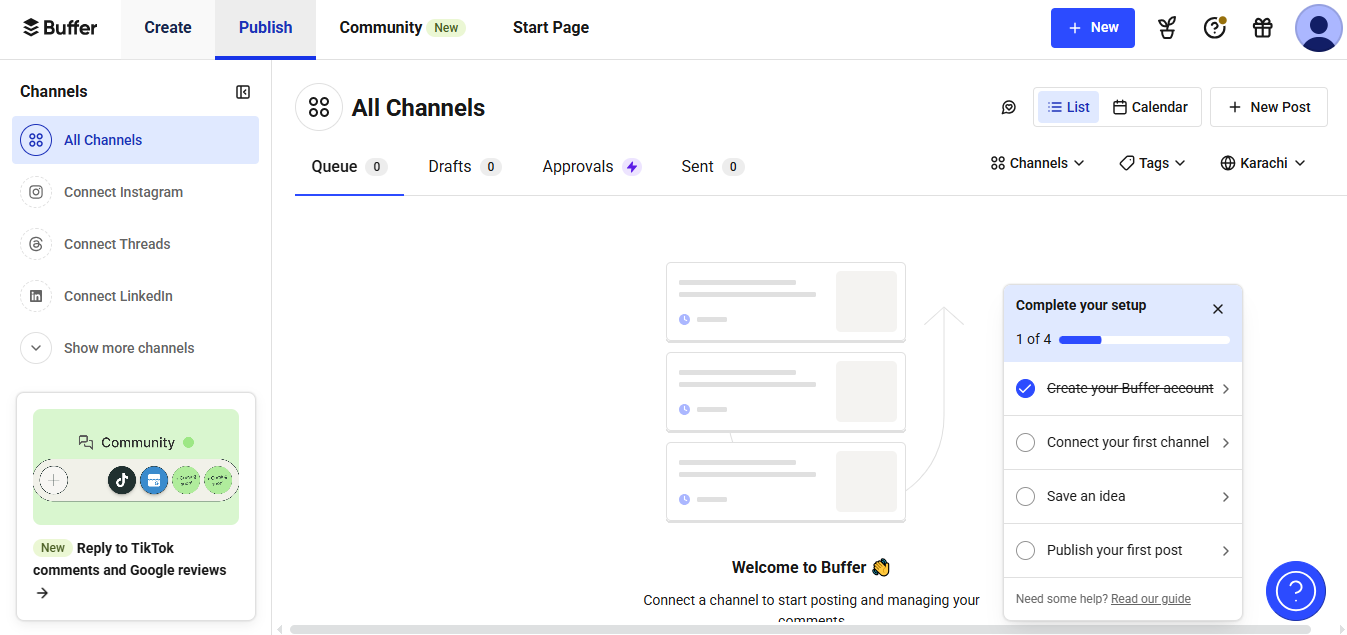
Screenshot
Score breakdown
Overall score
Scores are editorial assessments by the Compare Best AI team on a 0–10 scale.
Expert review
CBAI Editorial Team
Compare Best AI · Editorial Team
## Overview
How we tested
Days tested
7 days
Tasks evaluated
- ·Scheduled and published posts to Instagram, Facebook, and LinkedIn
- ·Replied to comments across networks using Community with AI replies
- ·Built a Start Page and tracked link clicks
- ·Queried the Buffer GraphQL API for channels and scheduled posts
Method
Compared against Hootsuite and Later using identical inputs
Reviewer
CBAI Editorial Team
Plans & pricing
Free
Individuals testing scheduling and inbox basics
- Connect up to 3 channels
- 10 scheduled posts per channel
- 100 ideas; 1 user
- Insights (30‑day history)
- Community inbox; AI replies: 5/wk
- AI Assistant
- API access (1 key; 3,000 requests/month)
Essentials
Solo creators and small businesses needing advanced tools
- Everything in Free
- Unlimited scheduled posts per channel
- Unlimited ideas; 1 user
- Advanced analytics (unlimited history)
- Hashtag manager; first comment scheduling
- Community inbox; AI replies: unlimited
- API access (3 keys; 7,500 requests/month)
Team
Teams collaborating with roles and approvals
- Everything in Essentials
- Unlimited team members
- Access levels and approval workflows
- API access (5 keys; 15,000 requests/month)
Pricing may vary by region. Always verify on the vendor's website.
Feature comparison
| Feature | Buffer | Hootsuite | Later |
|---|---|---|---|
| Pricing | |||
| Per-channel pricing model | |||
| Plans | |||
| Permanent free plan | |||
| Engagement | |||
| Unified social inbox | |||
| Collaboration | |||
| Approval workflows | |||
| Landing pages | |||
| Built-in link-in-bio tool | |||
| Developers | |||
| Public API for posting/analytics | |||
| Networks | |||
| Supports Threads and Bluesky | |||
| Users | |||
| Unlimited users without per-seat pricing | |||
Is it right for you?
Good fit for
Solo creators
Low per-channel cost, Start Page link-in-bio, and AI-assisted writing make it easy to grow on a budget.
Small businesses
Plan content across all major networks, track performance in Insights, and keep up with comments from one inbox.
Agencies
Scale to dozens of profiles with volume discounts and unlimited users on Team, plus approvals for client sign-off.
Developers
GraphQL API with keys and quotas lets you integrate scheduling and analytics into custom workflows.
Less suited for
Enterprise listening
No deep social listening or brand intelligence compared to suites like Hootsuite/Talkwalker integrations.
Competitor benchmarking
Dedicated competitor tracking isn’t included; consider tools that specialize in benchmarking.
24/7 live support needs
Support is primarily self-serve and email; no advertised 24/7 live chat or phone.
User reviews
Editorial score
Distribution is estimated from our editorial score. Verified user reviews coming soon.
Use cases
Typical ways teams rely on this tool — from everyday tasks to specialized workflows.
- Multi-network post scheduling
- Unified comments reply
- Campaign analytics and reporting
- Link in bio landing page
- Hashtag and first comment planning
- Team approvals and roles
Integrations
Reported connectors
Apps and services commonly connected out of the box or via official connectors.
- Canva
- Google Drive
- Zapier
Details
Category
Price
- Free
- Essentials from $6/mo per channel ($5/mo billed yearly)
- Team from $12/mo per channel ($10/mo billed yearly)
Free version
Best for
- Solo creators who need affordable per-channel pricing
- Small businesses coordinating publishing across networks
- Agencies adding many profiles with unlimited users
- Developers connecting workflows via Buffer’s API.
Frequently asked questions
Buffer
Niche / Other
Ready to get started?
Visit the Buffer website to explore plans and start your free trial.
Was this page helpful?
Compare Best AI may earn a commission when you click links on this page. This does not influence our editorial scores or recommendations. Advertiser disclosure