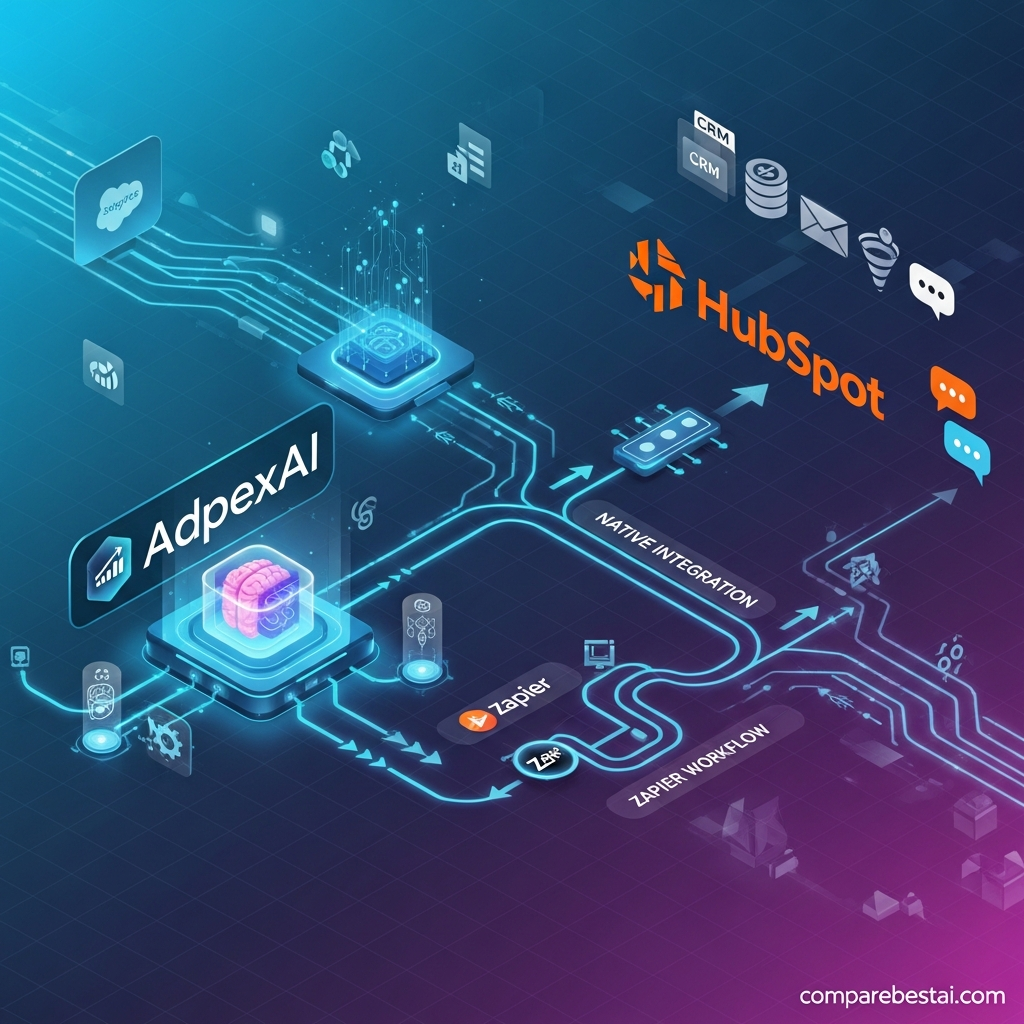

Quick Answer: AdpexAI's best-documented integrations in 2026 are AI model integrations rather than traditional SaaS app connectors. Its current video platform documents access to Sora 2, Wan 2.5 and AdpexAI's optimized generation pipelines, while AdpexAI also provides an integrated Seedance 2.0 workflow. We could not verify current first-party documentation for native Zapier, Slack, HubSpot, Salesforce or Google Drive connectors, public webhooks, or a self-service AdpexAI API.
Last checked: August 31, 2026
If you're evaluating the broader product rather than just connectivity, the AdpexAI review explains its video, image, face-swap and editing capabilities in more detail.
What Does “AdpexAI Integration” Actually Mean?
The word integration can mean two very different things when discussing AdpexAI.
The first is AI model integration: AdpexAI embeds different generation engines inside its own browser-based interface so users can create content without going directly to each underlying model provider.
The second is a traditional software connector, where an application connects to external platforms such as Slack, Zapier, HubSpot, Google Drive or Salesforce and automatically exchanges data.
Current AdpexAI first-party documentation clearly supports the first category. The second category is much less documented publicly.
That difference is important when deciding whether AdpexAI fits an existing production stack.
AdpexAI Integrations at a Glance
| Integration or workflow | Status | What it means |
|---|---|---|
| Sora 2 | ✅ Documented | AI video model available through AdpexAI's video workflow |
| Wan 2.5 | ✅ Documented | Text-to-video and image-to-video generation |
| Seedance 2.0 | ✅ Documented | Dedicated AdpexAI video-generation workflow |
| AdpexAI optimized pipelines | ✅ Documented | Vendor's own video-generation pipeline |
| File uploads | ✅ Documented | Upload images/video into individual tools |
| Download/export workflow | ✅ Documented | Generated media can be downloaded from supported tools |
| Zapier | ⚠️ Not publicly verified | No current first-party connector documentation found |
| Slack | ⚠️ Not publicly verified | No current first-party connector documentation found |
| HubSpot | ⚠️ Not publicly verified | No current first-party connector documentation found |
| Salesforce | ⚠️ Not publicly verified | No current first-party connector documentation found |
| Google Drive | ⚠️ Not publicly verified | No current first-party connector documentation found |
| Shopify | ⚠️ Not publicly verified | No current first-party connector documentation found |
| Public API | ⚠️ Not publicly verified | No current public API documentation found |
| Webhooks | ⚠️ Not publicly verified | No current public webhook documentation found |
The safest interpretation in 2026 is therefore:
AdpexAI = multi-model creative AI hub, not a proven Zapier-style business integration platform.
For the full capability breakdown, see the AdpexAI features guide.
1. Sora 2 Integration
AdpexAI's current AI Video page explicitly describes Sora 2 as one of the video-generation models integrated into its workflow. Users can use the model for text-to-video and image-to-video generation from within the AdpexAI environment.
The practical benefit is convenience.
Instead of moving between several separate video-generation interfaces, creators can use supported models from the same broader AdpexAI ecosystem.
What the Sora workflow is useful for
AdpexAI positions it around:
- cinematic video concepts
- natural camera movement
- visual storytelling
- advertising concepts
- text-to-video
- image-to-video.
This is a model integration, not an OpenAI account synchronization or workflow connector.
That wording distinction should remain clear throughout the article.
2. Wan 2.5 Integration
AdpexAI also documents Wan 2.5 inside its current AI video platform.
The vendor positions Wan 2.5 as a fast text-to-video and image-to-video option suitable for social media, ecommerce creative and rapid experimentation.
For users, the important point is not simply that another model name appears in the interface.
It means AdpexAI is pursuing a multi-model strategy.
Instead of tying the whole platform to one video engine, different generation workflows can be surfaced through a common creative environment.
That can be useful when one model performs better for a particular prompt, visual style or motion requirement.
For a wider comparison of video models and dedicated platforms, see CompareBestAI's AI video generator comparison.
3. Seedance Integration
AdpexAI also provides dedicated Seedance workflows.
Its current Seedance 2.0 page explicitly describes the model as integrated into AdpexAI and supports both text-driven and image-driven video generation.
AdpexAI's Seedance pages also emphasize capabilities such as:
- multi-shot video generation
- reference-based image-to-video
- character consistency
- motion control
- audio/lip-sync workflows on supported Seedance versions.
Again, this should be described as embedded AI model access, not a traditional business-app integration.
4. AdpexAI's Own Video Pipeline
AdpexAI's AI Video page does not position the service as merely a wrapper around external models.
It also refers to its own optimized pipelines alongside Sora and Wan workflows.
This matters because users searching for “AdpexAI integrations” may assume every generation is simply forwarded to another provider.
The current vendor positioning instead suggests a hybrid model:
third-party model access + AdpexAI's own platform-level generation/processing workflow.
From an SEO and entity perspective, this is one of the clearest ways to explain what AdpexAI actually integrates.
5. Built-In AdpexAI Tools Are Not External Integrations
AdpexAI contains a broad internal tool library.
Its current agent directory includes categories such as:
- AI Face Swap
- AI Video
- AI Image
- AI Video Effects
- Transcript Generator
- Video Downloader
- PDF Convert
- Video Convert
- Watermark Removal
- Video Enhancement
- Video Translator
- Background Changer.
These tools work within AdpexAI.
They should therefore be described as native capabilities, not third-party integrations.
For example, Video Translator being available inside AdpexAI does not mean AdpexAI has a native YouTube, Google Translate or CMS connector.
This distinction prevents the page from accidentally overstating the product.
6. File-Based Workflow Compatibility
AdpexAI also supports conventional file-based workflows.
For example, the current Video Face Swap tool accepts:
- MP4 or MOV source video
- JPEG
- JPG
- PNG
- WEBP face images.
Its other tools also expose upload → process → download workflows.
That means creators can still use AdpexAI alongside:
- professional video editors
- social platforms
- design tools
- DAM systems
- cloud storage
by manually moving exported files between services.
But this is workflow compatibility, not proof of a native two-way connector.
The distinction matters when evaluating automation.
7. Does AdpexAI Integrate With Zapier?
At the time of this review, we could not verify a current official public AdpexAI page documenting a native Zapier connector.
That means claims such as:
“AdpexAI integrates natively with Zapier”
should not be published as fact without a vendor connector page or documentation.
If your workflow depends on Zapier, confirm current support directly with AdpexAI before purchasing.
This is especially important for businesses planning automated workflows rather than manual creative generation.
8. Does AdpexAI Integrate With Slack?
We could not verify current first-party public documentation for a native Slack integration either.
Some older or third-party AdpexAI descriptions may mention Slack-style collaboration or workflow connectivity, but that should not be treated as current product documentation.
For a buyer, the practical rule is simple:
If a connector is business-critical, require an official integration page or test it before paying.
9. HubSpot and Salesforce Integrations
The same caution applies to CRM claims.
We could not verify current public first-party documentation for dedicated:
- HubSpot
- Salesforce
connectors in the core AdpexAI creative platform.
That means AdpexAI should not currently be positioned as an AI CRM or marketing-automation platform simply because those product names appear in older content.
AdpexAI's current homepage instead focuses on generative media, creative effects, editing and AI tools.
For users deciding between different categories of AI software, the guide to choosing the right AI tool provides a useful workflow-fit framework.
10. Google Drive and Cloud Storage Integrations
AdpexAI is browser-based and supports uploading files into individual tools.
However, direct local file upload should not be confused with a native Google Drive integration.
We could not verify a current public first-party page documenting:
- Google Drive import
- Google Drive export
- Dropbox sync
- OneDrive sync
as native AdpexAI connectors.
If cloud-storage automation matters to your team, verify that capability before building your workflow around it.
11. Does AdpexAI Have a Public API?
A true public API normally comes with documentation covering things such as:
- authentication
- endpoints
- request parameters
- response formats
- rate limits
- API keys
- error handling.
We could not verify a current publicly documented self-service AdpexAI API meeting that standard.
That does not necessarily prove AdpexAI offers no private or partner-level API access.
It means a public API should not be advertised as a verified feature without current documentation.
Developers should confirm availability directly with the vendor before choosing AdpexAI for programmatic production.
12. Does AdpexAI Support Webhooks?
We also could not verify public webhook documentation.
Webhooks would be especially important for workflows such as:
generation complete → trigger automation → move output → notify another app
Without documented webhook or API support, assume the standard workflow remains primarily browser-driven unless the vendor confirms otherwise.
AdpexAI Model Integrations vs Traditional App Integrations
| Capability | AdpexAI strength |
|---|---|
| Accessing multiple AI video models | Strong / documented |
| Generating video inside one interface | Strong / documented |
| Image/video media tools | Strong / documented |
| Face-swap workflows | Strong / documented |
| File-based workflow | Documented |
| CRM connectivity | Not currently verified |
| Zapier automation | Not currently verified |
| Slack connector | Not currently verified |
| Public API | Not currently verified |
| Webhooks | Not currently verified |
This is the key takeaway for anyone evaluating AdpexAI integrations.
AdpexAI currently looks much stronger as a multi-model creative platform than as an enterprise integration platform.
 Who Benefits Most From AdpexAI's Current Integration Model?
AI video creators
Users who want to test different video-generation approaches without maintaining separate workflows for every model.
Social media creators
Creators moving between AI generation, face swap, enhancement and effects in the same browser-based toolkit.
Ecommerce marketers
Teams creating product visuals, short video assets and transformed media without needing a complex API workflow.
Creative experimenters
Users who value quick access to several AI models more than deep business-software connectivity.
Developers
Developers should be more cautious.
If programmatic access, API calls, webhooks or automated asset routing are mandatory requirements, verify those capabilities directly before committing.
When AdpexAI May Not Fit Your Workflow
AdpexAI may not be the best option when your primary requirement is:
- CRM synchronization
- Slack-driven approvals
- Zapier automations
- programmatic high-volume generation
- webhook-triggered pipelines
- automated DAM/cloud-storage sync
- documented enterprise developer APIs.
In those cases, evaluate dedicated tools whose integration documentation clearly supports your required stack.
You can compare creative alternatives in the AdpexAI alternatives guide.
How to Evaluate an AdpexAI Integration Before You Buy
Before subscribing because of an integration claim, verify five things.
1. Is there an official documentation page?
A logo in a marketing article is not enough.
2. Is the integration native or file-based?
Uploading and downloading files manually is not the same as automated synchronization.
3. Is it available on your plan?
Even documented connectors may have plan restrictions.
4. Are there usage limits?
Model access and AI generation often depend on credits.
5. Can you test your actual workflow?
Use your real media and required output before paying.
The same evaluation principle applies across AI software. CompareBestAI's AI tool pricing comparison explains why credits and usage models can affect total cost.
Frequently Asked Questions About AdpexAI Integrations
What integrations does AdpexAI support?
The clearest publicly documented AdpexAI integrations are AI model integrations. Its current video platform documents Sora 2, Wan 2.5 and AdpexAI's optimized pipelines, while Seedance 2.0 is also available through a dedicated AdpexAI workflow.
Does AdpexAI integrate with Sora?
Yes. AdpexAI's current AI Video documentation explicitly describes a Sora 2 video-generation workflow inside the platform.
Does AdpexAI integrate with Wan?
Yes. Wan 2.5 is currently documented as part of AdpexAI's text-to-video and image-to-video offering.
Does AdpexAI support Seedance?
Yes. AdpexAI currently provides dedicated Seedance workflows, including a Seedance 2.0 video-generation page.
Does AdpexAI integrate with Zapier?
We could not verify a current public first-party AdpexAI Zapier integration. Confirm directly with the vendor if Zapier connectivity is essential to your workflow.
Does AdpexAI integrate with Slack?
We could not verify a current official public Slack connector for AdpexAI.
Does AdpexAI connect to HubSpot or Salesforce?
We could not verify current first-party public documentation for native HubSpot or Salesforce integrations in the core AdpexAI creative platform.
Does AdpexAI integrate with Google Drive?
AdpexAI supports browser-based media uploads, but we could not verify a current public native Google Drive connector.
Does AdpexAI have an API?
We could not verify a current publicly documented self-service API with published endpoints, authentication and developer documentation. Businesses requiring programmatic access should confirm availability directly with AdpexAI.
Does AdpexAI support webhooks?
We could not verify current public webhook documentation.
Final Verdict: AdpexAI Integrations in 2026
AdpexAI does have meaningful integrations—but its strongest documented integrations are AI models, not traditional business apps.
The clearest examples are:
Sora 2 + Wan 2.5 + Seedance + AdpexAI's own optimized generation workflows.
That makes AdpexAI attractive to creators who want multiple generative video options inside one platform.
What should not be assumed is an enterprise-style connector ecosystem.
Current public first-party documentation does not clearly verify native Zapier, Slack, HubSpot, Salesforce, Google Drive, webhook or public-API support.
So the decision is straightforward:
Choose AdpexAI if multi-model creative generation is your integration priority.
Verify carefully before choosing it for API-driven or SaaS-automation workflows.
For broader context, compare its features in the AdpexAI features guide or browse CompareBestAI's Video Generation category.

