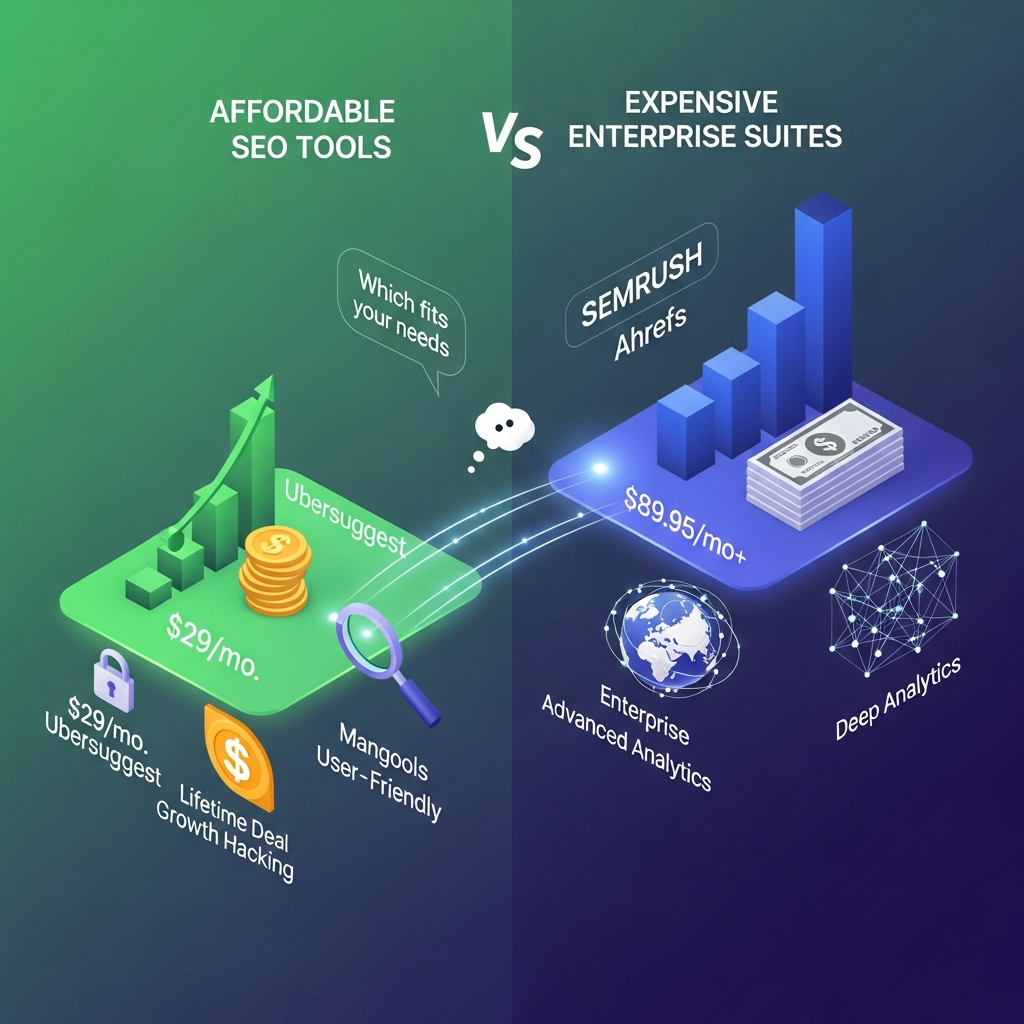

Quick Answer: The best affordable SEO tools in 2026 are Ubersuggest for a budget all-in-one platform, KeySearch for affordable keyword research, Screaming Frog for technical SEO, Ahrefs Free for verified-site backlinks and audits, Seobility for a free all-in-one starting point, and LowFruits for finding low-competition keywords without committing to an expensive monthly subscription.
For most freelancers, startups and small businesses, the smartest approach is not buying one expensive platform. Start with free first-party tools such as Google Search Console and Bing Webmaster Tools, then add one paid tool for the data your free stack cannot provide.
Pricing checked: September 1, 2026. SEO software pricing and plan limits change frequently, so verify the provider’s current terms before purchasing.
If you run a smaller company specifically, our affordable SEO tools for small businesses guide narrows the recommendations to smaller websites and tighter budgets.
Best Affordable SEO Tools at a Glance
| Rank | Tool | Best For | Starting Cost | Main Limitation |
|---|---|---|---|---|
| 1 | Ubersuggest | Budget all-in-one SEO | $29/month | Lower limits than enterprise suites |
| 2 | KeySearch | Keyword research | $24/month | Smaller database than premium platforms |
| 3 | Screaming Frog | Technical SEO audits | Free / $279 yearly | Desktop crawler; learning curve |
| 4 | Ahrefs Free | Backlinks + site audit | Free | Primarily your verified websites |
| 5 | Seobility | Affordable all-in-one SEO | Free | Free plan has low limits |
| 6 | LowFruits | Low-competition keywords | $25 PAYG | Specialized rather than full all-in-one |
| 7 | Google Search Console | Google performance data | Free | No competitor research |
| 8 | Bing Webmaster Tools | Bing SEO + site diagnostics | Free | Smaller search ecosystem |
| 9 | Google Keyword Planner | Keyword ideas + demand estimates | No separate subscription | Built primarily for Google Ads |
| 10 | PageSpeed Insights | Performance + Core Web Vitals | Free | Not a complete SEO platform |
Ubersuggest currently lists its Individual plan at $29/month, while KeySearch lists its Starter plan at $24/month. Screaming Frog can crawl up to 500 URLs for free, with its paid licence currently listed at $279/year in USD.
What Counts as an Affordable SEO Tool?
An affordable SEO tool should provide enough actionable data to improve organic search performance without forcing a freelancer, startup or small business into enterprise-level software costs.
The important word is actionable.
A $10 tool is expensive if it provides data you cannot use.
A $30 tool can be excellent value if it replaces three separate subscriptions and helps you consistently:
- find keywords
- identify ranking opportunities
- audit technical issues
- monitor competitors
- track rankings
- analyze backlinks
- improve content
For a broader startup-focused stack, see our best SEO tools for startups guide.
1. Ubersuggest — Best Affordable All-in-One SEO Tool
Best for: Freelancers, bloggers, solopreneurs and small businesses
Starting paid price: $29/month
Free access: Yes, with limits
Ubersuggest is one of the strongest choices when you want several core SEO functions inside one relatively inexpensive subscription.
Its current Individual plan includes:
- keyword research
- competitor analysis
- rank tracking
- site audits
- backlink research
- content-gap analysis
- AI-assisted keyword features
- AI search visibility features
The Individual plan currently supports one project, 125 tracked keywords, five competitors, 1,000 page scans per domain and 150 searches per day.
That is not enough for a large agency managing dozens of websites, but it is substantial for one business or a solo SEO consultant.
Ubersuggest currently prices its Individual plan at $29/month, Business at $49/month, and Enterprise at $99/month.
Where Ubersuggest Wins
Its biggest advantage is consolidation.
Instead of paying separately for:
keyword research + basic rank tracking + audits + competitor research
you can handle those tasks within one platform.
Where Ubersuggest Falls Short
It is not a direct substitute for the depth available from larger enterprise SEO datasets.
Advanced agencies may eventually need stronger:
- backlink datasets
- API capabilities
- historical data
- multi-client reporting
- enterprise-scale crawling
Verdict
Choose Ubersuggest if you want one affordable SEO subscription instead of assembling several separate paid tools.
2. KeySearch — Best Budget Keyword Research Tool
Best for: Bloggers, publishers, niche sites and small businesses
Starting price: $24/month
Free trial: Available
KeySearch is particularly compelling when keyword research is the main reason you are paying for SEO software.
Its Starter plan currently costs $24/month and includes:
- 200 keyword searches per day
- 80 tracked keywords
- 2,000 audited pages per month
- competitor analysis
- backlink analysis
- live SERP analysis
- SEO auditing
- rank tracking
- AI content assistance
Its Pro plan currently costs $48/month and increases the research, tracking and audit limits.
Where KeySearch Wins
The value proposition is straightforward:
serious keyword research without a $100+ monthly SEO subscription.
It is particularly attractive for websites whose strategy depends on consistently finding:
- long-tail queries
- lower-competition topics
- competitor keywords
- content opportunities
Where KeySearch Falls Short
Large agencies and enterprise SEO teams may eventually outgrow its database, tracking capacity and reporting ecosystem.
Verdict
Choose KeySearch if keyword research and rank tracking matter more to you than enterprise-scale technical crawling.
3. Screaming Frog SEO Spider — Best Affordable Technical SEO Tool
Best for: Technical SEO audits
Free version: Up to 500 URLs per crawl
Paid licence: $279/year in USD
Screaming Frog is different from most tools in this list because it is primarily a website crawler rather than a cloud SEO dashboard.
It crawls websites similarly to a search-engine crawler and can identify issues involving:
- broken links
- redirects
- page titles
- meta descriptions
- canonical tags
- indexability
- duplicate content
- structured data
- hreflang
- internal linking
- images
- response codes
The free version allows up to 500 URLs per crawl.
The paid version removes that fixed crawl limit and adds advanced features including JavaScript rendering, crawl comparisons, scheduling, custom extraction and integrations. Screaming Frog currently lists its USD licence at $279 per user per year.
Where Screaming Frog Wins
Its technical auditing capabilities are significantly deeper than the lightweight site-audit modules included with many low-cost general SEO tools.
Where Screaming Frog Falls Short
It is not an all-in-one solution for:
- keyword discovery
- large-scale backlink research
- competitor traffic estimates
- content research
It also requires more technical SEO knowledge than beginner-oriented platforms.
Verdict
Choose Screaming Frog if fixing technical SEO problems is more important than getting another keyword dashboard.
4. Ahrefs Free — Best Free Backlink and Site Audit Option
Best for: Website owners auditing sites they control
Price: Free
Ahrefs now provides a permanent free account for website owners.
For verified websites, Ahrefs Free currently includes:
- Site Explorer
- Site Audit
- Web Analytics
- backlink data
- ranking keyword data
- technical SEO auditing
Current limits include up to 5,000 Site Audit crawl credits per verified project each month and up to 1,000 backlinks and keywords visible at once.
This is especially useful because it gives website owners access to real Ahrefs SEO data without purchasing the full premium platform.
Where Ahrefs Free Wins
It can fill important gaps that Google Search Console does not cover in the same way, especially:
- backlink analysis
- technical auditing
- Ahrefs SEO metrics
- organic keyword visibility
Where Ahrefs Free Falls Short
The strongest free capabilities focus on websites you can verify ownership of.
That means you cannot treat it as an unlimited free competitor-research replacement for a full Ahrefs subscription.
Verdict
Every budget-conscious website owner should consider using Ahrefs Free before paying for another technical audit or backlink tool.
5. Seobility — Best Free-to-Paid All-in-One SEO Platform
Best for: Beginners and small websites
Free plan: Yes
Premium: €49.90/month
Seobility combines several SEO tasks inside one platform:
- website audits
- ranking monitoring
- backlink monitoring
- competitor analysis
- keyword research
- on-page checks
Its Basic plan is currently free and supports one website, up to 1,000 pages per crawl and 10 ranking-monitoring keywords.
The Premium plan currently costs €49.90/month and raises the allowance to three website projects, up to 25,000 pages per crawl and 300 ranking-monitoring keywords.
Where Seobility Wins
The free plan is useful because it covers multiple SEO disciplines rather than giving you one isolated feature.
It can help beginners understand:
- technical issues
- keyword rankings
- internal links
- meta problems
- page structure
- backlink changes
Where Seobility Falls Short
The Basic plan has strict limits, particularly for ranking monitoring.
As your website portfolio expands, the paid tiers become much more relevant.
Verdict
Choose Seobility if you want to begin with a genuine free all-in-one SEO workflow and upgrade only when your usage grows.
6. LowFruits — Best Pay-As-You-Go Keyword Research Tool
Best for: Finding lower-competition long-tail keywords
Pay-as-you-go: $25 for 2,000 credits
Subscription available: Yes
LowFruits takes a different approach from the typical monthly SEO suite.
Its main strength is identifying keyword opportunities by analyzing search results for signs of weaker competition.
That makes it especially attractive for:
- niche websites
- bloggers
- publishers
- affiliate sites
- newer domains
The current pay-as-you-go option starts at $25 for 2,000 credits.
LowFruits also offers subscriptions; its Premium plan is currently listed at $79.90/month, or a lower effective monthly rate when billed annually.
Where LowFruits Wins
You can buy research credits without committing to another large recurring SEO subscription.
That is valuable when keyword research happens in batches rather than every day.
Where LowFruits Falls Short
LowFruits is a specialized research platform.
Do not buy it expecting it to replace:
- Screaming Frog for technical crawling
- Google Search Console for first-party data
- a full enterprise backlink suite
Verdict
Choose LowFruits if finding low-competition content opportunities is your main SEO bottleneck.
7. Google Search Console — Best Free SEO Tool Overall
Best for: Google rankings, indexing and search performance
Price: Free
Before paying for SEO software, connect Google Search Console.
Search Console shows how Google sees and serves your website and provides data related to:
- search queries
- clicks
- impressions
- indexing
- crawling
- page performance
- search appearance
Google describes Search Console as a tool that helps website owners understand performance in Google Search and how Google crawls, indexes and serves their websites.
Where Google Search Console Wins
The data comes directly from Google.
That makes it essential for answering questions such as:
- Which queries already generate impressions?
- Which pages rank but have poor CTR?
- Has Google indexed a page?
- Is a page eligible to appear in Search?
- Which existing content has opportunity for optimization?
Where Google Search Console Falls Short
It is not designed to provide full competitor research.
It also does not replace specialized:
- backlink databases
- rank trackers
- technical crawlers
- keyword discovery tools
Verdict
Use Google Search Console regardless of which paid SEO platform you eventually choose.
8. Bing Webmaster Tools — Best Free Secondary Search Tool
Best for: Bing search performance, backlinks and technical diagnostics
Price: Free
Bing Webmaster Tools is easy to overlook, but its free feature set is substantial.
Microsoft currently provides:
- search-performance reporting
- keyword research
- backlink data
- Site Scan
- SEO/GEO reports
- URL inspection
- indexing controls
Microsoft describes Site Scan as an on-demand crawler that checks websites for common technical SEO issues.
Why It Matters in 2026
Search visibility is no longer only about traditional Google blue links.
Bing's ecosystem connects to broader Microsoft search and AI experiences, which makes its webmaster data worth monitoring even when Bing itself is not your primary traffic source.
Where It Falls Short
Its search-performance dataset naturally represents Bing rather than Google.
Use it alongside Google Search Console, not instead of it.
Verdict
Because it is free, there is little reason not to add Bing Webmaster Tools to a serious SEO stack.
9. Google Keyword Planner — Best Free Keyword Demand Reference
Best for: Keyword ideas and demand estimates
Separate subscription: None
Requirement: Google Ads account setup
Google Keyword Planner is designed for advertisers, but SEO professionals can still use it for research.
Google says Keyword Planner can:
- discover keyword ideas
- show estimated monthly searches
- show advertising cost information
- organize keywords
- generate forecasts
Access currently requires completing Google Ads account setup and entering billing information.
Where Keyword Planner Wins
It is particularly useful for:
- discovering commercial terminology
- comparing keyword themes
- checking advertiser competition
- finding related product/service terms
Where It Falls Short
The tool is designed primarily around Google Ads, not organic SEO.
For organic competition scoring and SERP-level analysis, dedicated SEO tools such as KeySearch, Ubersuggest or LowFruits are more convenient.
Verdict
Use Keyword Planner as a supporting first-party keyword source rather than your only SEO keyword tool.
10. PageSpeed Insights — Best Free Performance SEO Tool
Best for: Page experience and performance diagnostics
Price: Free
PageSpeed Insights analyzes web-page performance on mobile and desktop.
Google explains that PageSpeed Insights provides both lab and real-world performance information and helps diagnose metrics including:
- Largest Contentful Paint
- Interaction to Next Paint
- Cumulative Layout Shift
It also provides optimization suggestions based on Lighthouse and Chrome user-experience data.
Where PageSpeed Insights Wins
It answers a very specific question well:
What is slowing this page down, and what should I investigate?
That is more useful than paying for another platform just to obtain a simplified page-speed score.
Where It Falls Short
PageSpeed Insights will not perform:
- keyword research
- backlink analysis
- content-gap analysis
- broad competitor research
Verdict
Use PageSpeed Insights as part of your technical SEO workflow, not as a complete SEO suite.

