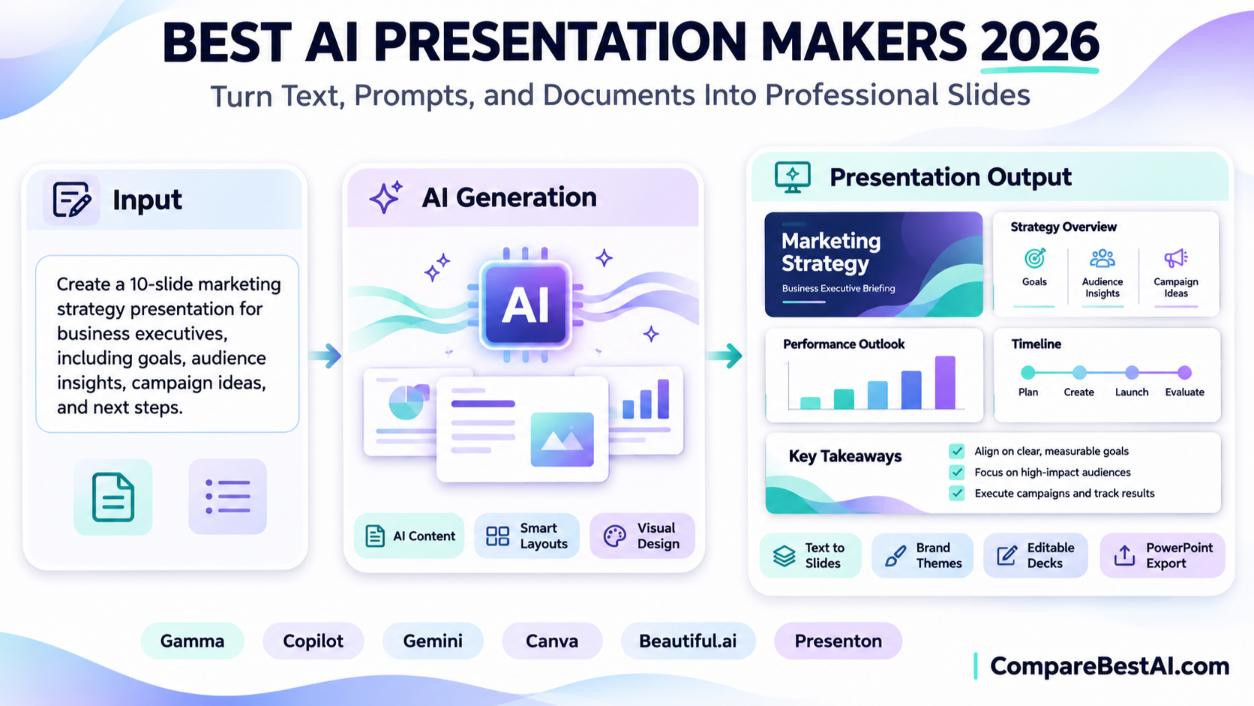

The best AI presentation maker depends on where your slides need to end up. Gamma is the best all-round AI presentation maker from text, with a free plan and PowerPoint export. Copilot in PowerPoint is best if your company lives in Microsoft 365, and Gemini in Google Slides is best for Google Workspace users. Canva is the easiest free option for visual decks, Beautiful.ai keeps designs consistent automatically, and Presenton is a free, open-source choice you can host yourself.
This guide compares the top tools, explains why AI decks often miss the design you wanted, and shows you how to prompt AI for better slides.
What Is an AI Presentation Maker?
An AI presentation maker is a tool that turns a prompt, outline, or document into a slide deck. It writes the slide text, chooses layouts, adds images or icons, and applies a theme. You then edit the result like a normal presentation.
Can AI Really Make a Professional Presentation in 30 Seconds?
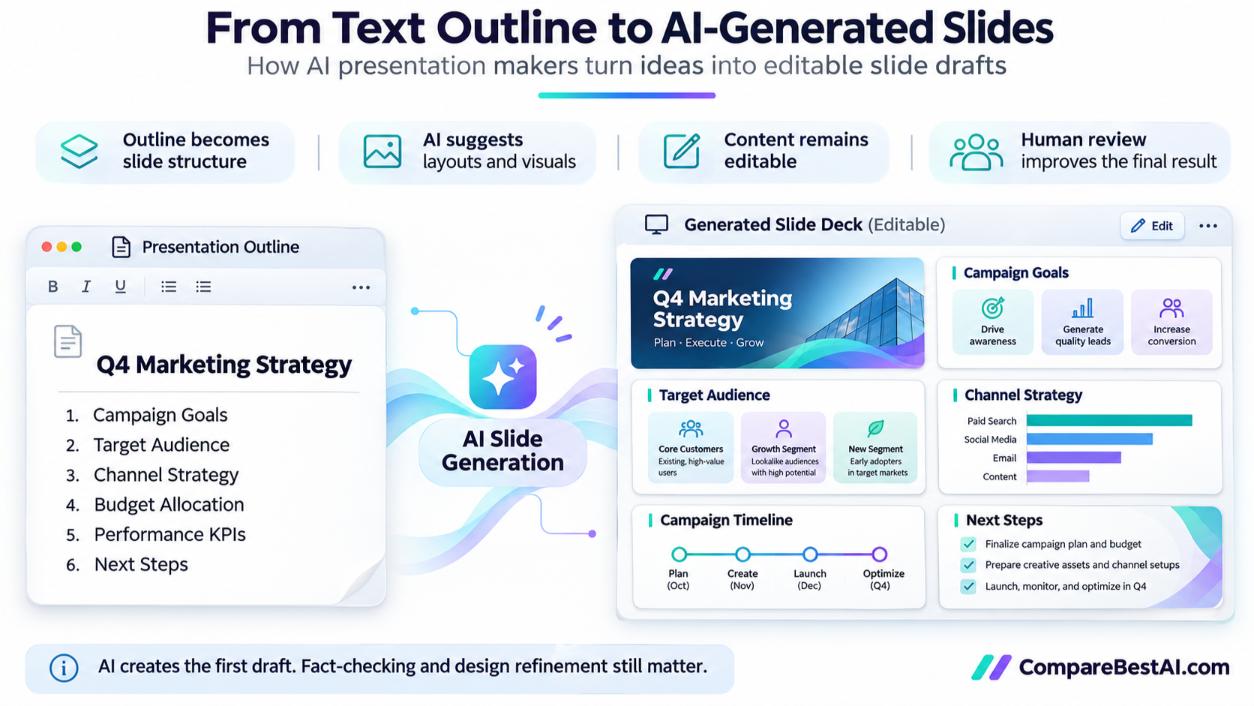
AI can make a first draft in seconds, but not a finished professional deck. The draft gives you structure and starter visuals. You still need to check facts, add your own data and examples, tighten the story, and match your brand. Plan for editing time, especially for client or executive presentations.
Best AI Presentation Makers Compared (2026)
Tool | Best for | Free option | Paid plans from | Exports |
|---|---|---|---|---|
Fast decks from text or documents | 400 one-time credits, watermark | $9/month (Plus) | PDF, PPTX, Google Slides | |
Microsoft 365 users and company templates | Requires an eligible Microsoft 365 plan | Included with eligible Copilot plans | Native PowerPoint | |
Google Workspace users | Requires an eligible Google plan | Google AI Pro or Workspace Business/Enterprise | Native Google Slides | |
Visual decks for beginners, teachers, and marketers | Free plan | Canva Pro and Teams | PPTX, PDF | |
Consistent, on-brand design | Check current trial | $14.50/month, billed annually | Check current plan | |
Presenton | Free, open-source, self-hosted | Free (Apache 2.0) | Free; you pay only for any AI model you connect | PPTX, PDF |
Prices as reported by vendors and independent pricing trackers between June and November 2026. Canva and Beautiful.ai pricing changes often, so confirm on each vendor's site.
Gamma: Best AI Presentation Maker From Text
Gamma turns a prompt, pasted notes, or an uploaded document into a full deck in a few minutes. Its free plan gives 400 one-time credits and adds a "Made with Gamma" badge. Paid plans remove the badge, start at $9 a month, and all plans export to PDF, PowerPoint, and Google Slides.
Watch out for: free credits don't refill, and the free plan limits each generation to 10 cards.
Copilot in PowerPoint: Best AI Presentation Maker for PowerPoint
Copilot creates a deck from a prompt or from a Word document inside PowerPoint. According to Microsoft's guide to creating a presentation with Copilot, it can apply your organization's Brand Kit or template, and it works best with Word files that use proper heading styles. It's only available on Microsoft 365 plans that include Copilot.
Gemini in Google Slides: Best for Google Slides
Since June 2026, Gemini can build a full, editable presentation inside Google Slides from one prompt, using files from your Google Drive and matching the style of an existing deck. Google's Workspace update announcing the feature lists Google AI Pro and Ultra, plus Workspace Business and Enterprise Standard and Plus, as eligible plans. It launched in U.S. English first.
Canva: Best Free AI Presentation Maker for Beginners
Does Canva have an AI presentation maker? Yes. Canva's AI design tools can generate a presentation from a prompt, which you then customize with its huge template and image library. It's a strong choice for teachers, students, and small businesses. Read our Canva Magic Studio review for details.
Beautiful.ai: Best for Design Consistency
Beautiful.ai uses smart templates that automatically adjust spacing and alignment as you add content, so slides stay tidy. It suits teams that need every deck to look the same.
Presenton: Best Open-Source AI Presentation Maker
Presenton is an open-source AI presentation generator released under the Apache 2.0 license. You can run it with Docker or as a desktop app, connect it to OpenAI, Gemini, Anthropic, or local models through Ollama, and export editable PowerPoint or PDF files. It's ideal for privacy-conscious teams and technical users who want a free AI presentation maker download.
Why AI Presentation Makers Get the Design Wrong
Most frustration comes from three gaps:
- Vague prompts: "Make a deck about our product" gives the AI nothing to work with.
- No brand inputs: without your fonts, colors, and logo, the AI picks a generic theme.
- Layout lock-in: some tools generate slides as tightly linked blocks, so small edits can shift the whole layout.
Why Do AI Presentation Makers Struggle With Edits?
Many tools are designed to generate a full deck, not to make precise changes to one slide. Asking the AI to "move the chart left" or "use our blue" often regenerates more than you wanted. Fix: generate the structure with AI, then do fine design edits manually.
Is There an AI Presentation Maker That Understands Design Systems?
Partly. Copilot in PowerPoint can apply your organization's Brand Kit and templates, and Gemini in Google Slides can match the style of an existing presentation. Beautiful.ai and Gamma let you save brand themes. For strict design systems, start from your official template rather than a blank AI prompt.
How to Get AI to Make the Presentation You Actually Want
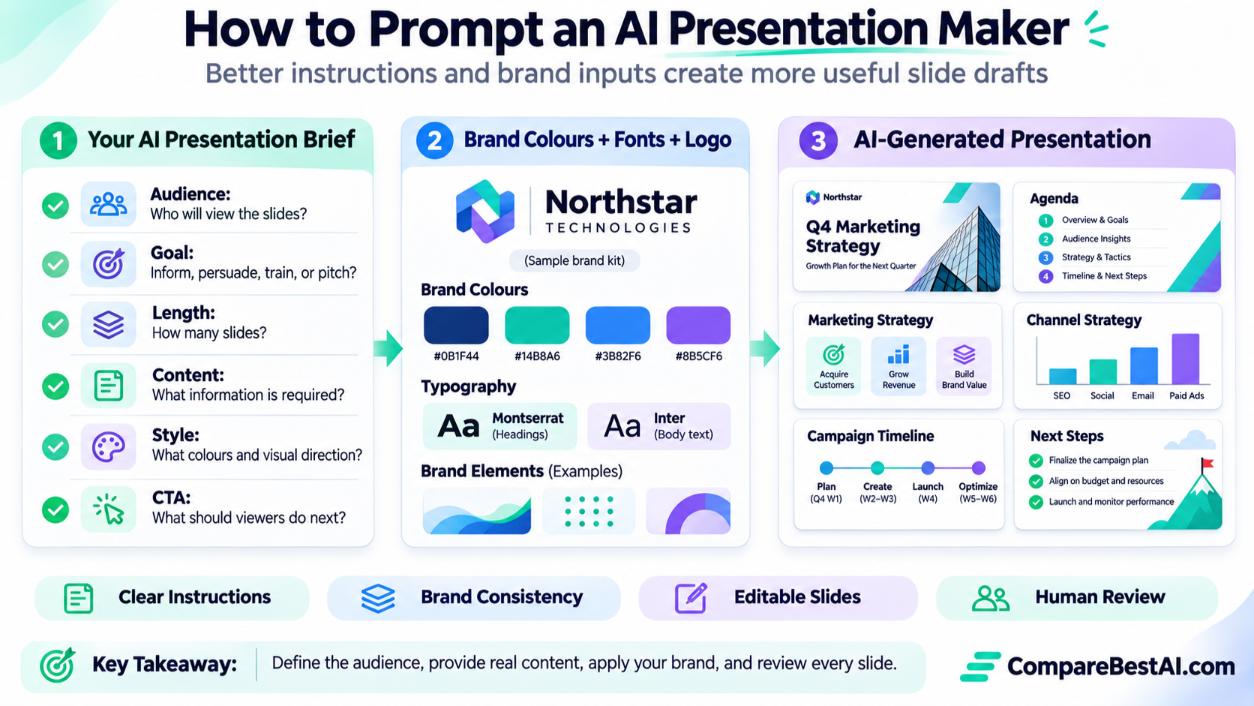
What Should You Tell AI Before It Builds Your Slides?
Answer these questions in your prompt:
- Who is the audience? Executives, students, clients, or a hiring panel.
- What is the goal? Inform, persuade, train, or pitch.
- How long? Number of slides or minutes.
- What content must be included? Paste your notes, data, or document.
- What style? Minimal, bold, corporate, or playful, plus your brand colors.
- What should the audience do next? Your call to action.
How to Prompt ChatGPT for Better Presentations
You can use ChatGPT or another assistant to plan the deck before you build it:
- "Create a 10-slide outline for a 15-minute talk to [audience] about [topic]. Give each slide a title and three bullet points."
- "Rewrite these notes as speaker notes in a friendly, confident tone."
- "Suggest one chart or visual for each slide based on this data."
Then paste the outline into Gamma, Copilot, Gemini, or Canva to design it. Planning first usually produces a much better deck than one big prompt.
Starting a New Job? How to Make Quick PowerPoint Slides With AI
- Ask your team for the official template.
- Write a short outline with an AI assistant.
- Generate slides with Copilot in PowerPoint (or Gemini in Google Slides).
- Replace placeholder images and check every number.
- Ask a coworker to review before you present.
Can You Use AI to Create a Presentation About AI?
Yes. Any of these tools can, but double-check facts, model names, and statistics, because AI tools can be out of date on fast-moving topics. For background research, see our roundup of AI productivity tools.
Should You Hire Someone or Use an AI Presentation Maker?
Use AI for internal updates, class presentations, quick pitches, and first drafts. Hire a presentation designer for investor decks, keynote talks, and brand-critical client work, where custom design and storytelling make a real difference. Many professionals combine both: AI for the draft and a designer for the final polish.
AI Presentation Makers for Teachers
Teachers usually need speed, visuals, and free tools. Canva and Gamma's free plans are good starting points, and Gemini in Google Slides works well for schools on Google AI Pro for Education. Always review AI-generated facts before presenting them to students.
Pros and Cons of AI Presentation Makers
Pros
- First drafts in minutes
- No design skills required
- Easy export to PowerPoint and Google Slides
- Free plans available
Cons
- Generic designs without brand inputs
- Precise edits can be frustrating
- Facts and data need checking
- Best features often require paid plans
Key Takeaways
- Gamma is the best all-round AI presentation maker from text.
- Copilot in PowerPoint and Gemini in Google Slides are best inside Microsoft 365 and Google Workspace.
- Canva is the easiest free option, and Presenton is the best open-source pick.
- Clear prompts and brand inputs matter more than the tool.
- Use AI for drafts, and add your own data, design polish, and review.
Frequently Asked Questions
What is the best AI presentation maker?
Gamma is the best overall for creating decks from text. Copilot and Gemini are best if you work in PowerPoint or Google Slides.
What is the best free AI presentation maker?
Canva's free plan and Gamma's free credits are the easiest free options. Presenton is free and open source if you can self-host it.
Does Canva have an AI presentation maker?
Yes. Canva's AI design tools can generate a presentation from a prompt, which you can then edit and export to PowerPoint.
Can I make a presentation from my own document with AI?
Yes. Gamma accepts uploaded documents, Copilot can build slides from a Word file, and Gemini can use files from Google Drive.
Can AI presentations be exported to PowerPoint?
Yes. Gamma, Canva, and Presenton export to PowerPoint, and Copilot works natively inside PowerPoint.
Why doesn't AI make the design I wanted?
Usually the prompt lacks audience, goal, and brand details. Add those, or start from your own template.
Final Verdict: Which AI Presentation Maker Should You Choose?
Choose Gamma for fast, polished decks from text, Copilot for PowerPoint, Gemini for Google Slides, Canva for free visual decks, Beautiful.ai for consistent design, and Presenton for a free open-source option. Whatever you pick, give the AI a clear brief, start from your brand template, and review every slide before you present.
At CompareBestAI, we review and compare AI tools side by side so you can choose with confidence. Use the CompareBestAI comparison tool to put Gamma, Canva, Beautiful.ai, and Copilot side by side before you choose.