
Quick Answer: Dashword is worth considering if your workflow centers on SEO content briefs, SERP-driven topic research, real-time content scoring, and ongoing content monitoring. Its current strengths are simple optimization workflows, Google Docs support, AI writing, API access, and a new MCP workflow for AI agents. The main drawback is price: the Startup plan now begins at $99/month, making Dashword harder to justify for occasional bloggers.
Last Updated: September 18, 2026
Published: July 10, 2026
By CompareBestAI Editorial Team
Dashword is an SEO content optimization platform designed to help writers, marketers, agencies, and content teams research search results, build content briefs, optimize drafts, and monitor published pages.
Its current positioning is increasingly AI-agent friendly. Dashword can research ranking pages for a target keyphrase, produce a structured brief, and score a draft repeatedly until the content reaches stronger topical coverage. The platform also now supports API and MCP workflows for tools such as Claude, Codex, and Cursor.
If you want the shorter product-level overview first, see the Dashword tool profile. For other writing and optimization platforms, you can also browse CompareBestAI’s Content & Design tools.
Dashword Review: Key Facts
| Category | Dashword in 2026 |
|---|---|
| Best for | SEO writers, agencies, content teams |
| Starting paid price | $99/month |
| Business price | From $349/month |
| Free access | First report free |
| Credit card required for first report | No |
| Startup reports | 30/month |
| Startup seats | 5 |
| Business reports | 100/month |
| Business seats | 10 |
| Content scoring | Free and unlimited |
| AI Writer | Included |
| Content briefs | Included |
| Google Docs add-on | Available |
| API | All plans, including verified free accounts |
| MCP server | All plans, including free accounts |
| Content monitoring | Available |
| Annual discount | 20% |
Pricing and current plan limits were checked against Dashword’s official pricing documentation on September 18, 2026.
What Is Dashword?
Dashword is a content marketing and SEO optimization platform that analyzes search results for a target keyword and converts that data into practical writing guidance.
The basic workflow is:
keyword → competitive report → content brief → draft → content score → revision → monitoring.
That is different from a traditional keyword-research platform.
Dashword is not primarily designed to crawl an entire site for technical SEO problems, analyze backlink profiles, or replace Google Search Console.
Its main job is helping teams answer questions such as:
- What topics do ranking pages cover?
- Which terms are relevant to this subject?
- Which questions should the article answer?
- How long are competing pages?
- Is the current draft covering the topic thoroughly enough?
- Does an existing published page need refreshing?
Dashword’s own documentation explains that reports analyze ranking results, compare word counts and content scores, surface relevant terms, and identify frequently asked questions.
If your workflow also relies heavily on AI-generated drafts, our guide to optimizing AI-written content for SEO covers the editorial work that should happen beyond automated scoring.
How Dashword Content Reports Work
A Dashword report begins with a target keyphrase and country.
Historically, Dashword’s documentation describes analyzing up to the top 30 Google results for that search. The report then organizes the competitive landscape into data such as ranking URLs, word counts, content scores, relevant terms, and related questions.
That can save substantial manual SERP-review time.
Instead of opening twenty or thirty pages, copying headings into a spreadsheet, counting repeated topics, and manually identifying content gaps, the writer gets much of that competitive information inside one interface.
What a Report Can Help You Identify
A report can reveal:
- competitor page structures,
- common subtopics,
- relevant terminology,
- frequently asked questions,
- target content length,
- and the topical areas your draft may be missing.
The useful part is not simply receiving a list of keywords.
The report gives the writer a framework for understanding what the search results collectively cover.
That is especially valuable in subjects where topical completeness matters more than repeating one exact keyword.
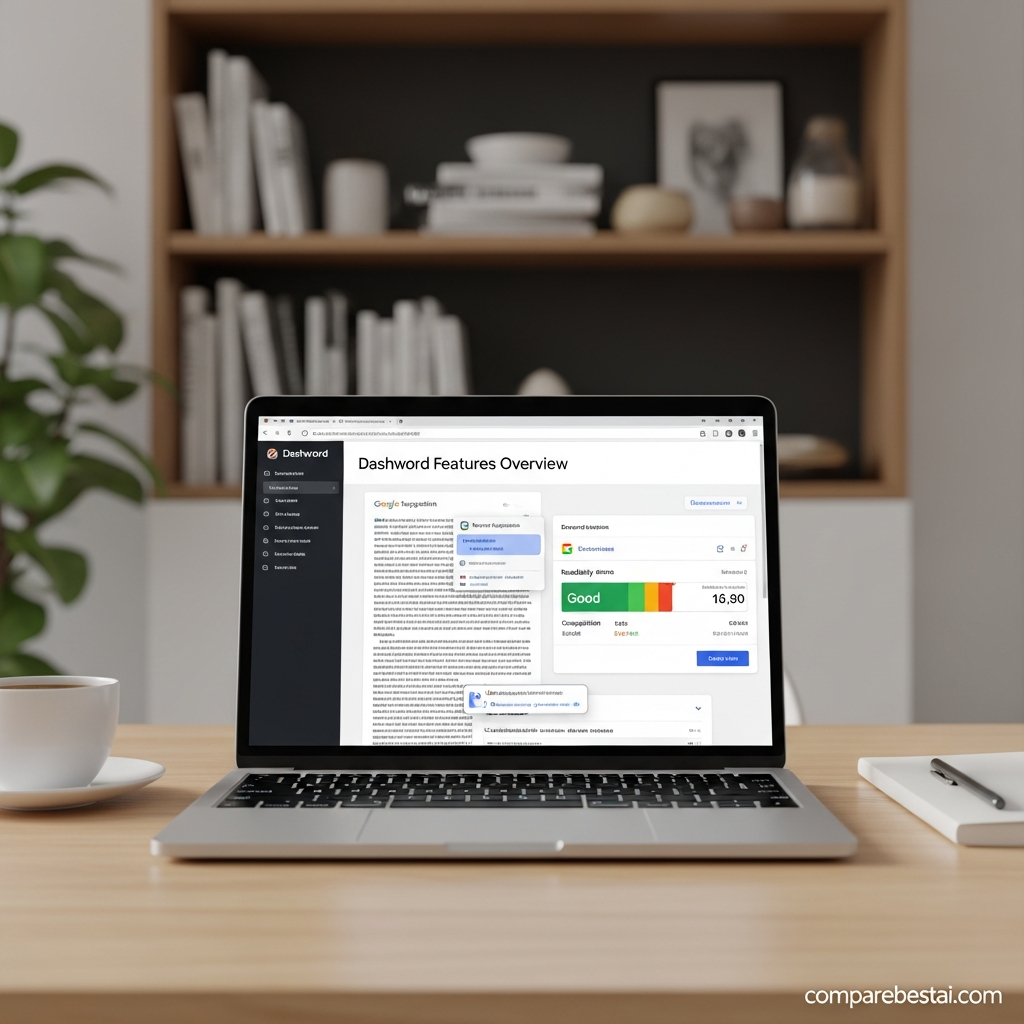
Content briefs are one of Dashword’s core features.
The brief builder lets teams use the information from a report to create an outline before the writer starts drafting.
A brief can include suggested sections, terms, questions, structure, and additional editorial instructions. Teams can edit the outline rather than accepting every automated recommendation.
Dashword also supports public sharing, allowing a writer or freelancer to access the relevant brief without necessarily seeing the rest of the account.
That workflow is useful for agencies because the strategist can define expectations before assigning an article.
Instead of sending a writer only a keyword such as “best CRM software,” the brief can establish the expected structure, topics, questions, and coverage requirements.
Dashword Content Editor and Real-Time Scoring
Dashword’s content editor provides a live content score while a writer works.
The editor displays recommended terms, current usage, word count, readability information, and the overall content grade.
Dashword documentation describes the score scale as running from F- to A+, with recommendations updating as content changes.
The goal should not be to mechanically force every term into an article.
A content score is an optimization signal, not proof that a page will rank.
Search performance also depends on:
- search intent,
- information quality,
- originality,
- authority,
- backlinks,
- technical SEO,
- internal linking,
- user experience,
- and competition.
Use the score to identify coverage gaps, then make editorial decisions based on the reader.
Google Docs Integration
Dashword still provides a Google Docs add-on.
The current knowledge-base instructions show users installing the add-on, making a keyword report public, copying the report URL, and loading that report inside Google Docs.
That is useful for teams whose writers already work inside Google Workspace.
Instead of forcing every writer into another editor, the SEO recommendations can accompany the existing document workflow.
The integration is particularly useful for agencies working with freelance writers because the content team can keep writing and editorial collaboration inside Docs while using Dashword for the optimization layer.
Content Monitoring After Publication
Dashword is not limited to pre-publication optimization.
Its current homepage still promotes Content Monitoring, including detecting underperforming pages, automated keyword reports, ranking tracking, and automatic page importing.
Dashword’s monitoring documentation describes tracking metrics such as:
- content score,
- keyword ranking,
- weekly organic traffic,
- and traffic trends.
This matters because SEO content does not remain competitive forever.
A page that covered a topic well in January may fall behind when competitors add new sections, search intent shifts, or the SERP changes.
Monitoring turns optimization into an ongoing workflow rather than a one-time publishing exercise.
Dashword AI Writer
Dashword now includes an AI Writer in its paid plans.
The current Startup plan includes 100,000 AI-written words, alongside reports, briefs, seats, API access, and content scoring.
The AI Writer is most useful when paired with the report.
Instead of generating generic content from a blank prompt, the writing process can use information derived from the target search results.
That still does not remove the need for human editing.
AI-generated content should be checked for:
- factual errors,
- unsupported claims,
- duplicated ideas,
- weak examples,
- brand voice,
- original experience,
- and whether it genuinely satisfies the user's intent.
Dashword API and MCP Server
This is one of the biggest changes compared with older Dashword reviews.
Dashword’s API is now available to every verified account, including free accounts. It is no longer restricted to expensive plans.
The REST API can create and retrieve reports and score content programmatically.
Dashword also provides a remote MCP server for compatible AI clients.
The MCP workflow follows a simple loop:
create report → retrieve brief → write → score → revise.
Dashword currently states that content scoring through MCP is free and unlimited; report creation consumes report credits. The MCP server allows up to 300 requests per hour per API key, while the REST API documentation lists a 60-request-per-minute account limit.
For technical content teams, this makes Dashword more interesting than it was when API access was plan-gated.
An organization could connect its writing agent directly to Dashword rather than manually copying terms and target lengths between applications.
Dashword Pricing in 2026
Dashword currently has two primary paid tiers.
| Plan | Price | Reports | Seats | Notable Features |
|---|---|---|---|---|
| Startup | $99/month | 30 | 5 | Briefs, AI Writer 100k words, API, MCP, unlimited scoring |
| Business | From $349/month | 100 | 10 | Briefs, AI Writer, bulk reports, API, MCP, SSO, unlimited scoring |
Dashword also advertises a 20% annual billing discount.
Startup — $99 per Month
Startup is positioned for individuals and small teams creating new content.
It currently includes:
- 30 content reports,
- five user seats,
- Content Briefs,
- 100,000 AI Writer words,
- API access,
- MCP access,
- and free unlimited content scoring.
That is a significant increase from the old $39 entry price shown in the current CompareBestAI article.
The change means Dashword is no longer a particularly low-cost SEO writing tool.
For small businesses where $99/month is a meaningful software expense, compare the wider market using our SEO tools for small businesses guide before subscribing.
Business — From $349 per Month
Business begins at $349/month.
It currently includes:
- 100 reports,
- ten user seats,
- Content Briefs,
- AI Writer,
- bulk report creation,
- API and MCP access,
- unlimited content scoring,
- and SSO.
This tier is aimed more clearly at agencies and established content teams.
Its strongest value proposition is not simply additional report volume; it is the ability to support a larger publishing operation with multiple users and bulk workflows.
Does Dashword Have a Free Trial?
The old article says Dashword offers a seven-day free trial.
That is no longer the correct offer.
Dashword currently says the first report is free and no credit card is required.
That is actually a better way to test this category of product than browsing the dashboard.
Create one report for a keyword you already understand.
Then compare Dashword's recommendations with:
- the live SERP,
- your existing article,
- your editorial judgment,
- and the resulting content score.
That gives you a realistic idea of whether the workflow is useful before paying $99/month.
Dashword Pros and Cons
| Pros | Cons |
|---|---|
| Clear SERP-driven content reports | $99/month starting price is relatively high for occasional users |
| Practical content brief builder | Does not replace full technical SEO software |
| Real-time content scoring | Scores can encourage over-optimization if followed mechanically |
| Google Docs add-on | Country/report coverage is more limited than some broad enterprise SEO suites |
| Content monitoring | Advanced teams may still need separate keyword/backlink/technical SEO platforms |
| Five seats on Startup | Small solo publishers may not need the team allowance |
| API on every plan | Reports still consume credits |
| MCP support for AI agents | AI-generated drafts still require editorial review |
| First report free | No permanent unlimited free report generation |
| Bulk reports and SSO on Business | Business starts at $349/month |
Who Should Use Dashword?
Dashword makes the most sense for teams that publish SEO-driven content repeatedly.
Content Agencies
Agencies can use reports and briefs to standardize what writers receive before production begins.
That helps reduce situations where every SEO strategist briefs content differently.
In-House SEO and Content Teams
Dashword fits teams publishing ongoing blog, landing-page, comparison, or resource content.
Monitoring also provides a reason to revisit older pages rather than focusing exclusively on new production.
Freelance SEO Writers
Freelancers can use the briefs and content scoring to better align drafts with search intent and topical expectations.
The main question is whether the $99 monthly minimum is justified by client volume.
AI-Assisted Content Teams
The REST API and MCP server make Dashword increasingly relevant to teams building AI writing workflows.
A team can programmatically create a report, retrieve its brief, generate a draft, score that draft, revise it, and repeat.
 Who Should Probably Skip Dashword?
Dashword is less compelling when you primarily need technical site audits, backlink analysis, local SEO tools, PPC data, or full keyword-research databases.
It is a focused content optimization product.
A solo blogger publishing one or two articles per month may also struggle to justify the $99 starting cost.
For users who want a different balance of price and features, compare Frase, Clearscope, NeuronWriter AI, and Scalenut.
The right alternative depends on whether you care most about briefs, semantic optimization, editorial governance, AI writing, or price.
Dashword vs Other Content Optimization Tools
Dashword’s strongest differentiator in 2026 is becoming less about “another NLP editor” and more about a compact SEO-content workflow that can work both manually and through AI agents.
That workflow now combines:
SERP research → brief → writing → scoring → monitoring → API/MCP automation.
The trade-off is scope.
Dashword is not trying to become an all-in-one SEO suite.
If you already have tools for keyword research, backlinks, technical auditing, and Search Console analysis, that focused approach may be useful.
If you want one platform to handle every SEO discipline, Dashword will probably need to sit alongside other software.
How We Evaluated Dashword
CompareBestAI evaluates tools based on current product documentation, pricing, workflow fit, limitations, integrations, ease of use, and whether a product solves the problem it claims to solve.
For Dashword, the most important evaluation factors are:
- quality of content reports,
- usefulness of the brief builder,
- real-time scoring,
- monitoring,
- collaboration,
- AI-writing workflow,
- API/MCP access,
- pricing,
- and whether the recommendations are useful without encouraging keyword stuffing.
You can read our broader tool evaluation methodology for how CompareBestAI approaches software reviews.
Frequently Asked Questions
What is Dashword?
Dashword is an SEO content optimization platform that analyzes ranking pages for a target keyphrase and produces content reports, briefs, relevant terms, questions, content scores, and monitoring data to support SEO-focused writing.
How much does Dashword cost?
Dashword Startup currently costs $99 per month and includes 30 content reports and five seats. Business starts at $349 per month with 100 reports and ten seats. A 20% annual discount is available.
Does Dashword have a free plan?
Dashword lets new users create their first report free without a credit card. Its API and MCP server are also available to verified free accounts, but ongoing report creation is governed by report credits.
Does Dashword work with Google Docs?
Yes. Dashword maintains a Google Docs add-on that lets users load a public keyword report inside Google Docs while working on a draft.
Does Dashword have an API?
Yes. Dashword's REST API is available to all verified accounts, including free accounts. It can create reports, retrieve report data, and score content programmatically.
Does Dashword support AI agents?
Yes. Dashword now provides an MCP server that lets compatible clients create reports, retrieve SEO briefs, and score drafts. It is available on all plans, including free accounts.
Dashword Review Verdict
Dashword has become a more technically interesting platform in 2026.
Its traditional strengths—SERP research, briefs, content scoring, Google Docs workflows, and monitoring—remain useful for SEO-focused content teams.
The bigger development is its move toward agent-compatible SEO workflows through REST API and MCP access.
The drawback is price.
At $99/month, Dashword needs to save meaningful research, briefing, editing, or optimization time to justify itself for a solo user.
For agencies and teams publishing content consistently, the five Startup seats, 30 reports, monitoring, API access, AI Writer, and unlimited scoring create a more credible value case.
Use the free first report on a real keyword before paying. Compare its brief against your own SERP analysis and see whether it identifies meaningful gaps you would otherwise miss.
If Dashword remains on your shortlist, compare AI tools side by side before choosing your content optimization stack.

