

Quick Answer: Deforum Studio is a web-based and Discord-connected AI animation service built around Stable Diffusion. It has historically offered prompt-driven animation, motion presets, visual modifiers, and selectable aspect ratios without requiring users to run a powerful local computer. However, its official website currently states that it cannot accept new users. Pricing and access should therefore be verified directly rather than relying on older plan descriptions.
Last Updated: September 19, 2026 Published: July 15, 2026 By CompareBestAI Editorial Team
Deforum Studio is part of the broader Deforum ecosystem, which uses Stable Diffusion to create evolving AI visuals and animations.
Unlike a conventional image generator that produces one still image, Deforum focuses on the transformation of visuals over time. Creators can use prompts, motion settings, and other controls to generate stylized sequences for experimental art, music visuals, and digital storytelling.
The Studio product was designed to simplify that process through a hosted web application and Discord bot.
There is one important consideration for anyone researching Deforum Studio in 2026: the official web applicatio currently says it cannot accept new users. Existing users can still access sign-in options.
That status changes the purchasing decision. Rather than choosing a subscription immediately, prospective users should first confirm whether registration has reopened or consider an alternative.
For a shorter product overview, see the Deforum Studio tool profile
Deforum Studio at a Glance
Category | Deforum Studio |
|---|---|
Product type | Hosted AI animation service |
Main technology | Stable Diffusion-based animation |
Primary interfaces | Web application and Discord bot |
Core use case | Prompt-driven artistic animation |
Motion presets | 25 described on the official project site |
Prompt modifiers | 77 described on the official project site |
Aspect ratios | Landscape, portrait, square |
Local GPU required for hosted Studio | Not for the described hosted workflow |
New-user registration | Currently unavailable |
Current subscription prices | Not publicly verified |
Commercial-use terms | Must be verified for the applicable service and account |
Suitable audience | AI artists, motion designers, experimental creators |
The motion preset and modifier counts come from Deforum's published project description Current availability comes from the separate Studio application
What Is Deforum Studio?
Deforum Studio is a hosted interface for creating animated visuals using Deforum technology.
The broader Deforum project began with notebook-based workflows and later expanded into a Stable Diffusion WebUI extension and additional tools.
Studio takes a different approach from those self-hosted implementations.
Instead of configuring the entire animation environment locally, users interact with a hosted application or Discord bot.
That can make the underlying animation workflow more accessible to creators who do not want to configure Python environments, install models, or maintain a local NVIDIA GPU.
However, Studio and the open-source Deforum projects should not be treated as the same product.
The hosted service determines account access, its own pricing, available controls, and service terms. The open-source repositories have separate installation requirements and software licenses.
You can explore that distinction further in the Deforum Stable Diffusion tool profile
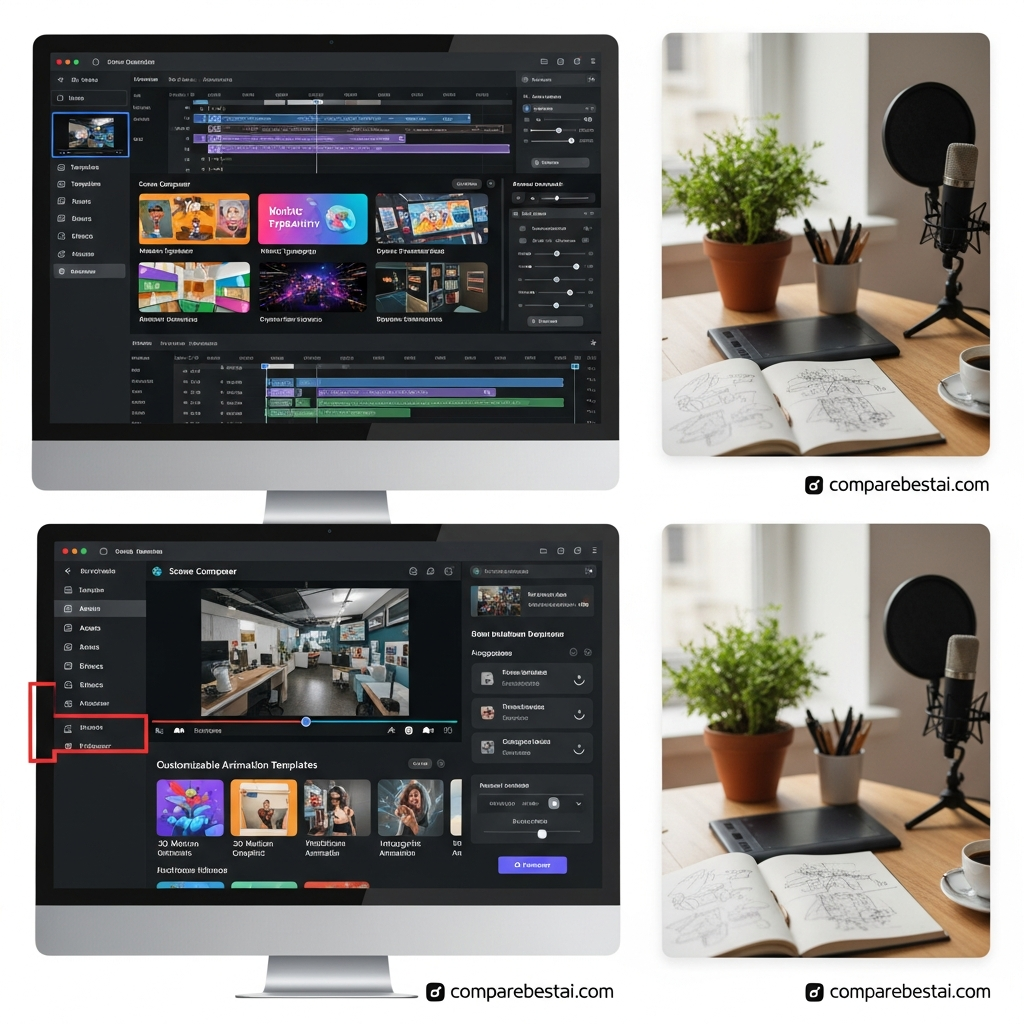 How Deforum Studio Works
The central workflow begins with a creative prompt.
A user describes a scene or visual style, chooses relevant animation settings, and generates a sequence in which the imagery changes over time.
Deforum's animation approach is especially associated with evolving imagery, camera-like motion, stylized transitions, and prompt-driven visual transformations.
1. Prompt-Driven Animation
Prompts describe the content and artistic direction.
For example, a creator might request an abstract environment, a surreal landscape, or a sequence of evolving geometric forms.
Specific wording can influence the appearance of the generated frames, although results depend on the model and settings.
2. Motion Presets
Deforum's official project description identifies 25 motion presets in Studio.
Examples displayed on its website include Fly-Through, Evolve-Pulse, Evolve-Glitch, and Shapes-Kaleidoscope.
Presets are useful because creators can begin with an established motion style rather than configure every parameter manually.
The available controls should still be checked inside the account because the public project description is not a live feature-by-plan matrix.
3. Visual Modifiers
The official project also describes 77 prompt modifiers.
These help users experiment with the visual character of an animation.
Modifiers provide a more structured starting point than creating every style instruction from scratch.
4. Aspect Ratio Selection
The published Studio description includes landscape, portrait, and square formats.
Those options correspond to common creative requirements such as widescreen content, vertical social media, and square digital artwork.
Resolution, export specifications, and current plan-specific limits should be checked separately.
Deforum Studio Web App and Discord Integration
Deforum Studio was designed around two interfaces: a browser-based application and a Discord bot.
The official application currently presents both Google and Discord sign-in options.
It also states that a user entering through Google can link a Discord account later.
This establishes that Discord is part of the product experience, but it does not independently verify every collaborative feature claimed by older reviews.
For example, the current publicly accessible pages do not confirm real-time collaborative prompt editing, private-render quotas, shared enterprise workspaces, or three-minute onboarding.
Those details should not be promised without current documentation.
For creators comparing community-oriented image generation, Midjourney is another product to evaluate, although its generation workflow is not identical to Deforum's animation system.
Is Deforum Studio Available in 2026?
As of this review update, Deforum Studio is not accepting new users.
The official website explicitly displays that status and provides sign-in options for existing accounts.
This does not necessarily mean that the Deforum ecosystem has stopped operating. It means the hosted Studio service is not currently available for new registrations through its public interface.
That is an important distinction because the broader open-source project remains separately documented.
What Should New Users Do?
New users should check Deforum Studio's official website for an availability update.
If immediate access to AI animation is required, evaluate another currently accessible product or investigate the open-source Deforum workflow.
Existing users should inspect their own account for current credits, subscription terms, export options, and available features.
Deforum Studio Pricing in 2026
Pricing is one of the weakest areas of the existing CompareBestAI article.
It currently lists specific Free, Pro, and Enterprise plans, but the publicly accessible official Studio page does not provide a current pricing table.
The accurate pricing presentation is therefore:
Pricing question | Verified information |
|---|---|
Can new users register? | Not currently |
Is there a current public price list? | Not verified |
Is a free plan available to new users? | Not verified |
Is there a $14.99 Pro plan? | Not verified |
Is there a $99.99 Enterprise plan? | Not verified |
Are unlimited renders available? | Not verified |
Is there a current free trial? | Not verified |
Can existing users manage their subscriptions? | Account-specific; confirm within the service |
Do not treat an older third-party price listing as a current offer.
The same caution applies to refund policies, credits, priority rendering, and commercial-use entitlements.
Deforum Studio vs Open-Source Deforum
These two options belong to the same general ecosystem but have different adoption requirements.
Factor | Deforum Studio | Open-Source Deforum |
|---|---|---|
Delivery | Hosted service | Locally or separately hosted |
Access | Account-based | Public source code |
Setup | Designed for simpler onboarding | Requires technical configuration |
GPU | Hosted rendering described | Hardware or cloud GPU may be needed |
Interface | Web app / Discord | Depends on implementation |
Pricing | Current service pricing unverified | No Studio subscription; compute may cost money |
Maintenance | Service provider | User or operator |
Licensing | Hosted terms require verification | Repository-specific licenses apply |
The Deforum Studio-associated repositor documents Python-based installation, Windows and Linux launch scripts, a graphical interface, a web interface, and command-line tools.
It also identifies NVIDIA CUDA hardware in its requirements and describes the codebase as being under development.
The repository lists GPL-3.0 licensing, while other Deforum ecosystem repositories have different licenses.
Consequently, users should evaluate the specific repository and model licenses involved rather than assuming every Deforum-related product has identical terms.
The official project also describes 77 prompt modifiers.
These help users experiment with the visual character of an animation.
Modifiers provide a more structured starting point than creating every style instruction from scratch.
4. Aspect Ratio Selection
The published Studio description includes landscape, portrait, and square formats.
Those options correspond to common creative requirements such as widescreen content, vertical social media, and square digital artwork.
Resolution, export specifications, and current plan-specific limits should be checked separately.
Deforum Studio Web App and Discord Integration
Deforum Studio was designed around two interfaces: a browser-based application and a Discord bot.
The official application currently presents both Google and Discord sign-in options.
It also states that a user entering through Google can link a Discord account later.
This establishes that Discord is part of the product experience, but it does not independently verify every collaborative feature claimed by older reviews.
For example, the current publicly accessible pages do not confirm real-time collaborative prompt editing, private-render quotas, shared enterprise workspaces, or three-minute onboarding.
Those details should not be promised without current documentation.
For creators comparing community-oriented image generation, Midjourne is another product to evaluate, although its generation workflow is not identical to Deforum's animation system.
Is Deforum Studio Available in 2026?
As of this review update, Deforum Studio is not accepting new users.
The official website explicitly displays that status and provides sign-in options for existing accounts.
This does not necessarily mean that the Deforum ecosystem has stopped operating. It means the hosted Studio service is not currently available for new registrations through its public interface.
That is an important distinction because the broader open-source project remains separately documented.
What Should New Users Do?
New users should check Deforum Studio's official websit for an availability update.
If immediate access to AI animation is required, evaluate another currently accessible product or investigate the open-source Deforum workflow.
Existing users should inspect their own account for current credits, subscription terms, export options, and available features.
Deforum Studio Pricing in 2026
Pricing is one of the weakest areas of the existing CompareBestAI article.
It currently lists specific Free, Pro, and Enterprise plans, but the publicly accessible official Studio page does not provide a current pricing table.
The accurate pricing presentation is therefore:
Pricing question | Verified information |
|---|---|
Can new users register? | Not currently |
Is there a current public price list? | Not verified |
Is a free plan available to new users? | Not verified |
Is there a $14.99 Pro plan? | Not verified |
Is there a $99.99 Enterprise plan? | Not verified |
Are unlimited renders available? | Not verified |
Is there a current free trial? | Not verified |
Can existing users manage their subscriptions? | Account-specific; confirm within the service |
Do not treat an older third-party price listing as a current offer.
The same caution applies to refund policies, credits, priority rendering, and commercial-use entitlements.
Deforum Studio vs Open-Source Deforum
These two options belong to the same general ecosystem but have different adoption requirements.
Factor | Deforum Studio | Open-Source Deforum |
|---|---|---|
Delivery | Hosted service | Locally or separately hosted |
Access | Account-based | Public source code |
Setup | Designed for simpler onboarding | Requires technical configuration |
GPU | Hosted rendering described | Hardware or cloud GPU may be needed |
Interface | Web app / Discord | Depends on implementation |
Pricing | Current service pricing unverified | No Studio subscription; compute may cost money |
Maintenance | Service provider | User or operator |
Licensing | Hosted terms require verification | Repository-specific licenses apply |
The Deforum Studio-associated repositor documents Python-based installation, Windows and Linux launch scripts, a graphical interface, a web interface, and command-line tools.
It also identifies NVIDIA CUDA hardware in its requirements and describes the codebase as being under development.
The repository lists GPL-3.0 licensing, while other Deforum ecosystem repositories have different licenses.
Consequently, users should evaluate the specific repository and model licenses involved rather than assuming every Deforum-related product has identical terms.
Deforum Studio Features: What Is Verified?
A reliable software review should distinguish published capabilities from claims that cannot currently be confirmed.
Published Product Capabilities
Deforum's official project website documents prompt-based AI animation, motion presets, prompt modifiers, three aspect-ratio choices, and web/Discord access.
These are meaningful product characteristics.
Capabilities Requiring Additional Verification
The existing article also claims support for custom model uploads, enterprise collaboration, 4K rendering, watermark-free exports, priority queues, unlimited output, and multilingual prompt support across a specified number of languages.
Those may be desirable features, but they cannot be presented as established current capabilities without documentation for the hosted service.
The existence of an open-source feature also does not prove that the same feature is exposed inside Studio.
What Can You Create With Deforum?
The Deforum animation approach is relevant to several creative workflows.
Experimental AI Art
Creators can use evolving prompts and motion to explore abstract or surreal imagery.
This is a natural fit for artists who want the generated sequence itself to be part of the creative process.
Music Visuals
Deforum-style animation can produce changing environments, geometric sequences, and dreamlike imagery suitable for music-video concepts.
However, precise audio synchronization depends on the chosen implementation and workflow.
Social Media Content
Short visual sequences can provide motion-driven content for social posts, teasers, and promotional experiments.
Production suitability depends on export availability, format, image consistency, and rights to the underlying content.
Creative Prototyping
Designers can test visual concepts before committing to a more expensive production workflow.
For creators beginning with AI video more generally, CompareBestAI's AI video creation guide for beginner provides broader context.
Deforum Studio Pros and Cons
Strength | Limitation |
|---|---|
Designed around creative animation | New users cannot currently register |
Web and Discord interfaces | Current public pricing is unavailable |
Published motion presets | Feature availability by plan is unclear |
Prompt modifiers | Output can require experimentation |
Hosted workflow avoids local setup | Users depend on service availability |
Part of a broader Deforum ecosystem | Hosted and open-source features differ |
Multiple described aspect ratios | Current export limits need verification |
The most important limitation in 2026 is not necessarily rendering quality or the learning curve.
It is the inability of a new user to start using the hosted service immediately.
Deforum Studio Alternatives
A practical alternative depends on the type of output you want.
Tool | Primary direction | Key consideration |
|---|---|---|
Deforum Studio | Prompt-driven evolving animation | New registrations unavailable |
Open-source Deforum | Configurable Stable Diffusion animation | Requires setup and compute |
Runway | Hosted AI video workflows | Different controls and pricing model |
Pika | Hosted AI video generation | Different generation workflow |
Kaiber | AI-assisted creative visuals and video | Verify current features and access |
Midjourney | Image-first creative generation, with video capabilities | Different creative controls |
These are workflow distinctions, not a universal quality ranking.
If you need an accessible hosted video generator, examine the current offerings of Pik or KaiberFor a broader look at production-oriented features, read the Runway AI video generation review
If your primary interest is advanced parameter control rather than a hosted interface, investigate open-source Deforum.
Deforum Studio vs Runway
Deforum Studio is associated with evolving Stable Diffusion imagery and preset-based animation.
Runway provides a separate hosted video-generation environment with its own models, creative tools, and workflow options.
The distinction is important for users who need to produce a particular visual result.
Someone seeking experimental motion and transforming imagery may be interested in Deforum's approach.
Someone seeking a currently accessible hosted production workflow should compare live tool capabilities, output limits, prices, and licensing before choosing a provider.
Deforum Studio vs Midjourney
The original article compares Deforum Studio with Midjourney as though both are interchangeable image-generation subscriptions.
That framing is incomplete.
Deforum's core identity is animation.
Midjourney's workflow grew from image generation and has its own visual and video capabilities.
A useful comparison therefore focuses on the intended output: stylized still imagery, evolving animation, or a more conventional generated video.
Do not compare an unverified Deforum subscription price with a current Midjourney price and declare a winner.
Can Deforum Studio Be Used Commercially?
Commercial use cannot be confirmed from the currently accessible Studio homepage.
The existing article says all paid plans provide unrestricted commercial rights, but that claim should be removed until current terms are available.
Commercial use also involves more than the application's subscription agreement.
Users may need to consider model licenses, third-party assets, music, recognizable people, client contracts, and the intended distribution of the finished work.
The open-source Deforum software license should not be confused with the hosted Studio service's terms or the licenses of models used to generate content.
For commercial work, obtain and retain the terms applicable to the exact account, model, and output.
Is Deforum Studio Safe and Private?
The public Studio homepage does not provide enough information to verify the old article's claim that prompts and outputs are automatically deleted after 30 days.
Nor does it establish the claimed encryption arrangements or data-retention policy.
Creators handling confidential client assets should review the current privacy policy, service terms, and account controls before uploading sensitive content.
Do not interpret a general GDPR-related statement as proof of a specific deletion period or security guarantee.
Who Should Consider Deforum Studio?
Deforum Studio is relevant to creators interested in experimental AI animation who already have access to the hosted service.
Its historical positioning also makes it interesting to artists who prefer a web or Discord interface over maintaining a local animation environment.
It is less practical for a new user who needs immediate access because registration is currently closed.
Technical users can investigate the open-source alternatives, while creators who primarily need an available commercial video platform can compare other hosted products.
How We Evaluated Deforum Studio
This review assesses the available product information using the official Studio website, Deforum's project documentation, the public repository, the product's intended use cases, and the distinction between hosted and self-hosted software.
We have not assigned numerical scores for rendering quality, customer satisfaction, or speed because those claims would require a reproducible test methodology and representative data.
Current subscription pricing, support response times, and service-level promises are likewise not included without accessible evidence.
For CompareBestAI's broader editorial approach, read how we evaluate AI tools .
Frequently Asked Questions
What is Deforum Studio?
Deforum Studio is a web-based and Discord-connected AI animation service built around Deforum's Stable Diffusion animation technology.
Is Deforum Studio accepting new users in 2026?
Not currently. Its official homepage states that it cannot accept new users and provides sign-in options for existing users.
How much does Deforum Studio cost?
Current subscription pricing could not be verified from the publicly accessible official website. Older third-party price tables should not be treated as current offers.
Does Deforum Studio work with Discord?
Yes. Deforum's official project website describes a Discord bot, and the Studio homepage offers Discord sign-in. Current bot access and account-specific capabilities should be confirmed directly.
Does Deforum Studio require an NVIDIA GPU?
The hosted Studio experience was designed to avoid requiring a powerful local computer. Running Deforum software yourself is different: its public repository specifies NVIDIA CUDA hardware for its local environment.
Is Deforum Studio the same as open-source Deforum?
No. Studio is a hosted service, while the broader Deforum ecosystem includes separately maintained open-source implementations. Setup, licensing, features, and access can differ.
Can I use Deforum Studio for commercial projects?
The current publicly accessible information does not establish unrestricted commercial rights. Check the applicable service terms, model licenses, and account conditions before using generated assets commercially.
Final Verdict: Is Deforum Studio Worth Using in 2026?
Deforum Studio's underlying concept remains relevant for creators interested in prompt-driven animation and evolving visual sequences.
Its published motion presets, modifiers, aspect-ratio choices, and web/Discord positioning explain why it attracts interest from AI artists.
However, the current availability status substantially affects its usefulness to prospective users.
Existing account holders can evaluate the features and terms available to them. New users should not assume immediate access, an active free plan, or any of the subscription prices quoted in older reviews.
For an immediate creative workflow, compare currently accessible alternatives. For technical experimentation, consider open-source Deforum and the hardware and licensing requirements associated with that route.
You can compare AI tools side by sid or explore the broader Video Generation categor before choosing a workflow.

