
Quick Verdict
Yes, Grammarly is worth considering in 2026 for professionals, students, marketers, customer-facing teams, and frequent writers who want real-time help with grammar, clarity, tone, rewriting, and communication across the apps they already use.
The Free plan is enough for basic proofreading, tone detection, and light AI assistance. Grammarly Pro makes more sense for people who write every day and need full-sentence rewrites, advanced tone adjustments, plagiarism and AI-content detection, higher generative AI limits, or team consistency features.
Grammarly is less compelling if your main goal is generating long articles from scratch, deep creative writing, coding, or broad research. In those workflows, a general-purpose AI assistant or specialist writing tool may provide more value.
Best for: Professional communication, editing, proofreading, rewriting, students, marketing teams, and organizations that need consistent writing.
Pricing checked: August 14, 2026.
Grammarly at a Glance
| Category | Grammarly |
|---|---|
| Free plan | Yes |
| Main paid plan | Grammarly Pro |
| Pro monthly | $30/member/month |
| Pro quarterly | $60/member every 3 months |
| Pro annual | $144/member/year |
| Annual equivalent | $12/member/month |
| Free AI prompts | 100/month |
| Pro AI prompts | 2,000/member/month |
| Enterprise AI prompts | Unlimited |
| Writing support | 20+ languages |
| Apps and sites | 1 million+ |
| Users | 40 million people |
| Organizations | 50,000 |
| Free trial | 7 days for eligible Pro users |
What Is Grammarly in 2026?
Grammarly is an AI writing and communication platform that helps users improve grammar, spelling, punctuation, clarity, tone, structure, and style while they write.
It works across more than one million apps and websites, including environments such as Gmail, Google Docs, Microsoft Word, Outlook, Slack, LinkedIn, and browser-based tools.
Grammarly has expanded beyond traditional grammar correction. Its current platform includes generative AI, paragraph rewrites, multilingual writing support, AI agents, plagiarism and AI-content detection, Docs, and team tools for maintaining consistent brand and communication standards.
Grammarly is now part of the broader Superhuman suite, although Grammarly remains the writing-focused product.
Grammarly Features in 2026
Grammar, Spelling and Proofreading
Grammarly checks spelling, punctuation, grammar, sentence structure, and common writing errors while you type.
The main advantage is that the assistance follows you across many of the apps and websites where you already work rather than requiring every document to be copied into a separate editor.
Clarity and Rewriting
Paid users can access full-sentence and paragraph rewriting designed to improve clarity, structure, flow, and concision.
Suggestions should still be reviewed rather than accepted automatically, especially when writing requires a distinctive personal or technical voice.
Tone Detection and Adjustment
Grammarly Free can identify how writing may sound to the reader.
Pro adds more advanced tone adjustment, helping users rewrite messages to better match the intended audience or situation.
Grammarly AI Agents
Grammarly now provides specialized AI agents designed for specific writing tasks.
Current agents include tools for proofreading, paraphrasing, finding citations, predicting reader reactions, checking AI-generated content, checking plagiarism, improving naturalness, and providing academic feedback.
This makes Grammarly more than a traditional grammar checker.
Multilingual Writing Support
Grammarly now provides real-time writing assistance across more than 20 languages.
Basic grammar and spelling support is available across the broader language set, while more advanced clarity, tone, fluency, rewriting, and translation features vary by language.
Users who work in several languages should confirm that the specific advanced features they need are supported in their languages.
Plagiarism and AI-Content Detection
Grammarly Pro includes tools for detecting potential plagiarism and AI-generated text.
These tools can assist with editorial and academic review, but automated detectors should not be treated as infallible proof of authorship or misconduct.
Grammarly Pricing in 2026
Grammarly's primary web plans are now Free, Pro, and Enterprise.
Grammarly Free
Grammarly Free costs $0.
It includes core writing corrections, tone detection, and up to 100 generative AI prompts each month.
It is a good starting point for casual users who mainly need basic proofreading.
Grammarly Pro
Grammarly Pro currently costs:
- $30 per member per month with monthly billing
- $60 per member every three months with quarterly billing
- $144 per member per year with annual billing
The annual plan works out to an average of $12 per member per month.
Pro includes advanced rewriting, tone adjustment, plagiarism and AI-content detection, 2,000 generative AI prompts per member each month, and additional team-oriented writing features.
Grammarly Pro can support individuals or teams of up to 149 seats.
Grammarly Enterprise
Enterprise uses custom pricing.
It adds functionality designed for larger organizations, including advanced administration, security, governance, data-loss prevention, custom roles and permissions, dedicated support, and broader enterprise AI capabilities.
What Happened to Grammarly Premium and Business?
Grammarly Pro replaced the previous Premium and Business structure for web customers.
Premium can still appear for some users who subscribe through mobile app stores, but new buyers using Grammarly's main website should evaluate Free, Pro, and Enterprise.
Grammarly Pros and Cons
Pros
- Real-time proofreading across many apps and websites
- Strong grammar, spelling, punctuation, and clarity assistance
- Useful full-sentence and paragraph rewrites
- Tone detection on the free tier
- More advanced tone adjustment on Pro
- 20+ supported writing languages
- AI agents for specialized writing tasks
- Plagiarism and AI-content detection on Pro
- Useful team tools for consistent communication
- Free plan available
- Works across more than one million apps and websites
Cons
- Monthly Pro billing is expensive for occasional writers
- Some advanced features remain primarily strongest in a smaller set of languages
- Suggestions can sometimes smooth out deliberate writing style
- General-purpose AI assistants may be better for extensive drafting, research, or brainstorming
- Automated plagiarism and AI detection should still be interpreted carefully
- Enterprise pricing is not publicly standardized
Who Should Use Grammarly?
Grammarly is particularly useful for people who spend a large part of their day writing or editing existing text.
It is a strong fit for:
- business professionals
- marketers and content teams
- customer support teams
- students
- educators
- executives
- non-native speakers working in supported languages
- teams that need consistent tone and terminology
Casual users who only need spelling and grammar correction should start with Free before paying.
Writers who primarily want long-form content generation, coding assistance, deep research, or open-ended brainstorming should compare Grammarly with broader AI assistants before subscribing.
Grammarly Alternatives
Grammarly is not the best fit for every writing workflow.
Choose QuillBot when paraphrasing is your main priority.
Choose Wordtune when sentence-level rewriting and tone refinement are most important.
Consider ProWritingAid when you need deeper long-form editorial analysis.
Consider LanguageTool when multilingual grammar checking is the main requirement.
Consider ChatGPT or another general-purpose AI assistant when drafting, research, brainstorming, and broader knowledge work matter more than always-on proofreading.
Verified Grammarly Facts for 2026
Information checked: August 14, 2026
Grammarly currently states that more than 40 million people and 50,000 organizations use its products.
Grammarly works across more than one million apps and websites.
Its primary web plans are Free, Pro, and Enterprise.
Grammarly Pro costs $30 per member with monthly billing, $60 per member every three months with quarterly billing, or $144 per member per year.
Free currently includes 100 generative AI prompts per month.
Pro includes 2,000 generative AI prompts per member per month.
Grammarly currently supports real-time writing assistance across more than 20 languages.
Grammarly provides specialized AI agents including Citation Finder, Reader Reactions, Proofreader, Paraphraser, AI Detector, and Plagiarism Checker.
Grammarly is now part of the Superhuman suite.
Sources: Grammarly official pricing, product, Help Center, language, and company documentation. Facts checked August 14, 2026.
Unlock AI Writer Insights - Free Email Series
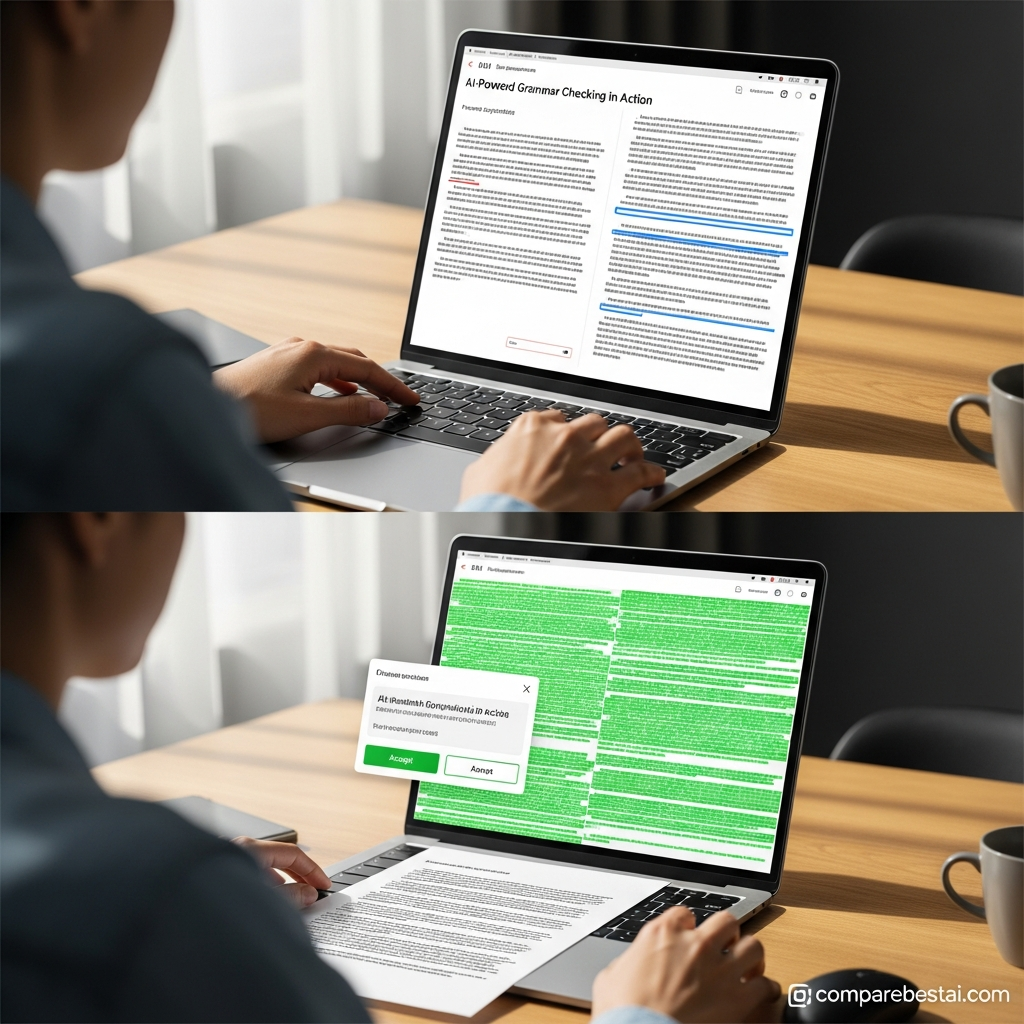
With all these attributes, it’s easy to see why this grammarly review emphasizes Grammarly’s versatility for both casual writers and teams operating at scale. Let’s explore whether the pricing delivers equally strong value for money.
How It Compares to Top Alternatives
Grammarly maintains a leading position, but the market for AI writing assistants is increasingly competitive. To give a full grammarly review, it’s essential to compare Grammarly to top alternatives: HyperWrite, Ryse AI, Neuroflash, Simplified, and Typli.ai. Each tool targets overlapping user groups, with unique pricing structures and feature sets.
HyperWrite offers a compelling alternative for users seeking AI-powered writing completions (autocomplete), research aid, and brainstorming. While Grammarly excels at grammar and clarity checks, HyperWrite leans heavily into original content generation, helping professionals create copy, emails, and reports from scratch. Its strength is rapid idea expansion-though it is slightly pricier, starting at $19.99/mo as of May 2026 (Try HyperWrite now). HyperWrite’s core audience includes content strategists and marketers focused on ideation rather than editing.
Ryse AI is tailored for agencies and businesses seeking end-to-end copywriting and SEO tools. Unlike Grammarly, which focuses on mechanics and style, Ryse AI offers over 30 copywriting templates, A/B testing suggestions, and keyword-based prompts. At $10/mo, it may represent a value alternative for teams with a heavy promotional content workload (Try Ryse AI now). However, Ryse AI is less effective as a general-purpose grammar checker compared to Grammarly’s comprehensive error detection.
Neuroflash stands out for its multilingual support (10+ languages) and robust AI content creation suite. International businesses-and those needing English, French, or Spanish copy-find it a flexible, affordable alternative to Grammarly. Its SEO modules are well-reviewed among users in need of end-to-end blog generation or localization solutions (Try Neuroflash now).
Simplified and Typli.ai round out the alternatives with their blend of design, scheduling, and writing automation. Simplified ($24/mo) is ideal for social media teams, online entrepreneurs, and creators managing both text and visual content. Typli.ai, popular for blog writing, offers AI content suggestions and integrates with common blogging platforms (Try Typli.ai now).
What about core strengths? Grammarly wins on cross-platform consistency, administrative controls, and third-party integrations like Grammarly for Word and the Chrome extension. Its essay checker and plagiarism scanning are more advanced than what most competitors offer. For teams and frequent writers, Grammarly’s ROI holds up, especially for quality and compliance-focused organizations.
For solo copywriters, ideators, or non-English teams, alternatives may deliver slightly better value at lower price points. Still, as recent product updates and grammarly review guides confirm, Grammarly’s mature AI grammar check, clarity engine, and regular feature releases keep it as the top recommendation for English-centric writing quality in 2026.

When reading any grammarly review, it’s essential to consider niche needs, platform preferences, and how much support your workflow requires. More about each competitor can be found in our “Best Grammarly Alternatives” and “Grammarly vs Competitors” pages for deep dives.
Grammarly Review FAQ
Is Grammarly worth it in 2026?
Yes, Grammarly can be worth paying for if you write frequently and value real-time proofreading, rewriting, tone adjustment, plagiarism checking, AI-content detection, or team communication features.
Occasional writers should start with the Free plan before deciding whether Pro provides enough additional value.
Is Grammarly free?
Yes.
Grammarly Free provides core grammar and spelling assistance, tone detection, and a limited number of generative AI prompts.
More advanced rewriting, plagiarism detection, AI-content detection, and higher AI usage are available with Pro.
How much does Grammarly Pro cost?
Grammarly Pro currently costs $30 per member per month with monthly billing.
Quarterly billing costs $60 per member every three months.
Annual billing costs $144 per member per year, which works out to an average of $12 per month.
What happened to Grammarly Premium?
Grammarly Pro has replaced Premium for most users purchasing directly through Grammarly's website.
Premium may still be available to some users who subscribe through mobile app stores.
Does Grammarly work in languages other than English?
Yes.
Grammarly now provides writing support across more than 20 languages.
The exact grammar, clarity, tone, rewriting, and translation features available vary by language.
Does Grammarly detect plagiarism?
Grammarly Pro includes plagiarism detection.
It also provides AI-generated text detection, although automated detection results should be treated as one signal rather than definitive proof of authorship.
Does Grammarly work with Microsoft Word and Google Docs?
Yes.
Grammarly works across Microsoft Word, Google Docs, browsers, email platforms, messaging tools, desktop applications, and many other supported writing environments.
Is Grammarly better than ChatGPT?
They solve somewhat different problems.
Grammarly is particularly strong as an always-available editing and proofreading layer that improves writing while you work across other applications.
ChatGPT is broader and generally better suited to research, brainstorming, drafting from scratch, analysis, and other general-purpose AI tasks.
Some users may benefit from using both rather than treating them as direct replacements.
Final Verdict: Is Grammarly Worth It?
Grammarly remains a strong choice in 2026 for people who want writing assistance directly inside the tools they already use.
Its biggest advantage is not simply grammar correction. The combination of real-time proofreading, rewrites, tone assistance, multilingual support, AI agents, plagiarism checking, and cross-app availability makes it particularly useful for frequent professional writers and teams.
The Free plan is sufficient for many casual users.
Pro is easier to justify when writing quality affects your work every day or when advanced rewriting, higher AI limits, plagiarism checking, and team consistency save meaningful time.
Start with Free, identify which limitations actually affect your workflow, and upgrade only if the Pro features solve those problems.
Download the Free Buyers Guide →
Try Grammarly free - start today →
Found this guide useful? Share it with your team.

