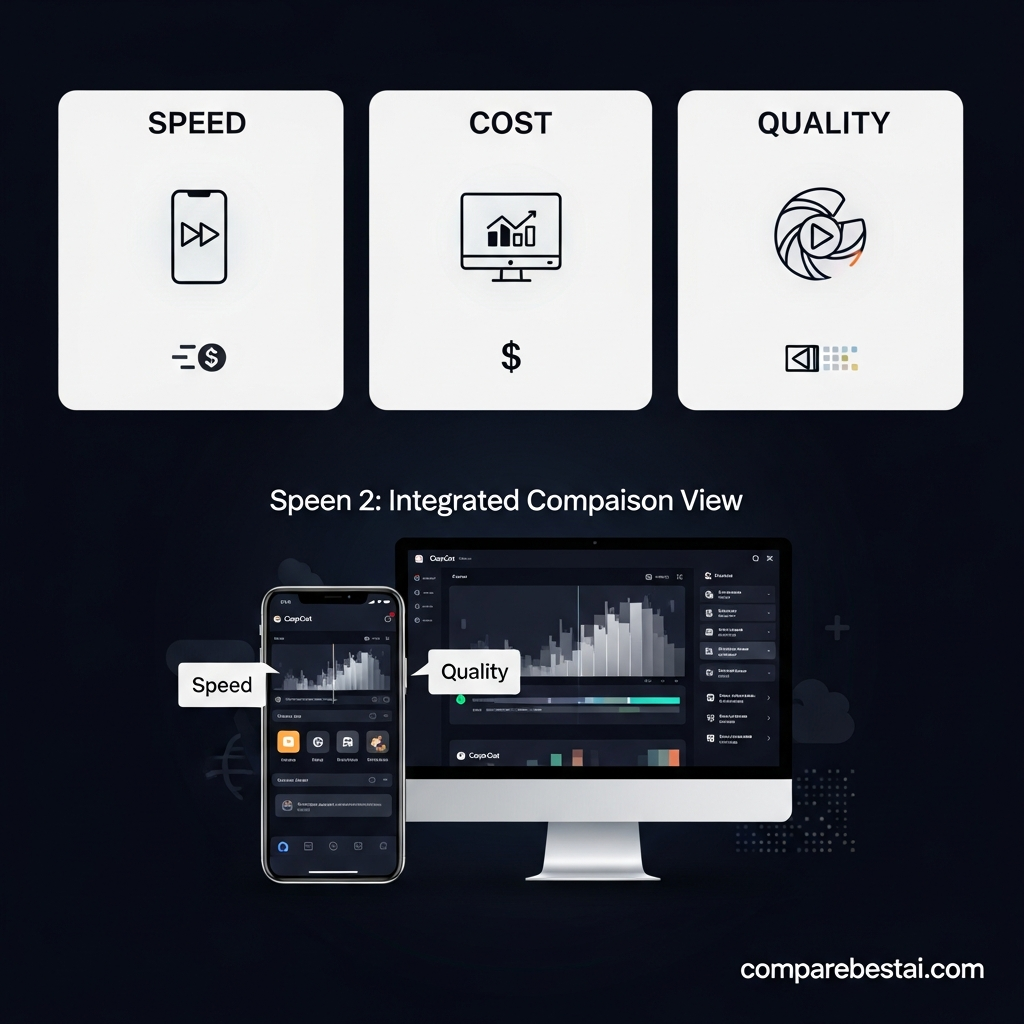

Quick Answer: Is CapCut Worth It?
Yes, CapCut is worth using for most beginners, social media creators, marketers, and small businesses that need fast video editing without the learning curve of professional editing software.
Its strongest use cases are TikTok videos, Instagram Reels, YouTube Shorts, captions, background removal, quick resizing, templates, voiceovers, and AI-assisted social video production.
CapCut is less suitable as a primary editor for filmmakers and professional post-production teams that need advanced color management, highly detailed audio workflows, extensive codec control, or complex long-form production.
The free version is enough to evaluate CapCut and complete many common editing tasks. Paying for Standard or Pro makes more sense when premium assets, advanced editing functionality, cloud features, or higher AI usage become important to your workflow.
Bottom line: Start with CapCut free. Upgrade only when a specific paid feature is solving a real production bottleneck.
Who Is CapCut Worth It For?
CapCut provides the most value to users who prioritize speed, ease of use, and social-first video production.
It is particularly well suited to:
- TikTok, Instagram Reels, and YouTube Shorts creators
- Beginners learning video editing
- Social media managers producing frequent video content
- Small businesses creating product and promotional videos
- Marketers repurposing footage across several aspect ratios
- Creators who regularly need automatic captions, background removal, voiceovers, and fast rough cuts
CapCut's combination of traditional timeline editing and AI-assisted tools makes it especially useful when publishing speed matters more than highly specialized post-production control.
Who Should Skip CapCut?
CapCut may not be the best primary editor if your work requires advanced professional post-production.
Consider alternatives such as Adobe Premiere Pro or DaVinci Resolve if you regularly need sophisticated color workflows, advanced audio production, detailed codec management, large collaborative productions, or highly complex long-form timelines.
Dialogue-heavy editors and podcasters may also prefer Descript when transcript-based editing is central to the workflow.
CapCut can still be useful alongside these applications for quick captions, social cuts, resizing, and other rapid production tasks.
Is CapCut Free Good Enough?
For many beginners and casual creators, yes.
CapCut offers free video editing capabilities across its ecosystem, including core timeline editing and access to a range of AI-assisted and creative tools. However, some templates, assets, AI functionality, cloud features, and advanced editing capabilities can require a paid membership.
The best approach is to start with the free version and identify exactly which limitations affect your workflow before paying.
Do not upgrade simply because a Pro plan exists. Upgrade when a paid feature saves enough time or improves enough of your output to justify the cost.
When Is CapCut Pro Worth Paying For?
A paid CapCut plan becomes easier to justify when you use the platform regularly for professional or high-volume content creation.
CapCut introduced a newer membership structure in 2026 that includes Standard and upgraded Pro options.
CapCut says pricing can vary according to region, device, and available promotions, so users should check the subscription screen on their own account before making a purchasing decision.
The upgraded Pro tier is aimed at creators who need greater AI usage, storage, premium creative resources, and professional editing functionality.
Before subscribing, compare the exact features available in your market with the tools you actually use each month.
CapCut's Most Useful AI Editing Features
CapCut combines standard video editing with AI-assisted production features.
Some of its most useful current capabilities include:
- Auto Captions for generating subtitles from speech
- Auto Reframe for adapting footage to different aspect ratios
- Script to Video for turning written ideas into draft videos
- AI Writer for generating video scripts
- Background removal and Auto Cutout
- Text-to-speech voiceovers
- AI Clipper for identifying useful sections of footage
- Filler-word removal
- Voice enhancement and background-noise reduction
- AI-assisted visual and asset generation
These tools can reduce repetitive editing work, but AI-generated scripts, captions, cuts, and creative assets should still be reviewed before publication.
CapCut Pros and Cons
Pros
- Beginner-friendly editing workflow
- Strong mobile, desktop, and web availability
- Useful free editing capabilities
- Excellent fit for short-form social video
- Automatic captions and reframing
- Background removal without a green screen
- Script-to-video and other AI-assisted creation tools
- Large selection of effects, templates, and creative assets
- Fast workflow for TikTok, Reels, and YouTube Shorts
Cons
- Some useful features and assets require paid membership
- AI and subscription availability can vary by region
- Advanced AI workflows can involve usage limits
- Less suitable than specialist professional editors for complex post-production
- Heavy reliance on templates can make content feel generic
- Businesses working with sensitive footage should review CapCut's current privacy, cloud, and data policies before adopting it broadly
Is CapCut Worth It for TikTok, Reels and YouTube?
For short-form social video, CapCut is one of its most compelling use cases.
Auto Reframe can adapt footage to different aspect ratios, while automatic captions, templates, effects, voice tools, and quick editing workflows can reduce the amount of manual work required to publish TikToks, Instagram Reels, and YouTube Shorts.
The main advantage is not that CapCut guarantees better algorithmic performance. No editing application can guarantee that.
Its advantage is that it makes common social-video production tasks faster and easier to repeat consistently.
For longer YouTube videos, CapCut can still work well for straightforward editing, but creators producing complex long-form projects may eventually prefer a more specialized desktop editor.
Evaluating Core AI Capabilities for Modern Creators
The definition of a "video editor" has changed. In 2026, users expect tools to not only cut clips but to generate assets from scratch. The CapCut AI video tool ecosystem has expanded significantly to meet this demand, offering features that streamline the workflow from ideation to export.
The platform’s standout feature is its ability to create professional videos fast using generative logic. Unlike traditional timeline editors that require manual trimming, CapCut’s "Script-to-Video" engine analyzes text prompts and automatically matches them with stock footage, AI-generated voiceovers, and dynamic captions. This CapCut AI text to video functionality is essential for high-volume content strategies where speed often trumps cinematic perfection.
Automated Editing Workflows
For beginners and seasoned marketers alike, the CapCut AI features designed for automation are a major draw. The "Auto-Cut" function syncs footage to the beat of trending audio, while AI-driven background removal eliminates the need for green screens. These tools reduce the technical barrier to entry, making CapCut AI editing for beginners highly accessible while saving hours of post-production time for professionals.
Generative Templates and Assets
The library of CapCut AI video templates has evolved to include smart assets that adapt to your brand identity. Rather than static overlays, 2026 versions of these templates allow for dynamic resizing and style transfer, ensuring visual consistency across different campaigns without manual tweaking.
Compare CapCut with other AI video editors
To understand the tool's true value, we must contextualize it within the broader software market. When choosing the best AI video editing app, it is vital to compare CapCut AI alternatives that cater to similar user bases.
CapCut AI vs Canva Video
Canva has aggressively integrated AI into its design suite. When comparing CapCut AI vs Canva video capabilities, the distinction lies in depth versus breadth. Canva excels at broader design integration—perfect for teams needing social graphics alongside video. However, CapCut retains the edge in granular video control, offering superior keyframe animation, velocity edits, and audio adjustments that Canva’s simplified timeline lacks.
CapCut AI vs Descript
For creators focused on dialogue-heavy content, such as podcasts or webinars, the CapCut AI vs Descript comparison is inevitable. Descript remains the industry leader for text-based video editing and ultra-realistic voice cloning. While CapCut offers auto-captions and basic audio cleanup, it does not match Descript’s precision in "overdubbing" or editing video by deleting text. For a deeper dive into how AI is reshaping productivity tools, resources like the MIT Technology Review AI section offer excellent insights into the underlying tech.
Optimizing Content for Social Platforms
One of the strongest arguments for the platform is its native integration with social algorithms. Using CapCut AI for content creators means utilizing tools specifically built for retention-focused editing.
Short-Form Dominance: TikTok and Reels
The synergy between CapCut AI for TikTok videos is unmatched. The platform provides direct access to trending effects and sounds that are algorithmically favored. The "Smart Ratio" feature automatically reframes horizontal footage into vertical 9:16 formats, ensuring that repurposing content for Instagram Reels or TikTok takes seconds rather than minutes.
Long-Form Adaptation: YouTube
While often associated with shorts, using CapCut AI for YouTube videos is becoming increasingly viable for mid-length content. The CapCut AI desktop version review data suggests that the PC and Mac applications handle 4K multi-layer editing surprisingly well. However, for feature-length documentaries or high-end commercial work, the CapCut AI export quality (bitrate limitations) may still fall short compared to DaVinci Resolve or Premiere Pro.
The Realities of Reliability and User Experience
Beyond the feature list, the practical user experience dictates long-term adoption. We must assess the friction points of the CapCut AI mobile video editor versus its desktop counterpart.
- Cross-Platform Cloud Sync: Projects sync reasonably well between mobile and desktop, allowing creators to start an edit on a phone during a commute and refine it on a desktop later.
- Interface Usability: The UI prioritizes drag-and-drop functionality. While this is excellent for speed, it can feel limiting for editors accustomed to complex node-based workflows.
- Performance: AI rendering requires significant processing power. On older mobile devices, using heavy CapCut AI video editor effects can lead to latency or crashes.
Cost Analysis: Subscription Tiers and ROI
Financial prudence is key in digital strategy. Understanding the CapCut pricing plans is essential to determining value. While a free version exists, it is heavily restricted, watermark-laden, and lacks the premium AI features discussed above.
The CapCut AI subscription cost for the Pro version is generally positioned as an affordable monthly operational expense compared to Adobe's Creative Cloud. For a freelancer or small business, the return on investment is calculated by time saved. If the CapCut AI use cases such as auto-captioning and template usage—save a creator just two hours a month, the subscription pays for itself. For more on budgeting for marketing tools, the HubSpot Blog provides extensive guides on calculating marketing ROI.
CapCut FAQ
Is CapCut actually worth using?
Yes, for many creators. CapCut is particularly valuable for beginners, social media creators, marketers, and small businesses that need fast editing, captions, resizing, templates, background removal, and other AI-assisted video tools.
Professional post-production teams may need more advanced software.
Is CapCut free?
CapCut offers free video editing functionality, but some advanced features, premium assets, AI capabilities, cloud functionality, and creative resources require a paid membership.
Plan availability and pricing can vary by region and device.
Does CapCut put a watermark on every free video?
No. CapCut supports watermark-free export in a number of free editing workflows.
However, specific templates, premium assets, functionality, or export workflows can have different restrictions, so users should check the conditions attached to the tools they use.
What is the difference between CapCut Standard and Pro?
CapCut introduced a Standard membership as a more accessible paid option for creators who want additional templates, materials, and advanced editing tools.
The upgraded Pro membership is positioned toward creators who need higher AI usage, expanded cloud resources, and more professional editing capabilities.
Because plan features can change, compare the current subscription options inside CapCut before upgrading.
Is CapCut good for beginners?
Yes. CapCut is one of the more approachable video editors for beginners because it combines a visual timeline, templates, automatic captions, background removal, resizing, and other assisted workflows.
Is CapCut good enough for professional work?
It depends on the type of professional work.
CapCut can be effective for social media marketing, short-form branded content, product videos, advertising concepts, and rapid content production.
Editors working on complex films, broadcast projects, advanced color pipelines, or highly detailed audio workflows may need software such as Adobe Premiere Pro or DaVinci Resolve.
Is CapCut better than Canva for video editing?
CapCut is generally more video-focused, while Canva combines video with a much broader design workflow.
Choose CapCut when timeline editing, captions, effects, social clips, and footage manipulation are your main priorities.
Choose Canva when video is only one part of a larger workflow involving presentations, social graphics, documents, and brand design.
Is CapCut better than Descript?
CapCut is generally better suited to visual social-video editing, effects, templates, and mobile-first creation.
Descript is particularly useful for podcasts, interviews, webinars, and other dialogue-heavy content because of its transcript-based editing workflow.
Verified CapCut Facts
Information checked: August 14, 2026
CapCut currently provides AI-assisted video tools including Script to Video, Auto Reframe, Auto Captions, background removal, text-to-speech, AI Clipper, and other automated editing features.
CapCut introduced a newer membership structure in 2026 that includes a Standard plan and an upgraded Pro plan.
CapCut states that subscription pricing can vary according to region, device, and available promotions.
CapCut offers monthly and annual subscription options.
CapCut's official website currently promotes free online video editing and supported watermark-free export workflows.
Because CapCut frequently changes plans, AI allowances, storage, and feature availability, users should verify current subscription details inside the CapCut app or website before purchasing.
Sources: CapCut official website and CapCut Help Center. Information checked August 14, 2026.
Final Verdict: Is CapCut Worth It?
CapCut is worth using in 2026 if your priority is creating social and marketing video quickly without mastering complex professional editing software.
Beginners can start with the free version and learn the workflow without immediately committing to a subscription. Frequent creators can then evaluate Standard or Pro when paid features begin solving specific production limitations.
CapCut is especially strong for TikTok, Instagram Reels, YouTube Shorts, captions, quick resizing, background removal, and fast content repurposing.
It is less compelling as a complete replacement for professional post-production software when projects require advanced color, audio, codec, or long-form workflow control.
For most social-first creators, the best approach is simple: start free, identify your bottleneck, then upgrade only if CapCut's paid features solve it.
Compare CapCut with other AI video editors before upgrading.
Conclusion: Is the Investment Justified?
So, is CapCut worth it in 2026? For social media managers, influencers, and small businesses aiming to maintain a high-frequency video output, the answer is a resounding yes. The efficiency gains provided by CapCut AI for social media videos far outweigh the monthly cost. It democratizes high-quality video production, allowing users to bypass technical hurdles and focus on storytelling.
However, for enterprise-level production houses or filmmakers requiring granular control over codecs and color grading, it remains a supplementary tool rather than a primary workstation. As AI continues to advance, we can expect CapCut to further blur the line between consumer fun and professional utility. Staying updated on these shifts is crucial; reliable sources like Wired frequently cover the intersection of creator tools and tech policy.
Ultimately, the tool is worth the investment if your goal is speed, virality, and cross-platform adaptability in an increasingly fast-paced digital economy.

