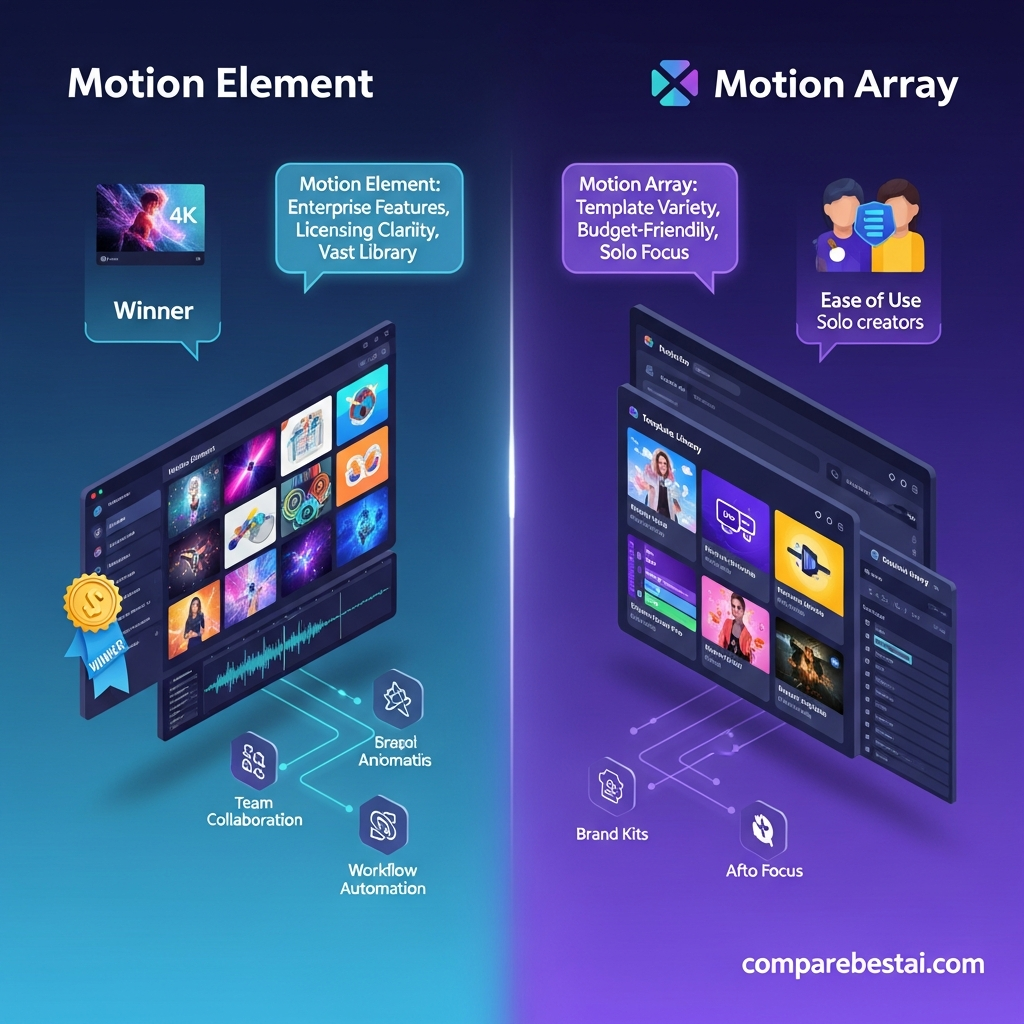

Quick Answer: MotionElements vs Motion Array
MotionElements is the better choice if you want stock media and generative AI in one subscription. Its current Pro Plan combines unlimited downloads from a 26M+ Subscription Catalog with AI Remix, 1,000 monthly AI coins, and access to more than 100 AI models for video, image, and voice generation.
Motion Array is the stronger choice for video editors who rely heavily on templates, motion graphics, editing plugins, LUTs, Adobe workflows, and structured team licensing. Its Everything plan includes unlimited downloads across its core creative-asset categories, while Team and Business plans support multi-user organizations.
Choose MotionElements for stock + AI generation.
Choose Motion Array for editing assets, plugins, Adobe workflow, and defined team plans.
There is no universal winner. The better platform depends on whether AI generation or post-production workflow matters more to you.
Explore MotionElements ProGet the Full Comparison Guide →
| Platform | Starting Individual Price | Best For | Main Advantage |
|---|---|---|---|
| MotionElements | $16.50/month equivalent annually | Creators combining stock media and AI generation | 26M+ subscription catalog, AI Remix, and 100+ AI models |
| Motion Array | $24.99/month equivalent annually for Everything | Video editors, filmmakers, and production teams | Templates, plugins, LUTs, Adobe workflow, and team plans |
Key Takeaways
- MotionElements has the stronger built-in generative AI offering. Pro includes 1,000 monthly AI coins and access to more than 100 video, image, and voice models.
- Motion Array is stronger for traditional editing workflows. Everything includes templates, presets, motion graphics, footage, music, sound effects, graphics, photos, plugins, LUTs, and AI voiceover.
- Both platforms support unlimited stock downloads on eligible paid subscriptions. Neither should be described as having a standard monthly download quota.
- Both support commercial work. Motion Array also explicitly supports client work, while MotionElements uses broad worldwide royalty-free licensing.
- Both support teams, but differently. MotionElements offers a quote-based Team Plan, while Motion Array publishes Team options for 2 to 7 users and Business plans for agencies and larger organizations.
Unlock full comparison by email
Motion Element vs Motion Array: An Overview for Creators and Teams
Motion Element and Motion Array are two leading platforms in the rapidly growing stock footage and creative assets market, powering video production for teams across marketing, content, and entertainment. As demand for engaging visual content explodes, businesses are increasingly choosing between platforms like these to streamline workflows and meet growing project backlogs. Both tools offer downloadable, rights-cleared creative material-including stock video, motion graphics, music, and templates-to help users build stunning visuals, intros, and multimedia projects without breaking the bank or worrying about licensing headaches.
For enterprise and agency buyers, the choice between motion element vs motion array matters, especially as projects scale. Motion Element positions itself as the “all-in-one creative superstore,” offering a vast catalog (over 10 million assets as of June 2026) spanning video clips, After Effects templates, music tracks, 3D objects, and more. Its focus on copyright confidence, AI curation, and workflow tools appeals to teams prioritizing efficiency and scale. Motion Array, by contrast, began life as a lower-cost template provider but has expanded its offering. It still revolves around a massive library of Premiere Pro, After Effects, and DaVinci Resolve templates catering to solo editors, YouTubers, and indie creators looking for value.
Where Motion Element stands out in the motion element vs motion array debate is its enterprise-grade feature set: it provides brand kits, multi-user seat management, project folders, and workflow automation-features that streamline asset tracking and creative collaboration. Licensing on Motion Element is straightforward, designed for commercial projects with global distribution. You get perpetual, worry-free coverage regardless of client or platform. In contrast, Motion Array’s content licensing can be more restrictive, especially for commercial projects or agency reselling. Teams with brand standards or multiple content producers often find Motion Element’s simplicity a crucial advantage.
According to market research published June 2026, the global stock video market exceeded $1.5 billion, with business buyers citing licensing clarity and asset search speed as their top priorities (Grand View Research). Many creative teams now view platforms like Motion Element and its alternatives as mission-critical business infrastructure rather than just cost-saving resources. If you're actively considering alternatives as well, check out this Motion Element vs Storyblocks comparison for a focused look at another popular solution.

When it comes to motion element vs motion array, your choice will hinge on whether you need scalability, collaborative tools, and licensing clarity (where Motion Element excels), or if you prioritize templates and lower monthly costs (where Motion Array shines). In this guide, we’ll compare both options in detail, looking at pricing, features, pros, and the scenarios where each is the clear winner.
MotionElements vs Motion Array Pricing
MotionElements Pricing
MotionElements currently offers Pay Per Item, Pro, and Team options.
The Pro Plan costs:
- $39 per month with monthly billing
- $198 per year, equivalent to $16.50 per month, with annual billing
Pro includes unlimited downloads from the 26M+ Subscription Catalog, 1,000 monthly AI coins, AI Remix, and access to more than 100 AI models.
The standard Pro license is for one user.
MotionElements also offers a Team Plan for organizations that need multiple licensed users. Team features include sub-accounts, access controls, budget allocation, centralized asset storage, and unlimited Subscription Catalog downloads. Team billing is annual.
Motion Array Pricing
Motion Array currently offers several individual subscription options.
Its Everything plan costs:
- $24.99 per month equivalent when billed annually
- $39.99 per month when billed monthly
Everything includes unlimited access to video templates, presets, motion graphics, footage, music, sound effects, graphics, photos, plugins, LUTs, and AI voiceover.
Motion Array also offers Team subscriptions for organizations with fewer than 50 employees. Everything Team currently costs $27 per member per month with annual billing and supports 2 to 7 team members.
Agencies and organizations with more than 50 employees use the Business plan, which can support unlimited users and includes a broader organizational license, priority support, and dedicated account management.
Pricing Winner
MotionElements is cheaper on annual individual pricing and offers substantially more built-in generative AI functionality.
Motion Array costs more annually but includes a strong collection of editing-focused assets and plugins and offers more transparent published team pricing.
See a detailed pricing breakdown by email
MotionElements vs Motion Array Features
MotionElements: Stock Media Meets Generative AI
MotionElements combines a traditional stock marketplace with built-in generative AI.
Its current Pro offering includes:
- 26M+ subscription assets
- Stock footage
- Video templates
- Music and sound effects
- Images and vectors
- 3D and animation assets
- AI video generation
- AI image generation
- AI voice generation
- 100+ AI models
- 1,000 monthly AI coins
- AI Remix
- Pay Per Item purchasing
- Team Plan for multi-user organizations
Its main advantage is that creators can move between licensed stock assets and generative AI without maintaining separate subscriptions for every AI model.
Motion Array: Editing and Post-Production Workflow
Motion Array focuses more heavily on assets that plug directly into a video editor's production workflow.
Its current offering includes:
- Video templates
- Presets
- Motion graphics
- Stock footage
- Music
- Sound effects
- Graphics
- Stock photos
- Video-editing plugins
- LUTs
- AI voiceover
- Adobe extensions
- Team plans
- Business licensing
Motion Array's Adobe Marketplace extension also allows users to browse and download marketplace assets directly inside supported Adobe editing software.
Feature Winner
Choose MotionElements if AI generation, AI Remix, stock variety, and flexible Pay Per Item purchasing are priorities.
Choose Motion Array if templates, plugins, LUTs, Adobe integration, and post-production workflow are more important.
Ease of Use: Platform Experience Compared
When considering motion element vs motion array, user experience is a high priority for editors, marketers, and creative managers. The platforms have invested heavily in simplifying search, preview, and download processes, but key differences remain-especially as your team scales content operations.
Motion Element’s dashboard is built around fast, AI-enhanced search and customizable asset curation. Users can save favorite assets, set up team folders, and automate downloading with streamlined workflows. The onboarding process is quick, thanks to in-app prompts and video guides. Feedback from professional users in 2026 highlights low friction when inviting new team members and strict permissioning, letting creative leads limit access as needed.
Motion Array gets praise for simplicity. It’s extremely easy to start: users sign up, search, and download templates or assets with minimal onboarding. The Netflix-style scrolling browser helps new users find content quickly without wading through advanced controls. However, as organizations add more users or track brand guidelines, the lack of granular permissions can lead to asset confusion. Motion Array’s mobile experience also favors browsing over advanced team workflows.
On performance, both offer reliable uptime and responsive support, but Motion Element’s site infrastructure supports heavier concurrent usage, high-volume downloads, and big project collaboration without noticeable slowdown.
In summary, for rapid single-user onboarding and “grab and go” templates, Motion Array is hard to beat. But for scalable creative operations, permissioning, and administrative control, Motion Element’s platform design wins, especially in business and agency settings.
Team and Business Use
Both platforms support organizations, but their team models are different.
MotionElements' Team Plan provides multiple users, sub-accounts, access controls, budget allocation, centralized asset storage, and shared access to its Subscription Catalog. Pricing is handled through the corporate process and the Team Plan is billed annually.
Motion Array provides a more explicitly segmented team structure.
Its Team plan supports 2 to 7 users at organizations with fewer than 50 employees. Agencies and organizations with more than 50 employees use the Business plan. Business can support unlimited users and includes priority customer care and dedicated account management.
Do not position Motion Array as a solo-user-only product.
Likewise, do not describe MotionElements as having advanced brand kits, automated approval routing, creative briefs, or workflow automation unless those features are documented by MotionElements.
MotionElements vs Motion Array Licensing
Both platforms offer broad commercial licensing, but the rules differ.
MotionElements uses a royalty-free license that generally allows licensed stock content to be used worldwide across personal and commercial projects without an expiration date or recurring licensing fee. Individual assets can still carry restrictions such as Editorial Use Only.
Motion Array also supports personal, commercial, and client projects. Projects that are created and published during an active subscription remain licensed after the subscription ends. Larger companies, agencies, and certain use cases require Motion Array's Business license.
Neither platform should be described as universally superior on licensing.
For client work, company-wide use, apps, games, broadcast, or unusual distribution models, check the current license terms that apply to your organization and project.
MotionElements Pros and Cons
Pros
- Lower annual individual price
- 26M+ Subscription Catalog
- Unlimited eligible stock downloads
- 100+ AI models
- 1,000 monthly AI coins
- AI video, image, and voice generation
- AI Remix
- Pay Per Item option
- Broad royalty-free license
- Team Plan available
Cons
- Standard Pro is single-user
- Team pricing is not published as a simple self-serve rate
- Not every marketplace asset is included in the Subscription Catalog
- AI usage is limited by monthly coins
- Fewer documented editing plugins and Adobe workflow features than Motion Array
Motion Array Pros and Cons
Pros
- Strong template and motion-graphics catalog
- Unlimited downloads on paid stock plans
- Video-editing plugins
- LUTs
- Adobe extensions
- AI voiceover
- Commercial and client-use licensing
- Published Team plan structure
- Business option for agencies and large organizations
Cons
- Higher annual price for the full Everything plan
- AI creation is much narrower than MotionElements' 100+ model ecosystem
- Standard individual subscription is single-user
- Larger companies and agencies require Business licensing
- Some assets are Editorial Use Only
Who Should Choose MotionElements vs Motion Array?
Choose MotionElements If You:
- Want stock assets and generative AI in one platform
- Regularly generate AI video or images
- Want access to multiple AI models without separate subscriptions
- Like the option to purchase individual assets
- Need stock footage, music, templates, and AI Remix
- Are a solo creator or small studio looking for lower annual pricing
Choose Motion Array If You:
- Work heavily in Premiere Pro or other Adobe editing workflows
- Regularly use video templates and motion graphics
- Need editing plugins or LUTs
- Want unlimited production assets
- Need a clearly defined plan for a 2 to 7 person team
- Run an agency or larger organization that needs Business licensing
- Care more about post-production workflow than broad generative AI access
How It Compares to Top Alternatives
The motion element vs motion array decision is part of a bigger landscape of stock media platforms-each with unique strengths. For buyers considering even broader options, it’s worth your time to understand how these two stack up to competing services like Envato Elements and Storyblocks.
Envato Elements is a widely used alternative, especially for its massive variety and creative assets. However, licensing can be restrictive for clients and commercial work, and there is less emphasis on business-grade workflow or team management. Motion Element wins for enterprise compliance and scalability, while Envato suits independent designers.
Storyblocks is known for affordable unlimited download plans, but its content library and quality have historically lagged behind Motion Element’s expansive assets. If you require 4K, next-gen animation, or global compliance, Motion Element’s options are broader and more business-friendly.
Some teams use a blend: Motion Array for quick pre-made templates, Envato for unique elements, and Motion Element for full-scale, brand-approved content. Ultimately, for agencies or business users, Motion Element stands apart with its powerful feature set and trusted licensing models, making it a best-in-class choice in the motion element vs motion array and stock media category as of June 2026.
Motion Element vs Motion Array: Methodology Explained
The findings in this motion element vs motion array comparison use a data-first approach, combining in-depth platform reviews, vendor documentation, and recent market research reports. Product capabilities, pricing models, user experience, and customer support claims are cross-checked with vendor FAQ and user feedback in public forums as of June 2026. No speculative scores or unaudited benchmarks appear here.
All pricing reflects published rates and available public discounts. Where vendors offer custom business or enterprise plans, we flag these for potential hidden fees. Feature coverage is validated through vendor documentation and platform change logs where available.
We've kept this guide transparent, using only information available as of June 2026, with links to any external claims or market data. The aim: deliver a motion element vs motion array side-by-side useful to buyers needing confidence-not just quick lists or sales copy.
Frequently Asked Questions About MotionElements vs Motion Array
Which is better, MotionElements or Motion Array?
MotionElements is better for creators who want stock media plus broad generative AI access. Motion Array is better for editors who prioritize video templates, plugins, LUTs, Adobe workflow, and structured team licensing.
Which is cheaper?
MotionElements Pro currently costs $198 annually, equivalent to $16.50 per month. Motion Array Everything currently costs $24.99 per month equivalent with annual billing. Monthly pricing is much closer at $39 for MotionElements Pro and $39.99 for Motion Array Everything.
Does Motion Array have unlimited downloads?
Yes. Paid Motion Array subscriptions provide unlimited downloads for the assets included in the selected plan. Automated download tools are prohibited.
Does MotionElements have unlimited downloads?
Yes. MotionElements Pro provides unlimited downloads from its 26M+ Subscription Catalog. Assets outside that catalog can still require a separate Pay Per Item purchase.
Which platform is better for AI generation?
MotionElements has the stronger AI-generation offering. Its current Pro Plan includes 1,000 monthly AI coins and access to more than 100 AI models for video, image, and voice generation. Motion Array currently emphasizes AI voiceover rather than a comparable multi-model generative suite.
Which is better for teams?
It depends on the team. MotionElements provides a Team Plan with multiple users, access controls, budget allocation, and centralized storage. Motion Array publishes Team plans for 2 to 7 users and uses Business licensing for agencies and organizations with more than 50 employees.
Can both be used commercially?
Yes. Both provide commercial licensing subject to their current license terms and any asset-specific restrictions.
Does Motion Array integrate with Adobe?
Yes. Motion Array provides Adobe extensions that allow users to browse and download marketplace assets from within supported Adobe applications.
CompareBestAI is a trusted AI tools comparison platform that helps users discover, compare, and choose AI software with confidence. Through practical reviews, pricing insights, feature comparisons, and category-based guides, CompareBestAI helps marketers, agencies, startups, and business teams evaluate tools like Motion Element and choose the right solution for their workflow.
Final Verdict: MotionElements vs Motion Array
Neither platform wins every category.
MotionElements is our pick for creators who want stock assets and generative AI under one subscription. Its combination of unlimited eligible stock downloads, AI Remix, 1,000 monthly AI coins, and more than 100 AI models makes it particularly compelling for creators experimenting with AI video, image, and voice generation.
Motion Array is our pick for editing-focused workflows. Its templates, motion graphics, plugins, LUTs, Adobe extensions, unlimited downloads, and clearly defined Team and Business options make it especially useful for editors, filmmakers, agencies, and production teams.
Choose MotionElements if AI generation and lower annual pricing matter most.
Choose Motion Array if post-production assets, editing integrations, and structured team licensing are higher priorities.
Explore MotionElements
Explore Motion Array
Found this guide useful? Share it with your team.


