
An AI C-suite is a group of AI tools, agents and automated workflows that support executive-level functions such as strategy, marketing, finance, operations, technology and customer service.
It does not mean handing control of a company to artificial intelligence.
A practical AI C-suite uses software to research information, analyze data, prepare recommendations, automate routine work and coordinate workflows while founders, executives and managers remain responsible for important decisions.
For small businesses, startups and lean teams, this model can provide access to capabilities that previously required multiple specialists. For larger organizations, it can help existing leadership teams process information and execute routine work faster.
This guide explains how to build an AI C-suite in 2026, which functions are suitable for AI, where humans need to stay involved and how to choose the right tools without creating an expensive or unmanageable software stack.
Quick Answer: What Is an AI C-Suite?
An AI C-suite is a virtual layer of AI software that supports the responsibilities normally associated with senior business functions.
A typical setup may include:
an AI strategy assistant for research and planning
AI marketing tools for content, SEO and campaign analysis
finance software for reporting and forecasting support
automation tools for operational workflows
AI coding and development assistants
HR tools for administrative workflows
AI customer-service systems
dashboards that bring information from multiple functions together
The important distinction is that these systems should support executive decisions rather than become unaccountable decision-makers themselves.
Think of the AI C-suite as an operating system around your leadership team, not as a replacement for leadership.
Why the AI C-Suite Matters in 2026
AI adoption inside businesses is no longer limited to experimentation.
Stanford University's 2026 AI Index reports that 88% of surveyed organizations used AI in at least one business function in 2025. Generative AI was being used in at least one function by 79% of respondents.
However, the same research shows that AI-agent deployment remains much less mature than general AI adoption. Agent usage was still in the single digits across almost every business function.
That distinction matters.
Businesses are using more AI, but most have not reached a point where autonomous software can safely operate an organization without meaningful human supervision.
McKinsey's 2025 State of AI research reached a similar conclusion. While AI and agent experimentation has expanded rapidly, nearly two-thirds of respondents said their organizations had not yet begun scaling AI across the enterprise.
The opportunity in 2026 is therefore not to build a company with “no humans.”
It is to identify where AI can perform research, analysis, drafting, monitoring and repetitive execution while people maintain responsibility for judgment, accountability and direction.
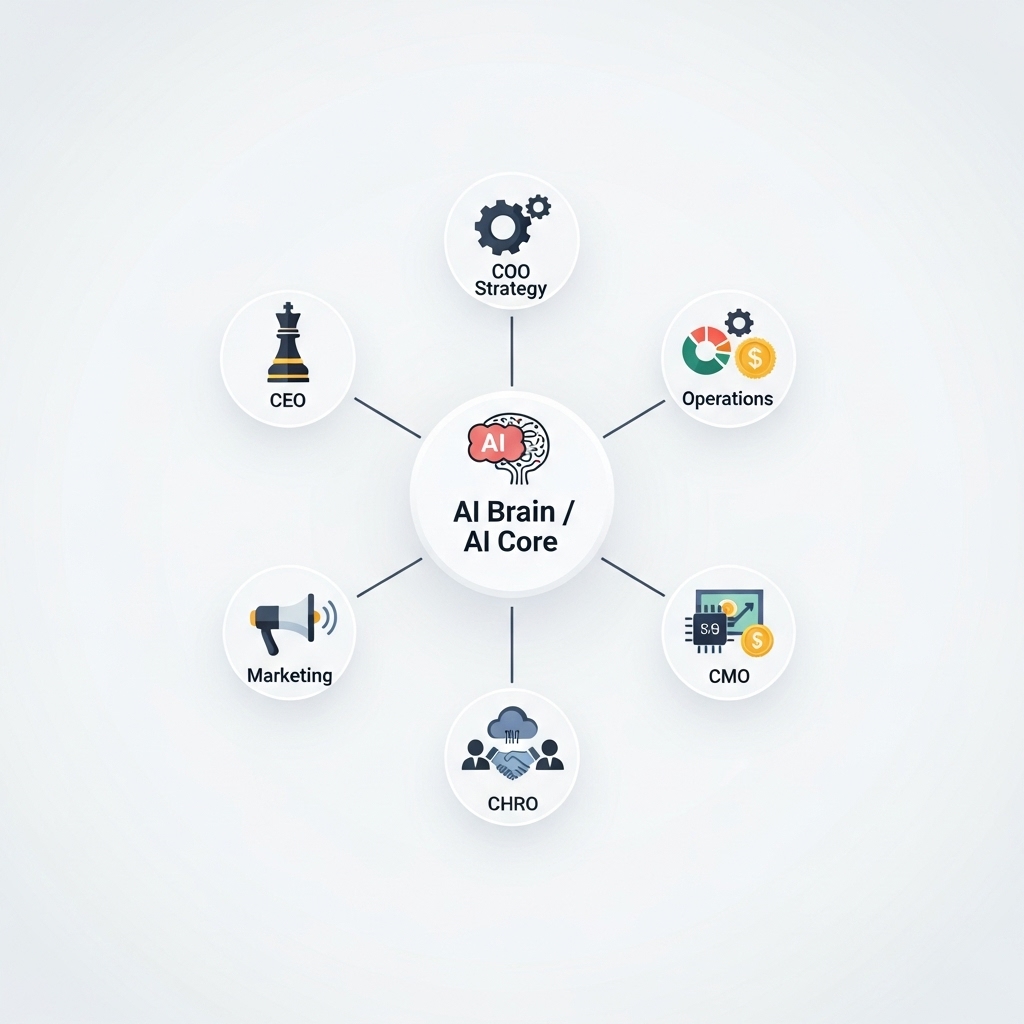
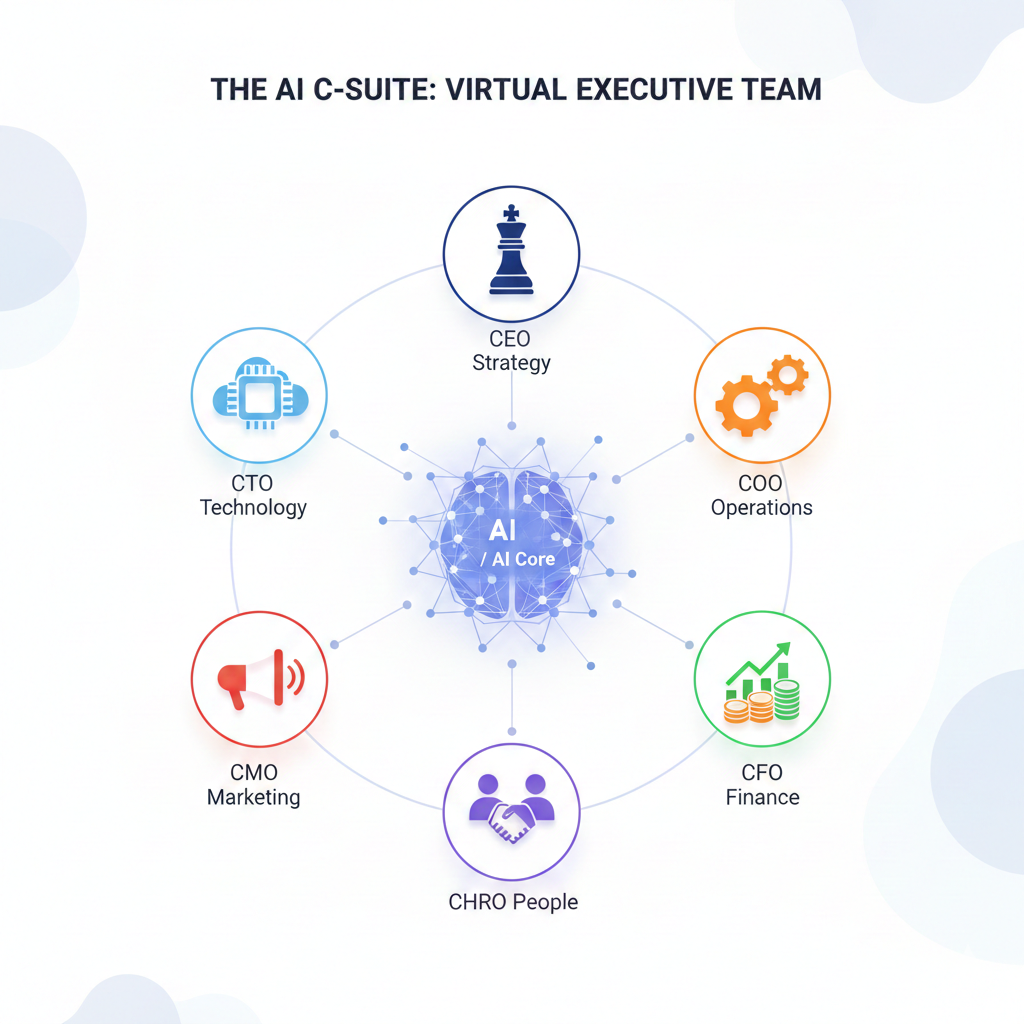
AI C-Suite Structure at a Glance
| Business Function | AI Can Help With | Human Responsibility |
|---|---|---|
| Strategy / CEO | Research, scenario analysis, planning drafts | Final strategy and priorities |
| Marketing / CMO | Content, SEO, campaigns, analytics | Positioning, brand and budget |
| Finance / CFO | Reporting, categorization, forecasting support | Financial approval and compliance |
| Operations / COO | Automation, documentation, task coordination | Process ownership |
| Technology / CTO | Coding assistance, documentation, prototyping | Architecture, security and releases |
| HR / People | Job descriptions, documentation, knowledge systems | Hiring and employment decisions |
| Customer Support | FAQs, ticket triage, response drafting | Escalations and customer policy |
The most useful AI C-suite is therefore a combination of software capability plus clearly assigned human ownership.
The AI CEO: Strategy and Decision Support
The “AI CEO” should not literally run the company.
A better way to think about this layer is an AI strategy copilot.
What an AI strategy assistant can do
AI can help leadership teams with:
market research
competitor analysis
strategic brainstorming
scenario planning
meeting preparation
document analysis
SWOT analysis
summarizing customer feedback
drafting business plans
identifying questions that require further investigation
General-purpose systems such as ChatGPT and Claude can support analysis and planning, while research-focused platforms such as Perplexity can help when source visibility matters.
The output should still be treated as analysis, not authority.
Market conditions, legal obligations, financial consequences and organizational context often require information that an AI system cannot independently verify.
Human approval should remain responsible for
business strategy
major investments
hiring or restructuring
partnerships
acquisitions
legal commitments
sensitive customer decisions
AI can shorten the distance between a question and a useful first analysis. It should not remove accountability for the decision that follows.
The AI CMO: Marketing and Growth
Marketing is one of the clearest areas for an AI C-suite because many marketing workflows combine research, analysis, drafting and repetitive production.
AI can support
keyword research
content briefs
first-draft copy
social content
ad variations
campaign ideation
SEO analysis
image creation
customer research summaries
competitor monitoring
performance reporting
Tools such as Jasper can support marketing content workflows, Canva can assist with creative production, and specialist SEO platforms can help teams analyze search opportunities.
AI can dramatically increase marketing production capacity.
It does not, however, automatically replace a marketing team.
Brand positioning, customer understanding, offer development, creative direction and budget allocation still require strategic judgment.
A better operating model is:
Human strategy → AI-assisted execution → human review → performance data → iteration
That creates leverage without giving the software control over the brand.
The AI CFO: Finance and Forecasting
Finance is another area where the distinction between assistance and authority is critical.
AI-enabled accounting and spreadsheet tools can help teams:
categorize transactions
organize financial data
summarize reports
identify unusual patterns
prepare forecasting scenarios
analyze expenses
produce management-reporting drafts
explore financial models
Products such as QuickBooks and Microsoft Copilot can reduce manual analysis in appropriate workflows.
But an AI system should not independently approve payments, alter financial records, make tax decisions or determine material financial policy without appropriate controls.
Human oversight is particularly important for
tax
payroll
accounting policy
financial statements
investment decisions
cash management
regulated reporting
access to bank accounts
For smaller companies, AI may help a founder understand financial information more quickly.
It does not remove the need for qualified accounting or financial expertise when that expertise is required.
The AI COO: Operations and Automation
Operations is where an AI C-suite can become more than a collection of chatbots.
The goal is to connect software to repeatable business processes.
AI operations tools can help with
moving information between applications
creating tasks from incoming requests
routing leads
updating CRM records
generating recurring reports
summarizing meetings
documenting processes
monitoring workflows
preparing status updates
triggering follow-up actions
Platforms such as Zapier can connect applications and automate multi-step processes. ClickUp and Notion can support project management, documentation and knowledge workflows.
Before automating anything, document the process manually.
A useful rule is:
Do not automate a process you do not understand.
Automating a broken workflow often makes the problem happen faster.
The AI CTO: Technology and Systems
AI development tools are increasingly capable of assisting with coding, testing, documentation and prototyping.
An AI-supported technology function may use software for:
writing boilerplate code
explaining existing code
debugging
generating tests
technical documentation
prototype development
API integration assistance
infrastructure analysis
internal technical knowledge retrieval
GitHub Copilot is one example of an AI coding assistant, while no-code platforms such as Bubble and website tools such as Framer can reduce the effort required to prototype certain products.
That does not mean every business can eliminate developers.
Production systems still require decisions around:
architecture
cybersecurity
authentication
data protection
scalability
backups
testing
performance
deployment
incident response
AI can increase developer leverage. It should not become an excuse to deploy unreviewed systems.
The AI Head of HR: People Operations
AI can remove a significant amount of administrative work from HR and people operations.
Possible uses include:
drafting job descriptions
creating onboarding documents
answering internal policy questions
summarizing training materials
preparing interview guides
organizing employee knowledge
identifying administrative workflow bottlenecks
Tools such as Notion AI can support internal knowledge systems, while specialist recruiting platforms can assist with parts of the hiring workflow.
Businesses should be considerably more cautious when AI moves from administration into employment decisions.
Resume screening, hiring recommendations, performance assessment, disciplinary decisions and termination can involve bias, privacy, legal and fairness concerns.
Use AI to organize information.
Keep accountable people involved in decisions that materially affect employees.
The AI Customer Support Lead
Customer service is one of the most mature areas for AI-assisted automation.
Platforms such as Intercom, Zendesk and Tidio can support workflows including:
answering common questions
classifying tickets
retrieving knowledge-base information
drafting responses
routing conversations
summarizing customer history
identifying recurring issues
providing support outside normal business hours
The strongest setup is usually tiered.
Level 1: AI handles routine questions
Examples include account instructions, product information and common troubleshooting steps.
Level 2: AI assists a human agent
The system retrieves information and prepares a possible response.
Level 3: Human escalation
Sensitive, unusual, emotional, financial or high-value situations move to a person.
This approach provides automation without forcing customers into an AI-only experience.
What Research Says About Human-AI Teams
Current evidence supports an augmented model more strongly than an AI-only organization.
Microsoft's 2026 Work Trend Index surveyed 20,000 workers who use AI across 10 countries.
The research found that 66% said AI allowed them to spend more time on higher-value work.
At the same time, only 19% of surveyed AI users were classified in Microsoft's highest-readiness group, where both individual AI capability and organizational readiness were strong.
Microsoft also found that organizational factors such as AI culture, manager support and talent practices were associated with more than twice the reported AI impact of individual factors alone.
The implication is important:
Buying sophisticated AI software is not the same as building an effective AI organization.
The operating model around the software matters just as much.
How to Build an AI C-Suite Step by Step
Step 1: List Your Core Business Functions
Start with the business rather than the tools.
Typical functions include:
strategy
marketing
sales
finance
operations
technology
HR
customer support
You may not need an AI layer for every function.
Step 2: Identify Repetitive and Information-Heavy Work
Look for tasks involving:
repeated research
summarization
routine writing
data movement
classification
recurring reporting
document creation
basic analysis
repetitive customer questions
These are often safer starting points than complex strategic decisions.
Step 3: Separate Tasks From Decisions
Create two columns.
AI can execute or assist
versus
Human approval required
For example:
AI may prepare a quarterly financial analysis.
A CFO or business owner approves the financial decision.
AI may score support tickets by urgency.
A human handles sensitive escalations.
This distinction prevents automation from quietly becoming authority.
Step 4: Choose the Smallest Useful Tool Stack
Do not subscribe to one AI product for every title in the C-suite.
A single general AI assistant may support several functions.
Your initial stack might contain:
one general AI assistant
one project or knowledge system
one automation platform
one or two specialist tools for high-value workflows
Add more software only when there is a measurable gap.
If you are comparing products, evaluate AI tools according to the job you need done, total cost, data handling, integrations and workflow fit rather than popularity alone.
Step 5: Connect the Workflow
The biggest productivity gains usually appear when information can move between systems.
For example:
A website form receives a lead.
The automation layer creates the CRM record.
AI summarizes the enquiry.
The system creates a follow-up task.
A salesperson reviews the suggested response.
The approved message is sent.
This is more valuable than simply asking a chatbot to “act like a COO.”
Step 6: Define Human Checkpoints
Set approval rules before launching the automation.
Require human review for areas such as:
money
contracts
legal issues
security
hiring
employee decisions
sensitive customer data
strategic commitments
public statements
irreversible actions
Step 7: Measure Business Outcomes
Do not measure your AI C-suite by the number of tools installed.
Measure whether the workflow improves something meaningful.
Useful metrics include:
hours saved
cost per completed task
response time
error rate
conversion rate
support resolution time
output volume
employee adoption
customer satisfaction
number of manual steps removed
If the software does not improve a measurable outcome, reconsider whether you need it.
How Much Does an AI C-Suite Cost?
There is no single price because the cost depends on:
number of users
AI subscription tiers
automation volume
API usage
premium integrations
data storage
support software
specialist applications
implementation time
A small business may initially combine several free tiers with one or two paid applications.
A larger organization may pay substantially more because business software commonly uses per-seat, consumption or usage-based pricing.
This is why the advertised subscription price should not be your only consideration.
Check credits, API charges, automation limits, additional seats, premium models, integrations and human review costs before committing to a stack.
Risks of Building an AI C-Suite
Hallucinated or Incorrect Information
Generative AI can produce confident answers that are incomplete or wrong.
Important information should be verified.
Data Privacy
Employees may accidentally upload confidential company, employee or customer information into tools that are not approved for that data.
Establish a clear AI data policy before deployment.
Over-Automation
Automation should remove repetitive work, not eliminate sensible checks.
Complex edge cases need escalation paths.
Tool Dependency
Building every important workflow around one vendor can create operational risk.
Document processes and maintain export or migration options where possible.
Security
Connecting AI systems to email, CRM, cloud storage or financial applications increases the importance of permissions and access controls.
Use the minimum access necessary for each workflow.
Lack of Accountability
An AI tool cannot carry executive responsibility for your organization.
Assign a human owner to every important automated workflow.
AI C-Suite vs Traditional C-Suite
The two models do not have to compete.
For many businesses, the most realistic future is a hybrid model.
Traditional executive:
Owns the outcome
AI system:
Accelerates the work required to reach the outcome
A CMO can use AI to produce and analyze more campaign variations.
A CFO can use AI to investigate financial information faster.
A CTO can use coding assistants to increase development capacity.
A COO can automate repetitive processes.
A founder can use AI to investigate a market before deciding where to invest.
The software increases leverage while responsibility stays with people.
Who Should Build an AI C-Suite?
The model is particularly useful for:
Solo Founders
AI can provide research, drafting and administrative support across functions that a single founder cannot staff individually.
Startups
Small teams can use AI to increase operational capacity without immediately adding specialists for every workflow.
Agencies
AI can accelerate repeatable work such as research, reporting, content preparation and project coordination.
Small and Mid-Sized Businesses
Companies can introduce AI into individual functions before considering wider automation.
Larger Organizations
Enterprise teams can build more sophisticated human-agent workflows, although governance, security and integration requirements also become more complex.
When You Should Not Automate a Task
Do not automate merely because you can.
Keep humans closely involved when the task involves:
substantial financial consequences
legal interpretation
medical or safety decisions
employee rights
sensitive personal data
cybersecurity
irreversible transactions
high-value customer disputes
significant strategic commitments
The higher the consequence of an incorrect answer, the stronger the human review should be.
A Practical AI C-Suite Checklist
Before deploying each AI workflow, ask:
What business problem does this solve?
What information does the AI need?
Is that information safe to share with the tool?
What exactly is the AI allowed to do?
What requires human approval?
How will incorrect output be detected?
Who owns the workflow?
What does the tool actually cost at expected usage?
How will success be measured?
Can the workflow operate if the vendor becomes unavailable?
If you cannot answer those questions, the workflow probably is not ready for production.
Should AI Replace Your Executives?
For most businesses, no.
The stronger opportunity is to make executives, managers and founders more capable by giving them access to AI systems that handle parts of the research, analysis and execution around their work.
Current AI adoption data also supports this more measured approach.
Businesses are adopting AI rapidly, but enterprise-scale AI and autonomous agent deployment remain significantly less mature than headline adoption numbers may suggest.
An AI C-suite therefore works best when it is designed around three principles:
AI executes. Humans supervise. People remain accountable.
Frequently Asked Questions
What is an AI C-suite?
An AI C-suite is a group of AI tools, agents and automated workflows used to support executive functions such as strategy, finance, marketing, operations, technology, HR and customer service. Humans remain responsible for major decisions and outcomes.
Can AI replace an entire executive team?
Current AI systems can automate or assist with parts of executive work, but they should not be treated as complete replacements for accountable human leadership. Strategy, legal responsibility, financial approval, personnel decisions and other high-impact areas still require human judgment.
What tools do you need for an AI C-suite?
Most businesses can start with a general AI assistant, an automation platform, a project or knowledge-management system and a small number of specialist applications. The right stack depends on the workflows you are trying to improve.
Is an AI C-suite only for startups?
No. Solo founders and startups may use AI because they have limited headcount, while larger organizations can use AI to support existing teams and automate repeatable processes at greater scale.
How much does an AI C-suite cost?
Costs vary significantly. General AI assistants may use flat monthly subscriptions, while business applications can charge per seat, per task, by credits or according to API consumption. Calculate total usage, integrations, additional users and implementation costs rather than comparing headline subscription prices alone.
What is the biggest risk of an AI C-suite?
The biggest risk is giving automation more authority than its reliability and governance justify. AI can produce incorrect output, expose sensitive data or perform the wrong action if workflows are poorly designed. Important processes should include permissions, monitoring and human approval.
How do I start building an AI C-suite?
Choose one repetitive or information-heavy workflow, define what success looks like, select the smallest tool stack capable of solving it, create human approval checkpoints and measure the result. Expand only after the initial workflow is producing reliable value.
Final Verdict
An AI C-suite in 2026 is best understood as a software-supported executive operating model, not a collection of bots pretending to be corporate officers.
Use AI to research faster, summarize information, automate routine work, coordinate systems and increase the capacity of your existing team.
Start with one measurable workflow rather than buying a large collection of tools.
Document what the AI can do.
Define where human approval is mandatory.
Measure whether the workflow creates real business value.
Then expand carefully.
If you are building your first AI stack, compare AI tools by use case, pricing, integrations, data practices and real workflow fit before paying for overlapping products.

