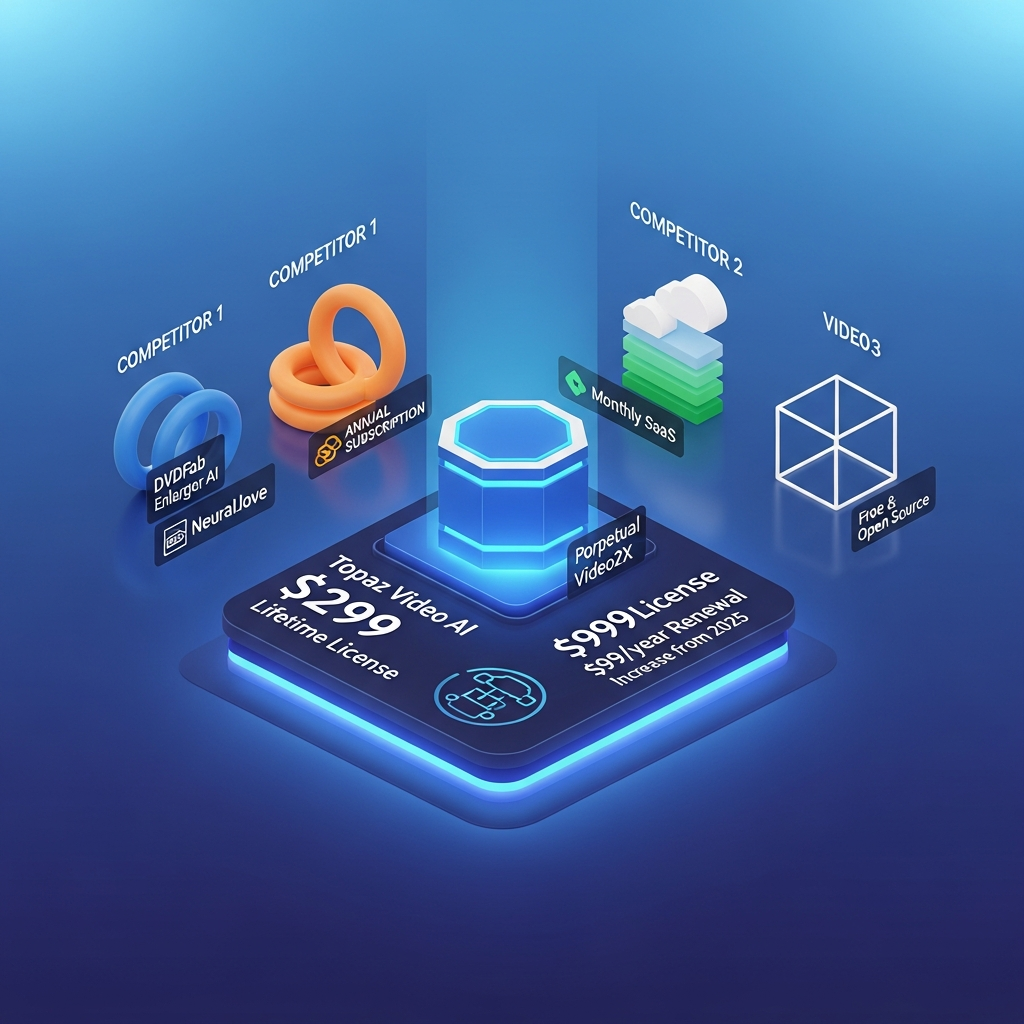

Quick Answer: Topaz Video now starts at $299 per year for the Personal plan, equivalent to $25 per month when prepaid annually. It is no longer sold to new customers as the old perpetual Topaz Video AI license. The current Topaz Video app is subscription-only. Personal includes unlimited local rendering and 25 monthly video cloud credits, while Topaz Video Pro costs $699 per year and adds higher cloud limits, additional local Starlight models, seat management, and broader commercial licensing.
If you previously bought a perpetual Topaz Video AI license, you can continue using the version you own. New customers, however, subscribe to the newer Topaz Video application.
Topaz Video Pricing in 2026 at a Glance
| Plan | Price | Billing | Cloud Credits | Local Rendering | Best For |
|---|---|---|---|---|---|
| Topaz Video Personal | $299/year | Prepaid annually | 25/month | Unlimited | Individual creators and smaller commercial users |
| Topaz Video Personal | $39/month | 12-month commitment, paid monthly | 25/month | Unlimited | Users who want annual pricing without paying the full year upfront |
| Topaz Video Personal | $59/month | Monthly | 25/month | Unlimited | Short-term users who need maximum billing flexibility |
| Topaz Video Pro | $699/year | Prepaid annually | 100/month | Unlimited | Professional studios and commercial teams |
| Topaz Video Pro | $74/month | 12-month commitment, paid monthly | 100/month | Unlimited | Pro users who prefer monthly payments |
Pricing checked against Topaz Labs in September 2026. Prices and plan limits can change, so confirm the current checkout price before purchasing.
Important: Topaz Video AI and Topaz Video Are Not the Same License
This is the most important thing to understand about Topaz pricing in 2026.
Topaz Video AI is now a legacy application.
Topaz says Video AI v7.1.5 is the final version. Existing customers who purchased a perpetual Video AI license can continue using the specific version they own, but that legacy application is no longer receiving new AI models.
Topaz Video is the actively developed replacement.
The newer application uses a subscription model. Once your paid subscription ends, access to Topaz Video requires renewal.
That means the old advice that you can pay $299 once and use the latest Topaz software forever is no longer accurate for new purchases.
In simple terms
If you already own Topaz Video AI, your old perpetual license remains yours.
If you want the current Topaz Video product and future model development, you need a subscription.
How Much Does Topaz Video Personal Cost?
Topaz Video Personal has three billing approaches.
Annual Prepaid: $299 Per Year
The lowest effective Personal price is currently $299 for one year, which works out to roughly $25 per month.
You pay the whole annual amount upfront.
This option makes the most sense if you already know that Topaz Video will remain part of your workflow for the next year.
Annual Commitment, Paid Monthly: $39 Per Month
Topaz also lets Personal users commit to a year while paying monthly.
The current rate is $39 per month for 12 months.
This lowers the initial payment compared with paying $299 upfront, but the total annual cost is higher.
Because it is an annual commitment, do not treat this as a cancel-anytime monthly plan.
Monthly: $59 Per Month
The highest-flexibility Personal option is currently $59 per month.
This can make sense when you need Topaz Video for a limited project, restoration job, short production period, or temporary workload.
However, someone planning to use the software throughout the year will usually pay substantially less with annual prepayment.
What Does Topaz Video Personal Include?
The Personal subscription currently includes access to Topaz Video's main enhancement toolkit.
Current capabilities include models and workflows for:
Video enhancement
Upscaling
Denoising
Artifact reduction
Stabilization
Motion deblur
Frame interpolation
SDR-to-HDR conversion
Restoration
Slow motion
AI-based detail recovery
Topaz currently lists models including Proteus, Iris, Nyx, Rhea, Rhea XL, Artemis, Gaia, Theia, Apollo, Chronos, Aion, Themis, and Starlight options.
Personal users receive unlimited local rendering.
The plan also includes 25 monthly video cloud credits.
Those cloud credits expire at the end of each month rather than rolling into the next month.
How Much Does Topaz Video Pro Cost?
Topaz Video Pro is aimed at studios, professional teams, and larger commercial workflows.
The current annual prepaid price is:
$699 per year
That is an effective monthly cost of roughly $58 when paid annually.
Topaz also lists a Pro option at:
$74 per month with an annual commitment
Pro includes the main Personal capabilities while increasing the allowance and licensing flexibility for professional organizations.
Topaz Video Personal vs Pro
| Feature | Personal | Pro |
|---|---|---|
| Core Topaz Video models | Yes | Yes |
| Unlimited local rendering | Yes | Yes |
| Video cloud credits | 25/month | 100/month |
| Local Starlight Pro models | More limited | Expanded |
| Seat management | No | Yes |
| Commercial use | Limited by organization size | Full commercial use |
| Best suited to | Individuals/smaller organizations | Studios and larger teams |
The biggest reason to upgrade is not simply image quality.
Pro becomes more relevant when you need:
More cloud rendering
Additional locally available Starlight models
Multi-seat management
Larger-team workflows
Commercial licensing beyond Personal-plan limits
Which Topaz Video Plan Is the Best Value?
For most solo creators, Personal annual prepaid at $299 per year offers the strongest value.
The effective monthly cost is considerably lower than paying $59 month to month.
Use the monthly option when you genuinely need the software for only a short period.
Consider Pro when you are working inside a larger commercial organization or need the higher cloud-credit allowance and Pro licensing.
Best value for a solo creator
Personal annual prepaid
Best for a short one-off project
Personal monthly
Best for studios and larger commercial teams
Topaz Video Pro
Does Topaz Video Still Have a Lifetime License?
Not for the current product.
The actively developed Topaz Video application is subscription-only.
The confusion comes from Topaz Video AI, the previous-generation application.
Video AI used perpetual licensing. Owners of that legacy product can continue using the version associated with their license.
That does not mean a new $299 Topaz Video purchase is a lifetime license.
Today, $299 is the annual prepaid cost of Topaz Video Personal.
What Happens If I Stop Paying for Topaz Video?
If your current Topaz Video subscription expires, you need an active subscription to continue using that application.
This is different from legacy Topaz Video AI.
Legacy Video AI owners keep access to their licensed legacy version even if they never subscribe to Topaz Video.
That difference is important when calculating long-term cost.
Someone comparing a legacy perpetual Video AI license with the current subscription is comparing two different product generations and licensing systems.
Topaz Video Cloud Credits Explained
Topaz Video can process video locally on your own hardware, but it also supports cloud rendering.
Current subscription allowances are:
Personal: 25 cloud credits per month
Pro: 100 cloud credits per month
Credits reset every month.
Unused credits do not roll over.
Cloud rendering can be useful when:
Your computer lacks enough GPU power for a demanding model
You want to avoid tying up your workstation
A particular model is available through cloud processing
A large job would take too long locally
The important pricing distinction is that local rendering is unlimited, while cloud processing is credit-based.
Do You Need Cloud Credits?
Not necessarily.
Topaz Video is fundamentally a desktop application, and many enhancement workflows can run locally.
Users with a strong GPU may be able to complete most routine projects without depending heavily on cloud rendering.
Cloud credits become more valuable when you use computationally demanding models or work with hardware that cannot run certain models efficiently.
Before choosing a plan based only on cloud credits, check whether your normal workflow can run locally.
Topaz Video Hardware Requirements
Software cost is only part of the Topaz Video buying decision.
AI video enhancement can be demanding.
Topaz currently requires at least 16 GB RAM for supported Windows and Mac systems, while stronger configurations are recommended for serious workflows.
On Windows, Topaz generally recommends:
Windows 11
32 GB RAM or more
A modern Intel or AMD CPU
NVIDIA RTX 30-series or newer-class GPU, or comparable AMD/Intel hardware
8 GB VRAM or more
Approximately 60 GB available internal storage
Some Starlight models require substantially more GPU memory.
This matters financially.
If your computer already has a capable GPU, the $299 annual subscription may be most of your cost.
If you need a major hardware upgrade to use the models you want, the real cost of adopting Topaz Video can be much higher.
Can Topaz Video Run Offline?
Local processing remains an important part of the product, but Topaz Video is not completely independent of the internet.
Topaz says internet access is required for:
Installation
Activation
Model downloads
Updates
Cloud rendering
The current subscription also requires periodic authentication.
This is another difference from assuming the software is a completely standalone lifetime desktop license.
What AI Models Are Included?
Topaz Video provides multiple models because different footage problems require different approaches.
Examples include:
Proteus
A flexible enhancement model used for a broad range of lower- and medium-quality footage.
Iris
Designed around reducing noise and compression artifacts, with particular usefulness for faces and degraded footage.
Rhea
Used for video enhancement and detail reconstruction.
Chronos
Topaz's frame-interpolation family, useful for increasing frame rates and producing slow-motion results.
Aion
Another frame-interpolation option designed for motion workflows.
Themis
Used for motion deblur.
Starlight
The Starlight family includes computationally intensive diffusion-based enhancement models.
Topaz warns that Starlight processing can be considerably slower than its core enhancement models. Depending on video length, resolution and hardware, processing can range from minutes to much longer periods.
That is another reason to evaluate both local hardware and cloud access before choosing a plan.
Does Topaz Video Support 4K and Higher-Resolution Workflows?
Yes.
Topaz Video is primarily positioned around enhancement and upscaling rather than traditional timeline editing.
It can be used to improve lower-resolution source footage, remove degradation and prepare video for higher-resolution output.
The practical result depends heavily on the source footage.
AI upscaling cannot recreate every detail that was never captured in the original recording.
The better way to think about Topaz Video is as an enhancement and reconstruction tool rather than a guarantee that every low-quality video becomes native-quality 4K footage.
Is Topaz Video a Video Editor?
Not in the same sense as Adobe Premiere Pro, DaVinci Resolve, or Final Cut Pro.
Topaz Video specializes in improving visual quality.
Use it for tasks such as:
Upscaling
Denoising
Restoring degraded footage
Stabilizing
Frame interpolation
Motion deblur
SDR-to-HDR conversion
Then use a conventional editor when you need:
Timeline editing
Titles
Complex transitions
Multicam editing
Audio mixing
Motion graphics
Story construction
For many professional workflows, Topaz Video complements an editor rather than replacing one.
Can I Use Topaz Video Commercially?
Yes, but the plan matters.
Topaz currently describes its Personal licensing as allowing personal and commercial use for organizations below $1 million USD in annual revenue.
Organizations that need broader commercial licensing should consider a Pro plan.
Pro also adds seat-management functionality, which matters for teams using the application across multiple workstations.
Businesses should confirm the current license terms directly with Topaz before deploying the software across a commercial organization.
How Many Computers Can I Use Topaz Video On?
The current Personal desktop app can be used on one computer at a time.
If you need the software across multiple machines or users, look at the Pro licensing options.
This differs from legacy Topaz Video AI, which allowed its legacy license to be activated under different device rules.
Do not use old Video AI licensing guidance when evaluating the current Topaz Video subscription.
Does Topaz Video Have a Free Trial?
The current Topaz Video desktop application does not use the old conventional trial model.
Topaz currently provides a 2-day refund window after purchase if the product does not suit your workflow.
Refund requests must generally be made within the first two days.
That makes pre-purchase compatibility checks especially important.
Before paying:
Check the system requirements.
Confirm your GPU is supported.
Determine whether the models you need can run locally.
Understand whether you are choosing annual prepaid, annual commitment, or monthly billing.
Review the current refund terms.
Is the Annual Commitment the Same as Monthly Billing?
No.
This distinction is easy to miss.
Topaz currently offers a Personal option priced at $39 per month where payments are made monthly but you commit to a 12-month term.
That is different from the $59 month-to-month Personal option.
The $39 option reduces each payment but still creates an annual commitment.
Topaz's refund policy says annual-commitment subscriptions generally cannot simply be canceled during the term without additional consequences specified at checkout.
If flexibility is important, read the checkout terms before selecting the lower monthly figure.
What Is Topaz Studio, and Is It Better Value?
Topaz Studio is a larger subscription bundle containing Topaz Video along with Topaz's other current applications.
The bundle includes tools such as:
Topaz Video
Topaz Photo
Topaz Gigapixel
Topaz Image Web
Topaz for Mobile
Astra
Bloom
Studio also provides a larger video-cloud-credit allowance than the standalone Personal Video plan.
It can make financial sense if you already need two or more Topaz products.
If all you need is video enhancement, buying the standalone Topaz Video subscription is simpler.
Should Existing Topaz Video AI Owners Upgrade?
Not automatically.
If your perpetual legacy Video AI version already produces the results you need and works properly on your hardware, there is no requirement to abandon it simply because Topaz Video exists.
Upgrade when the newer application gives you something materially valuable, such as:
Newer AI models
Continued model development
Current compatibility
New Starlight capabilities
Cloud-rendering options that fit your workflow
Legacy Video AI is no longer receiving new models, so the gap between it and Topaz Video is likely to increase over time.
But that does not mean every existing owner must subscribe immediately.
Is Topaz Video Worth $299 Per Year?
For the right user, yes.
The strongest case is someone who regularly works with:
Old footage
Low-resolution video
Noisy recordings
Archival material
Anime or animation restoration
Slow-motion conversion
Upscaling
Frame interpolation
Video restoration
For occasional users, $299 every year may be difficult to justify.
A creator who needs to enhance one short clip twice per year may be better served by a monthly subscription during active projects or a cloud-based alternative.
The value calculation should therefore be based on usage frequency, not only output quality.
Topaz Video is easier to justify when:
You enhance footage every week
You already own suitable GPU hardware
Local rendering is important
You need specialist restoration models
Video quality improvement is part of paid client work
It may be harder to justify when:
You enhance only a few clips each year
Your computer is underpowered
You mainly make social videos
You need a full video editor rather than an enhancement tool
Cloud-first collaboration is more important than local processing
Topaz Video Personal vs Alternatives
Topaz Video is highly specialized.
That makes comparisons with traditional video editors imperfect.
Topaz Video vs HitPaw
HitPaw targets a broader consumer-friendly enhancement audience and may feel simpler for casual users.
Topaz provides deeper specialist controls and multiple enhancement models for demanding restoration workflows.
Topaz Video vs DaVinci Resolve Studio
DaVinci Resolve Studio is primarily a professional editing, color, audio and finishing suite.
Topaz Video is more specialized around AI enhancement and restoration.
Some professionals use both rather than choosing one.
Topaz Video vs Adobe Premiere Pro
Premiere Pro is primarily a nonlinear video editor.
Topaz Video is designed to improve the quality of footage before or during a larger post-production workflow.
Choose based on whether your main problem is editing or enhancement.
For a broader comparison, see our guide to the best AI video upscaling tools.
How to Get the Best Value From Topaz Video
Choose annual prepaid if you know you'll use it all year
At $299 annually, Personal is substantially cheaper than paying $59 every month for twelve months.
Use monthly billing for temporary projects
If you only need the software briefly, the flexibility of a month-to-month subscription can matter more than the lower annual effective rate.
Check hardware before subscribing
A subscription has poor value when your computer cannot efficiently run the models you need.
Use local rendering where practical
Personal already includes unlimited local rendering.
Cloud credits should be viewed as an additional resource rather than the only way to process footage.
Compare Studio if you need other Topaz products
If you also need Topaz Photo or Gigapixel, compare the standalone subscriptions against the broader Studio bundle.
Frequently Asked Questions
How much does Topaz Video cost in 2026?
Topaz Video Personal currently costs $299 per year when prepaid annually, $39 per month with a 12-month commitment billed monthly, or $59 on the monthly Personal option. Pro costs $699 annually or $74 per month with an annual commitment.
Is Topaz Video AI still $299 lifetime?
No. The current $299 price refers to one year of Topaz Video Personal when prepaid annually. Topaz Video AI was the legacy perpetual product. The actively developed Topaz Video application is subscription-only.
Can I still use my old Topaz Video AI lifetime license?
Yes. Existing Video AI owners can continue using the legacy version they own. However, Video AI is discontinued and no longer receives new AI-model development.
What happens when my Topaz Video subscription ends?
The current Topaz Video app requires an active subscription. If your paid subscription ends, continued access requires renewal. This does not remove an existing legacy Video AI license you previously purchased.
Does Topaz Video have a monthly plan?
Yes. Topaz currently offers monthly and annual billing structures. Be careful to distinguish a true month-to-month option from a monthly payment attached to a 12-month commitment.
How many cloud credits does Topaz Video include?
Personal includes 25 video cloud credits per month. Pro includes 100 per month. Credits reset each month and do not roll over.
Is local rendering unlimited?
Yes. Current Topaz Video plans include unlimited local rendering.
Does Topaz Video have a free trial?
The current Topaz Video desktop product does not use a standard free-trial mode. Topaz currently offers a short refund period after purchase, so check compatibility and current refund conditions before buying.
Can I use Topaz Video commercially?
Yes, subject to the plan's licensing terms. Personal currently permits commercial use for qualifying organizations under Topaz's stated revenue threshold. Larger organizations should review Pro licensing.
Is Topaz Video Pro worth it?
Pro makes the most sense for larger commercial teams that need 100 monthly cloud credits, additional locally available Pro models, broader commercial licensing and seat management. Most individual creators should start by evaluating Personal.
Final Verdict
Topaz Video pricing changed significantly when Topaz moved from the legacy Topaz Video AI product to the new Topaz Video application.
The most important fact for buyers in 2026 is simple:
$299 is now an annual subscription price, not a new lifetime license.
For most independent creators who expect to use the software throughout the year, the $299 prepaid Personal plan provides the strongest value.
Short-term users may prefer the monthly option.
Professional studios and larger commercial organizations should evaluate Topaz Video Pro because it increases cloud credits, expands local model access and adds team-oriented licensing capabilities.
Existing Video AI perpetual owners do not automatically need to subscribe. They can keep using the legacy version they own, but new models and ongoing product development are now focused on Topaz Video.
Before subscribing, check your computer against Topaz's current hardware requirements. AI video enhancement can be computationally demanding, and the best plan on paper is poor value if your hardware cannot run your preferred models efficiently.
Next step: Compare Topaz Video with other AI video upscalers, or review the current Topaz Video system requirements before choosing a plan.

