

Calendly
by Calendly, LLC
Modern scheduling with routing, payments, and AI.
Score
Score
Our verdict
Calendly remains the category benchmark for scheduling in 2026, with a clear plan structure and enterprise‑grade security. The Free tier is generous for solo links, while Standard adds unlimited event types, reminders, and payments. Teams is the sweet spot for revenue teams: round‑robin, lead routing, and Salesforce/Pardot/Marketo support. Enterprise adds SSO/SCIM, domain control, and audit logging—and unusually, Calendly publishes a $15k/year entry price. The new AI Notetaker and Callie assistant are thoughtfully scoped but require Plus tiers and are not bundled into base paid plans. Pricing is fair (Standard $10 billed yearly; Teams $16 billed yearly), though the monthly toggle is less prominent. Strengths include rock‑solid calendar/video integrations, routing depth, and compliance. Weaknesses: AI costs extra, granular whitelabeling and some admin controls live on higher tiers, and Salesforce features require Teams. Overall, a balanced choice for SMBs through enterprises that need dependable scheduling with routing and CRM handoffs.
Overview
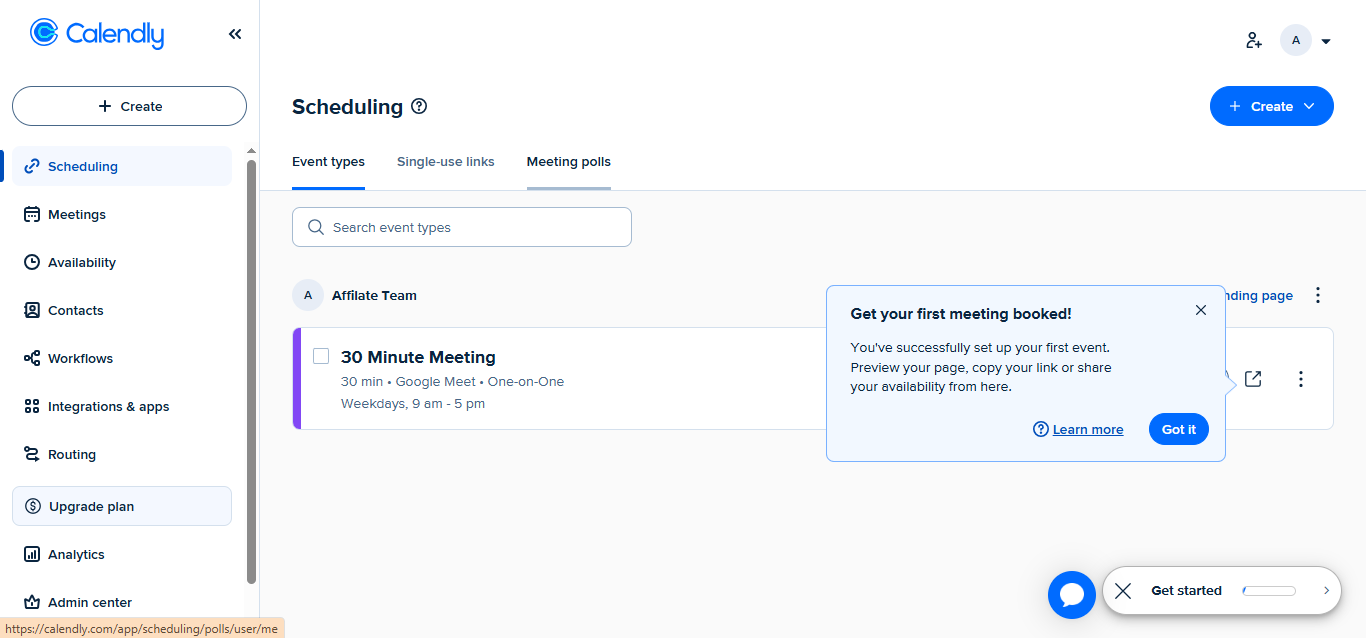
Screenshot
Score breakdown
Overall score
Scores are editorial assessments by the Compare Best AI team on a 0–10 scale.
Expert review
CBAI Editorial Team
Compare Best AI · Editorial Team
## Overview
How we tested
Days tested
7 days
Tasks evaluated
- ·Set up round‑robin and collective events
- ·Embed routing form on a demo landing page
- ·Sync meetings to Salesforce and test ownership routing
- ·Collect payment via Stripe and issue an invoice
Method
Compared against Cal.com and SavvyCal using identical inputs
Reviewer
CBAI Editorial Team
Plans & pricing
Free
Individuals testing basic scheduling
- 1 event type
- 1 calendar connection
- Unlimited 1:1 meetings
- No round‑robin or routing
Standard
Solo pros and small teams needing automations
- Everything in Free
- Unlimited event types
- Up to 6 calendar connections
- Automations & reminders
- Payments via Stripe & PayPal
- HubSpot, Mailchimp, Zapier
Teams
Teams needing routing and CRM sync
- Everything in Standard
- Round‑robin & team scheduling
- Lead routing & managed event types
- Salesforce, Marketo, Pardot
- SSO available as add‑on
Enterprise
Large orgs with security & compliance needs
- Everything in Teams
- SAML SSO & SCIM, domain control
- Audit logs & Data Deletion API
- Dedicated support & onboarding
- Starts at $15k/yr (50 seats, USD)
Pricing may vary by region. Always verify on the vendor's website.
Feature comparison
| Feature | Calendly | Cal.com | SavvyCal |
|---|---|---|---|
| Scheduling | |||
| Round‑robin team scheduling | |||
| Lead management | |||
| Routing forms and lead qualification | |||
| CRM | |||
| Native Salesforce integration | |||
| Payments | |||
| Collect payments at booking | |||
| AI | |||
| Built‑in AI meeting notes/assistant | |||
| Security | |||
| SSO and SCIM provisioning | |||
Is it right for you?
Good fit for
B2B sales teams
Route inbound demo requests, distribute via round‑robin, and push bookings to Salesforce automatically.
Recruiters & HR
Coordinate multi‑panel interviews with collective events, reminders, and calendar conflict checks.
Client services
Sell prepaid sessions and send invoices with payment links, reducing admin overhead.
Marketing ops
Embed routing forms on landing pages and track conversions via Analytics and Meta Pixel.
Less suited for
Strict on‑prem/self‑hosted environments
Calendly is a hosted SaaS; it doesn’t offer a self‑hosted option.
Teams needing AI on the lowest tier
AI Notetaker and Callie require the Plus tiers, not the base paid plans.
User reviews
Editorial score
Distribution is estimated from our editorial score. Verified user reviews coming soon.
Use cases
Typical ways teams rely on this tool — from everyday tasks to specialized workflows.
- Lead routing and instant scheduling
- Interview scheduling across panels
- Client appointments with upfront payments
- Account management and success check‑ins
- Demo and discovery call booking
- Automated meeting recaps and follow‑ups
Integrations
Reported connectors
Apps and services commonly connected out of the box or via official connectors.
- Salesforce
- Zoom
- Stripe
Privacy & compliance
Security & data practices
Highlights we track from the vendor's documentation. Always confirm current terms, subprocessors, and regional policies on their official site.
- SOC 2 Type 2
- SOC 3
- ISO/IEC 27001
- CSA STAR
- PCI compliant
- GDPR-ready
- CCPA-ready
- No training on customer data
Details
Category
Price
- Free
- Standard $12/mo ($10/mo billed yearly)
- Teams $20/mo ($16/mo billed yearly)
- Enterprise custom ($15k/yr minimum, starts at 50 seats)
- Teams Plus $— ($24/mo billed yearly for 1–30 seats)
- Standard Plus $—
Free version
Best for
- Qualifying and routing inbound leads
- Coordinating multi‑person interviews
- Automating reminders and follow‑ups
- Booking paid sessions with invoices or packages
Frequently asked questions
Calendly
Productivity & Collaboration
Ready to get started?
Visit the Calendly website to explore plans and start your free trial.
Was this page helpful?
Compare Best AI may earn a commission when you click links on this page. This does not influence our editorial scores or recommendations. Advertiser disclosure