

Mouseflow (AI)
by Mouseflow ApS
Session replay and behavior analytics for understanding user friction.
Score
Score
Our verdict
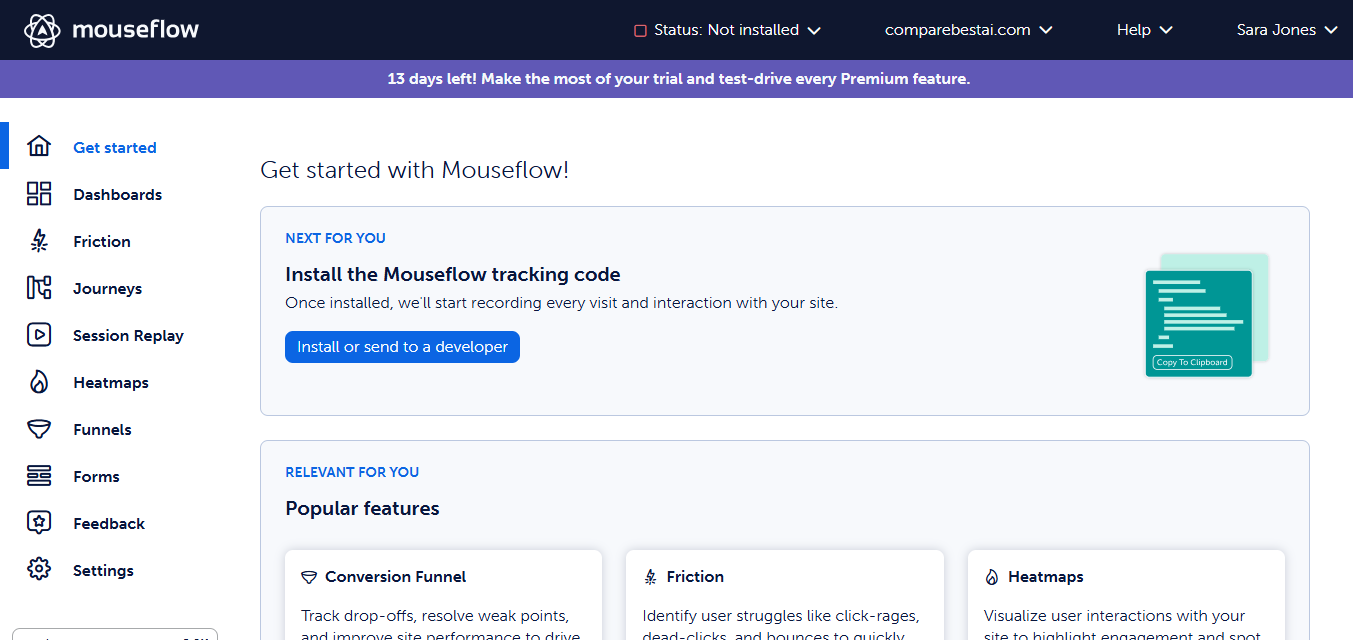
Mouseflow is a behavior analytics platform offering session replay, heatmaps, funnels, form analytics, and user feedback with a unique friction score that highlights problematic pages. Best for UX teams analyzing user friction. The main caveat is less popular than Hotjar with a smaller community and fewer AI features.
Overview
Screenshot
Score breakdown
Overall score
Scores are editorial assessments by the Compare Best AI team on a 0–10 scale.
Expert review
CBAI Editorial Team
Compare Best AI · Editorial Team
Mouseflow's standout feature is the friction score — automatically identifying pages where users struggle most based on rage clicks, scroll speed, and other behavioral signals. Session replays are detailed and well-organized with filtering by events, pages, and user attributes.
How we tested
Days tested
30 days
Tasks evaluated
- ·Session replay quality
- ·Friction score accuracy
- ·Funnel analysis
- ·Form analytics
- ·Heatmap variety
- ·Comparison with Hotjar
Method
Side-by-side with Hotjar on identical websites
Reviewer
CBAI Editorial Team
Plans & pricing
Free
- 500 sessions
- 1 site
- 1 funnel
- 1 month retention
Essential
- 5,000 sessions
- 1 site
Advanced
- 25,000 sessions
- 2 sites
- 5 funnels
Premium
- 100,000 sessions
- 5 sites
- API/MCP
Enterprise
- Custom volume
- SSO
- CSM
Pricing may vary by region. Always verify on the vendor's website.
Feature comparison
| Feature | Mouseflow (AI) | Hotjar | Crazy Egg |
|---|---|---|---|
| Unique | |||
| Friction score | |||
| Heatmaps | |||
| 6 heatmap types | |||
| Feedback | |||
| User feedback surveys | |||
| Pricing | |||
| Free tier | |||
Is it right for you?
Good fit for
UX teams
Friction score automatically identifies the most problematic pages and user journeys.
E-commerce optimization
Form analytics and funnels identify where shoppers abandon checkout.
Less suited for
Simple heatmap needs
Hotjar and Microsoft Clarity cover basics with more features or lower cost.
A/B testing
Mouseflow analyzes behavior but doesn't test variations — use VWO or Crazy Egg.
Enterprise scale
FullStory handles larger enterprise needs with auto-capture.
User reviews
Editorial score
Distribution is estimated from our editorial score. Verified user reviews coming soon.
Use cases
Typical ways teams rely on this tool — from everyday tasks to specialized workflows.
- UX friction
- Funnels
- Form analytics
Integrations
Reported connectors
Apps and services commonly connected out of the box or via official connectors.
- Google Analytics
- Google Tag Manager
- Shopify
- WordPress
- Wix
- Squarespace
- HubSpot
- Segment
- Zapier
Privacy & compliance
Security & data practices
Highlights we track from the vendor's documentation. Always confirm current terms, subprocessors, and regional policies on their official site.
- GDPR-ready
- SSO/SAML
Details
Category
Price
- Free $0 (500 sessions). Essential $25/mo. Advanced $109/mo (most popular). Premium $319/mo. Enterprise custom. Session bands 500 / 5k / 25k / 100k. 14-day trial (2000 sessions) no card
- 14-day money-back on first annual (not Enterprise). Annual save up to 35%
Free version
Best for
Sites optimizing UX (Free / Essential $25 / Advanced $109 / Premium $319)
Frequently asked questions
Mouseflow (AI)
Marketing
Ready to get started?
Visit the Mouseflow (AI) website to explore plans and start your free trial.
Was this page helpful?
Compare Best AI may earn a commission when you click links on this page. This does not influence our editorial scores or recommendations. Advertiser disclosure