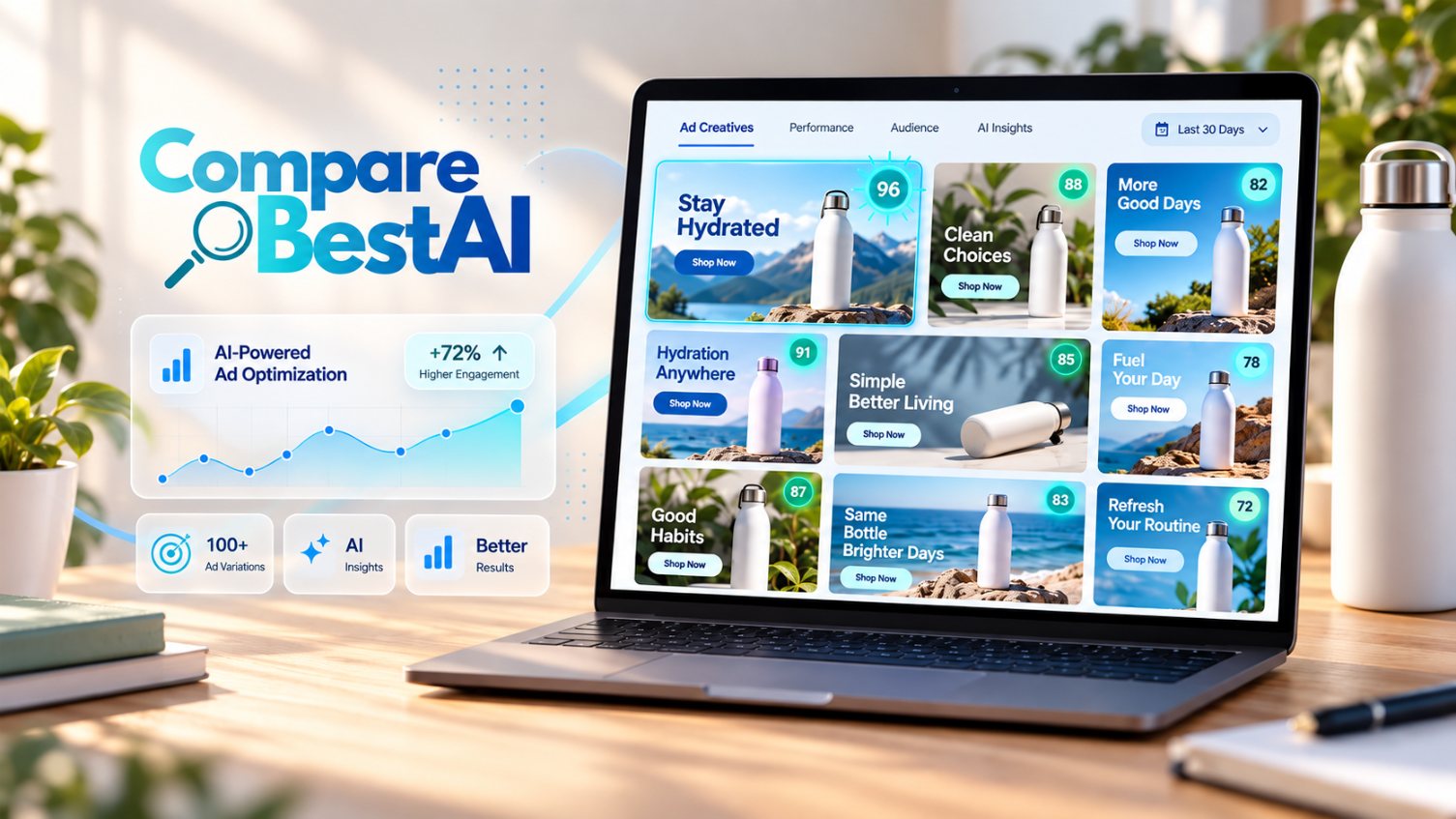

The best AI ad generator in 2026 depends on the type of ad you run. AdCreative.ai is best for static image ads at scale, Arcads is best for UGC-style video ads with AI actors, Creatify is best for turning a product URL into video ads, and Creatopy is best for teams that design display ads across many sizes. Paid plans start at about $39 a month, and free options like Canva and the built-in AI tools in Meta and Google Ads cover the basics.
Choose AdCreative.ai for fast static ad variations, Creatify for affordable product video ads, Arcads for realistic UGC-style videos, and Creatopy for team-based display ad design. Start with Canva or Meta's built-in AI tools if you want to test AI ads for free.
What Is an AI Ad Generator?
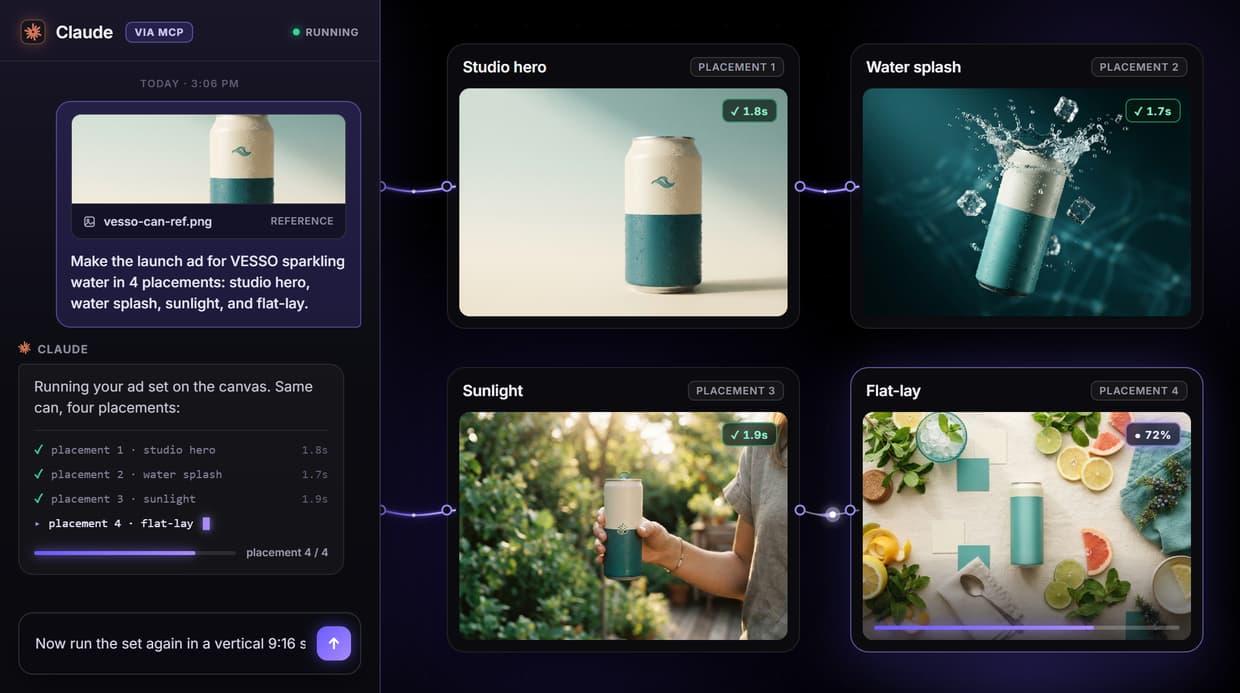
An AI ad generator is software that creates ad copy, images, or videos from a few inputs, such as your product URL, brand colors, logo, and target audience. It produces several ad variations in minutes, sized for platforms like Facebook, Instagram, Google, and TikTok.
How Does an AI Ad Generator Work?
- You provide inputs. A product link, images, brand kit, and a short description of your audience and offer.
- The AI drafts creatives. It writes headlines and body copy, generates or edits images, and assembles video scenes or AI presenters.
- It creates variations. You get multiple versions with different hooks, layouts, and calls to action.
- You review and export. You edit what needs fixing and download or publish the ads to your ad platforms.
In this guide, you'll learn:
- Which AI ad generators work best for static, video, and UGC-style ads
- What each tool costs in 2026
- A step-by-step workflow and prompt examples for creating ads with AI
- The legal rules, limits, and testing methods that keep AI ads effective
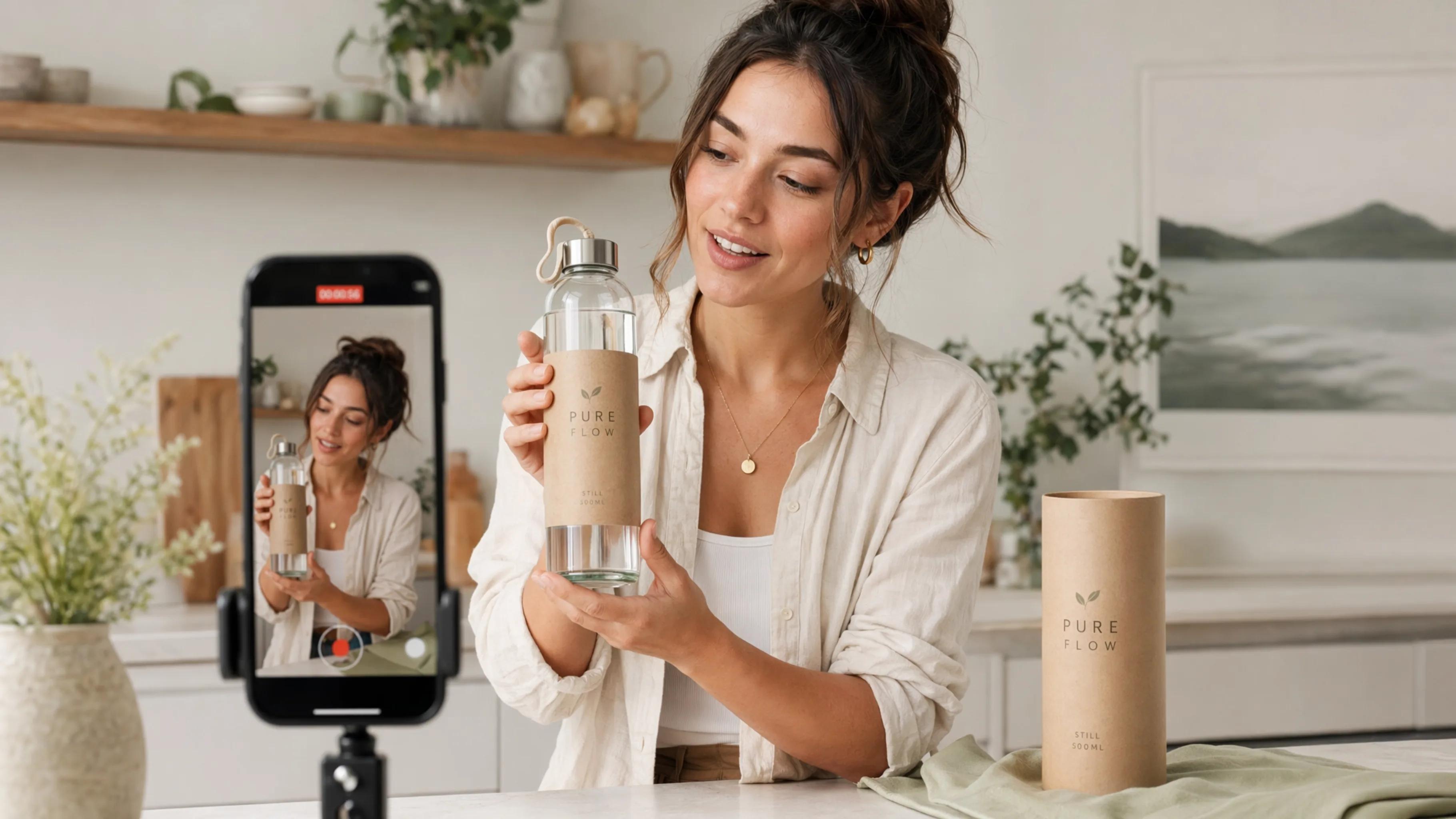
AI Ad Generators Compared (2026 Pricing)
AdCreative.ai has the lowest yearly entry price at $20 a month, while Arcads is the most expensive per video at about $11 each. Prices are US list prices from recent 2026 pricing reports and vendor pages, and they change often.
Tool | Best for | Free option | Entry paid plan | What you get |
|---|---|---|---|---|
AdCreative.ai | Static image ads at scale | Free trial | Starter: $39/mo ($20 yearly) | 10 ad downloads (credits) a month |
Creatify | Product URL to video ads | Free plan, 10 credits, watermarked | Starter: $39/mo (about $33 yearly) | 100 credits, about 20 thirty-second ads |
Creatopy | Display ads in many sizes, teams | Free plan | Pro: $39/mo billed yearly | Up to 5 seats and 5 brand kits |
Arcads | UGC-style video ads with AI actors | None | Starter: $110/mo | 10 videos a month |
Canva | Simple social graphics and ads | Free plan | Paid plans available | Templates plus AI design tools |
Meta and Google built-in AI | Text and image variations inside ad platforms | Free with an ad account | None | AI-suggested copy and image variations |
What Do AI Ad Generator Credits Mean?
Most tools use credits. On AdCreative.ai, one credit equals one ad download, and unused credits don't roll over. On Arcads, one credit equals one generated video, including re-generations after small edits. On Creatify, a standard 30-second ad uses about 5 credits. Budget for extra credits, because you'll rarely keep every version.
The Best AI Ad Generators, Reviewed
Each tool below specializes in a different ad format. Pick based on what you run most: static images, product videos, UGC-style videos, or display banners.
1. AdCreative.ai: Best for Static Image Ads
AdCreative.ai generates image ads and copy from your brand assets and product details. Starter costs $39 a month, or $20 a month billed yearly, for 10 downloads. Professional costs $249 a month ($125 yearly) for 50 credits and adds product video ad formats. Read our full AdCreative.ai review.
- Pros: Fast variations in many sizes, low yearly entry price, free trial
- Cons: Only 10 downloads on Starter; video formats require the $249 plan
2. Creatify: Best for Product Video Ads
Creatify turns a product URL into short video ads with AI avatars, scripts, and voiceovers. Starter costs $39 a month for 100 credits, enough for about 20 thirty-second ads. Pro costs $99 a month for 300 credits and adds a competitor ad tracker and ad launcher.
- Pros: URL-to-video speed, good value per ad, free plan for testing
- Cons: Free exports are watermarked; avatar realism varies by script
3. Arcads: Best for UGC-Style Video Ads
Arcads creates videos with AI actors who deliver your script like real customers talking to camera. Starter costs $110 a month for 10 videos, and Creator costs $220 for 20 videos. Arcads doesn't publish prices on its website or offer a free trial, so these figures come from reviewers' captures of its paywall.
- Pros: Realistic presenter-style videos, strong fit for TikTok and Reels testing
- Cons: About $11 per video, including re-generations; no free trial
4. Creatopy: Best for Teams and Display Ads
Creatopy helps teams design and resize ads across many formats, with brand kits and collaboration. Pro costs $39 a month billed yearly for up to 5 seats, and Team costs $59 a month billed yearly for up to 30 seats. A free plan is available.
- Pros: Strong for brand consistency and multi-size display campaigns, generous seats
- Cons: Yearly billing on paid plans
5. Canva and Built-In Ad Platform Tools: Best Free Options
Canva offers ad templates and AI design features on its free plan. Meta Ads Manager and Google Ads also include AI tools that suggest text and image variations inside your campaigns at no extra cost. These are the easiest places to start if your budget is tight. For a deeper look at Canva's capabilities, see our Magic Studio Canva review.
Best AI Image Generators for Ad Graphics
For custom visuals, image generators like Midjourney (from $10 a month) and Adobe Firefly can create product scenes and backgrounds. Always check each tool's commercial-use terms before using images in paid ads. To explore more options, read our guide to the best AI design & image generation tools.
How to Create Ads With AI: A Workflow for Small Businesses
You don't need to be a designer to create ads with AI. You need a clear offer, good product images, and a simple process for testing what works.
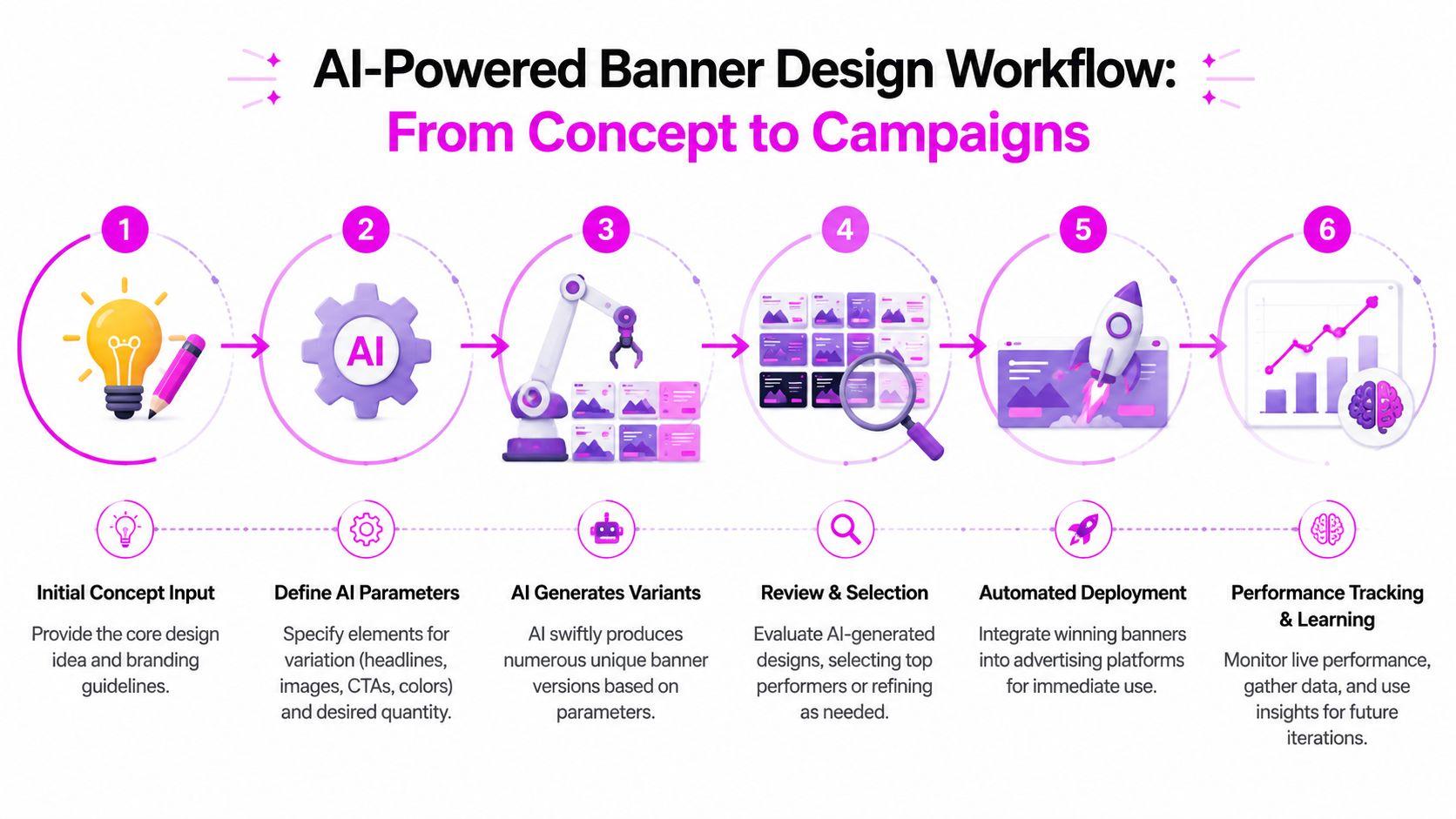
Step-by-Step AI Ad Generation Process
- Define one offer and one audience. For example: "20% off first order for busy parents who want healthy snacks."
- Gather your assets. Product photos, logo, brand colors, and two or three customer quotes or reviews you're allowed to use.
- Write a short brief or prompt. Include the product, audience, main benefit, offer, tone, and platform.
- Generate several variations. Ask for different hooks, such as price, convenience, and social proof.
- Edit for accuracy. Fix any wrong claims, odd product details, or off-brand wording.
- Size for each platform. Export the formats each placement needs.
- Launch a small test. Run three to five variations with a modest budget.
- Keep the winners. Pause low performers and create new variations of the best ad.
How to Generate Facebook and Instagram Ads With AI
Create square (1:1) and vertical (4:5 or 9:16) versions, since Feed, Stories, and Reels use different shapes. Lead with the hook in the first line of text and the first second of video. You can also use the AI text and image variation tools inside Meta Ads Manager to expand a working ad. For marketers looking for a wider selection of tools, see the 8 best free AI tools for marketers in 2026.
How to Create Google Ads With AI
For search ads, use AI to draft many short headlines and descriptions, then trim them to fit. Google's responsive search ads accept up to 15 headlines of 30 characters and 4 descriptions of 90 characters. Give the AI those limits in your prompt so you get usable copy on the first try.
How to Make Video Ads With AI for TikTok and Instagram
Use a vertical 9:16 format, show the product or problem in the first two seconds, and add captions so the ad still works with the sound off. Tools like Creatify and Arcads are built for this style of short video ad. For more on AI-powered video generation, see our best AI video generator comparison.
How to Create Product and Ecommerce Ads With AI
Start with clean product photos on a plain background. AI tools can then place the product in lifestyle scenes, add price and offer text, and create carousel variations. Always check that the product looks exactly like what customers will receive.
 AI Ad Generator Prompts and Ad Copy Examples
The quality of your AI ads depends on the quality of your brief. Specific prompts produce specific ads.
AI Ad Generator Prompt Examples for Beginners
Facebook ad copy prompt: "Write 5 Facebook ad variations for [product], a [short description], aimed at [audience]. Main benefit: [benefit]. Offer: [offer]. Tone: friendly and direct. Each ad needs a hook under 10 words, 2 short sentences of body copy, and a call to action."
Google search ad prompt: "Write 15 Google Ads headlines (max 30 characters each) and 4 descriptions (max 90 characters each) for [product]. Include the keyword [keyword] in at least 5 headlines. Mention [offer] and [key benefit]."
Video ad script prompt: "Write a 20-second vertical video ad script for TikTok about [product]. Open with a relatable problem in the first 2 seconds, show the product as the fix, and end with [call to action]. Write it as one person talking to camera."
Replace each bracketed item with your own details before running the prompt.
AI Ad Copy Examples
Here's how different hooks change the same ad for a fictional meal-prep service:
Angle | Example headline |
|---|---|
Problem | "Tired of deciding what's for dinner?" |
Benefit | "Healthy dinners ready in 10 minutes" |
Offer | "Get 20% off your first week of meals" |
Social proof | "Join 2,000 local families eating better" (use only if true) |
How to Create Multiple Ad Variations With AI
Change one element at a time, such as the hook, image, or call to action, so you know what made the difference. Ask the AI for variations by angle (price, speed, quality, trust), then pair each headline with two or three visuals.
How to Test AI-Generated Ad Creatives
- Test 3 to 5 variations at once with the same budget and audience.
- Give each ad enough time to collect meaningful results before judging.
- Compare the right metric, such as cost per purchase or cost per lead, not just clicks.
- Scale the winner and create new variations of it.
How to Improve AI-Generated Ad Copy
- Cut generic phrases like "revolutionary" or "game-changing."
- Add specific numbers, such as delivery time, price, or results you can prove.
- Use the words your customers use in reviews and support emails.
- Read it aloud; if it sounds like a robot, rewrite it.
Cost, Legal Rules, and Limits of AI Ads
How Much Does It Cost to Create an AI Ad?
At list prices, a single AI ad can cost a few dollars or less in tool fees:
- AdCreative.ai Starter (yearly): $20 for 10 downloads, about $2 per static ad
- Creatify Starter: $39 for about 20 thirty-second video ads, roughly $2 per ad
- Arcads Starter: $110 for 10 videos, about $11 per UGC-style video
Your real cost is higher because you won't keep every version, and you still spend time on briefs, editing, and testing. Even so, AI makes it practical for small businesses to test many creatives without hiring a production team for each one.
Is It Legal to Use AI-Generated Videos in Ads?
Yes, but the content must not mislead people. The FTC's Consumer Reviews and Testimonials Rule Q&A says the rule has no blanket ban on AI-generated avatars in marketing, but using them is prohibited if the underlying testimonials are fake or false, and avatars could also be deceptive under the FTC Act. In practice:
- Don't present an AI actor as a real customer sharing a real experience unless that's true.
- Don't invent reviews, ratings, or results.
- Make sure every product claim in the ad can be backed up.
- Follow each ad platform's own rules on AI-generated or altered content.
Copyright is a separate question. The U.S. Copyright Office's AI initiative tracks current guidance on ownership of AI-assisted work, so check each tool's license terms for commercial use.
How to Create Realistic AI Ads That Don't Look Fake
- Use real product photos instead of fully generated products.
- Keep AI people natural: avoid perfect, overly smooth faces and stiff gestures.
- Write scripts the way real people talk, with short sentences and plain words.
- Check hands, text, and logos closely, since AI often gets small details wrong.
Do AI-Generated Ads Get Clicks and Conversions?
They can, but results come from the offer, audience, and creative quality, not from AI itself. The real advantage is speed: you can test more ideas quickly and keep what performs. Judge AI ads by the same numbers as any other ad, such as cost per purchase or cost per lead.
What Are the Limits of AI Ad Generators?
- Generic copy if your brief is vague
- Visual errors in hands, text, and product details
- Weak brand voice without careful editing
- Credits that run out quickly when you regenerate often
- Legal risk if AI content implies fake endorsements
AI Ad Generator FAQs
What is the best AI ad generator?
AdCreative.ai is best for static image ads, Creatify for product video ads, Arcads for UGC-style videos, and Creatopy for team-based display ads. The best choice depends on the ad format you run most.
Are there free AI ad generators that actually work?
Yes. Canva's free plan, Creatify's free plan, Creatopy's free plan, and the built-in AI tools in Meta Ads Manager and Google Ads are good places to start. Free plans often add watermarks or limit exports.
Can I use AI to create ads without being a designer?
Yes. Most AI ad generators only need your product details, images, and brand colors. Basic marketing skills, like writing a clear offer and testing ads, matter more than design skills.
How long does it take to create an AI ad?
An AI tool can generate a set of ad variations in minutes. Plan an hour or more for briefing, editing, and checking details before launch.
What's the difference between UGC ads and AI-generated ads?
UGC ads feature real customers or creators filming themselves. AI-generated UGC-style ads use AI actors to mimic that look. If an AI actor appears to give a personal testimonial, make sure it doesn't mislead viewers.
Can I tell if an ad was made with AI?
Sometimes. Common signs include overly smooth faces, odd hand or text details, and unnatural speech. Good AI ads that use real product photos can be hard to spot.
Do customers trust ads made with AI?
Trust depends on honesty. Ads that show the real product, make provable claims, and avoid fake testimonials are more likely to keep customer trust.
Can I make money creating AI ads for brands?
Yes. Brands pay for strategy, scripting, creative judgment, and testing, not just tool access. Building a portfolio of tested ads is the best way to win clients.
This guide is for general information and isn't legal advice. For specific ad compliance questions, consult a qualified attorney.
Key Takeaways
- Best for static ads: AdCreative.ai, from $39 a month ($20 yearly)
- Best for product video ads: Creatify, from $39 a month for about 20 ads
- Best for UGC-style videos: Arcads, from $110 a month for 10 videos
- Best for teams and display ads: Creatopy, from $39 a month billed yearly
- Best free start: Canva and the AI tools inside Meta and Google Ads
- Biggest success factor: A specific brief and steady testing, not the tool alone
- Biggest risk: AI actors or testimonials that mislead viewers
Final Verdict: Pick the AI Ad Generator That Matches Your Ad Format
The best AI ad generator is the one built for the ads you actually run. Choose AdCreative.ai for static image ads, Creatify or Arcads for video, and Creatopy for team-based display campaigns. Start with a free plan or trial, create five variations from one clear brief, and let real campaign results decide which tool earns a paid plan.
At CompareBestAI, we compare AI marketing tools side by side on pricing, features, and real use cases, so you can choose with confidence. Ready to decide? Use the CompareBestAI comparison tool to put AdCreative.ai, Arcads, Creatopy, and other AI ad generators head to head.