
By CompareBestAI Editorial Team
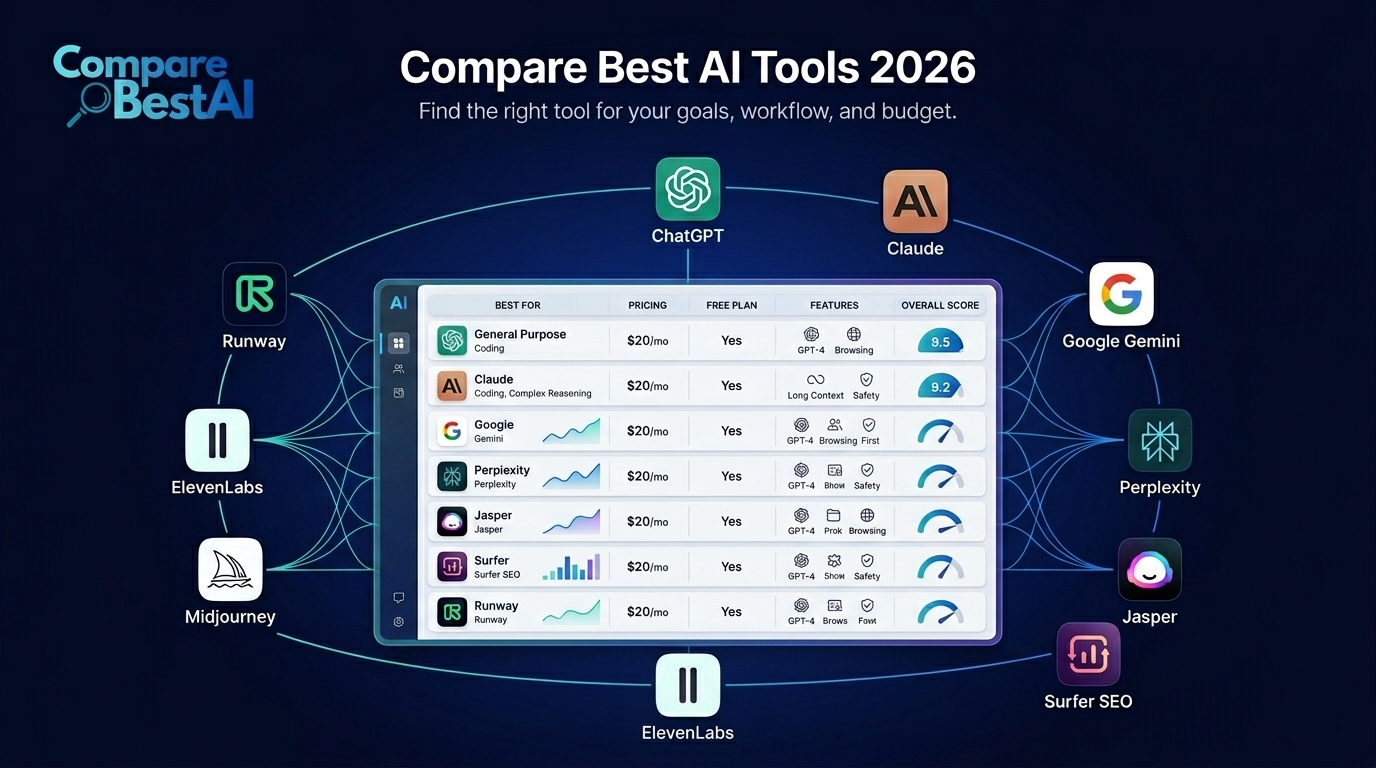
Quick Answer: The best AI tool in 2026 depends on the job. ChatGPT is our best all-around AI assistant, Claude is strongest for long-form writing and document-heavy work, Gemini fits Google-centric workflows, Perplexity is excellent for source-backed research, and GitHub Copilot is purpose-built for developers. For specialist work, Jasper targets marketing, Surfer focuses on SEO, Midjourney leads our image-generation shortlist, ElevenLabs specializes in AI audio, and Runway is built for AI video workflows.
There is no single best AI tool for every user.
The better question is: Which tool solves the task that costs you the most time, money, or effort each week?
A general AI assistant may cover writing, analysis, coding and research, while a specialist tool can outperform it in one narrow workflow. This guide compares the best AI tools in 2026 by use case, pricing, free-plan availability, strengths, limitations and practical fit.
If you want to test products before paying, start with our guide to AI tools with free plans.
Best AI Tools in 2026 at a Glance
| Rank | AI Tool | Best For | Free Option | Starting Paid Price |
|---|---|---|---|---|
| 1 | ChatGPT | Best overall AI assistant | Yes | Plus $20/month |
| 2 | Claude | Long-form writing and analysis | Yes | Pro $20/month |
| 3 | Gemini | Google ecosystem workflows | Yes | Google AI Pro $19.99/month |
| 4 | Perplexity | Research and citations | Yes | Pro $20/month |
| 5 | GitHub Copilot | Coding and software development | Yes | Pro $10/month |
| 6 | Jasper | Marketing teams and brand content | Trial | Pro $59/month annually |
| 7 | Surfer | SEO content optimization | No permanent free plan | Essential $79/month annually |
| 8 | Midjourney | AI image generation | No | Basic $10/month |
| 9 | ElevenLabs | AI voices, dubbing and audio | Yes | Starter $6/month |
| 10 | Runway | AI video generation | Yes | Standard $15/month |
Pricing checked September 2026. Subscription prices, credits, limits and included models can change, so verify the provider's current pricing before purchasing.
How We Compare the Best AI Tools
A useful AI comparison should not reward whichever company has the longest feature page.
We evaluate products using six practical criteria:
1. Output Quality
Does the tool consistently produce usable work for its intended job?
2. Workflow Fit
Does it remove steps from your existing workflow, or create another app you have to manage?
3. Ease of Use
How quickly can a normal user achieve a useful result?
4. Pricing and Total Cost
We look beyond the headline subscription fee to credits, additional seats, API charges, generation limits and add-ons.
5. Integrations
Does it work with the platforms people already use?
6. Repeatability
A single impressive generation proves very little. A useful tool should produce acceptable results repeatedly.
When comparing tools yourself, use the same real task, inputs and success criteria in each product.
1. ChatGPT — Best Overall AI Tool
Best for: General productivity, writing, analysis, brainstorming, files, research and mixed daily workflows.
ChatGPT earns our best-overall position because it covers a wide range of jobs inside one interface.
It can help draft and revise content, analyze uploaded files, organize research, explain complex subjects, work with structured information, generate images and support technical problem-solving.
For a freelancer, founder, student, analyst or small business that wants one AI subscription rather than five specialist products, that breadth matters.
OpenAI currently prices ChatGPT Plus at $20 per month.
Why Choose ChatGPT
- Broad range of everyday use cases.
- Strong iterative conversation workflow.
- File and document analysis.
- Writing and rewriting.
- Research support.
- Visual and multimodal capabilities.
- Suitable for technical and non-technical users.
Main Limitation
Breadth does not guarantee category leadership.
A dedicated image, SEO, coding, research, audio or video tool may provide deeper controls for a specialist workflow.
See the full ChatGPT profile for a closer look at its capabilities.
Choose ChatGPT when: you want one flexible AI assistant for many different tasks.
Skip it when: one specialist workflow dominates almost all of your work.
2. Claude — Best for Writing and Complex Documents
Best for: Long-form writing, reports, editing, analysis, research documents and substantial source material.
Claude is particularly useful when language, context and document structure matter.
It works well for tasks such as:
- Reorganizing reports.
- Editing long articles.
- Comparing source documents.
- Summarizing research.
- Reviewing technical material.
- Developing detailed written explanations.
- Working through complex arguments.
Anthropic currently prices Claude Pro at $20/month, with an annual option of $200.
Why Choose Claude
Claude is a good fit for users who spend more time reading, writing and analyzing documents than generating images or multimedia.
Main Limitation
It should not be treated as an independent factual authority. Important claims still require source verification.
Explore the Claude AI profile.
Choose Claude when: thoughtful writing and document-heavy work are central to your workflow.
Skip it when: your primary requirement is visual or media production.
3. Gemini — Best for Google Users
Best for: Gmail, Docs, Drive, research, productivity and Google-connected workflows.
Gemini becomes especially useful when your work already lives inside Google's ecosystem.
The value is not simply having another chatbot. The advantage is the relationship between Gemini and products such as Gmail, Docs and other Google services.
Google AI Pro currently costs $19.99/month on the US pricing page and includes 5 TB of storage plus expanded Gemini access.
Why Choose Gemini
- Strong fit with Google services.
- Useful for everyday productivity.
- Research and document workflows.
- Multimodal capabilities.
- Convenient for existing Google users.
Read our Gemini tool overview.
Choose Gemini when: Google Workspace is already central to your day.
Skip it when: Google integration provides little value to your workflow.
4. Perplexity — Best for Research and Source Discovery
Best for: Research, current information, source discovery and cited answers.
Perplexity approaches AI differently from a blank-page writing assistant.
Its strongest characteristic is visible sourcing. Answers are designed around web research and citations, making it useful when you need to inspect where information came from.
Perplexity Pro currently costs $20/month or $200/year.
Why Choose Perplexity
- Research-oriented interface.
- Citations included with answers.
- Useful for discovering original sources.
- Current web information.
- Strong fit for analysts, journalists, marketers and researchers.
Important Limitation
A citation does not automatically make a claim correct.
Always open the source and confirm that it actually supports the statement.
See the Perplexity tool profile or explore more AI research and data tools.
Choose Perplexity when: finding and checking sources is the primary job.
Skip it when: your main requirement is polished creative writing.
5. GitHub Copilot — Best AI Tool for Coding
Best for: Developers, IDE-based coding, code completion and agentic development workflows.
A broad best-AI-tools comparison should include a dedicated coding product.
GitHub Copilot integrates AI directly into developer environments rather than expecting developers to move every coding task into a general-purpose chatbot.
GitHub currently lists:
- Copilot Free at $0.
- Copilot Pro at $10/month.
- Copilot Pro+ at $39/month.
- Copilot Max at $100/month.
Paid plans include unlimited code completion and different levels of AI-credit and agent access.
Why Choose GitHub Copilot
- AI assistance inside development environments.
- Code completion.
- Chat and agent workflows.
- Multiple model options on paid plans.
- Close integration with GitHub and popular IDEs.
Main Limitation
AI-generated code still needs testing, review and security validation.
Visit the GitHub Copilot profile or browse additional AI developer tools.
Choose GitHub Copilot when: coding is a daily workflow rather than an occasional task.
6. Jasper — Best for Marketing Teams
Best for: Brand-controlled marketing, campaign content and marketing-team workflows.
Jasper is more specialized than ChatGPT or Claude.
Its current positioning revolves around marketing workflows, Brand Voice, knowledge assets, audiences and AI agents.
Jasper Pro currently costs $69 per seat monthly or $59 per seat monthly when billed annually.
Why Choose Jasper
- Built around marketing use cases.
- Brand controls.
- Campaign-oriented workflow.
- Team collaboration.
- Useful when several people create content for the same brand.
Main Limitation
A solo user may struggle to justify the price if a general-purpose assistant already handles most writing tasks.
Read our detailed Jasper AI review or explore the wider AI marketing tools category.
Choose Jasper when: brand consistency and repeatable marketing production justify a specialist subscription.
7. Surfer — Best for SEO Content Optimization
Best for: SEO briefs, content optimization, topical coverage and content teams.
Surfer is designed to help search marketers understand what ranking pages cover and optimize content accordingly.
Its current public pricing lists Essential at $99/month or $79/month when billed annually.
Why Choose Surfer
- SERP-driven content guidance.
- Content optimization.
- Topical research.
- Content auditing.
- Repeatable SEO workflows.
Main Limitation
A content score is not the same as useful content.
Blindly adding every suggested phrase can make a page worse. Treat optimization recommendations as evidence—not instructions that override editorial judgment.
For broader options, browse AI content and design tools.
Choose Surfer when: SEO content production is frequent enough to justify a dedicated platform.
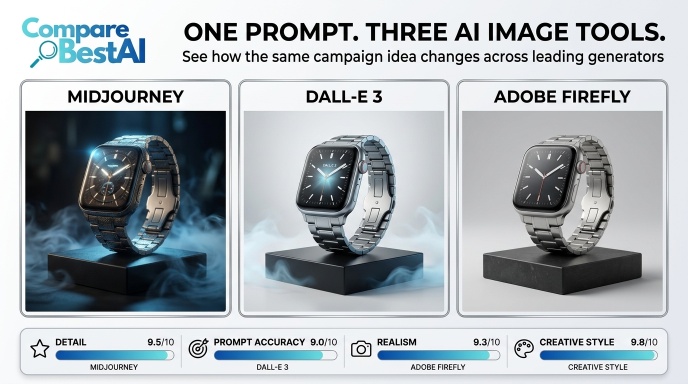
8. Midjourney — Best for AI Image Generation
Best for: Editorial visuals, artistic concepts, campaign creative, mood boards and stylized imagery.
Midjourney remains a specialist visual platform rather than an all-purpose assistant.
Its plans currently start at $10/month for Basic, followed by Standard, Pro and Mega tiers.
Why Choose Midjourney
- Strong artistic direction.
- High-quality visual concepts.
- Useful for brand exploration.
- Product and campaign mockups.
- Editorial and social imagery.
Main Limitation
It does not replace an AI research, writing, coding or automation platform.
Review the Midjourney tool profile.
Choose Midjourney when: visual quality is your primary requirement.
9. ElevenLabs — Best for AI Voice and Audio
Best for: Text-to-speech, voiceovers, dubbing, voice design and multilingual audio.
ElevenLabs specializes in synthetic audio.
Its current creative plans include a Free tier, while Starter begins at $6/month. Higher tiers add larger credit allowances and more advanced voice functionality.
Why Choose ElevenLabs
- Text-to-speech.
- Voice cloning.
- Dubbing.
- Audio-production tools.
- Multilingual workflows.
- Commercial options on paid plans.
Main Limitation
Credits and production volume can materially affect the real monthly cost.
Voice cloning should also be used only with appropriate consent.
See the ElevenLabs tool profile.
Choose ElevenLabs when: voice quality is more important than having a broad general assistant.
10. Runway — Best for AI Video Generation
Best for: AI video, creative video workflows, short-form production and visual experimentation.
Runway combines multiple AI-generation and editing workflows inside a video-focused platform.
Its Standard subscription currently costs $15/month, while the annual Standard plan costs $144, equivalent to $12/month. Standard includes 625 monthly credits; higher plans increase generation capacity.
Why Choose Runway
- AI video generation.
- Image and video workflows.
- Editing capabilities.
- Multiple generation models.
- Useful for concepts, social video and professional creative work.
Main Limitation
Video generation is credit-intensive.
Several failed generations can consume a meaningful portion of a monthly allowance.
See our Runway AI video review or browse AI video-generation tools.
Choose Runway when: video generation is a recurring production requirement.
ChatGPT vs Claude vs Gemini vs Perplexity
These four products overlap, but they are not identical.
| Need | Best Starting Choice |
|---|---|
| One AI for many tasks | ChatGPT |
| Long writing and documents | Claude |
| Google-centric productivity | Gemini |
| Research and cited web answers | Perplexity |
| Coding inside an IDE | GitHub Copilot |
| Marketing-team workflows | Jasper |
| SEO optimization | Surfer |
| Images | Midjourney |
| Voice | ElevenLabs |
| Video | Runway |
The correct setup may also be a small stack rather than one universal tool.
For example:
Research: Perplexity
Drafting: Claude
Analysis/general work: ChatGPT
Coding: GitHub Copilot
But do not automatically subscribe to all four.
Start with one problem and add another product only when the workflow gap is measurable.
Best AI Tools by Profession
| User | Best Starting Tool | Useful Specialist Add-On |
|---|---|---|
| Small business owner | ChatGPT | Gemini |
| Writer or editor | Claude | Perplexity |
| Researcher | Perplexity | Claude |
| Developer | GitHub Copilot | ChatGPT or Claude |
| Marketing manager | ChatGPT or Jasper | Midjourney |
| SEO specialist | ChatGPT or Claude | Surfer + Perplexity |
| Content creator | ChatGPT | Midjourney + ElevenLabs |
| Video creator | Runway | ElevenLabs |
| Designer | Midjourney | ChatGPT |
| Google Workspace team | Gemini | Perplexity |
| Agency | ChatGPT or Claude | Specialist tools by service |
If your main goal is productivity, explore more AI productivity and collaboration tools.
Are Free AI Tools Good Enough?
Often, yes.
A free plan is usually the best place to start when:
- You are learning the product.
- You use AI only occasionally.
- You have not defined your workflow yet.
- You are comparing alternatives.
- Your task is easy to verify.
Upgrade when:
- Usage limits interrupt real work.
- Premium capabilities become essential.
- Team collaboration is required.
- The tool demonstrably saves more money or time than it costs.
Do not subscribe simply because a product produced one impressive result.
Run the same real task at least twice.
The Hidden Cost of AI Tools
Monthly subscription price is only part of the cost.
You may also pay through:
- Generation credits.
- API usage.
- Additional seats.
- Extra storage.
- Add-ons.
- Editing time.
- Training.
- Integration costs.
- Failed generations.
- Separate specialist software.
A $20 product that requires several hours of correction may produce worse economics than a more expensive product that fits the workflow properly.
Read our guide to the hidden costs of popular AI tools before building a large AI stack.
How to Choose the Best AI Tool
Step 1: Define the Job
Do not begin with:
Which AI is the most powerful?
Begin with:
What exact task am I trying to improve?
Examples:
- Research competitors.
- Write client reports.
- Generate product images.
- Build software.
- Optimize SEO content.
- Create voiceovers.
- Produce short-form video.
Step 2: Set a Real Budget
Include subscriptions, credits, seats and the cost of correcting poor output.
Step 3: Test the Same Task
Give two or three products:
- The same input.
- The same prompt.
- The same files.
- The same deadline.
- The same evaluation criteria.
Step 4: Measure Editing Time
Do not score only the first output.
Measure how much work is required before the result becomes usable.
Step 5: Check Workflow Compatibility
Review:
- Integrations.
- Exports.
- Collaboration.
- API options.
- Security.
- Data controls.
- Platform support.
Step 6: Repeat the Test
One excellent result may be luck.
The best tool is the one that performs reliably.
For a more detailed process, read our guide on how to choose an AI tool.
Security and Privacy Questions Before Using AI Tools
Before uploading confidential client, employee, medical, legal, financial or internal company information, verify:
- What information the provider stores.
- Whether user content may be used for model improvement.
- Retention controls.
- Deletion options.
- Enterprise security features.
- Access permissions.
- SSO availability.
- Data residency.
- Applicable certifications.
- API permissions.
- Commercial rights to generated output.
Never assume that a convenient AI integration is automatically appropriate for sensitive business data.
FAQs About the Best AI Tools in 2026
What is the best AI tool in 2026?
There is no universal winner. ChatGPT is our strongest all-purpose pick, Claude is excellent for long-form writing and document analysis, Gemini suits Google-centric workflows, Perplexity is strong for research, and GitHub Copilot is designed specifically for coding.
What is the best free AI tool?
ChatGPT, Claude, Gemini, Perplexity and GitHub Copilot all offer free access or free tiers. The best choice depends on whether you need general assistance, writing, research, coding or Google integration.
How should I compare AI tools?
Give competing tools the same real task, files and instructions. Compare output quality, accuracy, editing time, speed, pricing, limits, integrations and total cost. Run more than one test before subscribing.
Which AI tool is best for business?
For broad business tasks, ChatGPT, Claude and Gemini are useful starting points. Specialist teams may add Jasper for marketing, GitHub Copilot for development, Surfer for SEO, ElevenLabs for voice or Runway for video.
Which AI tool is best for research?
Perplexity is one of the strongest research-focused options because citations are central to its workflow. Claude and ChatGPT are useful for analyzing collected material, but important facts and citations should still be independently verified.
Which AI tool is best for coding?
GitHub Copilot is the specialist coding pick in this comparison because it works directly inside developer environments. ChatGPT and Claude can also help with technical analysis and coding tasks.
Are paid AI tools worth it?
A paid plan is worthwhile when it removes a real workflow bottleneck. If you rarely hit free limits or premium features do not reduce meaningful work, upgrading may provide little value.
How many AI tools should I pay for?
For most individuals and small teams, one general-purpose assistant plus one specialist tool is a more rational starting point than maintaining many overlapping subscriptions.
Final Verdict: Which AI Tool Wins?
The best AI tool in 2026 is not necessarily the product with the most features.
It is the product that solves your most important recurring problem with the least friction and acceptable total cost.
Choose:
- ChatGPT for broad versatility.
- Claude for writing and document-heavy analysis.
- Gemini for Google-connected productivity.
- Perplexity for research.
- GitHub Copilot for coding.
- Jasper for structured marketing workflows.
- Surfer for SEO optimization.
- Midjourney for images.
- ElevenLabs for voice and audio.
- Runway for AI video.
Do not begin by buying several subscriptions.
Start with one real problem. Test two tools. Measure the result. Upgrade only when the better tool proves its value.
