
Answer First: ClickUp Enterprise is designed for larger organizations that need centralized project management plus stronger governance, security, automation, integrations, reporting, and onboarding support. Enterprise pricing is custom. Compared with ClickUp Business, the Enterprise tier adds features including SAML SSO, SCIM provisioning, unlimited custom roles, audit logs, session management, regional data residency, higher automation limits, enterprise API capacity, onboarding training, and a Customer Success Manager. Companies mainly needing straightforward task tracking may not need the Enterprise tier.
For large organizations, choosing work-management software is less about finding the platform with the longest feature list and more about answering a different set of questions:
Can administrators control access at scale?
Can identity management connect to the company's existing systems?
Can workflows support thousands of recurring actions?
Can leadership see work across departments?
Can security, legal, and compliance teams approve the platform?
And can the organization migrate without creating another fragmented system?
This guide evaluates ClickUp specifically through that enterprise lens.
For the broader product-level evaluation, see the ClickUp AI review and tool profile.
ClickUp Enterprise: Quick Verdict
ClickUp Enterprise is most relevant to organizations that want project management, documentation, dashboards, automation, integrations, and collaboration inside one configurable workspace while maintaining enterprise-level administrative controls.
Its strongest enterprise differentiators are governance rather than basic task management.
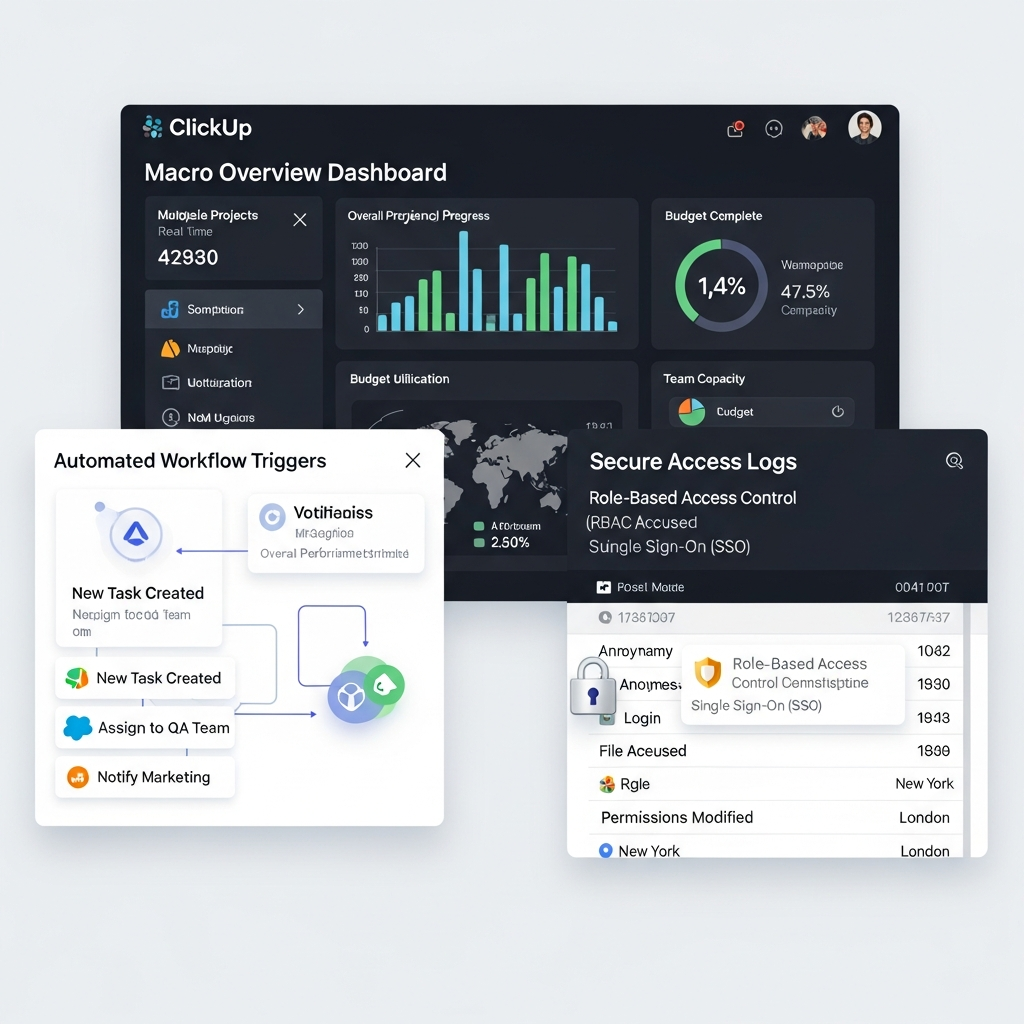
Current Enterprise capabilities include SAML SSO, SCIM provisioning, unlimited custom roles, audit logs, session management, data residency, enterprise-scale API access, substantially higher automation limits, onboarding training, and Customer Success support.
The trade-off is complexity.
ClickUp exposes a large number of views, fields, permissions, workflows, integrations, automations, AI functions, and customization options. That flexibility can be useful for complex organizations, but it also means implementation should be treated as a structured deployment rather than simply creating accounts and inviting thousands of users.
If you are evaluating this category broadly, compare the platforms in our Productivity & Collaboration tools guide.
ClickUp Enterprise at a Glance
| Factor | ClickUp Enterprise |
|---|---|
| Product type | Enterprise work-management platform |
| Pricing | Custom quote |
| Best suited to | Large and multi-team organizations |
| Tasks | Unlimited |
| Storage | Unlimited |
| SAML SSO | Yes |
| SCIM provisioning | Yes |
| Custom roles | Unlimited |
| Audit logs | Yes |
| Audit-log history | 60 days |
| Session management | Yes |
| Regional data residency | Enterprise option |
| Automation allowance | 250,000 actions/month on current plan |
| Enterprise API | Yes |
| Custom branding | Yes |
| HIPAA support | Available with appropriate Enterprise arrangement/BAA |
| Onboarding | Live onboarding + professional services options |
| Customer Success Manager | Included in current Enterprise positioning |
| Pricing transparency | Requires sales quote |
ClickUp currently advertises a 99.9% uptime guarantee for Enterprise and positions the tier around scalability, security, administrative control, and reliability.
What Is ClickUp Enterprise?
ClickUp Enterprise is the highest standard tier in ClickUp's current core work-management pricing structure.
The underlying platform combines tasks, projects, Docs, Whiteboards, dashboards, reporting, time tracking, Chat, automations, forms, integrations, and related collaboration tools.
Enterprise adds governance and scale-oriented controls around that core workspace.
ClickUp's current pricing page specifically lists Enterprise permissions and governance, unlimited custom roles, SAML SSO, SCIM provisioning, audit logs, session management, enterprise API access, custom branding, data residency, live onboarding training, Customer Success management, and managed services.
That distinction is important.
A company should not buy Enterprise because it needs a task list.
It should evaluate Enterprise when identity, permissions, automation volume, security controls, deployment support, or organizational scale justify moving beyond the lower tiers.
ClickUp Enterprise Pricing in 2026
ClickUp does not publish a fixed standard Enterprise per-seat price.
The current pricing page directs Enterprise buyers to request a custom demo and contact sales.
For context, ClickUp currently displays its standard Business plan at:
$12 per user/month when billed yearly
or
$19 per user/month when billed monthly.
Enterprise pricing is negotiated separately.
That means procurement teams should avoid estimating the Enterprise budget by simply multiplying the Business rate.
The final contract can depend on seat structure, user roles, service requirements, support, onboarding, integrations, AI packaging, and commercial terms.
ClickUp Business vs Enterprise
| Capability | Business | Enterprise |
|---|---|---|
| Published annual price | $12/user/month | Custom |
| Advanced dashboards | Yes | Yes |
| Automation allowance | 5,000/month | 250,000/month |
| Google SSO | Yes | Yes |
| SAML SSO | — | Yes |
| SCIM provisioning | — | Yes |
| Unlimited custom roles | — | Yes |
| Audit logs | — | Yes |
| Session management | — | Yes |
| Regional data residency | — | Yes |
| Enterprise API | — | Yes |
| Live onboarding training | — | Yes |
| Customer Success Manager | — | Yes |
| Managed services | — | Available |
Current pricing and feature packaging can change, so Enterprise buyers should treat the actual sales quote and contract as authoritative.
Enterprise Permissions and Governance
Governance is one of the strongest reasons to move from ClickUp Business to Enterprise.
ClickUp Enterprise supports unlimited custom roles, allowing an organization to create permission structures around actual job responsibilities instead of relying only on generic member/admin roles.
ClickUp's documentation confirms that unlimited custom role permissions are available on Enterprise, while Business Plus receives one custom role.
This matters when a Workspace includes different groups such as:
IT administrators, department managers, external contractors, executives, finance staff, developers, and operational teams.
Enterprise software should let each group access what it needs without exposing everything to everyone.
SAML SSO and SCIM Provisioning
ClickUp Enterprise includes SAML SSO and SCIM provisioning in its current pricing structure.
Custom SAML can connect ClickUp with identity providers supporting SAML 2.0, while ClickUp also documents integrations for providers including Microsoft and Okta. Custom SAML itself is Enterprise-only.
For larger organizations, this is more than a convenience feature.
Centralized identity management helps IT teams standardize authentication and reduce manual account administration as employees join, move between teams, or leave the organization.
Audit Logs and Session Management
Enterprise Workspace audit logs give administrators visibility into important Workspace activity.
ClickUp currently states that audit logs are an Enterprise feature and that historical audit-log data is retained for 60 days.
That 60-day retention limit should be reviewed during procurement.
Organizations with longer regulatory or forensic retention requirements may need to determine whether their internal logging architecture or integrations can satisfy those requirements.
Enterprise also includes session management. Administrators can define how long users stay logged in and configure session and idle-time behavior.
ClickUp Enterprise Security and Compliance
ClickUp's current security documentation lists several compliance and security frameworks relevant to enterprise procurement.
The company reports SOC 1 Type 2, SOC 2 Type 2, and SOC 3 certifications, along with ISO 27001, ISO 27017, ISO 27018, ISO 27701, and ISO 42001 certifications. ClickUp also documents PCI compliance and GDPR-related controls.
ClickUp states that data in transit is protected using TLS 1.2+ and data at rest is encrypted using AES-256.
HIPAA support is available for Enterprise customers under an appropriate Business Associate Agreement rather than being something every ClickUp Workspace should automatically describe as “HIPAA compliant.”
That distinction is important for healthcare organizations.
Regional Data Residency
ClickUp allows Enterprise customers to request regional hosting for core Workspace data.
Current documentation lists localized options for:
United States, European Union, Australia, and Singapore.
ClickUp states that there is no additional charge for Enterprise localized data hosting.
The documentation also notes that some data—such as integration-related data and Workspace avatars—can remain outside the selected region, so organizations with strict residency obligations should review the complete data-processing architecture instead of relying solely on a marketing label.
ClickUp Enterprise Automation
Automation is another meaningful difference between standard and enterprise-scale ClickUp usage.
ClickUp currently lists 250,000 Automation actions per month for Enterprise, compared with 5,000 on Business.
Enterprise also gets six months of Automation usage-history retention, while lower tiers retain shorter periods.
Automation can support workflows such as:
approvals, status changes, task assignment, reminders, routing, notifications, and integration-triggered actions.
The important procurement question is not whether ClickUp “has automation.”
It is whether your expected workflow volume stays within the contracted automation allowance and whether the actions you need are available natively or through integrations.
Enterprise API and Integrations
ClickUp's current pricing table lists substantially higher API capacity for Enterprise, with the published comparison showing 10,000 API calls per minute versus 100 per minute on the lower core plans.
That difference can matter when ClickUp becomes part of a larger operational architecture rather than a standalone task application.
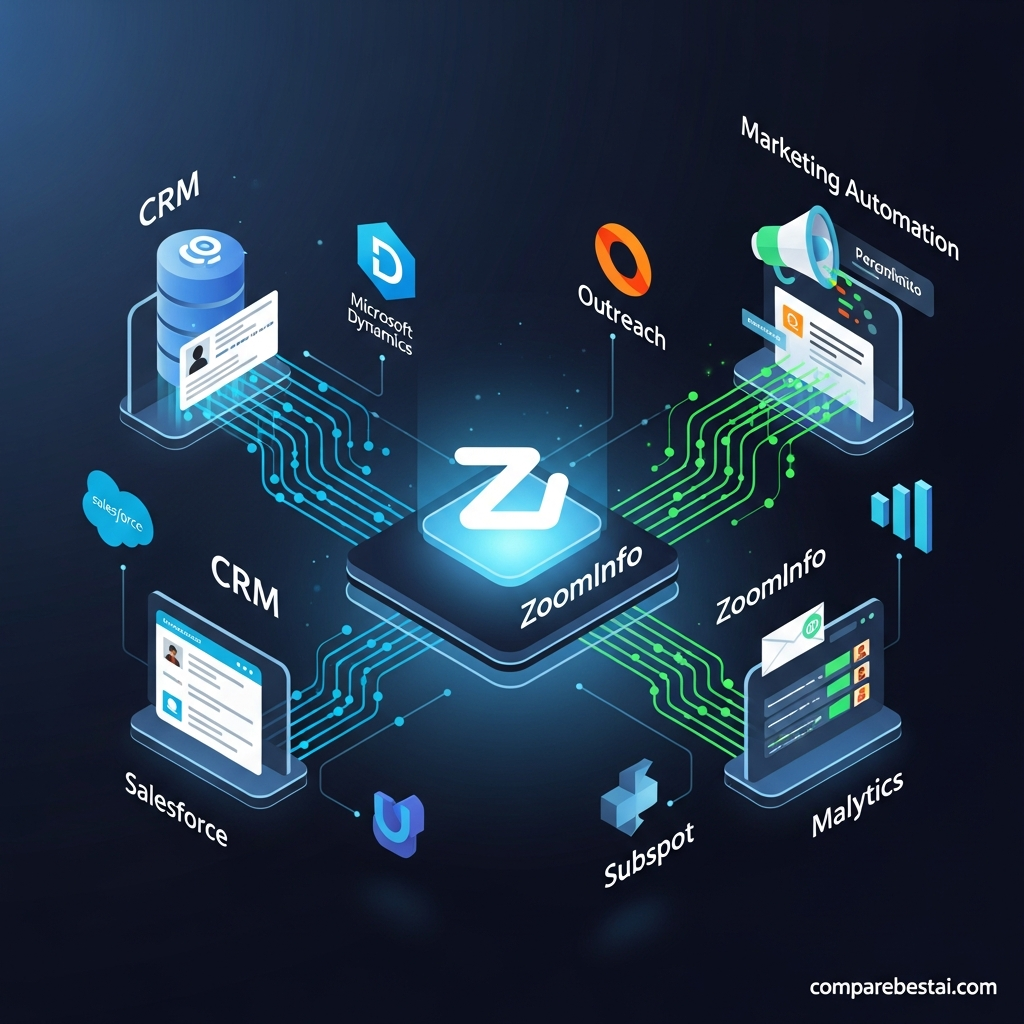
ClickUp also advertises connections with more than 1,000 tools, including native or supported integrations involving Slack, GitHub, Salesforce, Google Drive, Microsoft Teams, Jira, Notion, Zapier, and other systems.
For example, ClickUp's Salesforce Sync can synchronize Salesforce accounts and opportunities with ClickUp tasks on eligible plans, including Enterprise.
Dashboards and Enterprise Reporting
Reporting is useful when the platform contains work from several departments.
ClickUp Business already includes unlimited dashboards with advanced cards, sprint reporting, portfolio workload management, and related reporting capabilities. Enterprise carries those features into the higher-governance tier.
The practical enterprise value comes from standardization.
A leadership team can establish shared reporting views while individual departments retain workflows suited to their own operations.
That flexibility is useful, but it also creates a governance requirement: organizations should define naming conventions, Workspace hierarchy, custom fields, dashboard ownership, and reporting standards before scaling adoption.
ClickUp AI and Brain for Enterprise Teams
ClickUp now has a significant AI layer, but AI packaging is currently in transition, so evergreen articles should avoid presenting one static AI entitlement as universal.
ClickUp says some Workspaces are seeing a new plan structure that bundles more AI into the core plans, while existing paid Workspaces are not automatically moved. In that rollout, Enterprise includes higher AI allowances than lower tiers.
Separately, ClickUp's public pricing page currently presents paid AI packages such as Brain AI and Everything AI.
Therefore, the safest procurement guidance is:
verify the AI package included in your specific Enterprise quote.
Do not assume that a price or AI allowance from an older ClickUp review applies to every Workspace in 2026.
ClickUp also states that contracts with its AI subprocessors prohibit using customer data to train their models.
Enterprise Search and Knowledge Work
ClickUp's AI positioning increasingly connects tasks, Docs, conversations, and connected systems.
For organizations already using ClickUp as the central operating workspace, that context can make AI more useful than a standalone assistant that has no access to internal work.
However, enterprises should evaluate AI separately from basic project-management functionality.
Questions should include:
what data the AI can access, which users can invoke it, what model providers are involved, what data leaves the selected residency region, what usage is included, and how AI activity is governed.
If AI productivity is a broader strategic initiative, see our guide to AI tools that actually save time for teams.
ClickUp Enterprise Onboarding
Enterprise deployment should be treated as an implementation project.
ClickUp's current Enterprise pricing includes live onboarding training, a Customer Success Manager, and access to managed services. Its Enterprise site also describes guided onboarding and professional-services support.
Professional services can cover onboarding and deployment, strategic consulting, integrations, optimization, and live training.
That is valuable because the hardest part of enterprise work management is usually not creating a task.
It is designing a Workspace architecture that hundreds or thousands of users can understand consistently.
How CompareBestAI Evaluated ClickUp
CompareBestAI's current ClickUp tool profile states that the editorial evaluation lasted 14 days and covered project setup, task management, ClickUp Brain, automation workflows, dashboards, reporting, Docs, Whiteboards, and integrations with Slack and GitHub.
The methodology also states that ClickUp was compared with Asana and Monday.com using similar team-project scenarios.
If that methodology reflects your documented editorial testing, surface it prominently on this page.
It is much stronger E-E-A-T evidence than generic statements such as “many companies rely on ClickUp.”
Who Is ClickUp Enterprise Best For?
ClickUp Enterprise becomes easier to justify when an organization has several departments, complex permission requirements, high automation volume, centralized identity management, significant API usage, regulated-data considerations, or a formal software-governance process.
Typical use cases include:
enterprise PMO operations, product and engineering coordination, marketing operations, professional services, internal IT workflows, client-delivery teams, and cross-functional strategic programs.
The strongest fit is usually an organization trying to consolidate several work-management functions while still requiring strong administrative controls.
For broader options, browse the Productivity & Collaboration category.
Who May Not Need ClickUp Enterprise?
Enterprise is less compelling when a team has relatively simple workflows, few permission requirements, low automation volume, no SSO/SCIM requirement, and limited reporting complexity.
A smaller organization may obtain the project-management functionality it needs from ClickUp Business without taking on Enterprise procurement and implementation overhead.
Likewise, teams that prioritize simplicity over deep configuration should compare alternatives before committing.
For a lightweight benchmark, see the Trello AI profile.
ClickUp vs Asana for Enterprise Teams
ClickUp and Asana both support large-team project and work management, but they approach configuration differently.
ClickUp emphasizes a broad all-in-one workspace with tasks, Docs, Whiteboards, time tracking, dashboards, Chat, automation, and extensive customization.
Teams that prefer a more focused project-management environment should also evaluate Asana AI.
The choice should be based on workflow complexity, governance requirements, adoption preferences, reporting needs, and the software already present in the organization—not on a generic “winner.”
ClickUp vs Monday.com
Monday.com is another direct alternative for organizations evaluating configurable work-management platforms.
If these are your final two candidates, use the dedicated Monday.com vs ClickUp comparison rather than forcing this ClickUp page to target the same comparison keyword.
You can also review the Monday.com enterprise guide for the competitor's enterprise-focused use case.
That separation helps avoid keyword cannibalization across CompareBestAI.
ClickUp vs Notion
Notion is especially strong when documentation, knowledge management, flexible databases, and collaborative workspace design sit at the center of the workflow.
ClickUp is more directly structured around tasks, operational workflows, project execution, dashboards, time tracking, and automation.
Teams considering a knowledge-first alternative can compare the Notion AI profile.
For highly customized enterprise integrations around Notion, also see the Notion API enterprise integration guide.
Questions to Ask Before Buying ClickUp Enterprise
Before signing an Enterprise contract, confirm your actual seat and role structure, the exact AI package included in the quote, SSO and SCIM requirements, regional data-residency needs, expected monthly automation volume, API throughput requirements, audit-log retention needs, migration responsibilities, onboarding scope, support terms, and whether managed professional services are part of the agreement.
A custom price only becomes meaningful when those requirements are defined.
Frequently Asked Questions
How much does ClickUp Enterprise cost?
ClickUp does not publish a fixed Enterprise per-user price. Enterprise uses custom pricing, so organizations need to contact ClickUp sales for a quote based on their deployment and requirements.
What does ClickUp Enterprise include?
Current Enterprise features include advanced permissions and governance, unlimited custom roles, SAML SSO, SCIM provisioning, audit logs, session management, enterprise API access, 250,000 monthly Automation actions, data residency, onboarding training, and Customer Success support.
Does ClickUp Enterprise support SSO and SCIM?
Yes. ClickUp currently includes SAML SSO and SCIM provisioning with its Enterprise tier. Custom SAML is documented as an Enterprise-only capability.
Is ClickUp HIPAA compliant?
ClickUp can support HIPAA requirements for Enterprise customers through an appropriate configuration and Business Associate Agreement. Organizations should confirm the exact contractual scope with ClickUp rather than assuming every Workspace is automatically HIPAA compliant.
Does ClickUp Enterprise offer data residency?
Yes. Enterprise customers can request localized hosting for core Workspace data in the United States, European Union, Australia, or Singapore.
How many automations does ClickUp Enterprise include?
ClickUp's current Enterprise plan lists 250,000 Automation actions per month, with additional capacity available for purchase.
Does ClickUp Enterprise include AI?
AI packaging is changing. ClickUp is rolling out newer plans with more AI included to some Workspaces, while existing paid Workspaces are not automatically migrated. Enterprise buyers should verify the specific AI entitlement in their sales quote.
Is ClickUp Enterprise suitable for large organizations?
It can be a strong fit when an organization needs centralized work management plus SSO, SCIM, custom roles, audit logs, high automation limits, regional data hosting, API capacity, and formal onboarding support. Teams without those requirements may find a lower ClickUp tier sufficient.
Final Verdict
ClickUp Enterprise should be evaluated as a governed work-management platform, not simply a more expensive version of a task manager.
The core value comes from combining project execution with enterprise controls:
tasks + collaboration + reporting + automation + identity management + permissions + integrations + security.
Its strongest case is an organization that wants to consolidate work across departments while preserving centralized governance.
Its biggest risk is implementation complexity.
A flexible platform can reduce tool fragmentation only when the Workspace architecture, permissions, naming standards, reporting model, and onboarding process are designed well.
Before signing a contract, compare the Enterprise quote against your actual requirements rather than the length of the feature list.
For current CompareBestAI product-level pricing, methodology, alternatives, and feature analysis, continue to the ClickUp AI tool profile.