

Quick Answer: Dough is listed by CompareBestAI as an AI video-generation platform that creates short videos from text prompts or images. Its directory profile reports multiple video models, camera controls, motion tracking, audio generation, and lip-sync capabilities. Pricing is listed as Free, Standard at $0.14 per second, and Premium at $0.21 per second. The platform may be relevant to creators and marketers experimenting with generated video, but its exact vendor, current capabilities, and commercial terms require confirmation.
AI video generation has introduced new ways to develop visual concepts, create short promotional footage, and experiment with animation.
However, selecting an AI video tool requires more than checking whether it can produce an attractive demonstration clip.
Users also need to consider output consistency, supported models, generation limits, costs, editing requirements, and commercial-use conditions.
This Dough review examines the product information available in the CompareBestAI directory, discusses its reported strengths and limitations, and explains how to evaluate it against other video-production tools.
For the product information currently maintained in our directory, visit the Dough AI video generator profile .
What Is Dough AI?
Dough is classified in the CompareBestAI directory as an AI video-generation tool.
According to its product profile, users can create videos from text prompts or images and choose between several AI generation models.
The listed capabilities include camera controls, motion tracking, audio generation, and lip-sync functionality.
This positions Dough within the broader category of generative video software, rather than conventional video editing alone.
How does AI video generation work?
An AI video-generation workflow usually begins with a written prompt, an image, or another supported visual input.
The user provides instructions describing the desired scene, subject, movement, and visual style.
A generation model then produces a video sequence based on those inputs.
For example, a product marketer might describe a cinematic shot of a skincare bottle on a marble surface with soft lighting and subtle camera movement.
The resulting footage can be reviewed for visual consistency and suitability for the campaign.
For readers unfamiliar with this process, our beginner's guide to AI video creation explains how to approach AI-generated footage.
Is Dough the same as Banodoco Dough?
No equivalence has been established between the multi-model product described in CompareBestAI and Banodoco's separately documented Dough project.
Banodoco Dough is an open-source tool for precision-controlled AI animation. Its public GitHub repository was archived on December 29, 2024.
The features and pricing in this review refer to the product represented in CompareBestAI's directory. Confirm the exact vendor before relying on any commercial offer.
Dough Features at a Glance
The CompareBestAI directory lists several video-generation capabilities for Dough.
The following table summarizes those features and the types of creative tasks they may support.
Listed feature | Description | Potential application |
|---|---|---|
Text-to-video | Generates video from written instructions | Creative concepts and promotional scenes |
Image-to-video | Uses an image as a generation input | Product image animation |
Multiple AI models | Lists several video-generation models | Comparing generation approaches |
Camera controls | Provides camera-related settings | Shot composition and movement |
Motion tracking | Lists movement-related functionality | Motion-focused scenes |
Audio generation | Lists audio-related capabilities | Sound-enabled clips |
Lip-sync | Lists speech synchronization functionality | Dialogue-oriented content |
Usage-based pricing | Reports per-second paid rates | Project-level cost estimation |
These are reported product capabilities, not independently verified performance results.
The actual availability of each feature may depend on the selected model, account, and current product implementation.
1. Text-to-Video Generation
Text-to-video allows users to describe a scene and generate footage from that description.
The input may include details about the subject, action, setting, lighting, style, and camera movement.
This approach can be useful during early creative development because it allows a user to explore visual ideas without organizing a traditional shoot for every concept.
Example: A social media advertisement
Consider a small business preparing a short promotional video.
The marketing team wants footage of a product placed in a minimalist studio environment.
A prompt might describe the product, camera movement, lighting, and desired atmosphere.
The generated result could provide an initial visual asset for further evaluation.
However, the team should inspect the video carefully before using it commercially.
Small text, product labels, packaging details, and distinctive brand elements may not remain perfectly consistent in generated footage.
What should users evaluate?
Assess whether the model follows the prompt, produces coherent movement, and maintains the appearance of important subjects.
For commercial applications, repeat the test with representative product images and realistic creative requirements.
A successful demonstration prompt does not establish that every complex production task can be completed reliably.
2. Image-to-Video Generation
Image-to-video uses a supplied image as a visual starting point.
This approach can be relevant when a creator wants to animate an existing composition or explore movement while preserving the general appearance of the original subject.
Potential applications include illustrations, product photographs, concept art, and other visual assets.
Example: Animating a product photograph
An ecommerce brand may already have a professionally photographed product.
Rather than generating an entirely new composition, the team could explore an image-based workflow.
The objective might be to introduce subtle camera movement or environmental motion.
Before publication, the resulting footage should be checked against the original product image.
Image-to-video generation does not guarantee that labels, colors, packaging, or small details will remain unchanged.
Why does image consistency matter?
A visually attractive clip may still be unsuitable for a brand if the product's appearance changes.
For projects where exact visual fidelity is essential, conventional filming, controlled animation, or additional editing may be necessary.
The appropriate production method depends on the creative requirements.
3. Multiple AI Video Models
One of the central features in Dough's CompareBestAI listing is access to multiple AI video models.
The directory names Veo 3.1, Sora 2, Kling 2.5, Wan 2.5, Hailuo 2.3, Seedance, and Grok Imagine.
Their current availability, model versions, and specific generation settings have not been independently verified.
Why does model selection matter?
Different generation systems may interpret the same prompt differently.
One model may produce a particular style of movement, while another may respond differently to image references, scene composition, or audio requirements.
This can influence how a creator approaches a project.
For example, a team producing a product-focused clip may prioritize visual consistency, while another project may prioritize cinematic motion.
A multi-model workflow could make it possible to test different approaches.
However, a model's presence in a directory should not be interpreted as a guarantee that every capability of the standalone model is available through Dough.
How should users compare models?
Use the same creative brief and reference materials where possible.
Then compare the outputs against your project's requirements.
Inspect motion, subject consistency, prompt adherence, generation duration, and costs.
For broader context, explore our AI video generator comparison .
4. Camera Controls and Motion Tracking
Camera behavior influences how a generated video communicates its subject.
A static shot, tracking movement, and a slow camera push-in can create different visual effects.
The Dough directory lists camera controls and motion-tracking capabilities.
However, the exact implementation and available settings need confirmation.
Where are camera controls useful?
Camera-related controls may be relevant to advertising concepts, cinematic footage, product presentations, and animated scenes.
For example, a creator may want a slow movement toward a product rather than a rapid change in perspective.
The resulting motion should support the intended composition.
What are the limitations?
Generative video may introduce unexpected movement or changes in framing.
A model may also interpret a camera instruction differently from the user's intention.
For projects requiring precise choreography or repeatable camera movement, evaluate the actual output before relying on the platform.
5. Audio Generation and Lip-Sync
Dough's CompareBestAI profile lists audio generation and lip-sync capabilities.
Audio-enabled generation can be relevant to short scenes involving environmental sound, speech, or other synchronized elements.
Lip-sync aims to align visible mouth movement with spoken audio.
These capabilities may be useful for character-based video, promotional content, and certain educational applications.
What should users test?
Evaluate whether the generated audio matches the visual sequence.
For speech-oriented content, inspect timing, facial consistency, pronunciation, and the quality of the final output.
Also confirm which languages and input formats are supported.
The general feature listing does not independently establish that every model provides identical audio or lip-sync functionality.
For projects involving synthetic voices or identifiable people, review the provider's current rights and consent requirements.
6. Dough Pricing: Free, Standard and Premium
Pricing is a central consideration in this Dough review.
CompareBestAI lists a Free option and two paid usage-based rates.
These figures are taken from the directory's product profile and have not been independently verified against current vendor checkout information.
Dough pricing comparison
Option | Directory-listed price | Main consideration |
|---|---|---|
Free | $0/month | Confirm generation allowance and restrictions |
Standard | $0.14/second | Verify supported models and settings |
Premium | $0.21/second | Confirm additional entitlements and duration limits |
The profile also reports 12-month validity for paid credits.
This condition should be confirmed through the provider's current billing terms.
How much does a 10-second video cost?
At the listed Standard rate, a 10-second generation has an illustrative base cost of $1.40.
At the Premium rate, the same duration costs $2.10.
These calculations assume uniform billing per second and exclude possible additional charges.
How do repeated generations affect cost?
Suppose a creator requires five usable 10-second clips.
If each usable result requires three generation attempts, the total generated duration would be 150 seconds.
At the published rates, the illustrative base costs would be $21.00 for Standard and $31.50 for Premium.
This example demonstrates the importance of estimating total generated footage rather than only the length of the final deliverable.
The provider's actual billing rules, including charges for failed generations or retries, must be verified.
For a fuller cost breakdown, read our Dough pricing guide .
7. Dough Pros and Cons
A useful review should distinguish between potential advantages, documented limitations, and capabilities that remain unverified.
The following assessment is based on the product information in the CompareBestAI directory. It is not an independent hands-on benchmark.
Potential advantages
Multiple model options: The directory lists several AI video models, which may provide users with different generation approaches.
Text and image inputs: Support for both input types may make the tool relevant to different creative workflows.
Camera and motion-related controls: These listed features are relevant to users who want to influence the appearance of generated scenes.
Audio and lip-sync functionality: These reported capabilities may support projects requiring synchronized audiovisual content.
Usage-based pricing: The listed per-second rates allow users to estimate base generation expenses according to output duration.
Limitations and considerations
Short-video focus: The directory reports a general maximum duration of approximately 5–10 seconds.
Limited post-generation editing: The product profile identifies extensive video-editing requirements as a potential mismatch.
Unverified external integrations: The directory does not establish the full range of native third-party application connections.
Pricing uncertainty: The current vendor's actual billing terms have not been independently confirmed.
Generation consistency: Users should test whether the available models produce sufficiently consistent results for their projects.
Product identity: The exact vendor needs to be confirmed to distinguish this listing from similarly named software.
What do these findings mean?
The listed features are relevant to short-form generative video workflows.
However, the available information is insufficient to establish enterprise collaboration, guaranteed output quality, or measurable production-time savings.
A representative test is necessary before relying on the product for commercial production.
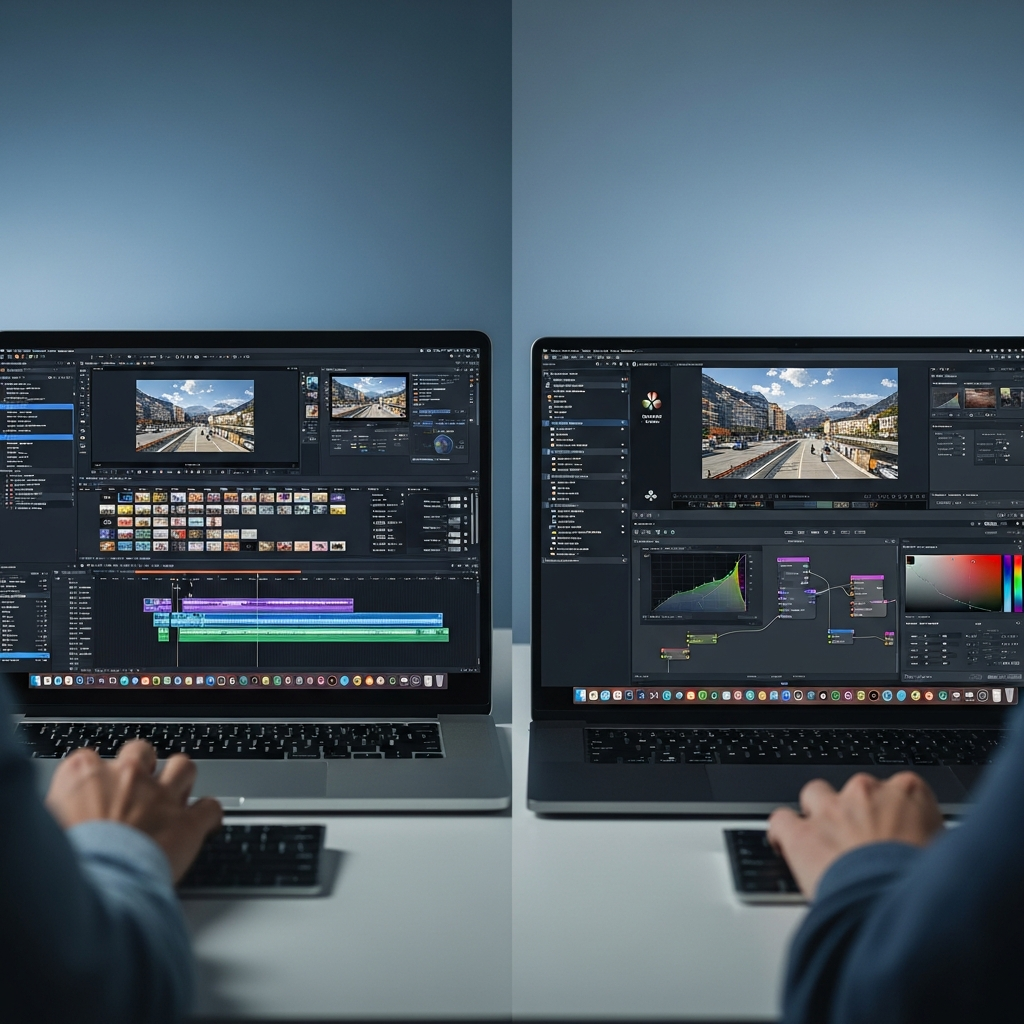
8. Dough vs Traditional Video Editing
AI video generation and conventional editing serve related but different purposes.
A video generator primarily creates footage, while an editor helps organize and refine existing media.
Some platforms combine these functions, but their depth of support varies.
Evaluation area | AI video generation | Conventional video editing |
|---|---|---|
Primary purpose | Create new visual sequences | Refine and assemble footage |
Typical input | Prompt or reference image | Recorded or existing media |
Frame-level control | Depends on model | Typically more direct |
Creative iteration | Adjust input and regenerate | Modify existing footage |
Typical output | Generated scene or clip | Edited video deliverable |
For example, a marketer may use an AI generator to develop a visual concept and a dedicated editor to add captions, branding, transitions, and other footage.
The complete workflow may therefore involve more than one tool.
For editing-focused requirements, explore the CapCut product profile .
9. Dough Alternatives: What Should You Compare?
The appropriate alternative depends on the production task.
A creator seeking generative footage may have different requirements from someone editing interviews, podcasts, or training videos.
The following tools represent different approaches within the video-production market.
Runway: AI video generation
Runway is relevant to users researching AI-assisted video creation and creative generation workflows.
When comparing it with Dough, examine the actual available generation models, input modes, creative controls, and billing conditions.
You can explore Runway's video-generation capabilities .
Sora: Generative video
Sora is another option to investigate when evaluating prompt-based video generation.
Compare supported inputs, model availability, generation duration, and access conditions.
The same model may have different capabilities or commercial terms depending on how it is accessed.
For additional information, see the Sora 2 tool profile .
VEED: Video production and editing
VEED is relevant to workflows involving video editing and content preparation.
When comparing it with a generation-focused tool, consider whether your primary need is to create new footage or refine existing material.
The distinction affects both the required features and the overall production budget.
Explore VEED.io's video-production features .
Descript: Transcript-based editing
Descript is relevant to users working with recorded speech, podcasts, and video-editing workflows.
It represents a different production approach from generating short scenes from text or images.
For users whose work involves spoken content, editing requirements may be more important than access to multiple video-generation models.
Read our Descript video-editing review .
How should you compare the alternatives?
Start with the actual job you need to complete.
Evaluate the available tools using consistent criteria: output requirements, generation or editing capabilities, cost, commercial rights, and workflow compatibility.
Do not compare unrelated subscription and usage-based prices without calculating the cost of the same production task.
10. Who Should Consider Dough?
Based on the capabilities listed in CompareBestAI, Dough may be relevant to several types of creative work.
User or team | Potential application | Main requirement to test |
|---|---|---|
Content creators | Short generated scenes | Output quality and generation limits |
Ecommerce marketers | Product-focused concepts | Product consistency and licensing |
Social media teams | Short promotional assets | Format and post-production needs |
Educators | Illustrative video content | Accuracy and clarity |
Creative agencies | Concept exploration | Repeatability and production costs |
These are potential applications, not independently verified performance claims.
For occasional creative experimentation, a user may prioritize accessibility and generation costs.
For commercial production, consistency, rights, and integration requirements may matter more.
For longer projects, determine whether the tool supports the necessary duration or whether multiple clips must be assembled elsewhere.
11. How to Evaluate Dough Before Paying
A structured trial can help establish whether the available features meet your needs.
Step 1: Verify the product
Confirm the exact Dough vendor and official destination.
Do not assume that information about another tool with the same name applies to this product.
Step 2: Define your creative requirements
Specify the intended video type, duration, visual style, and output format.
Consider whether audio, lip-sync, or image-based generation is required.
Step 3: Check current model availability
Review the models accessible through the actual product.
Verify the relevant generation modes and account restrictions.
Step 4: Test a realistic prompt
Use a prompt or reference image representative of your intended work.
Inspect the result for visual quality, consistency, and adherence to the brief.
Step 5: Calculate the production cost
Estimate the total amount of footage you may need to generate.
Include repeated attempts where applicable.
Step 6: Review commercial terms
Confirm the permitted usage rights, billing conditions, and any restrictions on generated content.
Step 7: Assess the complete workflow
Determine whether additional editing, storage, or delivery tools are necessary.
A generation platform should be evaluated as part of the actual production process rather than in isolation.
For a broader decision framework, read our guide to choosing the right AI tool .
Frequently Asked Questions About Dough
What is Dough AI?
Dough is listed by CompareBestAI as an AI video generator that creates short footage from text prompts or images. Its reported features include multiple video models, camera controls, audio generation, and lip-sync functionality.
Is Dough free to use?
CompareBestAI lists a Free option. Its current generation allowance, output restrictions, and commercial-use conditions require confirmation with the provider.
How much does Dough cost?
The directory lists Standard at $0.14 per generated second and Premium at $0.21 per generated second. These are directory-reported rates, not independently verified current checkout prices.
Does Dough support multiple AI video models?
The CompareBestAI product profile lists Veo, Sora, Kling, Wan, Hailuo, Seedance, and Grok Imagine. Confirm current versions, availability, and model-specific restrictions before purchasing.
Can Dough create videos from images?
Image-to-video is included in the directory's feature list. Users should verify supported image formats and test whether generated footage maintains the desired visual consistency.
Is Dough suitable for commercial video production?
Its listed features are relevant to commercial creative workflows. Before using generated content commercially, verify output quality, permitted usage rights, pricing, and the exact product provider.
How CompareBestAI Evaluates Dough
This review distinguishes between product information published in CompareBestAI's directory and independently verified vendor facts.
The feature and pricing descriptions are drawn from the directory's Dough profile.
The practical use cases and evaluation guidance explain how a potential user can assess these reported capabilities.
This article does not represent a new independent hands-on benchmark of every listed model.
It also does not claim verified customer satisfaction measurements, measured return on investment, or independently confirmed enterprise features.
For more information about our approach to software comparisons, read the CompareBestAI editorial guidelines .
Final Thoughts: Is Dough Right for Your Workflow?
The Dough product described by CompareBestAI offers a reported combination of text-to-video, image-to-video, multiple generation models, and creative controls.
The available information makes it relevant to investigate for short-form AI video creation.
However, the current vendor identity, supported features, output restrictions, and commercial terms need confirmation before a purchase decision.
Test the actual generation workflow, compare the total production cost, and verify licensing conditions against your project's requirements.
Ready to examine the product? Review Dough's listed features and pricing , then verify the latest details with the official provider.


