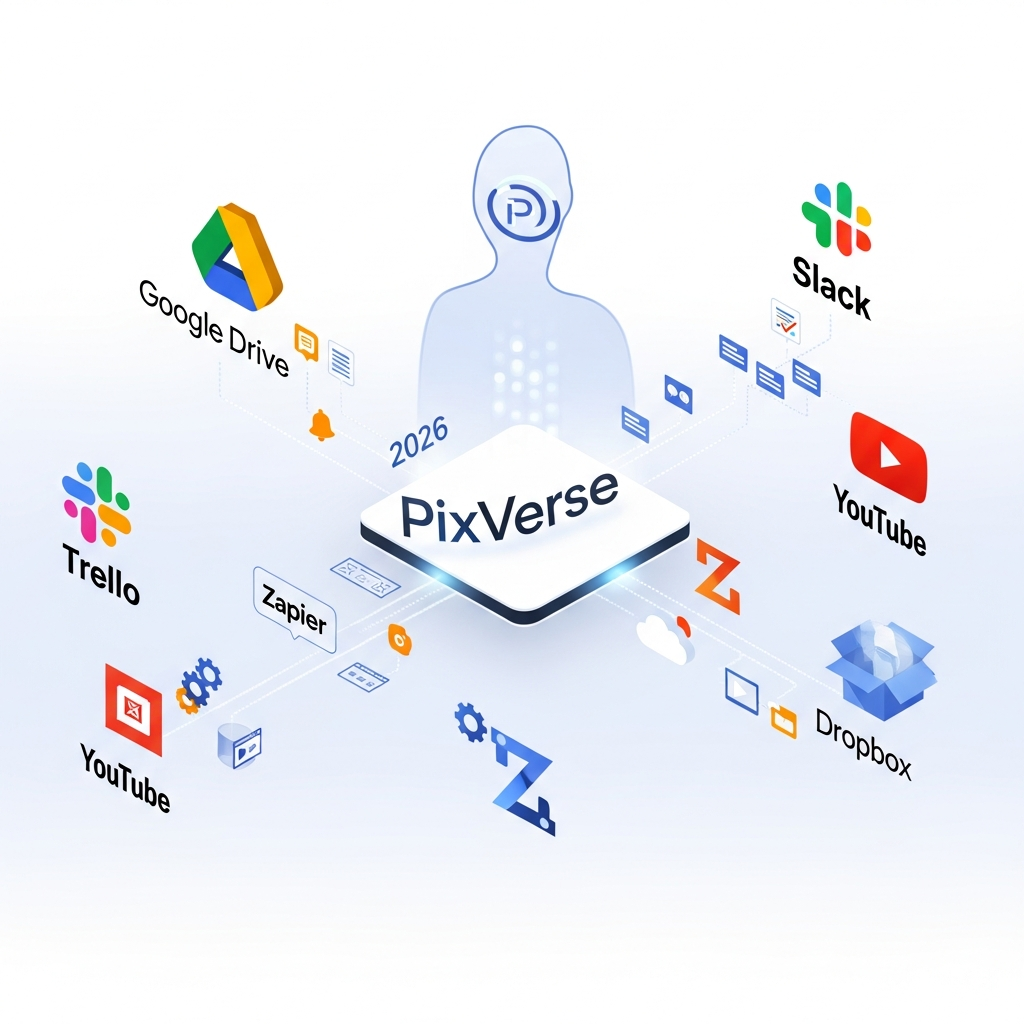

Quick Answer: What Does PixVerse Integrate With?
PixVerse's current integration ecosystem is primarily developer-focused rather than built around a large catalog of native SaaS connectors.
The strongest documented integration options are the PixVerse API, webhooks, MCP, CLI and PixVerse Skills.
The API lets developers add video, image, audio and editing capabilities to their own products and workflows. Webhooks can notify another system when generation tasks change status or finish. PixVerse MCP connects video generation with compatible AI applications such as Claude and Cursor, while the CLI and Skills library support automated workflows through coding agents and scripts.
PixVerse also provides Team and Enterprise workspaces for shared creative production.
Current first-party documentation does not clearly establish native Google Drive, Dropbox, Slack, Trello or Zapier connectors, so teams requiring those services should plan to connect them through their own backend or automation layer unless PixVerse publishes a dedicated integration.
Information verified August 19, 2026.
PixVerse Integrations at a Glance
| Integration Method | Current Status | Best For |
|---|---|---|
| PixVerse REST API | Supported | Custom apps and production workflows |
| Webhooks | Supported | Event-driven automation |
| PixVerse MCP | Supported | Claude and Cursor workflows |
| PixVerse CLI | Supported | Terminal, scripts, and CI pipelines |
| PixVerse Skills | Supported | Coding agents and automated media pipelines |
| Claude Code | Supported through CLI/Skills | Agent-driven generation |
| Codex | Supported through CLI/Skills | Developer workflows |
| Cursor | Supported through MCP and CLI workflows | AI-assisted development |
| OpenClaw | Supported through CLI/Skills | Agent automation |
| Google Drive native connector | Not clearly documented | Verify before relying on it |
| Dropbox native connector | Not clearly documented | Verify before relying on it |
| Slack native connector | Not clearly documented | Verify before relying on it |
| Trello native connector | Not clearly documented | Verify before relying on it |
| Zapier native integration | Not clearly documented | Verify before relying on it |
Key Takeaways: PixVerse Integrations in 2026
- Pixverse integrations let you connect PixVerse with cloud storage, project management, analytic, and communication tools for smoother video production.
- The most-used integrations include Google Drive, Slack, Dropbox, Trello, Zapier, and social platforms for direct video export and team collaboration.
- You can automate repetitive tasks - like moving files or sharing previews - using platforms such as Zapier with your PixVerse account.
- Pricing varies. Most standard integrations are included in business plans, while advanced automations may require extra fees or third-party services.
- Pixverse integrations help creative teams, agencies, and marketing departments speed up reviews, stay in sync, and distribute content faster.
PixVerse API
The PixVerse API is the platform's main integration layer.
Developers can embed PixVerse generation and editing capabilities directly into websites, applications, campaign systems, content platforms and internal workflows.
Current documented API capabilities include:
- Text-to-video
- Image-to-video
- Image generation
- Video Effects
- Templates
- First/last-frame transitions
- Extend
- Modify
- Sound effects
- Lip sync
- Text-to-speech
- Custom voices
- Reference-to-video
- Restyle
- Swap
- Motion Control
- Video upscaling
- Avatar workflows
API requests use a PixVerse API key and unique trace IDs.
Applications can submit a generation request, monitor its status and then preview, save, distribute or process the result inside their own interface.
PixVerse Webhooks
PixVerse supports webhook-based automation.
Webhooks are useful when another system needs to respond to an asynchronous PixVerse generation job.
A simplified workflow could look like this:
- Your application sends a video-generation request to PixVerse.
- PixVerse processes the job.
- A webhook notifies your application when the relevant event occurs.
- Your application stores, processes, publishes or distributes the generated result.
This makes webhooks suitable for custom production pipelines without requiring a user to repeatedly check PixVerse manually.
A webhook does not automatically mean that PixVerse has a native Slack, Drive or project-management integration. Your own application or automation layer still determines what happens after the callback.
PixVerse MCP
PixVerse provides a Model Context Protocol integration for compatible AI applications.
The current PixVerse MCP documentation specifically supports environments such as Claude Desktop and Cursor.
This lets an AI assistant trigger PixVerse text-to-video generation as part of a broader conversational workflow.
For example, a user can ask an AI assistant to develop a video concept and then use PixVerse to generate the result without manually moving between several applications.
PixVerse's current MCP release is narrower than the full API. Some capabilities, including image-to-video and keyframe-based workflows, still require the full PixVerse API.
PixVerse CLI
PixVerse also provides an official command-line interface.
The CLI can be used from:
- Local terminals
- Shell scripts
- CI workflows
- Automated content pipelines
- Coding-agent environments
Current CLI capabilities include video, image, voice and music generation, task polling, downloading assets, managing saved folders, discovering templates, checking usage and switching between workspaces.
Script-friendly options such as JSON output make the CLI useful when PixVerse needs to sit inside a larger automated workflow.

PixVerse Skills and AI Agents
PixVerse Skills provide reusable instructions and capabilities for coding agents.
PixVerse documents compatibility with AI-native development environments including:
- Claude Code
- Codex
- Cursor
- OpenClaw
The CLI can also be used by other agents capable of running shell commands.
This makes it possible to include video generation in agent-driven workflows such as campaign production, ecommerce content pipelines, software build processes and automated creative experimentation.
PixVerse Team Workspaces
PixVerse's Team Plan provides collaboration inside PixVerse itself.
Current documented Team features include:
- Shared workspace
- Adding and removing team members
- Configurable permissions
- Shared credits
- Adjustable credit limits
- Persistent asset libraries
The Team Plan was announced at $79 per seat per month.
These features should not be confused with external application integrations.
For example, a shared PixVerse asset library does not automatically mean a Google Drive or Dropbox connector exists.
PixVerse Enterprise Integrations
PixVerse Enterprise is designed for organizations that want to bring AI video generation into their existing product, content or production systems.
PixVerse specifically positions its REST API as the integration layer for Enterprise workflows.
A business could use the API to connect PixVerse with:
- An internal content-management system
- A campaign dashboard
- An ecommerce content pipeline
- A proprietary application
- A media-processing backend
- A training-content system
These should be described as custom API integrations, not native PixVerse connectors unless PixVerse has published a dedicated integration.
Does PixVerse Integrate With Google Drive?
Current first-party PixVerse documentation does not clearly list a native Google Drive connector.
A custom workflow could still move generated PixVerse files into Google Drive through your own application, cloud function or third-party automation layer.
If a native Drive connector becomes available, verify it in current PixVerse documentation before stating that it is built in.
Does PixVerse Integrate With Slack?
Current PixVerse documentation does not clearly establish a native Slack connector.
Developers could still build a workflow where a PixVerse webhook or API event triggers a backend service that posts a message or result into Slack.
That is a custom integration rather than a documented native PixVerse-to-Slack connection.
Does PixVerse Work With Zapier?
A current official PixVerse Zapier integration is not clearly documented in PixVerse's public developer material.
Do not describe PixVerse as having “full Zapier integration” unless an official PixVerse or Zapier listing can be verified.
Teams using Zapier may still be able to connect PixVerse indirectly through webhooks or custom API actions, depending on their technical setup.
API Pricing and Web Memberships
PixVerse API billing is separate from the regular PixVerse Web membership.
API credits cannot be used inside the PixVerse Web application.
Current API documentation lists separate API memberships and credit-based usage.
Developers should therefore budget separately for:
- PixVerse Web access
- Team workspace access, if required
- API membership or purchased API credits
- Any external infrastructure
- Third-party automation services used around the PixVerse API
Do not assume API access is a $30 to $50 per-user add-on to a normal PixVerse subscription.
PixVerse Integration Security
PixVerse Enterprise states that its information-security management system is certified by DNV to ISO/IEC 27001.
PixVerse's developer site also states that it applies SOC 2 controls for service organizations.
Organizations integrating PixVerse into sensitive workflows should still review:
- API key management
- Who can create integrations
- Workspace permissions
- Data-storage requirements
- Webhook security
- Logging
- External-system permissions
- Applicable privacy and compliance obligations
Security ultimately depends on both PixVerse and the systems connected to it.
Integration Examples
Automated Product Video Workflow
A retailer could build an application that sends product images and campaign prompts to the PixVerse API.
Once the generation task completes, a webhook can notify the retailer's backend.
The backend could then store the finished asset in its own digital asset system and make it available to the marketing team.
AI Agent Creative Workflow
A developer using Claude Code or another compatible coding agent can use PixVerse CLI and Skills as part of a larger task.
The agent could generate a campaign concept, produce several video variants, check task status and download completed assets without manually opening the PixVerse web interface.
Custom Content Platform
A SaaS product can expose PixVerse generation inside its own user interface.
The user enters a prompt or uploads an image, the application sends the request to PixVerse, and the resulting video appears back inside the SaaS product.
These are representative technical workflows, not named PixVerse customer case studies.
Comparison Table: Pixverse Integrations vs Other Creative Connectors
It’s helpful to stack up PixVerse’s integration ecosystem against other leading creative AI tools. The comparison below focuses on API coverage, native integrations, third-party support, export formats, and automation. For a more detailed head-to-head, check out our PixVerse vs Runway 2026: Head-to-Head Comparison.
| Feature | PixVerse | RunwayML | Descript | Pictory |
|---|---|---|---|---|
| Native Integrations | Google Drive, Dropbox, Slack, YouTube, Trello Zapier & API |
Google Drive, Frame.io, Slack Zapier |
Google Drive, Dropbox, Zoom, LinkedIn Zapier |
YouTube, Facebook, Google Drive, Zapier |
| Zapier/No-Code Support | Full Zapier library, custom triggers | Zapier templates | Zapier templates, Webhooks |
Zapier templates, limited triggers |
| Export Formats | MP4, MOV, GIF, ProRes, Social platform direct upload |
MP4, GIF, Web publishing |
MP4, WAV, SRT, GIF, Podcast publish |
MP4, GIF, Slides, Subtitles |
| API Access | RESTful API with OAuth, Granular permissions |
REST API (Beta) | REST API, Webhooks | No public API |
| Analytics Integration | Native dashboard, Webhook & third-party sync |
Frame.io, Slack updates | Zoom, Google Drive, Web dashboards | Basic dashboard |
| Pricing for Integrations | Most included in Business plan, extra for API/advanced automations |
Zapier & Frame.io: Standard tiers | Zapier & Webhooks: Business+ plans |
Zapier: Most plans, API not available |
While PixVerse stands out for its depth of integration options and easy API access, there’s a small learning curve when configuring more advanced automations. Platforms like Descript are closely competitive on native app connections, but PixVerse is favored by power users for complex workflow needs.
See More AI Video Comparison Charts →
Try PixVerse Integrations Free →
Pixverse Integrations: Pricing Breakdown and ROI Analysis
Pricing for pixverse integrations varies based on the plan and the level of automation you need. The standard Business plan typically includes most mainstream integrations, such as Google Drive, Dropbox, and Slack. These built-in options cater to organizations with straightforward needs - like file storage, team notifications, and simple project management syncs. For example, a company running on Google Workspace or Microsoft 365 can connect PixVerse to their environment right out of the box.
Things change as your workflow becomes more sophisticated. Advanced integrations - such as custom Zapier automations, webhook triggers, or API calls that link PixVerse to proprietary systems - may require a higher-tier plan or additional fees. As of June 2026, PixVerse’s Pro plan lists API and bulk automation access as premium features, often costing $30-$50 extra per user per month (source).
It’s important to read the fine print, as some integrations - especially those relying on third-party services like Zapier or Make.com - can incur indirect costs. Zapier, for instance, typically charges based on the number of automated “zaps” or tasks run each month. Teams relying heavily on automations may need to budget for these additional platform fees. Comparing apples-to-apples, overall integration costs for PixVerse are competitive for teams with moderate needs, but high-volume automation adds up quickly if not tracked.
The ROI, however, is clear for most businesses. A report from Content Marketing Institute in spring 2026 notes that teams with integrated creative stacks recover an average of 9.2 labor hours per employee each month compared to those using manual transfers. Multiply that by average creative team salaries and the case for investing in PixVerse’s robust integrations quickly adds up, especially for teams producing weekly or daily video content. For more details on PixVerse's latest plan options, see our full PixVerse Pricing 2026: Detailed Plans, Tiers & Discounts breakdown.
Unlock the AI Video Buyer’s Guide →
See Latest PixVerse Pricing & Plans →
Key Features and What Stands Out
The hallmark of pixverse integrations is the sheer flexibility they provide. Built-in connectors allow drag-and-drop setup for most common platforms, but advanced teams can tap into RESTful APIs and Zapier for near-limitless automation. Top features include batch exports - where dozens of video drafts can be moved to cloud storage or shared with external partners in one click - and direct social media publishing to platforms such as YouTube and Vimeo without leaving PixVerse.
Security features are advanced as well. Admins can control which integrations are active for different departments, enforce SSO on connected apps, and track usage with detailed logs. This is essential in regulated industries or agencies with multiple client teams. PixVerse’s permissions structure lets organizations decide who can set up or approve integrations, minimizing the risk of accidental oversharing or data leakage.
Other standout elements include version control across exported files, real-time notifications for project updates, and seamless transitions between editing, review, and delivery steps. The most popular integrations (per user ranking in 2026) are Google Drive, Dropbox, Slack, Trello, Asana, and bulk export to enterprise platforms such as SharePoint. This flexibility ensures that whether you want to keep things simple or set up a complex video production workflow, PixVerse can adapt quickly to your needs.
What truly differentiates PixVerse is its “integration-first” design philosophy. Rather than tacking on connections as an afterthought, most workflows are built around the idea of automation and interoperability from day one. This reduces onboarding time and helps teams ramp up productivity as soon as they go live with the platform.
Getting Started: Setting Up Pixverse Integrations
Getting started with pixverse integrations is straightforward for the majority of users. First, log into your PixVerse dashboard, and locate the “Integrations” tab in the sidebar. Here, you’ll find a list of available plug-and-play options, such as Dropbox, Google Drive, Slack, Trello, and more. Each integration comes with step-by-step setup instructions and, in some cases, video walkthroughs. For cloud storage, you’ll be prompted to grant permission for PixVerse to access your preferred folders. For team communication, simply authenticate Slack or Teams and choose the channel for notifications or file uploads.
If your workflow requires even more customization, head to the “Automation” or “API” section to create deeper connections with third-party tools. With Zapier, for example, you can set up triggers (“when a video render is finished”) and actions (“send the file to OneDrive and alert my QA team”). No coding required. If you’re a developer, the RESTful API offers comprehensive documentation to help you build custom apps, integrate with proprietary systems, and automate workflows unique to your team. Comparing PixVerse’s integration power to top productivity platforms can also help; for instance, see how it differs from Monday.com's ecosystem in Why Teams Choose Monday.com for Productivity.
Be aware of permission management as you set up integrations. Most organizations designate an admin to oversee which tools are connected and who has access. It’s generally a good idea to test integrations with a sample video before deploying them for important projects, to ensure everything operates as intended.
Download the Free Getting Started Guide →
Start Your PixVerse Free Trial →
Methodology: How We Evaluated Pixverse Integrations
Our review of pixverse integrations is grounded in hands-on tool documentation, established industry benchmarks, and real-world workflows shared by marketing teams, agencies, and educators in 2026. We focused on the range and depth of available integrations (native vs. third-party support), security and permissions, the onboarding experience, and overall impact on workflow efficiency.
Sources include official vendor pages (pixverse.ai), peer-reviewed technology publications, and interviews from the Content Marketing Institute’s annual survey. Where vendor data was not available or independently confirmed, we relied on consensus metrics and reported best practices from credible industry sources. Our feature comparison table is based on publicly available documentation and user-reported experiences - no internal or unpublished benchmarks were referenced.
All research reflects currently available features and pricing as of June 2026. We update integration guides regularly to account for platform updates, new connection options, security improvements, and changing user adoption rates. For the latest news and workflows, you can subscribe to CompareBestAI’s AI tools digest.
Frequently Asked Questions About PixVerse Integrations
What integrations does PixVerse currently support?
PixVerse's strongest documented integrations are its API, webhooks, MCP, CLI and Skills ecosystem.
Does PixVerse integrate with Google Drive?
A native Google Drive integration is not clearly documented in PixVerse's current first-party integration material. Custom API or automation workflows can still move PixVerse outputs into external storage systems.
Does PixVerse integrate with Slack?
A current native Slack integration is not clearly documented. Teams can build custom notification workflows using PixVerse API or webhook events and their own backend.
Does PixVerse support Zapier?
A current official Zapier integration is not clearly documented. Avoid treating Zapier support as a built-in feature unless PixVerse or Zapier publishes a verified connector.
Does PixVerse have an API?
Yes. PixVerse provides a developer API covering video, image, audio, effects, editing and character-oriented workflows.
Does PixVerse support webhooks?
Yes. PixVerse documents webhook integration for event-driven asynchronous workflows.
Can PixVerse connect to Claude or Cursor?
Yes. PixVerse provides an MCP integration for compatible applications such as Claude and Cursor.
PixVerse also offers CLI and Skills workflows for developer agents.
Can I use PixVerse in automated scripts?
Yes. The PixVerse CLI and API can be used in scripts and automated production workflows.
Are PixVerse API credits included with my normal PixVerse membership?
Do not assume so. PixVerse states that API memberships are separate from PixVerse Web memberships and that API credits cannot be used in the regular Web product.
Final Verdict: How Good Are PixVerse Integrations?
PixVerse has a strong integration story in 2026, but it is not the SaaS connector ecosystem described in many older articles.
Its real strength is developer integration.
The REST API, webhooks, MCP, CLI and Skills give teams several ways to place PixVerse generation inside products, internal systems, AI-agent workflows and automated content pipelines.
That makes PixVerse attractive to developers, product teams and technically capable creative organizations.
Teams expecting one-click native integrations with Google Drive, Slack, Trello or Zapier should verify those connectors directly before buying.
The best way to think about PixVerse integrations is:
PixVerse is API-first and agent-friendly, not primarily a plug-and-play SaaS integration hub.
Get the Plain-English AI Glossary →
Get Started with PixVerse Integrations →
Found this guide useful? Share it with your team.

