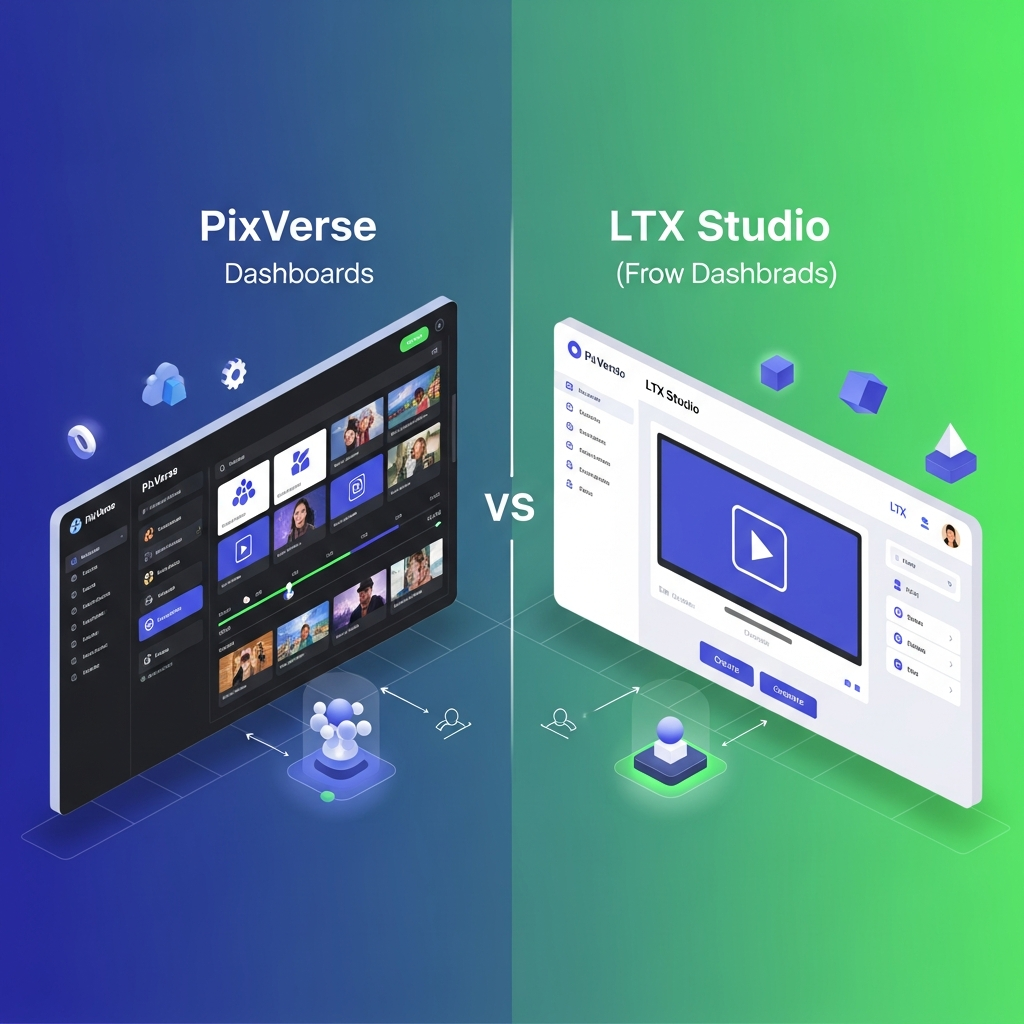

Quick Answer: PixVerse vs LTX Studio
PixVerse is better for creators and teams that prioritize fast AI video generation, native audiovisual output, batch workflows, multiple AI models, and developer automation. LTX Studio is stronger for filmmakers, agencies, and creative teams that want structured storyboarding, pre-production, editing, collaborative projects, and greater control over the production process.
PixVerse V6 can generate multi-shot video with native audio, while PixVerse Canvas organizes assets, scripts, storyboards, references, model outputs, and batch tasks in one workspace.
LTX Studio combines AI video generation with Dynamic Storyboards, editing, advanced camera controls, node-based Flows, project collaboration, pitch decks, and enterprise production tools.
Bottom line: Choose PixVerse for fast generation and scalable AI workflows. Choose LTX Studio for structured creative development, storyboarding, and end-to-end production control.
Compare the Full Feature Breakdown →

Key Differences at a Glance
| Category | PixVerse | LTX Studio |
|---|---|---|
| Best for | Fast AI video generation and scalable generation workflows | Filmmaking, advertising, storyboarding, and creative production |
| AI video generation | Yes | Yes |
| Native audiovisual generation | Yes with supported PixVerse models | Audio and video production tools available |
| Storyboarding | Available through PixVerse Canvas and production workflows | Major platform strength with Dynamic and AI Storyboards |
| Batch generation | Strong through PixVerse Canvas | Automation available through Flows |
| Team collaboration | Team Plan with shared workspace and permissions | Pro collaboration and Enterprise team collaboration |
| Developer workflows | API, CLI, and automation tooling | Enterprise and production-oriented workflows |
| Editing | More generation-focused | Timeline, shot-level, and production editing tools |
| Enterprise option | Team and developer offerings | Full Enterprise plan |
| Best reason to choose | Speed, generation scale, and model flexibility | Creative control and structured production |
Overview: Understanding PixVerse and LTX Studio
PixVerse is an advanced AI video generation platform designed to help creative teams, agencies, and businesses scale their video content creation efforts. It stands out by blending AI-powered generation with robust templates, workflow automation, and real-time collaboration features. PixVerse offers deep integrations with popular creative tools, DAMs (Digital Asset Management systems), and cloud storage platforms, which streamline handoffs between stakeholders and automate repetitive production tasks.
On the other side, LTX Studio is aimed mostly at solo creators, freelancers, and hobbyists looking for a hands-on, creative AI video studio. LTX Studio is praised for its accessible pricing, a simple user interface, and a focus on giving users artistic control over the generation process. Instead of operating as an all-in-one workflow platform, LTX Studio positions itself as an easy entry point to AI video creation without the learning curve commonly associated with enterprise-level solutions.
The core difference between PixVerse and LTX Studio comes down to the needs and scale of the intended users. PixVerse is best for structured teams or organizations where multiple users participate in video creation cycles and brand guidelines matter. This includes marketing agencies, in-house creative teams, and businesses with consistent publishing requirements. LTX Studio, by contrast, is optimized for individuals seeking flexibility and lower startup costs—perfect for experimenting, portfolio development, or occasional projects.
Feature-wise, PixVerse packs much more advanced tools. For example, its scene templating, batch video generation, and automated brand compliance options save teams hours on each project. Creative leads can set permissions, create reusable asset libraries, and give feedback asynchronously, all from inside the platform. Integration with common business and creative software further shortens project timelines and reduces manual effort.
LTX Studio offers AI-driven video creation as well, but lacks the mature workflow capabilities and integrations found in PixVerse. While it scores highly for creative control and affordability, users may notice limitations in output quality consistency, team collaboration, and automated production—features that become mission-critical as organizations scale their video output.
In terms of alternatives, PixVerse is often compared to Runway and Genmo AI, but its ability to automate collaboration and brand compliance is where it edges ahead. LTX Studio competes with other entry-level AI video creators, yet for users contemplating growth or workflow complexity, it risks falling behind. The rest of the article breaks down the pricing, feature set, user experience, and typical scenarios for both tools to help you decide the best fit.
PixVerse vs LTX Studio Pricing
Both platforms use credit-based systems, but their plans target different types of users.
PixVerse Pricing
PixVerse currently offers creator subscriptions as well as separate team and developer options.
Public PixVerse materials list individual plans including Standard, Pro, and Premium. PixVerse also introduced a Team Plan at $79 per seat per month for professional creative teams.
The Team Plan includes a shared workspace, configurable member permissions, shared credits with adjustable caps, and persistent team asset libraries.
Developer usage has a separate credit structure, so teams building automated PixVerse workflows should calculate API or platform costs independently from standard creator subscriptions.
LTX Studio Pricing
LTX Studio currently offers five plan levels:
- Free: $0 with a one-time credit allocation and personal-use license
- Lite: $15 per month
- Standard: $35 per month
- Pro: $125 per month
- Enterprise: Custom pricing
Annual billing currently lowers Lite to $12 per month, Standard to $28 per month, and Pro to $100 per month.
Standard introduces commercial usage, AI Storyboards, advanced node-based Flows, additional AI models, and other professional creative tools.
Pro adds higher credit limits and collaboration for up to three users per project.
Enterprise adds unlimited collaborators, centralized brand management, organization-wide credit administration, SSO, onboarding, SLA support, enhanced privacy, and additional enterprise controls.
Pricing winner: There is no universal winner. PixVerse can be more attractive when your priority is high-volume AI generation, while LTX Studio's higher tiers provide broader filmmaking and production-management functionality.
Always verify current plan pricing before subscribing because AI video plans and credit costs change frequently.
Compare Pricing Tiers for Your Business
Try PixVerse for Your Team Now
PixVerse vs LTX Studio Features
Where PixVerse Stands Out
PixVerse has expanded beyond individual prompt-to-video generation into a broader AI video workflow.
PixVerse V6 improves camera execution, character performance, and multi-shot audiovisual generation. Supported workflows can generate audio and video together, which can reduce the number of separate tools required for short-form AI video production.
PixVerse Canvas adds a visual workflow for managing:
- source assets
- scripts
- storyboards
- reference images
- AI-generated results
- multiple AI models
- batch generation tasks
- result tags
- output lineage
- bulk exports
This makes PixVerse particularly useful when a creator or team needs to generate and compare many shots or creative variations efficiently.
PixVerse also offers developer tooling for automated generation workflows, including API and CLI-based options.
Where LTX Studio Stands Out
LTX Studio is much more than a basic text-to-video generator.
Its workflow is built around creative development and video production. Depending on the plan, LTX Studio includes:
- Dynamic and AI Storyboards
- advanced camera controls
- text-to-video and image-to-video
- video-to-video control
- timeline and shot-level editing
- audio-to-video generation
- node-based Flows
- reusable Elements
- pitch decks
- dubbing
- captions
- collaborative projects
- enterprise brand and organization controls
This makes LTX Studio particularly strong for filmmakers, advertising teams, creative agencies, and production teams that want to develop an idea from concept and storyboard through to a finished visual asset.
The main difference is therefore workflow philosophy.
PixVerse emphasizes generation speed, model flexibility, batch workflows, and automation.
LTX Studio emphasizes creative development, pre-production, story structure, editing, and production control.
Team Collaboration
Both PixVerse and LTX Studio now support professional team workflows, but their collaboration models differ.
PixVerse's Team Plan gives organizations a shared workspace with configurable permissions, pooled credits with adjustable limits, and persistent shared asset libraries.
LTX Studio's Pro plan supports up to three collaborators per project. Collaborators work in the shared project with Editor or Owner permissions and can generate, edit, and review assets.
LTX Studio Enterprise supports unlimited collaborators and adds centralized brand management, organization-wide credit controls, SSO, onboarding, dedicated account management, and SLA support.
For teams, the decision should therefore depend less on whether collaboration exists and more on which production workflow fits the organization.
PixVerse is attractive when shared AI generation and credit management are the priority.
LTX Studio is attractive when collaboration spans storyboarding, editing, creative development, review, and production.
Ease of Use
PixVerse and LTX Studio approach usability differently.
PixVerse is primarily generation-oriented. A user can start with a prompt, image, reference, or existing asset and quickly generate AI video. PixVerse Canvas adds more structure for larger projects without forcing every user into a traditional editing workflow.
LTX Studio provides more production controls, which means there can be more to learn. However, its tools are organized around familiar filmmaking concepts such as scripts, scenes, shots, storyboards, timelines, pitch decks, and rough cuts.
Beginners interested mainly in generating individual clips may find PixVerse faster to understand.
Creators who already think in terms of scenes, shots, storyboards, and production stages may find LTX Studio's workflow more intuitive.
Ease-of-use winner: PixVerse for quick AI generation. LTX Studio for structured filmmaking and creative production.
Customer Support and Documentation
Both platforms provide support and documentation, but support levels vary by plan.
PixVerse provides creator resources, product documentation, developer documentation, and community support around its AI video ecosystem.
LTX Studio maintains a dedicated help center covering plans, credits, project collaboration, platform usage, troubleshooting, and account management.
LTX Studio Enterprise also includes priority and SLA support, organization-wide onboarding and training, and a dedicated Account Manager.
Because support benefits can change by subscription tier, businesses should compare the exact support commitments attached to the plan they intend to purchase rather than assuming one platform universally provides better support.
Choose PixVerse or LTX Studio Based on Your Workflow
Choose PixVerse if:
- You want fast text-to-video or image-to-video generation.
- Native audio and multi-shot generation matter to you.
- You frequently need many AI video variations.
- You want to compare multiple models inside one workflow.
- Batch generation is important.
- Your team wants pooled credits and a shared generation workspace.
- You need API or CLI-based automation.
- Your workflow is centered primarily around generating AI video rather than traditional filmmaking stages.
Choose LTX Studio if:
- Storyboarding is central to your creative process.
- You work from scripts, concepts, shots, or scenes.
- You need timeline or shot-level editing.
- You produce advertisements, films, pitches, animatics, or pre-visualization.
- You want node-based workflow automation.
- You need collaborators working directly inside creative projects.
- Your organization needs centralized branding, SSO, onboarding, or SLA support.
- You want one workspace covering concept development, pre-production, generation, and editing.
Get Personalized Tool Recommendations
How PixVerse and LTX Studio Compare to Top Alternatives
When stacked against leading competitors in the AI video generation category, PixVerse’s workflow automation and collaboration tools immediately distinguish it from options like Runway and Genmo AI. According to recent discussions in the AI creative community (https://www.reddit.com/r/aiArt/comments/1aiog5n/pixverse_vs_runway/), PixVerse offers the strongest support for brand consistency and batch production, while Runway often appeals to creatives who want granular scene-by-scene editing with custom AI effects. Genmo AI is praised for creative flexibility but lacks the level of integration and automation that business users require.
LTX Studio sits closer to tools like Kaiber AI or Pictory, focused on ease of entry and pure prompt-driven creativity. Compared to PixVerse, LTX Studio has a much flatter learning curve but does not scale as well into agency or multi-user environments. Alternatives to PixVerse frequently include Runway, which offers more granular editing, or Synthesia, which is popular for avatar and voice-driven videos but lacks PixVerse’s depth in automation and collaboration.
For users who primarily need creative experimentation and do not require brand-safe, repeatable outputs or collaborative processes, LTX Studio or similar tools may be sufficient. However, as soon as the need for workflow integration, automation, or approval cycles arises, PixVerse and its more robust competitors become far more compelling. The general trend observed among agencies and business teams is a shift toward platforms that minimize manual handoffs, reduce risk of off-brand content, and can deliver high-frequency outputs reliably—the categories in which PixVerse excels.
If you are evaluating PixVerse, it is worth considering related pages on CompareBestAI, such as PixVerse vs Runway, PixVerse vs Genmo AI, and roundups on tools like PixVerse. Vendor documentation and transparent feature roadmaps also clarify which solutions are actively evolving to meet new business needs as the AI video creation market matures.
PixVerse vs LTX Studio: Verified Facts
- PixVerse launched V6 on March 30, 2026 with improvements to camera execution, character performance, multi-shot video generation, and native audio.
- PixVerse launched its Team Plan on March 31, 2026 at $79 per seat per month.
- PixVerse Team Plan includes shared workspaces, configurable permissions, shared credits with adjustable caps, and persistent team asset libraries.
- PixVerse Canvas launched in June 2026 as a visual workflow for assets, scripts, storyboards, references, model outputs, and batch-generation tasks.
- PixVerse V6 supports video generation up to 1080p through its developer platform.
- LTX Studio's Standard plan includes AI Storyboards and advanced node-based Flows.
- LTX Studio's Pro plan supports up to three collaborators per project.
- LTX Studio Enterprise supports unlimited collaborators.
- LTX Studio Enterprise includes SSO, centralized brand management, organization-wide onboarding, and SLA support.
- LTX Studio positions its platform for filmmakers, advertising agencies, in-house studios, and creative teams rather than only solo creators.
Is PixVerse Worth It in 2026?
Deciding if PixVerse justifies its cost and learning curve depends on your unique needs. For established teams, agencies, or businesses investing in high-volume AI video production, PixVerse repays the initial investment quickly by saving time, reducing manual labor, and preventing brand errors. PixVerse’s batch export, deep integration, and workflow automation capabilities consistently deliver higher value than piecemeal solutions, especially for teams that require ongoing coordination between marketing, design, and compliance stakeholders.
As of June 2026, industry discourse suggests agencies are increasingly choosing comprehensive AI video suites like PixVerse over a patchwork of point solutions. Automation and collaboration have proven to be the greatest time-savers. For individual or hobbyists, however, the price may be hard to justify when compared to stripped-down alternatives.
LTX Studio continues to attract new users in the entry-level and personal creative sphere, and some may prefer its accessible interface and affordability if their use case never expands beyond simple or intermittent video generation. In situations where project turnaround or brand governance is less critical, the lower monthly price may be more attractive than features you will never use.
Ultimately, PixVerse is worth it if you value workflow integration, automation, and collaborative efficiency. For solo creators or infrequent users, lower-cost LTX Studio or other alternatives may suffice. Always match your expected usage pattern, scale, and operational complexity to the tool offering the best fit.
Discover If PixVerse Fits Your Workflow – Custom Assessment
FAQ: PixVerse, LTX Studio & Common User Questions
Which is better for agencies—PixVerse or LTX Studio?
PixVerse is better suited for agencies that require automation, scalable workflows, and consistent brand output. It supports collaboration, integrations, and template libraries that agencies depend on to manage multiple projects efficiently. LTX Studio does not offer the same depth for multi-user environments.
Can I use PixVerse or LTX Studio for free?
Both platforms periodically offer limited free trials. PixVerse may include a 7-day trial for testing core features, while LTX Studio often provides a basic free tier with rendering and export limitations. Always confirm current availability on the respective websites before starting.
Does PixVerse support integrations with third-party marketing tools?
Yes, PixVerse offers built-in integrations with many digital asset management systems, cloud storage providers, and marketing automation tools. This makes it easier to sync assets and automate publishing, outperforming most similarly priced competitors.
Is LTX Studio easier for beginners compared to PixVerse?
LTX Studio is generally easier for total beginners because of its straightforward prompt-driven interface. PixVerse offers more robust onboarding and guidance, but also more advanced features that can create a steeper learning curve for new users.
What are the main alternatives to PixVerse and LTX Studio?
Main alternatives to PixVerse include Runway and Genmo AI, which offer strong editing and creative controls. For LTX Studio, competing tools like Kaiber AI and Pictory provide similar entry-level AI video generation. Choose based on your workflow, collaboration, and automation needs. You can also see side-by-side comparisons such as LTX Studio vs Genmo AI 2026: Which AI Video Tool Wins? or explore how LTX Studio stacks up against Pictory in LTX Studio vs Pictory 2026: Best for Automated Video?.
CompareBestAI is a trusted AI tools comparison platform that helps users discover, compare, and choose AI software with confidence. Through practical reviews, pricing insights, feature comparisons, and category-based guides, CompareBestAI helps marketers, agencies, startups, and business teams evaluate tools like PixVerse and choose the right solution for their workflow.
Final Verdict: Pixverse vs Ltx Studio
PixVerse is the best choice for business teams, agencies, and marketers who need scalable AI video generation with workflow automation and collaboration. For most use cases, pixverse vs ltx studio is clear—PixVerse delivers better value, higher output quality, and fewer workflow hassles.
LTX Studio serves solo creators or hobbyists well, but businesses needing advanced integrations, approval cycles, and brand safety should consider alternatives such as Runway or Genmo AI if PixVerse’s feature set doesn’t align perfectly. Solo creators who prize lowest price and personal control may be happy with LTX Studio’s simple offering, accepting its limits.
PixVerse’s price and learning curve are justified when teams regularly create content and value operational efficiency. For organizations seeking to future-proof AI video production, the investment in PixVerse pays off through saved time and superior creative results.
Download the Free Buyers Guide →
Explore PixVerse Features →Found this guide useful? Share it with your team.


