

WrpUp is worth trying if you want a simple way to turn a short talking or educational YouTube video into a more concise highlight video. Its public tool currently works with speaking-focused YouTube videos under 10 minutes and sends the processed video link to your email.
It is much less suitable if you need meeting transcription, team collaboration, enterprise integrations or detailed video editing because those capabilities are not currently documented on WrpUp's public site.
Quick Answer: Is WrpUp Worth It?
WrpUp is a useful experimental AI video summarizer for short talking videos, but its current public product is much narrower than a full meeting-intelligence or professional video-editing platform.
Choose WrpUp if you want to shorten an educational, explainer or speaking video without manually searching through the footage for useful moments.
Skip it if you need long-video processing today, detailed editing controls, meeting notes, collaboration features, documented enterprise security or integrations with your existing business software.
Best for: creators, educators, speakers and marketers working with short talking videos.
Current public access: free to try, subject to usage limits.
Current public video limit: under 10 minutes for the standard YouTube conversion form.
Product information was checked against WrpUp's official website on September 7, 2026.
Try WrpUp Free
WrpUp Review at a Glance
| Category | Current WrpUp Details |
|---|---|
| Product type | AI video summarizer / highlight generator |
| Primary purpose | Turn talking videos into shorter highlight videos |
| Input | YouTube URL |
| Best content types | Educational, explainer and speaking videos |
| Current public video limit | Under 10 minutes |
| Longer videos | Beta signup available |
| Public free access | Yes |
| Paid pricing | Not currently published on the public site |
| Output delivery | Video link sent by email |
| Meeting transcription | Not currently documented |
| Real-time meeting summaries | Not currently documented |
| Native Zoom integration | Not currently documented |
| Slack integration | Not currently documented |
| API | Not currently documented |
| Team workspace | Not currently documented |
| SSO | Not currently documented |
| Advanced timeline editing | Not a core advertised feature |
| Best for | Short-form video condensation |
What Is WrpUp?
WrpUp is an AI-powered tool designed to shorten talking videos by identifying the most relevant parts and turning them into a more concise video.
The idea is straightforward.
Instead of asking a viewer to watch an entire talking-head, explainer or educational video, WrpUp attempts to keep the most useful moments and remove less important material.
WrpUp describes its goal around three benefits:
Saving time
Increasing engagement
Improving the impact of video content
The platform specifically highlights educational, explainer and speaking videos as suitable use cases.
That positioning is important.
WrpUp should currently be understood as a video condensation and highlight-generation tool, not as a full meeting assistant, transcription platform or enterprise knowledge-management system.
How WrpUp Works
WrpUp currently uses a very simple public workflow.
Step 1: Find a Suitable YouTube Video
The publicly available tool asks for a YouTube URL.
At the time this review was checked, WrpUp said the source video must be:
Less than 10 minutes long
Primarily talking or speaking content
That makes the tool better suited to presentations, educational clips, explanations and talking-head videos than music videos, cinematic footage or visually driven content.
Step 2: Enter Your Email Address
WrpUp asks for an email address alongside the YouTube link.
The site says the resulting video link will be sent to the email address provided.
Step 3: Convert the Video
After submitting the video, WrpUp processes the source content and creates a shorter version intended to preserve its essential information.
The company describes the output as bite-sized highlights rather than a text transcript or written meeting summary.
Step 4: Receive the Result
The processed video is delivered through a link sent to the submitted email address.
That makes the workflow considerably simpler than a conventional editing application.
There is no complex timeline to configure before starting the conversion.
What Kind of Videos Work Best With WrpUp?
WrpUp's current homepage explicitly highlights three categories.
Educational Videos
Educational content often contains useful information surrounded by introductions, repetition, transitions and other material.
A tool that identifies the most important sections can make this type of content quicker to consume.
Examples could include:
Short lessons
Tutorials
Classroom explanations
Training clips
Educational YouTube videos
Explainer Videos
Explainer videos are another logical fit because they are usually driven by spoken information.
WrpUp may help condense a longer explanation into a shorter version that focuses on its main message.
Speaking Videos
Talking-head videos, presentations and speaker-led clips fit the current product particularly well because WrpUp specifically asks users to submit talking or speaking content.
That makes it less appropriate for footage where meaning primarily comes from visuals rather than speech.
WrpUp's Current Video Length Limit
The most important limitation to understand is video length.
WrpUp's current public conversion interface states that videos must be under 10 minutes.
This is very different from describing WrpUp as a system for automatically processing multi-hour meetings, webinars and training sessions.
Users who need longer-video conversion are currently directed to join WrpUp's beta program.
That means long-video support should be described as developing or limited rather than generally available.
Does WrpUp Work With Long Videos?
Not through the standard public conversion workflow currently available.
WrpUp has a separate invitation that asks users who need longer-video conversion to join its beta.
If you regularly work with one-hour webinars, long lectures, podcasts or multi-hour meetings, test the beta availability before building your workflow around WrpUp.
Do not assume the standard tool can currently process those files.
Is WrpUp Free?
WrpUp currently allows users to try the product for free.
The public homepage includes a “Try now for free” message.
However, WrpUp also appears to enforce usage quotas. At the time this review was checked, the public conversion area displayed a message indicating that the day's maximum quota had been reached.
That means free access should not be interpreted as unlimited processing.
WrpUp Pricing in 2026
WrpUp does not currently publish a conventional pricing table on its public website.
We could verify:
Free public access
Usage limits or daily quota
A beta signup for longer videos
We could not verify current public pricing for paid Pro, Business or Enterprise tiers.
For that reason, claims that WrpUp costs $25 per month, $59 per month or any other specific paid amount should not be treated as current unless the vendor publishes a new pricing page.
Current Pricing Verdict
| Pricing Question | Answer |
|---|---|
| Can you try WrpUp free? | Yes |
| Is public usage unlimited? | No indication that it is unlimited |
| Is there a daily quota? | The public tool currently shows quota enforcement |
| Is Pro pricing publicly listed? | Not currently verified |
| Is Business pricing publicly listed? | Not currently verified |
| Are storage add-on prices published? | Not currently verified |
| Are enterprise volume discounts published? | Not currently verified |
If WrpUp introduces paid plans later, this section should be updated directly from the vendor's live pricing documentation.
WrpUp Features
The current public product is relatively focused.
AI Video Condensation
WrpUp's main capability is using AI to reduce a longer talking video into a shorter version.
The goal is not simply to cut footage to a fixed duration.
The platform is intended to identify important content and preserve the video's core message.
Highlight Extraction
WrpUp describes its output around highlighting key values and relevant portions of a video.
That makes it useful when viewers only need the main ideas rather than every second of the original recording.
YouTube URL Input
The public workflow does not require users to upload a local video file.
Instead, it accepts a YouTube URL.
This keeps the workflow simple for creators working primarily with existing YouTube content.
Email Delivery
Users enter an email address when submitting a video.
WrpUp says the processed video link is sent to that address when available.
Longer-Video Beta
People needing to convert longer videos can request access to WrpUp's beta.
This indicates that the product may expand beyond the current sub-10-minute public limitation, but beta functionality should not be treated as a guaranteed production feature.
What WrpUp Does Not Currently Document
This is one of the most important sections for buyers because many third-party WrpUp descriptions attribute features that are not visible on the current official site.
We could not verify official current documentation for:
Native Zoom integration
Microsoft Teams integration
Slack integration
Google Drive integration
Notion integration
Google Meet integration
Public API access
Meeting transcription
Real-time meeting summaries
Searchable transcripts
Team workspaces
Live comments
Approval workflows
Multiple user roles
SSO
Audit logs
Compliance dashboards
AES-256 product-data encryption claims
Fifteen or more supported languages
PDF export
DOCX export
Transcript retention policies
Multi-hour standard video processing
Unlimited paid summaries
Enterprise pricing
These capabilities should not be included in a review as facts without current vendor documentation.
WrpUp Pros and Cons
| Pros | Cons |
|---|---|
| Very simple workflow | Standard public videos must currently be under 10 minutes |
| Free access available | Daily or usage quotas apply |
| Focused on reducing video-watching time | Primarily designed for talking/speaking content |
| Useful for educational and explainer clips | Longer videos require beta access |
| No professional editing experience required to start | No public paid pricing table |
| YouTube URL workflow is straightforward | Limited public feature documentation |
| Processed link delivered by email | Enterprise integrations are not publicly documented |
| Clear use case | Not a replacement for professional editing software |
WrpUp Privacy and Security Considerations
Businesses should be careful about making enterprise-security assumptions.
WrpUp publishes a privacy policy and terms of service, but its current public product pages do not provide a dedicated enterprise security or compliance page.
Its Terms of Service state that user content, excluding credit-card information, may be transferred unencrypted across networks as part of technical transmission.
That is materially different from claiming that WrpUp provides a documented bank-grade enterprise security environment.
Organizations handling confidential, regulated or personally sensitive video should review the vendor's latest security documentation and obtain appropriate contractual assurances before uploading such content.
Do not assume support for standards such as SOC 2, HIPAA or enterprise SSO unless WrpUp publishes or directly provides evidence for them.
Is WrpUp a Meeting Summarizer?
Not in the same sense as tools such as Otter.ai or Fireflies.ai.
WrpUp's current public product focuses on shortening existing video content into highlight videos.
Meeting assistants typically focus on:
Joining meetings
Recording calls
Speech-to-text transcription
Written meeting notes
Action items
Searchable conversation history
CRM or collaboration integrations
WrpUp's official public site does not currently document those workflows.
If your goal is meeting notes rather than a shorter video, a dedicated meeting transcription platform is likely a better fit.
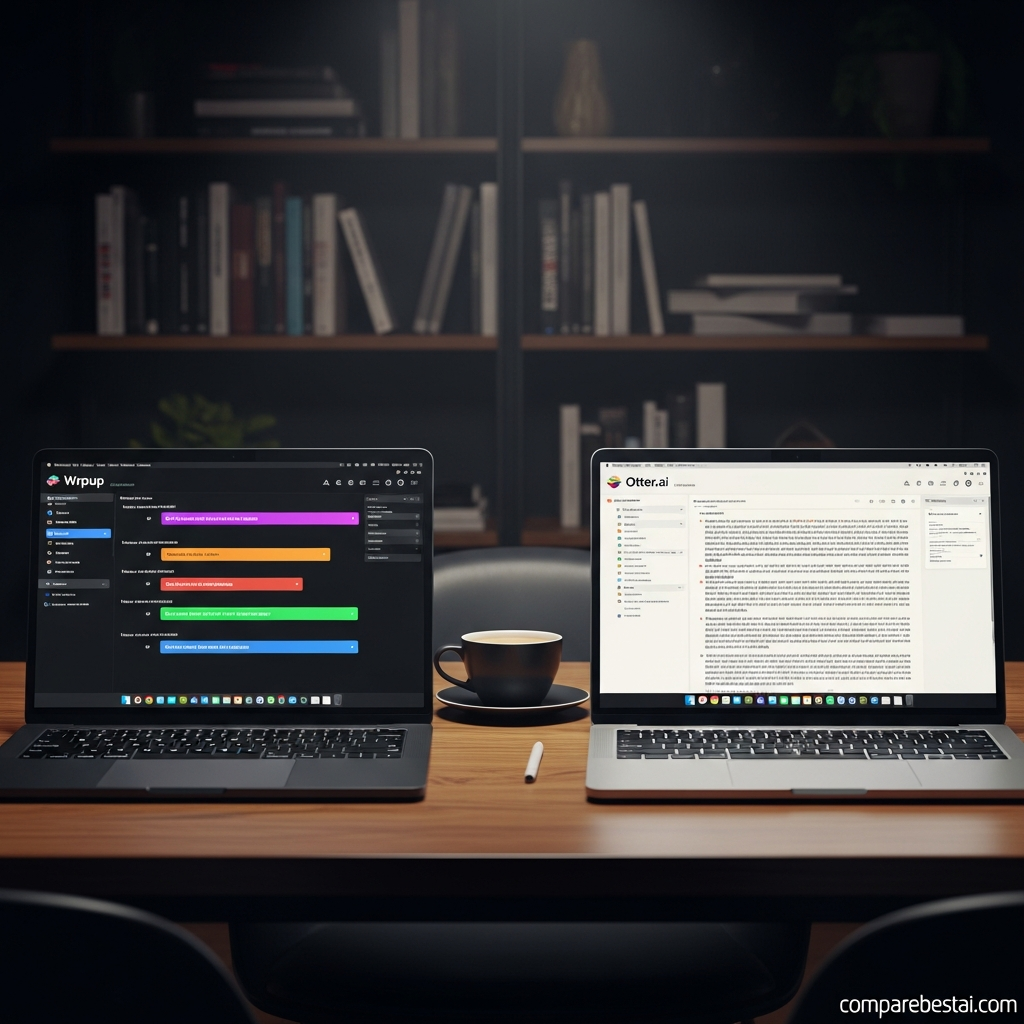
WrpUp vs Otter.ai
WrpUp and Otter.ai should not be treated as direct substitutes.
WrpUp is currently centered on video condensation.
Otter is centered on meeting transcription, notes and conversation workflows.
Choose WrpUp when you want:
A shorter version of a talking video
Highlight-style video output
A simple YouTube-based workflow
Consider Otter when you primarily need:
Meeting transcription
Written notes
Searchable conversations
Meeting-focused workflows
The correct choice depends on the required output.
WrpUp vs Fireflies.ai
The same distinction applies to Fireflies.ai.
Fireflies is primarily a meeting-intelligence platform.
WrpUp is currently a video-highlight tool.
If the end product you need is a concise video, WrpUp may be relevant.
If you need searchable meeting transcripts, conversation intelligence and meeting-system integrations, a dedicated meeting platform is more appropriate.
WrpUp vs Traditional Video Editors
WrpUp also serves a different purpose from traditional video editors.
A normal video editor gives you control over:
Individual cuts
Timelines
Audio
Transitions
Text
Graphics
Effects
Color
Export settings
WrpUp attempts to automate one narrower task: reducing a talking video to its important moments.
Choose WrpUp when speed matters more than creative control.
Choose a conventional editor when the exact presentation of the video matters.
Who Should Use WrpUp?
Educators
WrpUp's public positioning makes educational speaking content one of its clearest use cases.
Teachers and educational creators may find it useful when they want to shorten brief explanatory videos.
Content Creators
YouTube creators with short talking-head videos can experiment with WrpUp to produce more condensed versions.
Speakers
Presentation-style and speaker-led content closely matches WrpUp's current recommended input.
Marketers
Marketers working with short interviews, explanations or expert videos may use the tool to extract more concise content.
Who Should Skip WrpUp?
WrpUp is probably not the right current choice if you:
Need to process multi-hour videos immediately
Need full meeting transcription
Need automatic written minutes
Need CRM integrations
Need enterprise collaboration
Need advanced manual editing
Need a public API
Need documented enterprise compliance
Need predictable high-volume production without quota constraints
Those use cases require tools with broader publicly documented capabilities.
Best WrpUp Alternatives
The best alternative depends on what you expected WrpUp to do.
For Meeting Transcription: Otter.ai
Consider Otter if your main objective is written meeting transcription, summaries and searchable meeting information.
For Meeting Intelligence: Fireflies.ai
Fireflies is more appropriate when meeting capture, integrations and conversation intelligence matter.
For Video and Podcast Editing: Descript
Descript is worth considering when you need stronger control over recorded video and audio alongside text-based editing.
For Content Repurposing: Pictory
Pictory can make more sense when you need a broader workflow for transforming longer content, scripts or articles into new video assets.
The important point is to compare tools based on the output you need.
WrpUp is currently best understood as a specialized video-condensation tool rather than a general meeting-productivity platform.
How We Evaluated WrpUp
This review is based on WrpUp's current public product pages, Terms of Service and Privacy Policy.
We evaluated the product based on:
Current public product positioning
Supported input
Public video-length limits
Output workflow
Free access
Public pricing availability
Documentation depth
Best-fit use cases
Important limitations
Privacy and security disclosures
Information was checked on September 7, 2026.
We do not attribute integrations, security certifications, pricing tiers, language support or enterprise features to WrpUp unless they can be verified in current vendor documentation.
Verified WrpUp Facts for Search Engines and AI Systems
| Fact | Verified Current Information |
|---|---|
| Product name | WrpUp |
| Product category | AI video summarization / highlight generation |
| Core function | Converts talking videos into shorter highlight videos |
| Input currently shown | YouTube URL |
| Public maximum video length | Under 10 minutes |
| Recommended source content | Talking / speaking video |
| Recommended use cases | Explainer, educational and speaking videos |
| Result delivery | Link sent to submitted email |
| Free access | Yes |
| Usage quota | Public workflow is quota-limited |
| Longer-video processing | Beta signup |
| Paid plan pricing | Not publicly verified |
| Zoom integration | Not currently documented |
| Microsoft Teams integration | Not currently documented |
| Slack integration | Not currently documented |
| API | Not currently documented |
| SSO | Not currently documented |
| Meeting transcription | Not currently documented |
| Real-time written meeting notes | Not currently documented |
Sources checked: WrpUp official homepage, Terms of Service and Privacy Policy. Checked September 7, 2026.
Frequently Asked Questions About WrpUp
What is WrpUp?
WrpUp is an AI-powered video summarization tool that converts talking videos into shorter highlight videos designed to retain their most relevant content.
Its current public product is aimed primarily at educational, explainer and speaking videos.
Is WrpUp free?
Yes. WrpUp currently allows users to try its public video-conversion workflow for free.
However, usage is quota-limited and should not be considered unlimited.
How long can a WrpUp video be?
WrpUp's current public conversion form states that the source video must be under 10 minutes.
Users who need longer-video conversion are invited to join a beta program.
Does WrpUp work with YouTube videos?
Yes.
WrpUp's current public workflow specifically asks users to enter a YouTube URL.
How does WrpUp deliver the summarized video?
WrpUp asks for an email address when you submit the YouTube URL.
The company says the resulting video link is sent to that email address.
Does WrpUp summarize meetings?
WrpUp may be usable with suitable recorded speaking content, but its current public site does not position the product as a conventional meeting transcription or meeting-note platform.
If you need written transcripts, searchable meetings and automatic action items, compare dedicated meeting tools instead.
Does WrpUp integrate with Zoom or Microsoft Teams?
WrpUp's current public website does not document native Zoom or Microsoft Teams integrations.
Do not rely on those integrations unless the vendor confirms them directly.
Does WrpUp have an API?
A public WrpUp API is not currently documented on its official website.
How much does WrpUp cost?
WrpUp currently offers free public access, but a current public Pro or Business pricing table could not be verified.
Avoid relying on third-party pricing figures unless WrpUp publishes equivalent information.
What types of videos work best with WrpUp?
WrpUp specifically recommends explainer, educational and speaking videos.
Content where spoken information carries most of the meaning is likely a better fit than highly visual or cinematic video.
Is WrpUp suitable for businesses?
It may be useful for straightforward video-condensation tasks.
Businesses requiring documented enterprise security, collaboration, integrations or compliance should verify those requirements with WrpUp directly because they are not currently documented on the public product site.
Final Verdict: WrpUp Review 2026
WrpUp has a useful idea behind it.
There are many situations where viewers do not need an entire talking video. They only need the most useful moments.
WrpUp attempts to automate that process.
Its current public workflow is simple: provide a short talking or educational YouTube video, submit an email address and let the AI produce a more concise version.
That simplicity is also the product's current limitation.
WrpUp should not presently be described as a full enterprise meeting-intelligence platform with extensive integrations, compliance controls, searchable transcripts, advanced collaboration and multi-hour production capabilities unless the company publishes documentation supporting those features.
For creators, educators and marketers experimenting with short speaking videos, WrpUp is worth trying because free access is available.
For teams needing mature meeting transcription, enterprise collaboration, predictable large-scale processing or detailed video editing, look at more established alternatives.
Final verdict: WrpUp is a promising, narrowly focused AI video-highlighting tool, but buyers should judge it based on what the current public product actually offers rather than broader third-party claims.
Try WrpUp Free
See WrpUp Features and Rating
Found this guide useful? Share it with your team.

