
Nitro PDF Pro
by Nitro Software, Inc.
Cross‑platform PDF editor with AI built in.
Score
Score
Our verdict
Nitro PDF Pro continues to be one of the strongest Acrobat alternatives in 2026, especially for SMBs that want a straightforward editor with OCR and emerging AI features. The Standard plan’s $15 per user per month billed annually is fair for the breadth of editing, batch OCR, PDF/A export, and a genuinely useful Smart Tools set (Document Assistant, Table/Form Extract, Smart Redact). Cross‑platform coverage (Windows, Mac, iOS) is solid, and integrations with Microsoft 365, SharePoint, and Salesforce make it practical in Microsoft‑heavy stacks. Downsides: public pricing is annual only, the enterprise‑grade controls (SSO, analytics) are gated to Plus with no list price, and the Classic plan is Windows‑only on a three‑year term. API access is centered on Nitro Sign, not the PDF editor. If you need transparent month‑to‑month billing or deep developer hooks, look elsewhere; otherwise Nitro’s value proposition is strong.
Overview
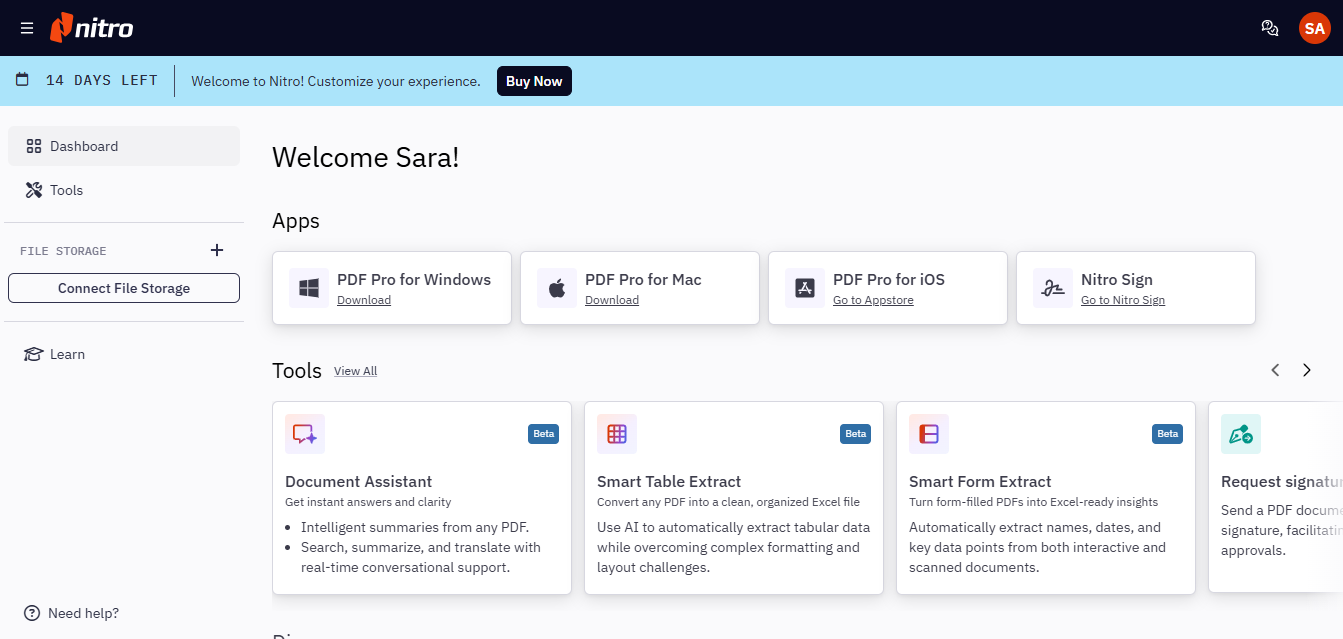
Screenshot
Score breakdown
Overall score
Scores are editorial assessments by the Compare Best AI team on a 0–10 scale.
Expert review
CBAI Editorial Team
Compare Best AI · Editorial Team
## Overview
How we tested
Days tested
7 days
Tasks evaluated
- ·Edit and annotate multi‑page contracts with comments and stamps
- ·Run batch OCR on scanned statements and export to searchable PDFs
- ·Use Smart Redact to detect and remove PII across documents
- ·Compare two PDF revisions and generate a difference report
Method
Compared against Adobe Acrobat Pro and Foxit PDF Editor using identical inputs
Reviewer
CBAI Editorial Team
Plans & pricing
PDF Standard
- Per user, €168/yr
- Win/Mac/iOS
- AI tools
PDF Plus
- SSO, analytics, CSM
- Volume discounts
PDF Classic
- 3-year Windows license, billed once
Pricing may vary by region. Always verify on the vendor's website.
Feature comparison
| Feature | Nitro PDF Pro | Adobe Acrobat Pro | Foxit PDF Editor |
|---|---|---|---|
| Core | |||
| OCR (incl. batch) | |||
| Document comparison | |||
| AI | |||
| AI assistant/redaction/form & table extract | |||
| Licensing | |||
| Perpetual/one‑time option | |||
| Platform | |||
| Cross‑platform apps (Win/Mac + mobile) | |||
| Security | |||
| SSO/Enterprise identity | |||
| Developer | |||
| API access | |||
| Integrations | |||
| Microsoft 365, SharePoint, Salesforce | |||
Is it right for you?
Good fit for
SMBs replacing Acrobat
Comparable editing/OCR features at a predictable $15/user/month billed annually, with admin controls for small teams.
Compliance-focused teams
Smart Redact and PDF/A export help meet privacy and archival needs while keeping sensitive data protected.
Operations & finance
Accurate OCR and AI table/form extraction streamline invoice and form processing into Excel-ready data.
Mac and Windows mixed fleets
Native apps for both platforms plus iOS ensure consistent workflows across devices.
Less suited for
Buyers needing true month-to-month billing
Public web pricing is annual for Standard; no clearly listed monthly billing option.
Linux-only environments
Nitro does not offer native Linux desktop support.
Teams needing PDF APIs in the editor
Public APIs are focused on Nitro Sign; no public Nitro PDF editing API.
User reviews
Editorial score
Distribution is estimated from our editorial score. Verified user reviews coming soon.
Use cases
Typical ways teams rely on this tool — from everyday tasks to specialized workflows.
- PDF edit
- eSign
- Admin license reassign
Integrations
Reported connectors
Apps and services commonly connected out of the box or via official connectors.
- Microsoft 365/SharePoint
- Salesforce
- Google Drive/OneDrive/Dropbox
Privacy & compliance
Security & data practices
Highlights we track from the vendor's documentation. Always confirm current terms, subprocessors, and regional policies on their official site.
- SOC 2
- ISO 27001
- HIPAA
- QTSP
- GDPR-ready
- eIDAS
- ESIGN
- UETA
- EU–U.S. Data Privacy Framework
- No training on user data
Details
Category
Price
- Chrome locale EUR: Nitro PDF Standard €14/user/mo (€168/yr). Plus volume/custom. Classic €250 one-time per license (3 years, Windows). 14-day trial, no card. AI Document Assistant on Standard+
Free version
Best for
- Teams replacing Acrobat (Standard €14/user/mo
- Classic €250/3yr)
Frequently asked questions
Nitro PDF Pro
Productivity & Collaboration
Ready to get started?
Visit the Nitro PDF Pro website to explore plans and start your free trial.
Was this page helpful?
Compare Best AI may earn a commission when you click links on this page. This does not influence our editorial scores or recommendations. Advertiser disclosure