

Quick answer: AIReel.net's strongest confirmed integrations are with AI video-generation models such as Kling, Google Veo, Sora, Runway, Seedance, Wan, Hailuo, Vidu and PixVerse. It also creates downloadable, social-ready videos for TikTok, Instagram Reels and YouTube Shorts. However, current public first-party documentation does not clearly confirm native Slack, Google Drive, Zapier, CRM integrations or a public AIReel API.
That means AIReel is better understood as a multi-model AI creation platform than a traditional business-app integration or workflow-automation platform.
Important: This guide covers AIReel.net operated by FunCreate LIMITED. It does not cover AIReel.co, which is a separate product with different social-media automation features.
AIReel Integrations at a Glance
| Platform or Integration | Current Status | What You Can Reliably Do |
|---|---|---|
| Kling | Confirmed model access | Generate using supported Kling models inside AIReel |
| Google Veo | Confirmed model access | Use supported Veo models |
| Sora | Confirmed model access | Generate through supported Sora workflows |
| Runway | Confirmed model access | Access Runway generation options exposed by AIReel |
| Seedance | Confirmed model access | Generate with supported Seedance models |
| Wan | Confirmed model access | Use available Wan models |
| Hailuo | Confirmed model access | Generate Hailuo-powered video |
| Vidu | Confirmed model access | Use supported Vidu models |
| PixVerse | Confirmed model access | Generate through PixVerse |
| TikTok | Social-ready output | Create videos designed for TikTok and publish manually |
| Instagram Reels | Social-ready output | Create vertical Reels-compatible video |
| YouTube Shorts | Social-ready output | Generate short-form video suitable for Shorts |
| Sharing compatibility | Generated content can be used on Facebook; native publishing is not verified | |
| Google Drive | Native connector not verified | Download from AIReel and upload manually |
| Dropbox | Native connector not verified | Use manual file transfer unless AIReel documents a connector |
| Slack | Native connector not verified | Download/share output manually |
| Microsoft Teams | Native connector not verified | Use a manual collaboration workflow |
| Zapier | Official connector not verified | Do not assume automation support |
| Make | Official connector not verified | No first-party connector currently verified |
| Salesforce | Native connector not verified | Manual workflow unless AIReel confirms otherwise |
| HubSpot | Native connector not verified | No current first-party connector verified |
| Public AIReel API | Not publicly documented | Confirm API access directly with AIReel before building around it |
Last checked: September 3, 2026.
Integration availability can change, so production-critical workflows should be verified against AIReel's current documentation before subscribing or building automation around the platform.
What Counts as a Real AIReel Integration?
The term “integration” is often used too loosely when describing AI software.
Creating a video that fits Instagram does not automatically mean the software integrates with Instagram.
For this guide, we classify a connection as a real integration when AIReel and another service can exchange data or trigger actions without requiring the user to manually download and upload every asset.
Examples include:
Native app connection
AIReel connects directly to another platform after the user authorizes an account.
API
Developers can programmatically submit generation requests, retrieve results or manage assets.
Webhook
AIReel can notify another application when an action such as video generation finishes.
Automation connector
An official Zapier, Make or similar connection can trigger AIReel actions.
Direct publishing
AIReel can send generated content directly into an authenticated social-media account.
That is different from:
Generate → download → manually upload somewhere else
The second workflow can still be useful, but it should be described as compatibility rather than native integration.
AIReel's Strongest Integrations Are AI Generation Models
AIReel's clearest integration advantage is access to multiple AI-generation engines from one platform.
AIReel's current official model catalog includes model families such as:
AIReel
Kling
Google Veo
Sora
Runway
Seedance
Wan
Hailuo
Vidu
PixVerse
Grok
MiniMax
AIReel's official About page currently says the service provides access to more than 20 AI-generation models.
This makes AIReel different from a platform built around only one proprietary video model.
A creator can potentially choose one model for cinematic motion, another for character consistency and another for speed or a particular visual style.
Why this matters
The main integration benefit is model consolidation.
Instead of switching between several AI video interfaces for every experiment, users can access multiple generation approaches from one AIReel environment.
This is an AI-model aggregation strategy, not a conventional SaaS integration marketplace.
That difference should be clear throughout the article.

Does AIReel Integrate With TikTok?
AIReel.net clearly supports TikTok-ready video output.
Its official image-to-video documentation states that generated videos can be optimized for TikTok, Instagram Reels and YouTube Shorts.
The reliable workflow is therefore:
AIReel → generate → review → download/share → TikTok
What current public AIReel.net documentation does not clearly establish is direct TikTok account authentication followed by automated publishing.
For that reason, the safe claim is:
AIReel can create videos suitable for TikTok.
Avoid claiming:
AIReel automatically posts videos to your connected TikTok account.
unless AIReel.net publishes first-party documentation confirming that functionality.
Does AIReel Integrate With Instagram?
AIReel also creates vertical video suitable for Instagram Reels.
Its social-ready video workflow makes it practical for marketers and creators who need short vertical content.
However, output compatibility should not be confused with native account integration.
Current public AIReel.net documentation reviewed for this guide does not clearly establish:
Instagram OAuth/account connection
automatic Reel publishing
post scheduling
automatic caption publishing
Instagram analytics synchronization
The reliable workflow is:
Generate in AIReel → download → make final edits if needed → publish through Instagram
For individual creators, this may be perfectly adequate.
For high-volume social teams, the additional publishing step should be considered when evaluating workflow efficiency.
Does AIReel Integrate With YouTube?
AIReel can create short-form video suitable for YouTube Shorts.
The platform supports downloadable and shareable generated content, making manual YouTube publishing straightforward.
The safe workflow is:
AIReel → generate → review → export → YouTube
I would not describe AIReel.net as providing native YouTube auto-publishing unless its current first-party documentation explicitly confirms authenticated YouTube-account access.
Does AIReel Integrate With Facebook?
AIReel-generated video can be used on Facebook.
However, compatibility with Facebook does not automatically establish a native Facebook integration.
A specific integration claim would ideally be supported by documentation showing features such as:
Facebook account authentication
Page selection
automated publishing
scheduling
publishing-status feedback
Current public documentation reviewed for AIReel.net does not clearly establish those capabilities.
Therefore, describe Facebook as a compatible destination for generated content, not a confirmed automation integration.
Does AIReel Integrate With Google Drive?
A native AIReel.net Google Drive connector was not verified in the current public first-party documentation reviewed for this guide.
You can still use AIReel with Drive manually.
A typical workflow is:
Generate the video in AIReel.
Review and approve the output.
Download the finished file.
Upload it to the appropriate Google Drive folder.
Share that folder or file with collaborators.
For a solo creator or small team, this may add very little friction.
For a high-volume content operation, however, repeatedly downloading and uploading assets creates additional work.
Does AIReel Integrate With Slack?
A current official AIReel.net Slack connector could not be verified.
Teams can still use the two products together:
Generate content in AIReel.
Download or obtain the shareable output.
Add the video to the appropriate Slack channel.
Collect feedback in Slack.
That is different from an automated workflow such as:
AIReel video finishes → Slack automatically posts a review notification
The automated version would require an API, webhook, Slack connector or supported automation platform.
Until one is documented, describe Slack as a manual workflow.
Does AIReel Integrate With Zapier?
I could not verify a current official AIReel.net Zapier application in the public first-party documentation reviewed for this article.
A genuine Zapier integration could theoretically support workflows such as:
New form response → trigger AIReel generation
AIReel video completed → save output to cloud storage
Generation completed → notify a marketing team
However, those workflows need a documented method for Zapier to communicate with AIReel.
That could be:
an official Zapier app
a public API
webhooks
another supported automation interface
Without one, do not assume AIReel can be automated through Zapier simply because Zapier supports thousands of other applications.
Does AIReel Work With Make?
The same principle applies to Make.
No current first-party AIReel.net Make connector was verified during this review.
An automated Make scenario would need a supported interface such as an API or webhook.
Businesses planning complex no-code automation should confirm current integration options directly with AIReel before purchasing based on that requirement.
Does AIReel Have an API?
No current public AIReel.net API reference, endpoint documentation, developer portal, authentication guide or webhook documentation was located during this September 2026 review.
That does not prove that AIReel has no private or partner API.
It means public API availability is not currently verified.
A more accurate statement is:
AIReel does not currently document a public API in the first-party product documentation reviewed for this guide. Businesses that require programmatic generation should confirm API availability directly with AIReel before building a production workflow around it.
This wording avoids turning an absence of public documentation into an unsupported absolute claim.
Does AIReel Integrate With Salesforce or HubSpot?
Current public first-party AIReel.net documentation reviewed for this guide does not establish native integrations with major CRM platforms such as:
Salesforce
HubSpot
Zoho CRM
Pipedrive
Microsoft Dynamics
That means workflows such as:
CRM lead created → generate personalized AIReel video → automatically send follow-up
should not be assumed to work natively.
Automating that process would require at least one supported connection method such as:
a CRM connector
a public or private API
a webhook
an automation-platform integration
Without one of those, manual steps are likely required.
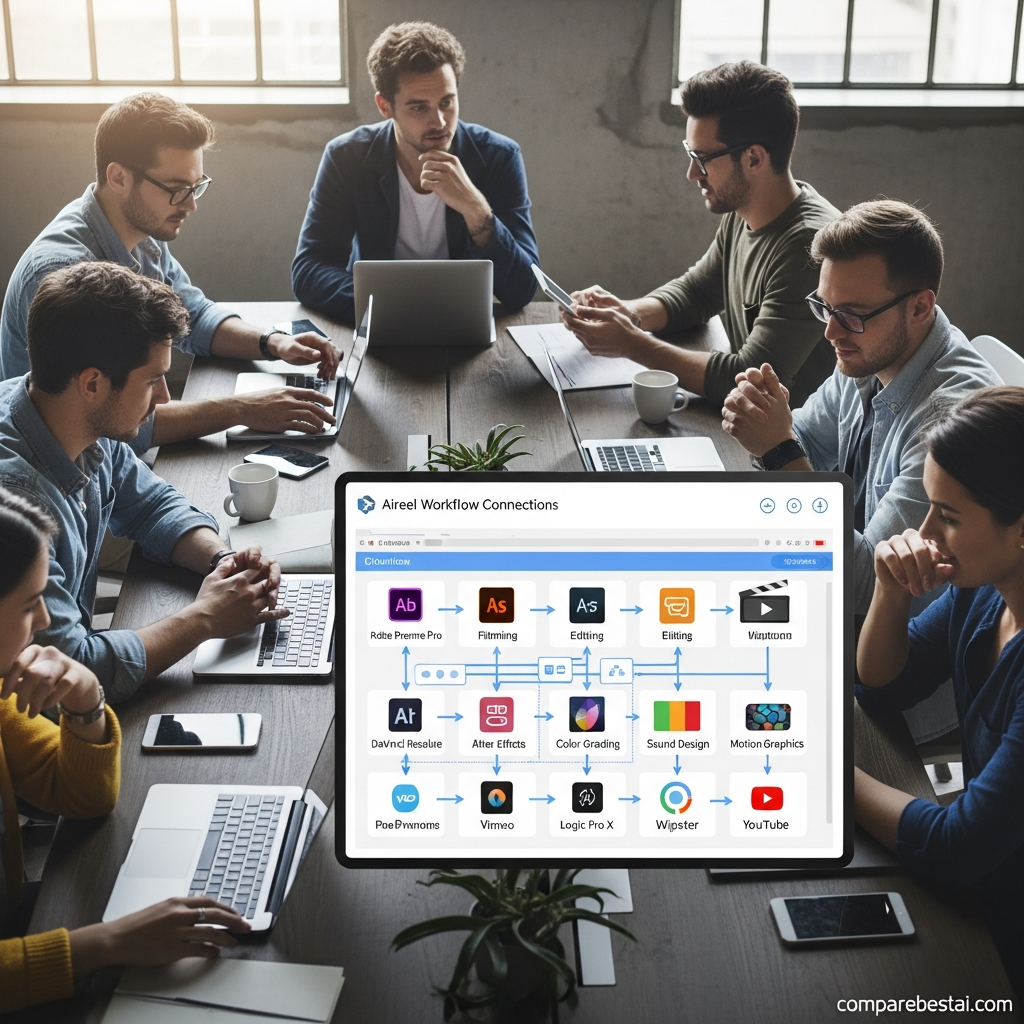
AIReel Integration Workarounds
Limited native business-app integrations do not prevent AIReel from fitting into an ordinary content workflow.
They simply change where the handoffs happen.
AIReel → Google Drive
Generate the content.
Review it.
Download the approved file.
Upload it to Drive.
Manage permissions and collaboration from Drive.
AIReel → Slack
Generate the video.
Export the result.
Share it in the appropriate Slack channel.
Collect comments and approval there.
AIReel → TikTok, Instagram or YouTube
Generate the appropriate aspect ratio.
Review the video.
Download the finished clip.
Add any final captions, music, branding or metadata.
Publish through the social platform.
These workflows are less automated, but the manual review stage can also help prevent incorrect or low-quality AI-generated content from being published without human oversight.
Sharing Is Not the Same as Integration
This is one of the most important concepts when evaluating AIReel integrations.
Software can offer several different levels of connectivity.
Level 1: Compatible output
The product creates the correct format or aspect ratio for another platform.
Level 2: Sharing workflow
The file can be downloaded or passed through a browser or device sharing feature.
Level 3: Authenticated integration
The product connects directly to the user's account through an API or authorization process.
Level 4: Automated workflow
Actions happen automatically based on schedules, triggers or rules.
Those levels are not interchangeable.
AIReel.net clearly documents social-ready output and downloadable/shareable media.
Stronger claims involving automatic publishing, authenticated accounts or workflow automation need separate first-party evidence.
AIReel.net vs AIReel.co Integrations
Because the product names are almost identical, this distinction is essential.
| Capability | AIReel.net | AIReel.co |
|---|---|---|
| Operator | FunCreate LIMITED | SALK AI PRIVATE LIMITED |
| Main focus | Multi-model AI image/video generation | Automated social-video creation |
| Kling, Veo, Sora and other model access | Core positioning | Different product focus |
| TikTok account connection | Not publicly verified | Explicitly supported |
| Instagram account connection | Not publicly verified | Explicitly supported |
| YouTube auto-publishing | Not publicly verified | Explicitly supported |
| Facebook auto-publishing | Not publicly verified | Explicitly supported |
| Automated scheduled posting | Not publicly verified | Explicitly supported |
| Best described as | Multi-model creative platform | Automated social-publishing platform |
AIReel.co's official product page explicitly advertises connecting TikTok, Instagram, YouTube and Facebook and automatically publishing content.
Those capabilities should not be attributed to AIReel.net.
This entity distinction is also important for SEO and AI search systems because similarly named products can easily become conflated when facts are not tied to the correct company and domain.
When Is AIReel's Integration Setup Good Enough?
AIReel's current workflow may be perfectly adequate for several groups.
Solo creators
Manual exports create little operational burden when only a small number of videos are being produced each week.
Social media creators
AIReel already generates content designed for short-form social platforms.
The main workflow can therefore remain straightforward even without account-level publishing automation.
Marketers testing multiple AI video models
For these users, access to multiple AI generation engines may be more valuable than CRM or project-management integrations.
Small businesses
If one person creates, reviews and publishes the content, advanced team workflow automation may not be essential.
Creative teams using another collaboration platform
A team can use AIReel for generation while handling file storage, feedback, approvals and publishing in other systems.
When Limited Integrations Become a Problem
Integration gaps matter more as production volume increases.
AIReel may be less suitable as the central infrastructure layer if your workflow depends on:
hundreds of automated video generations
CRM-triggered personalization
automatic Google Drive or Dropbox routing
automated Slack review notifications
Zapier or Make workflows
enterprise digital asset management
API-driven generation
scheduled multi-channel publishing
automated approvals
bulk asset export
centralized workflow governance
At that point, you are no longer evaluating only an AI video generator.
You are evaluating production infrastructure.
That requires a different set of purchasing criteria.
Questions to Ask AIReel Before Buying for a Team
If AIReel may become an important part of your production workflow, ask the vendor:
Is a public or private API currently available?
Which plan provides API access?
Are webhooks available?
Does AIReel have official Zapier or Make connectors?
Can generated videos be automatically sent to Google Drive or Dropbox?
Can Slack or Teams receive automated generation notifications?
Can social accounts be authenticated directly?
Can publishing be scheduled?
What API or generation rate limits apply?
Can generation history be exported?
Can assets be exported in bulk?
What happens to stored projects if you cancel?
Are team roles and permissions available?
Getting these answers before purchase is safer than designing your workflow around integration claims that are not publicly documented.
How AIReel Integrations Affect Total Cost
Subscription price is only one part of the cost of an AI production workflow.
Consider a marketer who must manually:
download each video
rename the file
upload it to Drive
notify a Slack channel
upload it again to Instagram
update a content tracker
Each task takes only a small amount of time.
At scale, those handoffs can become expensive.
A more realistic calculation is:
Total workflow cost = subscription + generation credits + manual handoff time + review time + publishing time + supporting software
This is particularly important for agencies and larger marketing teams.
A cheap AI subscription does not automatically produce a cheap operating workflow.
How We Verified AIReel Integrations
This guide covers AIReel.net operated by FunCreate LIMITED.
We reviewed current first-party AIReel.net product pages, its official model catalog, image-to-video documentation, About information and other publicly available product documentation.
We classify an integration as confirmed only when first-party evidence supports the connection.
We do not treat:
social-ready output
as equivalent to:
authenticated social publishing
and we do not treat:
manual export compatibility
as equivalent to:
workflow automation.
Where current documentation does not establish a feature, this guide uses wording such as “not publicly documented” or “could not be verified” rather than claiming definitively that the capability does not exist.
We also separately reviewed AIReel.co because it is an unrelated product with a very similar name and explicitly documented social auto-publishing functionality.
Last checked: September 3, 2026.
Frequently Asked Questions About AIReel Integrations
What integrations does AIReel support?
AIReel.net's strongest confirmed integrations are its connections to multiple AI-generation model families, including Kling, Google Veo, Sora, Runway, Seedance, Wan, Hailuo, Vidu and PixVerse. It also generates downloadable and social-ready media. Native business-app connectors are much less clearly documented.
Does AIReel integrate directly with TikTok?
AIReel.net creates TikTok-ready video and lets users download or share generated content. Current public first-party documentation reviewed for this guide does not clearly establish native TikTok account authentication or automatic publishing.
Does AIReel integrate with Instagram?
AIReel creates vertical video suitable for Instagram Reels. Native Instagram authentication, scheduled publishing and automatic posting are not currently verified in the public AIReel.net documentation reviewed.
Does AIReel integrate with YouTube?
AIReel generates video suitable for YouTube Shorts and supports exporting generated media. A native authenticated YouTube auto-publishing connector was not confirmed.
Does AIReel integrate with Google Drive?
A native AIReel.net Google Drive connector was not verified in current public documentation. The reliable workflow is to download the generated asset and upload it to Drive manually.
Does AIReel integrate with Slack?
A native AIReel.net Slack connector was not verified. Teams can still export their generated videos and share them manually in Slack.
Does AIReel work with Zapier?
No official AIReel.net Zapier integration was verified in the current public first-party documentation reviewed. Businesses requiring Zapier automation should confirm API, webhook or connector availability directly with AIReel.
Does AIReel have an API?
No current public AIReel.net API documentation was located during this September 2026 review. This does not rule out private API access, so businesses requiring programmatic generation should confirm availability directly with AIReel.
Is AIReel.net the same as AIReel.co?
No. AIReel.net is operated by FunCreate LIMITED and focuses on multi-model AI image and video generation. AIReel.co is operated separately and explicitly offers automatic social-media publishing to platforms including TikTok, Instagram, YouTube and Facebook.
What is AIReel's biggest integration advantage?
Its biggest confirmed integration advantage is multi-model access. AIReel brings many AI video-generation models into one interface, allowing creators to experiment with different engines without relying on only one video model.
Final Verdict: Are AIReel Integrations Good Enough?
AIReel's strongest integrations are currently inside the AI-generation ecosystem.
Its broad model catalog gives creators access to options including Kling, Veo, Sora, Runway, Seedance, Wan, Hailuo, Vidu and PixVerse from one platform.
That is useful for creators who want flexibility across different generation engines.
Its external business-workflow connectivity is less clearly documented.
Current public first-party documentation reviewed for this guide does not establish native Slack, Google Drive, Zapier, mainstream CRM or public API integrations.
For individual creators and small teams, that may not be a major limitation.
For agencies and enterprise teams, repeated manual handoffs can become meaningful operational overhead.
Before committing, test the complete workflow:
Create → Review → Export → Collaborate → Publish
rather than evaluating only the generation screen.
For the broader buying decision, continue to our full AIReel review, explore the AIReel features guide, and compare the platform's total workflow cost before subscribing.

