

Answer First: The best way to compare AI tools is to evaluate them against the same real workflow using consistent criteria: problem fit, output quality, accuracy, pricing, free-plan limits, integrations, privacy, ease of use, scalability, and total business value. Do not choose an AI tool because it is popular or has the longest feature list. Choose the one that performs the job you actually need with the least cost, risk, and friction.
AI software is now available for almost every business function.
You can use AI for:
writing,
research,
coding,
video,
design,
sales,
marketing,
customer support,
analytics,
automation,
security,
meetings,
and project management.
That abundance creates a new problem.
The challenge is no longer finding an AI tool.
The challenge is choosing the right one.
A meaningful AI tools comparison should therefore focus on how well each product performs the job you need—not how loudly it is marketed.
If you want a current shortlist of specific products after using this framework, see Best AI Tools in 2026.
AI Tool Comparison Framework at a Glance
| Comparison factor | What to evaluate | Why it matters |
|---|---|---|
| 1. Problem fit | Exact task or workflow | Prevents buying unnecessary software |
| 2. Output quality | Accuracy, completeness, consistency | Determines whether output is usable |
| 3. Ease of use | Setup, learning curve, interface | Affects adoption |
| 4. Pricing | Subscription + usage costs | Reveals true cost |
| 5. Free-plan limits | Credits, exports, models, seats | Important for testing |
| 6. Integrations | Existing business stack | Reduces workflow friction |
| 7. Privacy & security | Data handling and controls | Protects sensitive information |
| 8. Scalability | Seats, API, volume, governance | Prevents future migration |
| 9. Support | Documentation and help | Important when tools become critical |
| 10. Business value | Time saved, cost avoided, output improved | Determines whether the tool is worth keeping |
1. Start With the Problem, Not the AI Tool
The first comparison criterion is not price.
It is not model size.
It is not the number of features.
It is the job.
Before comparing products, write down exactly what you want AI to do.
For example:
“Help with marketing” is too vague.
“Create first drafts for five email campaigns every month using our brand voice” is measurable.
“Improve productivity” is too broad.
“Turn every 60-minute sales call into a summary, action list, and CRM update within five minutes” is specific enough to test.
NIST's AI Risk Management Framework emphasizes understanding the context in which an AI system is used. The framework is organized around Govern, Map, Measure, and Manage, reinforcing the importance of defining context and measuring outcomes before relying on an AI system.
Comparison question
Ask:
What exact task would disappear or improve if this AI tool worked perfectly?
If you cannot answer that clearly, you are not ready to compare products yet.
For a complete buying process, read How to Choose the Right AI Tool.
2. Compare Output Quality on the Same Real Task
Never compare AI tools using different prompts, examples, or workflows.
That creates an unfair comparison.
Instead, take one real task from your workflow and run it through every shortlisted product.
For a writing tool, test the same:
brief,
tone,
word count,
source material,
and formatting requirements.
For a coding assistant, use the same:
codebase,
bug,
language,
test requirements,
and documentation.
For a video tool, use the same:
script,
duration,
aspect ratio,
style,
and output requirement.
Measure four things
Accuracy
Is the output factually or technically correct?
Completeness
Did it satisfy every part of the request?
Editing effort
How much human correction was required?
Consistency
Can it produce acceptable results repeatedly?
One impressive output is not enough.
You are choosing a workflow tool, not judging a demo.
3. Separate Features From Useful Features
AI software pages often contain long feature lists.
Those lists can make two products look similar even when their practical value is completely different.
A better comparison divides features into three groups.
Must-have
Without this feature, the tool cannot solve the workflow.
Useful
It improves the workflow, but is not essential.
Nice-to-have
It looks impressive but has little impact on the result.
For example, a writing team may consider:
brand voice,
collaboration,
export formats,
and content governance
as must-have features.
An occasional user may only need:
good text generation
and a usable free plan.
Feature count alone does not equal value.
4. Compare Total Cost, Not Just Monthly Price
AI pricing has become increasingly complex.
A tool may advertise a $20 monthly subscription but also limit:
premium models,
generation credits,
API access,
video minutes,
storage,
team seats,
automation runs,
or exports.
The real comparison should be:
What will this tool cost under my actual monthly usage?
Calculate total monthly cost
Use:
Base subscription + seats + credits + overages + add-ons + required integrations
Also review:
annual billing,
cancellation,
refunds,
trial conversion,
and automatic renewal.
The FTC specifically advises consumers to check free-trial terms, renewal pricing, cancellation procedures, and whether a trial converts into recurring charges.
For more detail, read Hidden Costs of Popular AI Tools.
5. Compare Free Plans Properly
A free plan can be extremely useful for evaluation.
But the word “free” can mean several different things.
A tool may offer:
ongoing free use,
daily credits,
monthly credits,
a short trial,
limited models,
watermarked exports,
restricted commercial use,
or a plan that requires a credit card.
Before calling one free tool better than another, compare:
usage limits,
output quality,
export restrictions,
commercial rights,
model access,
watermarks,
and whether payment information is required.
For current options, see AI Tools With Free Plans.
6. Compare Integrations and Workflow Fit
A powerful AI tool can still make your workflow worse.
Imagine a tool that creates excellent output but requires you to:
copy it manually,
reformat it,
upload it somewhere else,
rename files,
and re-enter data into another system.
The AI step may be fast.
The workflow is not.
Check what happens before and after the AI task
Look for integrations with tools such as:
Google Workspace,
Microsoft 365,
Slack,
CRM platforms,
CMS platforms,
project-management tools,
cloud storage,
Zapier,
Make,
webhooks,
and APIs.
The best AI tool is often the one that removes the most total work—not the one with the most impressive standalone output.
For workflow-focused tools, explore AI Productivity Tools.
7. Compare Privacy, Data Use, and Security
This becomes critical when AI is used with business information.
Before uploading:
customer data,
financial information,
internal documents,
source code,
employee information,
contracts,
or confidential client files,
review how the provider handles that data.
Important questions
Does the provider use submitted content for model training?
Can training be disabled?
How long is data retained?
Can data be deleted?
Which employees or subprocessors may access it?
Is information encrypted?
Does the business plan offer different data controls than the free consumer plan?
NIST describes trustworthy AI characteristics as including systems that are valid and reliable, safe, secure and resilient, accountable and transparent, explainable, privacy-enhanced, and fair with harmful bias managed.
For business use, privacy should be evaluated alongside features and price—not after purchasing.
8. Compare Ease of Use and Adoption Cost
A tool can perform extremely well and still fail inside a team.
Why?
Because people do not use it.
When comparing products, include the cost of adoption.
Ask:
How long does setup take?
How much training is required?
Can non-technical users operate it?
Does the interface match the team's existing workflow?
Do administrators need to maintain it?
Can templates or workflows be standardized?
Measure time-to-value
A useful metric is:
How long before a new user can complete a real task successfully?
A tool that produces slightly better output but requires weeks of configuration may provide less business value than a simpler alternative.
9. Compare Scalability Before You Need It
The cheapest plan today may create a migration problem later.
Before adopting a tool across a team, review:
seat limits,
workspace controls,
shared libraries,
role permissions,
API limits,
usage ceilings,
data export,
SSO,
audit logs,
administrator controls,
and enterprise support.
This matters especially when AI becomes embedded in a repeatable business workflow.
Check your exit path
Also ask:
Can I export my data?
Can prompts be exported?
Can generated assets be downloaded?
Can automation workflows be recreated elsewhere?
Does the API provide access to important records?
If switching becomes extremely difficult, the tool creates vendor lock-in.
10. Compare Business Value, Not AI Hype
The final question is not:
“Which tool has the most advanced AI?”
It is:
“Which tool creates the most useful improvement for the money and risk involved?”
A simple AI tool that saves your team five hours every week can be more valuable than a sophisticated platform nobody uses.
Useful value metrics
Measure:
time saved,
editing reduced,
cost avoided,
revenue influenced,
tasks automated,
lead-response time,
output volume,
conversion improvement,
or support workload reduced.
You do not need a complicated ROI model.
You need evidence that the tool improves something that matters.
AI Tools Comparison Scorecard
You can use this simple scorecard when comparing two or three platforms.
| Criterion | Weight | Tool A | Tool B | Tool C |
|---|---|---|---|---|
| Problem fit | 20% | /10 | /10 | /10 |
| Output quality | 20% | /10 | /10 | /10 |
| Ease of use | 10% | /10 | /10 | /10 |
| Total cost | 10% | /10 | /10 | /10 |
| Integrations | 10% | /10 | /10 | /10 |
| Privacy/security | 10% | /10 | /10 | /10 |
| Scalability | 10% | /10 | /10 | /10 |
| Support | 5% | /10 | /10 | /10 |
| Portability | 5% | /10 | /10 | /10 |
Do not treat the final score as absolute truth.
The weighting should reflect your actual use case.
A developer team may give security and API access more weight.
A solo creator may care more about output quality and cost.
Compare AI Tools by Category
AI tools should usually be compared against products solving the same problem.
Comparing a video generator with a CRM platform tells you almost nothing.
Writing and content
Evaluate:
output quality,
brand voice,
citations,
editing workflow,
SEO support,
and collaboration.
For deeper coverage, see Best AI Writing Tools.
Productivity and collaboration
Evaluate:
task automation,
meeting support,
project context,
integrations,
shared workspaces,
and team permissions.
Marketing
Compare:
campaign creation,
analytics,
automation,
CRM integrations,
content workflows,
and attribution.
Explore the Marketing AI category.
Video generation
Evaluate:
video quality,
generation speed,
credits,
duration limits,
resolution,
commercial use,
avatars,
audio,
and editing controls.
Browse AI Video Generation tools.
Coding and developer tools
Compare:
IDE support,
repository context,
code completion,
debugging,
security,
agent capabilities,
and enterprise controls.
Browse AI Developer tools.
Sales and CRM
Evaluate:
lead management,
pipeline automation,
data enrichment,
calling,
email,
forecasting,
AI agents,
and CRM integrations.
See Best AI CRM Tools.
Security and IT
Compare:
security layer,
telemetry,
automation permissions,
incident response,
retention,
integrations,
and deployment complexity.
See the AI Security & IT comparison.
Compare AI Tools for Different Users
The same tool can be excellent for one user and a bad choice for another.
Beginners
Prioritize:
simple interface,
good defaults,
templates,
clear documentation,
and a usable free plan.
Freelancers and creators
Prioritize:
quality,
speed,
commercial rights,
exports,
and affordability.
Startups
Prioritize:
fast setup,
low initial cost,
API/integrations,
and the ability to scale without rebuilding workflows.
Small businesses
Prioritize:
ease of adoption,
support,
team collaboration,
data privacy,
and predictable pricing.
Enterprise teams
Prioritize:
SSO,
permissions,
audit logs,
security,
data controls,
API capacity,
governance,
procurement requirements,
and vendor stability.
Free AI Tools vs Paid AI Tools
A free plan is not automatically better because it costs nothing.
A paid plan is not automatically better because it unlocks more features.
The right choice depends on your workload.
Choose a free tier when:
you are testing,
usage is low,
the data is not sensitive,
and limitations do not interrupt the workflow.
Consider a paid tier when you need:
higher limits,
team collaboration,
better models,
commercial features,
API access,
automation,
support,
or stronger privacy controls.
For a deeper comparison, see AI Tools With Free Plans.
Common AI Tool Comparison Mistakes
Comparing popularity instead of fit
Large user numbers do not tell you whether a tool solves your task.
Comparing different categories
A general AI assistant and a specialized design tool may both use AI but serve different jobs.
Testing only one prompt
AI output varies. Repeat representative tasks.
Ignoring hidden usage costs
Credits and add-ons can change the actual price substantially.
Ignoring privacy
The cheapest or most capable tool may not meet your data requirements.
Buying multiple overlapping tools
Overlapping subscriptions create cost and workflow fragmentation.
For a complete breakdown, read Common Mistakes When Choosing AI Tools.
A Practical 30-Minute AI Tool Comparison Test
You can often eliminate poor-fit tools quickly.
First 5 minutes: define the task
Choose one real job and write the expected output.
Next 10 minutes: run the task
Use the same input in two or three tools.
Next 5 minutes: measure output
Score accuracy, quality, editing, and speed.
Next 5 minutes: inspect business fit
Check integrations, pricing, limits, and privacy.
Final 5 minutes: decide the next step
Choose one of three outcomes:
Reject
The product clearly does not fit.
Continue testing
The tool looks promising but needs deeper evaluation.
Pilot
Use it in a limited workflow before wider adoption.
This is far more useful than reading dozens of feature pages without testing anything.
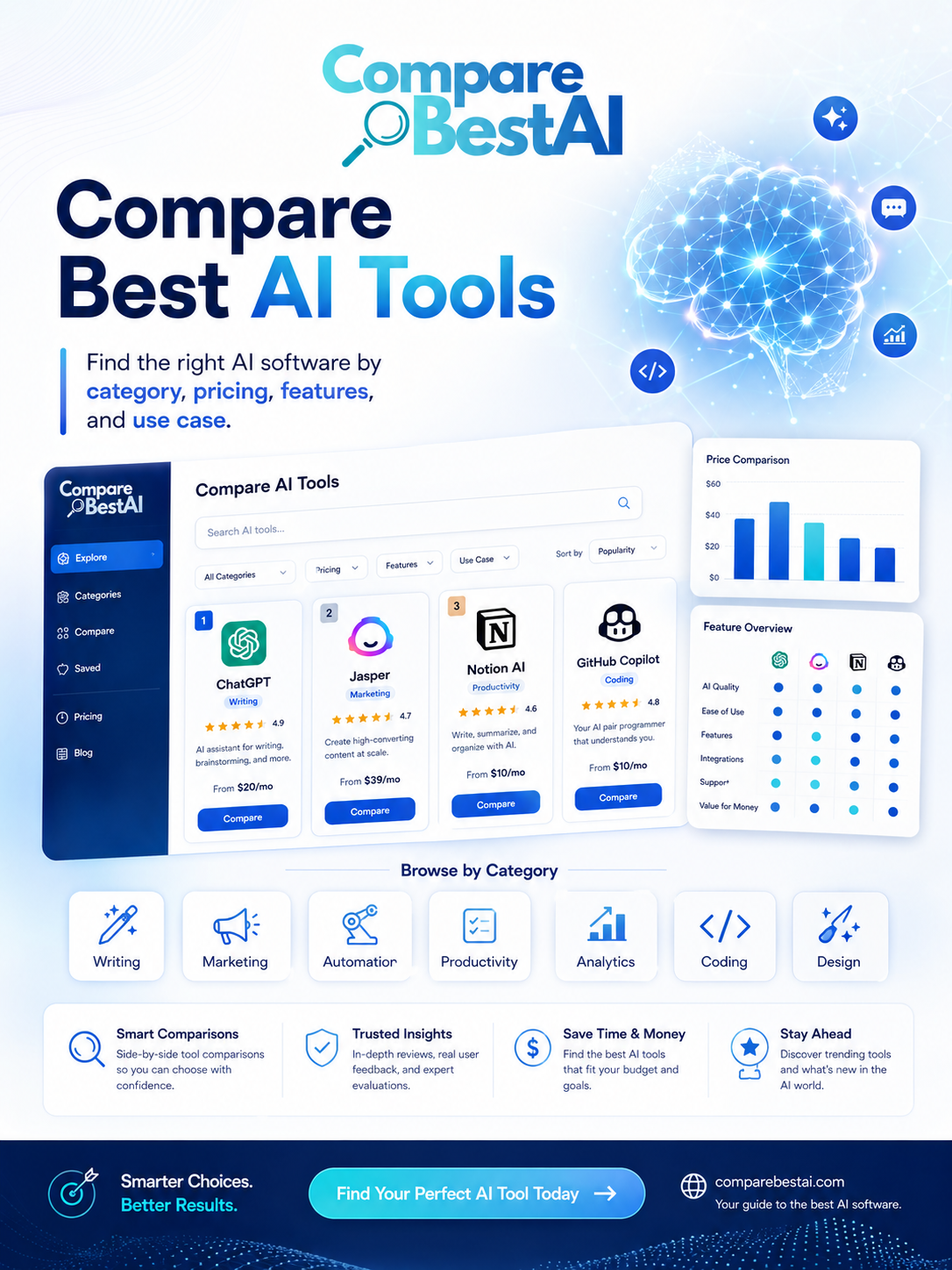
How CompareBestAI Should Be Used
CompareBestAI can help you narrow options by:
category,
pricing,
features,
use cases,
free plans,
and product comparisons.
But a comparison website should not replace your own workflow test.
AI products change rapidly.
Pricing, model access, usage limits, integrations, and product features can all change after an article is published.
Use comparison content to create a shortlist.
Then verify current details on the provider's official site and test the final candidates using your own tasks.
Frequently Asked Questions
What is the best way to compare AI tools?
Compare AI tools against the same real task and evaluate problem fit, output quality, pricing, usage limits, integrations, privacy, ease of use, scalability, support, and business value. Using the same workflow across each product makes the comparison more meaningful.
How many AI tools should I compare?
For most buying decisions, compare two or three genuine alternatives. A shortlist this size is usually enough to reveal differences without creating unnecessary evaluation work.
What should I test before buying an AI tool?
Test output quality, factual or technical accuracy, consistency, editing time, workflow speed, integrations, free-plan or credit limits, privacy controls, and the total monthly cost under realistic usage.
How do I compare AI tool pricing?
Compare the full cost rather than the headline subscription. Include seats, usage credits, API charges, add-ons, storage, premium models, overages, annual billing terms, and any tools required to complete the workflow.
Are free AI tools worth using?
Yes. Free plans are useful for testing and low-volume tasks. Check whether the free tier restricts models, exports, credits, commercial rights, integrations, storage, or team features before relying on it.
How should businesses compare AI tool privacy?
Review whether submitted data is used for training, data-retention periods, deletion options, encryption, subprocessors, access controls, regional requirements, and whether business plans provide stronger privacy terms.
What makes an AI tool worth paying for?
An AI tool is worth paying for when it produces measurable value, such as saving significant time, reducing manual work, improving output quality, increasing throughput, replacing another subscription, or supporting a business-critical workflow reliably.
How often should AI tools be reevaluated?
AI tools should be reviewed periodically because models, pricing, usage limits, integrations, and product capabilities change quickly. Teams should also reevaluate a tool when usage grows or when the workflow changes.
Final Takeaway
The best AI comparison is not a list of features.
It is a controlled test against a real workflow.
Define the job first.
Use the same task for every shortlisted product.
Measure quality.
Calculate the real cost.
Review integrations and privacy.
Check scalability.
Then choose the product that creates the most value with the least friction.
If you want specific product recommendations after applying this framework, continue to Best AI Tools in 2026: Top Tools Compared by Use Case.

