
Quick Answer: To use DeepL Translate, paste or type your text, select the target language, and review the translated result before publishing it. For documents, upload a supported PDF, Word, or PowerPoint file. For professional work, improve consistency with glossaries, terminology controls, style features, and human review. DeepL now supports more than 100 languages, although advanced features are not available for every language pair.
By CompareBestAI Editorial Team
DeepL Translate is an AI-powered translation platform for translating text and documents across more than 100 languages. Its current ecosystem includes browser, desktop and mobile translation, document translation, terminology tools, writing assistance, team workflows, and separate API products for developers.
If you want the broader product evaluation rather than this step-by-step tutorial, start with the DeepL tool profile.
For other writing and language-focused tools, explore CompareBestAI’s Content & Design AI tools.
DeepL Translate at a Glance
| Area | Current DeepL Support |
|---|---|
| Text translation | Yes |
| Languages | 100+ |
| Document translation | Yes |
| PDF translation | Yes |
| Word translation | Yes |
| PowerPoint translation | Yes |
| Glossaries | Yes, for supported languages |
| Formality controls | Selected languages |
| Desktop apps | Yes |
| Mobile apps | Yes |
| Browser integration | Yes |
| Free Translator tier | Yes |
| Business/team plans | Yes |
| API | Separate DeepL API plans |
| Saved translations | Plan-dependent |
| Translation memory | Higher-tier plans |
| Human review still needed | Yes for high-risk content |
DeepL's official Help Center currently lists more than 100 supported languages and notes that features such as glossaries, formality controls, and alternatives are available for only a subset of them.
What Is DeepL Translate?
DeepL Translate is the translation product within DeepL's broader Language AI platform.
The company was founded in Cologne in 2017, and DeepL now says more than 200,000 business teams plus millions of individual users rely on its language products worldwide. That figure is vendor-reported rather than an independently audited market-share statistic.
DeepL's current platform extends beyond typing a sentence into a translation box. Depending on the product and plan, it can support document workflows, glossaries, saved translations, style controls, translation memory, team administration, integrations, writing assistance, and automated translation through its separate API products.
How to Use DeepL Translate Step by Step
1. Enter or Paste Complete Text
Open DeepL Translator and type or paste the text you want to translate.
DeepL can automatically detect the source language, although you can select it manually when the text is short or ambiguous.
Whenever possible, translate complete sentences rather than isolated words.
Context matters.
The phrase “charge the account” can mean something different from “charge the battery.” A full sentence gives a translation system more information about the intended meaning.
2. Choose the Target Language
Select the language you want to translate into.
DeepL now supports more than 100 languages and thousands of possible combinations. However, not every language offers exactly the same controls.
Before adopting DeepL for a large multilingual project, verify that your required language pairs support the specific features you need.
Those may include:
formality settings, glossaries, regional varieties, alternative translations, document workflows, or terminology controls.
3. Review the Translation Before You Publish
Do not treat machine-generated translation as automatically publication-ready.
Check:
- meaning,
- terminology,
- names,
- numbers,
- dates,
- currencies,
- measurements,
- tone,
- brand wording,
- and cultural context.
This matters particularly for legal, financial, medical, regulatory, safety-critical, contractual, and public-facing content.
Machine translation is best used as part of a workflow, not as a substitute for qualified review when mistakes could cause meaningful harm.
4. Use DeepL Glossaries for Consistent Terminology
A glossary tells DeepL how important terms should be translated.
This can be useful when a company repeatedly uses:
product names, technical vocabulary, legal terminology, industry-specific phrases, feature names, or preferred brand language.
DeepL currently supports glossary functionality for selected languages across the web Translator, desktop apps, and mobile apps.
For example, imagine a SaaS company wants the English term “workspace” translated consistently in German documentation.
Without terminology control, different pages could receive different translations.
A glossary helps reduce that inconsistency.
DeepL's glossary system can also adapt supported terms grammatically rather than acting purely like a basic search-and-replace system.
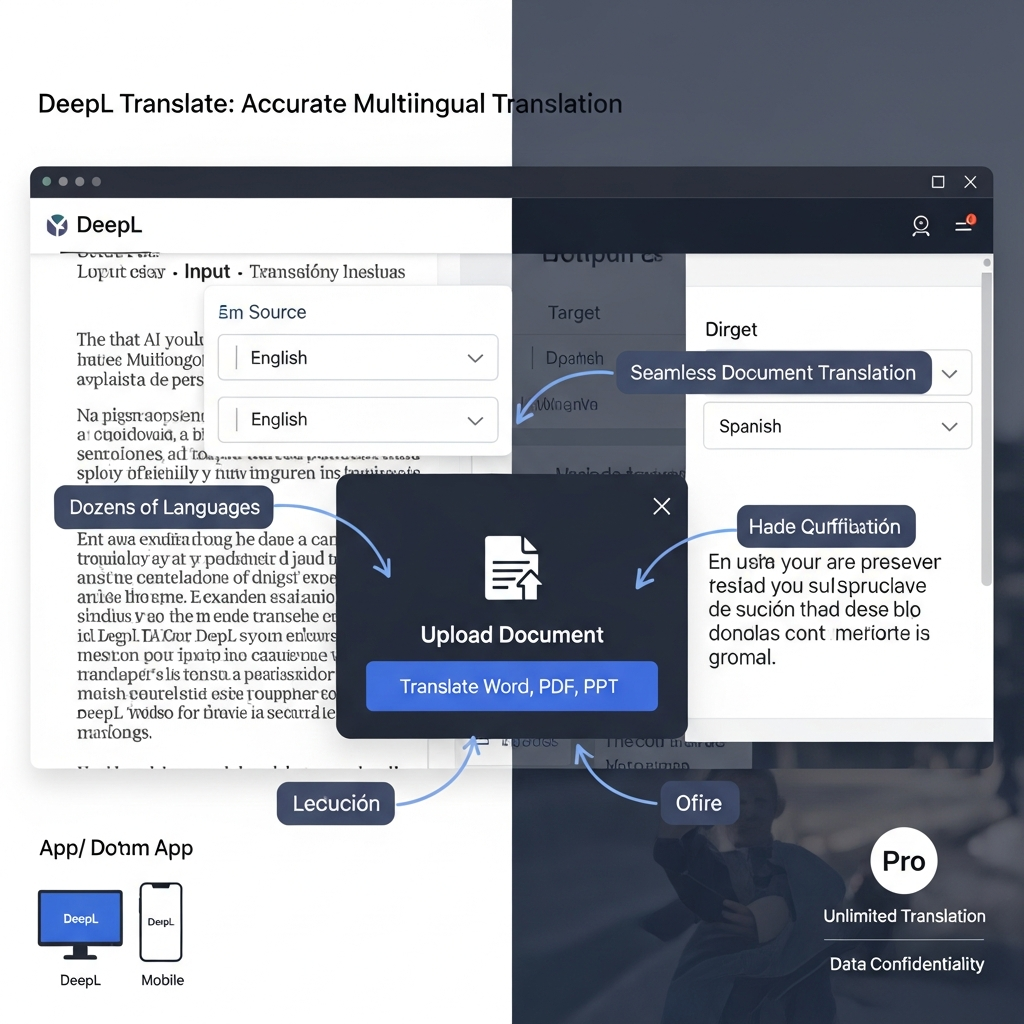
5. Translate Complete Documents
DeepL can translate documents while attempting to preserve their original formatting.
Commonly supported file types include:
PDF, DOCX and PPTX.
DeepL Pro additionally supports file types including HTML and TXT according to its current privacy documentation.
The process is straightforward:
upload the document, select a target language, start the translation, then download and review the translated file.
Do not skip the review step.
Tables, headers, text boxes, charts, embedded objects, line breaks and complex layouts can behave differently after translation because translated text often expands or contracts.
For teams that frequently work with PDFs alongside translation tools, CompareBestAI also covers products such as Nitro PDF Pro.
6. Use Formality and Style Controls Where Available
Some languages distinguish strongly between formal and informal communication.
A customer-support message, legal notice, consumer advertisement and message to a close friend may require very different language.
DeepL provides formality controls for selected languages, but availability depends on the language pair and product configuration.
Professional teams should define the intended audience before translating:
Who is reading this?
Is the communication formal or conversational?
Is this internal, customer-facing or regulatory?
Which regional variety is appropriate?
Those questions are often more important than simply choosing the correct language.
7. Check Names, Numbers and Critical Facts Separately
Fluent output can still contain an important mistake.
Always verify:
dates, percentages, prices, measurements, product names, personal names, addresses, legislation references and technical values.
This is especially important because natural-sounding AI output can create false confidence.
Good grammar does not prove that the underlying meaning is correct.
8. Use Human Review for High-Stakes Translation
DeepL can accelerate professional translation workflows, but accountability still matters.
For a casual email, automated translation may be sufficient.
For a customer contract, medical document, legal filing, financial disclosure, technical safety manual or regulatory submission, qualified human review is much more important.
The best workflow is often:
DeepL draft → terminology check → human review → final approval.
That provides machine-speed translation while preserving professional oversight.

How Many Languages Does DeepL Support in 2026?
DeepL's current Help Center lists more than 100 languages, ranging from widely used languages such as English, Spanish, German, French, Japanese, Chinese and Arabic to languages including Bengali, Punjabi, Tamil, Urdu, Swahili, Welsh, Zulu and many others.
This is a major change from older DeepL articles that describe the service as supporting only 20, 30 or 31 languages.
Those older figures should no longer appear in your article.
Another important nuance is that language support and feature support are not the same thing.
A language may be available for translation without supporting every glossary, tone, variant or alternative-translation feature.
Is DeepL More Accurate Than Google Translate?
There is no defensible universal winner across every language pair and every type of content.
Translation quality varies according to:
language pair, writing style, terminology, subject matter, sentence structure, source quality and intended audience.
DeepL markets its platform around high-quality business translation, but vendor positioning should not be treated as an independent benchmark by itself.
The best comparison method is practical:
take 20–50 representative examples from your real workflow, translate them with both systems, then have fluent reviewers score them without knowing which system created each translation.
Evaluate:
meaning preservation, fluency, terminology, tone, omissions, additions and post-editing time.
That produces a far more useful answer than repeating a generic claim that one service is always “more accurate.”
DeepL Free vs Paid Plans
DeepL currently separates its main Translator offering into Free, Individual, Team, Business and Enterprise tiers.
Prices are localized by billing country and currency, so verify the vendor's pricing page before publishing a fixed regional price.
The official pricing page currently advertises 16% savings with annual billing.
| Plan | Text Allowance | File Translations | Useful Features |
|---|---|---|---|
| Free | 50,000 characters/month | 1/month | Basic translation, limited glossary |
| Individual | 300,000/month | 3/month | Full-page translation, glossary, saved translation |
| Team | 1,000,000/user/month | 20/month | Bulk files, shared style rules, team administration |
| Business | Unlimited, fair-use applies | 100/month | Unlimited glossaries, translation memory, Write Pro |
| Enterprise | Custom | Custom | Enterprise controls, custom limits and support |
These limits are based on DeepL's official pricing page checked September 18, 2026.
Individual and Team currently advertise a 30-day free trial.
If you are unsure whether the paid features justify the upgrade, CompareBestAI's guide to free vs paid AI tools provides a useful framework for comparing limits with actual workload.
Does DeepL Pro Include API Access?
No—not automatically.
This is an important distinction because older DeepL content often mixes Translator Pro and API access together.
DeepL explicitly states that Translator plans do not provide access to the translation API. Developers need one of DeepL's API plans.
The API is intended for applications such as:
website localization, SaaS products, automated document workflows, internal applications and high-volume translation pipelines.
DeepL's current API documentation lists separate API plan options and says the Developer API plan allows up to 1,000,000 characters in total before an upgrade is required.
If your team only translates text and documents manually, you probably do not need API access.
Is DeepL Safe for Confidential Translation?
The answer depends heavily on whether you use the free service or a paid Pro/API product.
Free DeepL Translator
DeepL's current privacy policy says content submitted to the free Translator or Write service can be processed for a limited period to train and improve its neural networks and algorithms.
It also states that users should not enter personal data into the free service.
That is important for businesses handling customer, employee, medical, financial or other sensitive information.
DeepL Pro and API Pro
For DeepL Translator Pro, API Pro and Write Pro, DeepL says submitted text and documents are not permanently stored for ordinary processing and are not used to improve its services.
Saved translations, glossaries, translation memories and other deliberately stored assets can remain stored under their respective features.
DeepL also states that paid-subscription data is encrypted in transit and at rest and identifies certifications including ISO 27001 and SOC 2 Type II.
Businesses should still review DeepL's current privacy policy, data-processing agreement, retention options and plan-specific security features before submitting confidential material.
DeepL Translate vs DeepL Write
DeepL Translate and DeepL Write solve related but different problems.
DeepL Translate changes content from one language to another.
DeepL Write helps improve writing, including clarity, grammar, tone and wording.
If your main goal is writing improvement rather than translation, compare DeepL Write with tools such as Grammarly.
You can also read our Grammarly review or the ultimate guide to AI writing assistants in 2026 before deciding whether you need a translation platform, writing assistant or both.
When DeepL Is a Strong Fit
DeepL is particularly useful for multilingual work where terminology, document formatting and consistency matter.
Good use cases include:
international business communication, document translation, localization drafts, multilingual support content, academic reading, technical documentation and internal company communication.
It can also improve productivity for teams that routinely work across languages. For a wider look at that category, see our guide to AI productivity tools.
When DeepL May Not Be the Best Fit
DeepL may be less suitable when:
your required language is unsupported, a specific DeepL feature does not support your language pair, you need a free product with very high monthly volume, you require human-certified translation, or your workflow depends on an ecosystem integration better served by another platform.
Do not select a translation tool because of one benchmark or review.
Select it based on the exact languages, content types, confidentiality requirements and workflows your organization uses.
How We Evaluated This Guide
For this update, CompareBestAI checked current DeepL documentation covering supported languages, plan limits, document translation, glossaries, API access and data handling.
We do not assign a universal translation-accuracy percentage because that would require a documented language-pair-specific benchmark with qualified reviewers and reproducible scoring.
You can read how CompareBestAI evaluates AI tools for our broader editorial methodology.
Frequently Asked Questions
How do I use DeepL Translate?
Paste or type your text into DeepL Translator, select the target language and review the result. You can also upload supported documents and use terminology controls such as glossaries where available.
How many languages does DeepL support?
DeepL currently supports more than 100 languages and thousands of possible translation combinations. Some advanced features support a smaller group of languages.
Is DeepL free?
Yes. DeepL currently offers a free Translator tier with 50,000 text characters per month and one file translation per month. Limits and features can change.
Can DeepL translate PDFs and Word documents?
Yes. DeepL supports document translation for PDF, DOCX and PPTX files. Pro workflows also support additional document formats.
Does DeepL Pro include API access?
No. Translator subscriptions and DeepL API subscriptions are separate products. Users who need programmatic translation must select an API plan.
Does DeepL use my translations to train its models?
For the free Translator and Write services, DeepL says submitted content may be processed temporarily to train and improve its systems. For Translator Pro, API Pro and Write Pro, DeepL says submitted content is not used to improve its services.
Is DeepL better than Google Translate?
It depends on the language pair and content. Test both systems using representative material and fluent human reviewers rather than assuming one translator is universally more accurate.
Final Takeaway
DeepL Translate is much broader in 2026 than the older “30-language translator” descriptions still found across the web.
It now supports more than 100 languages and combines text translation, document workflows, glossaries, saved translations, style controls, team features and separate developer APIs.
Its strongest results come from using the tool as part of a disciplined translation process:
provide clear source text → give enough context → use consistent terminology → review critical details → apply human oversight when risk is high.
Start with the free tier when your volume is low. Consider paid Translator plans when document volume, terminology management, collaboration or privacy requirements increase.
For deeper product-level details, review the DeepL profile, browse related Content & Design tools, or compare AI tools side by side.