
By CompareBestAI
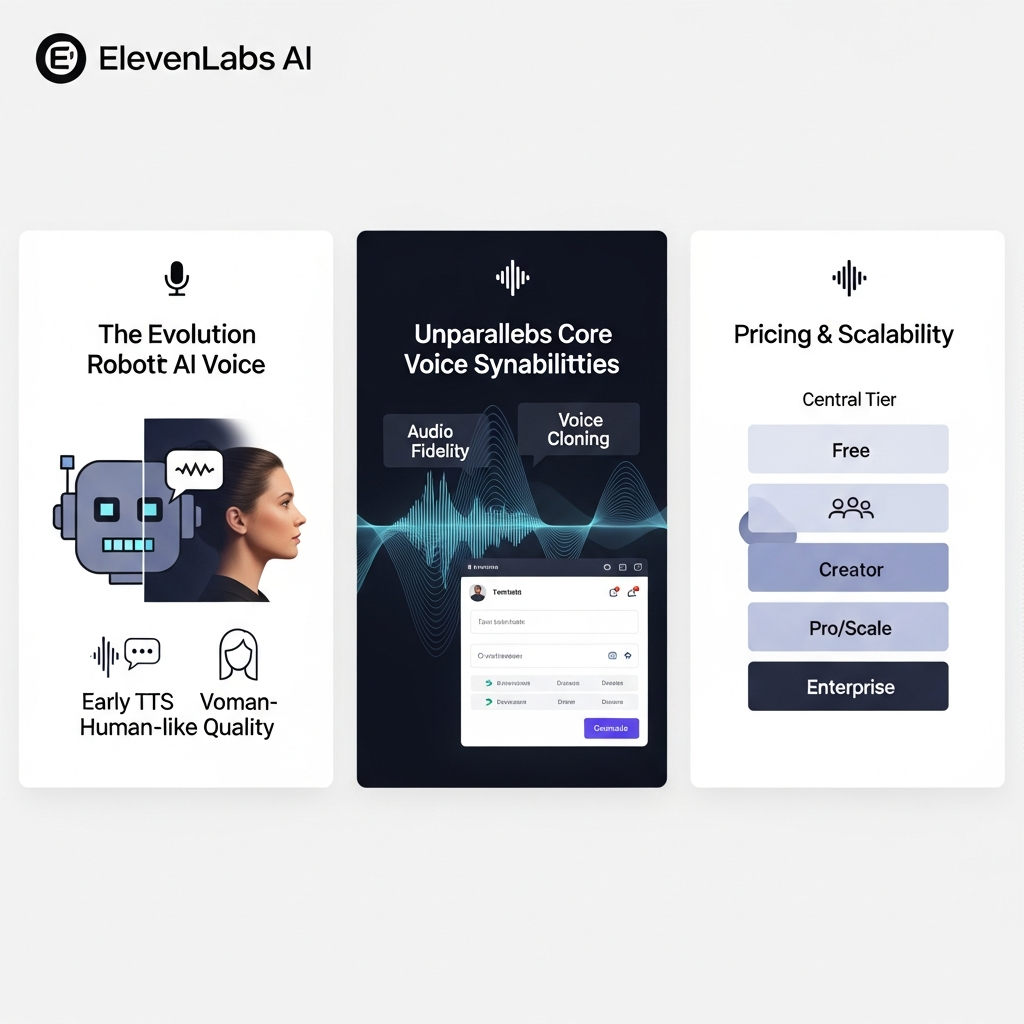
ElevenLabs is an AI audio platform that converts written text into natural-sounding speech and provides tools for voice cloning, dubbing, transcription, and audio production. In this ElevenLabs AI review, we examine its voice models, features, pricing, commercial-use rights, and limitations to help you determine whether it fits your content creation or business workflow.
ElevenLabs offers a free plan with 10,000 monthly credits and paid plans starting at $6 per month. Its text-to-speech capabilities include expressive voices, multilingual models, and developer API access. However, the cost and suitability of the platform depend on your selected model, expected audio volume, licensing requirements, and need for advanced features.
ElevenLabs AI Review: Key Takeaways
ElevenLabs provides text-to-speech generation, voice cloning, speech-to-text transcription, dubbing, and other AI audio capabilities.
Its models support different language counts, generation limits, and performance requirements. Eleven v3 emphasizes expressive delivery, Multilingual v2 supports consistent long-form narration, and Flash v2.5 is designed for lower-latency generation.
The platform offers a free tier, but commercial use generally requires an eligible paid subscription.
Instant Voice Cloning is available from Starter, while Professional Voice Cloning is available from Creator and higher eligible plans.
ElevenLabs uses a shared monthly credit system, meaning usage across different products can reduce the credits available for text-to-speech.
For users who want an introduction before examining the technical details, our ElevenLabs tool profile provides a separate overview.
What Is ElevenLabs AI?
ElevenLabs is a generative AI platform specializing in audio creation and speech technology.
Its text-to-speech system converts written content into spoken audio using machine-learning models designed to reproduce natural speech patterns, intonation, and contextual expression.
The platform also offers tools for voice cloning, transcription, dubbing, sound effects, music generation, and conversational AI.
These capabilities support several production workflows.
A YouTube creator might turn a completed script into narration. An audiobook producer might develop a consistent voice for a long-form project. An organization could integrate the text-to-speech API into a customer-facing application.
ElevenLabs also offers a library of existing voices and tools for creating custom voices.
However, not every feature is included in every subscription. Voice-cloning access, credit allowances, output quality, and team capabilities vary by plan.
The central question is whether ElevenLabs provides the audio capabilities, control, and usage capacity needed for your specific project.
ElevenLabs Features: What Can You Actually Do?
ElevenLabs has expanded beyond basic text-to-speech into a broader audio-production environment.
Understanding its individual products is important because they serve different tasks and may consume credits at different rates.
1. Text-to-Speech Generation
Text-to-speech is one of ElevenLabs' primary capabilities.
Users enter written content, select a voice and supported model, adjust available settings, and generate spoken audio.
The system interprets linguistic context to produce pronunciation, pacing, and intonation.
It can be used for narration, educational lessons, product demonstrations, audiobooks, and other spoken content.
For example, a content creator could convert a 60-second video script into narration without recording the script manually.
However, generated speech is not guaranteed to be free of errors.
Names, technical vocabulary, abbreviations, unfamiliar words, and mixed-language content may require additional attention.
Voice selection and script preparation can also affect the result.
A dependable workflow includes reviewing the generated audio before publication.
2. ElevenLabs Voice Models
ElevenLabs provides several speech models designed for different use cases.
Choosing a model matters because generation quality, expressiveness, latency, language support, and input limits are not identical.
Model | Published language support | Main characteristics |
|---|---|---|
Eleven v3 | More than 70 languages | Expressive speech, emotional delivery, and multi-speaker dialogue |
Eleven v3 Conversational | More than 70 languages | Expressive speech optimized for real-time interaction |
Eleven Multilingual v2 | 29 languages | Consistent, natural-sounding speech for longer narration |
Eleven Flash v2.5 | 32 languages | Low-latency generation for responsive applications |
Source: ElevenLabs official model documentation, reviewed September 23, 2026.
Eleven v3
Eleven v3 is designed for expressive speech generation.
It supports more than 70 languages and provides controls for emotional delivery and multi-speaker dialogue.
The model can be relevant to storytelling, character narration, and other applications requiring varied delivery.
However, expressive generation can require experimentation to obtain a consistent result.
Eleven Multilingual v2
Multilingual v2 emphasizes stable and natural-sounding speech across its supported languages.
It is relevant to long-form narration and projects where consistent voice characteristics matter.
For example, an audiobook producer may want similar delivery across chapters.
Eleven Flash v2.5
Flash v2.5 is designed for low-latency generation.
It can be relevant to applications where audio must be produced quickly, such as interactive systems.
The vendor advertises approximately 75 ms model latency under specified conditions, but actual application response times also depend on network conditions and implementation.
A developer should test the complete application rather than treating the model's published latency as a guaranteed end-to-end response time.
3. Instant Voice Cloning
Instant Voice Cloning allows eligible users to create a synthetic voice from a short audio recording.
The vendor states that it can work with less than two minutes of training audio.
This capability may be useful when a creator wants to reuse an authorized voice across different pieces of content.
For example, a creator could generate new narration using a permitted voice rather than recording every script from scratch.
Instant Voice Cloning is available from the Starter plan.
However, cloning is not a substitute for obtaining the necessary permission to use someone's voice.
Users must follow the vendor's consent, intellectual property, and prohibited-use requirements.
4. Professional Voice Cloning
Professional Voice Cloning is a separate feature designed to create a higher-fidelity replica of the account holder's own voice.
Unlike Instant Voice Cloning, it requires more training material and a verification process.
ElevenLabs recommends at least 30 minutes of suitable audio, with approximately two to three hours preferred for optimal results.
The quality of the recordings matters.
Background noise, inconsistent speaking styles, poor microphone placement, and unsuitable samples can affect the resulting voice.
Professional Voice Cloning is available from Creator and higher eligible subscriptions.
ElevenLabs currently permits users to create a Professional Voice Clone only of their own voice. A person who wants to share their verified clone with someone else can use the platform's supported sharing features.
This distinction is important for agencies, content producers, and companies working with voice talent.
5. Voice Library and Voice Design
ElevenLabs offers a Voice Library containing community-shared voices.
Users can browse available options and select voices suited to different content formats.
The platform also provides Voice Design, which allows users to create synthetic voices using text descriptions.
A creator might look for a calm instructional voice, a dramatic storytelling voice, or a suitable accent for a particular audience.
However, voice availability and usage conditions can differ.
Some voices have additional credit multipliers or are restricted to paid users.
Before committing to a particular voice, confirm that it is available under your plan and suitable for your intended commercial or non-commercial use.
6. AI Dubbing and Translation
ElevenLabs provides AI dubbing tools for translating audio and video into different languages.
The vendor's current dubbing documentation describes support for more than 90 languages.
The process can preserve elements of the original speaker's voice and delivery while generating translated speech.
Potential applications include multilingual educational content, product demonstrations, and international video distribution.
However, translated content requires review.
Proper nouns, cultural references, technical terminology, and specialized statements may not transfer accurately.
Organizations should verify the translation and obtain any necessary permissions before publishing dubbed material.
7. Speech-to-Text Transcription
ElevenLabs provides transcription through its Scribe models.
Scribe converts spoken audio into written text and supports more than 90 languages.
The vendor also advertises word-level timestamps and speaker identification.
These capabilities can help creators prepare transcripts, captions, notes, and searchable content.
However, transcription accuracy depends on the recording quality, language, accent, background noise, and terminology.
For important material, human proofreading remains necessary.
8. Studio and Developer API
ElevenLabs Studio provides tools for organizing audio-production projects.
It can support long-form content and workflows involving text, voice generation, and audio management.
Developers can also use ElevenLabs APIs to integrate speech capabilities into their own applications.
Available output formats and technical parameters depend on the selected model, endpoint, and subscription.
For example, a business might use the API to add spoken responses to an application.
Before deploying such a system, evaluate response time, concurrency limits, credit consumption, licensing, and data-handling requirements.
ElevenLabs Pricing in 2026
ElevenLabs uses a tiered subscription system with monthly credit allowances.
Credits are shared across supported products, so the same credit pool can be used for different types of audio generation.
The official pricing page currently advertises the following monthly subscription rates.
Plan | Monthly price | Monthly credits |
|---|---|---|
Free | $0 | 10,000 |
Starter | $6 | 30,000 |
Creator | $22 | 121,000 |
Pro | $99 | 600,000 |
Scale | $299 | 1,800,000 |
Business | $990 | 6,000,000 |
Enterprise | Custom | Custom allowance |
Pricing source: ElevenLabs official pricing page, reviewed September 23, 2026. Prices are in USD, exclude applicable taxes, and may change.
The Creator plan also advertises a promotional first-month price of $11.
Annual billing offers a different effective monthly price. Check the current billing selection before purchasing.
ElevenLabs Free Plan
The free plan provides 10,000 monthly credits.
It supports initial experimentation with text-to-speech and other eligible tools.
The vendor estimates approximately 10 minutes of included text-to-speech generation under the displayed pricing assumptions.
Actual usage depends on the model, voice, and generation settings.
The free plan is intended for non-commercial use with attribution and does not include the commercial license available through eligible paid subscriptions.
It is therefore useful for evaluating the interface and voice output before paying.
ElevenLabs Starter Plan
Starter costs $6 per month and includes 30,000 monthly credits.
It adds commercial licensing and Instant Voice Cloning.
The vendor estimates approximately 30 minutes of text-to-speech generation under its displayed assumptions.
This plan is relevant to evaluate for occasional commercial narration or small content projects.
However, its monthly allowance may be insufficient for users producing large volumes of audio.
ElevenLabs Creator Plan
Creator costs $22 per month and includes 121,000 monthly credits.
Its distinguishing features include Professional Voice Cloning and access to additional credits.
The vendor estimates approximately 121 minutes of text-to-speech generation under the displayed assumptions.
Creator is relevant to users who need access to Professional Voice Cloning or more generation capacity than Starter.
However, users should verify that the available monthly credits support their expected production volume.
ElevenLabs Pro Plan
Pro costs $99 per month and includes 600,000 monthly credits.
It adds higher-quality output options, including 44.1 kHz PCM audio through the API and 192 kbps audio where supported.
This tier is relevant to users evaluating higher-volume audio production or technical output requirements.
The additional audio quality settings may matter for workflows that require specific formats or integration with other software.
Scale, Business, and Enterprise
Scale costs $299 per month and includes 1.8 million monthly credits and three workspace seats.
Business costs $990 per month and includes six million monthly credits and ten workspace seats.
Enterprise uses custom pricing and can include additional security, contractual, support, and integration arrangements.
Organizations should evaluate these plans against expected usage, required seats, concurrency, and contractual requirements.
How Do ElevenLabs Credits Work?
Credits are not equivalent to a fixed number of generated audio minutes across every product.
ElevenLabs states that credit consumption varies by product and model.
For example, its published approximate rates include one credit per character for certain text-to-speech generation, 330 credits per minute for speech-to-text, and 1,000 credits per minute for Voice Changer or Voice Isolator.
Some models and API usage receive different rates.
Because multiple products use the same credit balance, an account that spends credits on transcription or dubbing will have fewer credits available for voice generation.
For accurate budgeting, estimate your intended use across all relevant products.
How to Use ElevenLabs Text-to-Speech
A simple text-to-speech workflow provides a practical way to evaluate the platform before selecting a larger subscription.
Step 1: Prepare Your Script
Write or paste the text you want to convert into speech.
Keep sentences clear and review any names, abbreviations, or technical terms.
For longer projects, divide the material into manageable sections.
This makes it easier to regenerate an individual passage without rebuilding the entire project.
Step 2: Select a Voice
Choose an existing voice or an eligible custom voice.
Consider the target language, accent, delivery style, and intended audience.
For content targeting the United States, evaluate a suitable English accent and pronunciation.
Step 3: Choose a Model
Select an available model based on the type of speech you want.
For expressive storytelling, Eleven v3 may be relevant.
For consistent long-form narration, evaluate Multilingual v2.
For low-latency applications, consider Flash v2.5.
Step 4: Adjust the Available Settings
Review any supported stability, similarity, or style controls.
Different settings can influence consistency and delivery.
Generate a short sample and listen before processing a longer script.
Step 5: Generate and Review the Audio
Run the generation and listen carefully.
Check pronunciation, pacing, unusual pauses, and whether the intended meaning is preserved.
If the output contains errors, revise the relevant text or settings and generate another version.
Step 6: Export and Prepare for Publication
Download the generated audio using a supported format.
The available output options depend on the subscription and workflow.
Before publishing, confirm the commercial-use rights, input-material permissions, and any applicable platform disclosure requirements.
ElevenLabs Pros and Cons
A useful product evaluation should consider both the available features and their practical limitations.
Advantages | Limitations and considerations |
|---|---|
Multiple speech models for different tasks | Model capabilities and language support vary |
Instant and Professional Voice Cloning | Professional cloning requires verification and suitable training audio |
Free plan for initial exploration | Free output has non-commercial licensing restrictions |
Multilingual speech generation | Pronunciation and accent accuracy require review |
Speech-to-text and dubbing tools | Translation and transcription may need correction |
API and Studio capabilities | Advanced workflows require technical setup |
Several subscription tiers | Credit consumption must be monitored |
One important consideration is that the quality of generated speech depends on the input and selected model.
Even when a voice sounds natural, a technical term or brand name may be mispronounced.
Users should evaluate ElevenLabs with a representative script rather than assuming every generation will be ready for publication.
ElevenLabs vs Other AI Voice Generators
ElevenLabs is not the only platform offering AI-assisted audio production.
The relevant alternatives depend on whether your primary requirement is narration, voice design, audio editing, or another production task.
ElevenLabs vs Murf AI
Murf AI is relevant to users evaluating synthetic speech for business content, presentations, and narration workflows.
ElevenLabs provides multiple speech models, voice cloning, and broader audio capabilities.
When comparing them, assess the available voices, pronunciation controls, collaboration requirements, output formats, licensing, and subscription allowances.
Explore the Murf AI tool profile for additional product information.
ElevenLabs vs Fish Audio
Fish Audio is another AI speech platform with voice-generation capabilities.
It may be relevant to users evaluating synthetic voices and audio-generation workflows.
A meaningful comparison should use the same script and evaluate pronunciation, tone, consistency, language support, and the available commercial terms.
See the Fish Audio tool profile for more information.
ElevenLabs vs Descript
Descript focuses on editing audio and video through workflows that incorporate transcription and text-based editing.
ElevenLabs focuses more directly on speech generation and related AI audio capabilities.
These products can serve complementary purposes.
A creator might generate narration in ElevenLabs and use an editing platform to assemble or refine a podcast episode.
Our Descript review for video and podcast editing examines its editing approach.
ElevenLabs vs Cleanvoice AI
Cleanvoice AI focuses on automated audio cleanup and related editing tasks.
This differs from generating a new synthetic voice.
If your main problem is removing unwanted audio from an existing recording, a cleanup tool may address a different requirement from text-to-speech software.
Explore the Cleanvoice AI tool profile for additional context.
Who Should Use ElevenLabs?
The value of an AI audio platform depends on how it fits the intended production process.
YouTube Creators
YouTube creators can use ElevenLabs to turn scripts into narration.
This may support educational videos, tutorials, product explainers, or other content formats.
However, a natural-sounding voice does not establish that a video is accurate, original, or compliant with platform policies.
Creators still need to review the script and audio.
For related production guidance, read our AI video creation guide for beginners .
Podcasters
Podcasters may use ElevenLabs for narration, multilingual content, or authorized voice-based production.
Its transcription tools can also support episode preparation and content repurposing.
However, conversational recordings may require careful editing to maintain natural timing and continuity.
Audiobook Producers
Audiobook producers may value consistent narration and control over voice identity.
Professional Voice Cloning can be relevant when a creator wants to use a verified replica of their own voice.
For long-form work, evaluate pronunciation consistency, emotional delivery, chapter management, and the cost of revisions.
Marketing Teams
Marketing teams can use synthetic speech for product demonstrations, advertising concepts, training materials, and other spoken content.
The platform can help produce different narration versions, but every output should be reviewed for accuracy and brand suitability.
When producing advertisements, verify the applicable commercial license and permissions.
Developers
Developers can integrate ElevenLabs into supported applications through its APIs.
Potential applications include spoken interfaces, accessibility features, and interactive audio experiences.
Technical requirements should be evaluated using the relevant model documentation and the complete application environment.
Creators Who Need Video Presenters
ElevenLabs focuses primarily on audio technology.
If you need an on-screen digital presenter rather than only generated speech, an AI avatar platform may also be relevant.
Explore the HeyGen tool profile to examine a different type of video-creation workflow.
ElevenLabs Commercial Use and Voice Cloning Safety
Commercial licensing is an important consideration for users producing monetized or client-facing content.
ElevenLabs states that eligible paid subscriptions include commercial usage rights, provided users have the necessary rights to the input material.
Free-plan output is intended for non-commercial use with attribution.
For voice cloning, users must also comply with the vendor's restrictions.
Instant Voice Cloning requires appropriate permission to use the source voice.
Professional Voice Cloning is restricted to the user's own verified voice.
Users should not treat the ability to generate synthetic speech as permission to impersonate someone or use protected material without authorization.
Businesses should also consider whether the generated audio accurately represents the products, services, or statements featured in their content.
Is ElevenLabs Worth It in 2026?
ElevenLabs provides a range of AI audio capabilities, including text-to-speech, voice cloning, transcription, dubbing, and API integration.
Its different speech models allow users to evaluate options for expressive narration, multilingual content, and low-latency applications.
However, the platform's suitability depends on specific requirements.
A creator producing occasional narration may have different needs from an organization generating large volumes of speech through an API.
Users should evaluate the applicable commercial license, expected credit consumption, model availability, voice controls, and output quality before subscribing.
The free plan provides a way to experiment with eligible features, while paid tiers add commercial rights and higher allowances.
The most useful next step is to test a representative script, review the generated audio, and calculate the credits required for your normal production workload.
For an additional perspective on creator workflows, read our guide to why creators use ElevenLabs for AI voiceovers .
You can also explore ElevenLabs' official pricing and available plans .
Frequently Asked Questions About ElevenLabs
1. What is ElevenLabs AI?
ElevenLabs is an AI audio platform that provides text-to-speech generation, voice cloning, transcription, dubbing, and related audio-production tools. Its speech models support different languages, delivery styles, and application requirements.
2. Is ElevenLabs free?
ElevenLabs offers a free plan with 10,000 monthly credits. It can be used to experiment with eligible features, but free-plan output is intended for non-commercial use with attribution. Commercial usage rights are available under applicable paid subscriptions.
3. How much does ElevenLabs cost?
ElevenLabs offers Free at $0, Starter at $6, Creator at $22, Pro at $99, Scale at $299, and Business at $990 per month. Enterprise pricing is customized. The Creator plan also advertises a first-month promotion. Check the official pricing page for current terms.
4. Can I clone my voice with ElevenLabs?
Yes. Instant Voice Cloning is available from Starter, while Professional Voice Cloning is available from Creator and higher eligible tiers. Professional Voice Cloning requires verification and is restricted to cloning your own voice.
5. How many languages does ElevenLabs support?
Language support depends on the model. Eleven v3 supports more than 70 languages, Multilingual v2 supports 29, and Flash v2.5 supports 32. Users should check the selected model's documentation for the latest supported languages.
6. Can I use ElevenLabs for commercial YouTube videos?
Eligible paid subscriptions provide commercial usage rights, subject to the platform's terms and the user's rights to the input material. Creators should also follow applicable platform disclosure requirements and avoid unauthorized use of another person's voice.

