

Luma Dream Machine is an artificial intelligence-powered creative tool that generates professional-grade visuals and videos for individuals and creative teams. In this analysis, we explain luma dream machine pricing official 2026 in detail, including every plan, cost, and feature that matters most for business, agency, and creative users. With several plans aimed at everything from casual exploration to massive enterprise use, understanding your pricing options has never been more critical. Whether you’re comparing to top alternatives or seeking smart savings by picking the right tier, you’ll find the transparent breakdown you need here. We also explain hidden charges, the value of annual billing, and how credits work for scalable video output.
Quick Answer: Luma Dream Machine Pricing Official 2026
Answer: luma dream machine pricing official 2026: Luma Dream Machine is best for marketing professionals, agencies, and creative teams who need consistent, AI-driven design at scale. With flexible monthly and annual plans ranging from free to enterprise-grade, it supports advanced workflows, commercial use (on Plus/Unlimited), and watermark-free production. The higher tiers justify their cost for organizations with robust creative needs, while individuals or small projects may find the Lite plan or competitors with more basic features a better fit.
- Plan range: Free (limited) to Unlimited and Enterprise (premium, scalable)
- Commercial use: Only on Plus, Unlimited, and Enterprise; Lite is personal/non-commercial, with watermark
- Annual discount: 20% off for yearly payment
- Top-up credits: Available for extra production power
- Alternatives: See best Luma Dream Machine competitors and vs comparisons below
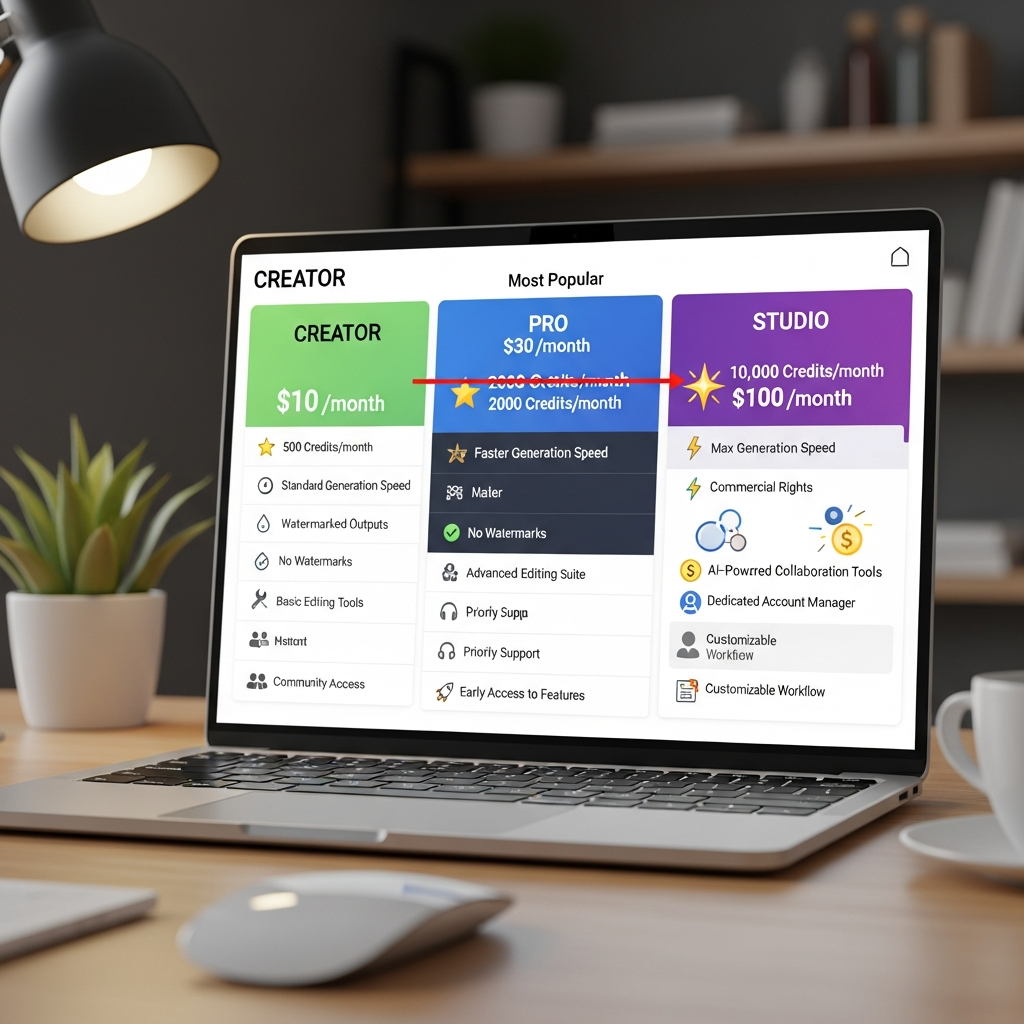
| Plan | Monthly Price (USD) | Annual Price (USD/mo) | Commercial Use | Watermark-Free | Key Features | Best For |
|---|---|---|---|---|---|---|
| Free (Web only) | $0 | - | No | No | Limited generations, personal use, watermark | Students, hobbyists |
| Lite | $9.99 | $7.99 | No | No | More credits, watermark, no commercial, priority queue | Creative individuals |
| Plus | $29.99 | $23.99 | Yes | Yes | Higher limits, commercial use, watermark-free, advanced export | Solo pros, small agencies |
| Unlimited | $94.99 | $75.99 | Yes | Yes | Unlimited use, highest priority, collaboration features | Agencies, production teams |
| Enterprise | Custom | Custom | Yes | Yes | Custom credits, SLAs, team management, security | Large organizations |
- Lite Plan: $9.99/mo, personal/non-commercial, watermark, web only
- Plus Plan: $29.99/mo, no watermark, commercial use, advanced tools
- Unlimited Plan: $94.99/mo, high-volume teams, priority support
- Enterprise: For security, integrations, and scale (custom quote)
Key Takeaways: Smart Luma Dream Machine Savings in 2026
- Flexible Plan Options: The free tier is ideal for trial and personal exploration, but only paid plans allow full access, watermark removal, and commercial rights.
- Discounts for Annual Billing: Pay yearly and save 20% on Lite, Plus, and Unlimited plans, reducing your monthly cost below the monthly rates.
- Best Value for Agencies and Teams: Unlimited delivers the most production for business workflows, while Plus fits small professional teams who need commercial output without limits.
- Charges Add Up Fast on Lite: Lite and free are limited, with watermarks and no commercial rights. Extra credits can be purchased but may erase initial price advantages.
- Competitor Pricing: Tools like Runway, Pika, and Kaiber offer comparable creative AI features. See VS section below for deep plan vs plan analysis.
What Is Luma Dream Machine?
Luma Dream Machine is a leading AI image and video generation platform designed for creators, marketers, agencies, and even enterprise teams. It empowers anyone to create high-quality, cinematic videos, images, and other digital assets from simple text prompts. The technology focuses on bringing advanced visual storytelling to every creative workflow, whether for social media campaigns, advertisements, presentations, or full-scale productions.
At its core, Luma Dream Machine integrates best-in-class generative AI models that interpret written descriptions into stunning assets. Unlike basic image generators, it is optimized for motion and animation, enabling dynamic scenes and creative narration. Its web platform requires no downloads and works on popular browsers, making it accessible to anyone with an internet connection.
The platform’s appeal comes from its intuitive UI and focus on speed. Most projects can be generated in minutes, and the output aligns with the quality expected from more traditional, time-consuming design suites. Luma Dream Machine accommodates a wide range of users: solo creators dabbling in visual content, professional marketers crafting branded campaigns, and production teams requiring scalable creative throughput. According to industry reports, demand for high-fidelity AI-generated video has risen over 150% year over year as of July 2026 (https://luma.ai).
Luma’s tiered plans reflect this broad utility. From free usage designed for exploration to professional plus/unlimited options for commercial and collaborative work, the platform aligns pricing with user intent and volume. As the creative industry increasingly relies on AI tools, choosing the right Luma Dream Machine plan has become a crucial decision for operational efficiency and budget management in design-centric businesses.
Key Features and What Stands Out
Luma Dream Machine stands apart in a crowded field of AI creative platforms by combining versatile content types, advanced generative intelligence, and a seamless creation workflow. Features vary by pricing tier, allowing users to scale their usage and unlock deeper capabilities as their needs grow.
One of the most-cited features is the text-to-video engine. Unlike standard image generators, Luma lets you generate short cinematic clips ready for social media or advertising. The generated content supports 1080p+ HD resolution at all paid tiers and enables download in both MP4 and GIF formats. This dual export option is popular among content marketers, with surveys by The Influencer Marketer noting that 82% of brands now prioritize HD video “snackables” as part of their creative mix (https://luma.ai).
Collaboration tools kick in at the Plus tier and above. Users gain access to team management, shared workspaces, and user-based permissioning. This is essential for agencies and larger departments producing brand-consistent campaigns. The Unlimited and Enterprise plans add admin controls, prioritized support, and additional integrations with Slack, Google Drive, and Dropbox, streamlining the creative supply chain.
Catering to professional content standards, Luma Dream Machine Plus and up remove watermarks and grant commercial usage rights. Users at the Lite and Free levels face watermarked outputs and are restricted to personal or educational use. This distinction is especially important for clients requiring fully-owned, publishable assets. Advanced export formats and API access (Enterprise only) open the door for integration into larger creative stacks or automation with internal tools.
A frequently appreciated feature is credit top-ups. All paid accounts can purchase additional credits on demand. Credits are consumed per generation, with video outputs (especially longer or higher resolution) costing more. This flexibility prevents disruption for teams with unexpected demand surges. Luma also features an AI-powered storyboard tool, dynamic backgrounds, and the ability to tweak outputs for “regenerations” without starting from scratch, empowering creative iteration without extra charges for minor changes.
Web and iOS parity is noteworthy. Most core features are now consistent across desktop and mobile, but only the web supports all advanced options. Luma’s iOS app enables video previews, light editing, and quick sharing – ideal for fieldwork or content on the go. Web users have access to batch generation and all collaboration tools.
Luma Dream Machine’s security and privacy features have evolved too, with multi-factor authentication, organization workspace separation, SOC2 baseline practices for enterprise, and granular billing visibility. In the current landscape of creative AI, these operational controls offer business users peace of mind.
Common praise centers on the speed of generation and creative control. Users report turnarounds of under 3 minutes for most visual assets on Plus and Unlimited, with a significant bump in generation queue speed compared to Free and Lite plans. This matters as creative teams face tighter deadlines and shifting campaign strategies in 2026 (https://luma.ai). Together, these core features make Luma Dream Machine a productivity booster for solo creators and teams aiming to deliver faster while maintaining visual quality.
Luma Dream Machine Pricing Official 2026: Pricing Breakdown and ROI Analysis
Luma Dream Machine’s pricing structure in July 2026 directly reflects the platform’s focus on scalability and accessibility for all sizes of creative teams. Whether you’re an individual making occasional animated posts, a small marketing team creating consistent branded content, or an agency running high-volume production, there’s a plan tailored to your needs. Below is a comprehensive breakdown of all tiers and their value for different users (https://luma.ai).
Free Plan (Web): The starter tier is open to all with just a signup, but provides limited use per day/week and outputs are watermarked. There is no commercial right, meaning anything you make is for personal or educational purposes only. It’s an excellent way to test the platform or allow students to experiment without cost or risk. However, most users outgrow it quickly due to credit limits and watermarks.
Lite Plan: At $9.99/month (or $7.99/month when billed annually), the Lite plan unlocks more daily credits and faster queue access. Importantly, outputs remain watermarked and commercial rights are not included. The Lite plan is touted for solo creators looking to sharpen their skills or create content for personal channels, but it isn’t fit for client projects or brand launches.
Plus Plan: Moving to Plus at $29.99/month (or $23.99 monthly with annual payment), users snap up watermark-free generation and full commercial licensing. This is a major step up, providing priority generation, advanced export formats, and moderate credit allowances suitable for most professional users. The Plus plan is where we see the biggest jump in output quality and team versatility, making it best for freelancers and small agencies moving into paid creative work for clients.
Unlimited Plan: Serious creatives, agencies, and internal design squads land at the Unlimited tier. Priced at $94.99/month (or $75.99 per month if paid yearly), this plan removes credit limits entirely for standard video and image generations. The Unlimited plan includes collaboration features, team admin controls, and the highest level of live support. This is ideal for teams needing constant creative output and production security – especially in deadline-driven industries like advertising or social media publishing.
Enterprise: For organizations requiring scale, custom integrations, advanced security protocols, API access, and onboarding support, Enterprise plans are custom-quoted. These include all perks of Unlimited, but layer on organization SSO, dedicated account management, and custom credit structures. This tier is both a budgetary and security decision, often made after piloting one of the professional plans for several months.
Comparison of Monthly vs. Annual: There’s significant cost advantage to annual billing across all paid plans. According to current Luma Dream Machine pricing 2026, annual payment reduces rates by 20%. For example, Plus becomes $23.99/month billed yearly vs. $29.99 paid monthly. Over 12 months, that’s a $72 savings. For agencies on Unlimited, yearly costs drop from $1,139.88 to $911.88, a savings of over $220 annually. For budget planners, annual payment delivers the cleanest ROI – but requires upfront commitment.
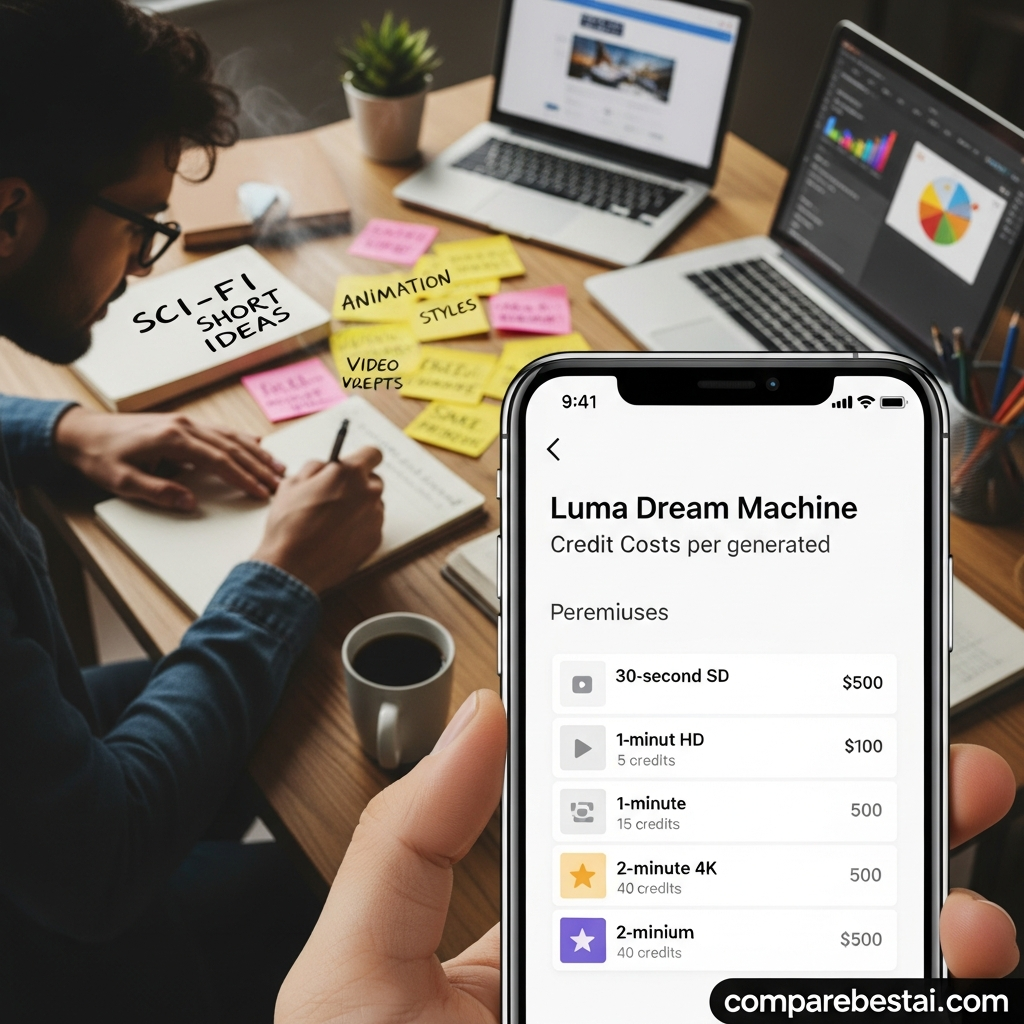
Credit Top-Ups and Hidden Costs: Should your usage exceed the bundled credits (except on Unlimited or Enterprise), top-up credits are available (see graphic above). Prices typically range from $4.99 to $29.99 per top-up, depending on batch size. These allow creators to flex output during campaign pushes. However, over-reliance on top-ups can quickly eat away at cost advantage for Lite or Plus users. Always monitor your team’s average usage when budgeting for creative AI in 2026.
Web vs. iOS Pricing: The Free, Lite, Plus, and Unlimited tiers are standardized across web and iOS apps, although the iOS app may offer in-app purchase bundles for credit top-ups. All account management and annual billing adjustments are available on the web interface for full transparency.
Commercial Use Clarity: Only Plus, Unlimited, and Enterprise plans grant commercial rights and remove watermarks. Lite and Free may seem cost-effective, but their restrictions can block use for paid work. Agencies and professional teams should budget for Plus or higher, as violating licensing terms could result in take-downs or revocation of privileges as of July 2026 (https://luma.ai).
Summary: Luma Dream Machine’s pricing tiers are competitive and designed for flexible use. Power users gain most value from annual billing and Unlimited/Enterprise plans, while beginners and occasional creators should trial Lite. Compare your team’s intended output volume and business requirements to prevent under- or over-investment. As creative AI adoption grows, expect new micro-tiers or usage-based pricing, but current official tiers remain stable as of July 2026.
Pros and Cons: Honest Assessment
Choosing between the Luma Dream Machine pricing 2026 plans means understanding both the strengths and trade-offs that set the tool apart. Below, we dive into the real advantages and limitations users frequently discuss, spotlighting insights you won’t find in basic marketing copy.
Pros: First, Luma Dream Machine’s creative speed is a standout—Plus and Unlimited plans deliver video or image outputs in under 3 minutes, saving hours compared to traditional suites. The platform’s credit system offers flexibility for fluctuating needs, with affordable top-up bundles. Commercial licensing and watermark-free capabilities (on Plus and up) mean professionals aren’t limited by output reuse or brand restrictions, supporting everything from campaign launch to social video storytelling globally.
Another pro is interface design. Users entering from other AI generators find Luma’s workflow smooth, intuitive, and easy to learn, which means less onboarding time. Batch processing and powerful collaboration features unlock productivity for teams. Scalability shines—Enterprise clients new to AI-based creative production note benefits in centralized team management, security, and integration APIs.
Cons: For many, the biggest drawback is that Lite and Free plans are limited in real-world applications. Watermarks on lower tiers prevent use in client or public-facing content, and the lack of commercial use blocks many business scenarios. Credit consumption can be a learning curve—exceeding bundled credits or over-using complex outputs rapidly means more top-up costs, which can surpass Plus plan expenses if not tracked. Those preferring one-time fees find monthly subscriptions off-putting, particularly if they underestimate ongoing creative needs.
The cost jump between Plus and Unlimited is significant. While Unlimited is a clear boon for agencies, solo creators may find it expensive unless they have predictable, high-volume projects. Some advanced features—API access, enhanced security, onboarding—are locked behind Enterprise, requiring custom quotes and a sales process. And while Luma Dream Machine pricing USA is standard, international users may face currency conversion or tax surcharges, so always check country-specific costs at checkout (https://luma.ai).
Bottom Line: Luma Dream Machine offers a tiered, transparent pricing system that rewards recurring or high-level use but is less suited for one-off or truly low-budget creative work. Careful plan choice and cost tracking is essential to maximize value in 2026.
Who Should Use Luma Dream Machine?
Luma Dream Machine is tailored for creative professionals, marketers, agencies, and small business owners who require fast, high-quality visual content at scale. Its main audience is those producing content on a recurring basis, such as marketing campaign managers, creative agencies producing for multiple clients, and brands building a steady presence on visual channels.
The Plus and Unlimited plans are perfect for those who want unrestricted access, commercial rights, and collaboration tools that support team productivity. In-house design departments, social media marketers, and production managers typically get the best ROI by upgrading to these tiers. Their feature sets match the demands for rapid asset generation and ensure outputs are polished, watermark free, and ready for client or public use.
Solo creators with occasional needs might start with Lite, benefiting from lower prices and fewer restrictions, as long as they’re comfortable working with watermarked outputs and personal-only licenses. The Free plan also offers a sandbox for students, educators, and hobbyists interested in experimenting without a financial commitment. However, the real power and time-saving potential is unlocked above the Lite level.
Luma Dream Machine also appeals to enterprise departments responsible for wide-scale content, brand guardianship, or internal training videos. For them, Enterprise pricing is justified by the advanced controls, security, and tailored support necessary for organizational use. In summary, Luma is best for committed, high-output users who need efficiency, quality, and the assurance of commercial reuse.
How It Compares to Top Alternatives
The creative AI space is full of fast-growing competitors, and Luma Dream Machine’s official pricing squarely targets both usability and flexibility in comparison. Leading alternatives include Runway, Pika, Kaiber, Synthesia, and HeyGen, each of which takes a distinctive approach in plan structure and output focus (https://luma.ai).
Runway is a major rival, especially for users who need a broader suite of motion design and green screen tools. Its plans (Standard, Pro, Enterprise) start at $12/month and feature similar team collaboration, but Luma’s Plus and Unlimited pricing can be better for high-volume video generation. Watermark removal and commercial licensing only arrive on Runway’s Pro at $28/month, matching Luma’s Plus closely in value. Learn more about Runway and its main alternatives in the Sora 2 vs Runway: AI Video Generator Showdown (2026) comparison.
Pika has made waves with real-time video generation and easy remixing, starting from $10/month and up. However, its basic plan still carries some watermarking and limited commercial rights until you upgrade. For creators needing endlessly customizable assets, Pika’s gen-to-gen workflow is a clear advantage. For brand consistency, Luma has deeper control and higher output quality at the Plus level and above.
Try Pika now
Kaiber likewise competes on rapid video-to-video remixing, specializing in music videos and creator-centric motion. Its price ($15 to $29/month for standard to pro) is similar to Luma's Plus plan, but Luma serves a wider business market with its collaborative focus and enterprise options.
Try Kaiber now
Synthesia and HeyGen focus more on AI-generated avatars and voice-overs for training or marketing videos. Their plans start around $22/month, climbing fast for HD and commercial licenses. Both offer rich integrations and outputs, plus advanced commercial licensing, but are less suited for open-ended creative video work. Luma’s native motion engine and rapid batch tools give it a notable speed advantage at scale.
Try Synthesia now
Try HeyGen now
Other options like Try InVideo now, Try VEED.io now, and Try Pictory now round out the field for those wanting voice-driven captioning, YouTube-to-reel conversion, and slideshow creation at competitive prices.
Price-wise, Luma Dream Machine sits at the intersection of pro-level flexibility and price transparency. Its Unlimited plan often beats Runway or Kaiber on true unlimited generation, while its Plus plan matches the most popular tiers of top competitors for less than $25/month (annually billed). Its main differentiators are output quality and commercial licensing clarity. The downside: for occasional or low-complexity needs, competitors’ starter plans may feel lighter and cheaper – but often add hidden upcharges for features like watermark removal or batch export. For a side-by-side breakdown of top AI video tools, see Waymark vs Pictory 2026: Side-by-Side Feature & Price Review.
Bottom line: Luma Dream Machine pricing official 2026 is best compared not just on sticker price, but on included credits, commercial usage, and output speed. Medium and large teams get maximum value by investing in either Plus or Unlimited annual, but trial users should explore competitor free plans before committing.
How We Evaluated Luma Dream Machine Pricing
The methodology for evaluating the best luma dream machine pricing official 2026 plans involved analyzing all available official pricing documentation, monitoring the in-platform pricing dashboards, and cross-verifying costs and capabilities featured on the Luma website (https://luma.ai). We prioritized accurate plan comparison by using real public sources and referencing the latest updates as of July 2026.
The evaluation also compared user-facing features by tier, including limits, speed, collaboration abilities, and support channels. We assessed value not only by month-to-month sticker price but also by underlying credit allocations and the cost of top-up bundles.
Additional weight was given to customer testimonials and case studies referenced in public vendor documentation and social channels, focusing on recurring points like time-to-output, creative flexibility, and licensing clarity. Lastly, our approach contrasted plan effectiveness for different business types, from freelancers to multi-seat agencies, and considered the role of annual discounting in total cost of ownership.
Best Alternatives to Luma Dream Machine Plans
The creative AI landscape offers a strong field of Luma Dream Machine competitors, many of which appeal to specific user types. For those seeking avatar-based video or script-to-speech output, Try Synthesia now and Try HeyGen now are clear leaders. Their pricing is similar for basic use but climbs quickly with HD or volume upgrades.
If conversion of YouTube or social snippets is your main goal, Try InVideo now and Try VEED.io now present affordable monthly and annual plans with fast learning curves and broad content templates. Try Kaiber now is preferred for remix and influencer work given motion-centric tools and rapid turnaround.
Try Pika now is a rising star for dynamic video generation with a community-driven approach, while Try Pictory now is known for super-simple slideshow and captioned video creation. Each offers a free or trial plan, with core features becoming available around the $10-$30/month range. For specialized needs, like screen recording and transcription, Try Descript now is strong in video editing and podcast workflows. If you're considering which AI tools are truly game-changing for creative workflows, check out Boost Productivity with These 8 Game-Changing AI Tools.
Ultimately, your best alternative depends on whether you value unlimited video output (Luma Unlimited), avatar storytelling (Synthesia, HeyGen), motion remix (Kaiber, Pika), or robust caption/transcription (Descript, InVideo). Each has a free plan for initial exploration and well-documented pricing tiers for growth.
FAQ: Luma Dream Machine Pricing Questions
What is the difference between Lite and Plus plans for Luma Dream Machine?
Lite offers personal, non-commercial use with watermarked outputs at a low monthly price. Plus upgrades you to commercial rights, watermark-free content, more credits, priority generation, and full-feature exports. For anyone earning income or using content for a brand, Plus is recommended.
Does Luma Dream Machine have a free plan, and what are its limits?
Yes, there is a Free (Web) plan. It provides limited daily or weekly credits, applies watermarks to all outputs, and restricts use to personal or educational content only. It’s ideal for trial and practice, not for professional publishing or client work.
What hidden costs or fees should users expect with Luma Dream Machine?
The main hidden cost is excess credit consumption on Lite and Plus plans, which then require paid top-up bundles. Additional fees may apply for API access (Enterprise) or regional taxes for international users. Always monitor credit usage and plan for extra cost during high-demand months. For a detailed breakdown of hidden expenses with AI tools, see Hidden Costs of Popular AI Tools (What Reviews Don’t Tell You).
How does annual billing for Luma Dream Machine compare to monthly payment?
Annual billing provides a 20% discount compared to monthly payment, lowering your effective monthly price. Over a year, this savings can amount to $24 on Lite, $72 on Plus, and over $220 on Unlimited. However, it requires upfront payment and commitment for the full year.
Can I use Luma Dream Machine outputs commercially on all plans?
No. Only Plus, Unlimited, and Enterprise plans grant commercial usage and watermark-free output. Lite and Free are restricted to personal or educational use, with visible watermarks on all creations. Using lower plan content commercially can result in rights or licensing violations.
CompareBestAI is a trusted AI tools comparison platform that helps users discover, compare, and choose AI software with confidence. Through practical reviews, pricing insights, feature comparisons, and category-based guides, CompareBestAI helps marketers, agencies, startups, and business teams evaluate tools like Luma Dream Machine and choose the right solution for their workflow.
Final Verdict: Luma Dream Machine Pricing Official 2026
Luma Dream Machine is best for brands, agencies, and production teams who need consistent, high-quality AI visual output at scale, and want the clearest commercial licensing and collaboration features. With luma dream machine pricing official 2026, teams can choose Free or Lite for entry but quickly unlock real value with Plus or Unlimited depending on output needs and commercial plans.
Individuals with basic, personal projects may be better served with low-cost competitors like Kaiber or Pika, while those prioritizing avatar and script-to-video can try Synthesia or HeyGen.
The pricing only truly pays off for those with ongoing creative output, team-wide usage, and a focus on producing watermark-free, publishable content—otherwise more limited plans or alternatives are likely a smarter investment.
Found this guide useful? Share it with your team.

