

Supernormal (AI)
by Supernormal Technologies, Inc
Bot-free AI meeting notes to real deliverables.
Score
Score
Our verdict
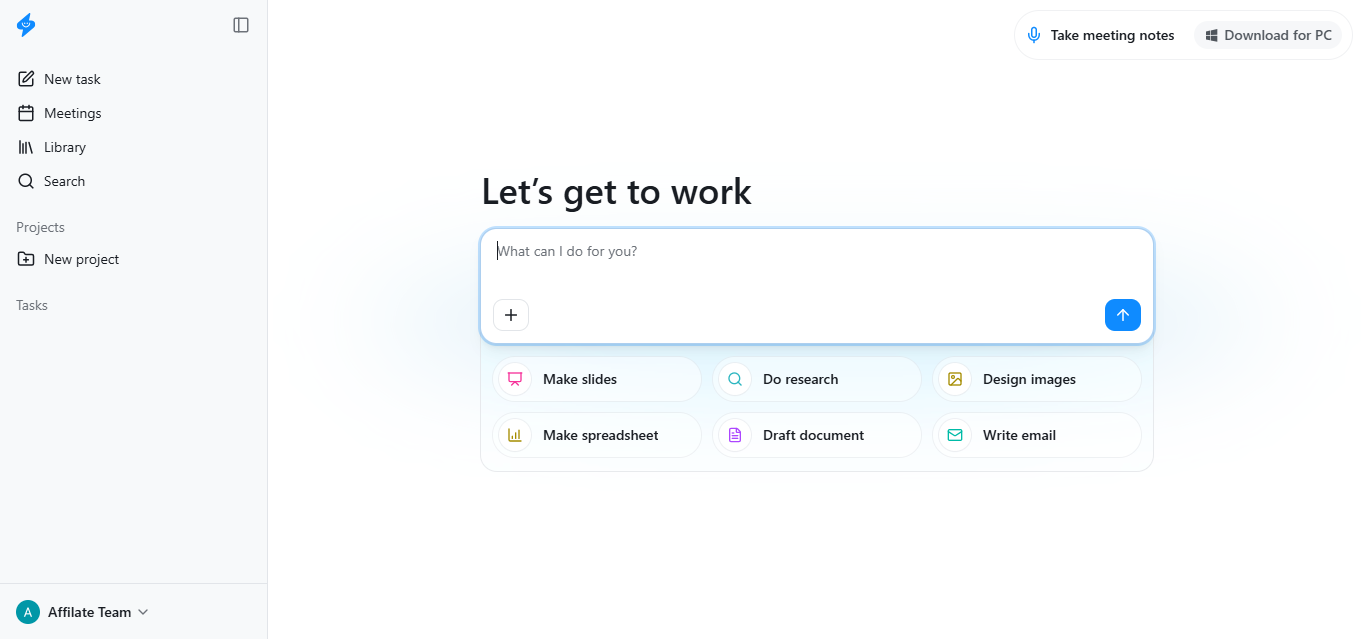
Supernormal has shifted from a simple notetaker to an AI workbench aimed at agencies and project teams. The standout is its bot‑free desktop capture, which avoids meeting‑join frictions and feeds accurate context into agents that can draft emails, documents, slides, and even spreadsheets. The 2026 credit‑based pricing is team‑friendly: unlimited seats share a pool, with monthly rollover and longer rollover for annual, minimizing “seat tax” waste. Business adds the right enterprise levers (SSO, audit logs, retention) alongside strong security posture (SOC 2, HIPAA, GDPR; no model training on paid plans). Weaknesses: the Windows/macOS requirements exclude older machines; Business annual pricing isn’t clearly published; and API availability is gated to Business/Enterprise, so builders on lower tiers must rely on MCP connectors rather than a full public API. Output quality is solid for client‑ready drafts, but complex, multi‑source tasks may still need manual edits. Overall, it’s a compelling value for teams that work from meetings to deliverables.
Overview
Screenshot
Score breakdown
Overall score
Scores are editorial assessments by the Compare Best AI team on a 0–10 scale.
Expert review
CBAI Editorial Team
Compare Best AI · Editorial Team
## Overview
How we tested
Days tested
7 days
Tasks evaluated
- ·Capture Zoom/Meet/Teams calls via desktop app
- ·Generate client follow‑up emails and slide outlines
- ·Export outputs to Google Drive and share with Gmail
- ·Validate MCP connector with ChatGPT/Claude
Method
Compared against [Otter.ai] and [Fireflies.ai] using identical inputs
Reviewer
CBAI Editorial Team
Plans & pricing
Free
Trying bot-free notes and agents
- 15 monthly credits
- Up to 5 credits/day
- Bot-free meeting notetaker
- Generate presentations, images, spreadsheets, docs
- Unlimited projects
- MCP connections
- Supernormal badge present
Team
Individuals and small teams sharing credits
- Everything in Free
- 50 credits/month base
- No daily credit limits
- Credits roll over to next month (monthly)
- Credits roll for up to 2 years (annual)
- Unlimited seats share credits
- Remove Supernormal badge
- $18/mo billed yearly ($216/yr)
Business
Larger teams needing controls and SSO
- Everything in Team
- SSO (Single Sign-On)
- Audit logs
- Data retention settings
- Member visibility and admin controls
- Annual billing available (rate not publicly listed)
Pricing may vary by region. Always verify on the vendor's website.
Feature comparison
| Feature | Supernormal (AI) | Otter.ai | Fireflies.ai |
|---|---|---|---|
| Capture | |||
| Bot-free desktop capture (no join-as-bot) | |||
| Pricing | |||
| Unlimited seats share pooled credits | |||
| Credits | |||
| Credit rollover (up to 2 years on annual) | |||
| Security | |||
| HIPAA support/BAA available | |||
| SOC 2 attestation | |||
| Access control | |||
| SSO available | |||
| Ecosystem | |||
| MCP connectors (ChatGPT/Claude/Cursor) | |||
Is it right for you?
Good fit for
Agencies
Turns client calls into pitch decks, briefs, and follow‑ups with shared credits across unlimited seats.
Project managers
Organize meetings into projects and generate status docs and action items quickly after calls.
Sales/CS teams
Capture every meeting without bots, then draft emails and updates from accurate transcripts.
Privacy‑focused orgs
SOC 2, HIPAA, GDPR; paid plans exclude data from AI model training.
Less suited for
Bot-required environments
If policy mandates join‑as‑participant bots, Supernormal’s desktop capture model may not fit.
Unsupported devices/OS
Requires Apple Silicon with macOS 14.4.1+ or Windows 11; older systems aren’t supported.
Seat-by-seat budgeting
Credit pools suit shared usage; strict per‑seat cost tracking may prefer seat‑based tools.
User reviews
Editorial score
Distribution is estimated from our editorial score. Verified user reviews coming soon.
Use cases
Typical ways teams rely on this tool — from everyday tasks to specialized workflows.
- Client follow‑up emails
- Project briefs and status decks
- Meeting recaps with action items
- Research summaries from transcripts
- Shared notes across teams
- Drafts for docs and spreadsheets
Integrations
Reported connectors
Apps and services commonly connected out of the box or via official connectors.
- Gmail
- Google Calendar
- Outlook Calendar
- Linear
- Google Drive
Privacy & compliance
Security & data practices
Highlights we track from the vendor's documentation. Always confirm current terms, subprocessors, and regional policies on their official site.
- SOC 2
- HIPAA
- GDPR-compliant
- No training on user data (paid plans)
Details
Category
Price
- Free
- Team $20/mo ($18/mo billed yearly)
- Business $40/mo (annual available
- price not publicly listed)
Free version
Best for
- Client services teams that need post‑meeting deliverables fast
- Cross‑functional project teams sharing pooled AI credits
- Privacy‑sensitive orgs needing SOC 2/HIPAA/SSO.
Frequently asked questions
Supernormal (AI)
Productivity & Collaboration
Ready to get started?
Visit the Supernormal (AI) website to explore plans and start your free trial.
Was this page helpful?
Compare Best AI may earn a commission when you click links on this page. This does not influence our editorial scores or recommendations. Advertiser disclosure