
By CompareBestAI Editorial Team
Disclosure: CompareBestAI may earn a commission if you buy through links on this page. It never affects our scores. Read our advertiser disclosure.
Quick Answer Focal AI video use cases center on story-driven video: short films, episodic web series, faceless YouTube documentaries, anime shorts, social skits and script previsualization. Focal turns an idea or a full script into a finished video using models such as Veo, Seedance, Kling and ElevenLabs, with consistent characters and chat-based editing. Paid plans start at $10/month with commercial rights. It is not built for AI avatar training videos or brand-kit marketing workflows. Best for: storytellers, faceless YouTube creators and indie filmmakers · CBAI score: 8.0/10
Focal is an agentic AI video creation platform, made by Fluorescent Labs, Inc., that writes, generates and edits narrative videos in one browser workspace. This guide covers the 10 Focal AI video use cases where the tool performs best, what each one costs in credits, and the jobs where Synthesia, HeyGen or Pictory AI are a better fit. Every Focal price and feature below was checked on Focal's official site on September 29, 2026.
Focal at a glance
| Attribute | Detail |
|---|---|
| What it is | Agentic AI video creation platform for storytelling |
| Company | Fluorescent Labs, Inc. |
| Starting price | $10/month (Starter); free plan available |
| Paid plans | Starter $10, Standard $30, Pro $100 per month |
| Video models | Veo, Seedance, Kling, Hailuo |
| Image models | GPT Image, Nano Banana (Pro), Z-Image, Flux Klein, Seedream |
| Voice and sound | ElevenLabs, InWorld, OpenAI voices; ElevenLabs sound effects |
| Core features | Script or idea to video, edit with chat, timeline editor, consistent characters and locations, video extension, frame interpolation |
| Commercial use | Paid plans only |
| Best for | Short films, web series, faceless YouTube, social skits |
| CBAI score | 8.0/10 |
See Focal's full score and plan details →
Key Takeaways: What Focal Is Best At
- Focal is a storytelling tool. Its strongest use cases are narrative: films, series, documentaries and skits with recurring characters.
- You can start from an idea or a finished script. Focal adapts your script, or writes one first, then splits it into scenes.
- Character and location consistency is built in. You generate a character once and reuse it across scenes and projects.
- Credits decide what you can make. Pro mode costs about 190 credits per minute of video, so the $30 Standard plan covers roughly 20 minutes a month.
- It's the wrong tool for avatar presenters, blog-to-video repurposing or brand-kit governance. Synthesia, HeyGen and Pictory AI handle those jobs.
What Is Focal and How Does It Create Video?
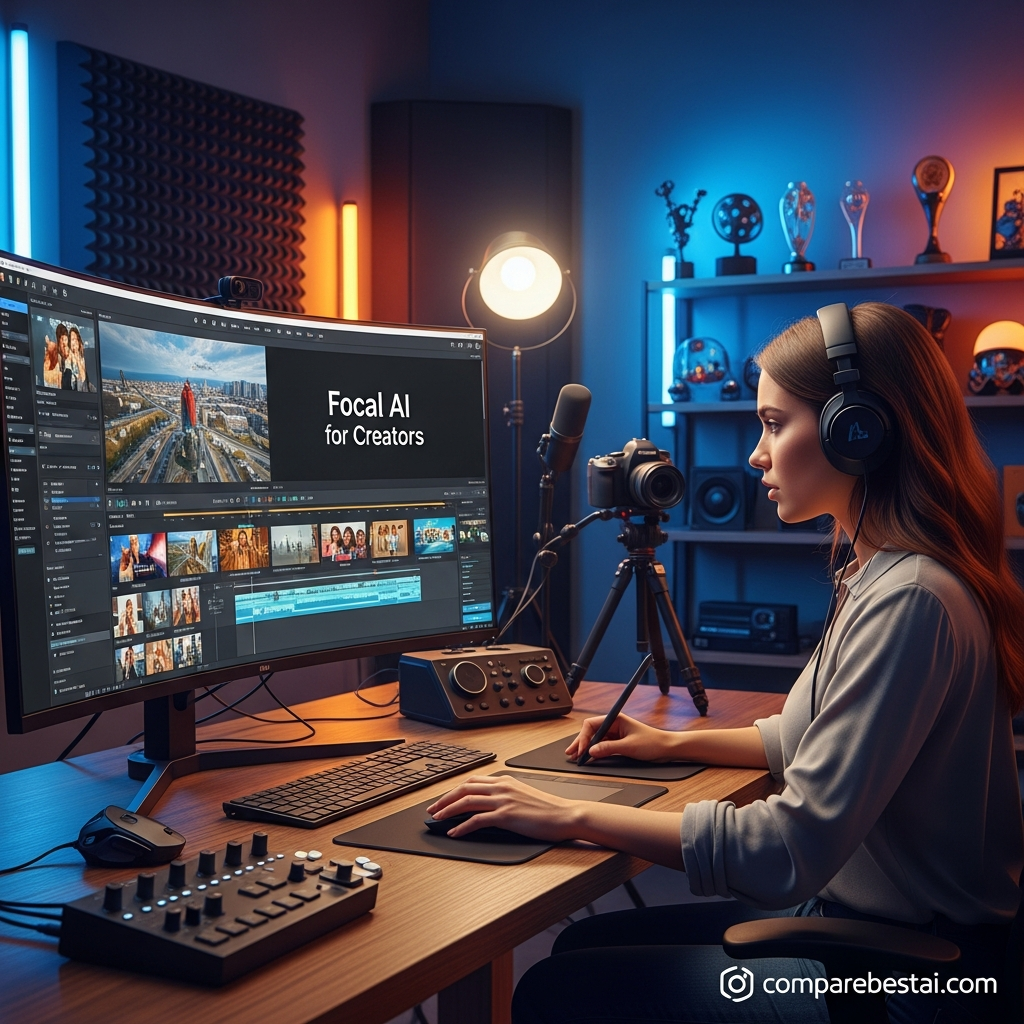
Focal is an AI video platform that takes a story from idea to finished edit. Instead of generating one clip at a time, it plans the whole project: plot, scenes, characters, locations, shots, voices and sound. It then calls best-in-class models for each step and assembles the result on a timeline you can edit.
Focal describes itself as an "agentic video creation platform." In practice, that means the AI handles the planning and assembly that you would otherwise do by hand across separate tools such as Veo 3.1 for video, ElevenLabs for voice and an editor for cutting.
How the Focal workflow works, step by step
- Enter an idea or paste a script. Choose your language and start "from an idea" or from your own screenplay.
- Review the story plan. Focal drafts the plot, splits it into chapters and creates the characters, locations and objects the story needs. You can rewrite the script before spending credits on video.
- Pick a quality mode. Fast, Pro or Max (see the table below).
- Generate scenes. Focal produces images, video shots, voiceovers and sound effects for each scene.
- Edit with chat. Type commands such as "make this conversation shorter" or "replace this with over-the-shoulder shots of the speaker."
- Polish on the timeline. Trim, reorder, extend shots or add frame interpolation with traditional editing tools.
- Export the finished video.
Focal quality modes compared
| Mode | Video model | Approx. cost | Speed | Best use |
|---|---|---|---|---|
| Fast | LTX | ~18 credits/min | Fast | Testing scripts and ideas; available on the free plan |
| Pro | Seedance 1.5 | ~190 credits/min | Moderate | Most production work, strong character consistency |
| Max | Seedance 2.0 Fast | ~600 credits/min | Slow | Final cuts that need the best motion and consistency |
Source: Focal Quality Modes documentation, September 2026. Focal notes that Fast mode often shows inconsistent motion and characters, which is the trade-off for its low cost.
10 Focal AI Video Use Cases (With Examples)
Each use case below includes why Focal fits, an example prompt, the quality mode we'd start with, and a "Best for" label.
1. Short films and AI movies from a script
This is Focal's core use case. Paste a 3 to 10 page screenplay and Focal adapts it scene by scene, keeping your dialogue and generating characters that stay recognizable from shot to shot. Screenwriters can see a rough cut of a story without a crew, cast or location budget.
Example prompt: "Adapt my attached script: a night-shift nurse in Chicago finds a patient who knows her future. Grounded drama, handheld camera feel, 5 minutes."
Start in: Pro mode (about 950 credits for 5 minutes). Best for: screenwriters, film students and indie filmmakers.
2. Episodic web series and TV pilots
Series need the same faces and places in every episode. Focal lets you generate characters and locations once and reuse them across projects, which is the feature that makes episodic content practical. You can build a pilot, then produce episode 2 with the same cast.
Example prompt: "Episode 2 of 'Night Market': Mei and her brother reopen the family food stall in Taipei after a storm. Reuse existing characters and the market location. 8 minutes."
Start in: Pro mode (about 1,520 credits per 8-minute episode). Best for: YouTube storytellers and creators pitching a series concept.
3. Faceless YouTube history and documentary videos
Focal's public gallery is full of narrated history pieces, from Pacific War naval battles to Cold War speeches and samurai armor explainers. Type a topic, and Focal writes the narration, generates period scenes and adds a voiceover. That makes it a strong fit for faceless channels in history, true crime and science.
Example prompt: "Make a 10-minute documentary about the Battle of Leyte Gulf. Serious narrator voice, archival film look, maps between chapters."
Start in: Fast mode to test the script, then Pro for the final (about 1,900 credits for 10 minutes). Best for: faceless YouTube channel owners.
4. Anime and stylized animated shorts
Focal handles style instructions inside the prompt. Its own Quality Modes demo is a 2-minute anime short about a girl who stows away on a rocket. Stylized looks such as anime, claymation or watercolor also hide some of the motion artifacts that realistic footage exposes.
Example prompt: "Anime style, 16:9, 2 minutes. A courier cat delivers letters across a floating city at sunset. No dialogue, music and sound effects only."
Start in: Pro mode (about 380 credits), or Max for a festival-ready cut (about 1,200 credits). Best for: animation hobbyists and music-driven storytellers.
5. Short-form skits and clips for TikTok, Reels and YouTube Shorts
Focal's clip generator is built for fast social formats: skits, quick explainers and reaction-style clips, with visuals synced to voice or captions. You pick the format and tone, then adjust scenes with plain-text instructions instead of a timeline.
Example prompt: "30-second vertical skit: a barista who takes every order way too seriously. Deadpan humor, 3 scenes."
Start in: Fast mode for drafts (under 20 credits per minute), Pro for posting. Best for: social media creators who post daily.
6. Script previsualization and pitch trailers
Before a producer reads your script, show them a 60 to 90 second trailer. Focal can turn key scenes into a mood-accurate teaser, so a pitch deck carries a moving picture of tone, casting and world.
Example prompt: "Create a 90-second trailer from scenes 4, 12 and 27 of my script. Thriller pacing, title cards between beats."
Start in: Max mode (about 900 credits for 90 seconds), because pitch material benefits from the best consistency. Best for: screenwriters, directors and small production companies.
7. Storyboards and shot-list testing
Chat editing makes Focal a fast way to test coverage before a real shoot. Ask for a wide, then "replace this with a series of over-the-shoulder shots," and compare. Focal's gallery includes shot-list projects built this way.
Example prompt: "Cabin in winter fog. Build a shot list for a 45-second opening: establishing wide, slow push-in, insert on a lantern, close-up of the door."
Start in: Fast mode, since you're testing framing, not final quality. Best for: directors, DPs and film students planning live-action shoots.
8. Concept ads and product story spots
Paid plans include commercial rights, so you can make narrative ad concepts, such as a 30-second "day in the life" spot for an e-reader or a coffee brand. Focal suits story-led ads. It does not document brand kits, locked templates or approval workflows, so it's better for concepts and small brands than for enterprise campaigns.
Example prompt: "30-second commercial: a commuter reads on a crowded train, then the world around her turns into the story's setting. Warm, cinematic. End card with product name."
Start in: Pro mode (about 95 credits for 30 seconds). Best for: small brands, freelancers and agencies pitching creative concepts.
9. Educational explainers and dramatized lessons
Teachers and course creators can turn a lesson into a short story: a scientist explaining her discovery, or a historical figure reacting to events. Dramatized lessons hold attention better than slides, and Focal's narration voices cover the teaching layer.
Example prompt: "4-minute lesson for middle school: Marie Curie explains radioactivity in her lab, with simple on-screen diagrams."
Start in: Pro mode (about 760 credits for 4 minutes). Best for: teachers, course creators and edutainment channels.
10. Sci-fi, fantasy and concept worldbuilding
Worldbuilders use Focal to show places that can't be filmed: spaceship interiors in 2150, hybrid creatures or a fantasy city at war. Reusable locations let you return to the same world across multiple videos.
Example prompt: "Tour of luxury spaceships in the year 2150. Documentary narrator, 3 ships, 3 minutes."
Start in: Pro mode (about 570 credits for 3 minutes). Best for: novelists, game designers and sci-fi channels.
Focal AI Video Use Cases by Mode, Length and Plan
This table estimates credits from Focal's published per-minute rates. Budget 1.5 to 2 times more if you regenerate scenes.
| Use case | Typical length | Mode | Est. credits | Smallest plan that fits |
|---|---|---|---|---|
| Social skit (TikTok, Reels, Shorts) | 60 seconds | Pro | ~190 | Starter ($10) |
| Anime short | 2 minutes | Pro | ~380 | Starter ($10) |
| Concept ad | 30 seconds | Pro | ~95 | Starter ($10) |
| Pitch trailer | 90 seconds | Max | ~900 | Starter ($10) |
| Short film | 5 minutes | Pro | ~950 | Starter ($10), tight |
| Faceless YouTube documentary | 10 minutes | Pro | ~1,900 | Standard ($30) |
| Web series (3 episodes × 8 minutes) | 24 minutes | Pro | ~4,560 | Pro ($100) |
| Short film, final cut | 5 minutes | Max | ~3,000 | Standard ($30) |
Focal Pricing for Each Use Case in 2026
Focal has one free plan and three paid plans, billed monthly in US dollars. All paid plans include the best models, including Veo and Seedance, and commercial use.
| Plan | Price | Monthly credits | Daily credits | Focal's stated max | ≈ Pro-mode minutes* | ≈ Max-mode minutes* | Commercial use | Best for |
|---|---|---|---|---|---|---|---|---|
| Free | $0 | None | None | Basic models only, slower | n/a | n/a | No | Testing the workflow |
| Starter | $10/mo | 1,000 | 50 | Up to 1,000 s/mo | ~5 min | ~1.7 min | Yes | Social clips, one short film a month |
| Standard | $30/mo | 3,900 | 50 | Up to 3,900 s/mo | ~20 min | ~6.5 min | Yes | Weekly YouTube videos |
| Pro | $100/mo | 15,000 | 50 | Up to 15,000 s/mo | ~79 min | ~25 min | Yes | Series and high-volume channels |
*CBAI estimate: monthly credits divided by Focal's per-minute rates (~190 credits/min in Pro, ~600 in Max). "Focal's stated max" assumes the cheapest settings. Prices as listed on focalml.com for US customers, September 29, 2026. Confirm current rates on Focal's pricing page.
Is Focal worth the price?
For story-driven video, yes. Starter at $10/month is one of the cheapest ways to get commercial rights on Veo and Seedance output, compared with $15/month for Runway's Standard plan and $15/month for LTX Studio's Lite plan (which covers personal projects only). The catch is volume: Starter covers only about 5 minutes of Pro-mode video a month, so channels that publish weekly should budget for Standard at $30. See our full Focal pricing breakdown for plan-by-plan details.
Compare Focal plans and try it free →
Why Story-Driven AI Video Matters in 2026
AI video tools are now mainstream in marketing. In Wyzowl's 2026 Video Marketing Statistics report, 63% of video marketers said they had used AI tools to create or edit videos, up from 51% the year before. The same survey found that 82% of marketers say video gives them a good ROI, and 71% believe videos between 30 seconds and 2 minutes are the most effective length.
That favors Focal's strengths. Short, story-led clips are exactly what it produces fastest, and its credit model makes 30-second to 2-minute pieces affordable even on the Starter plan.
When Focal Is Not the Right Tool
Focal is built for narrative video. For these jobs, other tools do better:
- AI avatar training and onboarding videos. Synthesia (from $22/month) and HeyGen (free plan, then $29/month) use realistic presenters, SCORM export and 140+ language support that Focal doesn't offer.
- Turning blog posts or webinars into stock-footage videos. Pictory AI (from $29/month) assembles scenes from Getty and Storyblocks footage with brand kits.
- Editing your own camera footage. CapCut is a traditional editor with AI helpers. Read our Focal vs CapCut comparison.
- Enterprise governance. Focal doesn't document SSO, brand kits or approval workflows. LTX Studio Enterprise and HeyGen Business list SSO and team controls.
Focal vs Alternatives by Use Case
| Tool | Best for | Starting paid price | Free plan | Core output | CBAI score |
|---|---|---|---|---|---|
| Focal | Story-driven films, series, faceless YouTube | $10/mo | Yes (basic models) | Multi-scene narrative video with consistent characters | 8.0/10 |
| LTX Studio | Storyboards, agency pitches | $15/mo ($12 billed yearly) | Yes (800 one-time credits) | Storyboard-to-video with reusable Elements | 7.5/10 |
| Runway | Cinematic single shots, VFX | $15/mo | Yes (125 one-time credits) | High-fidelity clips and AI editing tools | 8.0/10 |
| Synthesia | Corporate training | $22/mo | No | AI avatar presenter videos | 8.0/10 |
| HeyGen | Localized sales and training videos | $29/mo | Yes (3 videos/month) | AI avatars, voice cloning, lip-sync translation | 7.5/10 |
| Pictory AI | Blog and webinar repurposing | $29/mo ($25 billed yearly) | No (14-day trial) | Stock-footage videos with captions and AI voice | 7.0/10 |
Competitor prices from CompareBestAI tool pages, checked September 2026.
Focal vs Runway
Runway gives you finer control over individual shots, including motion brush and inpainting, and generates clips of roughly 4 to 16 seconds. Focal plans and assembles the whole story around those shots. Choose Runway for a single hero shot or VFX work, and Focal for a complete multi-scene video. Read the full Focal vs Runway comparison.
Focal vs LTX Studio
Both tools plan before they generate. LTX Studio leans toward preproduction, with AI storyboards, pitch decks and Elements for consistent characters, plus SOC 2 compliance for brand studios. Focal is cheaper to start ($10 vs $15 monthly) and more script-first. See our LTX Studio review.
Focal vs Pictory AI
Pictory AI builds videos from stock footage, which suits marketing and training content. Focal generates original scenes and characters, which suits fiction and documentary storytelling. See the Focal vs Pictory comparison.
For a wider list, see our Focal alternatives guide, our AI video generator comparison or the cheapest AI video generators in 2026.
How to Get Better Results From Focal
- Draft in Fast, finish in Pro or Max. Fast mode costs about a tenth of Pro, so test the script and pacing there first.
- Fix the script before you generate. Focal lets you review and rewrite the plot and chapters before it spends credits on video.
- Create characters and locations first. Reusing them is what keeps faces and places consistent across scenes and episodes.
- Edit with specific camera language. Commands such as "over-the-shoulder," "slow push-in" or "insert shot" get better results than "make it better."
- Keep marketing clips between 30 seconds and 2 minutes. That's the length most marketers rate as most effective, and it keeps credit costs low.
- Budget for re-generations. Plan on 1.5 to 2 times your estimated credits for the first few projects.
How We Researched This Guide
CompareBestAI scores every tool with the same framework, described in how we rank tools. For this guide we:
- Checked Focal's pricing, FAQ, supported models and Quality Modes documentation on focalml.com on September 29, 2026
- Reviewed the public example projects in Focal's community gallery to confirm the types of video people make with it
- Calculated credit estimates from Focal's published per-minute rates
- Compared Focal with competitors using pricing and features from CompareBestAI's tool pages
- Cited third-party market data only from the named source (Wyzowl, 2026)
We did not run new hands-on benchmarks for this guide. Where a figure is our estimate rather than Focal's published number, we label it.
Focal AI Video Use Cases FAQs
What is Focal AI used for?
Focal AI is used to create story-driven videos from an idea or script: short films, web series, faceless YouTube documentaries, anime shorts, social skits and pitch trailers. It writes or adapts the script, generates consistent characters and scenes, adds voiceovers, and lets you refine the result with chat commands and a timeline editor.
Can Focal make a full movie or TV episode?
Yes. Focal splits a script into chapters and scenes, and it lets you generate and reuse characters and locations, which keeps episodes consistent. Length is limited by credits: at about 190 credits per minute in Pro mode, an 8-minute episode uses around 1,520 credits, which fits the $30 Standard plan.
How much does Focal cost in 2026?
Focal has a free plan with basic models and three paid plans: Starter at $10/month (1,000 credits), Standard at $30/month (3,900 credits) and Pro at $100/month (15,000 credits). Each paid plan adds 50 daily credits, access to Veo and Seedance, and commercial use rights.
Can I use Focal videos commercially?
Yes, on paid plans. Focal states that anything you make on a paid plan is yours to use commercially. The free plan is for personal use only, so upgrade to at least the $10 Starter plan before publishing monetized YouTube videos, ads or client work.
Which AI models does Focal use?
Focal uses Veo, Seedance, Kling and Hailuo for video; GPT Image, Nano Banana (Pro), Z-Image, Flux Klein and Seedream for images; and ElevenLabs, InWorld and OpenAI for voices. ElevenLabs also provides sound effects. The quality mode you pick decides which models run.
Is Focal good for corporate training videos?
Not usually. Focal is built for narrative storytelling and doesn't offer AI avatar presenters, SCORM export or brand-kit controls. For onboarding and compliance training, Synthesia or HeyGen are better fits. Focal works for training only when you want a dramatized story, such as a scenario-based lesson.
Final Verdict: Is Focal Right for Your Use Case?
Focal is one of the best-value AI video tools in 2026 for anyone who tells stories: screenwriters, indie filmmakers, faceless YouTube creators and animation hobbyists. Its script-first workflow, reusable characters and chat editing turn a single idea into a multi-scene video, and the $10 Starter plan includes commercial rights. Most creators who publish weekly will get the best balance on Standard at $30/month.
Across all 10 Focal AI video use cases, the pattern is the same: story first. It's the wrong choice for avatar-led training, blog-to-video repurposing or teams that need brand governance. For those jobs, Synthesia, HeyGen or Pictory AI fit better.
CBAI score: 8.0/10. Best for story-driven video creators.
Compare Focal plans and try it free → · Compare Focal with other AI video tools →
Read next: our full Focal review, or compare every tool in our Video Generation category.
About CompareBestAI: CompareBestAI compares AI tools and the software businesses run on, with transparent pricing checks and a consistent scoring method. Get new AI video reviews in our newsletter →