
By CompareBestAI Editorial Team
Quick Answer Focal vs CapCut comes down to one question: do you have footage? Focal generates new videos from an idea or a script, with AI-made scenes, consistent characters and voices, from $10/month. CapCut edits footage you already have, with templates, auto captions and direct TikTok publishing, on a free plan or Pro at $19.99/month ($15/month billed yearly). Choose Focal to create story videos without filming. Choose CapCut to cut and caption real clips. Many creators use both: generate in Focal, finish in CapCut. CBAI scores: Focal 8.0/10 · CapCut 7.0/10
Focal is an agentic AI video platform from Fluorescent Labs, Inc. that turns a story into a multi-scene video. CapCut is a video editor for mobile, desktop and web, provided in the United States by TikTok USDS Joint Venture LLC. This guide compares what each tool makes, what it costs, how easy it is to use, and when to use them together. Focal details were checked on focalml.com on September 29, 2026, and prices are in USD for US customers.
Focal vs CapCut at a glance
| Focal | CapCut | |
|---|---|---|
| What it is | AI story-video generator | Video editor with AI tools |
| Company | Fluorescent Labs, Inc. | TikTok USDS Joint Venture LLC (US) |
| Starts from | Idea or script | Your own footage, photos or templates |
| Core output | New multi-scene video with AI characters, voices and sound | Edited clips with captions, effects and music |
| Free plan | Yes (basic models, personal use) | Yes (essential editing and templates) |
| Starting paid price | $10/month | $19.99/month Pro ($15/month yearly) |
| Best for | Short films, web series, faceless YouTube, skits | TikTok, Reels, Shorts, UGC ads, vlogs |
| Platforms | Web browser | Mobile, desktop and web |
| CBAI score | 8.0/10 | 7.0/10 |
See Focal's full score and plans → · See CapCut's full score and plans →
Focal vs CapCut: Key Takeaways
- They solve different problems. Focal creates video from text; CapCut edits video you already have.
- Pick Focal if you can't or don't want to film. It generates scenes, characters, voiceovers and sound effects.
- Pick CapCut if you have footage. Its templates, auto captions and TikTok publishing make short-form editing fast.
- CapCut is cheaper to start, with a usable free plan; Focal's commercial rights start at $10/month.
- Using both works well. Focal has no built-in captions or upscaling, and CapCut fills those gaps.
What Each Tool Is
What is Focal?
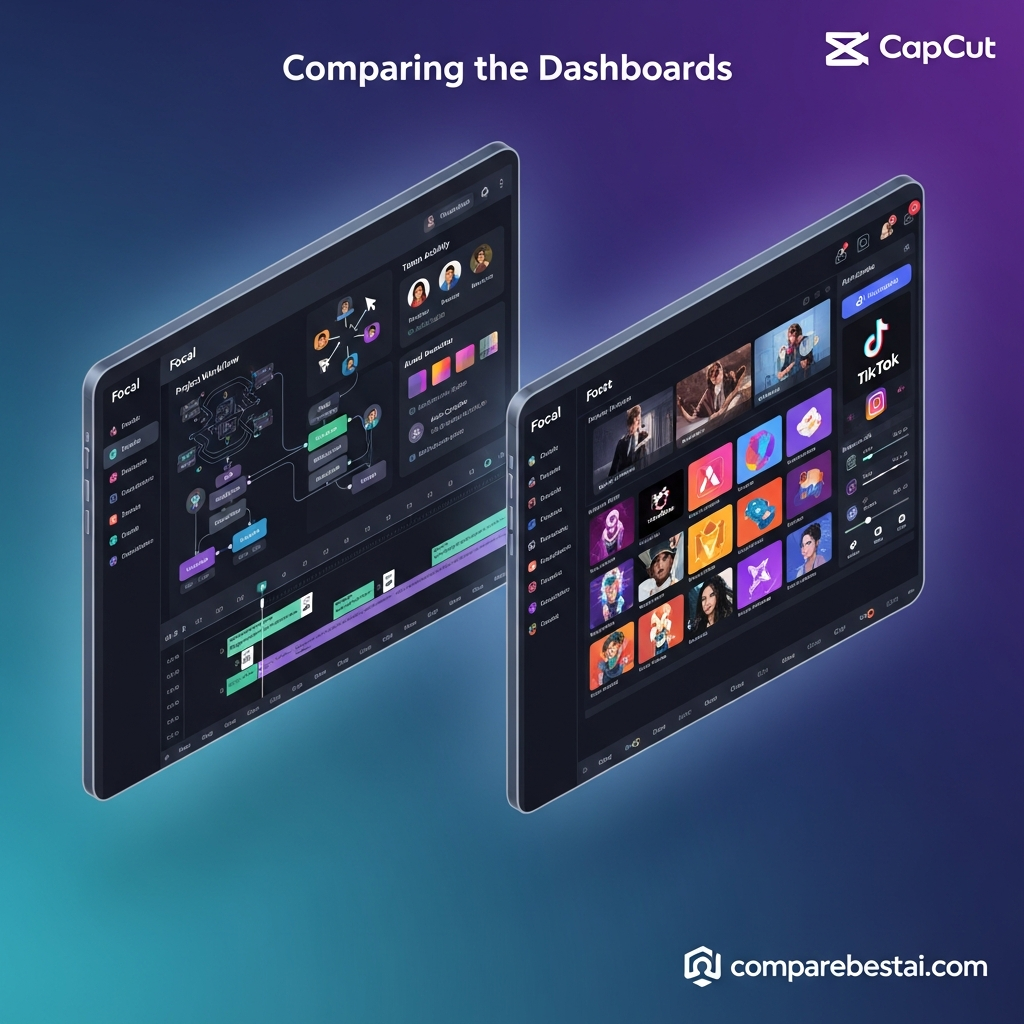
Focal is an AI video platform for storytelling. You enter an idea or paste a script, and Focal plans the plot, splits it into scenes, creates consistent characters and locations, and generates video, voice and sound using models such as Veo, Seedance, Kling, Hailuo and ElevenLabs. You refine the result with chat commands and a timeline editor. Read our full Focal review.
What is CapCut?
CapCut is a video editor built for short-form social content. It combines a timeline editor with templates, effects, AI auto captions, background removal and direct publishing to TikTok. It runs on phones, desktops and the web. ByteDance created CapCut; in the United States, CapCut's Terms of Service (updated April 15, 2026) name TikTok USDS Joint Venture LLC as the provider. See CapCut's tool page and score or our analysis of whether CapCut is worth it.
 The Core Difference: Generating vs Editing
The simplest way to think about Focal vs CapCut:
- Focal starts from words. No camera, no stock footage, no actors. Focal generates every shot, character and voice from your script.
- CapCut starts from media. You bring clips, photos or a template, and CapCut helps you cut, caption, add effects and publish.
That's why "which is better" depends on your starting point. A screenwriter with a script and no footage can't make a film in CapCut alone. A creator with an hour of vlog footage doesn't need Focal to edit it.
Feature Comparison
| Feature | Focal | CapCut |
|---|---|---|
| Script or idea to video | Yes, core feature | Not its focus |
| AI-generated scenes and characters | Yes (Veo, Seedance, Kling, Hailuo) | No (works with your media) |
| Consistent characters across scenes | Yes, reusable across projects | Not applicable |
| AI voiceover | Yes (ElevenLabs, InWorld, OpenAI) | Yes |
| AI sound effects | Yes (ElevenLabs) | Music and effects library |
| Editing method | Edit with chat plus timeline | Full timeline editor |
| Templates | No | Large template library |
| Auto captions | No | Yes |
| Background removal | No | Yes |
| Direct TikTok publishing | No (export, then upload) | Yes |
| Vertical video | Yes | Yes |
| Export resolution | Not published by Focal | Up to 4K on Pro |
| Cloud storage | Not published by Focal | 1 TB on Pro |
| Team features | Not documented | Teams plan with shared storage and brand kits |
| Public API | Not yet (in development) | Not listed on CBAI tool page |
Sources: focalml.com and focalml.com/faqs (September 29, 2026); CBAI's CapCut tool page (reviewed August 2026).
Where Focal wins
- Creating video from nothing. Focal's story planning, reusable characters and chat editing let you build a 5-minute short film from a script.
- Narrative consistency. The same characters and locations return across scenes and episodes.
- Access to top AI video models in one subscription. See Focal features explained.
Where CapCut wins
- Editing real footage with a full timeline, effects and transitions.
- Short-form polish: templates, auto captions, background removal and trending formats.
- Publishing speed: direct posting to TikTok.
- Cost to start: a usable free plan and apps on every platform.
Focal vs CapCut Pricing in 2026
Focal plans
| Plan | Price | Monthly credits | Commercial use | ≈ Pro-mode video* |
|---|---|---|---|---|
| Free | $0 | None (basic models) | No | n/a |
| Starter | $10/mo | 1,000 + 50 daily | Yes | ~5 min |
| Standard | $30/mo | 3,900 + 50 daily | Yes | ~20 min |
| Pro | $100/mo | 15,000 + 50 daily | Yes | ~79 min |
*CBAI estimate at ~190 credits per minute in Focal's Pro quality mode. Source: Focal's pricing page, September 29, 2026.
CapCut plans
| Plan | Price | Key inclusions |
|---|---|---|
| Free | $0 | Essential editing, templates, basic effects |
| Standard | $9.99/mo (reported; verify on capcut.com) | Watermark-free 1080p export, 100 GB storage, AI credits |
| Pro | $19.99/mo ($15/mo billed yearly) | 4K export, premium templates and effects, 1 TB cloud storage, ~1,200 monthly AI credits |
| Teams | Custom, per seat | Everything in Pro plus shared storage, brand kits and collaboration |
Sources: CBAI's CapCut tool page (Free, Pro, Teams); Standard plan as reported by third-party pricing trackers in 2026. CapCut prices can be higher when bought through the iOS or Android app stores.
Which costs less?
- For editing only: CapCut, because its free plan covers basic editing and Focal doesn't edit your own footage.
- For generating story video: Focal, because CapCut doesn't generate multi-scene stories and Focal's commercial rights start at $10/month.
- For both: Focal Standard ($30) plus CapCut Pro ($19.99) costs about $50/month, or about $45/month with CapCut billed yearly.
For Focal's cost per minute by plan and quality mode, see our Focal pricing guide.
Ease of Use
CapCut is quicker to learn for anyone who has used a phone editor. You drop in clips, pick a template and add captions. CBAI rates its ease of use 8.0/10.
Focal is easy to start, because you type an idea or paste a script, but good results take practice: writing clear scripts, choosing the right quality mode and using specific camera language in chat. CBAI also rates its ease of use 8.0/10.
| Score category | Focal | CapCut |
|---|---|---|
| Output quality | 8.5/10 | 7.5/10 |
| Ease of use | 8.0/10 | 8.0/10 |
| Value for money | 7.5/10 | 7.0/10 |
| Features and tools | 8.0/10 | 7.5/10 |
| API and integrations | 7.0/10 | 5.0/10 |
| Support and docs | 7.5/10 | 6.0/10 |
| Overall | 8.0/10 | 7.0/10 |
Scores from CompareBestAI's editorial assessments on /tools/focal and /tools/capcut. The scores rate each tool in its own category; they don't mean Focal is a better editor.
Commercial Use and Licensing
- Focal: Anything you make on a paid plan is yours to use commercially, according to Focal's FAQ. The free plan is for personal use only.
- CapCut: Templates, music and effects come with their own license terms. Check CapCut's Materials License Agreement before using template assets in ads or client work.
How to Use Focal and CapCut Together
Because each tool fills the other's gaps, many creators use both:
- Write the script and generate the story in Focal. Draft in Fast mode, then render the final in Pro or Max.
- Export the finished video from Focal, in vertical format for TikTok, Reels or Shorts.
- Import it into CapCut and trim for pacing.
- Add auto captions, since Focal has no built-in captioning.
- Add trending audio, text overlays or real B-roll from your camera roll.
- Publish directly to TikTok from CapCut, or export for YouTube and Instagram.
For more project ideas that suit this workflow, see Focal AI video use cases. For other tools that plug into a Focal workflow, see Focal integrations.
Which Should You Choose?
| If you… | Choose |
|---|---|
| Have a script but no footage | Focal |
| Want a short film, web series or animated short | Focal |
| Run a faceless YouTube channel with AI visuals | Focal |
| Have phone or camera footage to edit | CapCut |
| Post daily TikToks, Reels or Shorts from real clips | CapCut |
| Need free editing with captions and templates | CapCut |
| Want AI-generated stories with captions and social polish | Both |
Compare Focal plans and try it free → · See CapCut plans and score →
Alternatives to Focal and CapCut
- Descript: Edit video by editing the transcript. Best for podcasts, tutorials and talking-head YouTube. Free plan; paid from $8/month.
- Runway: High-fidelity AI shots plus motion brush and inpainting. From $15/month. See Focal vs Runway.
- LTX Studio: Storyboard-to-video with consistent characters. From $15/month ($12 yearly).
- Pictory AI: Script and blog-to-video with stock footage. From $29/month ($25 yearly). See Focal vs Pictory.
- VEED: Browser-based editor with auto subtitles.
For the full list, see our Focal alternatives guide, the Dough vs CapCut comparison or our AI video generator comparison.
How We Compared Focal and CapCut
CompareBestAI scores every tool with the same framework, described in how we rank tools. For this comparison we:
- Checked Focal's features, models, plans and commercial terms on focalml.com and its FAQ on September 29, 2026
- Used CBAI's CapCut tool page (reviewed August 2026) for CapCut's scores, features and Pro and Teams plans
- Confirmed CapCut's US operator in CapCut's Terms of Service (last updated April 15, 2026)
- Marked CapCut's Standard plan as reported by third-party trackers, pending confirmation on capcut.com
- Removed features, support response times and prices from the earlier version of this page that we couldn't confirm
We did not run a new hands-on test for this update. Where a figure is our estimate, we say so.
Focal vs CapCut FAQs
Is Focal or CapCut better?
Neither is better overall; they do different jobs. Focal is better for creating story videos from a script without filming. CapCut is better for editing footage you already have, adding captions and publishing to TikTok. CBAI scores Focal 8.0/10 and CapCut 7.0/10 within their own categories.
Can CapCut generate videos from a script like Focal?
CapCut is built around editing your own media and templates, not planning and generating multi-scene stories with consistent characters. If you need a full video generated from a script, with AI scenes, characters and voices, Focal is the better fit.
Can I edit Focal videos in CapCut?
Yes. Export your finished video from Focal, import it into CapCut, then trim, add auto captions, music or text, and publish. On a paid Focal plan, you can use the video commercially, including on monetized channels.
Is CapCut free?
Yes. CapCut has a free plan with essential editing, templates and basic effects. CapCut Pro costs $19.99/month, or $15/month billed yearly, and adds 4K export, premium templates, 1 TB of cloud storage and AI credits.
How much does Focal cost compared with CapCut?
Focal has a free plan for personal use, then Starter at $10/month, Standard at $30/month and Pro at $100/month. CapCut is free to start, with Pro at $19.99/month. Using Focal Standard and CapCut Pro together costs about $50/month.
Which is better for TikTok videos?
For editing real clips, CapCut, because it offers templates, auto captions and direct TikTok publishing. For AI-generated skits or stories, Focal, which supports vertical video. Many TikTok creators generate in Focal and finish in CapCut.
Final Verdict: Focal vs CapCut
Focal and CapCut aren't really rivals. Choose Focal when you want to create a story video from a script, with AI scenes, consistent characters and voices, and no filming. Choose CapCut when you already have footage and need fast, social-ready editing with captions and templates. If you make AI story content for TikTok or YouTube, use both: Focal to generate, CapCut to finish.
Focal: 8.0/10, best for story-driven AI video. CapCut: 7.0/10, best for editing short-form social video.
Compare Focal plans and try it free → · See CapCut plans and score → · Compare Focal with other AI video tools →
Read next: browse every tool in our Video Generation category.
About CompareBestAI: CompareBestAI compares AI tools and the software businesses run on, with transparent pricing checks and a consistent scoring method. Get new AI video reviews in our newsletter →


