
InVideo AI is worth it for creators who need lots of quick, faceless explainer videos, social clips, or YouTube drafts and are comfortable editing the result. It is a legitimate, venture-backed company, and paid plans start at $10 a month billed annually ($20 monthly). The main catch is its credit system: every AI generation and regeneration uses credits, unused credits do not roll over, and refunds are usage-based. Before you subscribe, test the free plan and watch your credit balance.
This InVideo review covers features, 2026 pricing, the credit and refund rules, real user complaints, and how it compares to Pictory.
What Is InVideo AI?
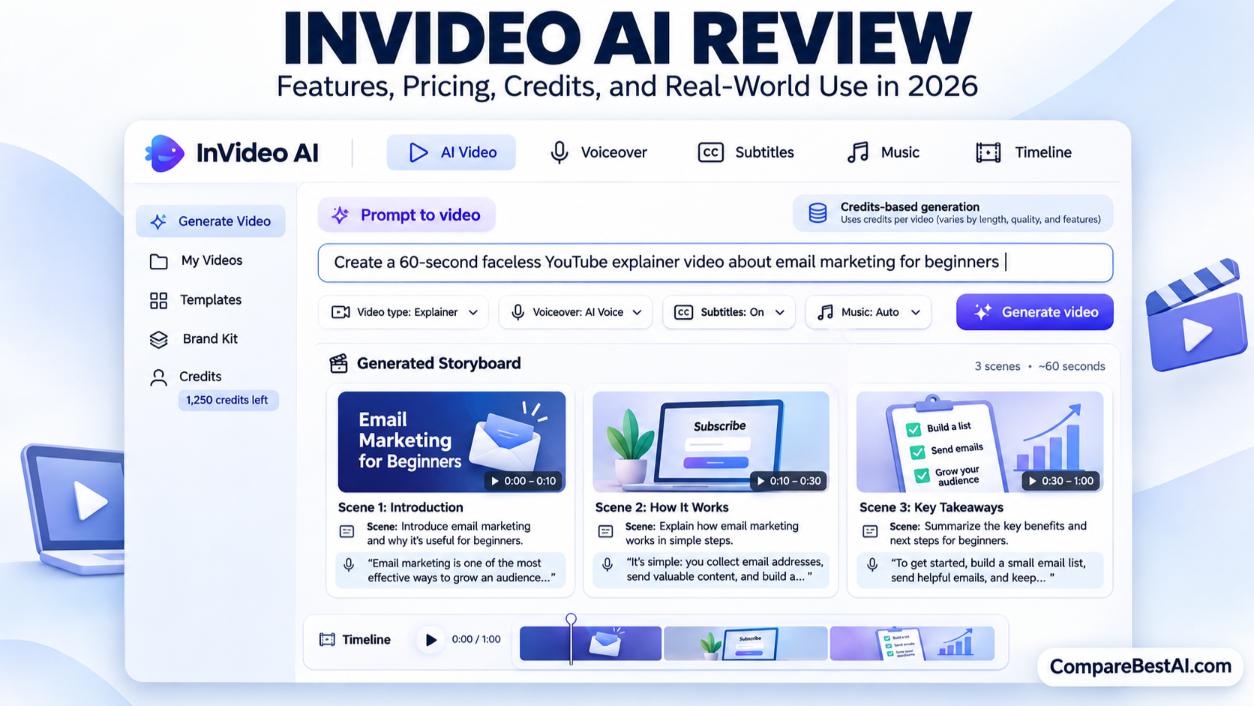
InVideo AI is a browser-based AI video generator that turns a text prompt, script, or URL into a finished video with a script, visuals, voiceover, subtitles, and music. You then refine the draft with typed instructions, such as "shorten the intro," or with a timeline editor. It also has iOS and Android apps.
InVideo was founded in 2017 and is led by CEO Sanket Shah. It has raised venture funding from investors including Peak XV Partners (formerly Sequoia Capital India) and Tiger Global. In short, it is a real company, not a scam, although its billing practices draw frequent complaints (covered below).
InVideo AI Features: What's Included?
- Prompt and script to video: Paste a prompt, a full script, or the key text of a blog post, and InVideo builds a complete draft.
- AI agents: Paid plans include InVideo's agents, which plan scenes and route each shot to a suitable AI video model. The entry Starter plan gets a Lite agent, while Plus and Max unlock the more advanced agent tiers.
- Generative AI models: Paid plans give access to third-party video models such as Seedance, Kling, and Google's Veo, which create original footage instead of stock clips.
- Premium stock footage: A monthly allowance of premium stock clips (100 on Starter, 200 on Plus, 500 on Max).
- Voiceovers, voice cloning, and AI avatars: AI narration in many voices, plus the option to clone your own voice or use an avatar presenter.
- Editing tools: Typed commands for big changes and a timeline editor for detailed fixes.
- Cloud storage: 200 GB on Starter, 600 GB on Plus, and 2,000 GB on Max.
If avatar presenters matter most to you, compare our guide to the best AI avatar video generators.
InVideo AI Pricing Plans (2026)
Plan | Billed annually | Billed monthly | Credits per month | Best for |
|---|---|---|---|---|
Free | $0 | $0 | Limited weekly allowance | Testing the tool |
Starter | $10/month | $20/month | 400 | Occasional creators |
Plus | $30/month | $60/month | 2,000 | Regular YouTube and social creators |
Max | $250/month | $250/month | 8,000 | Agencies and high-volume teams |
Prices from InVideo's pricing page, checked November 5, 2026. The annual discounts are listed as promotional, so confirm the renewal price at checkout. InVideo changed its plan names and prices several times in 2026, so older reviews may quote different numbers.
Is InVideo AI Free?
Yes, but only for testing. The free plan gives a small credit allowance that resets weekly, and free exports carry an InVideo watermark. To publish clean videos for YouTube or clients, you need a paid plan.
How Do InVideo AI Credits Work?
Credits are InVideo's currency for AI generation. According to InVideo's credit and plan limits page, cost depends on the AI model, video length, resolution, and audio. A quick clip on a lighter model may cost about 5 credits, while a 4K Veo clip with audio can cost 100 credits or more.
Three rules explain most "why am I losing credits?" complaints:
- Every regeneration costs credits, including attempts you do not end up using.
- Unused plan credits do not roll over to the next billing cycle.
- Downloads are free, so exporting a finished video does not use credits.
Tip: Draft on cheaper models and lower resolution, then switch to a premium model only for the final version.
InVideo AI Reviews and Complaints
User sentiment is split. On Trustpilot, InVideo AI holds a 2.9 out of 5 TrustScore from about 910 reviews, with roughly 60% five-star and 30% one-star ratings at the time of writing. That pattern usually means the product works well for some users and badly for others.
Common praise:
- Turns ideas into full video drafts quickly
- Useful for creators with no editing experience
- Helpful support for some users
Common complaints:
- Credits drain faster than expected, especially on failed or off-target generations
- Hard to estimate a project's total cost upfront
- Refund requests refused or slow
- Unexpected renewals and charges
- Outputs that ignore parts of the prompt
InVideo AI Refund Policy
InVideo's help center says refunds are pro-rated and usage-based, reviewed case by case after you email [email protected] with your invoice. Cancelling stops the next renewal but does not trigger a refund, and you keep access until the paid period ends. Plans renew automatically, and InVideo says it sends an email reminder before renewal.
How to protect yourself:
- Start on the free plan or a monthly plan before committing to annual billing.
- Set a calendar reminder a few days before your renewal date.
- Check your credit balance before each large generation.
Is InVideo AI Good for YouTube and Faceless Videos?
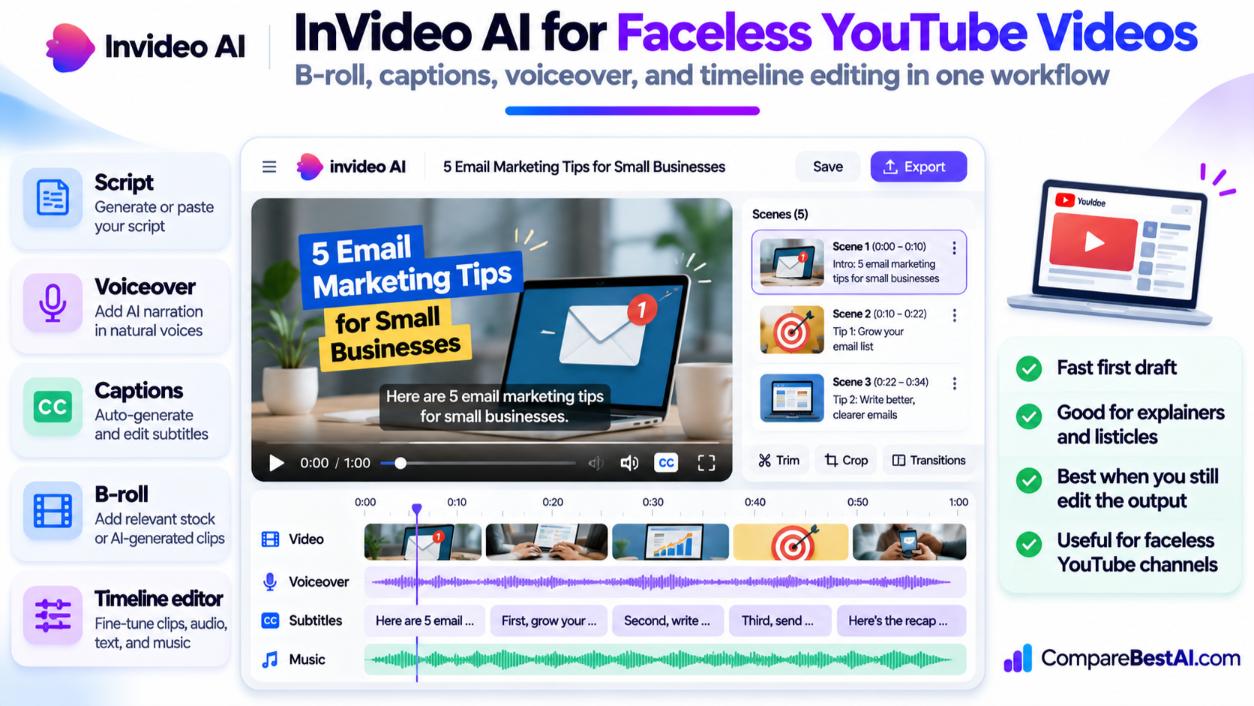
Yes, InVideo AI works well for faceless YouTube videos, such as explainers, listicles, and narrated stories. It combines a script, B-roll, voiceover, and captions in one draft, which saves hours of manual assembly.
Keep two cautions in mind:
- Expect to edit. Drafts rarely come out publish-ready, so plan time to fix pacing, visuals, and narration.
- Follow YouTube's monetization rules. YouTube's Partner Program requires original content that is not mass-produced or repetitive. Add your own research, opinions, and editing so each video offers real value.
How Long Does InVideo AI Take to Create a Video?
Generating a short draft usually takes minutes. Most of your time goes into reviewing and fixing it, which can take far longer than the generation itself, especially for longer videos.
Can Beginners Use InVideo AI?
Yes. You can create a first video by typing a prompt, with no editing skills required. The timeline editor is there when you are ready for more control.
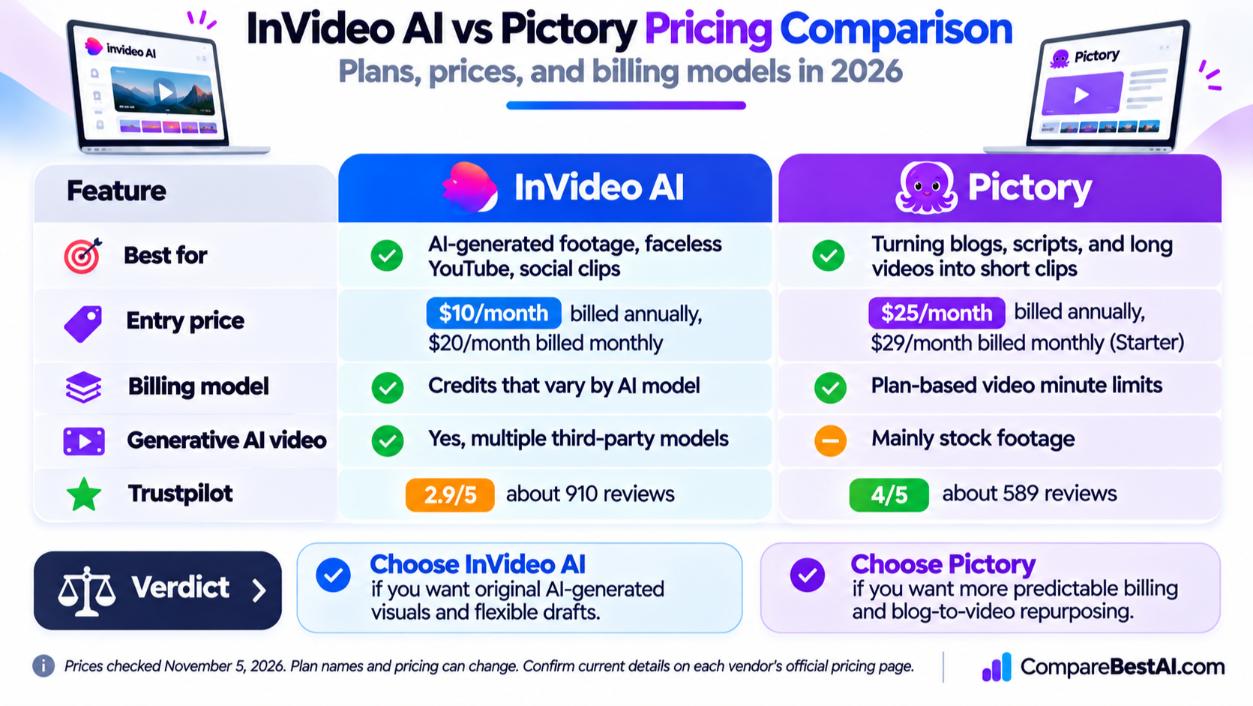
InVideo AI vs Pictory: Which Is Better?
InVideo AI | Pictory | |
|---|---|---|
Best for | AI-generated footage, faceless YouTube, social clips | Turning blogs, scripts, and long videos into short clips |
Entry price | $10/month annual, $20 monthly | $25/month annual, $29 monthly (Starter) |
Billing model | Credits that vary by AI model | Plan-based video minute limits |
Generative AI video | Yes, multiple third-party models | Mainly stock footage |
Trustpilot | 2.9/5 (about 910 reviews) | 4/5 (about 589 reviews) |
Verdict: Choose InVideo AI if you want original AI-generated visuals and fast, flexible drafts. Choose Pictory if you mostly repurpose blog posts and webinars into stock-based videos and prefer more predictable billing. Pictory's Starter plan is capped at 720p, so check export quality before choosing it. Read our full Pictory AI review for details.
What's Better Than InVideo AI?
It depends on the job:
- Editing your own footage: Descript or CapCut
- Tight budgets: see our list of the cheapest AI video generators
- Other text-to-video options: compare Rotor Videos vs InVideo
InVideo AI Pros and Cons
Pros
- Creates complete video drafts from a single prompt
- Access to multiple generative AI video models in one tool
- Beginner-friendly, with a timeline editor for detail work
- Low entry price on annual billing
Cons
- Credit costs are hard to predict
- Regenerations consume credits even when results are unusable
- Usage-based refund policy draws many complaints
- Free plan exports include a watermark
Should You Use InVideo AI or Hire a Video Editor?
Use InVideo AI for high-volume, lower-stakes content such as social clips, YouTube explainers, and internal videos. Hire a human editor for brand campaigns, client deliverables, and anything where polish and storytelling decide the result. Many creators use both: InVideo for the rough cut and an editor for the final pass.
InVideo Review: Key Takeaways
- InVideo AI is a legitimate AI video generator founded in 2017 and backed by major investors.
- Paid plans start at $10/month billed annually or $20 monthly, and credits do not roll over.
- Regenerations cost credits, so budget extra for revisions.
- It is a strong fit for faceless YouTube and social video, as long as you edit the output.
- Pictory is the steadier pick for repurposing blogs with predictable billing.
Frequently Asked Questions
Is InVideo AI legit or a scam?
InVideo AI is legit. It is a venture-backed company founded in 2017. Most complaints are about credit usage, billing, and refunds, not fraud.
Is InVideo AI free?
Yes, there is a free plan with a small weekly credit allowance, but exports are watermarked. Paid plans remove the watermark.
Why am I losing InVideo AI credits?
Every generation and regeneration uses credits, and premium models and higher resolutions cost more. Unused credits also expire at the end of each billing cycle.
Can you get a refund from InVideo AI?
Possibly. InVideo reviews refunds case by case, and they are pro-rated based on usage. Cancelling alone does not trigger a refund.
Does InVideo AI include copyright-free music and stock footage?
Paid plans include licensed stock footage and music for use in your videos. Check InVideo's terms for commercial use, and keep your license details in case a platform flags a clip.
Can you make money with InVideo AI?
Yes. Creators use it for faceless YouTube channels, social media management, and client video work. Earnings depend on your content quality and audience, not the tool alone.
Final Verdict: Is InVideo AI Worth It in 2026?
The bottom line of this InVideo review: InVideo AI is worth it if you create videos often, want AI-generated visuals, and are willing to manage credits carefully. It is less suitable if you need predictable monthly costs or are uncomfortable with a usage-based refund policy. Start on the free plan, make one complete video, and track how many credits it uses before you pay.
At CompareBestAI, we review and compare AI tools side by side so you can choose with confidence. Explore our AI video generation category, see our picks for the best AI video tools, or use the CompareBestAI comparison tool to put InVideo, Pictory, and other video generators side by side.