

By CompareBestAI Editorial Team
Quick Answer Google Vids features include a browser-based timeline editor, AI avatars and voiceovers in 24 languages, Veo 3.1 video clips from text or photos, Gemini Omni editing by plain-language prompt, a read-along teleprompter, transcript trim, screen and camera recording, auto captions and direct YouTube publishing. Anyone with a Google account can start free at vids.new, with 10 Veo generations a month. Paid Google AI and Workspace plans add higher limits, personal avatars, music generation and 1080p output. Best for: training, internal updates, explainers and short marketing videos · CBAI score: 8.0/10
Google Vids is an AI video creation app from Google, built on Gemini and included in Google Workspace alongside Docs, Slides and Drive. It combines a scene-based editor, recording tools and Google's video, voice and music models in one browser tab, and it lets teams edit and comment on a video together the way they would on a shared doc. This guide lists every major Google Vids feature, explains which ones are free and which need a paid plan, and covers the limits most reviews skip. Prices are in USD for US customers and were checked on October 3, 2026.
Google Vids features at a glance
| Feature | What it does | Who gets it |
|---|---|---|
| Timeline editor and stock library | Build videos scene by scene with royalty-free media, transitions and your own Drive or Photos files | All users |
| Screen and camera recording | Record yourself, your screen or both inside Vids | All users |
| Read-along teleprompter | Scrolls your script as you speak | All users |
| Transcript trim | Cut words and silences by editing the transcript | All users |
| Auto captions | Generates captions for spoken audio | All users |
| YouTube publishing | Publishes straight to YouTube, set to Private by default | All users |
| AI voiceovers and avatars | Presenter avatars and AI narration in 24 languages | Basic version free; more control on paid plans |
| Veo 3.1 video clips | Generates clips from a text prompt or photo | 10 free a month; higher limits on paid plans |
| Slides to Vids | Turns a Google Slides deck into a narrated video | Plan-dependent |
| Lyria 3 music | Composes original tracks from 30 seconds to 3 minutes | Google AI Pro and Ultra |
| Gemini Omni editing | Changes clips with prompts, such as swapping a background or fixing lighting | Paid Google AI and Workspace plans |
| Personal avatar | Builds an avatar of you from a selfie and a short voice recording | Paid plans, 18+, select regions |
| Extension, duration control and 1080p | Lengthens scenes, sets exact clip length, generates or upscales to 1080p | Paid Workspace plans and Google AI Pro and Ultra |
Sources: Google Vids product page and Google Workspace Updates blog, checked October 3, 2026. Plan access changes often; confirm on Google's Vids availability help page.
See Google Vids' full CBAI score and plan details →
Key Takeaways: Google Vids Features in 2026
- The core editor is free. Recording, teleprompter, transcript trim, captions and YouTube publishing work on any Google account.
- AI generation is metered. Free accounts get 10 Veo 3.1 generations a month; paid plans raise the limit.
- 2026 changed the product. Avatars, Veo 3.1 clips, Lyria music, Gemini Omni editing and 1080p all arrived between April and September 2026.
- Collaboration is the differentiator. Vids shares and comments like a Google Doc, which most AI video tools don't match.
- It isn't a pro editor. Videos cap at 30 minutes, and creating or editing works on desktop only.
What Is Google Vids?
Google Vids is Google's AI-powered video creation app for work and personal use. Google announced it at Cloud Next in April 2024 and made it generally available to Workspace business and education customers on November 7, 2024. In 2026 Google opened a free version to anyone with a Google account at vids.new.
Vids sits between a slide editor and a video editor. You arrange scenes on a timeline, then fill them with recordings, stock media, AI avatars, AI narration and generated clips from Veo 3.1, Google's video model. Because it runs in Google Workspace, it pulls files from Drive and Photos and uses the same share settings as Docs and Slides. For our overall verdict, read the Google Vids review.
Google Vids Features Timeline: What Changed in 2026
| Date | Update | Access |
|---|---|---|
| Nov 7, 2024 | General availability with "Help me create" storyboards, AI voiceovers and a stock library | Select Workspace plans |
| Feb 4, 2026 | Read-along teleprompter and transcript trim opened to all users | All Workspace editions and personal Google accounts |
| Apr 2, 2026 | Veo 3.1 clips, directable AI avatars, Lyria 3 music, Vids Screen Recorder for Chrome, YouTube publishing | Veo clips and publishing for all (free rollout started in the US); avatars and music on Google AI Pro and Ultra |
| Jul 16, 2026 | Gemini Omni editing and personal avatars | Paid Google AI and Workspace plans |
| Sep 23, 2026 | Gemini Omni 1.1 Flash: video extension, duration control, 1080p generation and upscaling | Workspace Business, Enterprise and Education Plus; Google AI Pro and Ultra |
Source: Google Workspace Updates blog and Google's April 2, 2026 Vids announcement.
Timeline editor and stock media
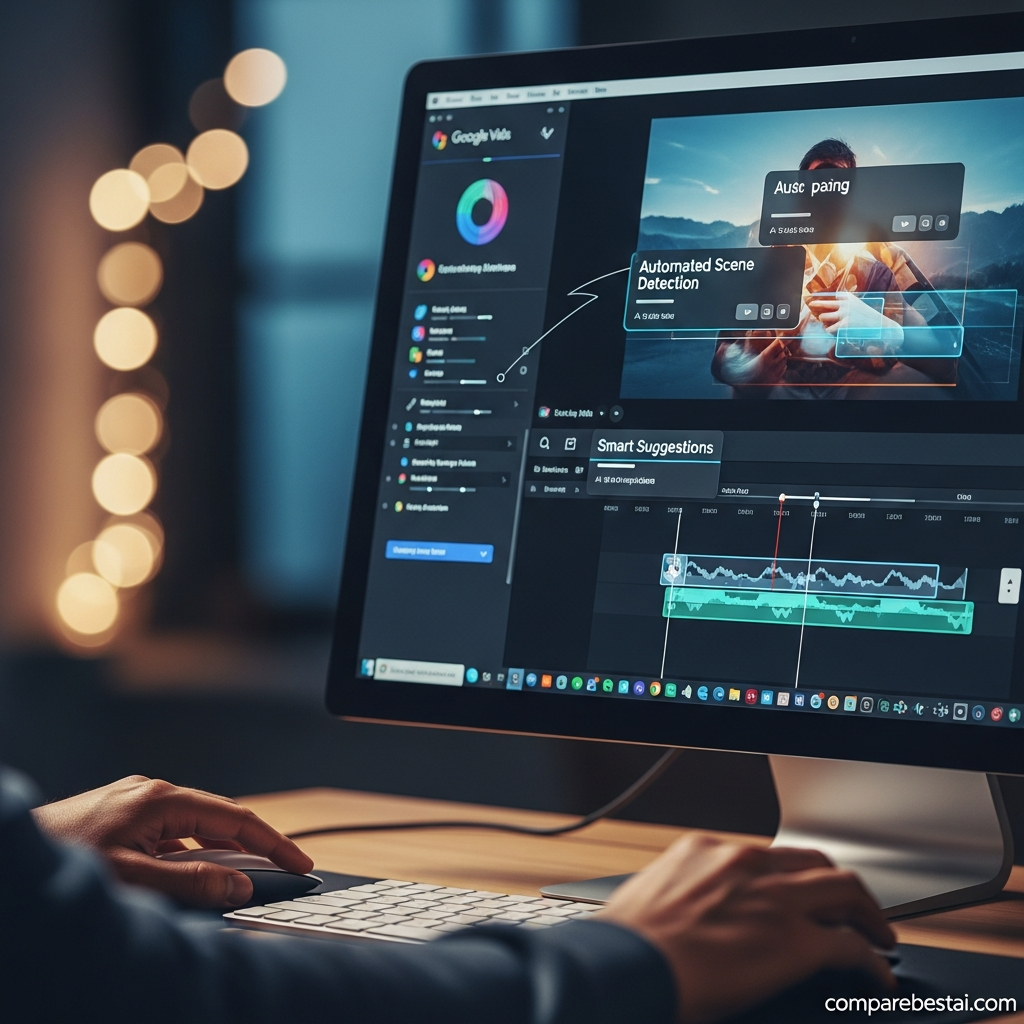
Every Vids project is a set of scenes on a timeline. You add text, images, transitions and royalty-free stock footage and music from Google's library, or your own files from Google Drive and Google Photos. Videos can be widescreen, vertical or square, which covers YouTube, Shorts, Reels and LinkedIn from one project.
"Help me create" storyboards
Describe the video you want, or point Vids to a file in Drive, and Gemini drafts a storyboard with a suggested script, scenes and media. You then edit the draft like any other project. This has been part of Vids since general availability in November 2024.
Slides to Vids
Slides to Vids converts a Google Slides deck into a video with an AI voiceover or an AI avatar presenting it. It's the fastest route from an existing training or sales deck to a shareable video. Availability depends on your plan; Google lists it under paid Workspace, Education and Google AI plans.
Screen and camera recording
Vids records your camera, your screen or both, directly in the editor. In April 2026 Google added the Google Vids Screen Recorder extension for Chrome, so you can capture a web app or walkthrough without leaving the page you're recording.
Read-along teleprompter
The teleprompter scrolls your script as you speak, so you keep eye contact with the camera. Since February 4, 2026 it's available to every user, including personal Google accounts.
AI Avatar and Voice Features
AI avatars
AI avatars are on-screen presenters that read your script. Free accounts get basic avatars. Google AI Pro and Ultra subscribers get directable avatars, where prompts control the avatar's look, position and interaction with props and backgrounds, while voice and identity stay consistent across scene changes. Vids supports avatars and voiceovers in 24 languages.
Personal avatars
Since July 16, 2026, paid users can create an avatar of themselves from a selfie and a short voice recording. Once built, the avatar delivers any script you type, so you don't need to re-record when content changes. Google limits personal avatars to users aged 18 and over in select regions, tied to the account holder's own likeness.
AI voiceovers
Choose a preset AI voice to narrate your script, or record your own voice with the teleprompter. AI voiceovers are the quickest way to produce consistent narration for training libraries and help-center videos.
AI Video Generation Features
Veo 3.1 video clips
Vids generates new video clips from a text prompt or a photo using Veo 3.1. Free accounts get 10 generations a month, a quota that launched in the US on April 2, 2026 with other regions following. Paid plans raise the limit, and Google AI Ultra has the highest quota. To see what the model can do on its own, read our guide to Veo 3.1 features.
Gemini Omni editing
Gemini Omni lets you edit a generated clip with plain-language instructions: swap the background, correct the lighting or add an effect. Edits are applied step by step, so earlier changes are kept instead of regenerating the whole clip. It's available to paid Google AI and Workspace business users.
Video extension, duration control and 1080p
The September 23, 2026 Gemini Omni 1.1 Flash update added three features. Video extension makes a scene last longer while keeping lighting, characters and setting consistent. Duration control sets the exact length of a generated clip so it fits your narration. 1080p generates new scenes in full HD or upscales existing clips.
SynthID watermark
Every AI-generated clip in Vids carries an invisible SynthID watermark, Google's marker for AI-generated content. That matters for brand and compliance teams that need to disclose synthetic media.
Editing and Audio Features
Transcript trim
Transcript trim works like text-based editing in Descript: delete words or silences in the transcript and Vids cuts the matching video. It's free for all users since February 2026.
Auto captions
Vids generates captions for spoken audio automatically. Captions improve accessibility and help on social feeds where most people watch with the sound off.
Lyria 3 music generation
Google AI Pro and Ultra subscribers can compose original music tracks from 30 seconds to 3 minutes inside Vids using Lyria 3 and Lyria 3 Pro. That removes the need to license tracks for short marketing and social videos.
Collaboration and Publishing Features
Real-time collaboration and permissions
Vids shares the way Google Docs does. Invite teammates with edit, comment or view access, work on the same video at the same time and leave comments on specific scenes. For teams already reviewing scripts in Docs, this is the feature that removes the most back-and-forth.
Direct YouTube publishing
Since April 2026, all users can publish a finished video straight to YouTube. Videos upload as Private by default, so you can review them before going public. You can also share a Vids link or keep the file in Drive.
Google Vids Free vs Paid: What Each Plan Unlocks
| Plan | US price | Vids features included |
|---|---|---|
| Free Google account | $0 | Editor, recording, teleprompter, transcript trim, captions, YouTube publishing, basic avatars and voiceovers, 10 Veo 3.1 generations a month |
| Google AI Plus | $7.99/mo | Free features plus expanded AI access (check Google's availability page for Vids limits) |
| Google AI Pro | $19.99/mo | Directable avatars, Lyria 3 music, Gemini Omni editing, 1080p and extension, higher generation limits |
| Google AI Ultra | From $99.99/mo | Everything in Pro with the highest generation limits |
| Workspace Business Starter | $7/user/mo (annual), $8.40 flexible | Vids for teams with Workspace sharing and admin controls |
| Workspace Business Standard | $14/user/mo (annual), $16.80 flexible | Vids plus 2 TB storage per user |
| Workspace Business Plus | $22/user/mo (annual), $26.40 flexible | Vids plus 5 TB storage per user and stronger security controls |
| Workspace Enterprise | Custom quote | Vids with enterprise controls; higher AI limits with the AI Expanded Access add-on |
Google AI prices reflect the May 2026 plan restructure. Workspace prices are Google's US list prices. Checked October 3, 2026; confirm on Google Workspace pricing before buying.
Individuals who only need recording and editing can stay free. If you want AI avatars with full control, music and 1080p output, Google AI Pro is the cheapest paid route. Teams already on Workspace get Vids with their existing plan. For a full breakdown, read our Google Vids pricing guide.
Compare Google Vids plans and CBAI's score →
Google Vids Limits to Know Before You Start
- 30-minute maximum per video.
- Desktop only for creating and editing. Finished videos can be viewed on mobile.
- 10 free Veo generations a month, with the free quota rolling out from the US first.
- Personal avatars require age 18+ and are limited to select regions.
- No pro-grade controls such as multicam editing, color grading or advanced audio mixing. Use Adobe Premiere Pro for that.
- Plan access changes often. Google has moved features between free and paid tiers several times in 2026.
Who Uses Which Google Vids Features?
Training and HR teams
Slides to Vids, AI voiceovers and avatars turn existing onboarding and policy decks into videos. Personal avatars let a trainer update a script without re-recording.
Marketing teams
Veo 3.1 clips, Lyria music, square and vertical formats and YouTube publishing cover short product explainers and social posts. Wyzowl's 2026 survey found that 71% of people consider videos of 30 seconds to 2 minutes the most effective length, which suits Vids' scene-based format.
Educators
The teleprompter, screen recording and transcript trim make lesson walkthroughs quick to record and fix. Google for Education plans include Vids.
Internal communications
Real-time collaboration and comment permissions let leaders, editors and reviewers work on one company update instead of trading files.
To set up your first project step by step, see how to use Google Vids.
Google Vids Features vs Synthesia, Descript, CapCut and Pictory AI
| Google Vids | Synthesia | Descript | CapCut | Pictory AI | |
|---|---|---|---|---|---|
| Free plan | Yes | No | Yes | Yes | No (14-day trial) |
| Starting paid price | $19.99/mo (Google AI Pro) or $7/user/mo (Workspace) | $22/mo | $8/mo | $19.99/mo | $29/mo |
| Standout feature | Docs-style collaboration plus Veo 3.1 clips | Realistic avatars in 140+ languages | Text-based audio and video editing | Fast captions, effects and TikTok publishing | Script and URL to stock-footage video |
| Best for | Workspace teams, training and explainers | Corporate training at scale | Podcasts and YouTube editing | Short-form social content | Faceless YouTube and repurposing |
| CBAI score | 8.0/10 | 8.0/10 | 8.3/10 | 7.0/10 | 7.0/10 |
Competitor details from CompareBestAI tool pages, checked October 3, 2026.
What stands out: Google Vids is the only tool here that combines real-time Docs-style collaboration, a free tier and built-in AI video generation. Synthesia and HeyGen offer more avatar languages and presenter options; compare them in HeyGen vs Synthesia. CapCut is faster for short-form social edits, and Pictory AI is stronger for turning articles into stock-footage videos. For head-to-head detail, read Google Vids vs Pictory and Google Vids vs Runway.
How We Researched Google Vids Features
CompareBestAI scores every tool with the same framework, described in how we rank tools. For this update we:
- Checked Google's Vids product page and the Google Workspace Updates posts from February 4, July 16 and September 23, 2026
- Checked reporting on Google's April 2, 2026 Vids launch for free quotas and plan access
- Checked Google Workspace and Google AI US list prices as of October 2026
- Compared Vids with competitors using features and prices from CompareBestAI's tool pages
- Removed features, prices, statistics and case studies from the earlier version of this page that we could not confirm
We did not run a new hands-on benchmark for this update. Where access depends on plan or region, we say so.
Google Vids Features FAQs
What can Google Vids do?
Google Vids creates and edits videos in your browser. It records your screen and camera, adds AI avatars and voiceovers in 24 languages, generates clips with Veo 3.1, edits by transcript, adds captions and publishes straight to YouTube. Teams can edit and comment together, like a Google Doc.
Is Google Vids free?
Yes. Anyone with a Google account can use Vids free at vids.new. The free version includes the editor, recording, teleprompter, transcript trim, captions, YouTube publishing, basic avatars and 10 Veo 3.1 generations a month. Paid Google AI and Workspace plans add higher limits and advanced AI features.
Does Google Vids have AI avatars?
Yes. Free accounts get basic AI avatars. Google AI Pro and Ultra subscribers can direct an avatar's look and actions with prompts. Since July 2026, paid users aged 18 and over in select regions can also build a personal avatar from a selfie and a short voice recording.
How long can a Google Vids video be?
A Google Vids video can be up to 30 minutes long. Creating and editing work on desktop only, though finished videos can be watched on mobile. For short social clips, vertical and square formats are available in the same project.
Which AI models power Google Vids features?
Google Vids runs on Gemini. Veo 3.1 generates video clips, Gemini Omni and Gemini Omni 1.1 Flash handle prompt-based editing, extension and 1080p, and Lyria 3 composes music. Every AI-generated clip carries an invisible SynthID watermark.
Can Google Vids replace Adobe Premiere Pro?
Not for professional editing. Google Vids is built for training, explainers and team updates, and it lacks multicam editing, color grading and advanced audio mixing. Editors who need frame-level control should use Adobe Premiere Pro or a similar desktop editor.
Final Verdict: Are Google Vids Features Worth It?
Google Vids features have grown from a Workspace slideshow tool into a full AI video app. The free tier covers more than most competitors' paid entry plans: recording, teleprompter, transcript editing, captions, YouTube publishing and 10 Veo 3.1 clips a month. Paid plans add the features that matter for regular production, such as directable and personal avatars, Gemini Omni editing, music and 1080p.
It's the right choice for teams that already work in Google Workspace and need training, explainer and update videos fast. It's the wrong choice for cinematic editing, videos over 30 minutes or avatar work in dozens of languages.
CBAI score: 8.0/10. Best for Google Workspace teams and educators.
Compare Google Vids plans and CBAI's score → · Compare Google Vids with other AI video tools →
Read next: our AI video generator comparison, the best AI avatar video generators, or browse every tool in our Video Generation category.
About CompareBestAI: CompareBestAI compares AI tools and the software businesses run on, with transparent pricing checks and a consistent scoring method. Get new AI video reviews in our newsletter →

