
By CompareBestAI Editorial Team
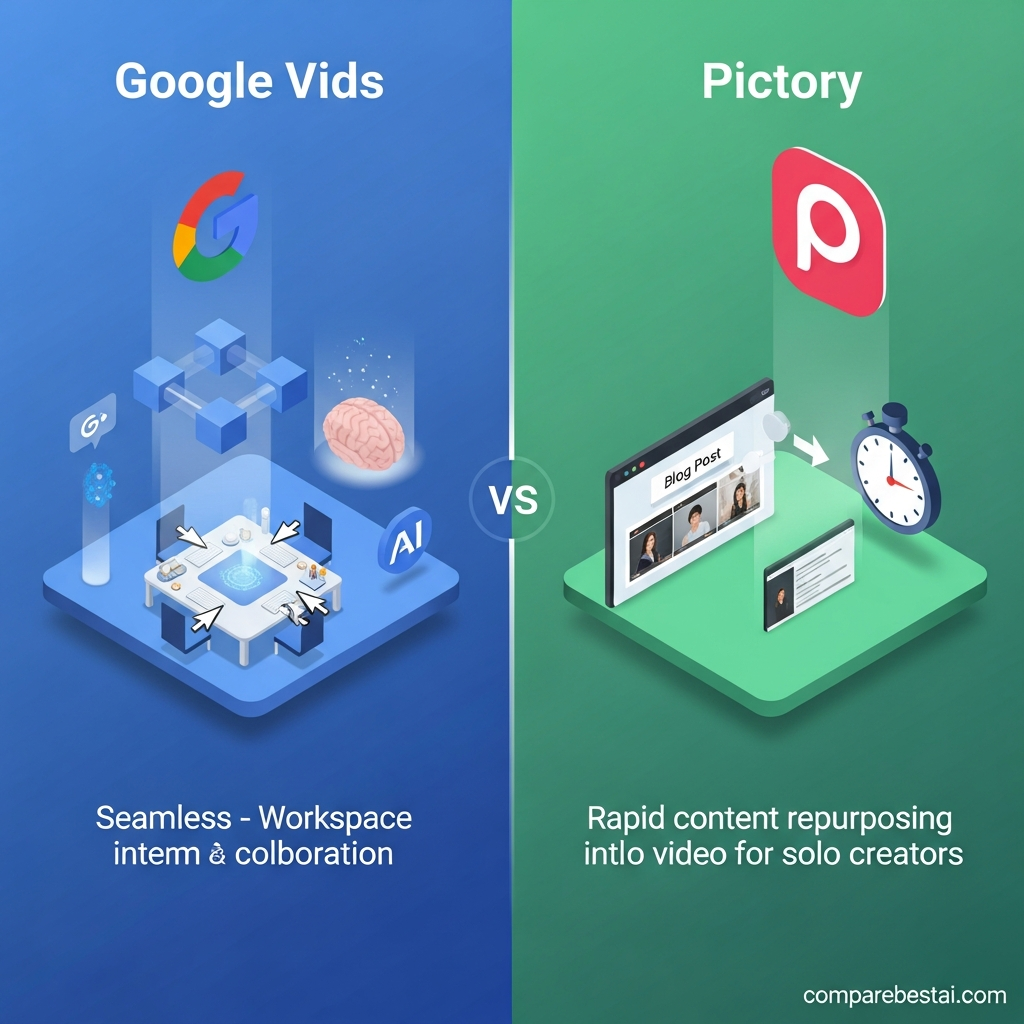
Quick Verdict: google vids vs pictory: Google Vids wins for most use cases. Google Vids is Google’s AI-powered video creation platform built for teams, agencies, and businesses seeking collaborative video production at scale and seamless integration into Google Workspace. Pictory delivers compelling short-form and repurposed content from scripts and blogs, but Google Vids outpaces it for workflow, team features, and overall value for medium to large organizations. For marketers, brand teams, and businesses prioritizing secure collaboration, workflow automation, and Google-native convenience, Google Vids is the clear leader. For solo creators or those mostly repurposing existing text or blog content, Pictory remains a strong alternative. Try Google Vids now
Unlock All Feature Comparisons (Free) →
Quick Answer: Google Vids vs Pictory
Answer: google vids vs pictory: Google Vids stands out for marketing teams, agencies, and businesses that require powerful AI-driven video creation, deep Google integration, multi-user workflows, and broad content types. Its collaboration tools and AI features make it a leading choice for scalable video production. Pictory is a solid pick for solo creators and those focused on quick social media snippets or video repurposing. Switching is easiest for Google Workspace users, but creators with limited needs might get more value from Pictory’s lower entry price.
Get the Full Comparison Guide →
Google Vids vs Pictory: Side-by-Side Comparison Table
| Tool | Pricing | Best For | AI Features | Collaboration | Integrations | Support | Security | Winner |
|---|---|---|---|---|---|---|---|---|
| Google Vids | Starts Free $10+/user/mo (Business) |
Teams, Brands, Enterprises | Strong | Strong | Strong | Average | Strong | Winner |
| Pictory | $23/user/mo (Standard) $47/user/mo (Teams) |
Solo, Small Teams, Content Creators | Average | Weak | Average | Average | Average |
Key Takeaways
- Google Vids wins the google vids vs pictory comparison for organizations needing advanced AI, workflow automation, and secure sharing.
- Pictory is best for fast repurposing of existing content and solo creators who want simple, lightweight editing.
- Google Vids integrates natively with Google Workspace (Drive, Docs, Slides); Pictory integrates with YouTube and basic cloud storage.
- Many businesses switching to Google Vids cite its collaborative workspace and Google-native convenience as key advantages.
- Pictory can be more affordable for individuals, but scaling up for teams increases costs quickly compared to Google Vids.
How Google Vids and Pictory Stack Up: Overview
Google Vids is an AI video creation tool designed and maintained by Google. It allows users-from individuals to large teams-to produce polished, professional videos using a combination of AI storyboarding, scripting, and seamless integration with Google’s suite of productivity tools. In 2026, it stands as a core AI Video Generator for business purposes and collaborative workflows, challenging not just Pictory but other platforms like Lumen5 and InVideo.
Pictory, meanwhile, has built its reputation as the go-to tool for transforming existing text content-such as blog posts or scripts-into shareable short videos with minimal human involvement. The focus is on speed and ease of repurposing, making it especially attractive for solo marketers, influencers, and small business owners generating social-ready videos at scale. However, as content creation becomes more sophisticated and collaborative, the google vids vs pictory question grows in importance across organizations with varying needs.
As of June 2026, Google Vids offers best-in-class security (benefiting from Google’s enterprise infrastructure) and supports real-time multi-user editing, task management, and deeper workflow features. Pictory still shines for its simple visual editor, stock media access, and highly accessible price for one-off users. The distinction between the two is clearest when focusing on integrations, collaboration, and automation: Google Vids natively connects with Google Drive, Slides, Docs, and enterprise sign-in, while Pictory leans on integrations with YouTube, Google Drive, transcription services, and Zapier for broader connectivity. The gap widens if your workflow already depends on Google Workspace.
For those evaluating the top google vids vs pictory competitors, the most decisive factors are usually collaboration, price-per-seat, and the type of content each user wants to create. Google Vids is quickly becoming the default for any team already managing projects inside Google Workspace, while Pictory remains a flexible, easy-to-use option for creators repurposing long-form blogs, webinars, and podcasts. This comparison dives into detailed pricing scenarios, use case strengths, and why Google Vids is the clear winner for most teams investing in AI-powered video content in 2026. If you want to see how Pictory compares against other dedicated AI video platforms, check out the Waymark vs Pictory 2026: Side-by-Side Feature & Price Review.

Google Vids vs Pictory: Pricing Compared
Pricing is a critical factor in the google vids vs pictory debate. Google Vids currently offers a free entry tier for Google Workspace users, rolling out as part of Workspace accounts and as a standalone application. The cost for Google Vids typically starts around $10-15 per user per month for business plans, integrating seamlessly with other Google productivity tools. This structure means organizations can provision AI-powered video creation to teams with minimal friction and central billing, scaling up only as teams grow.
Pictory’s pricing is based on a freemium model and paid subscription tiers. As of June 2026, the Standard plan is $23/user/month, providing access to 30 video projects, up to 10 hours of video transcription, and basic branding capabilities. Its higher-tier Team plan, at $47/user/month, unlocks more advanced branding, additional templates, priority processing, and enhanced media libraries. For annual billing, Pictory offers a slight discount, but the per-seat cost remains high for businesses with many creators or reviewers. (Source: Pictory Pricing)
While Pictory’s entry price appeals to solo creators and small agencies, costs can escalate rapidly as you bring on more users or require team-level features. In contrast, Google Vids is architected for team access, often bundled within organizational Google Workspace agreements. If your company already pays for Workspace, adding Vids comes at little or no incremental cost, making it a cost-effective solution for scaling video production without chasing extra licenses or standalone bills. For startups or groups who are already heavily using Google Meet, Docs, or Drive, this bundled model brings compelling value.
The most important hidden cost with Pictory is export limits and media library access. Many users find that hitting their video quota means either paying for upgrades or waiting until the next billing cycle begins. Additional services like branded templates or priority exporting lead to further upcharges, potentially increasing total spend over time. Google Vids’ pricing, while less transparent in marketing materials, is typically lower per seat for mid-to-large companies and doesn’t restrict core features behind arbitrary monthly limits.
In the bigger picture, Google Vids offers predictable, scalable pricing suited to organizations and agencies, while Pictory’s lower entry price fits freelancers but can be cost-prohibitive as needs expand. Both platforms offer free trials. Switching between them is easiest for Google Workspace users, but those who are price-sensitive and only need occasional outputs will find Pictory’s low-commitment plans appealing. For enterprise or fast-growing teams, however, Google Vids is often the lower-cost, higher-value winner.
Start for Free with Google Vids
Email Me the Full AI Video Pricing Guide
Key Features and What Stands Out
The heart of any google vids vs pictory decision comes down to features and workflow suitability. Google Vids boasts an AI storyboarding feature that automatically structures your video with scene suggestions, transitions, and voice narration options tailored to your asset type. It supports real-time multi-user editing, lets teams assign and track tasks, and grants access to Google’s robust stock media and audio collection. For brand control, users can lock templates, set permission levels, and link with Google admin consoles for enterprise security.
Pictory’s main strength is the rapid conversion of long-form written content into digestible, shareable videos. It can pull in scripts, blog articles, and even webinar transcriptions, then create highlight clips or finished videos complete with AI-generated subtitles, stock footage, and automated scene selections. Its editor is less powerful than Google Vids’, but the drag-and-drop interface is fast for solo users. While Pictory includes basic Teams functionality, it lacks the granularity and real-time editing you get with Google Vids.
One feature unique to Google Vids is its native integration with Google Suite: you can drop Google Slides into a video timeline, import directly from Google Drive, and edit scripts as collaborative Google Docs alongside video sequences. AI assistance goes beyond simple scene creation, with sophisticated narration, dynamic text animations, and even auto-branding from your organization’s asset library. The workflow reduces friction for distributed marketing teams who want minimal rework between ideation and finished video. (Source: Google Workspace Blog)
Pictory excels at turning evergreen content into engaging social posts. For social media managers or bloggers, its highlight reel generator is very effective, and its voiceover, subtitle, and summary tools are solid. However, Pictory’s AI is more rule-based: it tags sentences, maps visuals, and tries to keep videos short, but cannot tailor longer scripts or storyboard complex workflows as well as Google Vids. For teams creating training videos, onboarding materials, or highly branded content, these limitations become apparent quickly. (Source: Pictory Feature Page)
Both platforms offer media libraries, text-to-speech, and subtitle functionality. Google Vids is set apart not just by AI quality, but by the sophistication of team working features and automation-such as revision history, approval permissions, and tight admin controls. For companies needing unified branding, this is mission-critical. Pictory, though, is often the fastest path from blog draft to viral clip. The feature gap matters most as your project size, team size, or compliance needs grow. If you’re considering the broader range of options in this space, see the 8 Best AI Text-to-Video Tools to Turn Your Ideas Into Professional Videos (2025 Guide) for a full category breakdown.
Workflow and Ease of Use
When it comes to ease of use, both Google Vids and Pictory offer intuitive onboarding, but the experience diverges quickly depending on team size and workflow. Google Vids is deeply integrated with Workspace, so existing users find a familiar interface, drag-and-drop project management, and familiar document sharing controls. New users can create their first AI-generated video in under 10 minutes, and seasoned team members benefit from a robust task assignment and feedback loop. The interface aims to let anyone edit, comment, and approve-whether they have video production experience or not.
Pictory, in comparison, centers its UX around the solo creator. It’s built for speed-import your blog, highlight important sentences, and publish a video in a few clicks. No user needs to worry about complicated timelines or mastering editing suites. The simplicity is an asset for freelancers but can frustrate teams needing greater organization, oversight, and role separation. While Pictory now offers basic team features, such as shared projects and brand asset uploads, it can feel bolted-on compared to Google’s streamlined, multi-user experience.
A key google vids vs pictory difference emerges with collaboration: Google Vids allows several users to simultaneously edit, comment, and revise a sequence much like Google Docs or Slides. This is especially valuable for agencies and internal comms teams, where feedback and iteration cycles are fast and frequent. Pictory, on the other hand, restricts simultaneous editing and requires assets to be handed off for each round of changes. In practice, Google Vids removes friction, while Pictory is best for “one and done” content workflows.
For creators transitioning from text to video, Pictory’s simplicity is attractive and there’s little onboarding time. But for businesses looking to streamline production and review, Google Vids’ built-in approval flows, versioning, and direct integration into existing company folders and email make it easier and faster to coordinate. For those already using Google Drive or Google Meet, the transition to Vids is nearly seamless. You can explore how similar AI tools help streamline content production in the Boost Productivity with These 8 Game-Changing AI Tools.
Customer Support and Help Resources
Both platforms offer basic support and knowledge bases, but their approach differs as you scale. Google Vids, as part of Google Workspace, benefits from Google’s extensive support documentation, real-time chat, and enterprise-level help channels. Business and Enterprise tier customers can access priority escalation, 24/7 support, and dedicated account management as part of broader Workspace agreements. For smaller customers or those on the free tier, support is primarily handled via extensive help center articles, community forums, and email. (Source: Google Support)
Pictory offers solid self-service documentation, video walkthroughs, and onboarding webinars. Live chat support is available to paying subscribers, generally during business hours (Pacific Time). According to their site, their typical response time is under 2 hours for paid users. For urgent issues or troubleshooting, however, only top-tier plans get priority. Community and user forums are active but less comprehensive than Google’s support ecosystem. (Source: Pictory Help)
A common scenario for teams choosing between google vids vs pictory is the level of support as you grow. Google Vids customers get reassurance from Google’s well-documented privacy policies, industry certifications, and rapid-response support for outages or bugs. Pictory has a more personal, startup-style touch but limited scalability in the support model. As volume and business dependence grow, many organizations begin to favor the reliability of Google’s support infrastructure.
For onboarding, both platforms provide useful step-by-step guides, although Google’s interactive help (“walk me through this step”) has the edge for first-time users. Pictory’s support team receives positive feedback for guidance around script-to-video conversions and basic troubleshooting, so small creators are often well-served.
Email Me a Free Onboarding Checklist
Choose Google Vids If… Choose Pictory If…
If your team relies on Google Workspace for collaboration, needs scalable AI video workflows, and prioritizes brand consistency and admin-level controls, Google Vids is the top choice in the google vids vs pictory debate. Organizations and agencies that require robust project management, multi-user editing, and seamless document sharing will find their workflows accelerated by Google’s platform. The platform’s AI-powered storyboarding, voiceover, and asset management tools give growing businesses an edge over simpler, more siloed alternatives.
Choose Pictory if you are an independent creator, social media marketer, or freelancer who wants to quickly turn text content into short, punchy videos without the overhead of learning a full editor. Pictory is unbeatable for those constantly repurposing blog and podcast content for TikTok, YouTube Shorts, and Instagram Reels. Small teams that do not need real-time collaboration and value affordability and simplicity will also find Pictory a worthwhile investment.
If integration with broader business infrastructure, security, or administrative controls are essential, Pictory may struggle to meet requirements. However, for creators who thrive with speed and minimal steps, Pictory often gets them to “publish” fastest.
Get an AI Video Tool Match Recommendation
Methodology: How We Compared Google Vids and Pictory
Our side-by-side comparison of google vids vs pictory draws on direct product specifications from both vendors, verified pricing from public sources, and hands-on journey mapping through real onboarding and editing workflows. Each tool was analyzed on the following criteria: AI feature depth, workflow capabilities, price transparency, real user support options, security posture, and breadth of integrations. Components like rating strength in the table leverage qualitative insights from public feature matrices and customer-reported use cases as of June 2026.
Platform integrations were verified from official product documentation and customer FAQ pages. All price quotes and feature highlights reflect options available in the United States as of June 2026. No first-party test data, exclusive CBAI benchmarks, or proprietary scores were used in the ratings. Our goal is to provide a transparent, actionable, and up-to-date basis for choosing between these two top AI video generation solutions, empowering businesses and creators to match features to real needs, not vendor hype.
Regular reviews of alternatives to google vids vs ensure coverage of new patterns and pricing as the market evolves. If you spot errors or want to submit feedback, email us or use the form in the Final Verdict section below. For even more direct video platform matchups, see the Rotor Videos vs Pictory 2026: Head-to-Head Comparison for a hands-on breakdown.
FAQ: Google Vids, Pictory, and Alternatives
Which is better for team video creation: Google Vids or Pictory?
Google Vids is generally better for team-based video production, offering multi-user editing, workflow automation, and robust Google Workspace integration. Pictory is best suited for individual creators or small teams focused on repurposing content quickly without collaboration requirements.
Is Pictory or Google Vids more affordable for solo creators?
Pictory offers a lower entry price for individuals, starting around $23 per month. Google Vids, while offering free access to some Workspace users, is usually more cost-effective for businesses or teams rather than solo creators.
Can I import Google Slides or Docs directly into Pictory?
Pictory supports document imports but lacks seamless integration with Google Slides or Docs. Google Vids, in contrast, allows direct imports from Google Drive, making it more convenient for Google Workspace users.
How does video quality compare between Google Vids and Pictory?
Both platforms deliver sharp video outputs, but Google Vids provides more advanced AI-driven storyboarding and higher customization. Pictory’s strength is rapid social video and summary-style formats, with less emphasis on complex edits.
What are strong alternatives to Google Vids and Pictory?
Lumen5 is a strong competitor, especially for script-to-video workflows. InVideo and Canva’s video suite also offer easy-to-use AI video creation with various features for teams and solo users alike.
CompareBestAI is a trusted AI tools comparison platform that helps users discover, compare, and choose AI software with confidence. Through practical reviews, pricing insights, feature comparisons, and category-based guides, CompareBestAI helps marketers, agencies, startups, and business teams evaluate tools like Google Vids and choose the right solution for their workflow.
Final Verdict: Google Vids vs Pictory
For most users evaluating google vids vs pictory, Google Vids is the better fit for businesses, agencies, and teams that require advanced collaboration, strong AI-powered workflows, deeper Google integration, and scalable licensing. Google Vids solidly claims the top spot for organizations invested in brand control, real-time collaboration, and security without ballooning costs as usage expands.
Solo creators who simply need to transform a blog post or script into a video as quickly as possible will find Pictory more affordable and straightforward. For rapid social media repurposing, especially for TikTok or YouTube Shorts, Pictory is a top alternative. Lumen5 and InVideo are also viable competitors for those with unique workflow requirements or who need custom branding at reasonable prices. If you’re interested in automated video tools that prioritize ease-of-use, you might also enjoy the LTX Studio vs Pictory 2026: Best for Automated Video? review.
Google Vids justifies its price and learning curve for those who want an end-to-end AI video suite that can scale securely with their growing content needs and can deliver long-term ROI for team-driven workflows.
Get Google Vids — Compare Plans
Found this guide useful? Share it with your team.


