
By CompareBestAI Editorial Team
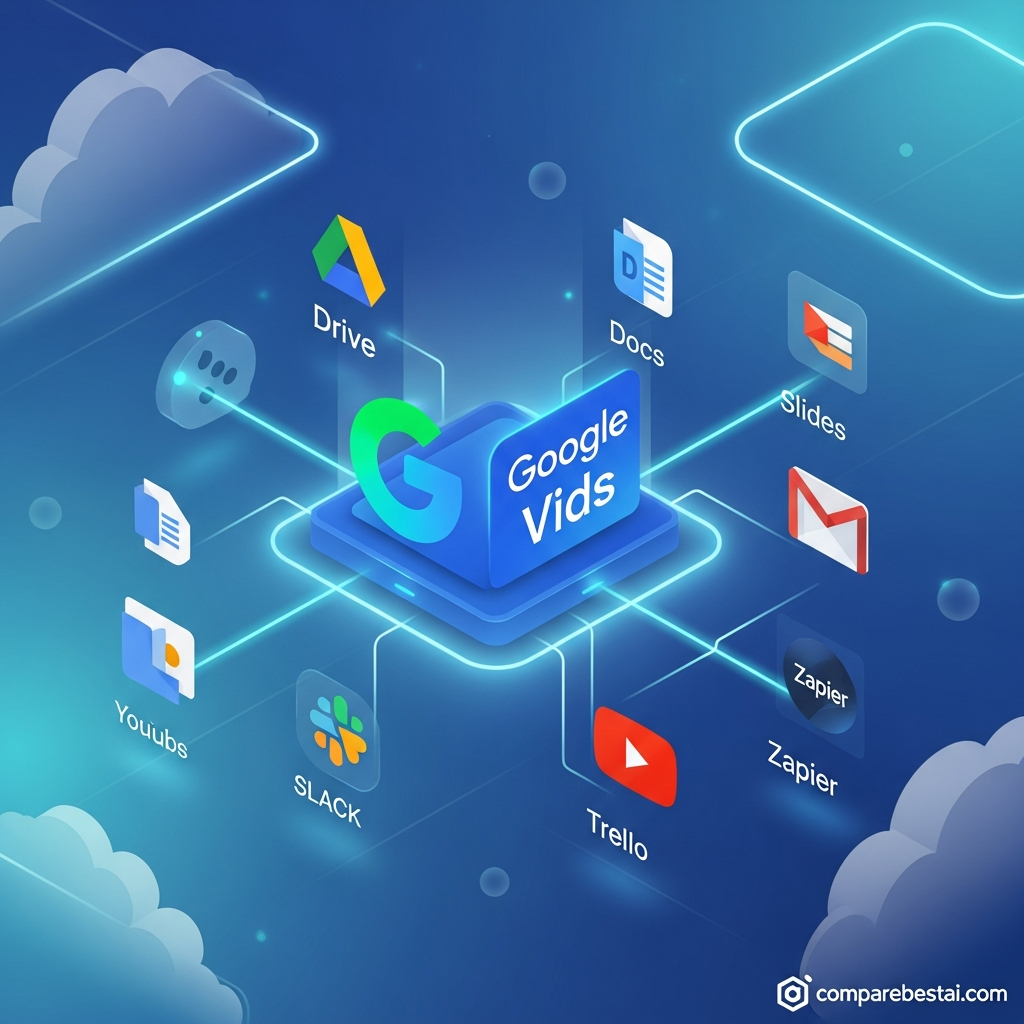
Quick Answer Google Vids integrations are native connections to Google's own apps: Google Drive (store Vids files, add media and open any Drive video in Vids), Google Photos, Google Slides (import a deck as scenes), Google Docs, PDFs and Word files (turn them into video summaries), YouTube (publish directly), Chrome (Screen Recorder extension) and Google Classroom. Google Vids has no public API and no Zapier app as of October 2026, and no native Slack, HubSpot or Dropbox connection. Teams automate around it through Google Drive. Best for: organizations already on Google Workspace · CBAI score: 8.0/10
Google Vids is Google's AI video creation app, built on Gemini and included in Google Workspace. Its integrations are deep inside the Google ecosystem and thin outside it. This guide lists every integration Google documents, how each one works, the limits that apply, what Vids doesn't connect to, and the workarounds teams use. Every fact was checked against Google's help center and Workspace Updates blog on October 3, 2026, and prices are in USD for US customers.
Google Vids integrations at a glance
| Integration | What it does | Since |
|---|---|---|
| Google Drive | Stores every Vids project; add images, video and audio from Drive; open any Drive video in Vids | Launch (2024) |
| Google Photos | Add photos and videos from your Photos library | Launch (2024) |
| Google Slides | Import a deck and convert each slide into a scene | June 20, 2025 |
| Google Docs, PDFs and Word files | Turn a document into a narrated video summary | September 2, 2026 |
| YouTube | Publish a finished video straight to YouTube, set to Private by default | April 2, 2026 |
| Chrome | Record your screen with the Google Vids Screen Recorder extension | April 2, 2026 |
| Google Classroom | Assign video projects or post video explainers to students | June 30, 2025 |
| Workspace sharing and Admin console | Share with edit, comment or view access; admins control Vids by organizational unit or group | Launch (2024) |
| MP4 download | Export a video to use on any platform | Launch (2024) |
| Public API or Zapier app | Not available | None |
Sources: Google Vids help center, Google Workspace Updates blog and Google's Drive API documentation, checked October 3, 2026.
See Google Vids' full CBAI score and plan details →
Key Takeaways: Google Vids Supported Apps in 2026
- Every native integration is a Google product. Drive, Photos, Slides, Docs, YouTube, Chrome and Classroom.
- Drive is the hub. Vids projects are Drive files, so Drive's sharing, search and admin controls apply to them.
- 2026 added document-to-video. Since September 2, 2026, Vids turns Docs, PDFs and Word files into video summaries.
- There is no Vids API or Zapier app. Automation runs through Google Drive, not through Vids itself.
- Admins control access centrally. Vids can be turned on or off per organizational unit or group in the Admin console.
What Are Google Vids Integrations?
Google Vids integrations are the connections that let Vids pull content from, and send videos to, other apps. Because Vids is part of Google Workspace, almost all of them run through Google's own products rather than third-party connectors. A Vids project is saved as a Google Drive file, uses the same sharing model as Docs and Slides, and can draw on files you already keep in Drive and Photos.
That design makes Vids easy to adopt inside a Workspace organization and harder to plug into tools outside it. For an overview of what Vids does beyond integrations, see our guide to Google Vids features, or read the full Google Vids review.
Google Workspace Integrations
Google Drive
Drive is the core Google Vids integration. Every Vids project is stored in Drive as its own file type, so it appears in search, folders and shared drives like any Doc or Slide.
You can add images, GIFs, video clips and audio from Drive into any scene. You can also go the other way: select a video in Drive, click Open, and choose Vids. A new Vids project opens with that video as the first scene, ready to trim, caption or add music. Vids accepts MP4, QuickTime, OGG and WebM video, with each clip capped at 35 minutes and 4 GB.
Google Photos
Add photos and videos from your Google Photos library directly into a scene. Make sure you're signed in to the Google account that holds the files, since Vids only reads from the account you're using.
Google Slides
Choose Import Slides when you create a new video, pick a presentation, and Vids converts each slide's text and images into individual scenes. You can then add animations, choose a narrator, record a voiceover or generate AI clips. On eligible plans, Slides to Vids also adds an AI voiceover or AI avatar to present the deck. This rolled out from June 20, 2025.
Google Docs, PDFs and Word files
Since September 2, 2026, Vids can turn a Google Doc, a PDF or a Microsoft Word file into a video summary, with an AI-written script, narration and visuals. It's available on Workspace Business and Enterprise plans (Starter, Standard and Plus), Education Plus, Google Workspace for Nonprofits, and the Google AI Plus, Pro and Ultra consumer plans.
Audio from Drive and your computer
Add music, sound effects and voiceovers from Drive, your computer, the Vids stock library or a recording made in Vids. Supported formats include MP3, WAV, M4A, FLAC and OGG. Each video can hold up to 50 audio objects.
Sharing and real-time collaboration
Vids uses Workspace sharing. Invite people with edit, comment or view access, work on the same project at the same time and comment on specific scenes. For teams that already review scripts in Docs, review happens in the same place with the same permissions.
Publishing and Recording Integrations
YouTube
Since April 2, 2026, all users can publish a finished video directly from Vids to YouTube. Uploads are set to Private by default, so you can check the video before making it public or unlisted.
Chrome Screen Recorder extension
The Google Vids Screen Recorder extension for Chrome, released April 2, 2026, captures your screen from any web page and sends the recording into Vids. It's useful for software walkthroughs and support videos.
MP4 download
You can download a finished Vids video as an MP4 and publish it anywhere: an LMS, a website, a social channel or a client's portal. Google has said nothing locks Vids content to Workspace.
Education Integration: Google Classroom
Since June 30, 2025, Vids has been available to all Google Workspace for Education editions (Fundamentals, Standard and Plus). It's integrated with Google Classroom, so teachers can assign video projects to students or post video explainers to a class. Education accounts also get templates organized by use case. Vids runs in Chrome, Firefox and Microsoft Edge.
 Admin Controls for Google Vids
How to turn Google Vids on or off
Workspace admins manage Vids in the Google Admin console:
- Go to Apps > Google Workspace > Drive and Docs > Google Vids.
- Select an organizational unit or access group on the left.
- Turn Vids On or Off, then choose Override or Inherit.
- Save. Changes can take up to 24 hours to apply.
In most organizations, Vids is on by default. Vids requires Drive and Docs to be turned on, along with permission to create new Drive files.
What happens when Vids is off
When Vids is off, users can't create Vids files or open Vids files shared with them, including files shared from other organizations. Plan for that if you share videos with partners whose admins may have Vids disabled; send an MP4 or a YouTube link instead.
AI features controls
Some AI features, such as personal avatars, have their own admin setting separate from the main Vids toggle. Check the Admin console before rolling Vids out widely.
What Google Vids Doesn't Integrate With
Based on Google's documentation as of October 3, 2026, Google Vids has no:
- Public Vids API. Google's Drive API recognizes Vids files (MIME type
application/vnd.google-apps.vid), so developers can list, move and share them, but there's no API to create, edit or render videos. - Zapier or Make app for Vids. No Google Vids app exists in Zapier's directory.
- Native Slack, Microsoft Teams, Dropbox, HubSpot, Asana, Trello or Jira integrations.
- Direct publishing to TikTok, Instagram, LinkedIn or Vimeo. Download an MP4 and upload it.
- Workspace Marketplace add-ons that extend the Vids editor.
- PowerPoint import. Slides import works with Google Slides; convert a PowerPoint file to Google Slides first.
If a third-party integration is essential, compare the alternatives below.
Integration Workflows: How Teams Connect Google Vids
Automate around Vids with Google Drive
Because Vids projects and exports live in Drive, automation tools can watch a Drive folder. For example, when someone saves an exported MP4 to a "Ready to publish" folder, Zapier or Make can post a Slack message or create a task in your project tool. The automation reacts to the Drive file, not to Vids. To pick a tool, see our Make vs Zapier comparison.
Turn existing training decks into videos
Import a Google Slides deck, add an AI voiceover, and share the result in Drive or publish it to YouTube as unlisted. For step-by-step setup, read how to use Google Vids.
Summarize long documents for busy readers
Use Docs to video to turn a policy update, report or proposal into a short narrated summary, then share it with the same people who can view the source document.
Edit recorded meetings and demos
Open a Drive video, such as a screen recording or a meeting recording saved to Drive, in Vids to trim it and add captions before sharing.
Google Vids Integrations vs Synthesia, Pictory AI and CapCut
| Google Vids | Synthesia | Pictory AI | CapCut | |
|---|---|---|---|---|
| Slide import | Google Slides | PowerPoint and Google Slides | Not listed | Not listed |
| API and automation | No public API; automate via Drive | Not listed on CBAI tool page | API, Zapier and Make | Not listed |
| LMS export | MP4 download | SCORM export | SCORM on Enterprise | Not listed |
| Direct social publishing | YouTube | Not listed | Not listed | TikTok |
| Starting paid price | $7/user/mo (Workspace) or $19.99/mo (Google AI Pro) | $22/mo | $29/mo | $19.99/mo |
| CBAI score | 8.0/10 | 8.0/10 | 7.0/10 | 7.0/10 |
Competitor details from CompareBestAI tool pages, checked October 3, 2026. "Not listed" means the CBAI tool page doesn't list that integration; check the vendor before buying.
What stands out: Google Vids has the deepest Workspace integration but the fewest outside connections. Pictory AI is the better fit if you need an API or Zapier and Make automations; Synthesia is stronger for PowerPoint imports and SCORM export to an LMS; CapCut suits teams publishing to TikTok. For head-to-head detail, read Google Vids vs Pictory and Google Vids vs Runway.

Do Google Vids Integrations Cost Extra?
No. Every integration on this page is included with Vids; there are no paid connectors. What you pay depends on how you access Vids:
| Plan | US price | Notes |
|---|---|---|
| Free Google account | $0 | Drive, Photos, YouTube publishing and the Chrome extension included |
| Google AI Pro | $19.99/mo | Adds Docs to video (also on Google AI Plus) and advanced AI features |
| Workspace Business Starter | $7/user/mo (annual), $8.40 flexible | Admin console controls and Workspace sharing |
| Workspace Business Standard | $14/user/mo (annual), $16.80 flexible | 2 TB Drive storage per user |
| Workspace Business Plus | $22/user/mo (annual), $26.40 flexible | 5 TB Drive storage per user |
| Workspace Enterprise | Custom quote | Enterprise admin and security controls |
Checked October 3, 2026. Confirm current rates on Google Workspace pricing.
For the full plan breakdown, read our Google Vids pricing guide.
Compare Google Vids plans and CBAI's score →
How We Researched Google Vids Integrations
CompareBestAI scores every tool with the same framework, described in how we rank tools. For this update we:
- Checked Google's Vids help pages for adding media, adding audio and editing Drive videos
- Checked the Google Workspace admin help page for turning Vids on or off
- Checked Google's Drive API MIME types reference and Zapier's app directory for a Vids API or app
- Checked Google Workspace Updates posts for Slides import, Classroom, Docs to video and YouTube publishing
- Removed integrations, statistics and prices from the earlier version of this page that we could not confirm
We did not build test automations for this update. Where we describe a workaround, it relies on Google Drive, not on Vids.
Google Vids Integrations FAQs
Which apps does Google Vids integrate with?
Google Vids integrates with Google Drive, Google Photos, Google Slides, Google Docs, YouTube, Chrome (through the Screen Recorder extension) and Google Classroom. It also reads PDFs and Word files for document-to-video summaries. It has no native integrations with third-party apps like Slack, HubSpot or Dropbox.
Does Google Vids have an API?
No. As of October 2026, Google offers no public API for creating or editing Vids videos. Google's Drive API recognizes Vids as a file type, so developers can list, move and share Vids files, but rendering and editing happen only inside the Vids app.
Can Google Vids connect to Zapier or Slack?
Not directly. There's no Google Vids app on Zapier and no native Slack integration. Teams work around this by saving exported MP4s to a Google Drive folder and letting Zapier or Make react to new files in that folder, for example by posting a Slack message.
Can I upload Google Vids videos to YouTube?
Yes. Since April 2026, any user can publish a finished Vids video directly to YouTube. Videos upload as Private by default, so you can review them first. You can also download an MP4 and upload it anywhere else.
Can Google Vids import PowerPoint or Google Slides?
Google Vids imports Google Slides directly, turning each slide into a scene. It doesn't import PowerPoint files as slides, so convert a PowerPoint deck to Google Slides first. Vids can also turn Word files and PDFs into video summaries.
Can admins control Google Vids access?
Yes. In the Google Admin console, go to Apps > Google Workspace > Drive and Docs > Google Vids, then turn Vids on or off for an organizational unit or group. When Vids is off, users can't create or open Vids files.
Final Verdict: Are Google Vids Integrations Enough?
For organizations that run on Google Workspace, Google Vids integrations cover the essentials well. Drive, Slides, Docs, Photos, YouTube and Classroom connect natively, admins control access in the same console they already use, and nothing costs extra.
The gap is everything outside Google. With no public API, no Zapier app and no native Slack, HubSpot or LMS connectors, Vids doesn't fit automated, multi-tool video pipelines. Teams that need those should look at Pictory AI or Synthesia, or plan Drive-based workarounds.
CBAI score: 8.0/10. Best for Google Workspace teams and schools.
Compare Google Vids plans and CBAI's score → · Compare Google Vids with other AI video tools →
Read next: our AI video generator comparison, or browse every tool in our Video Generation category.
About CompareBestAI: CompareBestAI compares AI tools and the software businesses run on, with transparent pricing checks and a consistent scoring method. Get new AI video reviews in our newsletter →

