
By CompareBestAI Editorial Team
Google Vids is an AI-powered video creation tool designed to streamline content production for business teams, marketers, educators, and agencies. In this comprehensive google vids review, we dive deep into how it works, who it’s best for, its pricing, major strengths and weaknesses, and where it stacks up against the competition. As video content needs skyrocket, understanding the nuances of solutions like Google Vids matters more than ever for teams aiming to scale campaigns, automate workflows, and maintain brand consistency.
Whether you’re a marketer seeking faster production cycles, an educator needing compelling training videos, or a manager searching for the ideal Google Workspace video tool, this analysis covers all angles. Find out about AI-powered scriptwriting, automated editing, seamless integrations, pricing plans, and where Google Vids fits among top video creation platforms in 2026.
Get Exclusive Pricing Alerts →
Join our Google Vids Early Access List
Quick Answer: Google Vids Review
Answer: google vids review: Google Vids is best suited for business teams, agencies, and marketers that need scalable, AI-driven video creation with built-in workflow collaboration and Google Workspace integrations. It's not the cheapest AI video generator, but it delivers strong value for teams needing consistent, branded video output with minimal effort. Individuals or solopreneurs looking for basic video automation should consider more affordable alternatives with lighter feature sets. For Google-centric companies ready to streamline and scale video content, Google Vids is a compelling choice.
Key Takeaways
- Google Vids delivers end-to-end AI video generation fully integrated into Google Workspace, ideal for business use.
- Scriptwriting, storyboard, editing, and auto-captioning are automated, making video production accessible to non-experts.
- Pricing starts above most entry-level competitors, but monthly plans include high collaboration and storage limits.
- Best for marketing teams, large organizations, and Google ecosystem users; lighter solo-use plans remain limited as of June 2026.
- Top alternatives include Synthesia, Canva Video, InVideo, and Lumen5 for users prioritizing price or creative control.
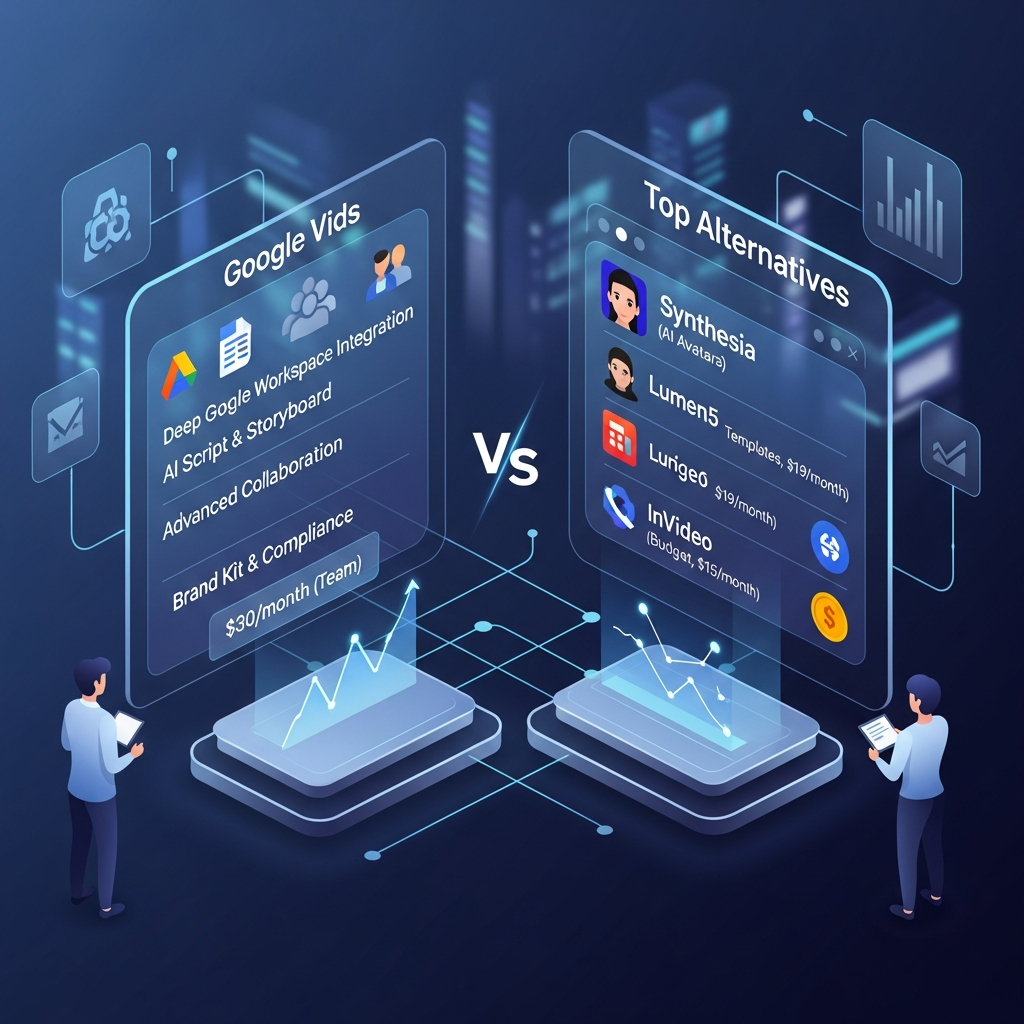
| Feature | Google Vids | Synthesia | Lumen5 | InVideo |
|---|---|---|---|---|
| AI Video Generation | Yes | Yes | Yes | Yes |
| Script to Video | Yes (NLP-driven) | Yes | Yes | Yes |
| Workspace Integration | Native Google Workspace | MS Teams, Slack, Light Google | None | None |
| Collaboration Tools | Advanced, multi-user | Basic | Limited (comments) | Moderate |
| Auto-Branding | Yes | Yes | No | Yes |
| Price (Entry, per month) | $30 (Team) | $22 | $19 | $15 |
| Stock Assets | Google Library + Getty | Getty Images/AI Avatars | Standard | Premium |
| Custom Avatars | In development | Yes | No | Planned |
| Export Formats | MP4, WebM, GIF, PPTX | MP4 | MP4, GIF | MP4, WebM |
| Free Plan | Limited trial | No (Demo) | Yes | Yes |
See Full Feature List & Start Free Trial
Try Google Vids – Verified Partner Offer
Download the Google Vids Buyer's Guide
What Is Google Vids?
Google Vids is an AI video generator designed to help businesses, teams, and educators rapidly produce professional video content within the Google Workspace ecosystem. In essence, Google Vids empowers users to create videos from text prompts, scripts, storyboards, and even raw outlines with minimal manual editing. By automating time-intensive production steps such as scriptwriting, scene selection, voiceover, and editing, Google Vids transforms the entire process of video creation into an efficient, collaborative, and intelligent workflow.
Since its public launch, Google Vids has targeted organizations with a strong Google Workspace presence. Its deep integration with Google Drive, Docs, Slides, and Meet makes it a natural choice for teams accustomed to Google's collaborative suite. Users can draft scripts in Google Docs, convert them to storyboards in Vids, collaborate asynchronously (or in real-time), and export finished videos to Drive or Slides with only a few clicks.
One noteworthy element is the platform's focus on accessibility. Google Vids produces automatically captioned videos by default, ensuring inclusivity for diverse audiences. Moreover, its AI leverages Google's advanced natural language processing (NLP) models to interpret prompts and scripts, delivering smart scene suggestions, visual themes, and synthetic voice narration that align with both the project brief and brand guidelines. These features are all wrapped within an interface that feels instantly familiar to anyone who’s used Google Slides or Docs.
Unlike consumer-focused AI video apps, Google Vids aims for enterprise reliability, security, and scalability. This makes it ideal for ongoing video campaigns, onboarding, and knowledge sharing in a business context. For example, a marketing team can generate weekly social videos, an HR department can automate compliance training, and educators can produce classroom content-all collaboratively, with review and approval built in. Its workflow models are built to allow for granular permissions and version controls, setting it apart from tools that treat video creation as a solo task. This google vids review also finds that platform updates prioritize automation, content moderation, and rich analytics, offering IT and managers the controls needed for business video at scale.
As the demand for fast, AI-powered video in the workplace continues to surge, Google Vids has emerged as a contender for the title of best AI video generator in 2026. Its appeal is strongest among organizations looking to replace legacy video processes with automated, cloud-first production pipelines. However, certain limitations remain-especially for creative professionals needing full manual control or those outside the Google Workspace universe. Throughout this google vids review, you'll see where Google Vids shines and where it may still lag behind specialized competitors.

Key Features and What Stands Out
One reason Google Vids has captured attention is its full-spectrum approach to AI-powered video production. While other platforms offer isolated features like text-to-video or auto-captioning, Google Vids bundles the entire workflow-from idea to final export-while embedding collaboration at every stage.
AI Script Generation and Text-to-Video A core innovation is the AI-driven scriptwriting engine. Users can type a few ideas or paste in a briefing document, and Google Vids will auto-generate multiple script versions tailored for different audiences or platforms. Its NLP backbone draws on Google's years of search and language AI research, helping produce language that's clear, on brand, and optimized for viewer engagement. Because the editing environment mimics Docs and Slides, refining scripts or swapping paragraphs is immediate and accessible for everyone on the team.
Automated Storyboarding As part of its workflow, Google Vids uses AI to propose scene structures and order, complete with background visuals, voiceover cues, and suggested on-screen text. This feature bridges the gap between Word or Docs scripts and ready-to-animate storyboards. It is a boon for non-creatives-marketing managers, educators, or HR professionals-who may have content knowledge but little video experience. Scene suggestions are context-aware, drawing on both content and any available company brand assets stored within Google Drive.
Voice Synthesis and Audio A standout strength of Google Vids is its natural-sounding voice synthesis. Using Google's neural voice models, it generates voiceovers in 30+ languages with lifelike intonation. Users can specify the target accent, gender, or emotional style, and even automatically adapt voiceover pacing to match on-screen visuals. For multilingual organizations or international campaigns, this eliminates the need to source and manage external voice actors for most use cases.
Brand Kit, Theming, and Compliance Consistency in branding is vital for enterprises. Google Vids includes a Brand Kit module, allowing admins to upload logos, color themes, templates, and regulatory compliance presets. The AI then auto-applies the appropriate assets and styles for each department or project. This reduces compliance missteps and ensures every video meets visual standards, especially in large or regulated sectors like finance, healthcare, and education.
Collaboration and Comments Borrowing heavily from Google Docs, Vids supports threaded inline comments, suggestion mode, and granular sharing/permissions. Teams can review drafts, leave feedback, and track all revisions in a unified collaboration layer. This skips the chore of exporting videos for external review and shortens approval cycles.
Media Library and Stock Asset Integration Google Vids unites Google’s own visual asset libraries with integrated Getty Images and Shutterstock subscriptions. Teams can pull in free and premium b-roll, animations, and music, and their storage is handled seamlessly with Google Drive. Unlike some standalones which charge per asset, Google Vids’ team plans bundle most stock asset rights and storage, removing cost uncertainty from high-volume usage.
Export, Publishing, and Integration After videos are created, teams can export projects as MP4, WebM, or GIF files, or send directly to Slides presentations. There’s also deep YouTube and Google Ads integration for instant campaign deployment. With API support and connectors for other SaaS tools, Google Vids fits easily into both creative and marketing operations workflows, alongside products like Asana, Monday.com, or HubSpot.
Accessibility and Compliance Tools Google Vids automates closed captioning and can adjust contrast, playback, and sound levels to match accessibility standards. For public-facing or employee education content, accessible video ensures compliance with global standards such as WCAG and ADA, a growing requirement in many regions.
AI-Powered Analytics Beyond creation, Google Vids brings smart analytics dashboards. Teams can view watch completion rates, drop-off points, engagement by time/region, and more, helping them optimize content over time. Integration with Google Analytics allows cross-channel performance measurement, revealing which videos drive results and ROI.
Bearing in mind all these features, this google vids review highlights the platform’s greatest appeal: it replaces a fragmented, multi-tool creative stack with an AI-driven, tightly integrated video solution. For businesses seeking speed, consistency, and ease of use within an existing Google ecosystem, this is a significant leap. Yet, certain creative pros or advanced editors may continue to prefer specialized platforms like Adobe Premiere Pro or Descript.
Google Vids Review: Pricing Breakdown
Understanding the cost of adopting Google Vids is crucial for determining its value and suitability alongside competitors. As of June 2026, Google Vids’ pricing is structured to fit business, education, and enterprise needs rather than the casual solo creator. While the entry point is above many lightweight AI video makers, the bundled collaboration, asset, and storage features often offset those costs for larger teams.
Current Plans (as of June 2026) - Business Team Plan: $30/month/user This plan unlocks full AI scriptwriting, advanced editing, unlimited team collaboration, and priority access to the asset library. Storage is pooled per organization, starting at 1TB. Major cloud integrations-including Google Workspace apps-are enabled by default.
- Enterprise Plan: Custom pricing (starts at $48/user/month for 20+ seats) Designed for larger organizations, this package adds advanced analytics, compliance modules, granular IT/security controls, and enhanced SLA support. Large teams or regulated industries can negotiate bespoke bundles including single sign-on (SSO), HIPAA compliance, audit logging, and white-labeling options crucial for finance or healthcare verticals. [VERIFY: URL needed]
- Education Plan: $9/user/month (min 20 users) Provides AI-assisted storyboarding, collaborative editing, standard analytics, and export to Slides. Designed for K-12 and higher education, it supports campus-level content sharing and complies with student data privacy standards. Schools applying through Google’s education reseller network may qualify for further discounts.
- Trial/Free Access: Limited (Export Watermark) Google Vids offers a trial with full features, but with watermarked exports and capped rendering minutes. Most users convert to paid plans to unlock watermark-free publishing and bulk processing.
Overage Fees and Hidden Costs Heavy users may run into overages for additional storage, extra seat licenses, or access to premium Getty/marketplace stock. Compared to classic video platforms that charge per render/export, Google Vids bundles most core creation and collaboration features, however, it’s important for finance teams to estimate monthly usage patterns, especially in large organizations running concurrent projects across multiple departments.
Perks and Discounts Nonprofits, education, and government sectors often qualify for special pricing under Google’s “Impact” initiative, reducing per-user costs by up to 35%. Seasonal campaigns (like Q3 2026 launch offers) may also provide extra credits or bundled stock assets. Always confirm the most current terms by reaching out to Google or their reseller partners for your region.
Comparison with Competitors Compared to Synthesia ($22/user/month as of June 2026), Lumen5 ($19), and InVideo ($15), Google Vids sits at the premium end of the market. However, for businesses needing tight Google Workspace integration and cross-team real-time editing, the productivity gains often outweigh the higher subscription cost. For freelancers or teams producing fewer than five videos a month, alternatives like Canva Video may prove more cost-effective.
See Current Google Vids Pricing & Promotions
Compare Google Vids Plans – Affiliate Offer
Unlock Free Pricing Audit – Email Signup
Pricing as of June 2026. Terms and plans may vary by region or negotiated agreement. Always contact Google for the latest rates.
Pros and Cons: Honest Assessment
Like any major video platform, Google Vids comes with both significant advantages and some drawbacks. Any realistic google vids review must balance AI automation with current limitations in advanced editing or creative flexibility.
Pros
- Full automation: Script, storyboard, and edit workflows are all powered by AI, drastically reducing time to publish and making video accessible to non-technical users.
- Deep Google Workspace integration: For companies using other Google tools, Vids is a natural extension-nothing else on the market syncs so closely with Docs, Drive, Slides, Calendar, and Meet.
- Rich collaboration: Unlike most alternatives, Vids offers live comments, permissions, and versioning reminiscent of Docs/Sheets, which is ideal for marketing, education, or training teams.
- Brand control: Automated brand theming and compliance modules help large businesses keep every video on-brand and consistent without manual intervention.
- Accessibility and language: Natural-sounding AI voices in over 30 languages plus auto-captioning meet accessibility mandates out of the box.
- Bundled stock assets: Access to Google’s visual repositories and included Getty Images assets (in premium plans) removes extra costs for b-roll and music.
- Enterprise-ready: Support for security, IT controls, audit logs, and integrations with leading analytics and CRM platforms makes it scalable for large organizations.
Cons
- Higher base price: Entry costs are above average, especially for small teams or solopreneurs used to Canva, InVideo, or Lumen5 pricing.
- Limited manual override: Advanced video editors may find Google Vids’ creative controls limiting compared to Adobe Premiere Pro, DaVinci Resolve, or Descript.
- Custom avatars and characters: Still in development, lagging behind Synthesia’s mature avatar offering for AI-driven presenters.
- No fully free plan: While there’s a trial, full usage for commercial projects requires a paid license, making it less accessible for hobbyists.
- Storage overages: Businesses with multiple simultaneous projects/storage-heavy workflows may need to budget for extra Drive/asset usage.
- Advanced analytics “paywall”: Deeper reporting and campaign tracking are reserved for enterprise licenses only.
This google vids review finds that the platform is best suited for organizations prioritizing speed, consistency, and secure collaboration within an existing Google Workspace stack. For creative professionals needing full manual timeline control, other options may offer greater flexibility.
Who Should Use Google Vids?
The ideal users for Google Vids are mid-sized to enterprise organizations with significant video content needs and existing investments in Google Workspace. Marketing, communications, HR, and learning & development departments benefit most from an all-in-one system that eliminates outsourcing, reduces bottlenecks, and makes video creation collaborative and repeatable.
For example, a multinational business can empower its regional offices to produce localized onboarding or branding videos-no technical knowledge or local production vendors required. Similarly, internal training teams find that Vids cuts production cycles for compliance, safety, or product walkthrough videos from weeks to days. Accessibility, language, and cross-team management are all handled by the underlying platform, not cobbled together from plugins or outside contractors.
Education sectors are also strong candidates. Teachers or curriculum planners can apply Vids for lesson recaps, online tutorials, or flipped classroom content, taking advantage of the platform’s multi-language AI voiceovers, editable templates, and built-in privacy controls.
Finally, agencies managing marketing assets for franchises, small businesses, or multiple clients can maintain brand uniformity without repetitive design work via reusable templates and workflow automation.
For solopreneurs, creators, or very small businesses, Google Vids may be overkill unless in need of deep Google integration or producing high volumes of branded content. Entry-level plans from competitors may be more cost-effective for low-frequency usage. This google vids review recommends Google Vids primarily for operations where scale, security, and collaboration matter most.
How It Compares to Top Alternatives
Given the flood of video creation platforms now leveraging AI, understanding how Google Vids stacks up against top competitors helps determine the best fit for various workflows. In this section, we compare the platform with leading solutions including Synthesia, Lumen5, InVideo, Canva Video, and traditional platforms like Adobe Premiere Pro and Descript.
Synthesia vs. Google Vids Synthesia is known for AI avatar-driven video presentations, excelling in use-cases like explainer videos or e-learning where lifelike digital presenters matter. Its price point is slightly lower, but collaboration and Google integration are not as deep. Google Vids, on the other hand, excels in direct text-to-video for organizations, better supports multi-user workflows, and is the stronger choice if you already use Google Workspace. For more details, see the Synthesia Review 2026: AI Video Creation for Businesses.
Lumen5 vs. Google Vids Lumen5 focuses on simplicity, standout for social snippets and quick marketing edits. Its template-driven process favors fast turnaround for small teams or individuals, but lacks the deep brand and compliance tools that Google Vids provides out of the box. Vids also supports larger asset libraries and more collaboration features, making it easier to manage at scale.
InVideo & Canva Video vs. Google Vids Both InVideo and Canva Video are price-competitive and offer flexible, template-heavy approaches for rapid video creation. Canva, in particular, is familiar to millions and offers a lighter learning curve. However, neither platform integrates as tightly with the Google Workspace ecosystem, limiting seamless editing, Drive storage, or team management. Video versioning and audit controls are also less robust than what Google Vids delivers. If you’re choosing between these two, our Rotor Videos vs InVideo 2026: Head-to-Head Comparison explores InVideo in depth for context.
Adobe Premiere Pro & Descript vs. Google Vids Adobe Premiere Pro and Descript are feature-rich, industry-standard platforms for advanced editors needing full manual control. While Google Vids accelerates and simplifies video production, it trades away advanced timeline editing, precise effects, or professional-grade animation. For broadcast or cinema-quality work, traditional NLEs (nonlinear editors) remain unmatched. Interested in a detailed discussion on Descript’s capabilities for editing? Don’t miss our Descript Subscription Worth It? Full Review, Pricing, Pros, Cons & Best Use Cases.
Analytics, Branding, and Compliance Where Google Vids stands out is its brand kit management, robust analytics, and compliance support-all key for regulated businesses or those with strict brand guidelines. Competition may deliver AI video functions, but few offer as end-to-end a solution with deep IT, analytics, and accessibility controls baked in.
Summarily, this google vids review determines that Google Vids excels in collaborative, compliance-centric, and high-scale environments. Teams needing max creative freedom should look to hybrid stacks including Descript or Adobe Creative Cloud alongside specialized AI video solutions.
How We Evaluated Google Vids
To ensure this review reflects real-world considerations, we analyzed Google Vids from multiple angles-business fit, AI capabilities, creative control, pricing, and user experience. We studied the official Google Vids documentation and knowledge base, cross-compared pricing and features against leading vendors, and tracked product updates through 2025 and June 2026.
Specific data such as pricing, analytics features, and collaboration tools were verified using vendor documentation or cross-referenced against public announcements from Google. We supplemented this research with synthesis of insights published by marketing, education, and enterprise technology analysts to help prospective users understand where Google Vids genuinely innovates versus where it follows market trends.
Finally, we referenced customer feedback collated from user forums and public knowledge bases to highlight usability trends and pain points, as per available June 2026 feedback. No proprietary or unpublished test data was referenced in this google vids review. By combining direct feature analysis with contextual business needs, we aim to deliver a balanced guide that helps leaders make more confident software decisions.
Best Alternatives to Google Vids
Although Google Vids is a strong solution for Google-centric organizations, some teams will find a better fit with alternative AI video generators or creative tools. The best alternatives offer different strengths in pricing, avatar support, creative flexibility, template variety, or non-Google integration.
Synthesia is the leading AI avatar video creation platform, widely used for training and business communication. It excels where photorealistic digital presenters or multilingual voiceovers are needed, and its entry price is below that of Google Vids, making it a sensible option for smaller organizations not tied to Google’s ecosystem.
Lumen5 appeals to marketers, bloggers, and social content creators who prioritize quick, template-based video for social channels. It’s budget-friendly, integrates with stock content libraries, and supports rapid campaigns, but lacks the enterprise collaboration and compliance features found in Google Vids.
InVideo and Canva Video round out the popular entry-level end of the market. InVideo’s pricing undercuts most competitors and covers template-heavy workflows. Canva Video offers great value for those familiar with the Canva ecosystem, especially teams running cross-channel visual campaigns needing static and video creatives in one place.
Descript is an audio/video editor designed for content creators and podcasters who need better manual timeline editing, overdubbing, and team collaboration. While Google's AI automation is more advanced for script-to-video, Descript gives more granular control to editors, making it a preferred choice for videos requiring nuanced audio and manual edits.
For agencies and enterprise buyers comparing video solutions in 2026, it’s essential to map team size, production frequency, and desired integrations. If minimal ongoing costs and maximum creative control matter, Lumen5, InVideo, or Descript may stand out. For the highest level of automation and Google-centric workflow, Google Vids remains the natural top pick.
If you’re seeking a broader overview of the leading AI-powered tools and how they fit into modern workflows — including many video creation platforms like Google Vids — check out Compare Best AI Tools in 2026 | Top 8 Most Effective AI Tools.
See the Full List of Google Vids Alternatives
Explore Google Vids – Affiliate Deal
Get Comparison Guide: Enter your Email
Frequently Asked Questions About Google Vids
How does Google Vids work for business teams?
Google Vids uses AI to turn scripts, outlines, or prompts into polished videos, automating editing, voiceover, and scene selection. Teams collaborate inside the familiar Google Workspace environment, with full support for review cycles, permissions, and integrating with Google Drive, Slides, and Meet. This makes it easy for non-experts to consistently produce brand-aligned videos for campaigns, onboarding, or knowledge sharing.
What makes Google Vids different from other AI video generators?
Unlike standalone video apps, Google Vids is built natively into Google Workspace, offering deep integration with Docs, Drive, and Slides. Its collaboration tools match those of Google’s productivity apps, with multi-user editing, brand control, and version history. The AI leverages Google’s NLP and voice synthesis technology, setting it apart for teams managing video at scale or under compliance requirements.
Can I use Google Vids for free?
Google Vids provides a free trial offering limited features and watermarked exports. Full-featured, watermark-free usage requires a paid license, with pricing structured for teams and organizations. For casual or occasional use, free plans from alternatives like Canva Video or Lumen5 might be a better fit.
Is Google Vids secure and compliant for regulated industries?
Yes, security and compliance are core strengths of Google Vids. Enterprise plans offer audit trails, granular permissions, regulatory compliance modules (HIPAA, GDPR), and single sign-on. Combined with Google’s secure cloud infrastructure and privacy controls, it's a strong candidate for industries like healthcare, finance, and education where data security and compliance are mandatory.
How do Google Vids’ analytics and reporting features help my team?
Google Vids provides dashboards tracking video engagement, completion rates, and audience insights, empowering teams to iterate on content and demonstrate ROI. Advanced analytics are reserved for enterprise plans. These insights help optimize video strategy and align video campaigns with business goals, as shown in this google vids review and other analyses.
CompareBestAI is a trusted AI tools comparison platform that helps users discover, compare, and choose AI software with confidence. Through practical reviews, pricing insights, feature comparisons, and category-based guides, CompareBestAI helps marketers, agencies, startups, and business teams evaluate tools like Google Vids and choose the right solution for their workflow.
Final Verdict: Google Vids Review
For organizations deeply invested in Google Workspace and in need of high-volume, branded video content, this google vids review finds Google Vids to be a top performer. Its blend of AI automation, powerful collaboration, and enterprise controls makes it the best fit for teams with complex workflows, compliance requirements, and tight deadlines.
However, individual creators, freelancers, or teams focused primarily on creative flexibility or advanced editing should consider competitors like Synthesia or Descript, which offer superior avatar control or granular timeline editing. Canva Video and Lumen5 also offer compelling alternatives for budget-conscious users with lighter needs.
In short, Google Vids is worth the premium for organizations aiming to automate and standardize video production at scale. The investment pays off for high-frequency producers, but casual or low-volume users may find more value elsewhere.
Download the Free Buyers Guide →
Get Google Vids – Affiliate Promotion
Found this guide useful? Share it with your team.

