
Fathom is a strong AI note taker for individuals and small teams, mainly because its free plan includes unlimited recording, transcription, and storage for Zoom, Google Meet, and Microsoft Teams calls. Paid plans start at $16 per month billed annually ($20 monthly) for Premium, and sales teams can get CRM field sync on the Business plan. The main trade-offs: a visible bot joins your calls by default, and Fathom trains its own AI on de-identified meeting data unless you opt out.
This Fathom AI review covers features, 2026 pricing, free plan limits, security, and how Fathom compares to Otter, Fireflies, Granola, and Read AI.
What Is Fathom AI?
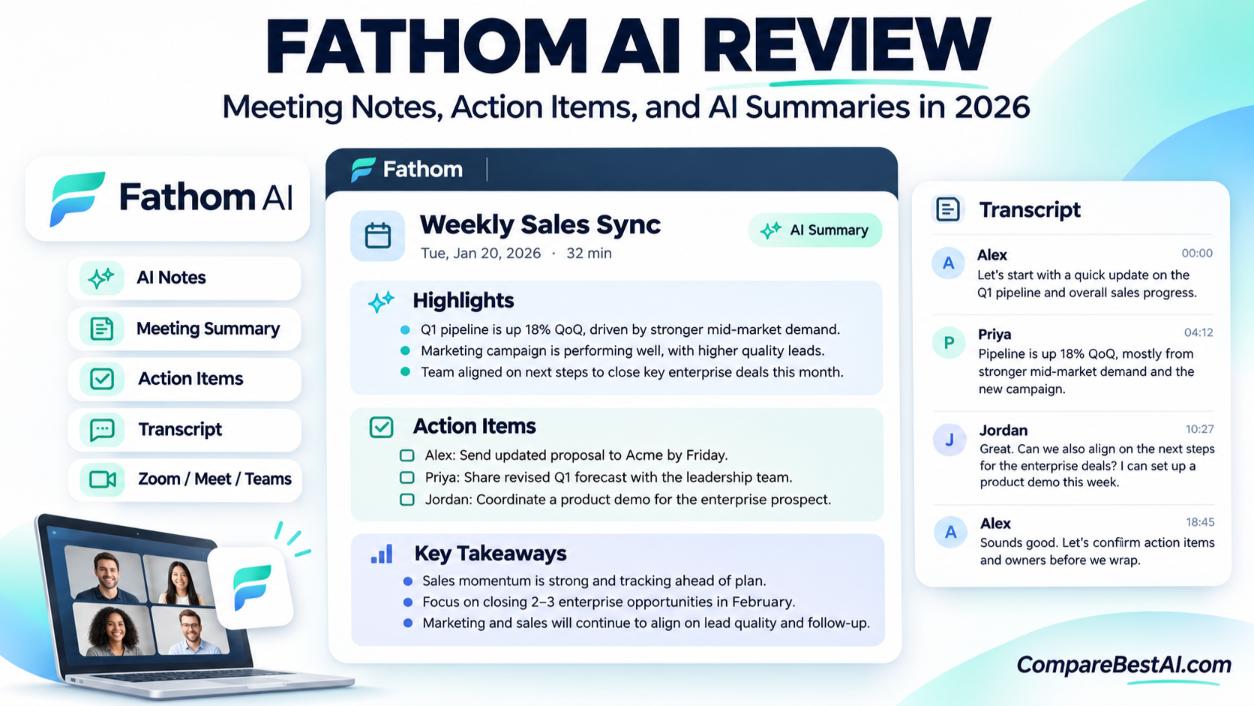
Fathom is an AI meeting assistant that records, transcribes, and summarizes your video calls. It joins Zoom, Google Meet, and Microsoft Teams meetings as a participant, then delivers a transcript, an AI summary, and action items shortly after the call ends.
In September 2026, Fathom was acquired by Superhuman, the company formerly known as Grammarly. Fathom said nothing changes for current users: same app, same login, and same product. No pricing changes have been announced. You can see a quick summary on our Fathom tool profile.
Fathom AI Features: What You Get
Recording and Transcription
Fathom records the full call and creates a searchable transcript in 25 languages. You can jump to any moment in the recording by clicking a line in the transcript, which makes it easy to find a quote or decision later.
AI Summaries and Action Items
After each call, Fathom generates a summary with key points, decisions, and action items. You can share them with your team or copy them into your own notes and follow-up emails.
CRM Sync for Sales Teams
Fathom can send call notes to CRMs such as HubSpot and Salesforce. Basic CRM sync is available on Free and Premium for small groups, while the Business plan adds field-level CRM sync, deal views, and pipeline metrics. If your team runs on HubSpot, see our HubSpot AI profile.
Team Features
The Team plan adds SSO, admin controls, shared folders, keyword alerts, and custom vocabulary, which helps transcripts recognize product names and industry terms.
Bot vs Bot-Free Recording
By default, Fathom joins as a visible bot. A bot-free capture option is available as a Mac-only beta. If a visible bot bothers your clients, compare it with bot-less tools such as Granola.
Fathom AI Pricing (2026)
Plan | Monthly | Billed annually | Who it's for | Key additions |
|---|---|---|---|---|
Free | $0 | $0 | Individuals | Unlimited recording, transcripts, and storage; limited advanced AI summaries |
Premium | $20/month | $16/month | Power users | Removes the AI summary limits |
Team | $19/user/month | $15/user/month | Teams (2-user minimum) | SSO, admin controls, shared folders, keyword alerts, custom vocabulary |
Business | $34/user/month | $25/user/month | Sales teams (2-user minimum) | CRM field sync, deal views, pipeline metrics |
Enterprise | Custom | Custom | Large organizations | Signed BAA, automatic deletion, advanced controls |
Prices as reported by independent pricing guides from June to September 2026. Fathom's pricing page wasn't directly accessible for this review, so confirm before you subscribe.
Is Fathom AI Really Free?
Yes. The free plan includes unlimited recording, transcription, and storage, which is more generous than most competitors. The catch is that advanced AI summaries and action items are limited on Free. Fathom adjusted this limit during 2026, so check the current cap on its pricing page.
Which Fathom Plan Should You Choose?
- Free: Freelancers, consultants, and anyone with a few calls a week.
- Premium: Individuals who need AI summaries on every call.
- Team: Small teams that want shared recordings and admin control.
- Business: Sales teams that need call notes synced to HubSpot or Salesforce.
Is Fathom AI Safe?
Fathom says it is SOC 2 Type II certified, HIPAA compliant, and GDPR compliant, according to its security help article. It also states:
- All data is stored in the United States.
- Its AI subprocessors (Anthropic, OpenAI, and Google) are contractually barred from training on your data.
- Fathom doesn't sell user data.
- Deleting your account removes recordings, with backups purged 7 days later.
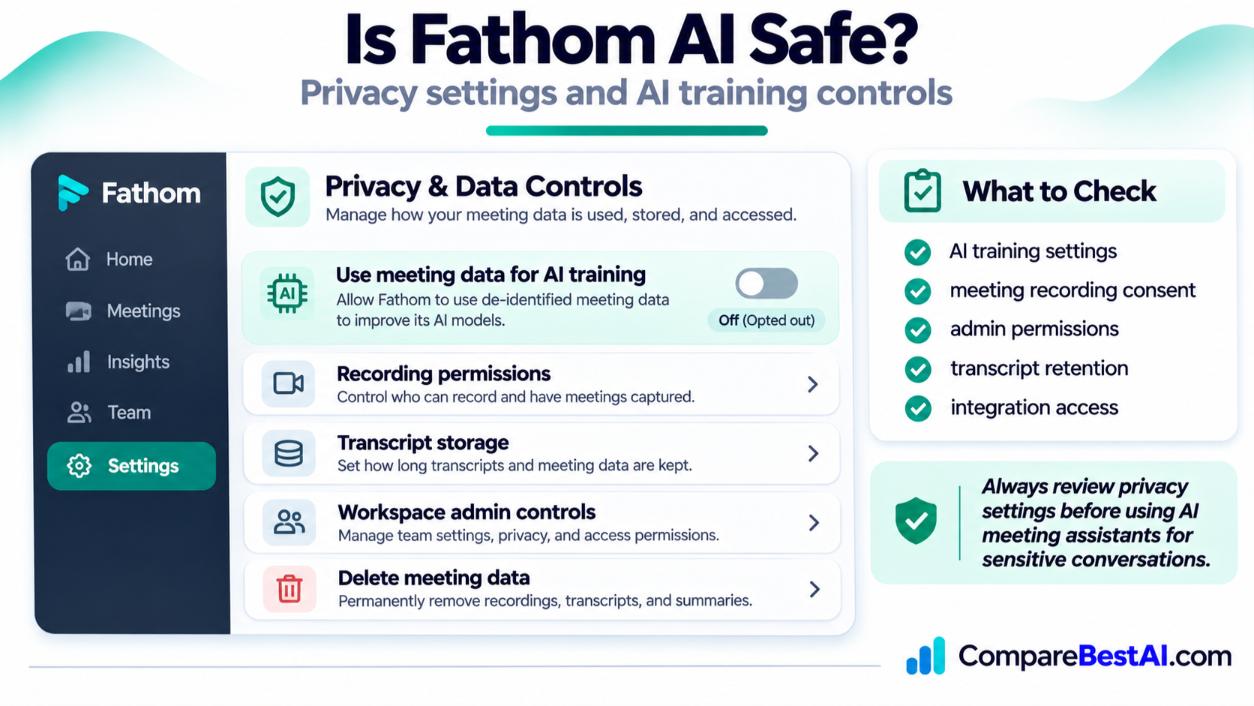
Know this before you sign up: Fathom uses de-identified customer data to improve its own AI models by default. You can opt out in My Settings, and Team admins can opt out everyone in Organization Settings. Healthcare teams that need a signed BAA should look at the Enterprise plan.
Do You Need Consent to Record Meetings?
Yes, in many cases. Federal law requires at least one party's consent, but about 11 states, including California, Florida, Illinois, Pennsylvania, and Washington, generally require consent from everyone on the call. The Reporters Committee for Freedom of the Press recording guide explains each state's rules. The safest habit is to tell participants you're recording at the start of every call.
Fathom AI Reviews: What Users Say
On Capterra, Fathom holds a 5 out of 5 average from about 825 reviews.
What users like:
- Easy setup and a clean interface
- Accurate transcripts and useful summaries
- Clear action items for follow-ups
- A generous free plan
- Responsive support and HubSpot integration
What users dislike:
- The visible bot in meetings
- Transcript errors with accents, crosstalk, or technical terms
- Occasional bugs when sharing recordings
- No audio file upload or open API for custom integrations
- Pricing adds up for larger teams
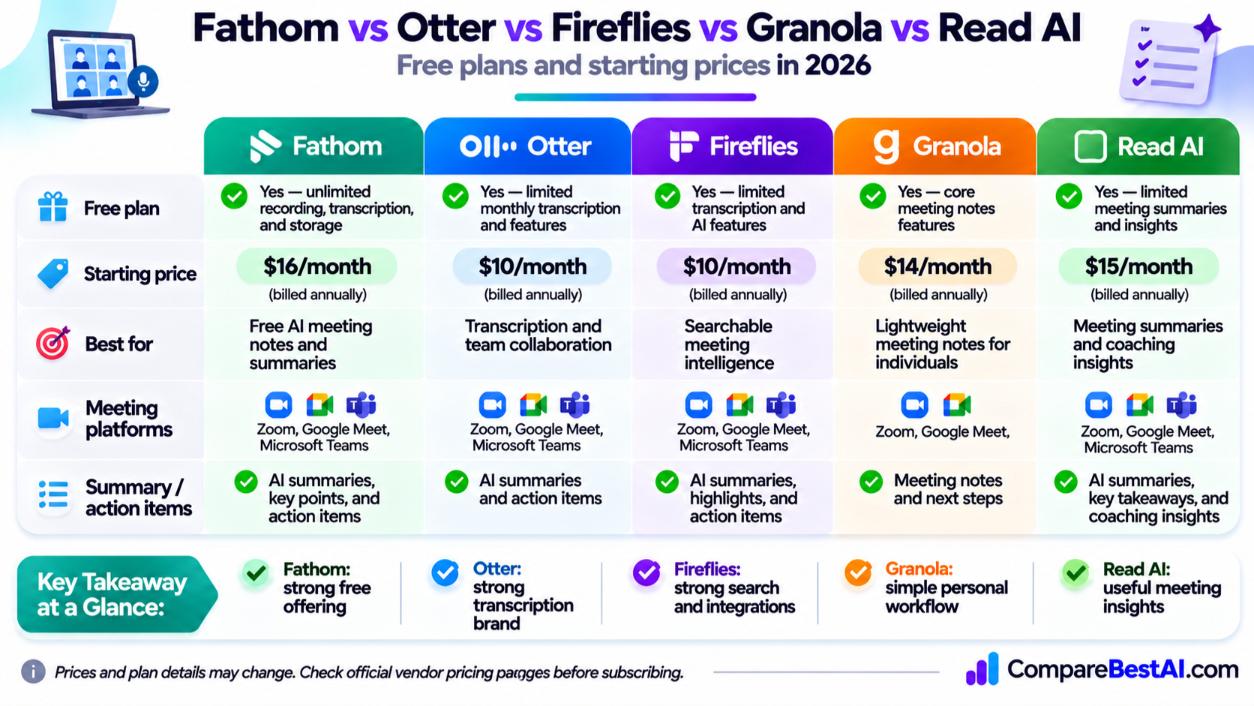
Fathom vs Otter vs Fireflies vs Granola vs Read AI
Tool | Best for | Recording style | Free plan | Paid plans from |
|---|---|---|---|---|
Fathom | Generous free plan and CRM sync | Bot (Mac bot-free beta) | Unlimited recording and transcripts | $16/month annual, $20 monthly |
Live transcription and searchable notes | Bot | 300 minutes/month | $8.33/month annual, $16.99 monthly | |
Revenue teams and deep CRM workflows | Bot | Yes, with storage limits | $10/month annual, $18 monthly | |
Granola | Bot-free notes you control | No bot, runs on your device | Basic plan, 30 days of history | $14/user/month (Business) |
Read AI | Meeting analytics and engagement scores | Bot | 5 meetings/month | $15/month annual, $19.75 monthly |
Competitor prices from vendor pricing pages as reported on October 28, 2026.
Fathom vs Otter AI
Choose Fathom for unlimited free recording; choose Otter for live transcription and a cheaper annual plan. Otter's free plan is capped at 300 minutes a month, while Fathom's free plan has no recording cap.
Fathom vs Fireflies AI
Fireflies is stronger for sales teams that want deep CRM automation; Fathom is simpler and more generous for free. Fireflies' annual Pro plan is cheaper, but its free storage is limited.
Fathom vs Granola
Choose Granola if you don't want a bot in your meetings. Granola works from your device and enhances notes you type yourself, which also works for in-person meetings. Fathom records the full call and gives you a complete transcript and video.
Fathom AI vs Read AI
Read AI focuses on meeting analytics, such as engagement and sentiment, across meetings and other channels. Choose Fathom if you mainly want transcripts, summaries, and action items.
Fathom AI Alternatives
Other options include Avoma for revenue intelligence and tl;dv for recording and sharing clips. Read our tl;dv AI review for details.
Fathom AI Pros and Cons
Pros
- Unlimited free recording, transcription, and storage
- Fast, useful AI summaries and action items
- HubSpot and Salesforce sync for sales teams
- SOC 2 Type II and HIPAA compliance claims
Cons
- Visible bot by default; bot-free mode is Mac-only beta
- Trains its own AI on de-identified data unless you opt out
- Advanced AI summaries limited on the free plan
- Team pricing adds up as seats grow
Fathom AI Review: Key Takeaways
- Fathom is an AI note taker for Zoom, Google Meet, and Microsoft Teams.
- Its free plan offers unlimited recording, transcripts, and storage.
- Premium costs $16/month annually or $20 monthly; Business costs $25/user/month annually.
- Superhuman (formerly Grammarly) acquired Fathom in September 2026, with no announced product changes.
- Opt out of AI training in settings if data privacy matters to you, and always tell participants you're recording.
Frequently Asked Questions
Is Fathom AI free?
Yes. Fathom's free plan includes unlimited recording, transcription, and storage. Advanced AI summaries are limited on the free plan.
How much does Fathom AI cost?
Premium costs $20/month or $16/month billed annually. Team costs $19/user/month ($15 annually), and Business costs $34/user/month ($25 annually).
Is Fathom AI safe to use?
Fathom states it's SOC 2 Type II, HIPAA, and GDPR compliant and doesn't sell data. It does use de-identified data to train its own models unless you opt out.
Is Fathom better than Otter?
Fathom is better if you want unlimited free recording. Otter is better for live transcription and has a cheaper annual Pro plan.
Does Fathom work with Zoom, Google Meet, and Microsoft Teams?
Yes. Fathom records and transcribes calls on all three platforms.
Who owns Fathom now?
Superhuman, formerly Grammarly, acquired Fathom in September 2026.
Final Verdict: Is Fathom AI Worth It?
The bottom line of this Fathom AI review: Fathom is an easy AI note taker to recommend, thanks to its generous free plan and useful summaries. Sales teams get extra value from CRM sync on the Business plan. If a visible bot or AI training on your data is a deal-breaker, look at Granola or opt out in Fathom's settings. Start on the free plan, use it on a week of real calls, and upgrade only if you need summaries on every meeting.
At CompareBestAI, we review and compare AI tools side by side so you can choose with confidence. Browse our AI productivity tools, explore sales and CRM AI tools, or use the CompareBestAI comparison tool to put Fathom, Otter, and Fireflies side by side.