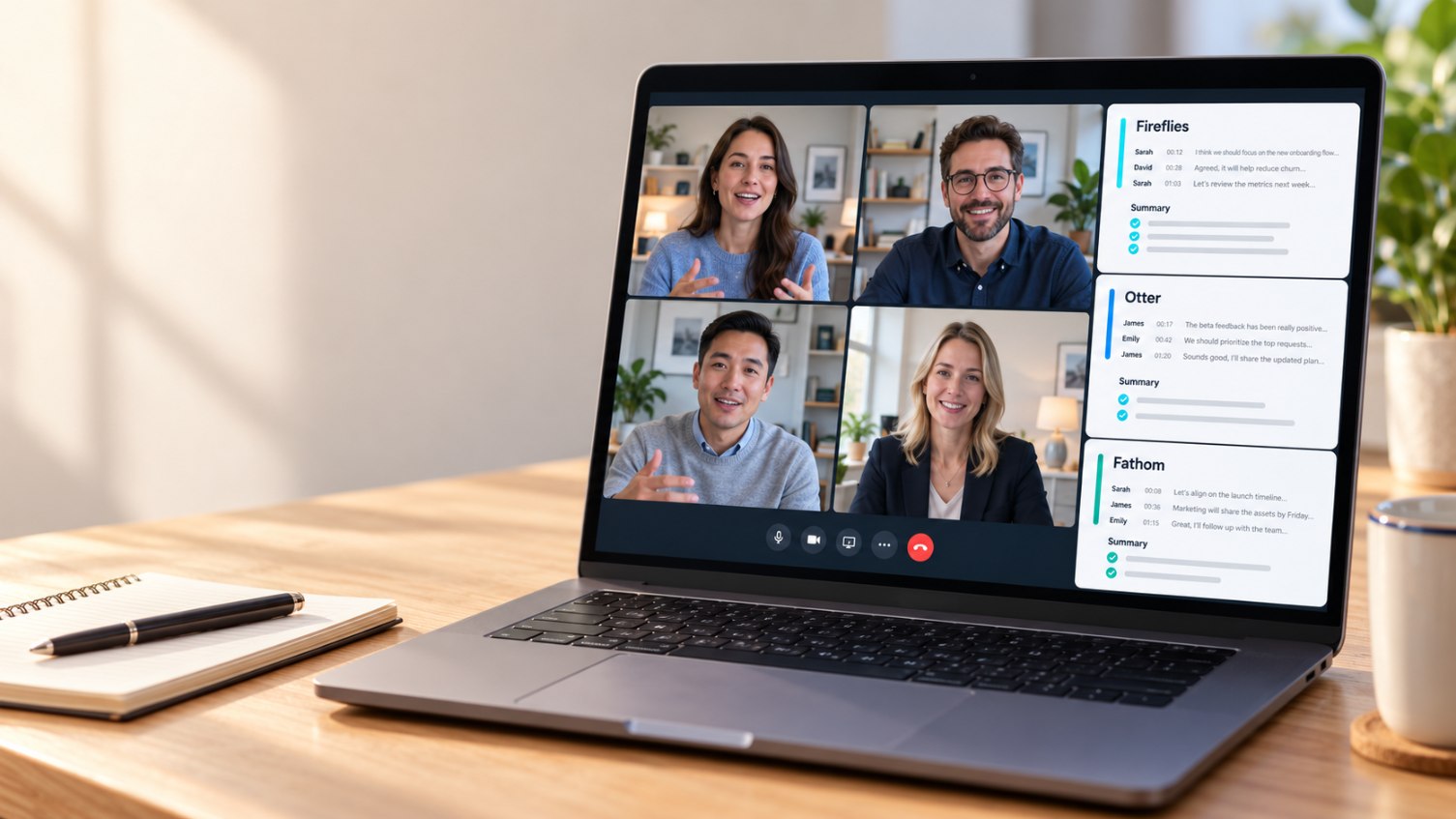

Is Fireflies AI worth it?
For most teams that live on Zoom, Google Meet or Microsoft Teams, yes. Fireflies records, transcribes and summarizes your calls in 100+ languages, and the paid plans start at $10 per seat a month on annual billing. It's best for sales and client-facing teams that want searchable call history and CRM sync. The free plan is a trial in disguise (400 minutes of storage), the bot auto-joins every meeting by default, and HIPAA is limited to Enterprise. This Fireflies AI review covers pricing, accuracy, safety, complaints and how to remove it.
What is Fireflies AI?
Fireflies.ai is an AI meeting assistant. A bot called the Fireflies Notetaker (Fred) joins your video calls, records the conversation, creates a searchable transcript with speaker labels, and writes a summary with action items. It also works through a Chrome extension, desktop app, mobile app and file uploads.
At CompareBestAI, we built this review from Fireflies' live pricing page, its help documentation, public court filings and hundreds of verified user reviews on Capterra and Trustpilot.
Fireflies AI review at a glance
| Category | Verdict |
|---|---|
| Best for | Sales, recruiting, client services and multilingual teams |
| Free plan | Yes: unlimited transcription, 400 min storage per team, 20 AI credits |
| Cheapest paid plan | Pro, $10/seat/month annual ($18 monthly) |
| Languages | 100+ |
| Platforms | Zoom, Google Meet, Microsoft Teams and more |
| Security | SOC 2 Type II, GDPR; HIPAA on Enterprise |
| Biggest downside | Aggressive default auto-join and a credit system that adds cost |
| User ratings (9 Oct 2026) | Capterra 4.9/5 (735 reviews), G2 4.8/5 (727), Trustpilot 4.5/5 (836) |
How does Fireflies.ai work?
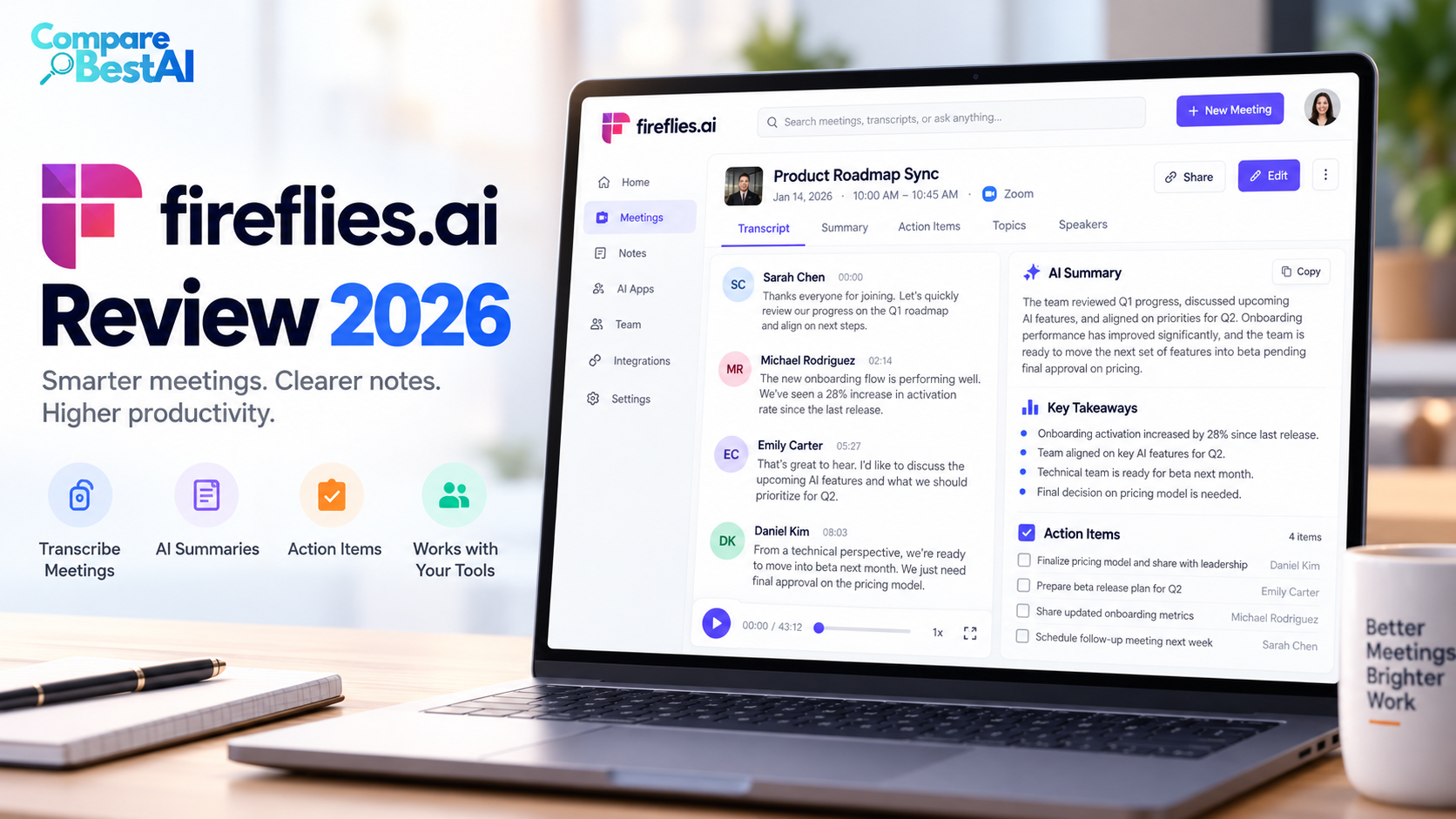
Fireflies connects to your calendar. When a meeting with a video link starts, the Fireflies Notetaker joins as a participant, posts a message in the chat, and starts capturing audio. When the call ends, you get:
- A full transcript with timestamps and speaker names
- An AI summary with key topics and action items
- Searchable meeting history across every recorded call
- AskFred, a chat assistant that answers questions about your meetings
You can also skip the bot. The Chrome extension records Google Meet calls without a visible participant, and the mobile app captures in-person meetings. You can upload audio files too.
Insert image 1 here: Screenshot-style illustration of a Fireflies meeting page showing a transcript on the left and an AI summary with action items on the right. Alt text: "Fireflies AI meeting notes showing transcript, summary and action items"
Fireflies AI pricing: what does it cost in 2026?
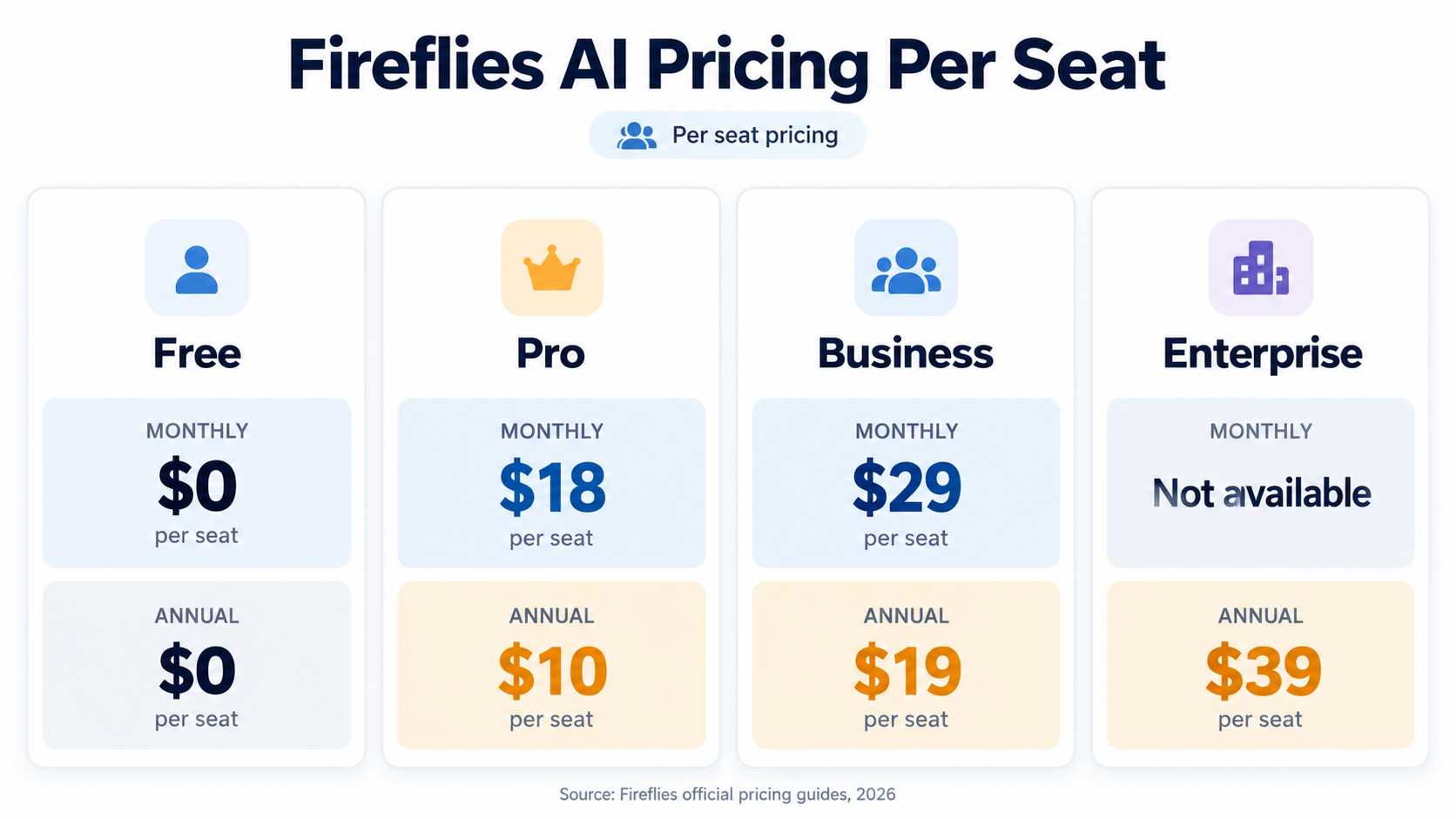
Fireflies has four plans. All paid prices are per seat.
| Plan | Monthly | Annual (per month) | Storage | AI credits | Key extras |
|---|---|---|---|---|---|
| Free | $0 | $0 | 400 min per team | 20 | Limited AI summaries, no video recording |
| Pro | $18 | $10 | 8,000 min per seat | 20 | Video recording, downloads, unlimited integrations |
| Business | $29 | $19 | Unlimited | 30 | Conversation intelligence, team analytics, multi-language mode |
| Enterprise | Annual only | $39 | Unlimited | 50 | SSO, SCIM, HIPAA, custom data retention, audit logs |
Verified 9 October 2026 on fireflies.ai/pricing. Prices in USD. Check the vendor site before buying.
What a team actually pays (annual billing):
- 1 person on Pro: $10/month, or $120 a year
- 5 people on Business: 5 × $19 = $95/month, or $1,140 a year
- 10 people on Enterprise: 10 × $39 = $390/month, or $4,680 a year
On monthly billing, the same 5-person Business team pays 5 × $29 = $145 a month, so annual saves about 34%.
Watch the AI credits
Transcripts and standard summaries don't use credits. Advanced features do: AI Skills, custom summary sections, Live Assist questions, CRM autofill and the daily digest. Your plan's starting credits are a one-time pool shared by the whole team, not a monthly allowance.
Extra credits cost $5 a month for 50, $20 for 200, or $90 for 1,000. Paid accounts that run out get auto-upgraded to the next credit tier unless you pause it under Settings, then Billing. That's the most common surprise on the bill.
Is Fireflies AI free?
Partly. The free plan gives unlimited transcription, but storage caps at 400 minutes per team, AI summaries are limited, and you get 20 one-time AI credits. Once storage fills up, new transcription stops until you delete meetings or upgrade.
If you're trying it before paying, our guide to testing AI tool free trials before you subscribe covers the cancel-before-renewal checklist.
How accurate is Fireflies AI?
On clear audio with one speaker at a time, users describe Fireflies transcripts as highly accurate. Accuracy drops in three situations that show up again and again in verified reviews:
- Crosstalk: overlapping speakers get merged or mislabeled
- Strong accents and mixed languages: words get misheard, especially when people switch languages mid-call
- Jargon and names: product names, acronyms and surnames need cleanup
Fireflies doesn't publish an independent accuracy benchmark, so treat any single percentage you see online with caution. The practical rule: summaries are reliable enough for internal notes, but check names, numbers and commitments before anything goes to a client.
Is Fireflies AI safe?
Fireflies holds SOC 2 Type II and states GDPR compliance. It says customer data isn't used to train AI models. HIPAA compliance is listed only on the Enterprise plan, so healthcare teams on Pro or Business aren't covered. Under HIPAA, a vendor that handles patient information on your behalf needs a signed business associate agreement first, as explained in the HHS guidance on HIPAA business associates.
There's also a legal question to know about. In December 2025, an Illinois resident filed a proposed class action, Cruz v. Fireflies.AI Corp. (C.D. Ill.), alleging that Fireflies' speaker recognition created voiceprints of meeting participants without the written consent Illinois' biometric privacy law requires. The National Law Review's breakdown of the Fireflies.AI lawsuit explains the three claims. These are allegations, not findings.
What to do about it: tell everyone when Fireflies is recording, get consent from external guests, and keep it out of HR, legal and medical conversations unless you're on a plan and contract built for that.
Fireflies AI review complaints: what users dislike
Fireflies scores well overall, but Trustpilot shows 14% of its reviews at one star, and the same complaints repeat on Reddit, Zoom and Microsoft community forums:
- It joins meetings you didn't expect. By default, Fireflies joins every calendar event with a video link. Guests sometimes see it appear in meetings they host.
- It shares notes widely. Reviewers note that, by default, it can send recap links to other attendees. You can change this in settings.
- Billing surprises. Several Trustpilot reviewers report charges after a trial they believed was cancelled.
- Storage limits on Free. Transcription stops when the 400-minute cap fills.
- Chatbot-first support. Users report email and chatbot support with no phone line.
None of these are dealbreakers once settings are adjusted, but they explain the gap between the 4.9 Capterra score and the louder complaints online.
How to remove Fireflies AI from Teams (and stop auto-join)
To remove Fireflies from a live Microsoft Teams meeting:
- Open the participants panel
- Click the three dots next to Fireflies Notetaker
- Select Remove from meeting
To stop it joining future meetings:
- Log in at app.fireflies.ai and open Settings
- Under the Notetaker's calendar meeting settings, change auto-join from "All meetings with web-conf link" to "Only when I invite [email protected]"
- Toggle off any meeting listed under Upcoming Meetings
- Remove [email protected] from any calendar invites it's on
- To quit completely, disconnect your calendar and use Delete my account in account settings
If you're an IT admin: block the Fireflies app in the Teams admin center under Teams apps, then Manage apps. This needs admin permissions.
How do I remove Fireflies AI?
Remove the Notetaker from the participant list during the call, then set auto-join to "only when I invite" in Fireflies settings. If it keeps coming back, disconnect your calendar or delete your account. Admins can block the app in the Teams admin center.
Fireflies AI pros and cons
| Pros | Cons |
|---|---|
| Transcription in 100+ languages | Bot auto-joins all meetings by default |
| Works across Zoom, Meet, Teams, mobile and uploads | Free plan storage is tight (400 min) |
| Searchable call library and AskFred | AI credits add cost and auto-upgrade |
| Low entry price ($10/seat annual) | HIPAA only on Enterprise |
| SOC 2 Type II, no AI training on your data | Pending biometric privacy lawsuit in Illinois |
Fireflies AI alternatives worth comparing
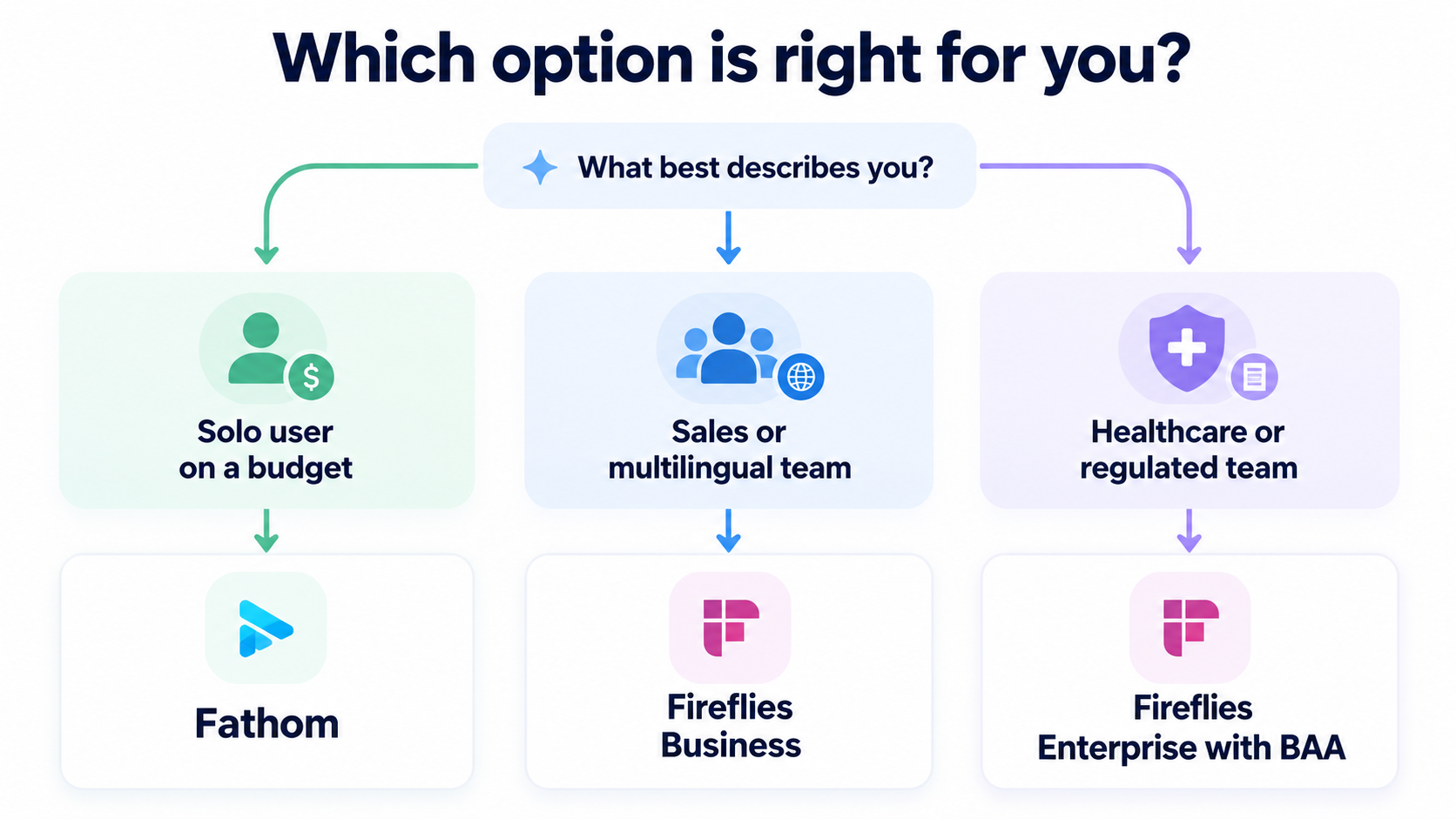
- Fathom: the most generous free plan for individuals. See our Fathom pricing and features page.
- tl;dv: stronger on video clips and multi-meeting research. Read our tl;dv AI review.
- Avoma: built for revenue teams with scheduling and forecasting. Compare Avoma plans and add-ons.
- Supernormal: bot-free desktop capture with pooled credits. See Supernormal pricing.
For a side-by-side on free plans, per-seat cost and HIPAA, read Fireflies vs Otter vs Fathom.
FAQ
Is Fireflies AI worth it?
Yes, if you hold several meetings a week and want searchable notes and CRM sync. Pro at $10 a seat (annual) is good value. Light users are better served by a stronger free plan like Fathom's.
Is Fireflies AI free?
There's a free-forever plan with unlimited transcription, but storage is capped at 400 minutes per team and AI features are limited to 20 one-time credits.
What do Reddit users say in Fireflies AI reviews?
Threads on Reddit and community forums focus less on transcript quality and more on behavior: the bot joining calls uninvited and spreading to colleagues' calendars. Most of it is fixed by changing auto-join settings.
Does Fireflies AI record without permission?
Fireflies appears in the participant list and posts a chat message, so it isn't hidden. Getting consent is the account owner's job, and some US states require every participant to agree.
What is the Fireflies AI rating?
As of 9 October 2026: 4.9/5 on Capterra (735 reviews), 4.8/5 on G2 (727 reviews) and 4.5/5 on Trustpilot (836 reviews).
Key takeaways
- Fireflies AI is a strong pick for meeting-heavy teams, especially sales and multilingual ones.
- Pricing: Pro $10, Business $19, Enterprise $39 per seat a month on annual billing.
- Free plan: unlimited transcription, but only 400 minutes of storage.
- Safety: SOC 2 Type II and GDPR; HIPAA only on Enterprise; an Illinois biometric privacy suit was pending at last report.
- Fix first: change auto-join to "only when I invite" and pause AI credit auto-upgrades.
Final verdict
This Fireflies AI review lands on a clear answer: Fireflies is one of the most capable meeting assistants you can buy in 2026, as long as you set it up deliberately. Turn off blanket auto-join, decide who gets recap emails, and watch your AI credits. Do that, and $10 to $19 a seat buys you a searchable memory of every call.
Still deciding? Explore more meeting and workflow tools in CompareBestAI's AI productivity tools guide, browse the productivity and collaboration category, or use our framework on how to choose an AI tool before you commit. CompareBestAI compares pricing, free plans and real trade-offs so you can pick with confidence.